* [pl] UWAGA: Używasz przestarzałą przeglądarkę. Nie jest ona bezpieczna i nie odpowiada nowoczesnym standardom sieciowym. Zaktualizuj (lub zmień) swoją przeglądarkę, aby wyświetlać naszą stronę w sposób, w jaki powinna być oglądana. Polecamy przeglądarki „Safari”, „DuckDuckGo” lub „Brave”. Dziękujemy! —Kliknij, aby zamknąć tę wiadomość—
* [en] PLEASE NOTE: You are using an outdated browser. It is unsafe and no longer suitable for modern web standards. Please, update (or change) your browser to view our site as it is intended to be seen. We recommend 'Safari', 'DuckDuckGo' or 'Brave' browsers. Thank you! —Click to dismiss this message—
* [de] BITTE BEACHTEN SIE: Sie verwenden einen veralteten Browser. Es ist unsicher und nicht mehr für moderne Webstandards geeignet. Bitte aktualisieren (oder ändern) Sie Ihren Browser, um unsere Website so anzuzeigen, wie sie angezeigt werden soll. Wir empfehlen die Browser 'Safari', 'DuckDuckGo' oder 'Brave'. Danke! —Klicken Sie, um diese Nachricht zu schließen—


Security News
Security News
Security News
Security News
On this page
you get important news and warnings about security and privacy on internet!
(Be patient – loading of this page takes few seconds.)
On this page, I give you the latest news, warnings and advice on the subject of security and privacy on the internet. You alone can take care of your own security and privacy and this requires some knowledge, strategy and constant vigilance.
(On the PRIVACY POLICY page, you will find my recommendations for a broad strategy to protect your computer from hackers.)
DISCLAIMER:
- Copyrights belong to each article's respective author.
- Article links lead to external websites, where you will be tracked, most likely.
1. 1 PASSWORD Manager Appby Agilebits SoftwareA range of topics on security, focused on password management.
2026-10-22, 00:00
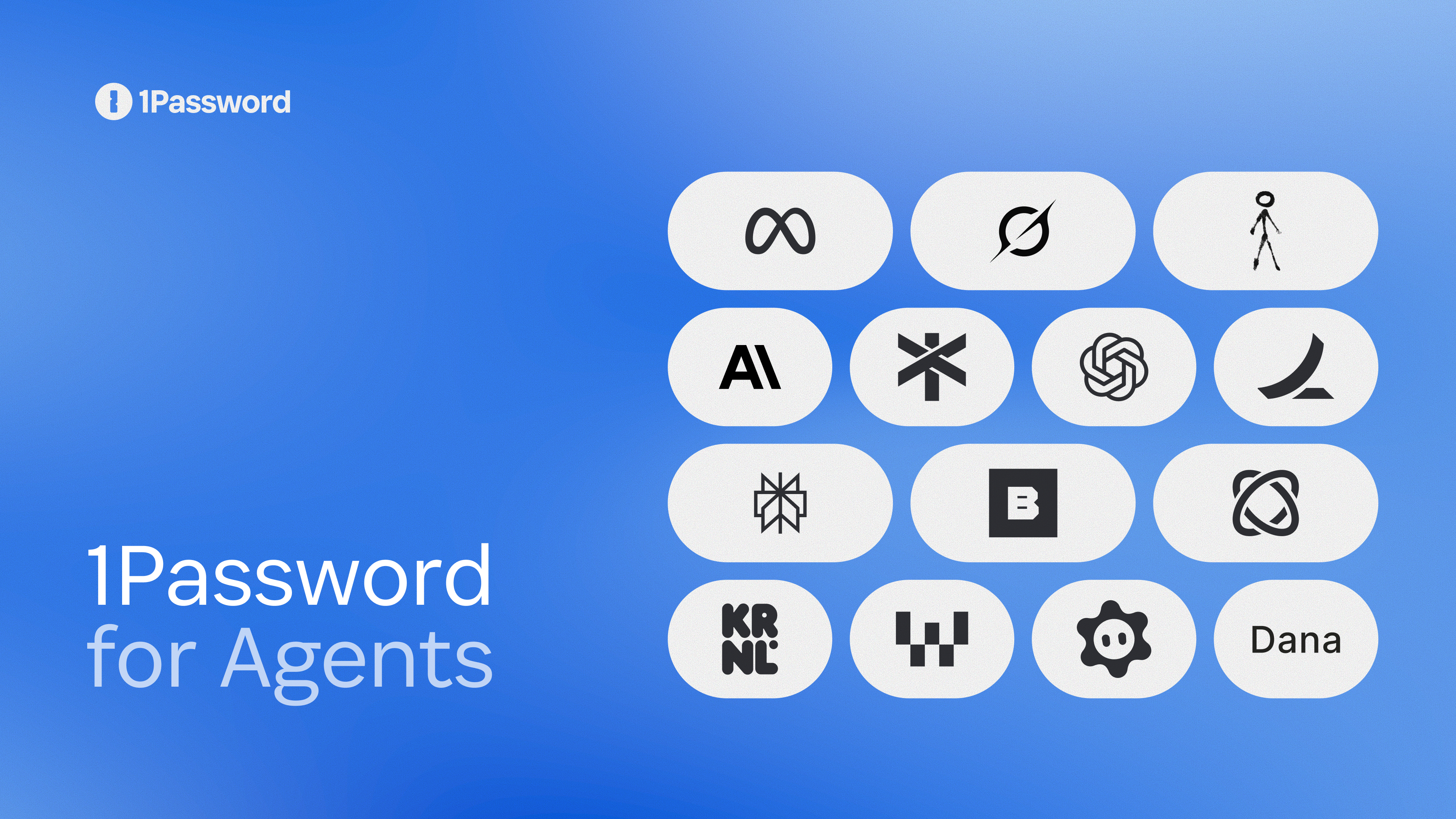
Give personal AI agents access without giving them your passwords
Personal AI agents should work for you without taking over your digital life. As agents become increasingly capable of automating tasks, prototyping apps, and making work and personal projects easier, control and convenience should go hand in hand. Today we are announcing the 1Password for Agents platform, which helps agents work while keeping the credentials they need secure and making access something every user can see, approve, and manage.
Planning a great event can be rewarding, but organizing one while juggling the rest of your responsibilities is not. Now you can ask an agent to handle the preparations, coordinate dates, and create and send invites, while you design an unforgettable experience.
The degree of usefulness of your agent depends on its ability to log in to the accounts and accomplish all of the tasks you’ve given it. When an agent reaches a sign-in page, the agent stops and asks for the credential that would allow it to sign in on your behalf. When this happens, you face a choice. You could take control of the agent session and manually enter your username and password into the website each time, which is slow and tedious. You could paste your password into a prompt, which means allowing the agent to have access to your credential, potentially beyond the task at hand. Neither of those are acceptable.
Now, with 1Password for Agents, your agent can request to use a credential from your vault, and if you approve the request, 1Password directly auto-fills the credentials in the destination site so the agent doesn’t have access to the credentials.
1Password is the best option for keeping your agents working without letting them see your passwords. You control what agents access and when, all the way from the prompt to the party.
1Password for Agents secures sign-ins for personal AI agents
1Password for Agents makes secure sign-in standard for the personal AI agents people use today. With integrations for Muse, from Meta, Anthropic’s Claude Duet, OpenAI ChatGPT Work and dots, SpaceXSI Grok Bot, and Town Townie, 1Password lets you choose the right agents for any task without handing over your credentials or managing passwords across multiple systems. Additional integrations with Instinct, Browserbase, Browser Use, Dana, KERNEL, Perplexity, Ramp, Tomo, and Wajo are coming soon.
1Password’s integration with each agent unlocks that agent’s potential in unique ways.
Muse – integrations rolling out over the coming days across all platforms – turns goals into action plans and keeps working as circumstances change, requesting logins from 1Password when using the integration, so people stay in charge of what Muse can reach.
Anthropic’s Claude Duet – integrations coming soon – works inside the tools teams already use to proactively get work done on their behalf. The 1Password integration gives Claude approved access when needed, so users can accomplish tasks without handing over their passwords.
OpenAI ChatGPT Work and dots – integrations coming soon – work with 1Password to sign into sites across the interest to help users get things done. Users approve sign-ins, and the passwords aren’t exposed to the AI model.
SpaceXSI Grok Bot – integrations rolling out over the coming days across all platforms – provides AI teammates that work across tools, inboxes, and websites. With 1Password, Grok Bot can use approved logins while credentials stay protected, helping you automate routine work more safely.
Town Townie – web and iOS integrations coming soon – gives every user a Townie, an assistant that learns their people, projects, and voice from their email, calendar, and work tools. It drafts, schedules, and follows up for them, and works with teammates’ Townies when a job involves other people. With 1Password, employees approve the logins a Townie needs and 1Password fills them in, so the Townie can keep working without ever seeing the password.
With 1Password for Agents, when an agent reaches a login, the agent app prompts you for the credential it needs from 1Password to continue. Review the requested credential and approve it in 1Password, all without exposing your password or one-time code to the agent.
1Password is the standard for trusting AI agents with passwords, secrets, and credentials. For anyone building a personal agent, 1Password gives users a seamless, secure way to approve sign-ins when an agent reaches a login prompt. You build the agent, 1Password secures the sign-in.
Building a personal agent?
Integrate with 1Password for Agents to give users a seamless, secure way to approve sign-ins when their agent reaches a login.
Talk to our partnerships teamHow can an AI agent log in without seeing your password?
Convenience shouldn’t come at the expense of your privacy or control. An agent can make your weekly grocery list into an Instacart order or turn receipts from work trips into expense reports, but it should only access the accounts those tasks require based on the logins you approve.
Browser-password managers aren’t designed to let an agent sign in on your behalf. People who use browser-saved passwords or passwords written in notes have discovered that their agents cannot use those passwords. Each time the agent reaches a login, the agent has to stop until you take over and sign in manually before your agent can continue.
With 1Password for Agents, enabling agents to sign in is simple, fast, and completely within the users’ control.
Your passwords stay organized, and your vault stays protected. You can see and approve what will be shared and disconnect the integration at any time.
With the 1Password integration for Muse, for example, you can ask an agent to create a party invitation, track RSVPs, and search for supplies on your budget. Muse requests access to RSVPify and Oriental Trading as needed. You choose which 1Password login it can use, and Muse will be able to get your party started without seeing the credentials or accessing anything else in your 1Password vault.
1Password makes it easy to work with multiple agents simultaneously. Connect your agents to 1Password, and when an agent needs access to a login, 1Password facilitates it. Regardless of which agents you use, you stay in charge of what they can do and when. 1Password and the teams behind each supported agent design the integration to keep your credentials separate from the agent, so supported agents can continue working without needing to see or handle your credentials. The safeguards and controls vary by integration.
1Password for Agents is currently available at no additional cost for 1Password Individual and Family accounts on 1Password.com. Accounts on 1Password.eu or 1Password.ca aren’t currently supported. Availability, platforms, and capabilities vary by partner integration.
Don’t see your favorite agent listed?
We’re building more every day. Let us know what AI agent you’re interested in and we’ll let you know when it launches.
Join the waitlistHow 1Password protects your logins and secrets
The growing number of personal agents offers different ways to automate work. The agent you use to plan a trip may not be the one you use for work or on a project you’re building.
1Password for Agents builds on the security model you know and trust from 1Password and lets you confidently use your personal agents of choice seamlessly across browsers, cloud computers, and work applications.
From personal errands to workforce agents that build business applications and development workflows, 1Password is the standard for securing personal agents. Your credentials stay in one vault, so when a password changes, you update it once and connected agents can keep using the current login without you having to update it in multiple places.
1Password is building a simpler, safer digital future for everyone, including the AI agents helping you work.
Explore 1Password for Agents
Let your agent do the work without handing over your passwords. 1Password keeps the credentials behind your digital life protected while giving supported agents what they need to complete the tasks you approve.
Explore 1Password for Agents2026-10-20, 00:00
Passkeys make authentication safer by resisting phishing attacks and eliminating shared secrets like passwords that attackers can steal from a website to access your accounts. By removing the secrets from servers, they reduce the risk of data breaches. However, advances in quantum computing threaten to increase the risk of those data breaches yet again by breaking the cryptography passkeys currently use.
As another step in our Post-Quantum Cryptography (PQC) migration, 1Password is adding support for ML-DSA passkeys in order to preserve their benefits over the long term. By supporting this algorithm early, we signal websites to start supporting ML-DSA passkeys. This helps protect our customers' credentials against future attackers.
Why now?
We’ve talked about quantum computers and passkeys before, back in 2023 to be precise. Back then, a Cryptographically Relevant Quantum Computer (CRQC) seemed far off, so why are we rolling out quantum-safe passkeys only three years later? Well, because things changed and research has accelerated.
We’ve been closely monitoring the research to ensure we act well ahead of any concerning developments. Back in 2023, governments were mandating a migration to PQC algorithms by 2035, and the estimated amount of qubits estimated to be required to break elliptic curve digital signatures was around 13 million physical qubits. Now, in 2026, improvements in error correction and recent research reduce that estimate to only 26,000 physical qubits. This is still far from the latest largest quantum computer at 6,100 physical qubits, though the gap has shrunk enough for us to start migrating.
NIST standardized the post-quantum safe signature algorithm, ML-DSA, in 2024. The IETF standardized ML-DSA’s encoding in COSE in RFC 9964 in May of 2026. COSE is the format that WebAuthn/CTAP2 uses to transfer the passkey back to the website. This means that the stage is set for ML-DSA passkey adoption.
Given all these advances and 1Password’s ongoing PQC migration, we decided to roll out ML-DSA passkeys as early as possible. By doing so, we can protect as many of our customers' online accounts as possible.
Are my existing passkeys safe?
Yes.
Supporting ML-DSA is precautionary. Since passkeys are generally long-lived, we want our customers to have the most secure passkeys available early on so they stay secure as long as possible. That’s why we’re providing support now rather than later. But your existing passkeys are still safe because no CRQC currently exists.
This support is early, earlier than most websites in fact. With this launch, we expect to see that change soon. We’re engaged in the W3C and the FIDO Alliance to develop a way to update existing passkeys seamlessly. So you don’t need to worry about updating passkeys now or in the future. We’ll take care of it for you! Automatically improving the security of all of our customers’ passkeys is yet another reason why we’re so excited about them.
Try ML-DSA Passkeys Today!
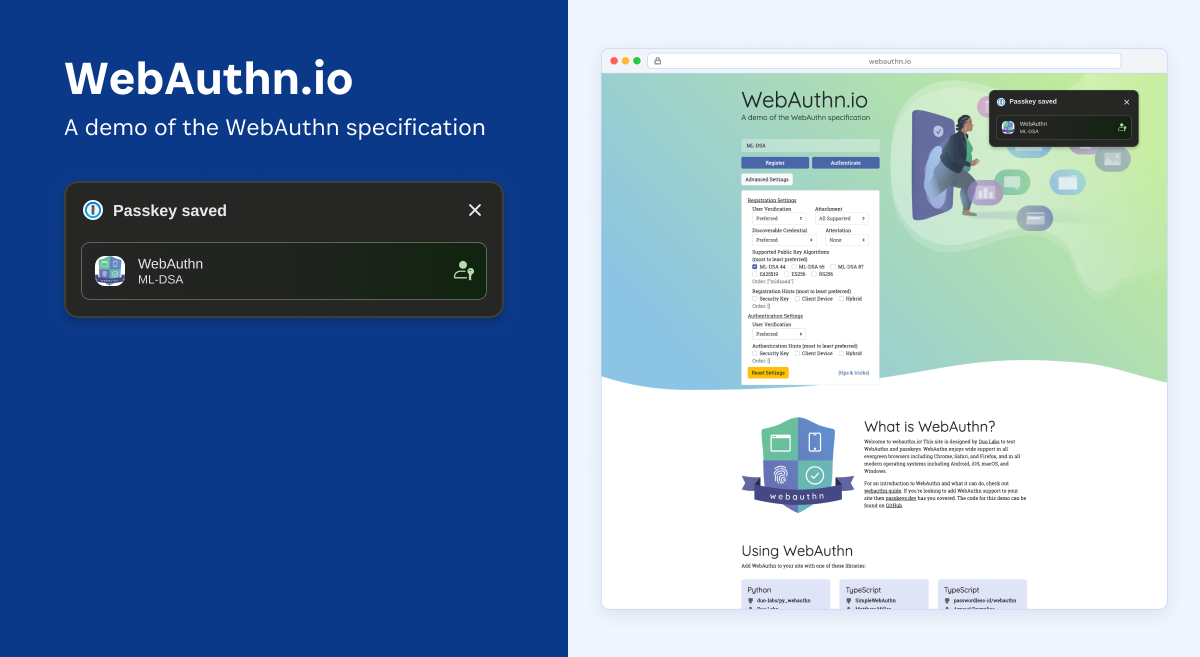
Starting on version 8.12.44, 1Password will support using the post-quantum safe algorithm, ML-DSA, for passkeys. This doesn’t mean that your passkeys are now all going to be made with ML-DSA going forward. Remember that both sides have to understand the same algorithm, so we will only create these keys for websites that support ML-DSA for passkeys.
You can test it yourself at webauthn.io. Open Advanced settings, select an ML-DSA variant under Registration settings, then create a passkey and authenticate with it. Passkey authentication works on all supported platforms, but as of now, creating an ML-DSA passkey isn’t supported on iOS or through the native macOS autofill extension. Thanks to Matt Miller for adding ML-DSA support to webauthn.io, the best WebAuthn test website there is!
Our goal is to make this transition as seamless as possible, so we do all the hard work to keep you safe online, and you don’t even have to worry about it.
Start using passkeys with 1Password today
1Password is helping prepare passkeys for the future of cryptography. Start using passkeys with 1Password today, and let us handle the hard work of keeping your authentication secure as cryptographic standards evolve.
Get started with 1Password2026-10-19, 00:00

At 1Password, we believe strong security should feel like part of the workflow, not an interruption. That is the goal behind our work on user verification (UV) for passkeys.
UV is a local identity check a website can require as part of a passkey action, to confirm the person approving the action is the person authorized to do so. This decision belongs to the website, not 1Password, as the site will validate UV occurred before accepting the operation. A useful analogy is paying with a bank card. For some transactions, tapping the card is enough. For higher-risk transactions, the terminal asks for a PIN. The card shows the credential is present, and the PIN adds confidence that the authorized cardholder is using it. Passkeys have a similar distinction; when stronger assurance is needed, UV asks for a fingerprint, face scan, device PIN, or password.
If someone can add or use a passkey without proving they are authorized, a hijacked browser interaction or temporary access to an unlocked session could become lasting account access. Imagine someone steals your bank card and tries to buy a new TV. In that moment, you want the terminal to ask for a PIN. UV plays the same role for passkeys, ensuring high-impact operations are approved by the right person, not whoever has the computer.
Not every passkey flow needs UV, but when a website requests it, we want the experience to be as seamless as possible. The website has the context to decide when stronger assurance is needed, and 1Password’s role is to honor that request and ensure the local verification check is completed. Protecting the user is a shared responsibility between the website and client.
User verification for passkeys is now available for mobile and desktop applications
As of August 27th, our mobile and desktop apps have prompted for UV whenever a passkey flow requires it.
In these supported flows, 1Password can call the native APIs provided by the operating system to trigger a familiar platform prompt, such as biometrics or a device PIN, instead of a more burdensome 1Password account password prompt. We want this experience to feel familiar and to avoid additional account password prompts whenever possible. Please share your feedback about where the experience feels seamless and where it still gets in the way.
Share your feedbackYour feedback will help us improve the experience and deliver security that feels effortless.
What we're building next: a better extension-only experience
UV prompting in mobile and desktop apps is only the beginning. The next step is to improve the passkey experience within the 1Password browser extension.
Why extension-only flows need a better solution
When someone uses both the browser extension and the desktop app, 1Password can hand the passkey request to the native app. The desktop app can then call the operating system's native APIs and show the same biometric, PIN, or device-authentication prompt people already use elsewhere.
The challenge appears when the browser extension runs without the desktop app, creating an extension-only setup. Extensions do not have a standard, cross-browser way to call the required native APIs directly. If a website requires UV in an extension-only flow, we are of the opinion that the only viable fallback today is another 1Password account password prompt. If the user needs to type the password instead of using biometrics, the flow is slower, more disruptive, and inconsistent with the native experience available in our apps.
The browser community needs a new API that can provide a consistent experience across browser engines.
A standards-based path forward: Secure Cache
1Password has drafted a new WebExtensions proposal, browser.secureCache, to solve this problem. The proposed API would give browser extensions a standard way to use platform-backed credential storage and request native user verification where supported. In a UV flow, the operating system can show its familiar biometric, PIN, or device-authentication prompt before allowing access to the protected material.
While UV is our flagship use case, Secure Storage addresses a wider browser security gap. Credential managers, secure messaging apps, wallets, and other security-sensitive extensions all need safer ways to protect key material. Secure Cache will reduce dependence on volatile extension memory and native companion apps while giving developers stronger protections for critical data.
1Password will work with the open source community to help move Secure Storage from proposal to implementation targeting Chromium. A working Chromium implementation will create a path for Chrome and all other Chromium-based browsers like Edge.
Our end goal is a broadly supported API rather than a browser-specific workaround. Once various browsers ship a suitable Secure Storage API, we will adopt it for extension-only UV in 1Password.
Try it today and help shape what comes next
Today's release is the first part of the story.
The next part is closing the extension-only gap through Secure Cache and broader browser support. This is the kind of work we believe is worth investing in. Rather than implementing a workaround, we can help add a critical browser capability that improves user experience and raises the security bar for the wider community. It follows the same approach as our work with the FIDO Alliance and our support for secure passkey import and export: solve real product problems through open, interoperable standards.
User verification is available now
User Verification is available now in the latest 1Password mobile and desktop apps. Try it when you create and use passkeys, and tell us how it feels.
Share your feedback2026-10-19, 00:00
In most organizations, standing privileges don’t show up all at once. They accumulate quietly. A role is added “temporarily.” A contractor needs broad access to finish a project. A service account gets oversized permissions because no one has time to fine-tune them. None of these choices seem harmful in the moment, but over time they build into a privilege surface that’s far too large to monitor and far too easy to misuse.
The challenge is that standing privileges often look harmless until something finally goes wrong. The indicators are visible long before the incident, but only if you know where to look.
Top indicators of standing privileges
Here are five of the clearest signs that your environment is carrying more access risk than it should.
1. You have more admins than your environment actually needs
Admin creep happens naturally. In fast-moving environments, the easiest way to unblock a task is to give someone full access. It works, it’s quick, and that access is rarely revisited. Multiply that across cloud accounts, SaaS tools, Kubernetes clusters, and databases, and you end up with dozens or even hundreds of identities that hold far more privilege than they need.
The problem isn’t just security. Admin sprawl amplifies operational fragility. A single mistake or a single malicious action can ripple far beyond its intended scope; the blast radius from an incident expands because privileges were broader than they needed to be.
If you can’t articulate why every admin in your environment truly needs that level of access, that’s a strong indicator that standing privileges have taken root.
2. Long-lived keys and credentials are still everywhere
API keys, service account tokens, SSH keys, and automation secrets are some of the easiest paths into a cloud environment. They’re also some of the least governed.
Many businesses have:
Credentials that never expire
Keys embedded in pipelines or code
Secrets used across multiple systems, including by AI agents
Tokens with full read/write access to production resources
Long-lived credentials aren’t the result of bad people making bad decisions. They’re created by busy teams trying to keep workflows productive, rather than having to spin up a new credential every time they ask an agent to perform a task, for instance.
The problem is that long-lived credentials become high-value targets, as we saw during the AWS incident involving compromised IAM credentials. Whether the threat is external or internal, a persistent key with broad permissions is often the fastest route to sensitive resources.
If a service account can do more than its exact task, and keep doing it indefinitely, that’s an indicator of standing privilege risk.
3. Privileges don’t match what identities actually use
Privilege sprawl is often a visibility problem. Teams don’t know what rights are being used, so they over-grant “just in case.” Over time, roles accumulate hundreds of permissions, most of which are never touched.
Common examples include:
IAM roles with wildcard permissions
CI/CD pipelines that can modify infrastructure far beyond their workload
Databases where read/write permissions aren’t separated
Kubernetes service accounts with full cluster-admin rights
AI agents and NHIs with cross-environment access because it was simpler than scoping
When permissions are broader than their real usage, the organization isn’t just exposed to attackers. It’s exposed to insider mistakes, misconfigurations, and accidental changes in sensitive systems.
If your team doesn’t regularly compare “granted” versus “used,” standing privileges are almost certainly accumulating.
4. Sensitive actions don’t require enough friction
Some operations should not be immediately available to any identity, no matter how trusted:
Resetting large numbers of passwords
Editing IAM policies
Disabling security controls
Modifying production data
Creating new users or access keys
Stopping backup or logging services
These actions should require either approvals, elevated just-in-time access, or automated guardrails that constrain when and how they can be performed.
In environments without enough friction, sensitive actions can be executed accidentally or misused maliciously. This is how attackers using valid RDP credentials can disable security tools instantly, or how AI agents can misinterpret commands in such a way that it deletes an entire production database.
If sensitive actions feel too easy, that’s an indicator that standing privileges are enabling more reach than intended.
5. You can’t easily answer who has access to what
Standing privileges thrive in environments where visibility is fragmented. Cloud, SaaS, identity providers, CI/CD, Kubernetes, and databases all have their own privilege models. Without unified visibility, organizations rely on:
Spreadsheets for access reviews
Outdated role definitions
Tribal knowledge
Manual investigations
Multiple admin consoles
This fragmentation makes it nearly impossible to catch privilege drift or identify when service accounts, contractors, orAI agents have more access than expected.
When an incident does happen, response time is delayed because teams don’t have an easy way of knowing who had the ability to take a specific action. This is one of the biggest and most overlooked indicators that standing privileges have become ingrained.
How zero standing privileges addresses these indicators
Zero standing privileges (ZSP) focuses on removing permanent access and replacing it with temporary, scoped, and auditable elevation. Under ZSP:
Access is granted just-in-time
Privileges match the specific task
Access expires automatically
Sensitive actions require deliberate elevation
ZSP reduces the opportunity for malicious insiders, limits the surface attackers can abuse with stolen credentials, prevents accidental actions from impacting production systems, and enables teams to safely use AI agents to perform tasks.
It directly addresses all five indicators by keeping privilege surfaces small and access intentional.
How 1Password Privileged Access helps you reduce standing privilege risk
1Password Privileged Access makes zero standing privileges default across cloud, databases, SaaS, Kubernetes, and hybrid environments. It helps teams:
Automate just-in-time elevation without slowing users down
Quarantine risky privileges without breaking workflows
Rightsize access based on real usage and risk data
Remove standing access for humans and NHIs
Log and audit all elevations and admin actions
Detect unusual privilege behavior early
Across cloud and hybrid environments, Privileged Access introduces guardrails that make access safer and more predictable.
Putting better guardrails around access
Standing privileges rarely feel dangerous until they’re misused. But the indicators show up long before the incident happens. If your environment has more admins than needed, long-lived keys, broad permissions, frictionless sensitive actions, or limited visibility, privilege sprawl is already creating risk.
Want learn more about the challenges of standing access?
Read the report from 451 Research, *A new access model for the agentic enterprise.*
Read the reportWant to learn more about how 1Password Privileged Access
Learn more about how 1Password Privileged Access helps teams implement ZSP.
Explore the solution2026-10-19, 00:00
Cybersecurity Awareness Month encourages organizations to examine the controls behind everyday security habits. Training helps employees spot phishing and use strong authentication but does not resolve gaps in systems that govern access. Many organizations manage employee access through an identity provider (IdP) and single sign-on (SSO). However, not every AI or SaaS application connects to those systems. Other access paths, including shared credentials and OAuth connections, may require separate controls, especially when they provide access to company-owned resources that outlive an individual account.
Employees join companies, change roles, and leave every day. Contractors, seasonal employees, and business partners use many of the same applications. Each transition can change what access a person has or should have. Consider a contractor who connects an AI application to company documents during a project. When the engagement ends months later, IT disables the contractor’s account in the IdP. But who revokes the application’s OAuth access? Who transfers ownership of connected files? Who verifies the connection is no longer active? If those steps rely on a spreadsheet or a message to an application owner, that is an access governance gap.
According to 1Password’s 2025 Access-Trust Gap Report, 38% of employees have successfully accessed a former employer’s account. This finding reminds us that access can outlive the role it was created for, accruing cybersecurity and non-compliance costs.
This October, security awareness should include the systems behind employee behavior. Effective SaaS governance helps IT discover applications and access paths across connected data sources. It governs access beyond SSO and creates repeatable workflows for onboarding, role changes, and offboarding.
Why employee access persists after people leave or change roles
When an employee leaves, IT may disable their primary account and assume the process is complete but work rarely happens in one system. A former employee may still have an account in a project management tool, customer relationship management system, file-sharing platform, or AI application. If those tools are not connected to single sign-on (SSO), disabling the central account does not remove access.
Personal accounts, shared credentials, and OAuth connections can create additional paths back to company data. OAuth connections allow a third-party application to access company resources, and those permissions can persist until someone revokes them.
Role changes create a different version of the same problem. An employee moves from sales to marketing and receives access to new systems, but keeps permissions from their previous role. A contractor finishes a project but retains access to the workspace where the work took place. In each case, the access remains because one system recorded the transition while a different team managed the permissions.
Often with these scenarios, no one sees the full picture of what a person accesses, who owns it, or when it should end. Access governance closes that gap by connecting the employee event to every application and resource involved.
5 SaaS governance best practices for employee access
1. Discover the applications and access employees use
Governing access starts with visibility. IT and security teams need to know which applications, accounts, credentials, files, and integrations teams use for work.
That inventory should include applications outside SSO, OAuth connections and the permissions they grant, shared credentials, personal accounts used for work, and SaaS or AI applications adopted without formal approval. IT needs to have visibility in order to change or revoke unnecessary access.
2. Connect access workflows to employee lifecycle events
Onboarding, role changes, contractor end dates, and terminations should trigger defined access workflows.
Connect these events to provisioning and deprovisioning processes with clear ownership across HR, IT, security, managers, and application teams. Automate repeatable actions where supported, and define an exception process for applications that require manual review.
Record when each action is complete, and escalate anything that fails, remains unresolved, or requires an application owner to intervene.
3. Apply least privilege when roles change
Access should reflect a person’s current responsibilities, not their history with the company.
When an employee changes teams or roles, remove permissions associated with their previous work and review access to sensitive systems. Check privileged access, transfer ownership of files and workflows, and document the changes for future access reviews.
A role change is an access event, even when the employee remains trusted. This review reduces accumulated permissions and makes it easier to identify access that no longer has a business justification.
4. Govern newly adopted SaaS and AI tools
Employees adopt new AI and SaaS applications every day, often without IT approval. These tools can access company data, create new integrations, and introduce access outside SSO.
IT and security teams need visibility into what those tools can access, along with a clear process for requesting and approving them. AI program managers should be able to introduce useful tools without creating an unmanaged exception to the organization’s security process.
A governance process for new SaaS and AI applications should connect discovery with data-use policies, third-party connection reviews, and an owner for every approved application. It should also give employees and teams a clear way to request, approve, and remove access.
AI tools should be governed as part of the broader SaaS environment, not treated as a separate category with separate visibility and controls.
5. Verify access removal after offboarding
Offboarding is complete when the organization can show that it removed access from every relevant system.
That review may include applications outside SSO, active sessions where supported, OAuth and other third-party connections, shared credentials, files and workflows, application ownership, and licenses or paid seats.
Require evidence of completion and maintain a review trail. Use a second reviewer for higher-risk departures or users with privileged access.
IT teams should also test the offboarding process regularly. A scheduled test can reveal gaps in application coverage, unclear ownership, or failed automation before those gaps affect a real departure.
Together, these practices make access governance part of the employee lifecycle rather than a task someone remembers at the end of it. For any departure, IT teams should be able to name what access existed, who closed it, and when.
How 1Password SaaS Manager supports employee access governance
1Password SaaS Manager helps IT teams close access gaps across the employee lifecycle. It streamlines onboarding and offboarding across the SaaS environment by connecting HR and identity systems to automatically provision and deprovision applications, including apps outside SSO.
Through 400+ supported integrations, teams can automate provisioning, deprovisioning, access requests, and access reviews. Depending on the integration, workflows can also support actions such as OAuth token revocation, license removal, and ownership transfer.
SaaS Manager also discovers managed and unmanaged SaaS and AI applications, including shadow IT and AI tools employees adopt without IT approval. It can even surface OAuth connections and the permissions they grant, helping IT and security teams review and revoke access outside SSO. It inventories applications, accounts, licenses, and contracts, and supports access reviews and license management so IT and security teams can govern the tools employees use.
For IT teams, security awareness starts with visibility into employee access. Cybersecurity Awareness Month is a useful moment to review the applications, accounts, and workflows that need to change when people join, move, or leave.
Want to learn more?
Learn how SaaS Manager identifies onboarding and offboarding gaps and automates employee access and app management beyond SSO.
Explore the solution2026-10-15, 00:00
In the first post in this series, Wade shared how our team laid the foundation for using AI in detection engineering. The short version is that an LLM doesn't know your stack. Without documentation and workflow context, it can produce plausible results that are difficult to trust, regardless of which model you use.
That post closed with an instruction: Validate before you ship, because the output can look completely right and still be wrong. Every detection an agent writes still needs to go through the same review and testing as a human-written detection.
Let’s discuss that last part, because it's harder than it sounds.
We'd built a detection-as-code pipeline, and we were proud of it. Rules live in a repository. Changes arrive as pull requests, and they get peer-reviewed, planned, and applied through CI. We had the structure of a software engineering team, and we tested queries against the logs we had. For everything else, we had never watched the detections fire. We shipped those because they looked right.
Validating a detection without the logs in your environment means running the attack technique yourself and watching it fire. We didn't have time to do that manually for every rule, and we had no automated way to do it.
So here's the question. How many of your deployed detections have you watched fire? Not reviewed – actually watched fire.
You don’t want to be answering that question the day an incident happens.
Now that detections are code, they need to be tested like code. This post is about what it took to give our detections tests. An AI model did one job to make that possible, which is picking the attack technique to run against each detection.
Why "it looks right" is not proof
Before we get to the pipeline, it helps to see how a detection that looks right can still be broken. Reading a detection tells you what the query says, not what it actually does. It doesn't tell you whether the query matches any real logs, or whether the detection catches what you wrote it for. Here are five ways a detection can look right and still never fire:
That field isn't what you think it is. It might have been renamed between vendor versions. It might be nested a level deeper than the docs suggest. Or it might be sitting in the raw message instead of parsed into a queryable attribute. The query is valid, it's just pointing at something that isn't there.
Absence isn't emptiness. You write a condition for a field being missing, and the source sends it as an empty value instead of leaving it out. Depending on the query language, a wildcard matches that empty value, so the condition is never true and the rule never fires.
The query language doesn't behave the way you read it. A quoted phrase doesn't always match the exact string you typed. Wildcards work one way on a parsed attribute and another way in free text. Case sensitivity or one unescaped character drops your result set to nothing.
The data never reaches the query. The rule might be scoped to an index the logs don't route into. The source might have stopped shipping last week. Or an upstream parser change might have broken the field the rule depends on. The logic is fine. There's nothing for it to read.
The threshold is set past what your environment can produce. If the most you've ever seen is ten events in a window and the rule fires at a hundred, you've written documentation, not a detection.
Every one of these failures is silent. No error, nothing in the queue. A rule that can't fire looks exactly like a quiet environment.
That reality is why "we have N detections" was never a coverage number. That number tells you how many rules you've written, not how many attack techniques you've proven you'd catch.
These problems show up the first time you run the attack technique and check whether your detection fires.
What this isn't
We aren't a red team. I'm not a red teamer, and this isn't meant to replace one. Our approach starts from the detections we're writing or changing. For each one, AI picks the matching attack technique from a library of known techniques, the pipeline runs it, and then checks whether the detection’s query caught it. A red team tells you what you missed. This approach tests whether the detection you wrote works.
This post also isn't an implementation guide. There's no code to copy. The emulation tooling we build on is open source, but the pipeline around it is our own. Instead, it covers why we built this, how the pieces fit together, and what we've learned running it. If you want the technical details, I'll be walking through them in a session at Datadog Detect in Chicago on November 2.
Both sides of the test are code
Detection-as-code is half of what makes this possible. The rules being tested are code. So is the thing doing the testing.
Our attack library is a fork of Stratus Red Team, the open-source cloud adversary emulation project maintained by Datadog. Every technique is defined in that fork, released as pinned versions, and changed through pull requests like anything else.
Because the catalog is code, the model mapping a rule to an attack technique gets a fixed list to choose from. Anything outside that list simply can't run. And if nothing in the catalog fits, the answer is no mapping, which is a useful answer in its own right.
We fork instead of consuming upstream so we can add techniques for the behaviors we care about and control when the catalog changes. That gives us a versioned test input rather than an external dependency that can change without notice.
A fork can also go stale. Keeping it synced is ongoing work, and if you skip it, your catalog quietly stops reflecting what techniques attackers actually use. That's part of the price.
Our detections are code, and our attack library is code, which is the whole reason any of this can run in CI. You need both. Without an attack library, there's nothing to test your detections with. And if your detections live in a UI instead of code, there's nothing for CI to run the attack library against.
The model’s one job
The AI model has one job in this pipeline: mapping. It reads the whole detection, including the query, the MITRE ATT&CK tags, and the description, and picks the attack technique from our library that would trigger it.
That's the hard part. The library labels each attack technique with a MITRE ATT&CK tactic, not a technique ID, so a detection's ATT&CK tag can't be matched against it directly. The query does most of the work, especially the event names it looks for, backed by a reference we wrote for each platform that maps common events to attack techniques. The tags and description add what the author meant to catch. It still takes judgment, and doing it by hand across hundreds of detections doesn't scale.
Everything else is plain scripts. Running the attack technique, checking the SIEM, and posting the result on the pull request don't need judgment, so there's no reason to put a model where a script belongs.
We also put guardrails on the model's answer. It has to reply in a fixed format that includes how confident it is, and it's told to return nothing rather than guess. A low-confidence answer gets treated the same as no answer, so a shaky guess never runs.
Beyond the guardrails, we want to baseline the mapping against open-weight models. We'll give them the same detections we map today and see if they pick the same attack techniques, or if one model keeps favoring certain techniques or platforms. We also want to see whether a model's confidence score matches how often its picks actually pass. That tells us whether our results come from the context we built or from the model we happened to pick.
What happens on a pull request
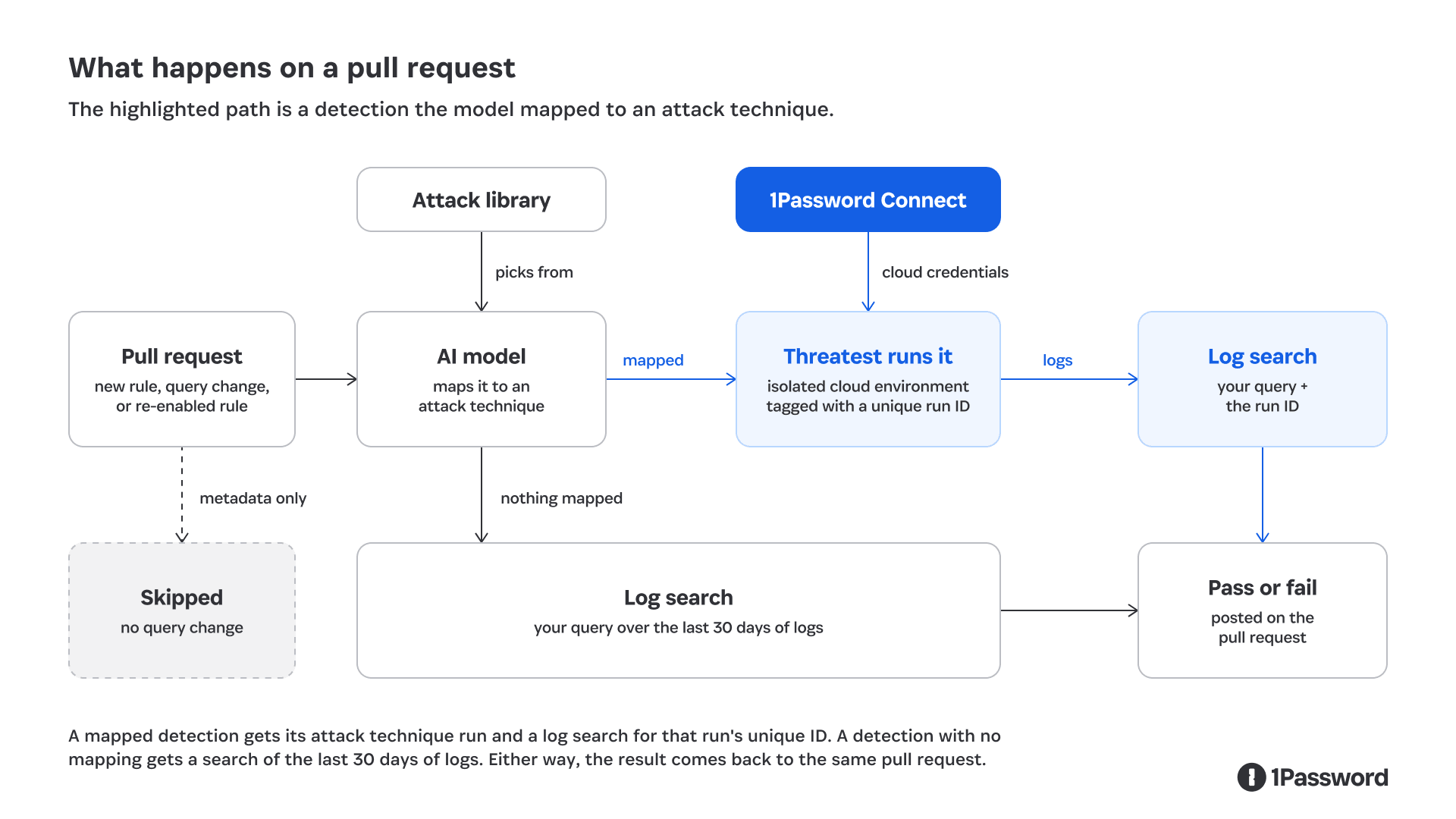
When a pull request adds a detection, changes its query, or turns a disabled one back on, CI kicks off. Re-enabling counts because a rule that's been off is the one most likely to have gone stale. Edits that only touch tags, descriptions, or other metadata get skipped, since the logic didn't change. From there:
The model maps the rule to an attack technique.
The pipeline runs it in an isolated cloud environment with credentials pulled at runtime from our 1Password Connect server.
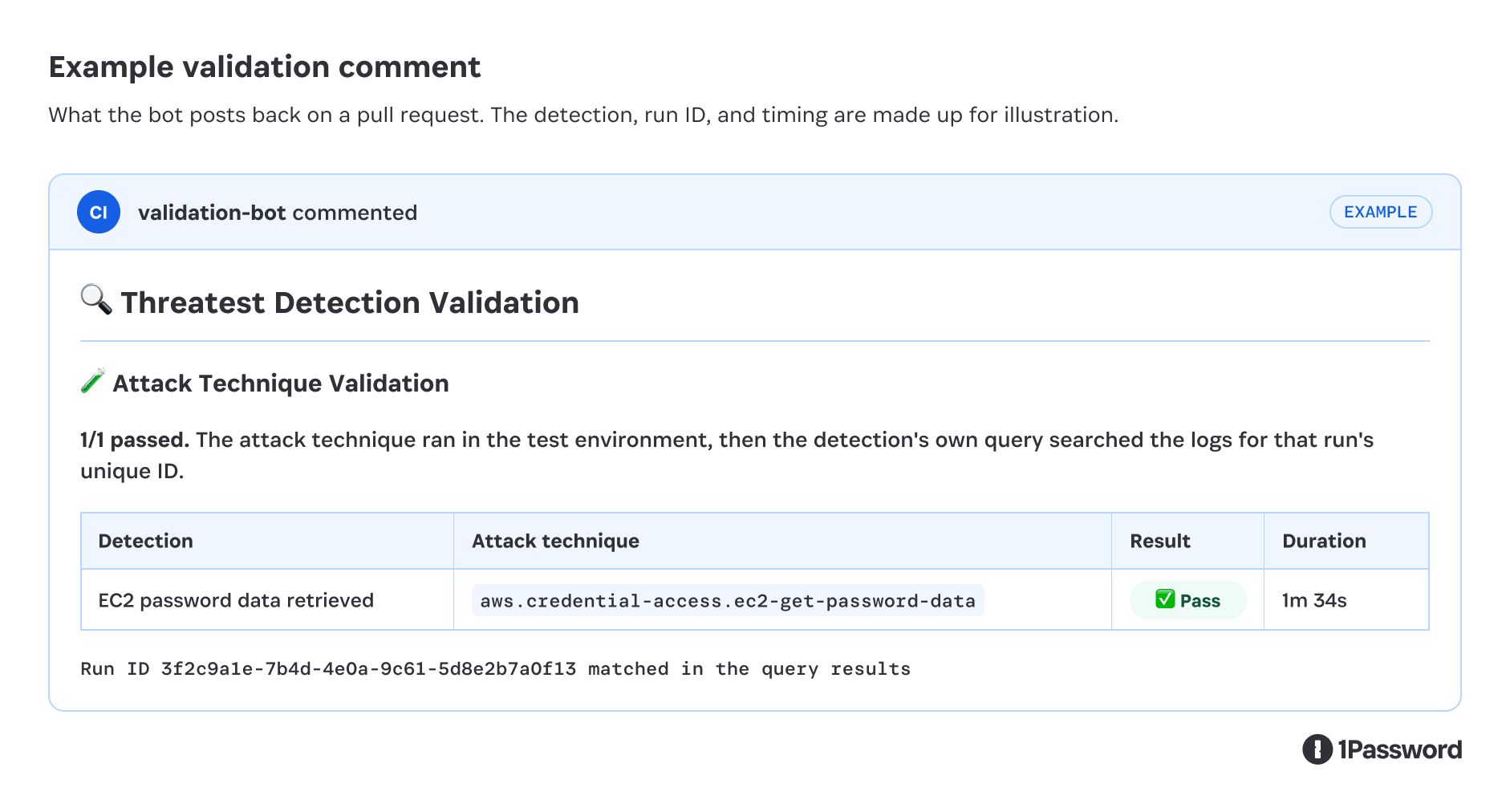
A bot posts a pass or fail table back on the pull request.
The attack technique runs for real. Nothing is replayed, and nothing is synthetic.
What matters most is that your change isn't deployed yet. The pull request hasn't merged, so the SIEM is still running the old version of a rule you're modifying, and a rule you're creating isn't there at all. Either way, there's no signal from your version to wait for. So the pipeline runs the attack technique and then searches the logs with your query. That shows the events your rule is looking for actually landed, in the shape you expected, from a real attack technique.
“Your logic matches reality" and "your detection works" are both worth having, but they aren't the same claim.
Two details matter once you're running it.
Threatest, an open-source detection testing framework also maintained by Datadog, runs the attack techniques from our library. Threatest can also check whether the SIEM caught one. We customized that check for our pipeline.
Checking that matching logs showed up isn't enough on its own. Your query might match an earlier test, or other activity that happens to look the same. So every time the pipeline runs an attack technique, it stamps a unique ID into it, and validation looks for that ID in the logs your query returns.
How much a green check proves
Not every green check proves the same thing. There are two outcomes.
The model mapped a technique. The pipeline ran the attack technique and found its events, with that run's unique ID in them, using the rule's own query. That's the strongest result a pull request can give you. The logic matches a real attack technique.
Mapping takes judgment, so the model can still pick the wrong attack technique. When it does, your query won't find that technique's events and the check fails. In our system, a wrong pick shows up as a failure, not a false pass. The attack technique either produced the events your query looks for or it didn't.
Nothing mapped. There's no attack technique to run, so the pipeline searches the last 30 days of logs with each of the rule's queries. If every query the rule needs matches at least once, it passes. That tells you the logic matches something real. It doesn't tell you it fires on the right thing.
The split exists because cloud platforms can be attacked on demand and most SaaS sources can't. You can't safely make a third party's audit log produce an arbitrary event, so most SaaS rules never get a technique.
SaaS is most of what most teams monitor, so most rules land in the second outcome. That's still better than shipping on "it looks right," but it's worth knowing which check you got.
A green check that means "this could match" isn't the same as one that means "this matched an attack technique the pipeline just ran."
Where it falls short
Some rules don't get a check at all, and that's a limitation we’ve accepted. Anomaly, new-value, and correlation rules get skipped. The first two need a baseline that one attack technique can't build, and correlation rules depend on other rules firing first.
The check is advisory. A failed check shows up on the pull request, but it won't stop the merge. A CI error or an expired cloud credential shouldn't be able to keep a detection from shipping. The tradeoff is that nothing forces anyone to act on a failure, so we read every result as part of review.
When a check fails, we don't merge until we know why. It's often one of the problems from earlier in this post, like a field that isn't where the query expects it or data that never reaches the index. The author pushes a fix to the same pull request, and the check runs again. If the model picked the wrong attack technique, the result shows that too, because the table names the technique it ran.
It only runs on pull requests. A detection gets tested when someone changes its query or turns it back on, and deployed detections that nobody touches never get retested. Eventually, we'd like a way to kick off a run on demand, without opening a pull request.
What it changed for us
Reviewers look at evidence instead of judging a query by eye, and "did you test this?" stopped being a question anyone had to ask.
Running an attack technique and checking a rule against it used to take hours by hand: setting up the environment, running the technique, waiting for the logs to land, and searching for them. Now it takes minutes, on every pull request that adds a detection or changes an existing one's query.
The SaaS gap
Most of those time savings come from cloud rules. SaaS rules are still checked only against existing logs, but that doesn't have to be permanent. The attack techniques in our library are API calls against a cloud provider, and SaaS products have APIs too. In an isolated test tenant, you can call those APIs to produce the same audit events an attacker would, and turn that into an attack technique.
Building one takes context about the product, like which API calls produce which events, and what those events look like when they land. It's the same point Wade made in part 1. A model is only as good as the context you give it. SaaS coverage remains an open area for this approach. For 1Password, the logical place to start is our own product, where we can map API calls to the audit events they generate.
What have you actually proven?
Take one deployed cloud detection, run the attack technique by hand once, and watch whether the signal fires.
Either your detection works, or you just found out it never did. Better to find that out now than during an incident.
If it didn't fire, it's probably not the only one. That's when automating this starts to pay off.
Automate secret references with the 1Password CLI
The 1Password CLI can reference approved secrets from scripts and automation without pasting plaintext credentials into prompts or source code. Connect secure secret management to detection engineering workflows with our free developer tools.
Explore the 1Password CLI2026-10-14, 00:00

In the cloud, attackers don’t need to break in. They just need a working set of keys.
Several AWS customers learned this the hard way when threat actors used compromised IAM credentials to deploy a rapid cryptomining campaign across EC2 and ECS environments. The incident didn’t rely on vulnerabilities or sophisticated exploitation; it simply relied on valid credentials and overly permissive access.
Below is a clear breakdown of what happened, what matters, and how organizations can strengthen their defenses using a Zero Standing Privilege (ZSP) approach.
What happened during the AWS cyberattack
When an attack of this scale occurs, it’s important to understand how attackers gained access and what they did with it.
How the attackers gained initial access
According to reporting from Dark Reading, as well as AWS’s own analysis, attackers used stolen IAM credentials to authenticate into customer environments and immediately begin provisioning cryptomining workloads. The campaign was active across multiple AWS customers, who were directly notified.
AWS also confirmed this was not the result of a flaw in its infrastructure. The privileges attached to the compromised identity permitted every action the attackers took.
Once inside, the attackers:
Targeted EC2 and ECS resources to spin up mining infrastructure
Used automation to deploy workloads within about 10 minutes of initial access
Leveraged AWS APIs to create new roles, extending their control
Enabled persistence by modifying instance attributes to make resources harder to terminate
This combination of legitimate access and rapid provisioning made the campaign highly effective and very difficult to stop in its early stages.
How the attackers stayed in control
After gaining access, the attackers created two new IAM roles using the victim’s own permissions to achieve their goals and persistence:
A service-linked role for Auto Scaling groups
A Lambda execution role, with
AWSLambdaBasicExecutionRoleattached
These roles gave them flexibility to deploy and manage resources in ways that blended into normal cloud operations.
They also set DisableApiTermination=true on EC2 instances, which forces defenders to manually re-enable termination before cleanup. This slows incident responders and disrupts automated remediation workflows.
On top of that, the attackers attempted to launch as many EC2 instances and ECS tasks as each victim’s quota allowed. It’s a simple technique: push the environment to its compute limits, maximize mining output, and generate profit before alarms start ringing.
Compromised credentials are still the easiest way in
This attack chain is not surprising to anyone working in cloud security. In many environments:
IAM permissions are broad
Long-lived access keys still exist
Role creation is not guarded
AI agents and NHIs inherit long-standing privileged credentials
There is little friction between authentication and high-impact actions
When a compromised identity can create new roles, deploy compute resources, and modify protection settings without additional checks, attackers don’t need zero-days. They just need opportunity.
This is exactly the kind of scenario where a Zero Standing Privileges strategy provides real value.
Why Zero Standing Privileges are the key to preventing credential attack
Zero Standing Privileges (ZSP) reduces the risk of credential misuse by ensuring that no human or non-human identity keeps permanent access to sensitive or high-impact permissions.
How ZSP removes the risk of long-lived access
If the credentials in the AWS incident had been tied to temporary, tightly scoped permissions instead of broad, standing access to create roles and launch resources, the attackers’ options would have been dramatically limited.
Since the AWS attack, however, the risks of standing access have only increased as AI agents become more common.
Agents, and the non-human identities (NHIs) they use to interface with systems, are often provisioned with broad, long-lived access to enable them to perform tasks across various systems. All of this creates more unmanaged risk from standing access. In fact, 1Password research found that 73% of technical workers report visibility gaps in which AI agents use credentials at their company, and 86% of respondents reported credential-related issues with NHIs. To manage the risks that led to the AWS breach, teams need to implement ZSP with agentic and NHI access risks in mind.
ZSP manages the risk of standing access by ensuring that:
Access is Just-in-Time
Privileges are scoped to the exact task
Access expires automatically
Sensitive roles require additional validation or approval
How 1Password Privileged Access helps implement ZSP in AWS
ZSP is a powerful strategy, but difficult to enforce manually. 1Password Privileged Access automates the operational layer, making least privilege practical for real engineering teams.
Just-in-time access flows
1Password Privileged Access ensures that scoped access to cloud environments, K8s, databases, or SaaS platforms is provisioned on request and removed when the session ends.
This means a compromised identity cannot silently elevate itself, create roles, or deploy infrastructure without triggering controls.
Dynamic Guardrails
Instead of relying on static IAM roles, which age poorly and are always available for abuse, 1Password Privileged Access creates Dynamic Guardrails that factor in who's requesting access, what they need, and the risk of that action. Policies adapt as your environment scales.
This accomplishes two important outcomes:
Attackers cannot rely on pre-existing roles to escalate
Admin teams no longer need to pre-build and maintain dozens of role variations
Continuous monitoring and anomaly detection
Within 1Password Privileged Access, every request, approval, and access event gets logged automatically. AI-generated session summaries give auditors and compliance teams instant answers.
Moreover, Autonomous Anomaly Detection would have flagged activity such as:
High-risk access requests, approvals of previously rejected requests, and sudden requests from inactive users
Repetitive or suspicious automated actions, to ensure that automation doesn’t become a security vulnerability
AI agent controls
When agents require access to perform a task, 1Password Privileged Access gives each agent a distinct identity and a role scoped for its specific task. It also validates declared intent against actual actions in real time so that if an agent deviates from its stated purpose, access is restricted or revoked before the action executes.
Regardless, access is deprovisioned when the task is complete, meaning agents can take on work without the access surface expanding alongside them.
All of this reduces the blast radius of compromised credentials and limits how much damage attackers can do before they’re stopped.
Taking the next step toward smarter access controls
The AWS incident is a reminder of a simple truth: identity is the primary attack surface in cloud environments. Compromised credentials, combined with broad standing privileges, give attackers everything they need to operate inside your infrastructure.
A Zero Standing Privilege approach minimizes this risk by ensuring access is temporary, scoped, and closely governed. 1Password Privileged Access provides the automation needed to make that practical in real-world environments.
2026-10-06, 00:00
Identity and access have changed drastically in the past decade. To meet the needs of the modern enterprise perimeter, Enterprise Password Managers (EPM) have evolved far beyond traditional workplace password storage.
The GigaOm Radar: Enterprise Password Management charts this evolution of the category. As the report states, “...evaluation now turns on what surrounds the vault: passwordless login paths, machine and AI-agent credential delivery, breach intelligence, and the administrative machinery to govern all of it at scale.”
As such, it’s an honor to announce that GigaOm Radar positions 1Password as a Leader and Disruptive Pioneer among Enterprise Password Management platforms. This is the fifth year running that 1Password has been named a leader in EPM. Read on to learn more about the Radar’s analysis and criteria for EPM platforms, and how 1Password’s solutions are built to manage the complex access needs of modern companies.
Why GigaOm declared 1Password a leader in Enterprise Password Management
GigaOm’s report analyzes 23 EPM vendors according to how well they meet essential enterprise password management requirements, such as strong cryptography and the ability to manage developer secrets. It also analyzes emerging critical capabilities within enterprise password management, such as managing credential and secrets access for AI agents.
The report calls attention to how EPM platforms serve various security and management needs across the “Tech Buying Triad” of CIOs, CTOs, and CISOs.
Across the core capabilities for these buyers, 1Password EPM ranked highly on several distinct criteria. These include, among others:
Browser and application coverage
Developer API ecosystem
Identity integration extensibility
Passwordless and passkey support
Secrets management integration
Compliance certifications
Vault cryptography architecture
1Password’s strength is depth on two axes, developer tooling and identity integration. The developer surface carries published OpenAPI specifications, maintained Go, JavaScript and Python SDKs, a Terraform provider, a Kubernetes operator, and an explicit version-support and compatibility statement. Identity integration backs it up: OIDC Unlock with SSO participates in key management, with device-key-encrypted credential bundles and IdP policy evaluated at every unlock…For an organization that wants its vault wired into identity and developer workflow rather than sitting alongside it, 1Password is built for the job.”
–Paul Stringfellow, GigaOm Radar: Enterprise Password Management
AI-agent and non-human identity governance with 1Password EPM
AI agents and other non-human identities (NHIs) are increasingly used in enterprise environments to access applications, APIs, infrastructure, and sensitive data. An agent may need credentials to complete a specific task, but their access needs differ from human employees. To prevent credentials from becoming permanently accessible through the agent’s context, that access should be scoped, time-bound, individually revocable, and audited separately from the human who initiated the work.
Critically, GigaOm’s report also highlights 1Password as a leader in its “Disruptive Pioneer” category, referring to organizations that leverage emerging technologies to redefine authentication and access management.
In particular, they ranked 1Password highly in their criteria for “Agentic non-human identity credential governance.”
If AI agents will access credentials in your environment, they should have their own identities. These should be scoped, expiring, individually revocable, and audited separately from their human sponsors. A vault that allows an agent to use only its owner’s identity may make it harder to establish exactly who, or what, performed an action during an audit.”
–Paul Stringfellow, GigaOm Radar: Enterprise Password Management
Governing access for AI agents and NHIs is a critical capability in the modern enterprise. 1Password’s own research has found that while 65% of developers say they’re expected or encouraged to use AI agents, only 33% have a secure way to do so.
GigaOm echoes these findings, stating that “Agentic and non-human identity governance is the youngest capability in this evaluation and one of its weakest field-wide… The gap between the front and the floor is wider here than on any established criterion.”
In short, capabilities like agentic autofill make 1Password truly unique among EPM offerings, with a singular strength in our platform’s ability to manage credential access for agents and NHIs.
Innovation built on a strong foundation
The modern enterprise faces continuous evolution in how we define credentials and identities, and EPM platforms need to straddle this divide. For example, passwordless authentication is critical to modern security, but few would argue that it means we can stop securing traditional passwords.
1Password has been named a leader in GigaOm’s EPM Radar for the fifth year running; for an EPM to be effective, it needs to evolve to meet modern enterprise access needs, while still providing essential security controls. GigaOm’s report this year illustrates that 1Password EPM is a leader on both fronts.
AI agents and NHIs present security leaders with new credential and access challenges. The GigaOm Radar for Enterprise Password Management makes it clear that 1Password is uniquely able to manage this new access perimeter, built on a security model that provides the strongest foundation for credential and secrets management.
2026-10-06, 00:00
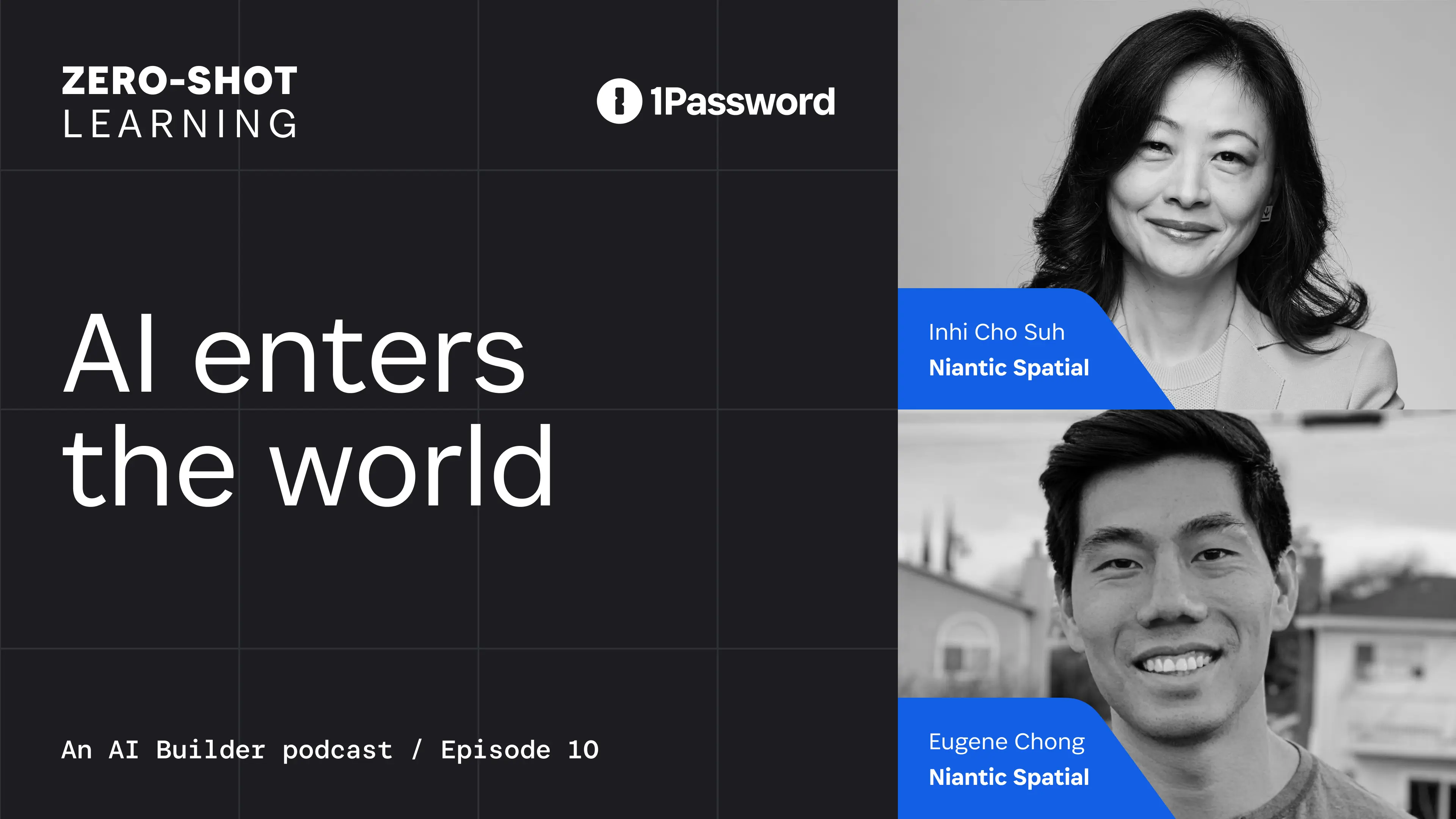
Niantic Spatial’s CEO Inhi Cho Suh and Director of Product Management Eugene Chong joined Zero-Shot Learning to explore why spatial understanding is essential for AI systems operating in the physical world and how a grounding layer can turn spatial data into something models can use.
Niantic Spatial builds real-world foundation models for physical AI. Before joining the company, Inhi spent over two decades at IBM and later led product and technology at DocuSign. Her career has focused on turning emerging technical capabilities into products and platforms others can build on. Their conversation raises a practical question for anyone building agents that can act in the world. What does an agent know about the environment it operates in, and what should it be authorized to access or do?
From spatial representation to production identity
Physical details are rarely part of the context supplied to a language model, but they determine whether a physical system can navigate and act safely. A language model can tell you that an office contains desks and chairs but to move them safely through a space, a robot needs to know where those objects are, how much space surrounds them, and potentially how much they weigh. This is the kind of physical context Niantic Spatial builds into systems operating in the real world.
In the interview, Eugene described a project with Flexion, a robotics company developing general-purpose robot intelligence. From a ten minute, 360-degree video, Niantic Spatial reconstructed an office setting to give Flexion a metric-scale environment where it could train a policy before deploying the robot in the physical space.
As the grounding layer for world models, Niantic Spatial provides precise representation that another system uses to act there. Once an application depends on that representation, it also needs an identity and a secure way to access Niantic’s services. For internal testing, teams can use organization-scoped developer tokens. In production, Niantic Spatial uses a backend authentication flow to keep the service credential on the backend, exchanges it for short-lived, user-scoped access tokens, and returns those tokens to the client.
That flow keeps a powerful service credential out of distributed applications, ties access to an authenticated user, and supports expiration and revocation without redistributing the underlying credential.
Who is accountable when AI acts?
Eugene described deployment as a feedback loop in which real-world outcomes can update what the system knows about its environment. As the system learns from those outcomes, its behavior can change after deployment. Organizations therefore need to keep checking which actions the model can take on its own and which still require human review.
When Nancy asked how organizations should distinguish between actions governed by a model and those that should remain subject to human review, Inhi made the boundary explicit.
You can’t delegate all of that responsibility of what’s been developed through decades of risk compliance measurement to a single model.” –Inhi Cho Suh, Niantic Spatial CEO
In production, evals need to measure more than successful outcomes, they need to evolve with the agent, its model, and the conditions it encounters. They should show whether the agent stayed within its authorized data, tools, actions, and human-review boundaries. As Zero-Shot Learning has explored earlier this season, an agent can produce the right result while using unnecessary data, calling unnecessary tools, or exercising authority beyond the scope of its workflow.
For agentic systems whose capabilities can evolve after deployment, accountability and authorization have to evolve with it. As Inhi told Nancy and Dev, “It’s not something that is a one-time solved-and-done kind of thing. It’s a continuous act.”
Authority has to be scoped
Inhi described an ExxonMobil technician using Niantic Spatial to locate a specific asset in a refinery. The technician compared the task to finding a needle in a stack of needles, but the spatial representation helped him identify the right place to act.
In the agentic workflow, the agent might be authorized to read the relevant spatial data and maintenance records and recommend an action to the technician. Writing to the system of record or controlling equipment would require separate authorization. These actions have different consequences and should carry different permissions, even within the same workflow.
These are the distinctions behind authority models for AI agents. Some agents act on a person’s behalf, others operate autonomously within explicit limits. Each needs an authority model that reflects its identity, purpose, and permitted actions.
In production, agents and machine identities need access to credentials, APIs, tools, and sensitive data. That access must be discovered, scoped to the task, delivered when required, and visible afterward. This is the role of continuous authorization, where access is reassessed as an agent’s workflow changes rather than granted once and trusted for the session’s duration.
Subscribe to the 1Password Developer newsletter
Stay up to date with the latest 1Password Developer product news, industry insights, and community contributions. Plus, learn best practices for becoming a better, more secure developer – both at work and at home.
Subscribe2026-09-29, 00:00

The information you need before a renewal meeting usually exists in SaaS Manager. Getting to it is another matter, because you have to know which report holds it, how to filter it, and whether the results actually answer the question you were asked. For an IT admin who works in the product daily, that's a minor detour. For a colleague in finance who opens SaaS Manager a few times a quarter, it can be the reason the question goes back to IT instead.
Today, we're announcing the general availability of an AI assistant in 1Password SaaS Manager. You can ask about your SaaS and AI environment in your own words and get a written answer based on your SaaS Manager data, along with a link to the relevant view with filters already applied. The practical effect is that finding an answer depends on knowing what you want to ask rather than knowing your way around the product, which matters as more finance and technology leaders get involved in decisions about software and AI spend. The assistant is included with existing SaaS Manager plans at no additional cost.
Opening that door raised a second set of questions for us. An assistant that can retrieve information about your applications and access needs clear limits on what it can reach and what should happen when someone tries to push it past those limits. We wanted customers to understand those decisions as clearly as they understand the feature itself, so this post covers both what the assistant helps you do and how we built its security and privacy controls.
Ask about your SaaS environment in your own words
Suppose you’re reviewing applications that may need closer attention because of their cost or access risk. You can ask:
“Which apps have spend over $100,000, high access risk, and no owner?”
The assistant provides a written answer based on your SaaS Manager data with a link to the relevant view, with filters and sorting already applied. You can then examine the underlying records and continue your review in the product.
If you’re unsure where to start, suggested prompts introduce common questions across areas such as Applications, Spend, and Contracts. These suggestions can also help you discover ways to use information you might not have considered.
The assistant helps you find and understand information while leaving changes to your environment in your hands. Its tools are read-only, so asking a question won’t create a workflow or delete an application. You can review results before deciding whether to take action.
Get answers without needing to be an expert on SaaS Manager
Even people who use SaaS Manager regularly don't know every corner of it. An admin might navigate the applications list from memory but rarely open contracts, while a finance lead preparing for a renewal may only sign in a few times a quarter. Both know what they're looking for, and both can lose time finding it.
People who need information from SaaS Manager don’t all spend the same amount of time using it. An IT admin may know exactly where to find an application report, while a colleague in finance preparing for a renewal discussion may only open the product occasionally. Both understand what they’re looking for, but they bring different levels of familiarity with the interface.
The assistant lets those colleagues start with their question rather than having to learn the reporting menus first. A finance team member with access could ask which AI tool is consuming the most tokens, then open a filtered view to reveal the cost per vendor details. As finance teams become more involved in managing AI and software costs, making SaaS Manager easier for them to navigate helps them participate directly in those decisions.
This also helps new customers. While your team learns SaaS Manager, suggested prompts can introduce questions the product can help answer, while links to the underlying reports show where to explore further. You can begin using the information available in your environment while building familiarity with the product, rather than needing to know your way around every view before starting.
The assistant works within your SaaS Manager permissions
SaaS Manager contains information about your organization’s applications and access, which means that an easier way to retrieve that information needs to respect the controls already in place.
Every assistant request runs in the context of the signed-in user, with SaaS Manager’s existing role-based access controls and tenant isolation applied. If a user can’t access certain information elsewhere, asking the assistant doesn’t grant access.
SaaS Manager’s APIs check authorization, and the tools available to the assistant, are filtered according to the user’s permissions. The service also validates tool selections and parameters against approved definitions, rejecting unsupported or unauthorized requests rather than attempting an operation outside its allowed scope.
This separation means the model can interpret a question and explain the results, while SaaS Manager remains responsible for deciding what information the user can retrieve.
Building security controls around the model
One of the challenges in building an AI assistant is that the text it processes can contain instructions intended to change its behavior. Someone might type a malicious request directly into the chat, or hide instructions in content the assistant retrieves. These attempts are known as prompt injection. We worked extensively with our internal security research team, Off-by-1 Labs, to harden our implementation before putting it in front of customers.
Instructions that tell a model to ignore malicious content can help, but we built additional controls around the model to limit what the system can access and do. Approved tools, permission checks, and parameter validation provide boundaries that operate independently of whether the model follows a particular instruction.
We developed the assistant in stages so our engineering and security teams could test those boundaries before expanding its capabilities. The first internal version accepted static prompts and returned links to existing views without sending customer data to the model. Later versions introduced natural-language input and responses grounded in data retrieved through approved SaaS Manager tools.
As the assistant’s capabilities expanded, the design added field-level controls over data passed to the model and sanitization of user-generated strings. Evaluation covered malformed requests, unauthorized tool calls, and checks for customer-data exposure, alongside security testing for prompt-injection attempts. Privacy and Security reviews were part of the architectural design and development processes from the start.
This approach gives us specific behavior to test as we develop the assistant further. It also reflects how we think about introducing AI into a 1Password product. Its usefulness depends in part on whether customers can understand and trust the controls around it.
Giving customers control over the AI experience
Because the customer-facing assistant can use retrieved SaaS Manager data to produce an answer, customers should understand how that access works and can choose whether to use it.
Requests operate under the current user’s permissions, with controls over data passed to the model. Admins decide whether to enable the assistant for their organization.
Individual users see consent terms before first use and can delete their chat history. That history is specific to each user, with a six-month retention period and the ability to delete individual conversations sooner.
These controls give organizations a way to manage access to the experience while allowing users to manage the conversations they retain.
Explore the AI assistant in 1Password SaaS Manager
The AI assistant is now generally available and included in existing SaaS Manager plans at no additional cost. If you’re already a customer, your admin can enable it in your organization’s settings. You can then review the consent terms and try a suggested prompt or bring a question from an upcoming application review. Your Customer Success Manager can help you get started.
If you’re evaluating SaaS Manager, the assistant gives your team a way to begin exploring the information the platform brings together, even before they’re familiar with its reports. SaaS Manager supports IT’s work to discover applications and govern access, while giving Finance and technology leaders visibility into software and AI spend to inform purchasing decisions.
Ready to get started?
Request a demo to see how your team can use 1Password SaaS Manager to manage access and spend, and how the AI assistant can help colleagues find the information they need.
Request a demo2026-09-28, 00:00
null
1Password for NVIDIA OpenShell is [now in beta](https://support.1password.com/betas). Connect a 1Password Environment to the OpenShell runtime and let your agents work with the systems it needs without exposing real credentials to the model.
Set up the integration65% of developers say they’re expected or encouraged to use AI agents, but only 33% say they have a highly secure way to do so, according to 1Password's 2026 Developer survey. Developers are leveraging coding agents to handle more of software development, including code debugging, development, documentation, and architecture. In fact, 91% of developers are either using agents today or expect to within the next two years.
The problem with agent credentials
Agentic workflows introduce a fundamental security challenge: credentials. An agent needs access to repositories, APIs, and internal services. A long-lived secret gives an agent a broader and longer-lived path than a single task requires, but keeping every credential away from the agent prevents it from completing useful work. Developers need a controlled path between those two extremes.
The better approach is to make the credential available to the agent only where it is approved and for as long as it’s needed, without exposing the credential values in the agent’s context. That is the problem 1Password for NVIDIA OpenShell is designed to solve.
How 1Password + NVIDIA enable developer velocity and agent security
NVIDIA OpenShell — part of NVIDIA Open Agent Security Platform — is an open, secure runtime for autonomous fleets of agents. It governs how agents execute, what they can see and do, and where inference is routed. Its controls are enforced outside the agent, so the agent cannot change the rules that govern its own access.
1Password for NVIDIA OpenShell extends 1Password’s secrets management workflow to agents. Developers have a secure path to adopt agentic workflows to automate repetitive work, spend more time writing code, and focus attention on the problems that require human judgment. Project variables stay organized, access stays scoped, and the setup fits into existing 1Password and developer workflows.
1Password Environments give developers a place to organize the variables an agent needs separately from personal passwords and shared team credentials. With OpenShell, the same model applies: developers create an Environment for a project or agent, specify the destination and expiration, and connect it to an OpenShell sandbox. 1Password manages the credentials, while the OpenShell runtime governs the agent’s behavior and the external services it is permitted to reach. The agent can work with real systems without holding any credentials in its context.
Teams can share access for a task without distributing long-lived secrets through chat, local files, or one-off scripts. Security teams get a clear boundary around which variables an agent can use, which hosts can receive them, whether the sandbox can read or write, and when access ends.
Together, 1Password and NVIDIA keep different responsibilities in the right place. 1Password transfers custody of the credentials to OpenShell for a defined time to live (TTL), while OpenShell governs where the agent can use them during that window. The developer stays in the loop by reviewing the connection before the agent starts work.
Coding agents should fit into the way developers already work today. Our integration with OpenShell gives agents scoped, time bound access to the systems agents need access to through 1Password workflows developers already use, so they can automate tasks without creating a separate credential process or placing credentials in the agent’s context.”
• Aashish Tripathi, VP of Product Strategy at 1Password
How 1Password for NVIDIA OpenShell works
The path from a 1Password Environment to a running OpenShell sandbox is straightforward, but each step controls a different part of the access flow.
Keep project and agent variables in one place. The developer creates a 1Password Environment with the secrets and configuration the agent needs. 1Password stores them by reference rather than by value.
Restrict where credentials work. Developers can then map the Environment to an OpenShell Provider Profile. A developer can use a built-in profile such as GitHub, or create one with their own host and port it themself. From there, users are able to set the expiration and whether the sandbox can read or write.
Review and authorize access. The developer approves the connection after reviewing which values are configuration rather than secrets, as well as the Environment, variables, destinations, and expiration. 1Password creates the provider on OpenShell’s Gateway and provides the necessary commands.
Temporarily transfer credential custody. The developer attaches the provider to an OpenShell sandbox. OpenShell owns the sandbox and has custody of the credentials for the configured time to live (TTL), while controlling which services the agent can reach.
Keep secrets out of context. Inside the sandbox, the agent sees placeholders rather than real credentials, including a placeholder for its model key.
Resolve values only on request. OpenShell Gateway replaces a placeholder with the real value only when the agent sends a request to an approved host. After expiration, it stops resolving the reference while the sandbox keeps running.
How to get started with 1Password for NVIDIA OpenShell
1Password for NVIDIA OpenShell is now in beta. For detailed instructions on how to set it up, read our documentation.
Already a 1Password user?
Set up the integration to give agents the access they need without putting long-lived secrets in their context.
Go to the 1Password MarketplaceNew to 1Password?
Get started with 1Password and give coding agents controlled access to the systems your development workflows depend on.
Start your free 14-day trial2026-09-21, 00:00
In March, we announced our first major post-quantum milestone. Customers using a compatible browser could negotiate X25519MLKEM768 when connecting to the 1Password web app. This protected browser traffic from harvest-now, decrypt-later attacks (HNDL) without any customer action required. While this release raised the bar, it did not cover other ways customers connect to 1Password.
Today, every first-party 1Password client can negotiate hybrid PQ-TLS. In other words, all vault data transmitted over the internet through the 1Password applications and services we control is protected against HNDL, not just data sent through a compatible browser.
In our previous launch, a single policy change on our TLS endpoints enabled PQ-TLS on our API endpoints. This release focused on the other half of the negotiation: the client. A single dependency change in our client build enabled PQ-TLS there. Across the two milestones, we migrated both sides of the connection without changing any code or deploying new services. This was possible because of the cryptographic agility built into 1Password and the undifferentiated heavy lifting AWS completed.
Post-quantum TLS is a two-sided negotiation
TLS 1.3 starts with the client offering the key exchange groups it supports. The server selects one of those offers. Our previous launch protected compatible browser traffic because those browsers already offered X25519MLKEM768. Our native 1Password clients use a TLS stack that we package and control, so enabling PQ-TLS required us to add X25519MLKEM768 support to the client side as well.
When both sides support X25519MLKEM768, TLS combines the classical X25519 key exchange with post-quantum ML-KEM-768. The hybrid design preserves the classical protection we rely on today while adding protection against a future quantum adversary. Our first-party clients and endpoints now negotiate that hybrid group.
Customers do not need to enable a setting or change how they use 1Password. The client offers the hybrid group, the server selects it, and TLS manages the rest.
One policy, one TOML change, no application code changes
On the server, the migration was a single AWS Application Load Balancer policy change. Applying that policy across all of our API endpoints enabled PQ-TLS without changing server application code.
On the client, our TLS stack uses Rustls for connection management and rustls-platform-verifier for certificates, which historically selected ring as the cryptographic provider. In our build, selecting aws-lc-rs as the provider enabled PQ-TLS and made X25519MLKEM768 the preferred key exchange group. Our client migration was a one-line change in Cargo.toml.
Taken together, those two configuration changes delivered a PQ migration on both the server and client, with no application code changes.
Cryptographic agility by design
The simplicity of this migration is only part of the story. Our TLS stack, networking logic, and business logic stayed the same. We did not deploy a new service, migrate to a new load balancer, or introduce a new TLS stack. Separating the cryptographic provider from our application allowed us to deploy PQ-TLS at the pace our customers expect.
Moving to aws-lc-rs gave us high-performance cryptographic implementations, formally verified algorithms , and PQ support through Rustls all at once. AWS reported an average 113% improvement for X25519 and between 2.0x and 2.4x for ML-KEM-768 over previous implementations. That work includes functional-correctness proofs for X25519’s core routines and machine-checked safety and correctness properties in mlkem-native. Together, this gave us highly optimized implementations of both parts of X25519MLKEM768 with stronger assurance in the code we depend on.
This cryptographic agility let us deploy across different microarchitectures with the same high performance and assurance requirements, without code changes or customer impact.
Building on AWS and open-source cryptography
Both the client and server migrations benefited from work AWS had already completed. Application Load Balancer exposed hybrid post-quantum TLS as a managed policy. AWS-LC provided the cryptographic implementation, aws-lc-rs exposed it to Rust, and Rustls made it available through its provider model.
Implementing ML-KEM securely, optimizing it across processors, and integrating it into TLS are specialized tasks. AWS and open-source maintainers did that work once in reusable infrastructure and libraries, where this undifferentiated heavy lifting belongs.
We still inventoried connection paths, updated builds, tested supported platforms, rolled out gradually, and monitored compatibility. We did not have to write or maintain a post-quantum cryptographic implementation ourselves or deploy new services.
Another milestone in a longer post-quantum roadmap
We are taking a pragmatic, risk-based approach to post-quantum cryptography. We consider internet traffic the most immediate HNDL risk today, so that is where we started. As we address each priority, our cryptographic inventory will guide us to the next. We’ll do this with transparency in mind and will publish more blog posts as we reach new milestones.
Security that evolves with the threat landscape
Post-quantum TLS is one part of how 1Password is preparing for what’s next. Learn how Unified Access helps organizations discover, secure, and audit access across the people, agents, and machines that power modern development.
See how Unified Access works2026-09-18, 00:00

Hi! I’m Audrey Weber, Senior Director of Customer Success (CS) at 1Password.
If you’re considering your next step in Customer Success, I’d love to share what we’re building at 1Password, how the work is changing, and why it matters to the future of identity security.
How we’re evolving Customer Success
We win when our customers win, and that’s at the core of our CS mission. As our customers’ needs evolve, we’re growing the team and the systems that support our work, investing in automation, and helping our people deepen their product and industry expertise.
Helping customers move forward with confidence
AI is changing the way work happens; that shift requires us to understand what matters to CISOs and security leaders today and how those priorities are connected to our product offerings.
This is where Customer Success becomes a value advisor. We’re focused on upskilling our team, helping them help our customers grow and get the most out of their investment in 1Password. We show up with consistency, clarity, and trust, building long-term relationships that create a stronger foundation for the work ahead.
Using AI to create better customer experiences
We’re investing in a culture of AI fluency that enables our team to focus on the work that matters most. In practice, that means we’re “automating the predictable and humanizing the meaningful,” a phrase my colleague coined.
As AI shapes our industry and the way we work, our success motions continue to be built with humans at the center. We’re focused on making it easier for customers to reach their goals, curating experiences that drive value for them wherever they are in their journey, and giving our team the tools and development opportunities to do great work.
Growing a team that learns and wins together
Our culture is grounded in collaboration, transparency, innovation, and a shared focus on results. We win together, and when something doesn’t work, we learn and adjust. Everything we do is designed to build trust and instill confidence while keeping the customer at the center.
As we grow the team, I look for people who bring ownership and passion to their work.
The core principles that build our team include:
Curiosity: The people who thrive here have a deep sense of curiosity about the industry, the customer experience, and how to translate goals into measurable value. Along with curiosity, I look for compassion and collaboration, which are soft skills that help us win and learn together.
Commercial acumen: We move quickly and expect people to take ownership. A big part of that is the ability to turn issues into solutions no matter your role or level, keeping the team moving towards our mission with speed, focus, and alignment.
Product enthusiasm: From Enterprise Password Manager to Credential Broker and Unified Access, we want new team members to share our excitement for the differentiation and evolution of our product suite, and what that means for our customers.
Come shape the next chapter with us
I joined 1Password to help evolve how we engage with our customers and drive their long-term success with our array of solutions. From my first conversation with the team, I was drawn to the opportunity to build something meaningful with brilliant, collaborative people. That’s still what excites me about the work today.
If you want to work in a fast-paced environment, refine your craft, and help shape the future of a beloved brand, this is the place.
Ready to take the next step?
*Read our [customer stories](https://1password.com/customer-stories) and explore [open roles](https://jobs.ashbyhq.com/1password) at 1Password.*
2026-09-08, 00:00
How build identity and scoped access secure software
Matt Moore, co-founder and CTO of Chainguard, joined the podcast to discuss the overlap between open-source software supply chain security and identity and access controls.
Modern applications depend on open-source packages, base images, and tools that most teams don’t maintain internally. When one of those dependencies is vulnerable, compromised, or published using stolen credentials, the compromise can move through the build and into software that reaches production. As AI coding agents gain authority, they introduce a new layer of uncertainty to the software development lifecycle. Matt argued that before shipping, teams need to know what enters a build, who or what changed it, and which credentials the workflow can access.
Most of what you ship is inherited
Developing with open-source projects includes known security risks. For teams working under time constraints, open-source projects provide packages, runtimes, tools, and the images they need to build applications and jumpstart a build, but those components also become part of the software an organization must inventory and update.
Across industries, open-source software is a critical building block of the software supply chain. Black Duck’s 2026 Open Source Security and Risk Analysis Report found open-source components in 98% of the 947 audited codebases it analyzed.
The amount of software that we actually write to ship modern applications is this tiny tip of the iceberg, compared to what we’re actually running in our environments.”
–Matt Moore, co-founder and CTO, Chainguard
To help developers make safe choices, many organizations create approved package lists, internal registries, dependency policies, and standard base images. These recommendations reduce the time it takes to source and review a package, but don’t make a dependency permanently safe from new vulnerabilities or guarantee it’ll be maintained and updated.
For developers, monitoring and patching vulnerabilities can feel like a distraction from other critical work. Matt shared that Chainguard’s approach addressed this by moving trust decisions earlier in the workflow, keeping security work off the developer’s task list. Chainguard tracks upstream source, builds artifacts from source, and provides evidence of how those artifacts were produced. By giving developers a more controlled and verifiable starting point, it provides more visibility into risks than an opaque artifact from a public registry.
How a compromised package becomes an identity incident
In the builder workflow, Matt sees two distinct identity types to secure. Human identities that need controls like password managers, MFA, and SSO, and machine identities that need federation and short-lived access. In both cases, security depends on removing reusable, long-lived credentials in a workflow. Despite the availability of credential security tools and best practices, long-lived credentials continue to play a significant role in supply chain compromises.
Matt recalled how the SolarWinds compromise showed attackers moving through a trusted software build to distribute malicious code via a legitimate update path. And again, how the Shai-Hulud campaign showed malicious npm packages scanning for developer and CI/CD credentials and using compromised access to distribute malicious packages.
“That is why you should never put credentials on disk,” Nancy affirmed.
Matt continued that short-lived credentials should be part of build security standards because many supply chain benefits rely on credentials. As he said, “Credentials let you launch the next wave of these things.”
This is one of the access problems 1Password is working to solve. 1Password Credential Broker verifies a workload’s identity against policy, delivers only the approved credential at runtime, and logs which workload requested it and which policy authorized delivery. This keeps long-lived credentials out of pipeline configurations and environments and offers security teams clear documentation of machine access.
As AI-assisted development increases the number of agents and automated workflows that can initiate access, software supply chain security and identity security must expand to make every authorization and access decision visible, secure, and auditable.
The co-pilot takes off
Every deployed agent is part of the software supply chain it operates within.
When securing identities, the agent and the CI pipeline have different roles; thus, they need different authority models, an idea 1Password has explored in agent identity architectures. A coding assistant acting for a developer has delegated authority. A CI workflow has bounded authority within a defined build process. Treating both as “agents” obscures the security questions of who authorized the action, what the agent was allowed to reach, and which workload performed it.
To Matt, right-sized access can limit an agent to the repositories, dependency manifests, and build configurations it is authorized to change. An audit trail should connect the authorization to the resulting change, the agent that made it, the workload that executed it, and the credentials issued to that workload.
He believes security starts upstream, with the software developers consume. Chainguard’s approach is to keep that upstream path current, controlled, and verifiable through source builds, supported versions, and automation.
As agents and automated workflows take on more of the path from code to production, organizations need to know not only what software they are building but also which identities can access it, what those identities can do, and when that access ends.
That is the identity problem emerging around AI-assisted development. Agents need an authority model that matches their role. By eliminating standing access and linking attribution to each access request, organizations can securely leverage the ease of open-source software and the efficiency of autonomous agents.
Explore Unified Access
See how 1Password Unified Access secures identity for humans, machines, and AI agents without long-lived credentials, attributable audit records, and clear dev/production boundaries.
Explore Unified Access Platform2026-09-03, 00:00

The tokenmaxxing era has left companies grappling with an uncomfortable reality. Now that AI vendors have switched to usage-based billing models, businesses are facing sky-high bills, and IT and finance teams are under pressure to rein in spending without slowing down innovation.
The logical first step is to locate areas where that spend is going to waste, but even getting visibility into usage can be overwhelming when it’s spread across departments, users, models, vendors, and agents.
If you’re trying to track down wasted AI spend and find opportunities to optimize your tokens, it helps to start with some of the primary reasons why AI bills may balloon past your company’s budget.
Top ways to optimize your company’s AI costs
So IT and Finance teams can know where to focus their efforts, here are five of the most common sources of unexpected AI spend.
1. Stop defaulting to the most expensive model
For businesses to optimize spend, they need a way of overseeing and enforcing which models are being used for what tasks. Different AI models can vary wildly both in their abilities and their cost, and many users default to flagship AI models without realizing that there are more affordable options that can accomplish their goals at a fraction of the cost.
For instance, in a recent experiment run by Cursor, building a web browser from scratch cost $10,565 when using a top-tier flagship model, and $1,339 when using a mix of models, even though the end results were comparable in terms of quality.
2. Stop letting agents run without oversight
As the Stanford Digital Economy Lab reported, AI agents are “uniquely expensive, consuming 1000x more tokens than code reasoning and code chat.” Meanwhile, data from OpenRouter shows that the majority of tokens spent overall are being used by agents.
Here’s a scenario that’s becoming familiar to many AI developers and builders: An agent is instructed to perform a certain task, but it fails. So it tries again, and fails. With each loop, it gathers more context and uses more tokens than the previous attempt, and nobody thinks to check on it until it’s consumed several engineers worth of tokens literally overnight.
IT teams and AI program managers need to ensure agents aren’t allowed to run without oversight from an accountable human, and to build strong harnesses that prevent them from going off the rails.
3. Surface shadow AI
Those unmanaged agents are just one example of “shadow AI,” or AI tools being used without the knowledge or oversight of a company’s IT team. In 1Password’s recent survey of technical workers, 62% reported gaps in how their company manages AI agents alone, and IBM found that even among the organizations that have AI governance policies, “...only about a third had strict approvals for deploying AI.”
Teams and individuals can sign up for these tools outside centralized procurement processes, or may even be using company-provisioned tools for personal projects, and IT and Finance teams are unaware of them until the bill shows up.
4. Make sure AI access is secured
In a story told on IBM’s Security Intelligence podcast, a business had a typical AI bill of $180 a month, but in two days it shot up to $82,000. In this case, the sudden spike had nothing to do with changes to billing models; rather, a bad actor had used a stolen API key to hijack AI compute from the company.
Cases like this are just one example of how unsecured and compromised credentials can have unforeseen side effects when it comes to token consumption. As AI compute becomes a more expensive commodity, be on the lookout for more AI-jacking stories, and make sure your company's AI access is always managed and secure.
5. Centralize AI oversight and accountability
AI governance and spend management is made complicated by fragmented reporting and unclear ownership. 1Password’s recent survey found that there’s no consensus among technical employees about who is actually accountable for AI in their organization, a fact that has implications for both security and budgets.
Typically, IT teams can monitor managed applications, and Finance teams can see invoices, but both teams have to gather data from multiple dashboards provided by their AI vendors, which may not alert them about potential overages until it’s too late. Without a centralized source of oversight for AI usage and spending, they can accumulate rapidly, unmonitored and unmanaged, until teams receive a bill that nobody planned for.
Governance is key to AI cost optimization
To optimize and reduce their company’s overall AI costs, IT and Finance teams need to collaborate closely to identify and manage unnecessary AI spending. To do so, they’ll need the right tooling. For instance, with 1Password AI Spend Management, teams gain a centralized dashboard to oversee AI use and break down token consumption by vendor, model, team, and user. It also enables controls, such as spending limits and overage alerts, while providing the reporting needed for AI governance and compliance.
With essential controls in place to take care of some of the waste, both teams will have the breathing room needed to think more strategically about how their company will govern and optimize AI costs in the years to come.
null
Want practical tactics and tools for AI governance? Read: *A practical guide to AI spend management across IT, finance and AI program leaders*
Read the guide2026-09-03, 00:00

Today we're releasing universal sign-in, a new experience from 1Password that provides a seamless and secure way to sign into any site with your preferred method. It's currently available to all customers in the latest version of the 1Password browser extension.
A single prompt for every sign-in
Signing in doesn’t happen one way anymore. A single site might support passwords, passkeys, or third-party providers like Google. Over the last several years, 1Password has evolved to support all major authentication methods used today (passwords, passkeys, 2FA, social logins, OIDC and SAML). But the authentication experience varied because of differences with the underlying technologies.
Not having a consistent way to use every authentication type 1Password offered meant needing to remember which third-party provider account you used, manually submitting pages, or needing to find and click sign-in fields. No password manager on the market had a single, consistent way to let you sign in, until now.
Universal sign-in means that when you land on a login page, 1Password displays a single prompt to sign in using the authentication method you’ve chosen for that website. No need to remember how you’ve logged into the website in the past; passwords, passkeys, one-time codes, social logins, and company-managed apps will all appear in the same, intuitive prompt. Simply pick which account you’d like to sign in with, and 1Password handles the rest.
How it works
Visit a login page, or launch a saved login in 1Password with an available sign-in URL.
The universal sign-in prompt appears at the top of the login page using our new advanced field analysis. It’ll appear when you need it, and disappear when you don’t.
Every account and available authentication method is listed and selectable within the universal sign-in prompt.
Choose the login you’d like to use. Over time, 1Password also learns which accounts and methods you prefer using for that site.
1Password then automatically fills your credentials across however many steps it takes to log into the site. It submits the forms, enters your one-time code, signs you in with your passkey, or selects the right provider for a social login or a managed app.
If a site requires you to manually complete a sign in step, an alert will display describing what the site needs you to do to complete sign in.
Making universal sign-in possible
1Password already provided best-in-class autofill functionality. With universal sign-in, we’re taking it a step further by improving the accuracy and speed of field analysis (i.e. what 1Password can and should autofill on a webpage) and sign-in with button detection (identifying buttons that allow third-party sign-in). This allows us to surface a consistent sign-in experience across many webpages, even when dynamic content changes.
What once required multiple steps and clicks has been streamlined, reducing the time and effort it takes for you to sign in. Improving our field accuracy also improves both filling and autosubmit accuracy, making sure multi-page login flows are a seamless experience.
Another crucial improvement involves how we handle URLs. The website address saved on a login is usually not the address that signs you in. It’s often the homepage or the URL where you created the account in the first place. When you ask 1Password to open the site and fill in your details, it can leave you searching for the right way to login. To solve this problem, we developed enhanced sign-in URLs.
That means when you click open and fill from the browser extension or desktop app, you’re brought to the correct login page where 1Password can sign in for you, even when the sign-in URL isn’t actually saved on your login. For more than a thousand of the most popular sites on the internet, sign-in now just works, and we plan to keep expanding the coverage.
A consistent sign-in layer matters for humans and agents
Universal sign-in is an enhanced change to the user experience, making it easier to sign in for both humans and agents, without sacrificing control or security.
Once every authentication method runs through our universal sign-in system, that system can be driven by something other than your click, including an AI agent acting with your explicit approval. That is the principle behind 1Password for Claude: your credentials stay in 1Password, access is scoped and approved, and the sign-in still happens. Universal sign-in is the layer underneath that makes it work the same way regardless of how a site expects you to authenticate.
Try universal sign-in today
Universal sign-in is available in the latest 1Password browser extension, across Chrome, Edge, Firefox, Safari and other supported browsers.
Already using 1Password?
Update your browser extension and you are set. It works with the logins already in your vaults, so there is nothing to move or re-save.
New to 1Password?
[Start a free 14-day trial](https://1password.com/pricing/password-manager) and universal sign-in is there from your first login.
2026-08-28, 00:00

As AI moves from answering questions to taking actions, the ecosystem around it will determine whether organizations can use it safely and with confidence.
OpenAI’s open letter on collective cyber defense warns that defenders have a limited window to strengthen security. It urges organizations to fix their highest-risk weaknesses, build least privilege and strong access controls, verify fixes, and make agentic identities traceable and accountable.
The real work is building the ecosystem that lets them act safely and earn trust in production. That is why we continue working with OpenAI on trusted access for people and their agents. 1Password integrations with OpenAI, Codex, Anthropic Claude Code, Cursor, Kiro, Perplexity, and AWS Secrets Manager extend trusted access across development and cloud workflows. People should give agents access to key systems without exposing underlying credentials to the AI model.
Cyber defense is a leadership responsibility. AI changes who and what can act inside the most sensitive systems, so identity security can no longer stop at human login. OpenAI is right to call for urgency, coordination, and fixes that organizations can verify without disrupting essential services. The standard is simple: every agent needs an identity, a boundary, and an audit trail.”
–Nancy Wang, Chief Technology Officer, 1Password
Status quo security won’t be enough
Every security organization balances known weaknesses, technical debt, and limited time. The challenge for CISOs is deciding where to focus first and finding controls that reduce risk across the environment where AI is changing who and what can act inside an organization. Agents that work across browsers, repositories, terminals, cloud infrastructure, and production systems create a security challenge that begins before they take action.
Standing access gives an agent more authority than a specific task requires and keeps it available after the task ends. If the agent is compromised or follows untrusted instructions, that extra authority increases risk and makes containment harder.
Credential abuse appeared in 39% of breaches in the 2026 Verizon Data Breach Investigations Report, more than any other tracked action. The report warns that service and machine accounts will require increased scrutiny as agentic workflows mature.
A June 2026 developer pulse survey conducted by 1Password found that 53% of technical employees give AI agents overly permissive access, with 40% granting persistent access to systems or credentials.
That is why high-risk workflows need access scoped to the task, limited in time, and revoked when the work is complete. 1Password Privileged Access applies that model to cloud infrastructure, databases, Kubernetes, and other sensitive environments.
The access model has to change with the work
Developers need credentials to build and ship software, including with AI-assisted coding tools, but these should not be hardcoded into source code or left in plaintext files where AI tools can find them.
GitGuardian’s State of Secrets Sprawl 2026 found 28.65 million new hardcoded secrets in public GitHub commits in 2025, a 34% year-over-year increase.
1Password Environments gives developers a secure place to store and use secrets without saving plaintext values on disk or committing them to open-source repositories. Developer Watchtower identifies plaintext credentials on local devices and guides users to import them into 1Password. For AWS workloads, Environments sync variables to AWS Secrets Manager so applications keep their existing retrieval path without teams manually maintaining separate copies.
1Password Credential Broker extends the same model to automated workloads. It authenticates machine workloads and AI agents at runtime and delivers only the credentials they are approved to receive. A workload proves its identity through Workload Identity Federation. A trust policy evaluates the request, and the approved credential is delivered with attribution to the workload and the policy that authorized it.
Together, Credential Broker and Privileged Access help organizations move away from broad, static access and toward authority that is tied to identity, context, and the work being performed.
Security is the architecture that lets companies say yes to AI
No one company can solve the AI security problem alone. Model providers, security companies, enterprises, and policymakers need a shared understanding of what responsible deployment looks like.
To advance shared knowledge in the field, 1Password security research group Off-by-1 Labs reported that AI-generated patches failed to resolve a vulnerability, introduced a new one, or both in 53.9% of cases. The inaugural article shares the research, tooling, datasets, and methodology that help defenders test whether AI-generated fixes work before they reach production.
These findings point toward an ecosystem where agents can work across tools and systems without inheriting a human’s entire identity.
Collective cyber defense will depend on making the secure path the natural path. Organizations should be able to adopt AI faster because they know the boundaries, how to revoke access, and who remains accountable when something goes wrong.
Explore Unified Access
See how 1Password Unified Access helps organizations discover, secure, and audit access.
Learn moreAbout 1Password
1Password is redefining identity security for how people and AI agents work today. The 1Password Unified Access platform discovers and secures identities and credentials, establishes trusted access, and audits actions across human and AI agents. 1Password SaaS Manager helps organizations discover and secure access to SaaS applications while optimizing spend. 1Password’s enterprise vault protects more than 1.5 billion credentials and secrets and is trusted by more than 1 million developers and over 200,000 businesses, including Canva, CIBC Capital Markets, Cursor, Dust, ElevenLabs, Figma, GitHub, HackerOne, Hugging Face, MongoDB, Notion, Perplexity, Salesforce, Stripe, Vercel, Wiz, Workday, and Zscaler.
2026-08-27, 00:00
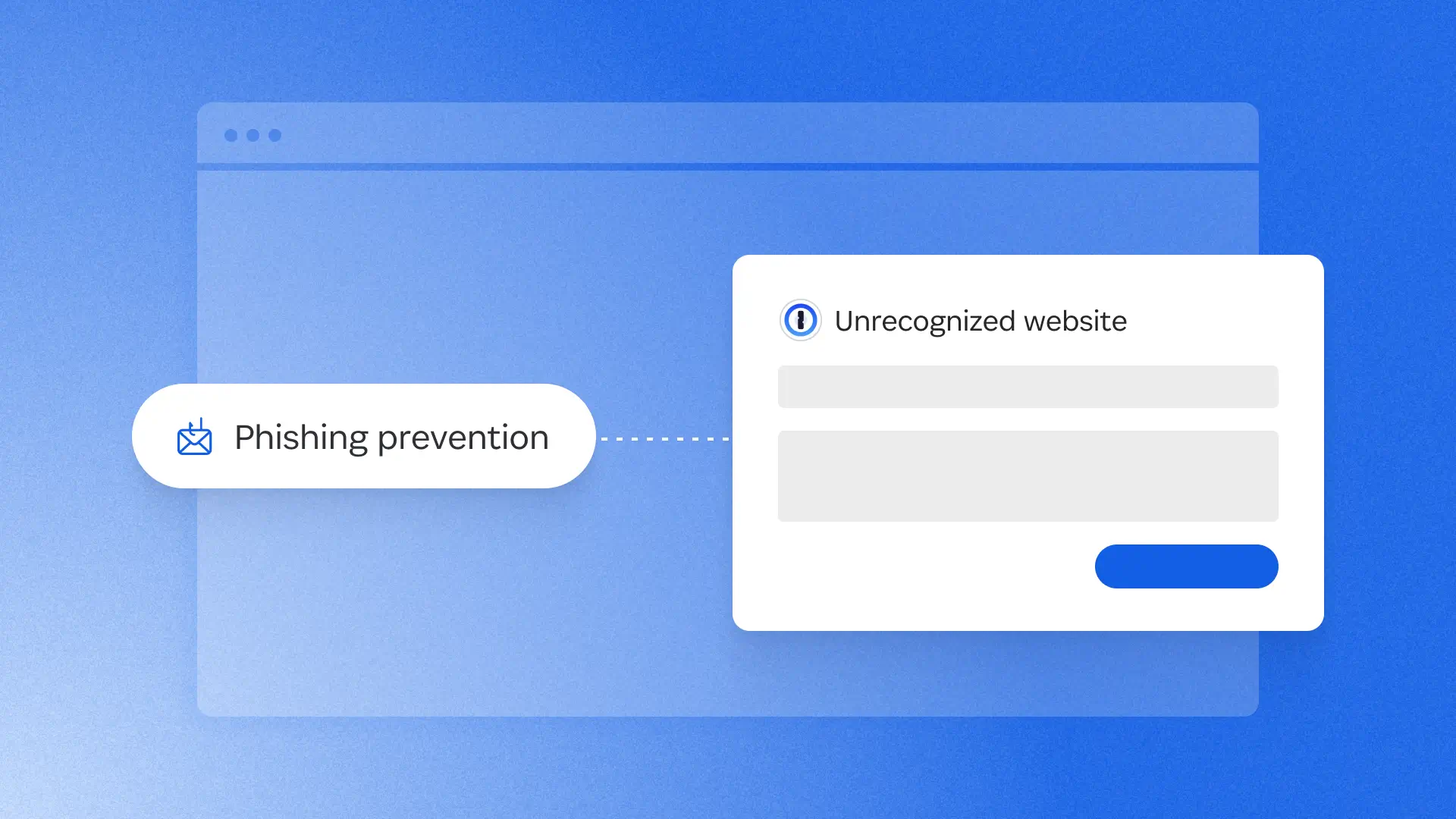
At 1Password, we’re constantly working to make life simpler and more secure for our users, from the biggest businesses to each individual who signs up for our password manager. Over the past few months, we’ve been rolling out a slew of updates designed to make a difference for customers, whether you’re using us at home, at work, or (ideally) both.
Here are some of the latest developments for you to explore.
Upgrades to autofill and autosave
One of the most immediate benefits of using 1Password in your daily life is a smooth experience of creating, saving, and inputting your credentials and logins. These updates help you get the most out of that experience, with fewer clicks, on the devices you already use.
Universal sign-in for personal and business accounts
Signing in just got simpler with a smarter, modern experience using a one-click prompt. Now in beta, 1Password seamlessly logs you into any site or service at the right moment using your desired authentication method (passwords, passkeys, social sign in, OIDC, SAML*). We remove all the extra steps so you sign in quickly and smoothly, while staying secure.
*SAML is only available for business accounts that also have 1Password SaaS Manager.

macOS autofill
1Password now works as a native Credential Provider on macOS, so your logins and passkeys easily fill right inside Safari and other desktop apps.

Save and generate passwords in iOS 26.2
The password creation experience on iPhone and iPad should happen at the exact moment you need it, especially when you’re signing up for a new account. With this update, 1Password shows up natively in Safari and other iOS-native apps so you can generate and save a strong password right in the account creation flow, without leaving what you're doing. This makes it easier to capture credentials when they’re created and keeps account setup uninterrupted.
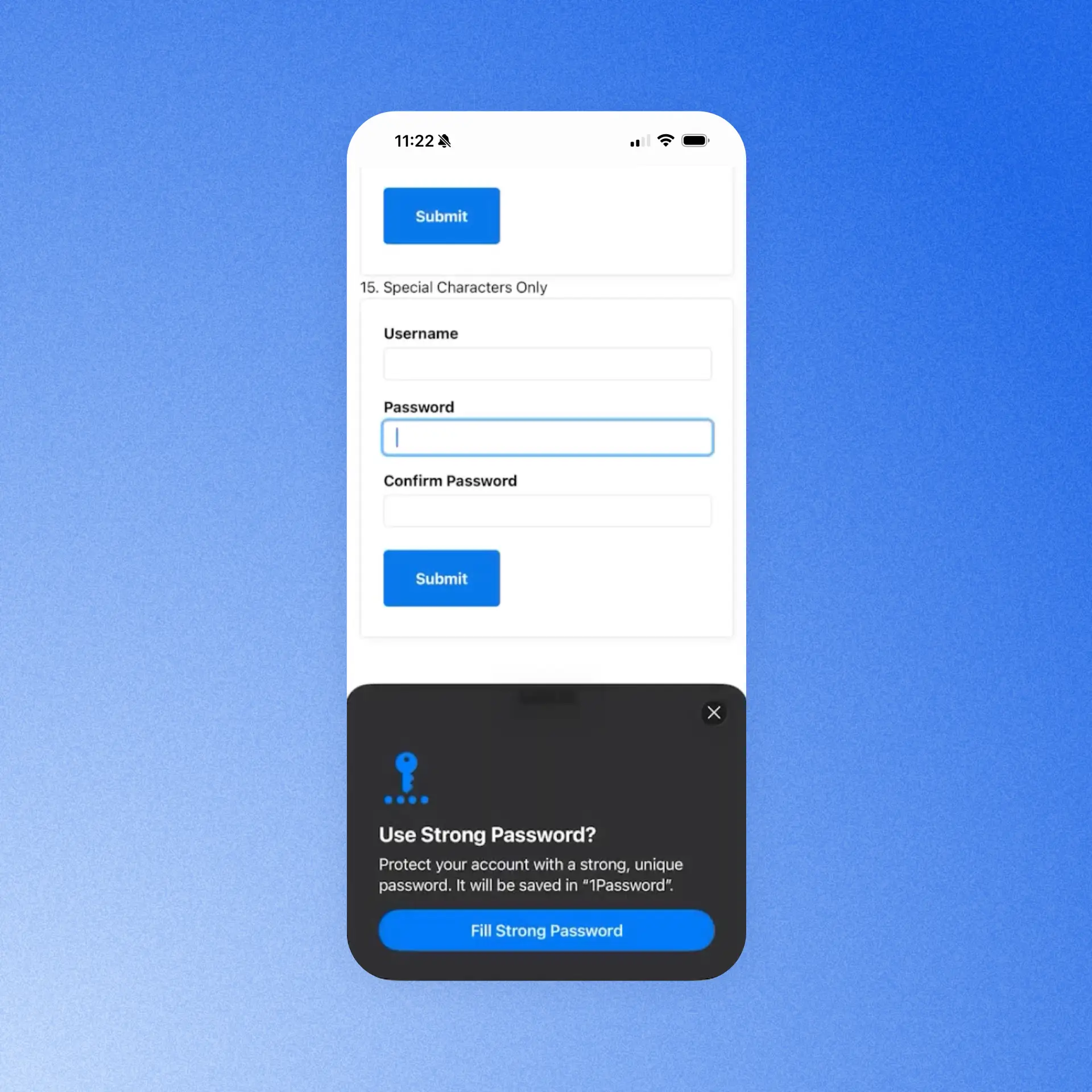
Autofill health check for iOS
The reliability of iOS autofill depends on a tangle of systems, and when there’s a problem with one, it's rarely obvious what's broken or how to fix it. So we built clear guidance that checks the autofill setup for you and deep-links straight to the exact setting that may need attention. That way, you can gauge if everything is configured correctly for autofill to work properly.
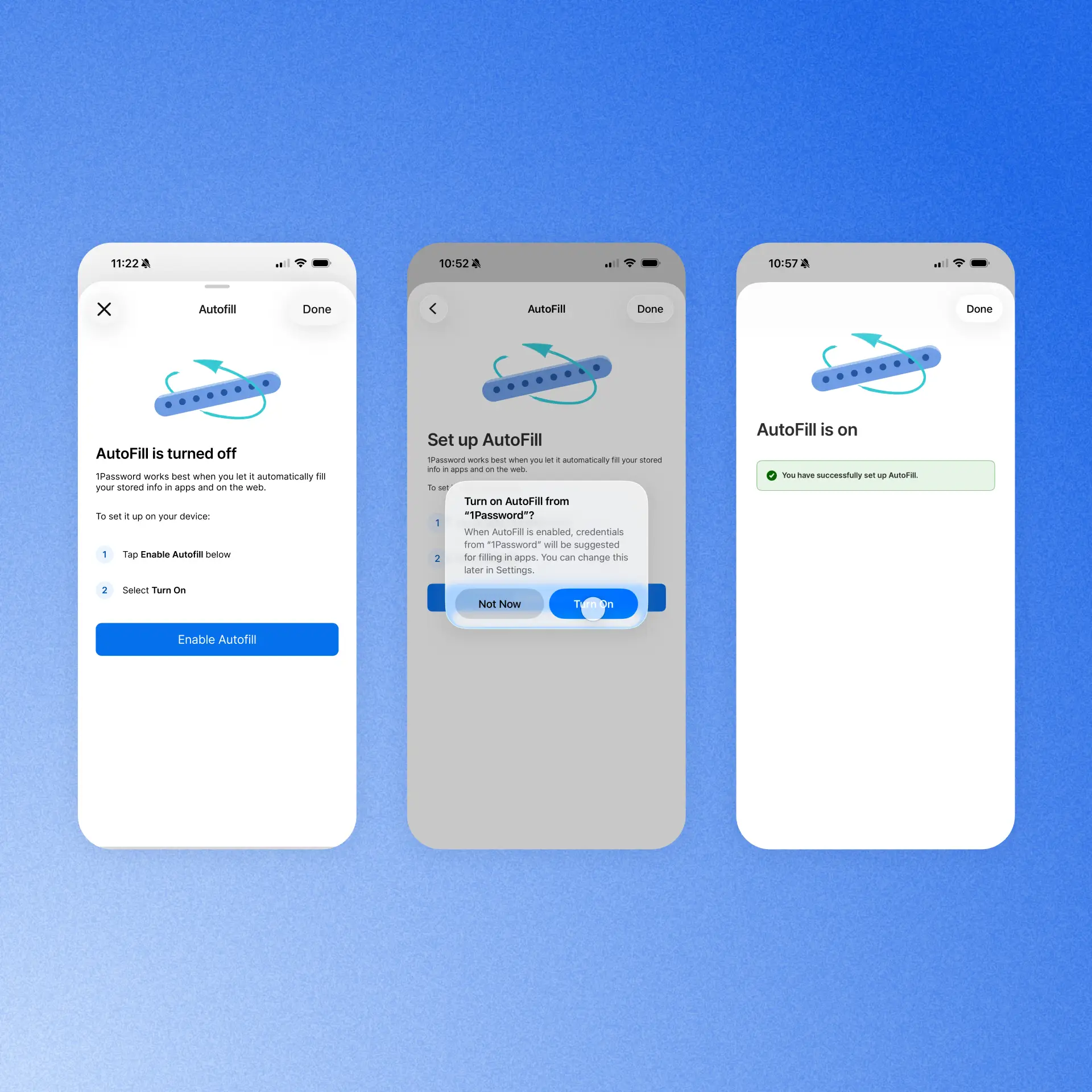
Data ownership and migration improvements
Transitions can be tough, and whether you’re moving to 1Password from another provider, or there’s been a change in the status of a shared account, you need access to your sensitive data with no interruptions.
Import your passwords (Business accounts)
We are making migrating from another password manager much smoother for our Enterprise Password Manager customers across Teams Starter Pack and Business accounts. A dedicated "import your passwords" step in an employee’s Guided Setup flow gives team members a clear, in-context nudge to bring over their existing credentials as they set up 1Password. Admins of Business accounts can control whether the step appears for their employees or not via a new policy, reducing the migration burden and getting teams to use and see the value of 1Password faster.

Data ownership and retention (Families accounts)
Members of a 1Password Families account are able to leave the account at any time. If they are removed from the account, they’ll now automatically receive an email and in-app notification guiding them through the process of moving to a standalone 1Password account. This ensures they retain access to their private data and experience a safe, seamless transition.
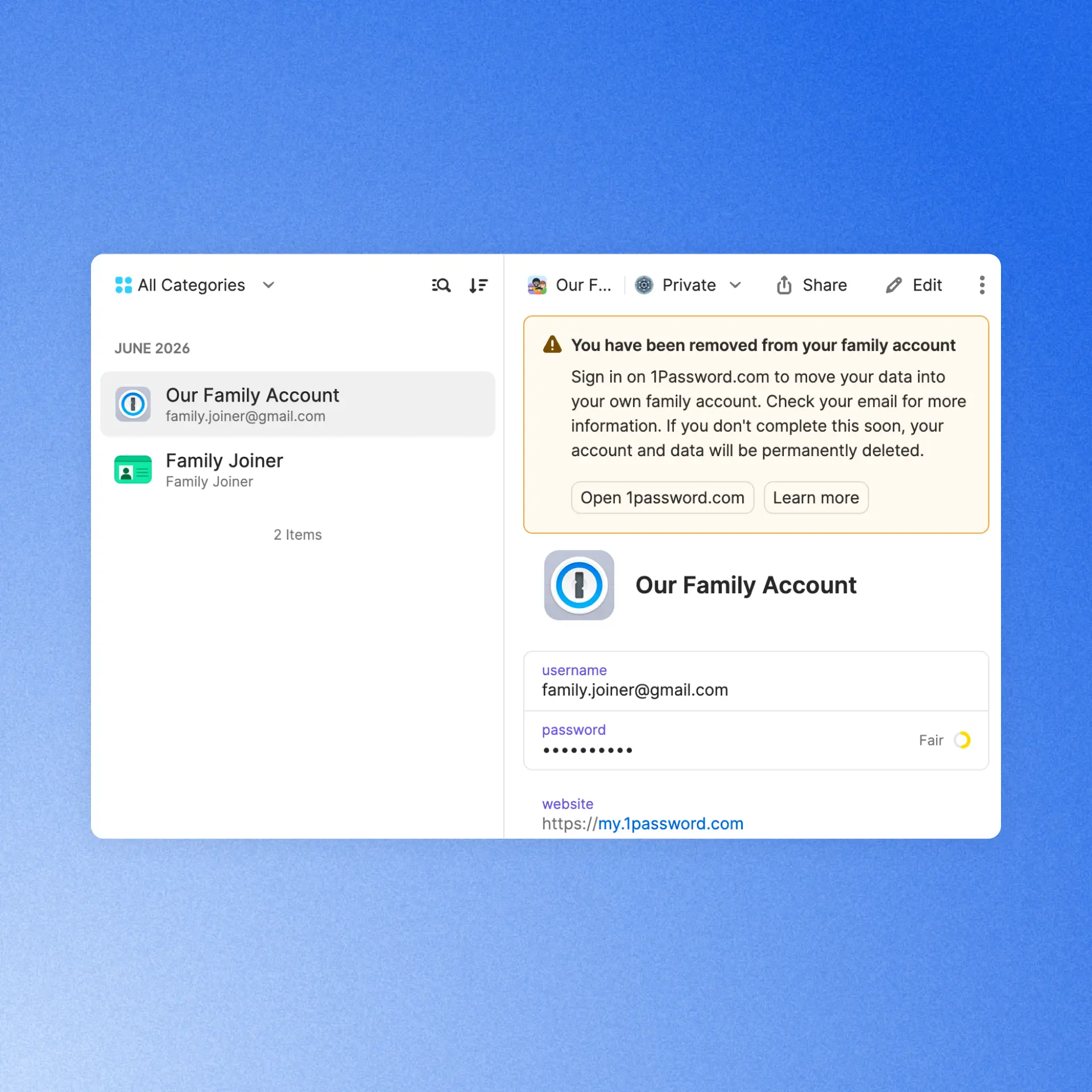
(Even more) secure by design
Naturally, as a security company, we’re constantly working to maintain and improve the safety of our products. These updates are designed to do just that, without adding friction for users or admins.
Phishing prevention updates
In January, we shipped a phishing prevention feature that alerted users if they were about to enter their credentials into an unrecognized site. Now, we’ve redesigned that experience with a smoother UI and a smarter risk assessment system. The feature now checks the current site against a curated, proprietary, and growing list of 50,000 verified URLs. It warns users about unknown sites and affirms the safety of trusted ones, so the URL can be added to an item for seamless future sign-ins. This gives users clearer, more actionable information to protect against social engineering attacks.

Improved default unlock settings (business accounts)
New and existing 1Password Business customers now benefit from updated default unlock settings and a more streamlined sign-in experience. These defaults make it easier to balance security and convenience from day one, while admins still have the flexibility to customize unlock and auto-lock policies to meet their organization’s needs. If you use 1Password Individual or Families at home, you’ll find these improved default unlock settings there, too.

Enforce work-domain sign-ins with MDM (business accounts)
Admins who rely on MDM policies to restrict sign-ins on managed devices to their organization’s domains can now trust that enforcement holds across every authentication method and sign-in flow. We've closed the gaps in edge cases like SSO, Found Accounts, and QR sign-in flows so no path accidentally bypasses the restriction, giving IT full confidence that personal accounts stay off corporate managed devices.
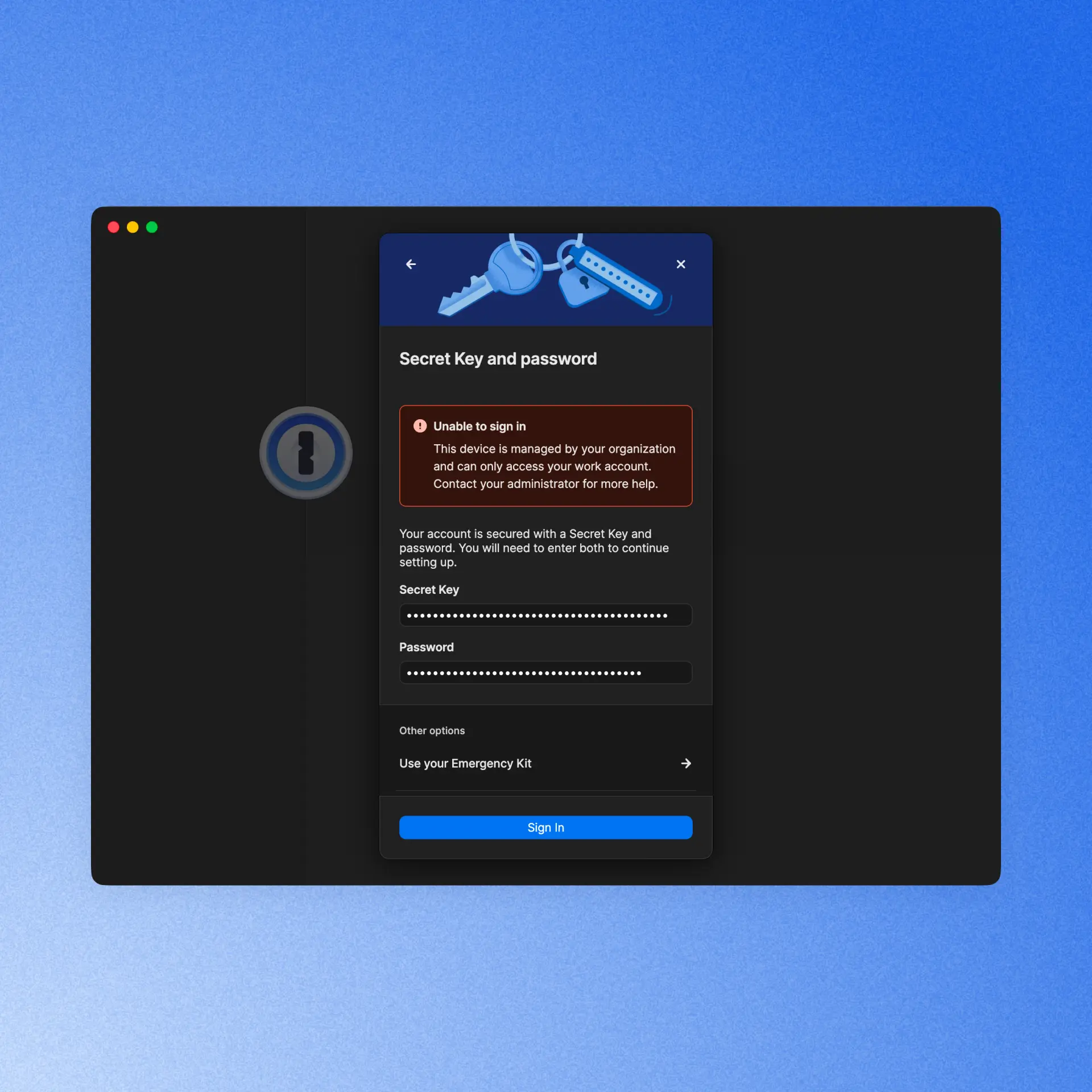
Developer updates
In case you missed it, we just launched two major releases that make it easier for developers to work securely, without friction. Even if you’re not a professional dev and you just do a little vibe-coding as a hobby, you’ll want to make these part of your 1Password experience.
1Password Environments
Many developers use .env files to store and easily access credentials while they’re working. But the convenience of this method has always come with a major security tradeoff, until now. 1Password Environments gives developers a secure place to store, share, and use the secrets behind apps, services, automations, and AI-assisted workflows. You can import your existing .env files, so you keep the convenience, but stop storing plaintext credentials on your hard drive, within easy reach of bad actors.
Developer Watchtower
1Password users already know and love our Watchtower feature, which alerts users when it discovers a weak, reused, or exposed credential. Now, Developer Watchtower delivers insights tailored to devs. It identifies plaintext developer credentials like SSH keys and .env files on devices, and guides users to import them into 1Password.
Reliability Improvements
We’ve continued improving the overall 1Password experience with reliability enhancements across the product. Here are a few highlights:
[In Beta] Have you ever accidentally saved the password to a new account, but left the username field blank? It can make logging back into that account more difficult, so we built safeguards that stop users when they’re trying to autofill or autosave a login with no username. When that happens, an alert now appears that warns the user of what they’re doing and prompts them to autofill/autosave a username.
1Password for Android now tracks credential submissions over a multi-screen session and offers to save those credentials in 1Password.
We’ve improved the responsiveness of the 1Password Safari extension, so unlocking, autofilling, and interacting with 1Password feels faster and smoother as you browse the web on Mac.
[In Beta] We now offer Secret Key protection to prevent you from pasting your secret key in websites that aren’t 1password.com.
1Password now supports user verification for passkeys. When a site requires an additional security check, 1Password prompts you to verify your identity before signing you in. Available when the 1Password browser extension is connected to the desktop app.
2026-08-27, 00:00

At 1Password, we started expanding our use of AI with a familiar IT playbook. We identified the problems we wanted to solve and the tools that could help us achieve those goals. The plan was straightforward: enable teams, move quickly, learn what worked, and build the visibility needed to manage the cost.
Then the operating model changed. AI vendors introduced consumption-based pricing faster than our processes could keep up, leaving us with a distributed system of vendor-specific dashboards to track and manage our AI use.
For IT, that created a new kind of chaos when it came to understanding how much we were spending on AI and where that budget was being used throughout the company. We had data spread across systems, but we didn’t yet have a clear, shared answer.
How IT teams can govern AI use
IT teams are close to the tools and access patterns that shape AI usage. That gives IT an important role in AI spend decisions, and is no small part of why AI governance can become framed as an IT mandate. Budget and model decisions belong with the leaders who set business and engineering priorities, while IT’s role is to provide the context those leaders need.
In the face of the changing nature of AI governance, IT teams should focus on finding ways to make AI spend explainable, to give the company a more useful basis for making decisions.
Visibility changes the conversation
Previously, 1Password’s IT team could see activity in individual vendor consoles, but each view covered only part of the picture. We spent too much time moving between systems and interpreting different definitions. By the time we exported data from one tool and combined it with another, the result was already out of date.
When we started using AI Spend and Consumption Management in 1Password SaaS Manager, it felt like a breath of fresh air. We now had a shared view of AI usage and spend across vendors and teams, with detailed insights on users and models, meaning that we could better understand our budget and burn-rate context. The view was immediately more useful than working through disconnected dashboards.
The biggest change was the quality of the questions we could ask. For instance, when we saw an increase in spend, we could ask whether it was expected. Was a team working toward a product release? Has someone started a new project? Was a more expensive model being used by default? Was the activity legitimate, or did it require intervention?
Before we started using AI Spend and Consumption Management, every one of those questions would have started with a search across various systems. With better visibility, the search became an investigation with a starting point that gave us the context we needed to make informed decisions.
The organization defines the operating model
We learned very quickly that visibility is just the beginning. We needed to formally define how AI governance would work for our team.
AI vendors measure consumption on their own terms, with no uniform system across offerings. One vendor may report usage through credits, while another reports more directly in tokens or dollars. The controls used to manage that usage and spend can be similarly varied, from detailed administrative settings to only broad account-level controls. All of this makes it difficult for IT teams to apply a consistent approach across their organization. If we let each tool define our processes and rules, governance inherently becomes inconsistent.
At 1Password, we recognized that we needed to establish our own approach to governing AI use. That process began with answering strategic questions that couldn’t be dictated by the AI tools themselves. Those questions included:
Which tools can different teams use?
Which use cases require additional review?
What data can employees share within AI tools?
Who approves a new model?
What happens when spending increases unexpectedly?
Who decides whether a team should receive more AI budget?
The answers to these questions should inform policies and processes that reflect an organization’s priorities on how to govern AI consumption and use.
From there, a policy cannot live in a document while every vendor is configured differently. For IT, that means building a repeatable way to turn policy into action through controls, approvals, alerts, reviews, and escalation paths that people can use in practice.
Clear ownership across departments and teams is critical for AI spend management. For instance:
IT will likely own the systems and implementation
Security may define data handling requirements
Finance should own budget oversight
Procurement may review vendor terms
Engineering leaders may set priorities for development tools
This is just one example of how this could work in practice. The key is to ensure that each group understands its role before an AI spend issue appears that needs fast resolution.
We are still working through what that model should look like at 1Password. AI tools and pricing are changing quickly, and no single team can define the answer in isolation. The most vital principle for us is to establish our own processes deliberately, rather than allowing vendor defaults to become the process by accident.
Key steps to manage AI usage
Total spend tells us what the organization paid, but it does not tell us what’s driving those costs. For organizations struggling to manage AI consumption and spend, the most useful advice is to move thoughtfully before AI usage becomes even more difficult to interpret.
Understand your AI inventory
Start by building an inventory of the AI tools in use. This should include enterprise platforms, developer tools, model APIs, aggregators, embedded AI features, and tools employees adopted outside the formal procurement process. The inventory will change over time, but it provides a starting point for understanding the environment.
Give leaders the insights they need
The next step is to decide what information leaders need to make good decisions. Total spend may be useful, but it is rarely enough. Teams need to understand consumption by vendor, team, user, model, and, where possible, project or use case.
Chart accountability
Next, define decision rights. Who approves a new tool? Who sets a team’s budget? Who investigates a spend surge? Who decides whether a model is appropriate for a particular type of work? Clear answers will help the organization respond quickly when usage or costs change.
Formalize governance processes
Before configuring individual tools, IT teams need to establish governance principles . Define how the organization thinks about approved tools, sensitive data, model selection, spending limits, and escalation. Then apply those principles as consistently as the vendors allow.
Establish a review cadence
Finally, create a feedback loop by reviewing consumption regularly. Identify unexpected changes and share useful context with the teams using the tools. Then update the process as the organization learns.
Overall, the goal is to create a thoughtful operating model that can improve as usage changes, not design a perfect governance model on the first attempt.
From adoption to accountability
At 1Password, we are still learning what effective AI governance looks like for our organization. We do not have every answer yet, and we do not expect the environment to settle quickly. What has become clear is that visibility needs to come first.
A shared view helps the organization ask better questions. IT can see what is happening and leaders can make more informed decisions, so that governance can become part of everyday work.
At 1Password, using our own product internally has helped us move in that direction. AI Spend and Consumption Management in 1Password SaaS Manager gives us a shared starting point for understanding usage, and provides better information for deciding what our organization should do.
That is the role IT can play as AI becomes part of everyday work: create visibility, help define a consistent process, and give the entire organization the information it needs to move with confidence.
Learn more
1Password's ebook, *A practical guide for AI spend management* provides an actionable approach to managing AI spend.
Read the guideDiscover the solution
Learn more about how 1Password can help your organization proactively manage AI costs.
Explore AI spend management2026-08-27, 00:00
Early on in the AI adoption boom, I gained a reputation for just throwing everything at it to see what would stick. That wasn’t the most effective strategy, and my token usage was crazy high. There are a ton of talks and posts on all the cool ways you can use AI for detection engineering, but I didn’t see any that showed you where to begin.
So, this isn’t another blog about why you need to use AI in your defensive workflows. It seems most people understand why we need that. My focus is to show how our team got started and realized that providing AI with the necessary context is key to detection engineering successfully adopting AI.
This is not just about building detection logic, but that is one of the goals. This foundation helps create the AI Detection Engineering stack: logging pipelines, log onboarding, detection validation, threat modeling, and more.
An LLM does not know your stack, so out of the box it has limited value in a security review. In our experience, reliable results depend less on the fanciest model and more on the documentation and context around the workflow. If a human reads your log inventory and still has to ask three people what the ingestion method is, your agent does too.
Why cold prompting fails
When we first started using AI tooling, we realized prompts alone could get stuff done, but the output was inconsistent. Fields were missed, assumptions were made, and some detection logic was wrong. We saw it write queries that would not work in our SIEM. Usually these were around wildcards. The playbooks it wrote were generic, the tuning was poor, and some detections were just bad.
With enough re-prompting, the output would improve, but it always required some massaging. The effort invested in the agent inputs had a noticeable impact on the quality of the outputs. TL;DR: garbage in, garbage out.
Where our context came from
At the start, this was just internal documentation we built to make our own lives easier. It started with new-hire materials about where logs live, who owns each tool, and what needs protection. That is the bar. If you would hand it to a new hire on day one, it is good enough to onboard the AI (I fear saying this a bit, knowing onboarding isn’t always the best). Just like an intern, if you neglect to set the context, your agent will guess and hand you something that looks right, but isn’t aligned to the team’s actual goals.
So every artifact below gets judged against that one test.
All of these documents are dual-use. Humans read them, and agents read them. Once again, think of this like onboarding documentation, then modify it to your agents’ needs. The better the data, the better the context, the better the outcome for your agents.
The good news is AI can help you make these with a read-only access key. The bad news is you are going to have to read and edit some slop.
I ordered these roughly by what to do first. If you have two hours this week, start at the top.
Context inventories and libraries
Log inventory — what, how, where, format
Start with this. A basic log inventory needs a name, category, priority, and owner. It gets more complicated with ingestion methods, vendor or internal contacts, and, to go one step further, detailed notes on what the logs provide.

We always include external resources. Blogs, vendor documentation, anything else that will help get someone up to speed on what is being provided. This part does more work than you would think. When an agent has the vendor documentation for a log source, it stops guessing at field names.
An agent with a real log inventory can tell you whether a detection idea is even possible before you write a line of logic. That alone is worth the afternoon.
Detection library — centralized, mapped, and tagged
Creating a single point for all your EDR, SIEM, and CNAPP detections can be hard, but it helps answer that age-old question. Can we detect that?

This will require some normalization because not all security tools save the same data. You'll want ATT&CK tagging, log source, and in some cases, origin if you're tracking where the detection ideas came from. Some fields you will need for metrics are “Date Created”, “Date Modified”, and “Dates Tested”. Believe it or not, not all companies track the “Date Modified” field.
The last big part is having a description and/or playbook for the detection. Depending on the tool, some limit the number of characters you can put in a description. Our team uses a modified version of the Alerting and Detection Strategies Framework. This gives us a clear understanding of every detection and the next steps for triage when it fires.
Having a structured output format defined is also why an agent can generate consistent, high-quality playbooks for us now.
Tool inventory — who owns what, contact info
These are the tools you'll use to investigate, but you'll also want the tools your counterpart teams use: EDR, SIEM, CNAPP, as well as ticketing, inventory, or internal knowledge sources. These will also include contact information and resources.
Without this, every playbook an agent writes would lead to a dead end. It knows what to do but has no idea where to go to do it.
Company/entity profile — crown jewels, VIPs, locations, and possible attack paths
This is how we tell our agents what is critical to us.
Crown jewels, VIP accounts, office locations, and the attack paths are what actually matter for our environment. This context turns a generic severity rating into a significant one. An agent triaging an alert on a production secrets service should not treat it the same as a hit on a test box. The only way it knows the difference is if you wrote it down.
Team charters — scopes, ownership boundaries, and the tools they use
This data helps us know who does what and with what. It is vital to building out playbooks and knowing who to escalate to. Scopes, ownership boundaries, and the tools each team uses help you or the AI make those decisions quickly.
We already had these because we needed them for humans. Turns out an agent building an incident response playbook needs the exact same thing.
Infra and log pipelines as code — parsing, normalization, schema
We currently have our security tooling and cloud infrastructure configured as infrastructure as code. This takes the longest but pays off the most. If your parsing, normalization, and schema live in code, it can become more context for your agent.
Once it can read how a log source is currently parsed and normalized, it can write the next one. It matches your existing patterns instead of inventing new ones; it uses your real field names, and the output goes through the same review as anything else in the repository. Our ingest pipeline work went from a multi-day task to about an hour.
If you do not have this as code yet, that is fine. Document the schema and the naming conventions in plain text and start there. Even a written schema beats nothing.
What we built on top of it
We store all our skills, agents, hooks, and MCP servers in a custom plug-in repository. This creates consistency across the team's work and enforces change control. We have three primary focus areas for our agents: logging, detection, and knowledge transfer.
Logging
On the logging side, we built skills to log knowledge and provide context not just on what we are logging, but how it's logged and enriched.
We have a skill that stands up a full log ingestion pipeline: an S3 bucket, a collector Lambda that polls the vendor API, a forwarder into the SIEM, CloudWatch monitoring, and a PR at the end. It writes the handler, the Terraform, the README, and the PR body, then wires the new pipeline into the existing monitoring stack. Logging is where the gap analysis lives too, comparing the log inventory against the tool inventory and our knowledge bases to find what we are blind to in logging and detections.
Detection
On the detection side, we have MCP access to our detection tooling. When a new log is onboarded, we run a threat modeling agent to verify and suggest new detections. This can be passed off to our detection engineering agent, which can then create a detection in the targeted tool. It verifies we have logging, checks for detection overlap, and looks for false positives. Once done, it creates a pull request designed to be easily verified. The pull request includes the logic it used, hyperlinks straight into the SIEM query, and a basic description of its work.
Knowledge transfer
Knowledge transfer is the one people skip. Documentation, normalization, and schema creation. It is the least fun of the three, but it's why the other two keep working. The easy one is building something to write your detection descriptions. We have several agents that look for future work around logging or configuration changes.
Notice that none of these agents are doing anything crazy. Each is a thin wrapper around documentation we already had.
Security considerations
A few things to think about before you go feed your entire security program into a chat window. Not every platform is safe for internal data. Know what you are agreeing to, where the data lands, whether it is retained, and whether it trains publicly accessible models. Some of these documents map exactly what you protect and how you monitor it. Keep your company secrets safe by only using approved and appropriate AI tooling.
Remember to use least privilege. Prompt injection is real, and untrusted content can carry instructions; in our world, untrusted content is the whole job. Alert bodies, email samples, file names, ticket comments. If an agent reads attacker-controlled text and also has write access somewhere, you have a problem. Scope your MCP permissions like you would scope a service account, because that is what it is.
Do not trust the output. It can look completely right and be wrong. Validate before you ship. Every detection an agent writes still goes through the same review and testing as a human-written detection. The point is to speed up the boring parts, not skip the review.
What context do you already have?
Document what you have before you automate what you do not. The work is boring and front-loaded.
You have two options here. You can be me in 2025, throwing everything at the model to see what sticks, burning tokens, and getting output that is okay. It works. It gets you there. It just costs you a lot of back-end massaging, and you never quite trust what comes out. Or you can spend a couple of weeks writing down what you already know about your own environment and get results you will actually ship, in a fraction of the time.
If you want a first move for this week, pick one log source and document it end to end. Name, owner, ingestion method, which fields it actually provides, which parsing it goes through, and one link to the vendor doc. Then ask your AI tool a real question about it and compare that answer to what you got before.
That difference in what you wrote and the AI wrote is the whole reason to do this.
Automate secret references with the 1Password CLI
The 1Password CLI can reference approved secrets from scripts and automation without pasting plaintext credentials into prompts or source code. Connect secure secret management to detection engineering workflows with our free developer tools.
Explore the 1Password CLI2026-08-26, 00:00
As a company grows, more employees join, but the size of the IT team overseeing critical systems often doesn’t grow at the same pace. Admins have to be intentional about prioritizing their efforts to meet the needs of a growing organization. That’s why we’re excited to announce several releases aimed at helping admins optimize their organization’s use of 1Password in two important areas: reducing lockouts and automating provisioning at scale.
Preventing avoidable lockouts
Entra ID Secret Expiration
Most 1Password Business accounts sign in via SSO through an identity provider like Microsoft Entra ID. Admins rely on a secret provisioned by Entra to establish connectivity with 1Password. However, it comes with an expiration date. Once it expires, the connection breaks, preventing anyone from signing in. This was one of the most common and disruptive patterns we’d observe with customers.
Entra ID Secret Expiration now tracks it for you. Simply record the expiration date, and 1Password will send escalating reminders across in-app banners, emails, and login prompts at a fixed cadence (e.g., 90/60/30 days). Once it’s time to rotate the secret, follow the guided flow in the Admin Console, confirm it’s working as intended, and the countdown resets automatically. A predictable secret expiration date should never become an outage, and now it doesn't have to.
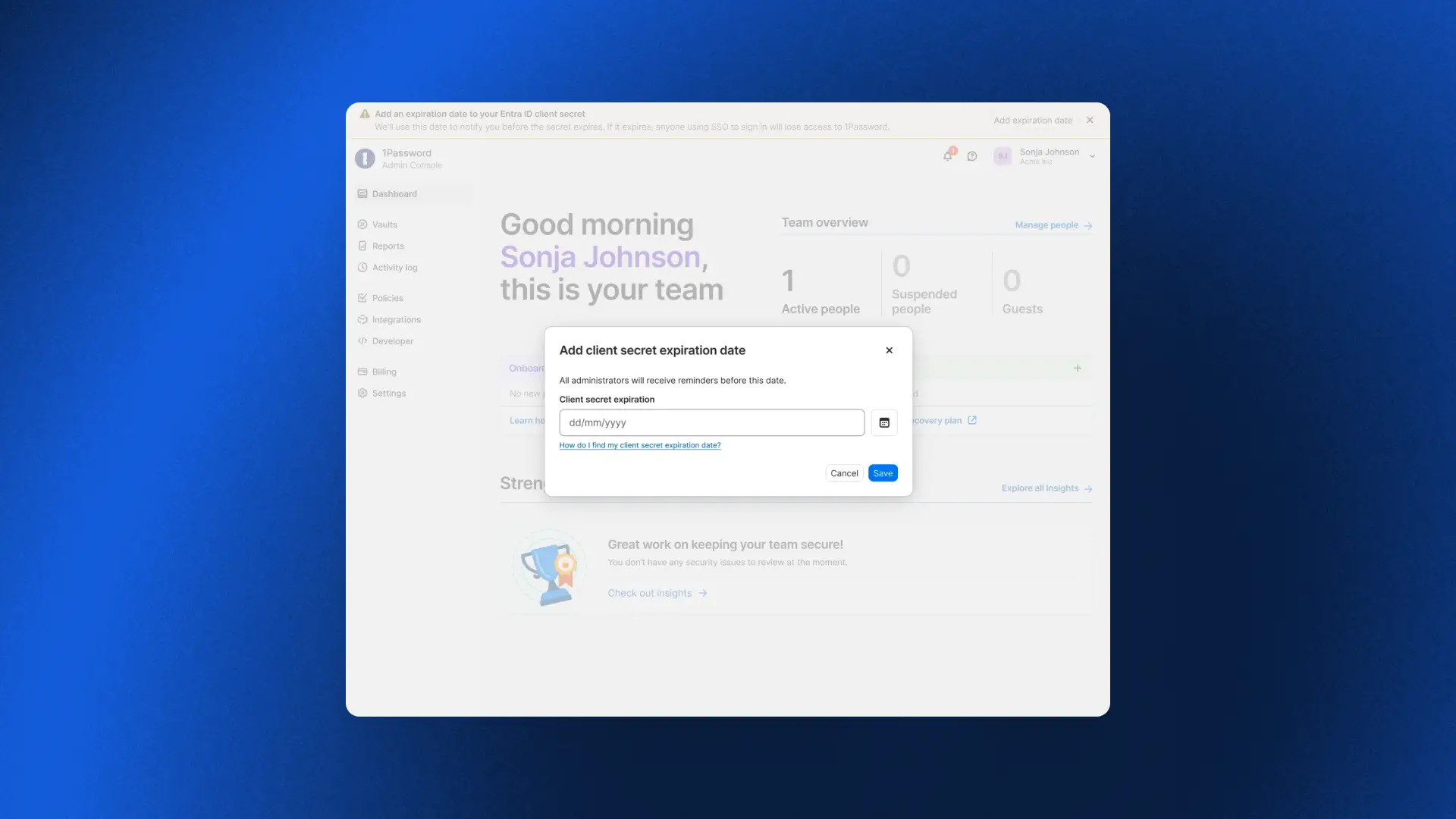
Standing up new parts of the business quickly
Multi-Tenancy and Automated Provisioning integration
Earlier this year we released Multi-Tenancy and Automated Provisioning, hosted by 1Password, two critical features for admins to manage provisioning, deprovisioning, and parent/child accounts at scale. Now admins can use these features in tandem, so enterprises with multi-tenant setups can take advantage of Automated Provisioning.
To get started, check out our detailed documentation for setting up the Multi-Tenancy and Automated Provisioning integration
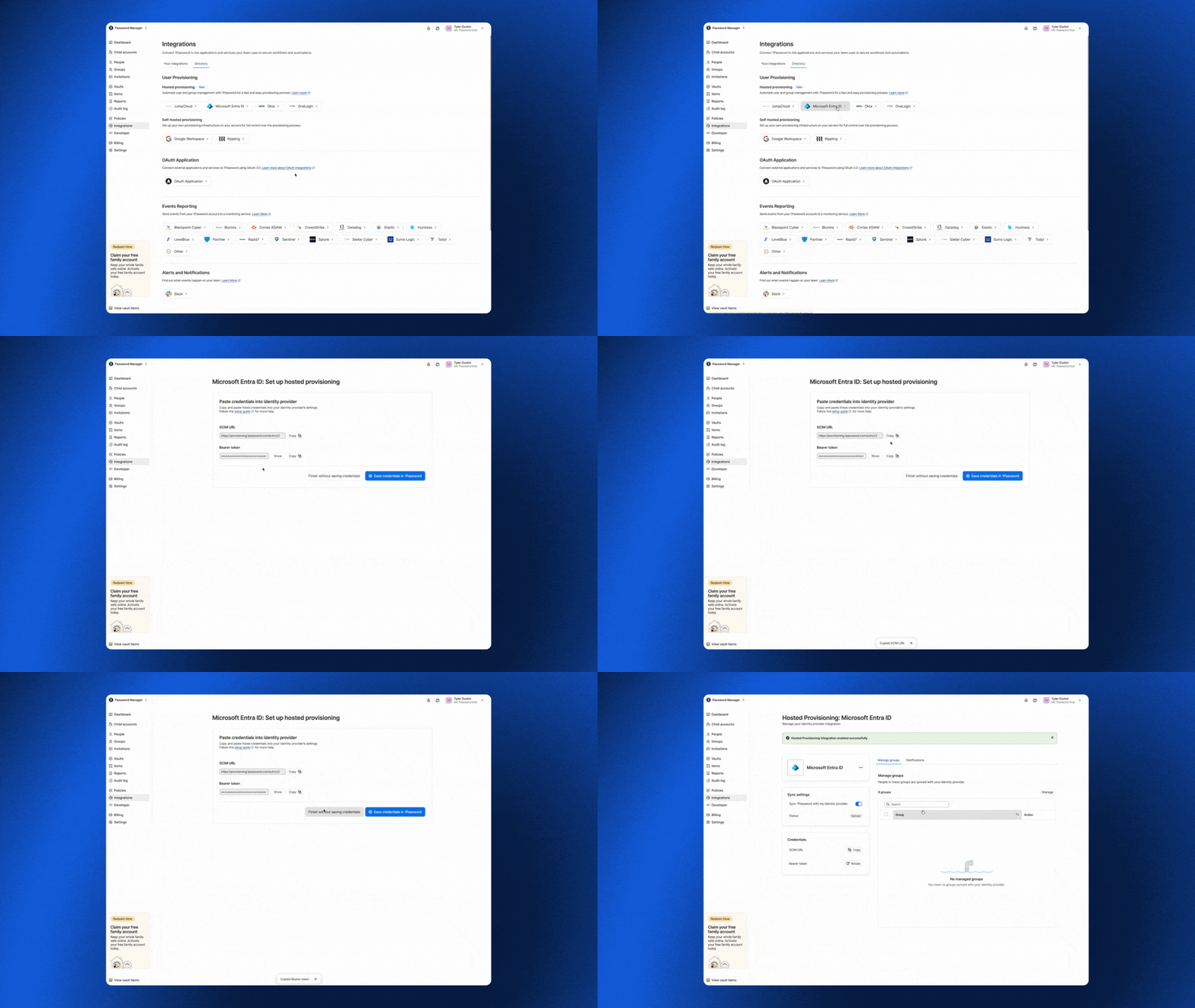
To get started, check out our detailed documentation for setting up the Multi-Tenancy and Automated Provisioning integration.
Vault migrations
With multi-tenancy, enterprises link multiple 1Password accounts under a parent account to mirror how the business is actually organized, whether by subsidiary, region, or acquisition. But linking a child account is only the first step. It still needs the right shared vaults, and until now the only way to populate them was to recreate each vault by hand. Vault Migrations removes that work. An admin can copy a vault from the parent account to one or more child accounts in a single workflow, so newly linked accounts are ready to use from day one.
Because 1Password is end-to-end encrypted, each vault is re-encrypted in your browser with the destination child account’s key before it is uploaded. Our servers never see your data in plaintext, and the vault key is never exposed unencrypted. Each migration creates a copy rather than a synchronized vault, preserving the security boundary between linked accounts. Access is reset to a secure default so admins can deliberately assign permissions in the child account, and every migration is recorded in the parent account’s audit log.
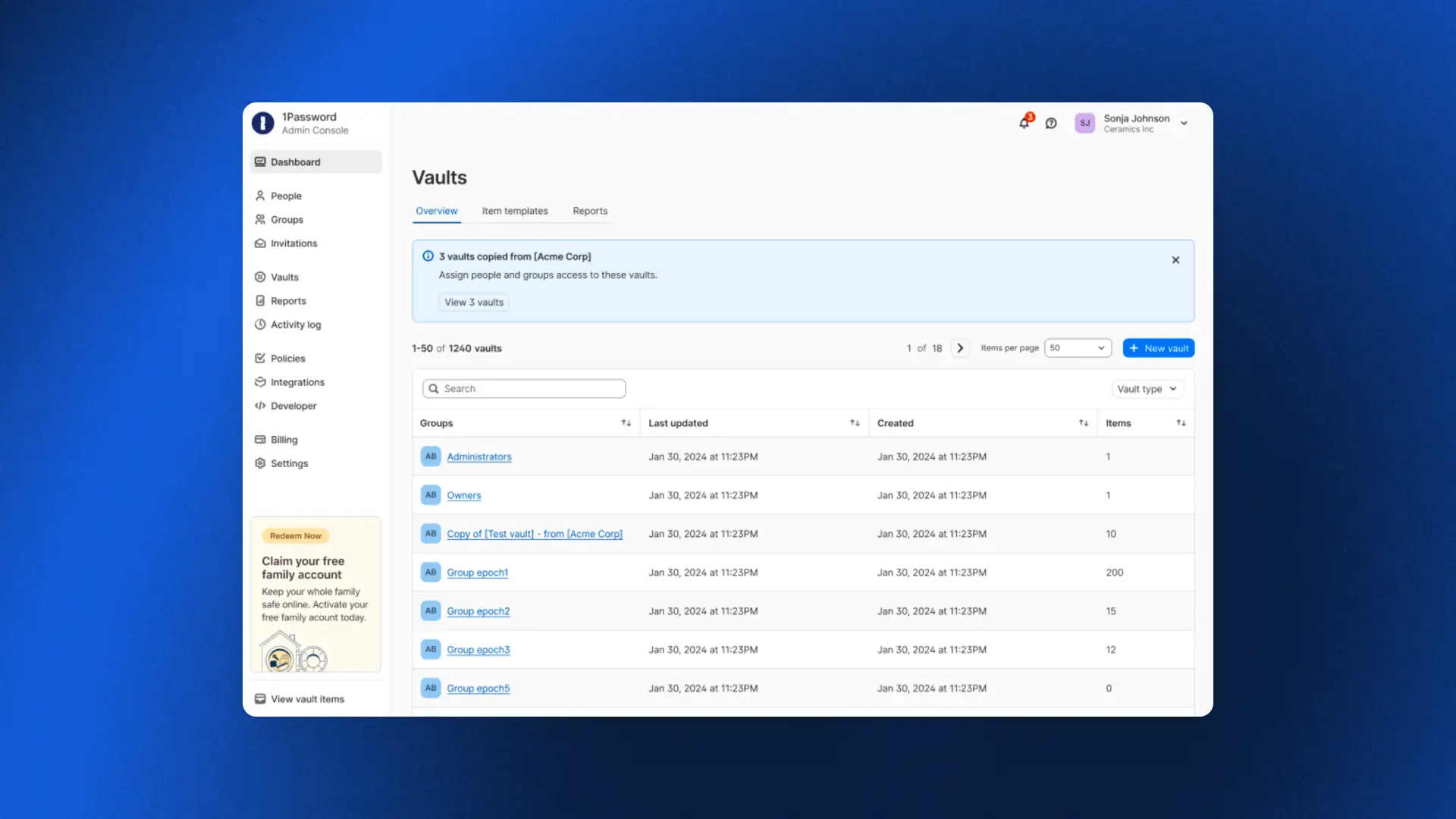
Automated Provisioning for MSPs
For MSPs, standing up provisioning for every new client has traditionally meant painstaking manual work. As one MSP shared: "If we can connect to their identity provider so that we don't have to provision accounts manually, that changes everything."
Automated Provisioning, hosted by 1Password, does exactly that. MSPs can connect an identity provider to any client in minutes, with users created, updated, and deprovisioned automatically across every managed tenant as clients grow and change. No infrastructure to deploy, no bridge to maintain, and no manual work in between.
One admin who tried it put it simply: "We were done in about five minutes. We set everything up from scratch, added the integration in Okta, and it worked immediately."
To get started, check out our detailed documentation for setting up automated provisioning for your managed company instances.
Final thoughts
What these releases add up to is peace of mind.
For an enterprise, it means fewer lockouts and improved efficiency. For an MSP, it means onboarding a new client in minutes. And whether you run one organization or a hundred, the team overseeing it doesn’t have to scramble to keep up with growth, because the platform now carries more of the operational burden without compromising the security model.
2026-08-25, 00:00
In this episode, Rohan Varma, Product Lead for Codex at OpenAI, described what happens when teams move from using agents for one-off tasks to enabling autonomous coworkers. Having worked on AI coding products at Cursor and OpenAI, Ro understands what people need to work effectively with agents and what agents need to work effectively with people.
What makes a good (agentic) coworker?
With any coworker, collaboration works best when everyone is working from the same context, toward a shared goal.
Human coworkers are accustomed to working toward shared goals. With proper context and resources, they can divide work without losing sight of how their contribution affects the team.
The difference between teams of people and agents is that people don’t need to be told how to remember things. Everything they do carries historical context. When a team works together, their shared knowledge expands exponentially.
Agents work within context windows, a temporary working memory that fills as a task continues. When the window is full, the system has to summarize the work without losing decisions and constraints that could cause the agent to miss crucial directives.
State is a fundamental building block for making an agent feel more like a coworker. Without memory, every time you prompt an agent, it's kind of like its first day on planet Earth.” –Rohan Varma, Codex Product Lead, OpenAI
To be a useful long-term collaborator, an agent’s memory has to exist outside its context window. The system has to preserve the work durably to understand which files were changed, which decisions were made, which results were gathered, and which tasks are yet to be completed. That shared state lets one agent resume a task, another pick it up, and gives a person a log to review to understand what happened when a run fails or loses context.
Filesystems give agents a place to store that context and support agent teams.
Another thing human coworkers bring is perspective. Memory helps an agent recall its directive, but it also needs to adapt to the person it works with. Some users want an agent that provides answers and makes plans. Others want one that asks questions and critiques their logic. According to Ro, to be a helpful coworker, an agent must be “steerable” and make it easy for the user to understand its output.
How do you safely hand off work to an agent?
One of AI’s most enticing promises is to take undesirable work off our plates. For Ro, that’s spending less time on call and more time focused on product development. As Jeff Wang, CEO of Business Development at Cognition, said in a previous episode, we should let AI do the work nobody wants.
To offload work safely, the system has to place the agent in the right environment, provide the tools and credentials it needs, initiate work with the appropriate trigger, and verify it is doing the right thing.
These agents are basically as useful as they have access to your systems and as permissive as you make them.” –Rohan Varma, Codex Product Lead, OpenAI
For human and non-human identities alike, limited access is a blocker, whileover-permissioned access creates security problems. Safe delegation requires giving an agent enough authority to act, with access scoped to the task and tied to an identity the team can monitor.
At OpenAI, Rohan’s team uses Codex to automate software updates. A pull request comment or CI failure triggers a new job for Codex. Tests and artifacts of its work show the team whether the change is ready to deploy. Then the agent reports progress, returns a result, and asks for help when it reaches a boundary.
When the team receives those alerts, they ask whether the agent did the right thing and whether the action is authorized.
Nancy explores the trust architecture behind this access governance model in ”Verified loops: Building AI agent trust and accountability,” which explains how controlled tools, visible evidence, and bounded permissions can let agents earn authority.
Bring on the prototypes
In the interview, Nancy and Rohan shared how their teams are changing the product development process with agentic coworkers. Nancy discussed how 1Password developers stopped writing documentation for planned features to evaluate prototypes to inform product decisions.
Ro shared a similar process on the Codex team. Instead of writing a detailed plan before building a feature, the team prototypes it on a branch and explores a working version first.
He described one engineer who built a browser into Codex after realizing the product did not have one. The prototype gave the team something concrete to use, question, and decide whether to develop further.
When agents do the work, what’s distinctly human?
Ro said that he expects that agents will automate more of the routine work of moving information between channels and stakeholders. Writing, in his view, is where people bring unique value to the human-agent co-working relationship. When asked what work he thinks people will retain, he says, “I hope writing is still the thing we do.”
Writing helps a team turn a vague ambition into a goal that people and agents can act on. It makes the outcome clear for people and machines alike, exposes the important questions, and gives everyone something to build toward.
Clear communication gives teams the context they need to evaluate what agents produce. Over time, shared understanding becomes part of the work, connecting past experiences and topical situations to inform organizational decisions.
The more work agents generate, the more important it is for people to clearly communicate their objectives and progress so other teams can work out what’s important, what is safe to handoff to AI, and what tasks need more thorough review. The conversations behind that work can contribute to shared memory that can make an agent that can only manage one-off prompts into a helpful long-term agentic collaborator.
Subscribe to the 1Password Developer newsletter
Stay up to date with the latest 1Password Developer product news, industry insights, and community contributions. Plus, learn best practices for becoming a better, more secure developer – both at work and at home.
Subscribe2026-08-20, 00:00
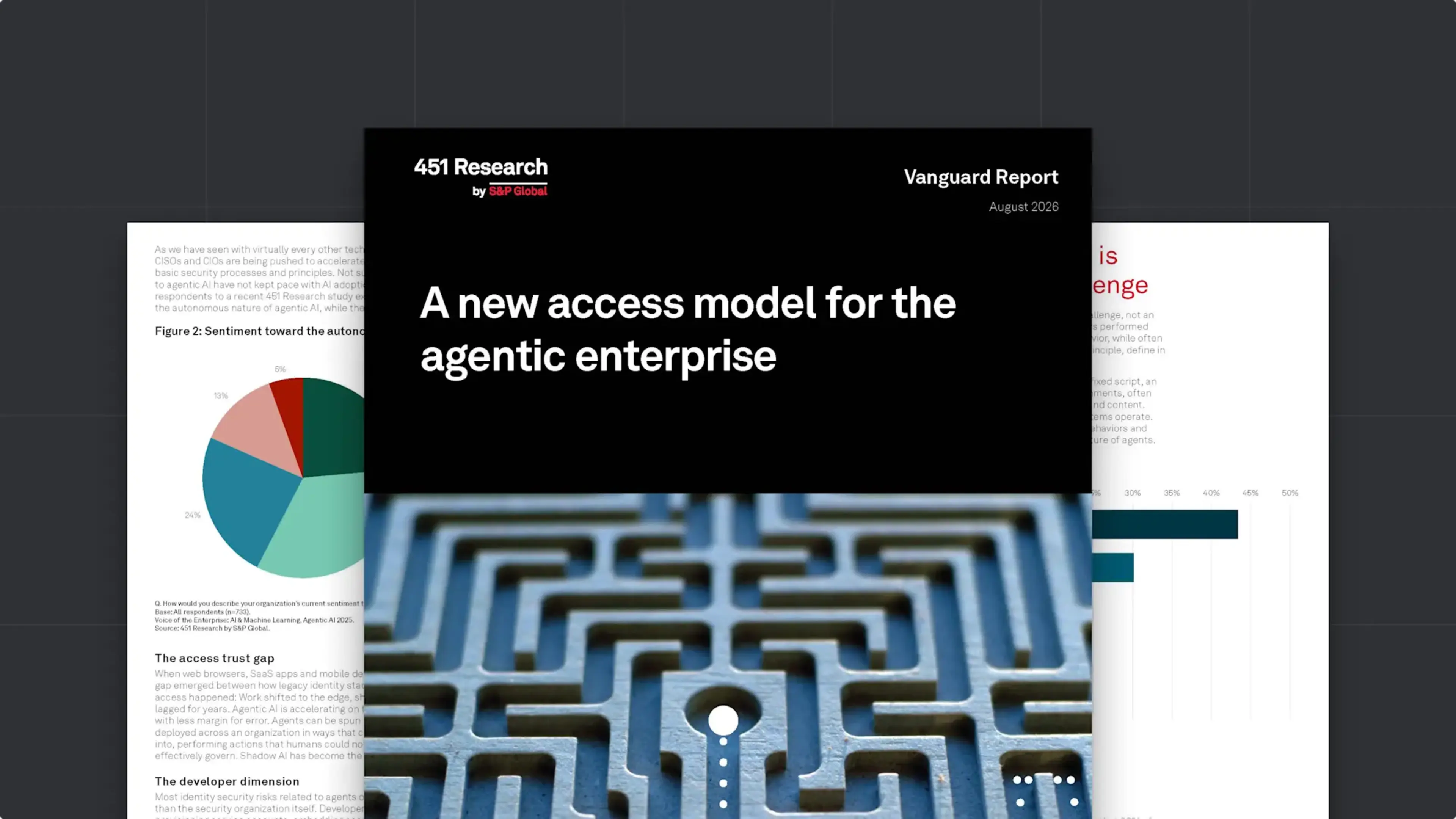
In the short time that AI agents have been a part of the enterprise, they have upended many of our bedrock assumptions about the nature of identity, access, development, and work itself. At 1Password, we’ve been in the trenches of the agentic revolution; we’ve seen its positive impact on productivity, and the serious concerns it raises about security. We’ve worked to build solutions that both harness AI’s potential and rein in its risks, and watched customers and colleagues grapple with the same issues.
In order to better understand how the industry at large is facing the agentic moment, 1Password commissioned a Vanguard Report from 451 Research, titled A new access model for the agentic enterprise. The report describes how agentic AI is redefining access and identity, and lays out what C-level leaders can do to ensure a smooth transition to this new paradigm. Its core recommendations include:
Start with discovery and visibility of AI agents and poorly governed non-human identities (NHIs).
Move to just-in-time credential delivery, rather than static credentials and standing privileges.
Implement guided remediation for developers so they can address NHI and agentic risk without interrupting their workflows.
Ensure full auditability and clear attribution that ties every action to a specific human or agent identity and authorization context.
Read on to explore the report’s findings, or download the full report here.
An expanding identity perimeter, with agents already inside
A new access model for the agentic enterprise begins by establishing that agentic AI is already deeply embedded in the enterprise. 69% of enterprises they surveyed have deployed AI agents, and 90% plan to do so within the next two years (these findings align with 1Password’s own research on agentic adoption).
But while agents became ubiquitous almost overnight, the tools and strategies to secure them have not kept pace. This on its own isn’t unusual; the report reminds readers that this “pattern has repeated with every new technology advance of the past two decades.” Yet AI agents are unique in some crucial ways that set them apart from earlier revolutions in SaaS, cloud computing, and automation.
“What makes agentic AI distinctly challenging to secure is not its scale but its unpredictability. Agents’ non-determinism breaks the core assumption of traditional access policy – that administrators can define in advance what a given identity should and should not do.”
Adding to the complexity are developer workflows, which rely on NHIs like service accounts and API keys. These credentials are often poorly secured – 71% of developers use unsecure methods for handling NHIs – and they exist outside the visibility of IT and Security teams. Vulnerable and compromised NHIs have been a source of risk and friction for years, and that risk is multiplying as AI agents use them to take actions on the backend of corporate systems.
How to redefine access for the agentic enterprise
The next generation of access control has to work for humans, machines, and agents, while accommodating the non-determinism that sets agents apart. As the report explains, traditional IAM and PAM solutions are “structurally inadequate” for this world, and adjusting to it requires nothing less than a paradigm shift.
“The organizations that successfully navigate this transition will treat it as an architectural reset – rethinking identity security from the ground up to govern people, machines, and agents in a unified way, with a single control plane that integrates governance, policy management, and auditing.”
The report lays out a list of “fundamentals” that every organization must get right to meet the challenge of this moment. Among the non-negotiables are:
Visibility into every agent and credential in use, including plaintext secrets embedded in config files and on local disks.
A single system of record for credentials, “spanning human users, service accounts, machine identities, and AI agents.”
Grounding identity security in runtime authority, which means continuously evaluating an identity’s behavior against expected parameters and dynamically enforcing access barriers. (This is particularly crucial for agents, in order to contain the risks of non-determinism.)
Advice for leaders on the agentic security transition
451’s report closes with C-level guidance for managing this transformation on an organization level. It recommends getting cross-functional buy-in from every technical team, since they’re both using agents and responsible for securing them. Likewise, it advises that leaders work to enable developers, and to design governance policies and workflow integrations that “make secure agent provisioning the default, not an additional burden on top of delivery pressure.” This advice is aligned with 1Password’s longstanding commitment to “make the secure path the easy path.” Even in a security landscape undergoing such a profound transformation, that philosophy still holds true.
Want to learn how 1Password is building the future of identity security for humans, machines, and AI agents?
null
Explore 1Password Unified Access2026-08-17, 00:00
The launch of 1Password Enterprise Password Manager – MSP Edition marked a critical step in 1Password’s mission to support our Managed Service Provider (MSP) partnerships. Now, we are pleased to announce that Advisory Solutions, a New York City-based MSP that works with companies worldwide, has reached the Certified Tier in the 1Password Partner program.
1Password's new Certified tier is a milestone we’ve implemented to recognize the investment and success of MSP partners who have reached 1,000 or more managed external users. Advisory Solutions was able to become a Certified Partner by rapidly scaling its 1Password deployment to more than 1,000 managed users. This not only represents their dedication as a partner, but demonstrates that the Certified tier is an achievable milestone for MSPs committed to growing their 1Password practice. We’re excited to see companies like Advisory Solutions further the momentum behind 1Password’s MSP program and embrace the value of participating in it.
The journey to Certified Partner for 1Password MSPs
What does it take for an MSP to work their way up from Authorized to the Certified Tier? Jay Chaudhrey, Director of Business Development at Advisory Solutions, shares some of the key principles that Advisory Solutions followed to operationalize 1Password and become a Certified Partner so rapidly.
Authorized and Certified Partners
1Password’s MSP Partner Program now consists of two tiers: Authorized and Certified. Like every MSP in 1Password’s program, Advisory Solutions began as an Authorized Partner, establishing the operational foundation that ultimately led to the becoming a Certified Partner. At the Authorized Tier, partners gain immediate benefits, including specialized pricing NFR licenses for internal use, and enablement resources.
For Advisory Solutions, “It was really important for us to work with the best companies in their respective fields.” That’s how they found 1Password.
When it comes to finding the “best” tools, Chaudhrey says that Advisory Solutions focuses on, “Making sure the tool is easy to use and seeing what adoption looks like, and the best way we do that is by using the tool ourselves. So before we were 1Password partners, we were 1Password users.”
At the Authorized Tier, partners typically focus on:
Deploying 1Password internally
Delivering initial customer deployments
Establishing operational familiarity with managing 1Password
The Certified Tier represents the next stage, when an MSP has reached 1,000 or more managed external users. For Advisory Solutions, achieving this status demonstrates that they’ve successfully operationalized 1Password within their service offering.
For Advisory Solutions, their journey to the Certified Tier began by identifying clients that would most benefit from 1Password – for instance, clients with a remote workforce, or those that have specific compliance needs. From there, Advisory Solutions was able to reach over 1,000 users rapidly to become a Certified Partner. As Chaudhrey says, “There wasn't much of a sale to be made. When you quickly realize what this accomplishes, the sale's kind of made on its own.”
This emphasizes how achievable it is for 1Password’s MSP partners to reach the Certified Tier and reap the rewards of the tier. For Certified Partners, 1Password offers further benefits: expanded enablement, marketing opportunities, and a regular cadence to participate in product feedback sessions and roadmap planning with 1Password.
Serving the needs of MSP clients
MSPs are naturally focused on serving the needs of their customers, and Advisory Solutions recognized that password managers were a critical solution for their clients.
Chaudhrey explains, “Our responsibility for our clients is making sure their endpoints are fully secure, and their users are fully secure.” Password managers represent a critical step to managing a critical security risk: credential compromise. When it comes to serving this need for clients, Chaudhrey says, “In this case, there's typically a right or wrong answer. Either you have a password manager, or you don't.”
For many MSP clients, security needs are focused on two major areas:
Cybersecurity compliance
Cyber insurance
According to Chaudhrey, “If you don't have a password manager, compliance gets very difficult, borderline impossible to pass… that's why implementing this tool becomes a very early conversation for them. The other part is cyber insurance. The reality is all the businesses need it, and a password management tool becomes very critical to it.”
Serving the needs of the MSP
Still, there are plenty of password managers on the market, and MSPs need to consider how different vendors can serve their needs.
For instance, Advisory Solutions has a small team that serves companies of all sizes. With 1Password: “Across the 5-person client to the 1,000-person client…it's one tool that we're experts at, and we recommend that to all of our clients. The win-win for our client is they don't feel the effects of feeling too small or too large for a tool. And for us, it doesn't change our processes, our support model, or how we implement them. All of that stays pretty much the same.”
More importantly, Advisory Solutions found true partnership from 1Password. As Chaudrey shared, “I even reached out to [1Password] about a client having adoption problems, and was pointed to specific documentation that might be helpful. That's the part that's often overlooked…That partnership piece is what takes it to the next level. We're not just a partner on paper.”
The Certified Tier is a significant achievement, and Advisory Solutions’ rapid success is due in no small part to their deep collaboration with the team at 1Password, who are dedicated to helping our partners reach the next stage as quickly and seamlessly as possible.
Scaling the solution
Once an MSP partners with 1Password, the journey to Certified Partner relies on how they scale the solution, both internally and for their clients.
Chaudhrey’s advice for MSPs that are just getting started with 1Password is to look at all the areas a password manager comes into play and answer some key questions:
What does vault structure look like for a client?
Who should get access to what vault?
What does hiring look like?
What does off-boarding look like?
As he put it, “I think getting those SOPs down is what really helped with adoption.” By answering those questions, Advisory Solutions was able to scale adoption quickly, achieving over 1,000 users and becoming a 1Password Certified Partner.
The next step for 1Password partners
1Password is already trusted by over 200,000 businesses to help them stay secure, and we wouldn’t have reached that figure without the support of our MSP partners.
We want to express both our sincere congratulations and our sincere gratitude to Certified Partners like Advisory Solutions, who have worked so closely with 1Password to pursue a shared mission: ensuring that security and productivity don’t have to be at odds, and enabling MSPs to deploy a security-first tool that their clients are happy to use.
ALL RSS FEEDS
DISCLAIMER:
- Copyrights belong to each article's respective author.
- Article links lead to external websites, where you will be tracked, most likely.
2. PROTON BLOGby ProtonMailSwiss-knife comprehensive solution for privacy and security in email and on the web.
2026-10-22, 14:31
Lumo can now create documents, code, and interactive web pages in a canvas alongside your chat. Ask it to draft a report, help with coding, or even create an early 2000s-style video game. Then keep working on it without leaving the conversation.
Whether you’re developing proprietary code or an unpublished manuscript, you should control what happens to your work. Lumo never logs your conversations or uses them to train models. Your creations are protected with zero-access encryption, so even Proton can’t read them.
A workspace alongside your conversation
Previously, a report or code lived inside a chat reply. Working through revisions meant scrolling between messages and finding the version you wanted to use. A few rounds of changes could leave you hunting for your own work.
The new canvas gives that work a dedicated view with your conversation beside it. You can look at what Lumo made while discussing what to change.
How Lumo generates and displays creations
Lumo is instructed to distinguish between conversational answers and creations you’re likely to keep or revise. Questions and explanations generally stay in chat, while requests for a report, code file, or web page can open the canvas.
When Lumo generates a creation, it includes structured information identifying the content type. The app uses this to choose the appropriate view, from formatted text for documents to interactive preview for web pages.
This happens automatically. You can disable it for a conversation from Tools in the chat box or in Settings.
Make changes and compare versions
A first draft usually needs another pass. Ask Lumo to make changes in the conversation, or select content in the canvas for a more specific request. In a document, highlight a passage and describe what you want: “cut this paragraph in half” or “make this less formal.” In code, select a section and choose Improve or Explain.
You can also edit documents yourself, using the formatting controls or switching to Markdown source. Other creation types are revised through Lumo.
Each revision from Lumo or saved manual edit creates a new version. If a change doesn’t work, you can look back at what came before. Earlier versions remain available to review, copy, download, or save to Proton Drive. Further edits happen on the latest version.
Find your creations across conversations
Open Library → Creations to find what you’ve made across conversations. Selecting a creation takes you back to its original chat with the latest version open.
Making this work across chats introduced a technical challenge as the Library needs to show what you’ve created, without our servers being able to read your conversations.
Lumo saves a separate encrypted copy of each creation’s latest version. To our servers, it’s an unreadable encrypted file. Your device decrypts the information needed to display it in the Library, while earlier versions remain in your encrypted conversation history.
Export runs on your device
The same privacy considerations shaped export. When you’re ready to take a document out of Lumo, export conversion happens on your device. Conversion happens on your device, avoiding the need to send your creation’s unencrypted content to an additional backend.
Word files are generated locally from the document’s Markdown structure. And PDF downloads use the browser’s print dialog.
We considered generating server-side PDFs on a server, but would mean sending your document’s unencrypted content to another backend. We ruled it out.
Keeping conversion local comes with a tradeoff. Save to Drive → PDF currently produces image-based document PDFs without selectable text. If you need selectable text, save through the browser print dialog, then upload the file to Drive.
We’ll keep improving export options as you use them and share feedback.
Get started
Creations are available now for all Lumo users.
Presentations are coming soon, too. We’re still working on getting the slides right before putting them in your hands.
The things you make with AI can include work you aren’t ready to share: a draft proposal, unpublished code, or an idea still taking shape. Creations get the same zero-access encryption as your saved conversations. We never log your chats or use them to train models. What you bring to Lumo, and what Lumo makes for you, stays yours.
2026-10-22, 09:58
A New Mexico judge ordered Meta to pay $25 billion for misleading Facebook users about how it protected their personal information.
It’s the largest penalty ever imposed on the company and five times the $5 billion fine the US Federal Trade Commission handed Facebook in 2019.
The case dates back to Cambridge Analytica, the political consultancy that harvested data from as many as 87 million Facebook profiles through a personality quiz and used it to target ads in the 2016 US presidential election.
How New Mexico got to the $25 billion Meta penalty
New Mexico sued in 2021, arguing that Facebook told users they were in control of their own information while failing to explain how third parties could access it. In September 2026, a jury found Meta responsible for more than 40 million violations of the state’s Unfair Practices Act.
At up to $5,000 per violation, the maximum was nearly $220 billion. The state asked for up to $40 billion. Meta proposed between $345 million and $3.45 billion. District Judge Francis Mathew set the penalty at $25 billion, plus 15% annual interest until Meta pays. Meta argued the state never showed consumers were harmed and plans to appeal.
New Mexico was the only state to take its Cambridge Analytica claims to trial. In August 2026, 46 other states and two territories settled theirs for about $459 million, as part of a $17 billion settlement with Meta that mostly covered teen safety. New Mexico’s penalty is more than 50 times that amount.
Facebook users won’t see the money because, under New Mexico law, consumer protection penalties fund public education.
The Cambridge Analytica pattern hasn’t gone away
The privacy claims in the New Mexico case centered on the gap between what Meta told users about their data and how it actually handled that data. The state also challenged Meta’s statements about fighting hate speech and misinformation and applying its community standards evenly. That privacy gap is far from an isolated incident, as Meta has faced a long string of controversies over its data practices, privacy protections, and treatment of users:
- A former Meta product manager alleged the company used internal data matching to get around Apple’s tracking rules, which Meta denied.
- Users reported that Meta AI was scanning their camera rolls without explicit consent.
- Internal documents showed Meta’s platforms had become a hotspot for scam ads.
- Meta began using AI chats to personalize ads.
- Instagram dropped end-to-end encryption for direct messages.
- Meta’s Muse AI agent shared a Marketplace seller’s home address with a buyer without asking.
What does Meta’s 25 billion penalty mean for Facebook privacy settings?
The penalty doesn’t change how Facebook handles your data today, and an appeal could take years. Our privacy checklist for Meta apps, including Facebook, Instagram, WhatsApp, and Threads shows how to reduce tracking and limit targeted ads. You can also limit what Meta AI learns about you or delete your Facebook account altogether.
The $25 billion penalty sends a clear warning to Big Tech: Breaking privacy promises can come at a steep cost. But even a ruling this significant won’t change the business model built on collecting and monetizing people’s data.
2026-10-21, 11:21
Today, we’re proud to announce two new features that give you greater access control without the manual overhead: Admin roles and SCIM for groups. Admin roles let you delegate admin responsibilities for more granular, secure control over your organization, while SCIM for groups enable you to provision access to groups through your identity provider for a more seamless way to manage your teams.
Managing access at any organization can be tedious and time-consuming. Admins need to grant the right permissions quickly, and revoke them just as fast when roles change or someone leaves. But beyond the resources and effort involved, this can also risk compromising security if something slips through the cracks — especially for fast-growing and larger teams. Our new features are designed to address this to keep your business moving effectively and efficiently.
Enjoy more granular access control with Admin roles
Permissions for organizations in Proton for Business were built around Administrators and Users, giving organizations a clear, simple way to separate full administrative control from everyday use. But we recognize that this alone isn’t always granular enough for certain teams and businesses, such as when an employee needs specific responsibilities without everything else that comes with full admin access.
Admin roles build on that model with role-based access control (RBAC), giving you more control over who can do what. You can now assign specific roles to individual users or entire groups:
- Organization Admin keeps full control over the organization.
- User Admin manages users, like adding new addresses or assigning groups, without touching security policy.
- Security Admin manages security settings and reviews logs, without broader administrative reach.
- User remains the default role for everyone else.
Assign a role to a group once, and everyone in it inherits that role automatically. Group member additions or removals also mean their access gets updated instantly. Access management now scales with how your organization is actually structured, instead of a binary all-or-nothing approach or requiring a one-by-one update every time a team changes.
Admin roles are available now across all Professional plans and Workspace bundles.
Manage teams more efficiently with SCIM for groups
Proton’s existing SCIM (System for Cross-domain Identity Management) integration already synced users automatically from your identity provider (IdP), enabling user changes to be reflected across both systems without needing to manually replicate each one. However, groups still had to be created and maintained by hand inside Proton. Every time someone joined a team, switched departments, or left the company, an admin had to update Proton separately. Now, that’s no longer necessary on Proton Pass and Proton VPN.
With SCIM for groups, Proton’s SCIM integration has been extended to provision groups, not just individual users. Group names and membership changes now sync automatically from Microsoft Entra or Okta into Proton Pass and Proton VPN. Make that change once on your IdP and it’ll be reflected on the appropriate Proton app, with no separate list to maintain.
Here’s what that looks like in practice:
- Add someone to a group in the IdP, and they automatically gain access to everything that group is entitled to in Proton, whether it’s a shared Pass vault or a VPN gateway.
- Remove someone from an IdP group, and their Proton access updates automatically — no manual cleanup required.
Proton groups created this way are managed and controlled at the IdP, not inside Proton. This keeps your identity provider as the single source of truth and reduces manual effort, so there’s no risk of the two ever falling out of sync.
SCIM for groups is available now on the following plans: Pass Professional, VPN Professional, and the VPN and Pass Professional bundle.
Get started today
Both admin roles and SCIM for groups are now live.
Admin roles are available on all Professional plans and Workspace bundles, so you can start assigning users and groups granular roles straightaway — ensuring the right people get the right level of access.
SCIM for groups is supported for Proton Pass or Proton VPN. If you have SSO and SCIM already set up, this means you no longer need to manage groups manually on Proton. Group membership changes at your IdP are automatically reflected in Proton, so group provisioning is ready to configure directly from your Entra or Okta admin console.
Explore our Professional and Workspace plans to find the right tier for your organization, or if you need help, speak to our sales team today to learn which Proton plan is best for you.
2026-10-20, 18:02
Chrome is convenient, fast, and compatible with almost every website. But if online privacy matters to you, it’s worth considering what happens behind the scenes, including how your browser handles tracking, and who controls the technology it runs on.
Five alternatives offer different approaches: Brave, Vivaldi, Firefox, Librewolf, and Zen. Some prioritize blocking trackers, others focus on independence from Google, and a few make privacy-conscious browsing easier without requiring much adjustment.
To compare them, we scored each across three categories:
- Independence from Google,
- Fingerprinting protection, and
- Everyday usability.
Each is scored out of 10, for a maximum total of 30.
How independent are they from Google?
A browser’s underlying engine affects how it works, how websites behave, and who develops its core technology. Chromium is the open-source project behind Google Chrome and several alternatives. Firefox uses Mozilla’s Gecko engine, which provides an independent foundation.
The results
- Brave: 4/10. Brave uses Chromium. It adds its own privacy protections, but still relies on technology developed within Google’s browser ecosystem.
- Vivaldi: 4/10. Vivaldi also uses Chromium. Its extensive customization options set it apart, but its underlying engine has the same connection to Google.
- Firefox: 7/10. Firefox uses Gecko, giving it technical independence from Chromium. However, Mozilla has historically received substantial revenue from Google for default search placement, creating a financial dependency.
- LibreWolf: 9/10. Built on Firefox, LibreWolf removes telemetry and applies privacy-focused changes while retaining Gecko’s independent foundations.
- Zen: 9/10. Zen also builds on Firefox and reduces telemetry. It offers a different interface without adopting Chromium.
Winners: LibreWolf and Zen, tied at 9/10. Both combine an independent browser engine with privacy-focused changes. Firefox is another option if you prefer something more established.
Which offers the best fingerprinting protection?
Cookies aren’t the only way websites can recognize you. Browser fingerprinting combines characteristics such as your screen resolution, installed fonts, and browser configuration to create a profile that may help identify you across visits.
The Electronic Frontier Foundation’s Cover Your Tracks tool lets you test how your browser appears to trackers. It’s a useful starting point, although no single test captures every fingerprinting technique.
The results
- Brave: 10/10. Brave comes out on top thanks to fingerprint randomization, which changes certain browser characteristics to make it harder to link activity across visits.
- LibreWolf: 8/10. Its privacy-focused defaults and tracking protections offer a strong level of defence against common tracking methods.
- Firefox: 5/10. Firefox includes fingerprinting protections, but its score in this comparison falls short of Brave and LibreWolf. Mozilla continues to develop these protections, so results can change between versions.
- Zen: 5/10. Zen benefits from Firefox’s foundations, but may lag behind Firefox’s newest privacy protections as the project develops.
- Vivaldi: 5/10. Despite using Chromium, Vivaldi scores lowest in this category, falling well behind Brave’s approach to fingerprint randomization.
Winner: Brave, at 10/10. Its fingerprint randomization makes it the strongest performer in this comparison. Still, fingerprinting protection doesn’t guarantee anonymity, and results depend on the browser version and test conditions.
Which is the easiest to use?
Privacy settings only help if you can live with them. A browser that repeatedly breaks websites or clears your preferences may become frustrating, while one that works much like your current browser can make switching easier.
The results
- Firefox: 9/10. Firefox handles most everyday tasks well. Some websites optimized for Chrome can occasionally behave differently.
- Brave: 9/10. Its familiar interface, Chromium compatibility, and built-in privacy features make it a relatively straightforward switch for Chrome users.
- Vivaldi: 8/10. Vivaldi offers extensive customization and encrypted bookmark synchronization. The range of settings can take time to learn, but it suits people who like controlling their browser experience.
- Zen: 8/10. Sidebar tabs and Spaces provide a distinctive way to organize browsing. As a younger project, Zen can still have occasional rough edges.
- LibreWolf: 5/10. Its defaults can clear browsing data when you close the browser, which may mean logging into websites again. You can adjust some settings, but doing so involves trade-offs.
Winners: Firefox and Brave, tied at 9/10. Both combine strong everyday usability with relatively few compromises.
Which browser wins?
Brave takes the top spot, thanks largely to its fingerprinting protection and ease of use. LibreWolf is a strong alternative if you’re willing to trade convenience for privacy, while Firefox offers a comfortable middle ground. Zen brings a fresh look to Firefox, and Vivaldi is for people who like to tinker.
| Browser | Google independence | Fingerprinting | Usability | Total |
| Brave | 4/10 | 10/10 | 9/10 | 23/30 |
| LibreWolf | 9/10 | 8/10 | 5/10 | 22/30 |
| Zen | 9/10 | 5/10 | 8/10 | 22/30 |
| Firefox | 7/10 | 5/10 | 9/10 | 21/30 |
| Vivaldi | 4/10 | 2/10 | 8/10 | 14/30 |
Which browser should you choose?
Choose Brave for the strongest overall balance. It combines excellent fingerprinting protection with a familiar browsing experience, although its Chromium foundation makes it less independent from Google.
Choose LibreWolf if privacy comes first. Its privacy-focused defaults and independent engine are appealing, provided you’re comfortable with extra friction.
Choose Firefox for everyday flexibility. It offers a balance of independence and usability, while Zen is worth considering if you want Firefox’s foundations with a different interface.
Choose Vivaldi if you value customization.
There’s no universal winner for every person or threat model. Pick the browser that fits your priorities, keep it updated, and test its protections rather than relying on its reputation alone.
2026-10-20, 12:01
Spanish YouTuber Carles Tamayo has touched a nerve again, in his usual informal, funny, and pointed style. In the final episode of Se nos ha ido de las manos (“It’s gotten out of hand”), a documentary series that premiered on Spanish public television in April 2026, he looks at how companies buy and sell personal data.
The episode, titled El activo eres tú (“You’re the asset”), puts an uncomfortable question on the table: Who has our data, and what is being done to it? And what are we willing to give up in return for the promise of something free? After getting spam calls from companies that knew too much about him, Tamayo turned his own production company into a data broker to see from the inside how personal data is collected and traded.
Here’s how the data broker business works, and what rights the GDPR (General Data Protection Regulation) gives you.
- What a data broker is, and how they make money
- What cookies are and what they’re for
- How the GDPR protects you
- How to use your GDPR rights against data brokers
- Limit what data brokers can collect in the first place
What a data broker is, and how they make money
A data broker is a company that collects, analyzes, and sells information about people and organizations. What makes that information valuable to buyers is how it can be combined and analyzed. Habits, interests, location data, and other signals can be stitched together, increasingly with the help of AI, into something usable. Data brokers sell the raw material that makes it possible to build a profile of almost anyone.
In Tamayo’s report, for example, one data broker offers him information on people who have recently had a baby. Those new parents had handed over their details at the hospital in exchange for entry into a prize draw for newborn products.
Data brokers typically collect email addresses, IP addresses, approximate location, online purchases, internet searches, interests selected inside an app, and the devices someone uses.
Ever had a call from a phone company (or any company) and wondered where they got your number? It’s simpler than you think. Cookies, mobile apps, and online forms can gather your information and pass it to data brokers. So can offline sources, such as loyalty cards, prize draws, and public records.
What cookies are and what they’re for
You’ve seen them on every website you visit: a small pop-up asking you to accept or reject cookies. You probably skim it, accept cookies and move on, without ever asking what cookies actually are or what you just agreed to let companies do with your data.
Cookies are small files that a website stores in your browser to remember information about your visit. The ones data brokers care about are advertising cookies, designed to build behavioral profiles and serve personalized ads.
But you can now be tracked by methods that go well beyond cookies. Browser fingerprinting, for instance, creates a unique signature from the characteristics of your device, while cross-site tracking follows your activity as you move between websites. On mobile, advertising IDs do something similar by tying your behavior to a persistent identifier.
Rejecting cookies improves your privacy, but it doesn’t fully guarantee it. And once you start asking where your data goes, who holds it, and how it gets used, you inevitably run into the question of whether trading in your data is legal at all.
How the GDPR protects you
The GDPR is the European Union rulebook governing how organizations and companies collect, use, share, and store the personal data of anyone in the EU. It also applies to companies based outside the EU that target people there. In Spain, compliance is overseen by the Spanish Data Protection Agency (AEPD), which also handles complaints when a company breaches these rights.
The GDPR establishes several fundamental rights:
Right of access: Find out what personal data a company holds about you, what it’s using it for, who it has shared it with, and where it got it. You can also request a copy.
Right to rectification: Have incorrect or out-of-date information corrected.
Right to erasure: Known as the “right to be forgotten,” this lets you request that your data be deleted when the company no longer needs it, when you withdraw consent or object to its use, or when it was processed unlawfully.
Right to object: Refuse certain kinds of processing, such as the use of your data for advertising. For direct marketing, this right is absolute: once you object, the company must stop.
Right to data portability: Receive the personal data you gave a company in a structured, commonly used, machine-readable format so you can move it to another service provider. This applies when the company processes your data based on your consent or a contract, by automated means.
The GDPR gives people enforceable rights, backed by fines, yet many people don’t realize they can exercise these rights free of charge. A company can charge a fee or refuse only when a request is manifestly unfounded or excessive.
As Tamayo’s report shows, there’s a wide gap between the guarantees the law offers and what the average citizen knows about protecting their personal information. That gap makes it harder for people to use the legal tools available to them and take back control of their data.
How to use your GDPR rights against data brokers
The rights above only work if you use them. None of them needs a lawyer or a special form: an email to the company’s privacy contact is enough.
Ask where your data came from. If a company contacts you and you never gave it your details, ask it for its source. Under the right of access, it has to tell you, and that answer often leads straight to a data broker.
Send an access request. Ask the company or broker what data it holds about you, what it uses it for, and who it has shared it with, and ask for a copy. The request is free, and the company must reply within one month. It can extend that by two more months for complex requests, but it has to tell you.
Object and ask for erasure. In the same email, you can object to your data being used for marketing and ask for it to be deleted. The company must also pass the deletion on to anyone it shared your data with, unless that’s impossible or would take disproportionate effort.
Sign up for the Lista Robinson. In Spain, companies that send direct marketing must check this advertising opt-out list before contacting you. Signing up is free.
Complain to the AEPD. If a company ignores you, refuses without a valid reason, or misses the deadline, you can file a free complaint with the Spanish Data Protection Agency.
Limit what data brokers can collect in the first place
Your GDPR rights clean up what’s already out there. A few simple habits reduce how much new data reaches brokers.
Review your app permissions and switch off any access an app doesn’t need to work, especially the ones with access to your location, contacts, or photos.
Reject non-essential cookies. On EU websites, rejecting should be as easy as accepting, and it blocks the advertising cookies that feed behavioral profiles.
Stay signed out of websites and services when you’re only browsing. When you’re signed in to Google, YouTube, Amazon, or a news site, everything you search, watch, read, or buy is tied to your account. Browsing while signed out gives companies less to connect to you.
Use a privacy-focused browser such as Firefox or Brave, which block many trackers by default. You can also explore European alternative web browsers focused on privacy.
Switch to Proton Mail, our private and secure email service that can’t read your emails and doesn’t scan your inbox for ads, tracking, or surveillance. It also blocks tracking pixels, which marketers typically use to see when you open a message (plus other indicators).
Use a VPN to hide your IP address from websites, apps, and ad networks, so they can’t use it to estimate your location or link your activity across websites. Proton VPN also has a feature called NetShield, which blocks ads and trackers before they load. It has an independently audited no-logs policy, so it doesn’t keep a record of what you do online.
Use an encrypted password manager to create strong, unique passwords, so one breached account doesn’t expose the rest. Proton Pass also gives you hide-my-email aliases for newsletters, prize draws, and online shops. If one starts getting spam, you can see who may have shared or leaked it, then disable the alias.
As Tamayo’s report makes clear, data brokers are part of a business model built on our data. But the GDPR and the tools that protect our privacy give us ways to take back control. The goal isn’t to disappear from the internet but to be intentional about who is allowed to access our data and for what reason.
2026-10-20, 11:26
When you’re a business of five, everyone knows exactly where every file lives. By the time you’ve grown to 25 or 50 employees, however, things change. All of a sudden, no one is sure whether the proposal they’re working on is current or whether a contractor still has access to last year’s project. The shared drive now contains three subfolders all titled “Final”.
Most business cloud storage tools give you the basics, but they won’t organize themselves. The goal is to keep a shared drive manageable as more people and files are added, without becoming another job for whoever runs operations. A useful system makes files easy to find, keeps access under control, and fits into the way your team already works.
In this guide, we’ll share how to:
- Give every file a clear home
- Decide who needs access and set appropriate permissions
- Keep files, folders, and access up to date as your team grows
What is a shared drive?
A shared drive is a common place for a team to store and work on files. Instead of passing attachments around, people access the same documents and folders, with permissions that determine who views or edits them.
For a growing business, it gives shared work a consistent home. Colleagues know where to find the latest proposal, which templates to use, and where to save project files.
How to create a shared drive
Keeping a shared drive organized means answering three questions: Where does each file belong? Who needs access? Who’s responsible for keeping it up to date?
1. Give every file a clear home
Start with one area your team uses every day. You don’t need to reorganize the whole drive before improving how current work is stored.
Choose a small set of main folders based on the work your business does. For example:
- Company resources: Policies, onboarding guides, and approved templates.
- Operations: Suppliers, procedures, and internal planning.
- Clients: Customer work and project files.
- Finance: Budgets, invoices, and financial records.
- People: Employment documents and personnel records.
Use subfolders to make files easier to find within each main folder. Under Clients, create a subfolder for each customer, with separate project folders inside it. Under Finance, create a subfolder for each year, with separate Invoices and Budgets folders inside it.
For similar projects, reuse the same subfolder names, such as Brief, Working files, Approved work, and Client handover. Consistent labels help colleagues find their way around each new project. If the folders follow a sequence, add numbers to keep them in that order when sorted by name.
Give files clear names that tell colleagues what they contain. For monthly reports, include the month and year, such as “Sales report October 2026.” For documents your team updates regularly, share a link to one working file so everyone uses the same version.
Tips for putting your structure into practice
- Check sensitive files before the wider cleanup. Review access to finance and personnel records and private client files, and remove permissions people no longer need before reorganizing less sensitive material.
- Test the structure on one active project. Ask two colleagues to find the brief, save a draft, and locate approved work. Adjust any labels they find confusing.
- Move current files first. Check permissions before and after moving them, update links in project tools, and tell colleagues where new work belongs.
- Tackle older files in manageable batches. Leave them in place while you review them. Set aside 30 minutes a week, starting with competing versions and files people struggle to find.
How to create and organize folders in Proton Drive
To build your structure in the Proton Drive web app:
- Sign in at drive.proton.me
- Click New, then New folder
- Name a main folder, such as Clients
- Open it and repeat the steps to create a customer subfolder
- Open the customer folder and create a folder for each active project
To organize existing items, right-click a file or folder and select Move to folder. Select Rename to change its name. On Windows and Mac, colleagues can also sync folders shared with them to File Explorer using the Proton Drive desktop app.
See: how to create folders in Proton Drive and the Proton Drive web guide.

2. Decide who needs access
Give people access to only the files they need for their work. Limiting access reduces how much information is exposed if an account is compromised and makes permissions easier to manage as your team changes.
Group files together when they need to be shared with the same people. Company policies belong in a folder everyone can read, while finance and personnel records need restricted access. For client work, keep the files you’re delivering separate from internal drafts and pricing discussions.
Within each folder, give edit access to people who need to change the files and view access to those who only need to read them:
| Folder | Who needs access | Suggested permissions |
| Company policies and approved templates | All staff | Most people view; those maintaining the documents edit |
| Active client project | Project team | Contributors edit; others view |
| Client handover | Client and delivery team | Client views; delivery team edits |
| Finance records | People handling finance | View or edit according to their responsibilities |
| Personnel records | People handling those records | View or edit according to their responsibilities |
Invite regular collaborators by email so you can change or remove each person’s access separately. When sending finished files to a client, use a sharing link with an expiration date so access ends when it’s no longer needed. Add a password for sensitive files.
Tips for keeping shared files secure
- Plan access for new starters. Agree on which folders people in each role normally need, so you don’t have to decide from scratch whenever someone joins. Check out our onboarding checklists for more ideas on how to simplify this process.
- Use individual accounts. Each employee should have their own login so you can remove their access without disrupting colleagues.
- Require two-factor authentication. Proton business administrators can enforce this through organization security settings.
- Treat encryption and permissions as separate protections. Proton Drive encrypts file contents, filenames, and folder names before they leave your device, protecting that information from the storage provider. You still decide which colleagues and external recipients can access the files.
How to manage sharing in Proton Drive
To share a folder with specific people:
- Select the folder and click Share
- Enter your colleagues’ email addresses
- Choose Viewer or Editor for each recipient and send the invitations
See: how to share folders by email.
Before you finish, check the sharing settings:
- Who can share: Editors can also invite others and change permissions by default. Turn off Access if they should only edit.
- When link access ends: If you’re sharing through a Public link, set an expiration date and add a password for sensitive files.
See: how to manage shared-file access.

3. Keep the system up to date
Give each main folder a named person responsible for keeping it useful. Having someone to turn to helps colleagues resolve filing questions, flag outdated documents, and request access as the team changes.
A short “Start here” document gives that person a place to explain what belongs in the folder and how files should be named. Include it in onboarding so new colleagues understand the system without having to ask around.
Project closure is a natural time to tidy up. The person responsible for the folder should confirm which files are approved, remove unnecessary duplicates, and move completed work into an Archive subfolder with the same access restrictions. Your business’s retention requirements should guide what stays and what gets deleted.
Access needs attention as responsibilities change, too. Include a permissions review when someone joins, changes roles, or leaves, and when a project ends, so former colleagues and contractors don’t retain access they no longer need.
Tips for keeping maintenance manageable
- Name a backup contact. Make sure someone else knows the filing rules and how to handle access requests when the person responsible for a folder is away.
- Set aside a short monthly check. Look for outdated shared resources, old delivery links, and unnecessary access, starting with sensitive folders and external recipients.
- Plan file handovers before removing accounts. Identify business files owned by the departing employee and preserve them in storage the company controls. Check that colleagues can access the preserved files before deleting the account. Download our offboarding checklists if you need a simple framework for employee departures.
How to review shared access in Proton Drive
To check items you’ve shared:
- Open the Shared tab in the Proton Drive web app.
- Select a file or folder and open its sharing controls.
- Review the recipients and their permissions. Change their role or select Remove access as needed.
- Check whether a Public link is enabled and disable it if it’s no longer needed.
See: how to manage shared-file access.

Let your shared drive grow with the work
A manageable shared drive makes clear where files belong, who needs access, and who keeps them current. Use this checklist when setting up your structure and maintaining it as your team grows:
- Start small: Choose one area your team uses every day and organize current files before tackling older material.
- Give files a clear home: Use main folders that reflect your work, consistent subfolders, and descriptive filenames.
- Control access: Share only what people need, distinguish view from edit access, and set expiration dates for temporary links.
- Assign responsibility: Give each main folder a named contact and record the filing rules in a short “Start here” document.
- Keep it current: Archive completed work and review access when projects end or people change roles or leave.
You don’t need to reorganize everything at once. Start with one area in Proton Drive’s business cloud storage, organize the files your team uses, and give each person the access they need. Your files are end-to-end encrypted, and passwords and expiration dates help you control access through shared links. Once that area works well for your team, apply the same approach to the next.
2026-10-16, 20:38
Google now lets you sign in to your Google Account with a selfie video. You film your face once, Google stores the clip on its servers, and if you get locked out, you record a new one that Google compares against the original.
The company presents selfie video verification as a backup for people who lose the device that holds their passkeys, next to recovery phones and recovery emails. The cost is a reference recording of your face, in motion and from several angles, stored on its servers under rules it can change.
Once Google holds that recording, it could help train its AI, power age checks, or end up in a government data request, and Google’s privacy promises leave room for all three. Here’s what that means for your privacy.
- How Google’s selfie video verification works
- Your face lives on Google’s servers, for as long as its rules allow
- Could your selfie video end up training Google’s AI?
- What Google stores, the US government can request
- Age checks need a face, and Google already has yours
- Facebook video selfie verification
- Account recovery doesn’t need your face on Google’s servers
- Give Google less of you
How Google’s selfie video verification works
To use Google’s selfie video verification, you have to enroll. While signed in, you look at your camera and follow guided head movements so Google capture several angles. The recording is then stored on Google’s servers and used as your reference video.
When you need to get back in, you have to record a new selfie video, which is compared to the reference video. Liveness checks, synthetic media detection and, on some devices, hardware signals that the video came from a real camera are meant to stop photos and deepfakes.
After a significant change in appearance, you delete the old reference video and record a new one, and Google may ask you to update it periodically.
Your face lives on Google’s servers, for as long as its rules allow
Google stores the reference video on its servers so the feature works across devices. It does not offer an option to keep it on your phone, though it could have asked for a separate reference on each device, as face unlock does. Because the matching runs on Google’s servers, Google can decrypt the video.
Deleting the video removes it from Google’s servers. According to its general privacy policy, it takes around 2 months to clear active systems, up to 6 months for backups, and longer when Google cites security, fraud prevention, or legal requests.
Could your selfie video end up training Google’s AI?
Google says the video is used only to sign you in, and that allowing it to improve its verification technology is optional. It’s unclear whether that refers to face matching only or extends to broader AI training, such as for its Gemini models.
Before you consider opting in, remember that what Google knows about you is valuable. A reference video refreshed over years shows how a face ages. A re-enrollment after a drastic change, when Google no longer recognizes you, shows which features stay the same.
Letting Google use your video to improve its verification technology may be optional, but it’s important to remember that Google privacy settings and policies shift, especially when it comes to AI. In June 2026, Google changed settings for Search, Maps and Translate so saved images, audio and video can train its AI models, which effectively opted everyone in by default.
What Google stores, the US government can request
As a US company, Google must answer FISA orders, CLOUD Act demands for data stored anywhere in the world, and National Security Letters, which usually come with gag orders that stop Google from telling you. Proton research on Big Tech government requests found US account disclosures at Google grew 557% between late 2014 and early 2025. Beyond handing over data on request, the company signed a deal letting the Pentagon use its AI for classified military work.
Google points to two safeguards:
- Its system only checks a selfie against the video on the same account and can’t search accounts by face.
- The selfie you record when signing in is deleted right after the check.
Neither safeguard covers the reference video, which stays on Google’s servers until you delete it. Anyone who obtains that file, through a court order, a breach or a future product, could run it through a face recognition system.
Age checks need a face, and Google already has yours
Age verification laws make online services check how old you are, usually with an ID scan or a face scan that estimates your age. Some form of it is already law in the UK, Australia, France, Italy, Germany and 25 US states.
Google already tests machine learning to estimate whether US users are under 18, and asks people it flags by mistake to prove their age with a selfie or ID. It also says selfie video sign-in may be restricted for younger users. A verified, liveness-checked face video is exactly what facial age estimation needs. Google hasn’t announced that use, but as age verification laws spread, it has the data ready, and age check results tend to persist and get linked to accounts.
Facebook video selfie verification
Google isn’t the only Big Tech company turning your face into a login. Meta uses video selfie verification on Facebook to confirm identity, including to recover hacked accounts. When it started testing, Meta said it compares the video with the account’s profile photos and deletes the facial data after matching. Google goes further by asking for a dedicated reference video and keeping it.
Account recovery doesn’t need your face on Google’s servers
Google secure sign-in already works without your biometrics. Passkeys and on-device unlock check your face or fingerprint locally, and only a cryptographic proof leaves your device. Google itself recommends passkeys as the main way to sign in. You can change a password but not your face, so a cloud copy of it is a permanent risk taken on just to help you get back in if you lose the device that holds your passkeys.
To stay recoverable without a face video:
- If you’ve already enrolled and want to stop Google from using your selfie video to improve its systems, keep the option to improve Google’s verification technology switched off.
- To leave selfie video sign-in altogether, delete the video in your Google Account.
- Use passkeys, and store them in a password manager that syncs them across your devices with end-to-end encryption.
- Save backup codes and set a recovery email and phone you control.
Give Google less of you
Selfie video is one more piece of you that Google holds. Every feature that asks for your face, voice or habits adds to the same profile, governed by the same shifting policies and exposed to the same government requests.
If you’re thinking about deGoogling your digital life, Proton is a European alternative that helps you stay in control of your data. Protected by end-to-end and zero-access encryption and Swiss privacy laws, your sensitive data stays private. Not even we can access your encrypted content. Unlike Google, our business model doesn’t rely on advertising, and we don’t use your data for AI training.
2026-10-16, 17:31
The most difficult part of a security incident usually occurs after the incident itself is over: when the business has to explain what happened, when it was discovered, what data was involved, who was affected, and why certain decisions were made.
For many SMBs, these records don’t exist in a complete form. Details may be scattered throughout chat messages, inboxes, helpdesk tickets, screenshots, and in team members’ memories. Businesses stay afloat during an incident with these patchwork records, but they become an issue when supervisory authorities, an insurer, a customer, or a board member asks for a clear timeline.
Businesses of all sizes need a thorough security incident log. It should be a single source of truth to record what happened, how the incident was handled, and what evidence supports the decisions made along the way.
The record is valuable even when you don’t need to report an incident. We’ll explain why security incident logs are helpful for your business and how to create your own.
Why security incident logs matter
Incident logs vs incident response plans
What a security incident log should contain
A simple incident log template for SMBs
How to record notification decisions
What supervisory authorities expect from security incident logs
Why security incident logs matter
Security incident logs create accountability at the moment a business is most likely to lose track of details. During an incident, actions happen quickly: passwords are reset, accounts are disabled, IT providers are contacted, customer data is checked, and leadership is briefed. Those steps may be exactly what the business needs at the moment, but they become much harder to explain later if no one records when each action happened, who approved it, and what evidence supported the decision.
For businesses based in Europe, this isn’t just good practice. Under the General Data Protection Regulation (GDPR), both in the UK and EU, personal data breaches need to be assessed, and some must be reported to the corresponding supervisory authority.
In the UK, the ICO’s report a breach guidance explains that organizations must assess the likely risk to people’s rights and freedoms and notify the ICO when that risk is likely. Article 33 also requires controllers to document personal data breaches, including the facts of the breach, its effects, and the remedial action taken. The same requirements apply under the EU GDPR.
For example, the ICO does not expect every SMB to have enterprise-grade systems, but it does expect appropriate records. Its breach response and monitoring framework says organizations should have procedures to make sure personal data incidents and breaches are detected, managed, and appropriately recorded. That means an incident log should not be created only when a serious breach has already happened. It should be part of the normal response process.
Good records also support insurance claims. Cyber insurers may ask for evidence of when the incident was discovered, what containment steps were taken, which accounts were affected, and whether the business followed its incident response process. A well-kept log can show that the business acted promptly and consistently.
It also helps the company learn. Memories and oral records aren’t reliable, but a record that shows the incident began with a reused password, missing multi-factor authentication (MFA), vendor access, or delayed offboarding gives the business something concrete to fix and a clearer direction for strengthening security over time.
Incident logs vs incident response plans
A security incident log and an incident response plan are connected, but they are not the same document.
An incident response plan explains what the business should do when something goes wrong. It assigns roles, escalation routes, containment steps, communication responsibilities, and recovery procedures. The incident log records what actually happened. It is the timeline, evidence trail, decision record, and follow-up file for a specific event.
That distinction matters because even a good plan can fail without documentation. A business may follow the right steps but still struggle to prove it later. The log should make it possible to answer practical questions: when did we know, who acted, what did we contain, what data was at risk, what did we decide, and what changed afterward?
| Incident response plan: What your business should do | Security incident log: What actually happened |
| Who leads the response Who contacts IT, legal, insurer, or regulators How to contain, recover, and communicate | When the incident was discovered Which systems and data were affected What actions were taken, by whom, and when |
What a security incident log should contain
A useful incident log needs to be consistent enough for a business to reconstruct the event later and explain the decisions made during the response.
Date and time of discovery
Record when the business first became aware of the incident, who noticed it, and how it was discovered. If the time is approximate, mark it as approximate. Discovery time matters because GDPR reporting timelines and insurance requirements often depend on when the business became aware of the issue.
Nature of the incident
Describe what happened in plain language. Avoid vague labels such as “security issue” or “possible breach” without context. The log should explain which systems were affected and whether the incident involved credentials, email, files, customer data, payment systems, endpoints, or third-party access.
Data involved
If personal data may have been affected, record what kind of data was involved: names, email addresses, phone numbers, addresses, account details, financial information, employee records, customer communications, login credentials, or any other relevant category. Estimate how many individuals may be affected, and make clear whether the number is confirmed or still under investigation.
Likely cause
Record the known or suspected cause, even if the investigation is still ongoing. As new details emerge, the log can be updated from “cause unknown” to “phishing email led to credential compromise” or “former contractor account remained active.” The log should show how the business’s understanding changed over time.
Immediate containment actions
Document what was done to limit damage. This may include password resets, session revocation, MFA enforcement, account suspension, mailbox rule removal, device isolation, vendor access removal, firewall changes, or temporary service shutdowns. Where possible, include the owner and timestamp for each action.
Notification decisions
Record whether the business notified the relevant supervisory authority (the ICO in the UK, or the national data protection authority elsewhere in the EU affected individuals, customers, suppliers, insurers, legal advisers, or law enforcement. If the decision was not to notify, document the reasoning. That explanation is often as important as the notification itself.
Remediation steps and timeline
Containment addresses the immediate incident. Remediation reduces the chance of the same issue happening again. Record follow-up actions such as enforcing MFA, removing shared credentials, updating access policies, improving offboarding, fixing a misconfiguration, or changing how backups are protected.
Lessons learned
End with what the business learned and what will change. This should not be written as blame. It should identify the weakness, the improvement needed, and who owns the follow-up.
A simple incident log template for SMBs
Specialist software isn’t necessary for documenting incidents. A spreadsheet, secure internal form, ticketing system, or shared register can work if access is controlled and entries are kept consistent.
An effective incident log should include these fields:
- Incident ID: A unique reference number.
- Date and time discovered: When the business became aware of the incident.
- Reported by: Employee, provider, customer, vendor, monitoring alert, or external party.
- Incident type: Phishing, malware, credential compromise, data loss, unauthorized access, ransomware, supplier incident, device loss, misdirected email, or other.
- Summary: What happened, written in plain language.
- Systems affected: Applications, accounts, devices, databases, inboxes, or third-party services involved.
- Data involved: Whether personal data was affected, what type, and how many people may be impacted.
- Likely cause: Known, suspected, or under investigation.
- Containment actions: What was done immediately.
- Notification decision: Supervisory authority, individuals, customers, insurer, or no notification with reasoning.
- Evidence links: Screenshots, tickets, logs, emails, access records, export files, or provider reports.
- Remediation actions: Steps taken after containment.
- Owner: Person responsible for follow-up.
- Status: Open, monitoring, contained, resolved, closed.
- Lessons learned: What should change.
How to record notification decisions
Notification decisions deserve their own space in a security incident log because they’re often reviewed after the incident.
Under both UK and EU GDPR, organizations must assess the likely risk to people’s rights and freedoms when a personal data breach occurs. If risk is likely, the supervisory authority must be notified as soon as possible and, where feasible, within 72 hours, the ICO in the UK, the national data protection authority in each EU member state. If the risk is high, affected individuals must also be notified without undue delay. The thresholds and the clock are the same on both sides; only the authority changes.
A good incident log should show that the business made this assessment. It should record whether personal data was involved, what kind of harm could result, what protections were in place, and why the business decided to report or not report.
For example, an incident involving an exposed admin password may not immediately reveal whether personal data was accessed. The log should reflect that uncertainty. It can record the initial concern, the investigation steps, the account activity review, and the final conclusion once evidence is available.
At this point in the process, many businesses focus on organizing the technical fix and forget to record the compliance reasoning. Passwords are reset, accounts are secured, and operations continue. Weeks later, the business can’t explain why it decided the incident was not reportable.
What supervisory authorities expect from records
Supervisory authorities do not only look at whether a breach was reported. They may also ask how the business:
- Identified the incident
- Assessed the risk
- Decided whether notification was required
- Documented the actions taken
A good record should make the story of the incident clear from beginning to end. It should show what happened, what personal data was involved, what harm could result, what the business did to contain the issue, and why it reported or did not report the breach.
The level of detail should match the seriousness of the incident. A misdirected email will not need the same record as a ransomware attack, but it still needs to be documented to show that the business assessed it properly.
These records should also be stored securely. Incident logs may include sensitive details about affected individuals, exposed systems, employee actions, screenshots, access logs, or remediation steps. Access should be limited to the people who need it, and retention should align with the company’s wider data retention policy.
The credential access log
Many incidents involve credentials: they can be triggered by a reused password, shared account, compromised inbox, exposed admin login, suspicious MFA prompt, or an employee who wasn’t offboarded properly.
For that reason, credential access records can become a direct input into cybersecurity incident documentation. When an incident involves a shared login or sensitive account, the business needs to know who had access, how access was shared, whether permissions changed, and whether the credential was rotated after the incident.
A business password manager like Proton Pass for Business helps teams manage credentials in encrypted vaults, generate unique passwords, use autofill, share credentials securely, manage passkeys, and use built-in two-factor authentication. For incident documentation, the strongest value is the access trail around credentials: who had access to shared vaults/accounts, how access was managed and who used it, and what changed after the incident.
A password manager for IT teams adds admin features such as policies, reporting, logs, role-based access control, SCIM provisioning, and SSO integration. These features can help businesses show how credential access is controlled and provide evidence when a credential-related incident is investigated.
A password manager can’t replace an incident log, legal assessment, regulatory notification process, or incident response plan. But it provides credential evidence that can feed into those processes.
Keep a complete audit trail of credential access with a business password manager.
2026-10-16, 17:28
Most businesses don’t just rely on internal systems. They run on cloud platforms, payroll providers, marketing tools, IT partners, and dozens of SaaS accounts that keep daily work moving. Each vendor solves a problem, and each one also creates a new relationship of trust.
Vendor risk management (VRM) is the process of assessing, approving, monitoring, and reviewing the security risks that come from working with third parties. It helps businesses understand which vendors can access sensitive systems or data, which controls those vendors have in place, whether their security practices are sound enough to justify that access, and how quickly access can be changed if a contract ends or an incident happens.
We’ll explain how to approach vendor risk management within your own business: how to assess the vendors you already work with, how to classify third party vendor risk, what to include in a vendor security checklist, and how to control vendor credentials before they become long-term exposure.
What vendor risk management covers
Your guide to vendor risk management
Your vendor security checklist
How Proton Pass for Business supports vendor access control
What vendor risk management covers
Vendor risk management is powered by a simple principle: every external party that touches your data, systems, or business processes changes your risk profile.
Most vendor risk is created by everyday work. For example, a third-party agency may be brought into a business network because a team needs speed, expertise, or software the business does not have in-house. Access is granted, data is shared, and the relationship is established as part of everyday work.
Risk is created when it’s not clear what that vendor can access, which controls stand between that access and a breach — multi-factor authentication (MFA), named accounts, encryption — or how quickly that access could be found and cut off. Revoking it usually happens within the system itself or through SCIM provisioning; the hard part for most businesses is knowing where to actually look.
The vendor may be a large cloud provider, a niche SaaS platform, a freelance developer, or an accounting firm. The size and industry of the vendor is not the main issue. Their access is.
Vendor risk manifests in several different ways:
- Data risk: The vendor can view, store, process, transfer, or delete business or personal data.
- Access risk: The vendor can log in to systems, manage settings, use integrations, or reach admin panels.
- Operational risk: The business depends on the vendor for a critical workflow, service, or customer-facing process.
- Compliance risk: The vendor’s role affects your obligations under data protection laws (such as GDPR compliance requirements), contractual, or sector-specific requirements.
- Credential risk: Vendor access is shared, reused, undocumented, or difficult to revoke.
Vendor risk is difficult to spot because it often builds through small access choices that make sense in the moment: A team member shares a login they shouldn’t, or a supplier account retains permissions for convenience, or a contractor permission that no one revisits after the project ends. Over time, those exceptions become part of the business environment, even when no one is actively managing them.
How to build a vendor risk management (VRM) process
Done effectively, vendor risk management doesn’t make every decision more complicated. It creates a reliable framework for how your business grants access with clearer limits. We’ll explore the key steps your business can take to assess your own vendor risk and build a risk management strategy.
1. Build an inventory of your vendors
Instead of letting vendor risk management become a reactive task when you’re asked for security evidence or renewing a contract, make it a proactive task. Start by understanding the vendors already inside your operations.
Taking a vendor inventory doesn’t need to be complex. It needs to be clear enough to show:
- Who owns the relationship
- What service the vendor provides
- Which systems or data they can access
- Whether personal data is involved
- Whether subprocessors are used
- When the next contract or security review is due
Access is a crucial component to record because vendors have different privileges and access needs. Some vendors use named accounts. Others rely on shared credentials, admin access, API keys, shared inboxes, or temporary logins that remain active long after the original need has passed. These differences matter because they determine how quickly access can be changed during offboarding or an incident.
The inventory should also include smaller vendors that may sit outside formal procurement. A plugin, consultant, freelance developer, agency, or specialist SaaS service can create meaningful exposure if it touches sensitive data or critical workflows.
The main value of an inventory is creating better access controls. When a vendor relationship ends, your business knows which accounts to disable, which credentials to rotate, which integrations to remove, and what should happen to stored data.
2. Classify vendors by risk, not convenience
After mapping your vendors, group them by the risk they create. This keeps the process proportionate and avoids treating every supplier as either harmless or critical.
High-risk vendors usually process sensitive data, support essential operations, or hold privileged access. This may include cloud infrastructure, identity platforms, payroll, finance, HR systems, managed IT, security services, or core SaaS platforms.
Moderate-risk vendors support important work but have narrower access. They may include collaboration platforms, analytics tools, project management systems, help desk software, or agencies with limited permissions.
Low-risk vendors have little or no access to sensitive data or business-critical systems. They should still be recorded, but they do not need the same depth of review unless their role changes.
The tier should follow the actual access, not the vendor’s reputation, size, or price. A familiar platform can become high risk if it stores sensitive data. A small contractor can be at high risk if they hold admin privileges.
Use the risk tier to decide how deeply to assess the vendor, how often to review the relationship, and which minimum controls apply.
3. Set security requirements before access is granted
Vendor assessments work best when the business knows its minimum requirements before access is approved.
For high-risk vendors, those requirements should cover the controls that protect data and keep access accountable: MFA, encryption in transit and at rest, role-based access control, audit logs, incident response procedures, vulnerability management, subprocessor controls, data deletion commitments, and business continuity planning.
Security evidence can support that review. ISO 27001, SOC 2, national schemes such as Cyber Essentials in the UK, penetration test summaries, or security whitepapers can all help, depending on the vendor’s role and the sensitivity of the relationship.
Certifications and audit reports describe how a vendor operates. They say much less about who the vendor actually is. A recent investigation into Passwork’s safety proves that this distinction matters: a European registration, a polished website, and a “built for trust” message were enough to clear the bar at organizations that never traced the ownership, jurisdiction, or origin of the code they were installing.
For any vendor holding sensitive access, two questions belong alongside the control checklist: who owns and controls the company, and under which country’s laws does it operate; and can independent experts inspect the code, or is the business trusting a closed system on the vendor’s word alone?
Moderate-risk vendors may need a lighter review, but they should still be able to explain how they protect accounts, restrict employee access, handle data, notify customers of incidents, and remove access when the relationship ends.
For low-risk vendors, the main check may be whether they truly have no access to sensitive systems or personal data. If that changes, the vendor should be reassessed.
A good process is strict where risk is high and lightweight where risk is genuinely low. It shouldn’t turn every supplier review into an enterprise audit, but it should prevent sensitive access from being approved on trust alone.
4. Monitor vendors after onboarding
Vendors change their systems, subprocessors, policies, staffing, and security controls. Your business may also give them more access over time. Without monitoring, your original assessment becomes outdated.
A practical monitoring process can include annual reviews for high-risk and moderate-risk vendors, checks before contract renewal, reassessment when access expands, and review after any reported incident. Critical vendors may need more frequent access checks.
Monitoring should include the credential layer. Check whether vendor accounts still belong to active contacts, whether permissions match the current scope, whether shared credentials still exist, and whether integrations or API keys are still needed.
This is where many businesses find avoidable exposure: old agency accounts, unused contractor logins, shared passwords that no one owns, integrations created for a past project, and admin permissions granted for convenience.
Vendor risk also belongs in continuity planning. If a critical supplier becomes unavailable, reports a breach, or forces emergency access changes, the business needs a way to keep essential work moving. Proton’s guide to business continuity strategies explains why resilience depends on more than backups, especially when access and credentials are involved.
5. Control third-party credentials
Many vendor risk programs look solid on paper and then fail at the credential level. A vendor can look compliant on paper and still create exposure through the way access is handled day to day.
The risk exists in the gap between the formal process and the realistic one: credentials stored outside approved systems, shared accounts with no clear owner, or API keys that stay active after the vendor relationship changes.
If those access paths are not reviewed and revoked, the business may keep carrying vendor risk long after the original work has ended.
Third-party access should follow the same discipline and use the same password policies as internal access:
- Give vendors only the access they need
- Use named accounts where possible
- Avoid shared credentials unless there is no alternative
- Store shared credentials in a controlled credential management system
- Share files with vendors through encrypted cloud storage for business with expiring links, not email attachments
- Review access regularly
- Revoke access when work ends
- Rotate credentials after vendor staff changes or incidents
- Require MFA wherever the service supports it
A business password manager makes these rules easy to implement. It gives teams a secure place to store vendor credentials, share access without sending passwords through chat or email, rotate passwords, and remove access when a vendor relationship ends.
Your vendor security checklist
A vendor security checklist should help your business onboard new vendors securely.
Use it to understand the relationship clearly:
- What data will the vendor access, process, or store?
- Will the vendor process personal data on our behalf?
- Will the vendor sign a data processing agreement (DPA) and delete our data when the contract ends?
- Where will data be stored and processed?
- Does the vendor use subprocessors?
- Does the vendor enforce MFA?
- How does the vendor control employee access to customer data?
- Can our business assign role-based permissions?
- Can access be removed immediately?
- Does the vendor provide audit logs or admin activity reports?
- How does the vendor encrypt data?
- How quickly will the vendor notify us of a security incident?
- Does the vendor have business continuity or disaster recovery procedures?
- Can the vendor provide security documentation, certifications, or audit summaries?
- Has the vendor experienced a publicly reported security incident, and how did they handle it?
- Who owns and controls the company, and under which jurisdiction does it operate?
- Is the product open source or independently audited, so its security claims can be verified?
The checklist should show any risk your business is accepting. A vendor that lacks formal certification may still be suitable for low-risk work. A vendor with admin access, weak authentication, vague incident timelines, or no clear deletion process is a different decision entirely.
For vendors already in use, bring the checklist back during renewals and scheduled reviews. The original approval may no longer reflect the way the tool is used today. A vendor brought in for a small project can quietly become part of customer operations, finance workflows, or critical integrations.
How Proton Pass for Business supports vendor access control
Vendor risk management becomes much harder when third-party access is managed outside a controlled system. A vendor may be approved, documented, and covered by contract, but the real exposure often depends on everyday access paths: shared credentials, permissions, passkeys, recovery codes, API keys, and accounts that need to be reviewed or removed as the relationship changes.
A business password manager like Proton Pass for Business helps businesses bring that access into a more secure and auditable process. Teams can store vendor credentials in end-to-end encrypted vaults, generate strong and unique passwords, use autofill to reduce manual handling, manage passkeys, and share access without sending passwords through email, chat, or project documents.
For vendor access specifically, shared vaults can help separate credentials by supplier, project, team, or sensitivity level. This makes it easier to keep access organized, review who has access to what, and remove access when a contract ends, a vendor contact changes, or an incident requires fast containment.
A password manager for IT teams adds the administrative layer needed as the process becomes more formal. Policies, reporting, logs, role-based access control, SCIM provisioning, and single sign-on integration help businesses manage access consistently across teams instead of relying on individual habits.
Proton Pass for Business supports your business by controlling the credentials and access paths vendors use to work with your business. It is also open source and independently audited, so it passes the same checklist we recommend you apply to your own vendors. When supplier access is stored, shared, reviewed, and revoked from a controlled environment, vendor risk becomes easier to manage beyond the initial assessment.
Control third-party credential access securely with a business password manager.
2026-10-16, 17:24
Cyber insurance applications used to feel closer to paperwork. Today, they feel much more like a security review. A business owner or COO renewing a policy may be asked about multi-factor authentication (MFA), backups, access controls, staff training, patching, incident response, and password management before an insurer even confirms terms.
Underwriters want to know which controls are in place, where they apply, how consistently they are enforced, and whether the business can prove it. This is because cyber insurance can’t be used as a replacement for cybersecurity. It sits alongside security controls, incident planning, recovery processes, and risk management as part of managing cyber risk
For businesses preparing to apply or renew, here’s what you need to know about what insurers expect to see before they are comfortable taking on the risk.
What cyber insurance underwriters really check
The controls most insurers expect
A practical cyber insurance checklist
Why businesses struggle to qualify
How SMB risk affects insurance conversations
How Proton Pass supports cyber insurance readiness
What cyber insurance underwriters really check
A cyber insurance assessment is designed to understand how likely a business is to suffer a cyber incident, how severe that incident could become, and how prepared the business is to recover.
The underwriter is not only looking at what a company does or how much revenue it generates. They also want to understand how it handles access, credentials, data, systems, suppliers, and continuity. A company with weak admin controls, no MFA enforcement, and untested backups presents a different risk profile from one that can show clear policies, enforced controls, and recovery evidence.
That is why cyber insurance requirements often focus on operational security. Insurers want to know whether attackers can easily get in, whether the business can contain the damage, and whether essential systems can be restored without paying a ransom or remaining offline for days.
Cyber insurance underwriting can involve a detailed questionnaire, follow-up questions, evidence requests, scans, or calls with IT providers. For smaller businesses, this process may be difficult, especially when security hasn’t laid out formal processes.
For example, it isn’t enough to say that your company uses MFA. An insurer may want to know where and how MFA is enforced, whether it covers admin accounts, and which critical applications, if any, are left out. A stronger answer is specific, documented, and backed by evidence.
The controls most insurers expect
Cyber insurance requirements vary by provider, policy type, company size, and risk profile. Still, most assessments now look for the same basic signs: whether your business can prevent common attacks, limit the damage if an account is compromised, recover from disruption, and prove that controls are actually in place. This often includes how your business handles passwords. A strong password policy and a secure business password manager are among the most effective password management best practices you can put in place.
MFA
This is one of the first controls insurers look for because many claims stem from credential abuse. You may be asked whether 2FA is enabled for email, VPNs, remote access, cloud platforms, password managers, and other critical applications.
The assessment may also go further, asking whether MFA is enforced for all users, only for certain systems, or only for admin accounts, and how that enforcement actually works.
There’s a difference between MFA being available and MFA being mandatory: an underwriter will want to know whether it’s enforced, whether it’s configured at the identity provider or app by app, and what happens when someone fails or bypasses the prompt.
A stronger response shows where MFA is required, which applications are covered, how it is enforced, and how exceptions are approved and reviewed.
Admin and privileged account protection
Insurers also want to understand how your business protects accounts with elevated access. Admin accounts can change settings, create users, access sensitive data, disable security controls, or move across systems, which makes them especially valuable to attackers.
Businesses may be asked whether admin access is limited to specific people, reviewed regularly, protected with MFA, and separated from everyday user accounts. Evidence can include access policies, user lists, role-based permissions, and logs that show privileged activity.
Backups and recovery readiness
Backups matter because insurers look beyond prevention. They also want to know how quickly your business can recover. If a ransomware attack, accidental deletion, or system failure affects your business, the insurer wants to know whether it can recover without paying a ransom or losing critical data.
This usually means having backups that are regular, protected from unauthorized access, and tested. It isn’t enough to say backups exist. You should be ready to show what is backed up, how often backups run, where they are stored, who can access them, and when restoration was last tested.
Endpoint and email security
Many attacks start through an employee inbox or device, so insurers often ask about endpoint and email protection. This can include anti-malware, endpoint detection, spam filtering, phishing protection, and controls that block suspicious attachments, links, or login attempts.
For email specifically, insurers may also ask whether your domain uses email authentication (SPF, DKIM, and DMARC) to stop attackers from spoofing your company’s address.
For smaller businesses, this may be handled by an IT provider or through built-in features in the tools they already use. What matters is being able to explain what protection is active, which devices and accounts are covered, and how alerts or incidents are handled.
Patch management
Outdated software gives attackers an easier path into business systems. Because of this, insurers may ask how quickly your business applies security updates to operating systems, browsers, applications, servers, and other critical software.
They may also ask whether updates are automatic, manually reviewed, or managed by an external IT provider. A stronger answer explains who owns patch management, how updates are tracked, and how the business handles urgent vulnerabilities.
Employee security training
Insurers know that employees are often targeted through phishing, social engineering, fake invoices, malicious links, and credential theft.
Recurring security awareness training helps reduce that exposure, and phishing awareness training in particular addresses the attack type behind most credential-related claims. Still, the assessment may ask for more than a general statement that employees are trained.
Businesses may need to show how often training happens, what it covers, whether new employees receive onboarding, and whether staff know how to report suspicious activity. Practical, recurring training is more useful than a one-off session that no one revisits.
Incident response planning
A written incident response plan shows that your business knows what to do when something goes wrong. Insurers may ask whether your business has a documented process for identifying, reporting, containing, and escalating security incidents.
The plan should make clear who is responsible, who needs to be contacted, how evidence is preserved, and how the company communicates with employees, vendors, customers, legal counsel, or regulators when needed. Even a simple plan is better than relying on improvisation during a crisis.
Third-party access controls
Vendors, contractors, agencies, IT providers, and software partners can introduce risk when they have access to business systems or data. Insurers may ask whether third-party access is limited, reviewed, and removed when it is no longer needed.
They may also look for MFA on vendor accounts, separate credentials for external users, and a clear process for approving access. The business should be able to show who has access, what they can access, why they need it, and when that access was last reviewed.
A practical cyber insurance checklist
Before starting a cyber insurance application or renewal, your business should gather proof that its security controls are not only planned, but already working. Underwriters don’t expect every smaller business to have enterprise-level documentation. But they do expect clear answers, consistent practices, and evidence that the company can explain how access, recovery, training, and incident response are handled.
A checklist will not guarantee coverage or lower premiums, but it can make your assessment more effective, reduce back-and-forth, and help the business enter the underwriting process with stronger answers.
Cyber insurance readiness checklist
MFA
Evidence to prepare: List of systems where MFA is enforced, including email, cloud apps, remote access, admin accounts, and any documented exceptions.
Password management
Evidence to prepare: Password manager policy, user adoption records, shared vault structure, admin settings, and reports showing weak, reused, or exposed passwords.
Backups
Evidence to prepare: Backup schedule, storage location, access controls, retention policy, and the date of the most recent restore test.
Incident response plan
Evidence to prepare: Written response plan, escalation contacts, internal roles, reporting steps, and any recent tabletop exercise or plan review.
Training records
Evidence to prepare: Security training dates, attendance records, onboarding materials, phishing awareness content, and reporting instructions for employees.
Patch management
Evidence to prepare: Patch policy, update logs, list of covered systems, ownership details, and records for urgent vulnerability remediation.
Privileged access review
Evidence to prepare: Admin user list, role-based permissions, access review records, MFA status for privileged accounts, and offboarding documentation.
Why businesses struggle to qualify
Businesses often struggle with cyber insurance because the application exposes gaps that day-to-day operations can hide. A company may have MFA on some systems, backups in place, an IT provider on call, and employees who know the basics of phishing. But insurers look for consistency across the business: where controls are enforced, who owns them, how often they are reviewed, and what evidence supports each answer.
This is especially difficult for smaller businesses that have built security gradually, without formal documentation. Access may be granted through different systems, shared credentials may still live in spreadsheets instead of in a secure team password manager, backups may not have been tested recently, and security training may happen informally.
None of these issues automatically means a business is uninsurable, but they can create delays, exclusions, higher premiums, or follow-up questions during underwriting.
The strongest applications are usually not the ones with the most complex security programs. They are the ones that can clearly show how core controls work, where the remaining gaps are, and what the business is doing to close them.
How SMB risk affects insurance conversations
Insurers care about controls because small and mid-sized businesses are not invisible to attackers. Proton’s SMB Cybersecurity Report found that one in four SMBs were breached last year despite having cybersecurity measures in place. The report also points to human error, inconsistent security policies, and lack of data control as key causes.
Many businesses approach their cyber insurance applications with security measures already in place, but the assessment often shows whether those measures are consistent, current, and easy to prove. MFA may protect some accounts but not others. Backups may run on schedule but have no recent restore test behind them. Admin access may have expanded as the company grew, without a clear record of who still needs it.
For a COO or business owner, that scrutiny can be useful before the policy is even issued. It turns everyday assumptions into specific evidence: access lists, backup records, MFA coverage, password practices, documented policies, and known gaps. Instead of relying on what people believe is happening, the business gets a clearer picture of how its controls actually work.
Seen this way, the assessment is not only an obstacle to coverage. It can help the business identify the weaknesses that would matter most during a breach, and fix them before they become harder, more expensive, or more disruptive to address.
How Proton Pass supports cyber insurance readiness
Cyber insurance assessments look at the business as a whole, including backups, patching, incident response, employee training, network security, and vendor risk. A password manager can’t satisfy every requirement on its own, but it can strengthen one of the areas insurers examine closely: how your business handles credential management and access.
A business password manager like Proton Pass for Business helps teams replace insecure password habits with a more controlled system. Employees can create and store unique passwords in end-to-end encrypted password vaults, use autofill to reduce reuse, manage passkeys, and securely share credentials without relying on email, spreadsheets, chat threads, or browser-saved passwords.
Built-in two-factor authentication also helps teams keep passwords and verification codes in one secure workflow, instead of scattering access across different apps and personal devices, which adds friction and pushes people toward shortcuts.
As a password manager for IT teams, Proton Pass adds the visibility and control needed to make those practices easier to enforce. Teams can configure password requirements, enforce 2FA policies, manage vault access, assign role-based permissions, provision users with SCIM, support single sign-on (SSO), and use logs for compliance or incident response reviews. These features can support common underwriting questions around MFA, password management, shared credentials, privileged access, onboarding, offboarding, and access reviews.
The broader cyber insurance application will still need documentation across the rest of the security program. But for the credential portion of the assessment, Proton Pass can help your business give a clearer answer: who has access, how credentials are protected, how sharing is controlled, and what evidence is available when an underwriter asks.
Tick every cyber insurance box with a business password manager.
DISCLAIMER:
- Copyrights belong to each article's respective author.
- Article links lead to external websites, where you will be tracked, most likely.
3. SPREAD PRIVACYby DuckDuckGoWide range of security and privacy topics.
2026-10-07, 13:01
- You can now create a link to share a Duck.ai chat! Anyone who receives the link can read the chat, continue it, or save it. No account required.
- Shared chats are encrypted, and the only key that can unlock them is in the link itself, so not even DuckDuckGo can read them. Share links are unlisted, unguessable, and expire after 48 hours by default.
- Sharing is optional, like all of our AI features, and it's available now at Duck.ai.
Why build chat sharing for private AI?
People use Duck.ai to help with all kinds of tasks, like comparing options before a purchase, planning a trip, or debugging code. Until now, if you wanted to share that work with someone else, your only option was to copy and paste, which gives the other person a block of text instead of an interactive conversation they can continue.
Chat sharing fixes that. You may be asking, “how can we add sharing to a product that is designed to keep your chats private to you?” As a privacy-focused company, we take this concern seriously, and we designed this feature with privacy at its core.
How it works
To share, click the share icon beneath any Duck.ai response and choose whether to share just that response or the entire chat up to that point. You can also share a full conversation from the 3-dot menu ⋮ next to it in your chat list. Select Share > Create Share Link, copy it, and send it however you like.
Anyone who opens the link can read your chat, continue the conversation on their own, or save it to their Duck.ai chats. Any follow-ups they add stay private to them, and any follow-ups you add stay private to you. Images generated by the AI are included in the shared chat, but files you uploaded are not.
You can see every link you've shared, along with their expiration dates, and delete any of them under Duck.ai Settings > Shared Chats.
How is it private?
At DuckDuckGo, we believe the best way to protect your personal information from hackers, scammers, and privacy-invasive companies is to stop it from being collected at all. Duck.ai already works that way: we call the AI models on your behalf so providers never see your IP address, chats are never used for training, and your chat history is stored on your device rather than our servers. When we set out to design chat sharing, we knew it had to meet that same bar.
When you create a share link, your chat is encrypted on your device before it's uploaded. The link you copy has two parts: an identifier that tells our servers which encrypted chat to fetch, and a key that decrypts it. The key is in the URL fragment, which is after the # in the link, and browsers typically leave the fragment out of any requests they send to servers — including ours. In other words, sharing a chat is like storing a locked box with us and handing the key directly to your recipient. We tested this carefully to ensure the key will never wind up in our telemetry, error reports, or other logs.
On top of that:
- Share links are long and random, so no one can find your chat by guessing the link.
- Every shared chat page tells search engines not to index it, both in the page and in the response our servers send when the page is requested. Google and other search engines will see those instructions and drop the page from their index, so it won't show up in their search results.
- Links expire after 48 hours by default, and after that, the shared chats are deleted from our servers. You can also set the expiration to 1, 2, 7, or 30 days or delete the link earlier at any time. Anyone who saved a copy before deletion will keep their copy.
- The Fire Button in Duck.ai now lets you delete your shared links.
What we learned from other AI chat services
Over the past year, shared conversations from ChatGPT and Claude have appeared in search results, sometimes including users' names and other personal details. In some cases, people had opted in to making their chats discoverable without realizing what it meant, and in other cases, share pages simply weren't blocked from indexing.
We studied those incidents before building our sharing solution. Duck.ai share pages are blocked from indexing, there is no opt-in to discoverability, the content is encrypted with a key we never see or store, and every link has an expiration date.
What a link can't protect
There's an important limitation to understand. Once you share a chat and someone else reads it, no technical measure can stop that person from saving it outside of Duck.ai or sharing it with people you did not intend. Even if we tried to stop them from saving it digitally, they could memorize it or write it down on a sticky note. This is an inherent limitation of any private messaging or sharing tool, no matter how it's designed.
We recommend that you share links directly with your intended recipients, and if you want to share it more publicly, be sure that you're comfortable seeing that chat's contents in public. Set a short expiration, like our default of 48 hours, or delete the link as soon as your intended recipients have seen it. And if you ever want a clean slate, use the Fire Button to clear every chat and every link at once.
Ready to try it?
Head to Duck.ai, open a chat, and look for the share icon beneath any response. Sharing is new, so please tell us how it's working for you through the Share Feedback button in Duck.ai. Feedback is anonymous and goes to only us.
Not interested in AI at all? Duck.ai and all our AI features are optional. You can hide them from your search settings and from the Duck.ai section of your DuckDuckGo browser settings.
2026-08-25, 11:54
However you feel about AI, it’s become a significant part of daily life for many. People use it, but should they trust it with their personal information? At DuckDuckGo we don’t think you should have to sacrifice your privacy to get the benefits of being online, AI included. We create tools to protect everything you do online, including searching, browsing, and chatting with AI.
We recently conducted a survey of nearly 2,000 U.S. adults to hear directly from you about AI: your biggest concerns, blind spots, and more. We unpack some of that research here.
Key Takeaway: People are sharing secrets that AI companies don’t keep.
- 1 in 3 AI users say they’ve told an AI something they kept from trusted people in their lives.
- 32% of AI users have shared information that they kept from close friends, parents, or medical professionals. Among self-described AI enthusiasts who use chatbots, it’s as high as 56%.
- Parents are confiding in AI almost twice as much as non-parents.
- Among parents who use AI, 43% have told an AI something they’ve never shared with another person. That number drops to 25% for AI users with no children at home.
- Most people don't know how most AI companies handle their chats.
- 53% of respondents didn't know (or weren't sure) that most chatbots train on their conversations by default. Only 25% realized AI chats can be subpoenaed by law enforcement.
- 43% of people were unaware of six basic facts about how chats are stored, reviewed, or disclosed. That includes a third of self-described active AI users.
- Once people learn how most AI companies use their chats, most don't like it.
- 58% of people are uncomfortable with their conversations being used to train AI. 30% of respondents specified feeling “very uncomfortable.”
For better or worse, chatbots are becoming close confidants for many.
For many people, AI chatbots serve as a judgement-free space to share things they won’t tell anyone else. While a typical web search might be a few words, AI chat invites longer, more personal input. Search queries reveal interests, but AI conversations have the potential to reveal thought processes, communication styles, and more.
This is supported by our survey results. Among AI users, 32% said they’ve told a chatbot something they withheld from a close friend, parent, colleague, doctor or therapist. That number jumps to 56% for people who consider themselves AI enthusiasts. That’s a lot of people telling AI private things they haven’t shared even with trusted individuals.
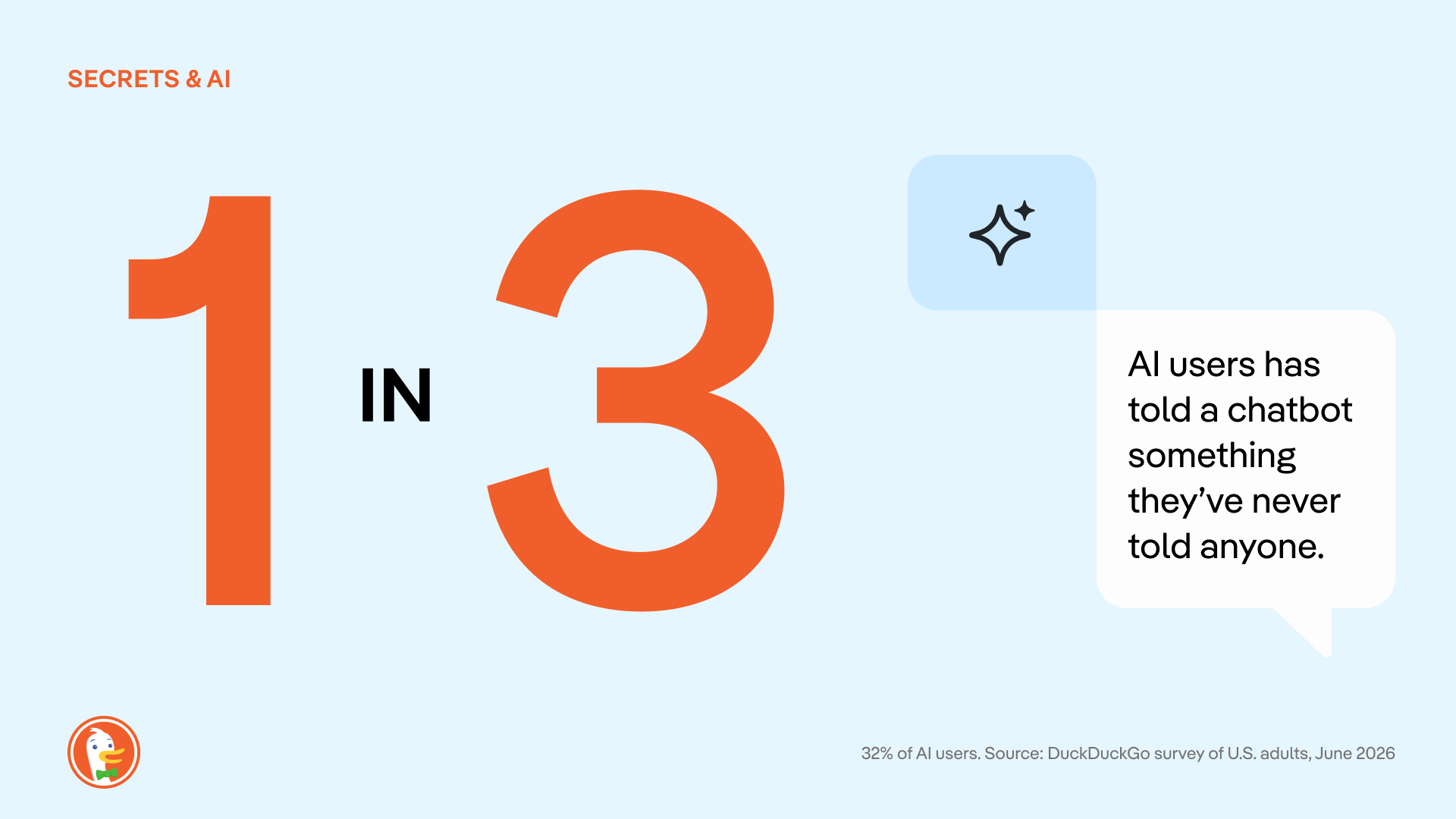
One group seemingly more vulnerable to the overshare? Parents or guardians with children in the household.
Among all parents who use AI, 43% report that they’ve told an AI something they never told a doctor, therapist, close friend, parent or child. That’s almost twice as much than AI users with no kids at home (25%). And it’s not surprising; even AI CEOs talk about leaning on AI tools for parenting issues.
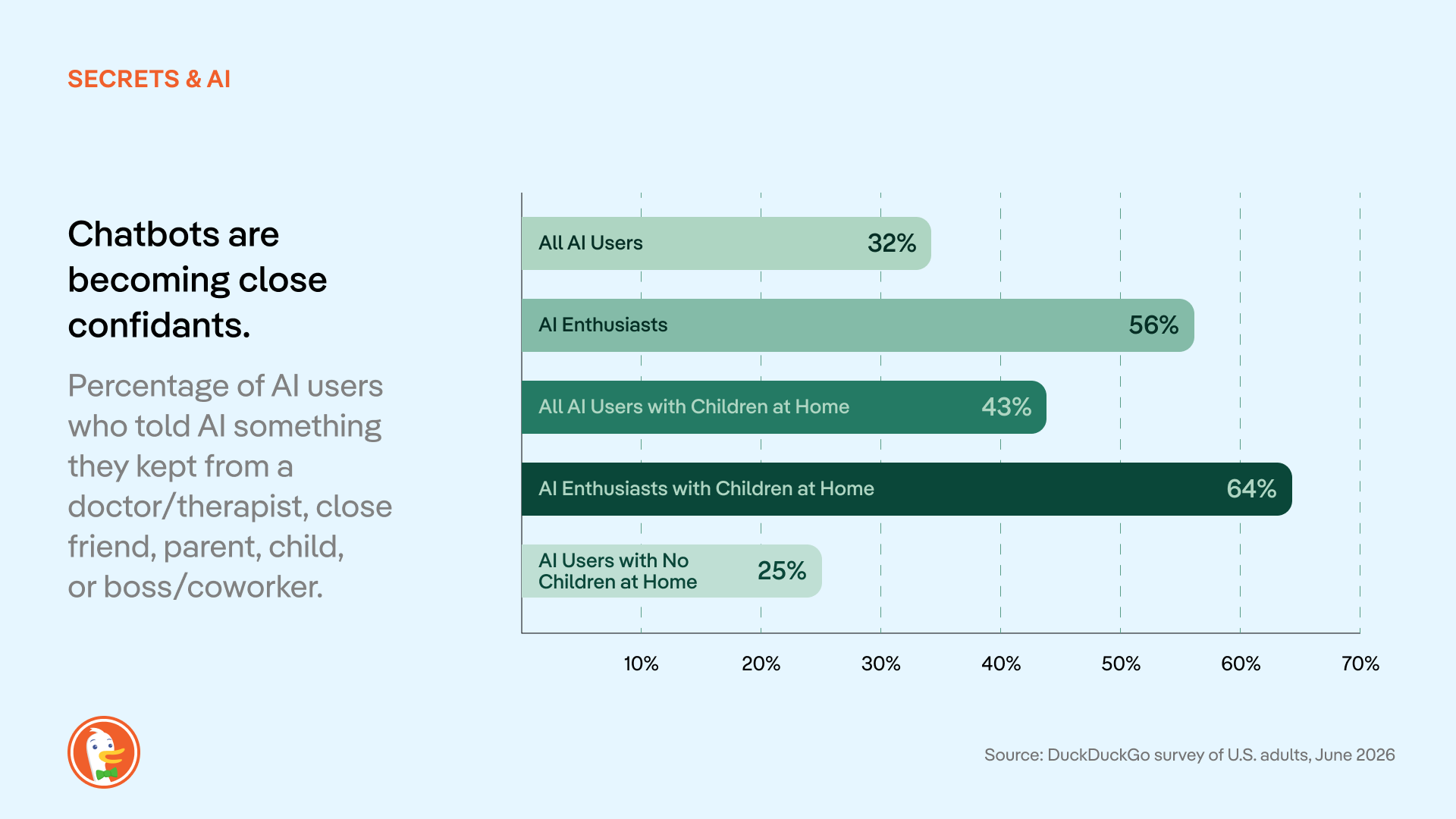
Conventional AI companies have leaned into this tendency, encouraging users to treat chatbots like confidants in their ad campaigns and media appearances. But these messages all rest on one assumption: That these chats are private. In most cases, that just isn’t true.
Most AI chat services use conversations for model training unless users actively opt out. Conversations are automatically tied to user profiles, stored by the AI companies, and potentially used for invasive behavioral advertising and shared with law enforcement. Beyond the privacy risks inherent in these tools, there have already been multiple data leaks where personal chats were made available to the public, revealing info like full names, addresses, and ID numbers connected to chat histories.
The more people know about AI privacy practices, the less they like it.
According to the survey, people are largely in the dark about the privacy problems built into most AI tools. (As with other forms of online tracking and surveillance, this is not anyone’s fault as an individual; rather, it’s an ongoing industry issue.)
We asked respondents if they knew these six basic facts about how conventional AI chats are stored, reviewed, and disclosed:
- AI chats can be subpoenaed by courts/law enforcement. (ex: CNN)
- AI chats can be made public in a lawsuit. (ex: TechCrunch)
- Employers can access work/enterprise AI accounts. (ex: Computer World)
- Settings to delete/stop storage vary by provider. (ex: CNBC, Washington Post)
- Free accounts often have weaker privacy than paid accounts. (ex: Axios)
- Human employees can review your chats. (ex: Fortune, TechCrunch)
According to our survey, these common AI privacy issues are not widely understood. 53% of people didn't know (or weren't sure) that their conversations are used for AI training. Only 25% knew that AI chats can be subpoenaed by the government. Across AI users and non-users alike, 43% didn’t know any of the above.
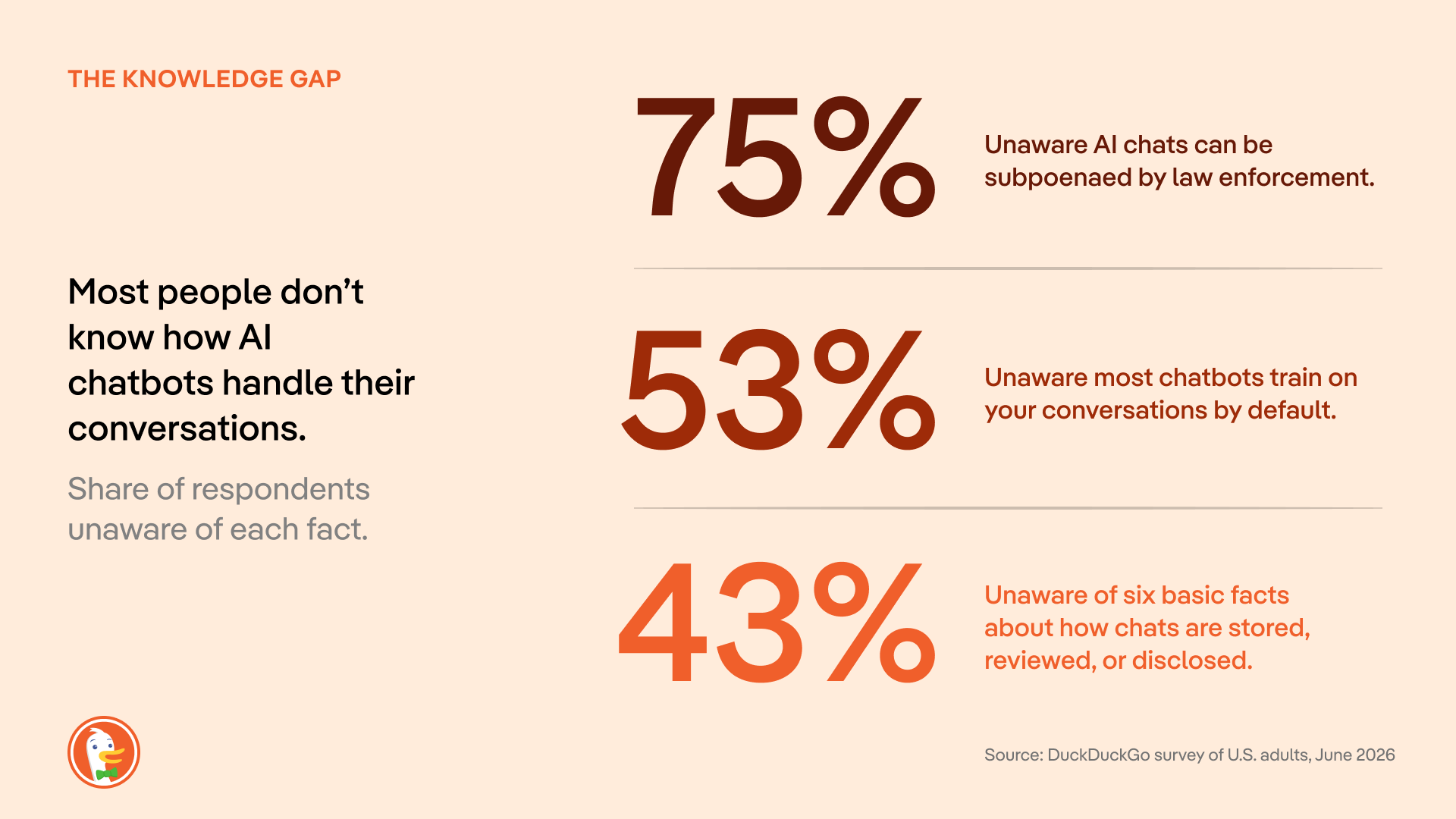
Once people know it’s happening, 58% of people are uncomfortable with how their conversations are being used to train AI. (30% specify “very uncomfortable.”)
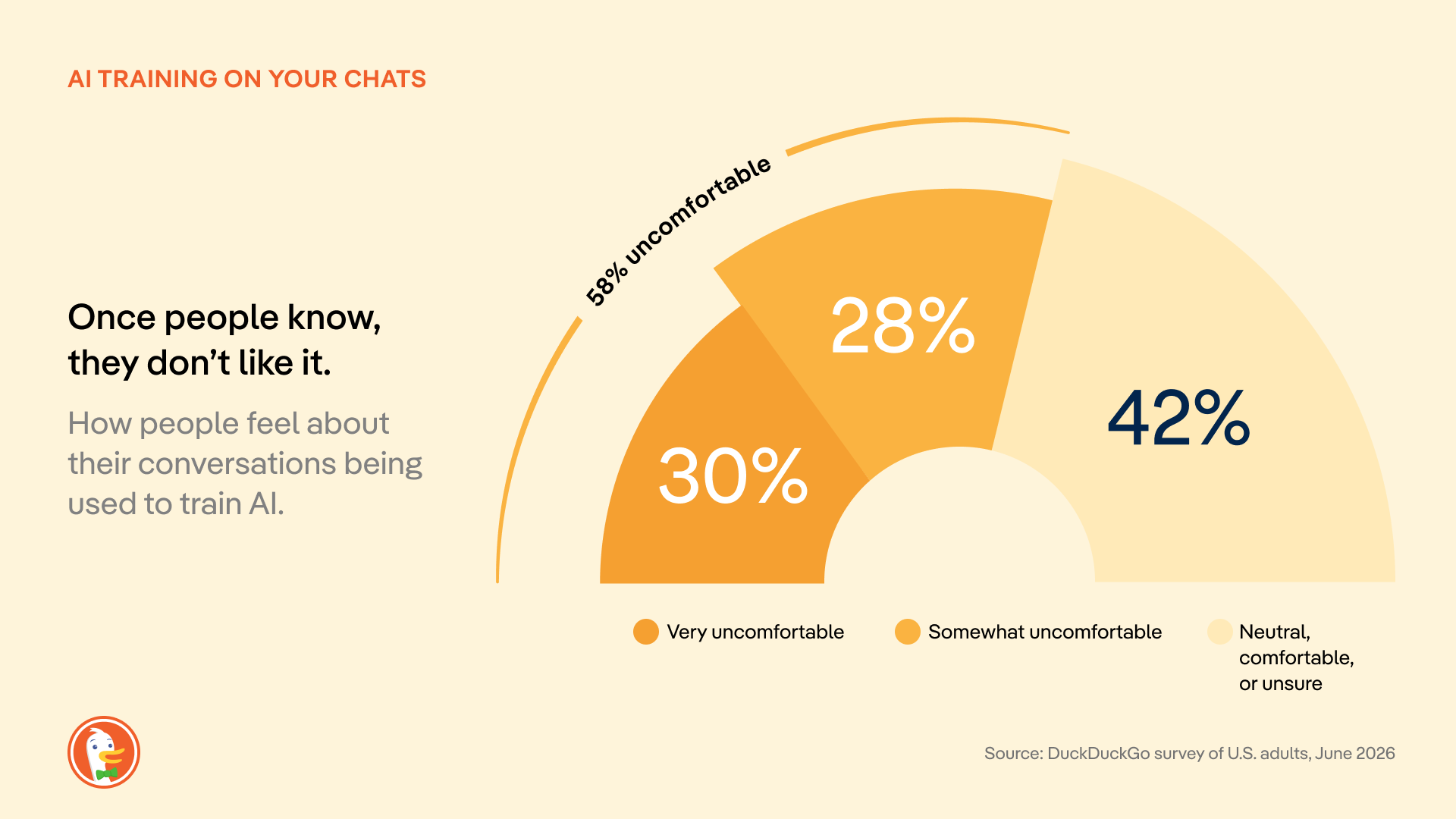
Only 14% of respondents “mostly” or “completely” trust large AI companies to protect their data; 39% have no trust at all. The U.S. government scores even worse: 48% have “no trust at all.”
Where do we go from here?
When we talk about online privacy in search engines and browsers, many people think “it’s too late, my information is already out there.” But the most valuable information you could share with Big Tech is your next question, not the questions you asked days or months or years ago. So, it’s never too late to make the switch to more private services online. And AI chat is still in its early days; most people haven’t formed habits with this technology yet, making it easier to act.
Until government regulations and industry norms catch up, there are proactive steps you can take to protect yourself while using AI chat. Start by seeking out AI tools with transparent data handling policies, designed with privacy in mind. (That’s why we built Duck.ai: free, anonymous access to multiple AI models from OpenAI, Anthropic, and more, all in one place. And we’ll never spy on your chats or store them in an invasive profile. Learn more in the strict Duck.ai Privacy Policy.)
Methodology
This survey was commissioned and conducted by DuckDuckGo. Responses were collected from 1,944 U.S. adults (18+) between June 17 and June 27, 2026, using an online sample sourced through the PureSpectrum panel. Quotas were applied to balance the sample to US Census demographics for age, gender, and region; results are reported unweighted. The margin of error for the full sample is approximately ±2.2 percentage points at the 95% confidence level, and larger for subgroups. (For example, the margin of error is about ±6 points for adults aged 18-24). Figures for open-ended questions, such as respondents' single biggest AI privacy concern, are based only on those who provided an answer. Percentages may not total 100% due to rounding or multiple-response questions.
2026-08-05, 14:53

This week, DuckDuckGo is filing an amicus brief in the appeal of a federal court decision that Google unlawfully maintained a monopoly in the general search market in violation of the Sherman Antitrust Act. Google is asking the appeals court to throw that decision out, while the U.S. Department of Justice is asking for stronger remedies. DuckDuckGo’s brief shares our own experience and explains how Google shut out competition. More importantly, we describe how Google’s actions harmed not just competition but also undermined people’s ability to protect their privacy.
DuckDuckGo has spent nearly two decades building a differentiated search engine. It doesn’t track you; it doesn’t profile you; and it does protect your privacy. Nevertheless, many privacy-focused users continue to use Google for the sole reason that they use a device or browser that is contractually obligated to have Google preset as the default search engine.
Two years ago, a federal court finally agreed. That ruling should be upheld.
The record reveals the depths of Google’s monopoly
This trial established one simple fact: for most people, the competition for their search traffic is over before it begins. Google is the default search engine on roughly 70% of U.S. search access points, and the district court understood that being the out-of-the-box default is the most efficient way to distribute a search engine. Google doesn’t dispute this; it can’t.
Defaults win because people rarely change them. Most searches happen out of habit, and many people don't know there is a default, what it is, or that it can be changed. Completely ditching Google across a phone, tablet, and laptop requires detailed tutorials and hours of effort. Even DuckDuckGo's most devoted users, the ones who recommend us to friends, admit they haven't changed all their defaults. That’s not real consumer choice; it is a maze.
Google doesn’t compete; it obstructs
Google understood the power of defaults perfectly, and it spent enormous effort making sure no one could escape them.
First, it froze the search ecosystem with money, and lots of it. Google paid out billions of dollars, which was far more money than any rival could hope to match. As the Justice Department argues, those payments “made it economically irrational for distributors to switch default [search engines], thereby inducing exclusivity.” The district court agreed, finding it “financially infeasible” for Google's partners to switch away or seek greater flexibility. Time and again, browsers, device makers, and phone carriers concluded they couldn't afford to leave. So they didn’t.
Second, Google introduced choice friction to stymy users. Evidence was presented that Google tracks how many steps it takes to change defaults on different devices; it also discouraged Android manufacturers from giving users too much information about how to switch. While there is no technological reason a person shouldn’t be able to change their search engine in a single click, Google has ensured there’s no easy way to do just that.
This isn't a company that outcompeted its rivals. It simply paid to push everyone else out.
Google is running the same playbook in AI
Google is now doing to AI what it did to search. While the district court expressed hope that competition from generative AI might discipline Google and disrupt the market on its own, there is scant evidence of this.
Instead, it is pushing its own product through the platforms it already controls, whether people want it or not. It has wired its Gemini AI assistant directly into Chrome and moved to preload Gemini across the Android ecosystem, positioning it as the default AI assistant on the very devices at issue in this case. Capture the default, get in front of users before any rival can reach them, and turn placement into habit before anyone knows better.
What makes this so telling is that Google has forced AI on its users even when the product plainly wasn't ready. In May 2024, Google switched on AI for everyone, and it promptly started pulling “facts” from satire and troll posts. There was no easy way to turn it off. Google can shrug off a faillure like this in a way rivals cannot, using the profits from its search monopoly, to try and try again.
More than 95% of Americans still use a conventional search engine every month, a figure that barely moved despite AI-tool usage nearly quintupled. Nine in ten search referrals continue to come from Google, even including new generative AI rivals. That is what a monopoly looks like.
Affirm Google’s monopoly and end it
It doesn’t matter if people don’t want AI. It doesn’t matter if Google’s AI is wrong. Google can't be fired. No matter how badly the product performs, people stay put, because Google controls every access point where people want to search for information. That is the story of the search market and what may await AI, and it is why the court’s finding that this conduct is illegal monopolization must be upheld.
2026-07-17, 06:50

Nearly two years ago, a federal court ruled that Google illegally monopolized search. The judge was specific about how: Google didn't win by building a better product. It paid billions of dollars to be the default everywhere, on your phone and in your web browser, such that most Americans never actively choose their search engine at all.
That ruling should have been a turning point. Instead, nothing has changed.
Getting away with a monopoly.
The court's decision was a diagnosis, not the cure. The remedies ordered last year fall dramatically short of what needs to happen to level the playing field in search. And Google has appealed them anyway. So too has the Justice Department, seeking the stronger fixes it originally asked for. The strongest remedies haven't taken effect and may not for years to come. Meanwhile, the court-appointed technical committee charged with putting change into practice is only just getting up and running. The result is a company operating exactly as it did before being declared a monopolist while running the same exact playbook that was ruled to be illegal. This is the definition of getting away with it.
And the harm compounds each day. Google's vice grip on search was never only about defaults. It rests on two engines. The first is distribution, or the paid defaults that the court condemned. The second, less visible, is scale. Because Google sees far more searches than anyone else, it trains its systems on data no rival can touch. At trial, an analysis of 3.7 million unique search phrases over a single week found that 93% were seen only by Google. More searches produce better results, which draw more users, which produce still more searches. Every day the remedies are delayed, that flywheel spins faster and the gap a court has already ruled illegal grows wider. And the same flywheel is now spinning up in AI, threatening to rig the next era of search before it starts.
Congress doesn't have to wait.
It doesn't have to be this way. A solution now exists in Congress. Introduced this week by Senator Klobuchar and Senator Schmitt, the SEARCH Act – Securing Enforcement of Americans' Right to Competition at Home – would end Google's waiting games. It also directly addresses both of Google's engines of monopoly at the same time.
On distribution, Google could no longer pay to be the preset default, nor wire its own search into Chrome and Android instead of letting you choose. People would choose for themselves and could switch in a single step, including straight from a competitor's own website or app.
Scale is the harder problem, and the SEARCH Act proposes to do the thing that actually closes the gap. Google would have to share search results and de-identified data with rivals. This would let new startups, AI companies and existing search engines compete on a level playing field for your loyalty on privacy, design, and overall experience.
This bipartisan proposal would codify the same package of remedies that the Department of Justice and a coalition of 49 states and territories fought for in court, and its rules would apply to AI as well as search. DuckDuckGo is proud to support the SEARCH Act. We urge Congress to pass it without delay.
Endorsements and additional information
The text of S. 5007 is available to read here. The SEARCH Act is endorsed by the Bull Moose Project, Digital Progress Institute, and Public Knowledge.
Statements of support:
In U.S. v. Google, the court found Google had illegally used its search monopoly to lock out search defaults from competitors, preventing them from operating at the scale needed to be optimally competitive. The SEARCH Act proposes to finally do something to fix this broken search market. DuckDuckGo is grateful to Senator Klobuchar and Senator Schmitt for their leadership on this bill and for taking on a fight that's long overdue. This is what a serious, bipartisan fix looks like, and we're proud to support it.
— Gabriel Weinberg, Founder and CEO, DuckDuckGo
The courts have done what they can with the tools they have, and it isn't enough. Even after a federal judge found that Google unlawfully monopolizes the search market, the remedies that followed relied on behavioral fixes rather than the kind of structural relief that actually restores competition, proving that antitrust law as written wasn't built for markets like this one. Congress can't keep leaving it to judges to improvise solutions case by case; lawmakers need to give the courts clear, modern guidance for dealing with dominant digital platforms, and DPI urges Congress to pass the SEARCH Act.
— Joel Thayer, President, Digital Progress Institute
Google's motto used to be, "Don't be evil." They dumped that years ago, instead choosing to eliminate competition through self-preferencing and exclusivity agreements. Using their browser, Google Chrome, and their search engine - the main venue through which millions ofAmericans find information - Google picked winners and losers while also giving preference to themselves, including their AI, Gemini.
The SEARCH Act will hold Google and other future monopolists accountable by building upon the proposed remedies from U.S. v. Google, opening up search, advertising, and even internet browsers as areas of competition and innovation instead of control by one behemoth. We commend Senators Schmitt and Klobuchar for introducing this bill, and encourage quick and speedy passage.
— Aiden Buzzetti, Founder and President, Bull Moose Project
The Google search case shows why antitrust enforcement and legislation must work together. Courts must stop unlawful conduct and restore competition in the market Google monopolized. Google’s effort to overturn the remedies should fail, and the states are right to seek stronger relief. But litigation takes years, often after monopoly power has become deeply entrenched. The SEARCH Act would establish clear, forward-looking rules for the largest search platforms, including restrictions on payments for preferential treatment and exclusive distribution arrangements. Antitrust remedies can reopen the search market. The SEARCH Act can help keep it open.
— Patrick Gallaher, Senior Policy Advocate, Public Knowledge
2026-07-08, 11:23
- DuckDuckGo now blocks most video ads! Use our free browser to get the full YouTube experience, minus the ads.
- YouTube Ad Blocking joins our powerful lineup of browsing protections that manage cookie pop-ups, protect you from invasive tracker-based web ads, and more.
- YouTube Ad Blocking is already on by default for most iPhone, Windows, and Mac users! It will be auto-enabled for Android soon, but users can opt in via browser Settings in the meantime.
Interruption-free YouTube with DuckDuckGo

Tired of ads interrupting your videos? Us, too. The DuckDuckGo browser now blocks most video ads, including on YouTube! This new feature blocks ads that run before and during your videos, letting you watch YouTube without the interruptions.
If you’ve been here a while, you already know that the DuckDuckGo browser also protects you from invasive ads and annoying pop-ups on multiple fronts. We block tracker-powered web ads before they can load. We have Global Privacy Control enabled by default, expressing your opt-out rights by telling websites not to sell or share your personal information. We can even manage cookie pop-ups behind the scenes, so you don’t have to deal with the distraction.
How do I access YouTube Ad Blocking?
YouTube Ad Blocking is on by default for iOS, Windows, and Mac. So, there’s no need to adjust your settings, if your app is up to date; just open the browser and start enjoying ad-free videos! The feature will be on by default for Android soon, but in the meantime, turn it on in your browser’s Settings > Ad Blocking. If you don’t see YouTube Ad Blocking on your device, try updating your app.
On all devices, you can disable or re-enable YouTube Ad Blocking any time from your browser’s Settings > Ad Blocking. You can also turn it on and off while you’re watching a video. On desktop, click the video icon next to the green shield in your address bar. On mobile, tap ☰ > Disable YouTube Ad Blocking.
When you disable ad blocking mid-video, the browser will prompt you to send an error report, alerting us to any problems. This is completely optional, anonymous, and helps us make our product better…so we appreciate it!
Please note: if you’re on a mobile device, links to YouTube videos may open in the YouTube app by default. To enjoy DuckDuckGo’s YouTube Ad Blocking, you need to open the YouTube website in the DuckDuckGo browser. It won’t work in the YouTube app.
Manage your YouTube Ad Blocking and Duck Player preferences from browser Settings.
Is YouTube Ad Blocking different from Duck Player?
Yes, they’re different – but complementary!
Duck Player is the browser’s built-in video player that lets you watch YouTube videos in a distraction-free theater mode. It also protects you from tracking cookies and personalized ads by enforcing YouTube’s strictest privacy settings for embedded video. This means what you watch in Duck Player won't influence your YouTube recommendations. (It also won’t save your place in playlists.) Opt in to Duck Player and adjust your preferences from your browser Settings > Ad Blocking.
YouTube Ad Blocking blocks video ads on the YouTube website, so you can watch without interruption. It's the regular YouTube experience, just without ads. So you’re free to take advantage of YouTube features like remembering your viewing history and saving your spot in playlists.
You don’t have to pick just one: you can have YouTube Ad Blocking and Duck Player enabled at the same time.
How does YouTube Ad Blocking work?
To detect and block YouTube ads, we use community-driven filter lists sourced from uBlock Origin. These lists are maintained by an active open-source community and are regularly updated to keep up with changes to how ads are served. We may also apply our own rules to improve compatibility and reduce breakage. As with most ad blockers, using our ad blocker can lead to some additional buffering times. But once your video loads, you won't be interrupted with ads.
Let us know what you think!
YouTube Ad Blocking is available now in the DuckDuckGo browser. It’s still a new feature, so give it a try and let us know how it’s working for you! Send anonymous feedback any time from your browser’s ☰ menu.
2026-03-18, 13:29
- The DuckDuckGo subscription includes our VPN, access to more advanced private AI when you want it, Personal Information Removal, and Identity Theft Restoration. It now comes in two plans: Plus, which includes all four protections, and Pro, which unlocks even more powerful AI functionality.
- The new Pro plan is for people who use AI for demanding tasks. On top of the VPN and other protections, it includes three Duck.ai upgrades: 2x higher usage limits than Plus, exclusive access to Claude Opus 4.6, and the highest reasoning available on Duck.ai. (Extended reasoning capabilities available on GPT-5.2 and Claude Opus 4.6.)
- Whether or not you’re a paid subscriber, everyone gets the same industry-leading privacy protections when you search and browse with DuckDuckGo, or chat privately with ChatGPT, Claude, and other popular AIs on Duck.ai.
What is the DuckDuckGo subscription?
The DuckDuckGo subscription is a four-in-one privacy service that gives you extra protection beyond what's available for free in our web browser, search engine, and private AI chat, Duck.ai. It includes our VPN to encrypt your Internet connection, access to more advanced private AI when you want it, Personal Information Removal to help combat identity theft and spam, and Identity Theft Restoration.
The original DuckDuckGo subscription is now called Plus. (If you’re a current subscriber, this is what you have!) It includes all four protections and costs $9.99 USD/month or $99.99 USD/year. Enhanced with more powerful AI tools, the new Pro plan is $19.99 USD/month or $199.99 USD/year. Subscriptions are available in the U.S., Canada, the E.U., and the U.K. See this help page for international pricing and feature availability.
What are the benefits of the Pro plan?
On Duck.ai, anyone can chat privately with ChatGPT, Claude, and other popular AIs, whether you have a subscription or not. Text chat, voice chat, and image generation are free to use within daily limits. DuckDuckGo subscribers on the Plus plan can do more, with higher usage limits and access to smarter AI models with extended reasoning. But the Pro plan is even more powerful.
We designed Pro for people who use AI frequently throughout the day, or for more demanding tasks that require multi-step reasoning…or both! Subscribers to the Pro plan get three additional Duck.ai upgrades:
- 2x higher usage limits, compared to Plus. This includes text chat, voice chat, and image generation limits across all the AIs available.
- One Pro-exclusive model, currently the newly launched Claude Opus 4.6.
- Access to the highest reasoning available in Duck.ai. Extended reasoning capabilities on GPT-5.2 and Claude Opus 4.6 let the AI spend more time thinking through complex, multi-step problems before responding.
This new Pro plan gives you the freedom to dive deep and iterate back and forth for complicated tasks, whether you’re fine-tuning images, analyzing data, writing long-form content, or making an in-depth plan. Higher limits also mean you don’t have to pick and choose as much; you can use AI for a broad range of day-to-day tasks.
When you take advantage of the extended reasoning on GPT-5.2 or Claude Opus 4.6, you’re more likely to get considered, relevant, and well-structured answers to even very complex prompts. And thanks to the Pro plan’s higher usage limits, you’re less likely to be disrupted in the middle of a complicated job.
Which plan is right for me?
If you primarily use DuckDuckGo to search and browse, and you’re not interested in advanced AI chat or added protections…our free offerings may meet all your needs. If you want to expand your privacy protection with our VPN, or you’re getting more into AI productivity tools, consider Plus! Pro is most suited if you use AI for tasks that require deeper context and multi-step reasoning.
The specific AI models included in each plan are upgraded regularly; at the time of publication, the lineup is as follows:
- Free on Duck.ai: GPT-4o mini, GPT-5 mini, GPT-OSS 120B, Llama 4 Scout, Claude Haiku 4.5, Mistral Small 3.
- Plus: GPT-4o, GPT-5.2 (reasoning), Claude Sonnet 4.5, Llama 4 Maverick, free models.
- Pro: GPT-5.2 (extended reasoning), Claude Opus 4.6 (extended reasoning), Plus and free models.
Can I upgrade an existing subscription?
Yes! As a subscriber, you can switch between the Plus and Pro plan at any time. In the DuckDuckGo browser, go to Settings > DuckDuckGo Subscription. Select View All Plans, pick the plan you'd like to switch to, and proceed to payment or confirm. In third-party browsers, start by navigating to Duck.ai. Just go to Settings & More > Manage Subscription and follow the same steps above.
Ready to give it a try? Head to duckduckgo.com/subscribe to see if the Plus or Pro subscription is right for you!
2025-09-30, 13:00

2025 marks DuckDuckGo's 15th year of donations—our annual program to support organizations that share our vision of raising the standard of trust online. We are proud to donate to a diverse group of organizations around the world that promote privacy and security, digital competition, and a healthier online ecosystem.
This year, we’re donating $1,100,000, bringing DuckDuckGo's total donations since 2011 to $8,050,000. Everyone using the Internet deserves simple and accessible online protection; these organizations are all pushing to make that a reality. We encourage you to check out their valuable work below.
$100,000 to Public Knowledge

Public Knowledge promotes freedom of expression, an open internet, and access to affordable communications tools and creative works. We work to shape policy on behalf of the public interest.
$75,000 to ARTICLE 19

ARTICLE 19 is an international think-do organisation, that takes its name from the Universal Declaration of Human Rights, and works to propel the freedom of expression movement, fighting censorship, defending dissenting voices and advocating against laws and practices that silence.
$75,000 to the Digital Progress Institute
The Digital Progress Institute seeks to bridge the tech-telecom policy divide through incremental, bipartisan measures in line with its principles of bringing about ubiquitous broadband, 5G and beyond, privacy for every American, real competition in digital markets, and a full-stack framework for Internet policy issues.
$50,000 to the Electronic Frontier Foundation (EFF)

EFF's mission is to ensure that technology supports freedom, justice, and innovation for all people of the world.
$50,000 to European Digital Rights (EDRi)

With more than two decades of advocacy experience, European Digital Rights (EDRi) is the go-to, nongovernmental network working on EU and national laws and policies on privacy, freedom of expression, participation online, data protection and technology policy. EDRi unites over 50 organisations from across Europe (and beyond).
$50,000 to the Foundation for American Innovation

The Foundation for American Innovation, a think-and-do tank based in Washington, D.C. and San Francisco, CA, advances technology, talent, and ideas that support a better, freer, and more abundant future.
$50,000 to the Open Home Foundation

The Open Home Foundation fights for the fundamental principles of privacy, choice, and sustainability for smart homes - and for every person who lives in one. It is best known as the organization that owns and governs Home Assistant, among many other projects crucial to the open home.
$50,000 to Signal

Signal Technology Foundation protects free expression and enables secure global communication through open source privacy technology.
$50,000 to the Surveillance Technology Oversight Project (S.T.O.P.)

The Surveillance Technology Oversight Project (S.T.O.P.) advocates and litigates for privacy, working to abolish local governments’ systems of discriminatory mass surveillance that disproportionately impact vulnerable communities.
$50,000 to Tech Policy Press

Tech Policy Press publishes reporting, analysis, and perspective on events, issues, and ideas at the intersection of technology and democracy.
$50,000 to the Tech Oversight Project

Through engaging with lawmakers, exposing false narratives and bad actors, and pushing for landmark legislation, the Tech Oversight Project seeks to hold tech giants accountable for their anti-competitive, corrupting, and corrosive influence on our society and the levers of power.
$30,000 to the Internet Security Research Group

Our mission at ISRG is to reduce financial, technological, and educational barriers to secure communication over the Internet. We operate three projects (Let’s Encrypt, Prossimo, and Divvi Up) that improve the security and privacy of billions of people using the Internet.
$25,000 to Algorithmic Justice League (AJL)
The Algorithmic Justice League is on a global mission to prevent AI harm using research, advocacy, and art.
$25,000 to the British Institute of International and Comparative Law (BIICL)

The British Institute of International and Comparative Law (BIICL) hosts the Competition Law Forum, a centre of excellence for European competition and antitrust policy and law.
$25,000 to Bull Moose Project

The Bull Moose Project Foundation develops and promotes policies that promote fair markets, support American innovation, and hold Big Tech accountable for anti-competitive and anti-consumer conduct.
$25,000 to Canadian Anti-Monopoly Project
The Canadian Anti-Monopoly Project (CAMP) is a think tank dedicated to addressing the issue of monopoly power in Canada and around the world. CAMP produces research, commentary, and policy to make our economies more fair, free, and democratic.
$25,000 to Consumers International

Consumers International is the global membership organisation for consumer rights groups. Founded in 1960, we bring together over 200 member organisations in more than 100 countries, with a mission to empower and champion the rights of consumers everywhere and to build a fair, safe and sustainable marketplace.
$25,000 to Demand Progress
DPEF empowers people to understand how our communications and governance systems should serve democracy — and how corporate power threatens our economy and our democratic future.
$25,000 to Digital Rights Watch

Digital Rights Watch is Australia's leading digital rights organisation. They defend and promote privacy, democracy, fairness and fundamental rights in the digital age.
$25,000 to Gesellschaft für Freiheitsrechte (GFF)

The Society for Civil Rights e.V. (Gesellschaft für Freiheitsrechte e.V. or "GFF") is a donor-funded organization from Germany that defends fundamental and human rights by legal means. The organization promotes democracy and civil society, protects against disproportionate surveillance and advocates for equal rights and social participation for everyone.
$25,000 to noyb

noyb is committed to the legal enforcement of European data protection laws and has filed more than 850 cases against numerous intentional infringements by Big Tech companies - to make online privacy a reality for everyone.
$25,000 to the Internet Archive

The Internet Archive's mission is to provide “Universal Access yo All Knowledge” by preserving and providing free access to digital materials and cultural heritage serving as a digital library for researchers, historians, scholars, and the public to read, learn, and explore for free.
$25,000 to the Open Rights Group (ORG)

Open Rights Group is the UK’s largest grassroots digital rights campaigning organisation, working to protect everyone’s rights to privacy and free speech online.
$25,000 to the Open Source Technology Improvement Fund (OSTIF)

In the past year, OSTIF collaborations led to the fixing of over 130 findings with security impact. Our security uplifts to open source projects wouldn't be possible without the continued support from DuckDuckGo. We are honored to be part of this program and contribute to a more secure Internet ecosystem.
$25,000 to Perl and Raku Foundation

The Perl and Raku Foundation is dedicated to the advancement of the Perl and Raku programming languages, through open discussion, collaboration, design, and code.
$25,000 to Privacy Rights Clearinghouse

Privacy Rights Clearinghouse focuses on increasing access to information, policy discussions, and meaningful rights so that data privacy can be a reality for everyone.
$25,000 to Restore the Fourth

Restore the Fourth advocates with federal, state and local elected officials, to defend privacy and freedom from unreasonable government surveillance.
$25,000 to the Tor Project

At the Tor Project, we believe everyone should be able to explore the internet with privacy. We advance human rights and defend your privacy online through free, open source software and the decentralized Tor network.
$20,000 to The Markup

The Markup challenges technology to serve the public good by producing investigative journalism, unique tools, and accessible resources to inspire action and agency.
2025-09-04, 11:05
- More advanced AI models from OpenAI, Anthropic, and other providers are now available in Duck.ai as part of the DuckDuckGo subscription, formerly known as Privacy Pro.
- Subscribers can now access OpenAI’s GPT-4o and GPT-5, Anthropic’s Claude Sonnet 4, and Meta’s Llama Maverick – and supercharge productivity at work, school, or home.
- The DuckDuckGo subscription is still the same price: $9.99 USD a month or $99 USD a year. On top of access to premium AI models on Duck.ai, it still includes our VPN, Personal Information Removal, and Identity Theft Restoration*. Sign up at duckduckgo.com/subscribe for a seven-day free trial.
- Keep an eye out for higher DuckDuckGo subscription tiers in the future with access to even more advanced AI models.
A layer of protection for everything you do online – including AI
We believe the best way to protect your personal information from hackers, scammers, and privacy-invasive companies is to stop it from being collected at all. To make that happen, we offer a layer of protection for everything you do online. Our browser, for example, is packed with a suite of built-in privacy protections, including our search engine that never tracks you. Our growing suite of private, useful, and optional AI tools is the next evolution.
AI tools have quickly become a significant part of people's online experience, but there’s a gap between how often we use AI, and how safe and in control we feel about it. According to recent Pew research, 27% of US adults use AI tools every day, but 59% feel no control over how AI shows up in their lives. That's why we created Duck.ai, which gives you access to popular AI models from OpenAI, Anthropic, Meta, and Mistral, with the following added protections built by us:
- Anonymized chats. We call model providers on your behalf, so personal information like your IP address is not exposed to them.
- No AI training. Your data is never used to train the AI models.
- Local chat storage. Chats and settings stay on your device to protect your privacy.
- Instant deletion. Erase your chat history in a flash with our Fire Button.
Today, we're expanding Duck.ai by giving DuckDuckGo subscribers access to more advanced AI models, covered by the same strong protections. The base version of Duck.ai is not changing; it’s still free to use, with no account necessary. We’re just adding more models for subscribers. You can see which models are available with and without a subscription here.
Please note that Duck.ai is always optional, whether you’re a subscriber to DuckDuckGo or not. If AI is not for you, you can hide the AI buttons and features from your search settings and your desktop and mobile browser settings. If you use the VPN, for example, but you’re not interested in anonymized AI chat, that’s no problem. Just head to your browser’s Settings menu to turn off the AI features and continue using your VPN normally.
What does the DuckDuckGo subscription include?
Formerly known as Privacy Pro, the DuckDuckGo subscription expands the great protection you get from DuckDuckGo’s free offerings, covering even more of what you do online:
- DuckDuckGo VPN. Built for speed and simplicity, the DuckDuckGo VPN secures your WiFi connection on your entire device, hiding your location and IP address from the sites you visit. Includes full-device coverage on up to five devices at once. Learn more.
- Personal Information Removal. Helps remove personal information like your name, address, and family connections from people search sites that store and sell it, helping to combat identity theft and spam. Available for Mac and Windows.* Learn more.
- Identity Theft Restoration. If your identity is stolen, get expert guidance as you get back on track. Brought to you by Iris (Iris Powered by Generali) — a world leader in identity theft restoration.* Learn more.
- NEW: More Advanced AI models. Subscribers can now access OpenAI’s GPT-4o and GPT-5, Anthropic’s Claude 4 Sonnet, and Meta’s Llama Maverick, in addition to all the free-tier chat models. Models are updated regularly. See the full list here.
The price is staying the same in all regions: $9.99 USD/month or $99 USD/year, with international pricing information available on this help page.
Achieve more with advanced models
More advanced AI models like OpenAI’s GPT-4o are built to handle more complicated tasks than their smaller counterparts like GPT-4o mini. These bigger models are better at following detailed instructions, maintaining context through extended chats, and delivering deeper, more nuanced responses. The DuckDuckGo subscription offers a way to use some of these models, but with more privacy. Even larger and more highly advanced models will be made available through higher subscription tiers in the future.
If you’re a frequent user of different advanced chatbots, the DuckDuckGo subscription is an easy one-stop solution. It lets you access multiple premium models in one place, rather than juggling multiple subscriptions and apps. Your subscription lets you visit Duck.ai and use those premium models in any browser you like. But it's especially convenient within the DuckDuckGo browser, where Duck.ai is seamlessly integrated on both desktop and mobile. Using the DuckDuckGo browser, you can access AI chat when and where you need it, getting support for specific tasks without switching platforms. And as always, it’s completely optional – you can adjust or turn off Duck.ai’s integrations from your browser’s settings menu.
Whether you subscribe for premium models or stick with the free tier, you get the same strong privacy protections.
Is the DuckDuckGo subscription worth it?
When you get a DuckDuckGo subscription, you get instant, full access to any or all the features you want, without complex add-ons – at a price competitive with any of the individual features on their own. The $9.99 USD monthly price tag is more cost effective than maintaining multiple separate AI subscriptions – many of which are in the $20/month range. (See this help page for more international pricing information.)
Additional features like the DuckDuckGo VPN and Personal Information Removal service add value and convenience – and everything is available in one place, your DuckDuckGo browser.
Want to give it a try for free? You can get a 7-day trial of the subscription in the DuckDuckGo Browser's settings. In the US, you can also access the 7-day trial at DuckDuckGo.com/subscribe.
How to access Duck.ai and activate your subscription
Duck.ai can be accessed from any browser. Just visit duck.ai or hit the Duck.ai button on any search engine results page on duckduckgo.com. From there, paid subscribers can head to Duck.ai Settings, click “I Have A Subscription”, and follow the prompts to access the premium models.
If you are using the DuckDuckGo browser, you can use more subscription features, like the VPN and Personal Information Removal*. You also have even more ways to get to Duck.ai! You can click the optional Duck.ai buttons in our desktop and mobile browsers, use one of our iOS widgets, or press and hold the DuckDuckGo icon on iOS or Android. However you get there, the process for activating your subscription is the same.
Learn more about the DuckDuckGo subscription and sign up at duckduckgo.com/subscribe
*The DuckDuckGo subscription is available in the U.S., Canada, the E.U. and the U.K. All subscribers can use the VPN and access the same premium AI models, regardless of region. Personal Information Removal is available to U.S.-based subscribers. Identity Theft Restoration coverage varies by region. Learn more here.
2025-08-05, 20:09
Privacy Pro is our privacy-protecting subscription service that includes the DuckDuckGo VPN, Personal Information Removal to protect yourself from data brokers, and Identity Theft Restoration, which you can call if your identity is ever stolen.
In the year since we launched Privacy Pro, we’ve been working hard behind the scenes to make it more comprehensive, more powerful, and easier to use. Have you been waiting for the perfect moment to sign up? Good news: you can now try Privacy Pro free for 7 days. The free trial is available on all platforms – sign up here to redeem the offer. After your free trial, you can continue at $9.99 USD/month or $99.99 USD/year. (International pricing information here.)
Here’s a look at the major improvements we’ve made in the past year! To learn even more about Privacy Pro, you can visit our blog and Help Pages.
Overall Improvements
International Availability
Privacy Pro subscriptions are now available in the U.S., E.U., Canada, and the U.K. Features and coverage vary by region, but the DuckDuckGo VPN works the same in all regions. You can now use Privacy Pro in more languages including Dutch, French, German, Italian, Polish, Portuguese, Russian, and Spanish. Learn more about using Privacy Pro outside the U.S. here.
DuckDuckGo VPN Improvements
More Server Locations
DuckDuckGo VPN users can now choose from more than 40 locations in 30+ countries. Check out the full list here.
Independent Security Audit
We partnered with Securitum to conduct a comprehensive security audit of the DuckDuckGo VPN and supporting infrastructure. We're pleased to report that it found no critical vulnerabilities, underscoring the strong security measures we have in place for our VPN! Visit this help page for a summary of the key findings, remediations, and accepted risks, plus a link to the full report.
Block Risky Domains Automatically
The DuckDuckGo VPN now automatically blocks known phishing, malware, and scam sites – no matter what browser you're using. This new setting is on by default on all platforms.
Now On All Platforms: VPN Notifications
All users can now get notifications that display VPN status at a glance. These notifications are on by default but can be disabled in your VPN Settings.
Desktop: Automatic VPN Connection
All desktop users now have a setting that lets the VPN connect automatically when you log in to your computer.
Desktop: Introduced App and Website Exclusions
Because some apps and websites aren’t compatible with VPNs, we made sure you can exclude them from our VPN. This lets you use those incompatible apps and websites on desktop without disconnecting from the VPN. (App exclusions are also available on Android. Not compatible with iOS.) Manage website and app exclusions in your VPN settings; you can also manage website exclusions by clicking on the VPN icon in the toolbar.
IOS: VPN Widgets and Siri Shortcuts
We created VPN widgets for the iOS home screen and Control Center, so you can quickly connect or disconnect from the VPN and see your VPN connection status at a glance. We also added a Siri Shortcut.
Mobile: VPN Snooze
Both iOS and Android users can now “snooze” the VPN for easier access to sites and apps incompatible with VPNs.
Android: Automatically Pause VPN During Wi-Fi Calls
To help avoid dropped calls on Android, we introduced a setting that temporarily snoozes the DuckDuckGo VPN during Wi-Fi calls. The best part? We automatically restore your VPN connection when you end your call.
Android: Implemented Auto-Excluded Apps
Our new auto-exclude feature on Android automatically detects apps that aren’t compatible with VPNs and bypasses them, so you won’t need to manually adjust settings. (If you would like to adjust this feature, you can! Just go to Settings > VPN > Manage Apps.)
Custom DNS for Windows, iOS, Mac, and Android
You can now switch between the default DuckDuckGo DNS resolvers and a custom DNS resolver of your choosing in VPN Settings > Advanced Settings.
Personal Information Removal Improvements
New Personal Information Removal Dashboard
We completely redesigned the Personal Information Removal dashboard to give Privacy Pro subscribers more insight into the data removal process. You can more easily see when a site was last scanned, how many records have been removed, which sites are clear of your personal information, and more.
Personal Information Removal Request Timeline
Monitor your data broker removal requests with our new Removal Request timeline. You can track the progress of each request, see when your data has been removed, and get help with next steps if any removals take longer than expected.
More Data Brokers Covered
Privacy Pro now covers over 80 data broker sites and counting, including FastPeopleSearch, MyLife, and OfficialUSA.com. Check out the full list here. Some competitors only re-scan data broker sites on a monthly or quarterly basis…or not at all! But we re-scan the sites every 10 days, submitting new removal requests if your data has reappeared.
Improved Scan Performance
Personal Information Removal now more reliably detects when your information has been removed from the data broker sites. Your first scan after signing up or updating your profile now happens 10x faster than before.
What’s Next for Privacy Pro?
Even more improvements are coming soon. We’re working on adding an upgraded AI chat experience to your subscription, with anonymized access to more advanced chat models than the free version on Duck.ai. We’re adding more data brokers to Personal Information Removal all the time, and we’re working on bringing the feature to mobile. Your feedback helps us catch and address bugs, too – so keep it coming!
Go here to redeem your free trial today. Follow us on social [Reddit/X/Facebook/Linkedin] for updates about all things DuckDuckGo, including more Privacy Pro improvements.
2025-07-22, 19:24
Have you been using the DuckDuckGo browser for a while? If so, you may have noticed a few changes around here! As you navigate through the browser, you’ll notice redesigned icons, a softer, rounder interface, and a fresh color palette. Moving between desktop and mobile is more seamless than ever. And new interactive elements show you exactly how DuckDuckGo is protecting you.

Fresh Visuals, Seamless Protection
We’ve updated our browser’s visual design with a new color palette and softer, rounder shapes, including new icons that we designed in-house. This new look reflects what we believe the internet should feel like with real privacy protection: calm instead of chaotic, streamlined instead of cluttered, secure instead of surveilled.

Hit the green duck-foot shield in the redesigned address bar for real-time information about our tracking protections. Use the redesigned Fire Button to delete your browsing data with one click. Other changes you’ll notice include smoother, softer tab lines and a roomier address bar.

Private, Useful, and Optional AI
We’ve also made it easier than ever to access our private, useful, and optional AI features. Add a Duck.ai button to your URL bar for quick access to free, anonymized AI chats – available on both desktop and mobile.

These new buttons join several other convenient access points. On iOS, get to Duck.ai via Siri shortcut or widgets for your Lock Screen and Control Center. On Android, you find a shortcut by pressing and holding the DuckDuckGo app icon. (There’s also a Duck.ai button on our search results page when you visit duckduckgo.com, which can be toggled on and off here.)
Don’t use Duck.ai? You can disable the feature and hide the buttons in your browser’s Settings menu.
Tell Us What You Think
We love our browser’s new look – and we hope you do, too. If you have comments or questions, you can join our active community on Reddit or reach out on social media (Facebook | Linkedin | X).
2025-06-19, 11:41
- The DuckDuckGo browser’s built-in Scam Blocker guards against phishing sites, malware, and other common online scams. It’s on by default, so you’re protected as soon as you open the browser.
- NEW: Scam Blocker now also covers sham e-commerce sites, fake cryptocurrency exchanges, “scareware” that falsely claims your device has a virus, and other sites known to advertise fake products or services.
- Most browsers use Google tools for their phishing and malware protections, sending browsing data to Google in real time. We don’t. We designed Scam Blocker ourselves, with data from Netcraft, an independent cybersecurity company. Our scam protections don’t require an account, and we don’t share your browsing data with third parties.
- Scam Blocker is available for free within the DuckDuckGo browser on desktop and mobile. DuckDuckGo subscribers get full-device coverage when logged into the DuckDuckGo VPN – even when using other browsers.
Scam Blocker: Multiple protections for multiple threats
It’s not your imagination – online scams are getting more sophisticated. According to new reporting from the United States’ Federal Trade Commission, consumers lost $12.5 billion to fraud in 2024 alone. Scams related to investments, online shopping, and internet services were among the worst offenders.
Around here, we believe the best way to protect your personal information from hackers, scammers, and privacy-invasive companies is to stop it from being collected at all. Our browser and built-in search engine never track your searches, and our browsing protections help stop other companies from collecting your data, too. One of those protections is our Scam Blocker, designed and built by us for your security and your privacy. Scam Blocker guards against phishing sites, malware, and other common online scams without tracking your browsing data or sharing it with any third parties. It’s built into the DuckDuckGo browser and free to use, with no signup required.

Fake cryptocurrency offers, urgent messages about "viruses," and high-paying surveys – like the hypothetical examples above – are some of the common scam sites covered by DuckDuckGo’s Scam Blocker.
Scammers and cybercriminals have constantly evolving tactics, so it’s important to stay protected on multiple fronts. Thanks to Scam Blocker, the DuckDuckGo browser can help you spot and avoid some of the most common types:
- NEW PROTECTION: Scam investment sites, storefronts, surveys and more. Designed to trick you into giving away personal information or making bad financial transactions under false pretenses. These scam sites can include investment offers, cryptocurrency trading schemes, discounted pharmaceutical products, affiliate surveys with cash rewards, and more; the sites can look legitimate, but the offers are often “too good to be true.”
- NEW PROTECTION: Scareware. These alarming sites claim that your computer or phone is infected with spyware or viruses. Scareware creates a false sense of urgency to trick people into engaging with fake “tech support” and buying unwanted – or completely fake – antivirus software.
- Phishing sites. Phishing generally uses impersonation to get your login credentials or sensitive personal information. Cybercriminals’ phishing techniques include creating sham websites that look like a familiar legitimate business and using link redirects to get unsuspecting users there.
- Malware sites. If you download a harmless-looking file from one of these sites, malware can infect your phone or computer, causing damage or extracting personal information for later use. Some malware sites start an automatic download before you even click or enter anything.
- Tracker-powered malicious ads. “Malvertising” typically involves injecting malware-laden advertisements into legitimate websites and online ad networks. Some malicious ads can compromise your system even if you don’t click on them.
The scam tactics vary, but the end goals are usually the same: to commit financial fraud using your personal information or to trick you into paying for products or services that don’t exist. If you accidentally click a link that would take you to one of these scammy sites, DuckDuckGo’s built-in Scam Blocker will stop the page from loading and show you a warning message that allows you to navigate safely away. The DuckDuckGo browser also reduces your malicious ad risk while you browse, blocking tracker-powered ads while before they load.
Other browsers like Chrome, Firefox, and Safari rely on Google’s Safe Browsing Service to provide warnings about phishing sites, which involves sending information to Google. We don’t. We built our own anonymous solution that doesn’t send data to any third parties. No sign in, no tracking, and it’s on by default, so you're protected from the moment you open the browser. DuckDuckGo subscribers can connect to the DuckDuckGo VPN to get these protections for your whole device – including in other browsers!
How Scam Blocker works
When you land on a potentially dangerous website, Scam Blocker will display a warning message before loading the site.
New scam sites pop up all the time, but the DuckDuckGo browser stays on top of it. We get a feed of malicious site URLs from Netcraft, an independent cybersecurity company that’s always scanning for new threats. We store that constantly refreshing list on our servers and pass any updates to your browser every 20 minutes.
The way Scam Blocker works is always anonymous. Once your browser downloads the latest dangerous site list from DuckDuckGo, it’s available locally on your device. When you navigate to a site, your browser first checks the site against the list stored on your device. If the site is on the list, your browser shows a warning message that gives you the option to navigate away safely or to continue to the site at your own risk.
Most of the potentially dangerous URLs flagged by Scam Blocker can be found on common sites like Google Drive or GitHub. Uncommon threats – which we encounter less than 0.1% of the time! – require an extra verification step that checks websites against a larger and more comprehensive database on DuckDuckGo servers. But this process is also anonymous; at no time during the threat verification process does your device communicate with any third parties. For a deeper dive on the cryptography we use to maintain anonymity when handling uncommon threats, visit this Help Page.
All this means that your searches and browsing history are still completely anonymous.
Note: This blog post has been edited since initial publication to stay up to date with our evolving product offerings.
2025-03-06, 12:41
- DuckDuckGo’s approach to AI is to provide private, useful, and optional AI features – including chat and search instant answers – to people who want the productivity benefits of AI without the privacy risks.
- Now out of beta: Get free, anonymized access to popular chatbots at Duck.ai. Easily move traditional search results – which now include more AI-assisted answers from web sources – to Duck.ai to continue your conversation.
- Both Duck.ai and AI-assisted answers are free to use, with no account required. We now serve millions of AI-assisted answers daily. If you opt to show them "often" in your settings, they should appear in our traditional search results over 20% of the time.
- Recent updates to AI-assisted answers include expanding sources across the web, beyond just Wikipedia; answering English-language queries outside the U.S.; and adding customization that lets you decide how often you want
answers to appear: often, sometimes (default), on-demand, or never. - Recent Duck.ai chat updates include upgraded models (GPT-4o mini and o3-mini from OpenAI, Meta Llama 3.3, Mistral Small 3, and Claude 3 Haiku from Anthropic) and a “Recent Chats” feature that stores conversations locally on your device – not on DuckDuckGo or other remote servers.
Our approach to AI: private, useful, and optional.
At DuckDuckGo, we believe the best way to protect your personal information from hackers, scammers, and privacy-invasive companies is to stop it from being collected at all. We started with a search engine that doesn’t collect your search history; our flagship experience is now a browser with a suite of built-in protections that includes our search engine, ad and cookie blocking, and many more protections.
Our approach to AI extends this strategy by integrating protected AI features that offer the productivity benefits of AI without privacy risks like tracking your prompts and training on your data.
We’re not making AI features just for the sake of making AI features. They have to be actually useful in everyday use, starting with helping people get faster, high-quality answers to their questions. However, we recognize not everyone wants AI in their lives right now, and that’s OK with us. That’s why all our AI features are optional and can be turned off or tuned down.
To chat or not to chat.
Head to Duck.ai for free, proxied access to popular chatbots from OpenAI, Anthropic, Meta, and Mistral.
A search engine’s core job is to get you the high-quality information you want fast. AI can help with that job, including a new mode of information-seeking through chat. We’re finding that some people prefer to start in chat mode and then jump into more traditional search results when needed, while others prefer the opposite. (Some questions just lend themselves more naturally to one mode or the other, too.) So, we thought the best thing to do was offer both. We made it easy to move between them, and we included an off switch for those who’d like to avoid AI altogether.
If you want to start with chat, try Duck.ai (previously called DuckDuckGo AI Chat), a free and account-less way to access popular AI chatbots, privately. Models are periodically updated and currently feature GPT-4o mini and o3-mini from OpenAI, open-source models Meta Llama 3.3 and Mistral Small 3, and Claude 3 Haiku from Anthropic. Chats are anonymized via proxying and never used for AI model training.
You can navigate directly to https://duck.ai/ or via the optional chat icons within our search engine or browsers. (There's also a widget - on iOS for now.) You can also use the !ai or !chat bang search commands from any browser where you have DuckDuckGo search set as the default search engine.
One way to access Duck.ai is via the Chat icons in our desktop and mobile browsers.
If you’d rather start with traditional search results, simply use DuckDuckGo search as usual. AI-assisted answers – previously called DuckAssist – will automatically appear on the search results page for relevant English language queries. You can also manually trigger an AI-assisted answer on demand by pressing the “Assist” button under the search box, which appears on most queries. The answers source information from across the web, and like Duck.ai, they are completely free and private, with no sign-up required.
The “Assist” button lets you generate AI-assisted answers on demand.
We’ve continuously heard from users that they want more quick, at-a-glance answers, for a broad range of topics. For years, we’ve been doing that by working on search modules to provide instant answers for things like sports scores, local business information, where to watch movies and TV shows, and much more. Now, we are finding that we can significantly expand the scale of high-quality instant answers we can show with AI as we’re now serving millions of AI-assisted answers daily. Since we’ve introduced AI-assisted answers on our search results, overall user satisfaction with our search results has improved.
If you were unsatisfied after trying DuckDuckGo search in the past, now is a great time to try us again. We’re always improving. If you do try us or try us again, please set DuckDuckGo search as your default search engine or download our browser and make it the device default. It can take a moment to get used to something different, and setting the default is the best way to get over that hump.
How can I customize my search experience?
Navigate to the AI Features section of your search settings. If you really like our AI-assisted answers, change Assist to Often, which will make them appear over 20% of time. On the other hand, if you never want to see any AI features, turn Chat to Off and Assist to Never.
On DuckDuckGo browsers, you can choose whether the chat icon appears on the toolbar from within the ‘Duck.ai’ section in your browser settings.

Control how often you see AI-assisted answers from your search settings.
In addition to respecting our users’ choices, we respect publishers’ wishes to opt out of AI-assisted answers on DuckDuckGo and don’t penalize publishers for that choice. Even if they opt out as a source for our AI-assisted answers, they can stay opted into our other search results.
How am I protected?
When we generate AI-assisted answers, we anonymously call the underlying AI models used to summarize web sources on your behalf, so your personal information is never exposed to third parties. This method is called proxying. Duck.ai chats work similarly. To accomplish this technically, we remove your IP address completely and use our own IP address instead. This way, the proxied requests are coming from us, not you. For more information, please see the DuckDuckGo General Privacy Policy.
Duck.ai's "Recent Chats" let you pick up where you left off. Chats are saved locally on your device – not on DuckDuckGo or any other outside servers.
Within Duck.ai, recent chats are only stored locally on your device, not on DuckDuckGo servers. Not interested in storing your chats? You can disable the option altogether, or use the Fire Button to clear all your recent chats at once. Duck.ai chats are not used for any AI training, either by us or the underlying model providers. To respond with answers and ensure all systems are working, these providers may store chats temporarily, but we remove all the metadata so there’s no way for them to tie chats back to you personally. On top of that, we have agreements in place with all providers to ensure that any saved chats are completely deleted within 30 days. For more information, please see the DuckDuckGo AI Chat Privacy Policy and Terms of Use.
Clear your recent Duck.ai chats with the click of a button.
Are AI-assisted answers reliable?
When you search on DuckDuckGo, our AI-assisted answers are based on real-time web crawling, so they’re as reliable as the sources from which they are drawn. But even the most reliable sources can have errors, and mistakes can occasionally happen in the summarization process, too. That’s why we prominently display our cited sources: you can easily check them out and use your own judgment to make the final call.
Want to know where your AI-assisted answer came from? Check the sources below the answer and click through for a deeper dive into complex topics.
We also have a number of precautions in place. Out of the countless websites we could draw from, we try to weed out ultra-low-quality sources like spammy content farms and invasive people search sites, and we try to avoid satirical sites and opinion pieces.
You are a critical part of the process as well. “Was this helpful? 👍 👎” is displayed next to every AI-assisted answer. So, if you see a bad answer – or a great answer! – please let us know. We review it all as part of our quality control process.
Is this really free?
Yes! AI-assisted answers are integrated into DuckDuckGo search, which is always free to use, with no log-in required. (We make money from private search ads.) Chatting on Duck.ai is also free within a daily limit, which we implement while maintaining strict user anonymity, just like we do for our search engine. We plan to keep the current level of access free; we’re exploring a paid plan for access to higher limits and more advanced (and costly) chat models.
What’s next?
We are largely driving our AI roadmap based on your feedback, so please keep it coming—we appreciate it. Within Duck.ai, this includes adding newer models, voice and image support, and granting models web access. For AI-assisted answers on our traditional search engine, we’re making them faster and more interactive, answering more queries, and improving when they appear automatically, including for less straightforward queries.
In the meantime, give Duck.ai a try and keep an eye out for AI-assisted in your traditional search results. Head to your search settings if you want to see them more or less often.
2024-12-03, 14:00

2024 marks DuckDuckGo's 14th year of donations—our annual program to support organizations that share our vision of raising the standard of trust online. We are proud to donate to diverse group of organizations around the world that promote privacy, digital rights, access to information online, and a healthier online ecosystem.
This year, we’re donating $1,100,000, bringing DuckDuckGo's total donations since 2011 to $6,950,000. Everyone using the Internet deserves simple and accessible online protection; these organizations are all pushing to make that a reality. We encourage you to check out their valuable work below, alongside details about how our funds were allocated this year.
$100,000 to the Electronic Frontier Foundation (EFF)

“EFF's mission is to ensure that technology supports freedom, justice, and innovation for all people of the world.”
$75,000 to Public Knowledge
"Public Knowledge promotes freedom of expression, an open internet, and access to affordable communications tools and creative works. We work to shape policy on behalf of the public interest."
$50,000 to ARTICLE 19
"Established in 1987, ARTICLE 19 is an international non-profit organization that defends freedom of expression, fights against censorship, protects dissenting voices, and advocates against laws and practices that silence individuals, both online and offline."

$50,000 to Demand Progress
"DPEF educates our members and the general public about matters pertaining to the democratic nature of our nation’s communications infrastructure and governance structures, and the impacts of corporate power over our economy and democracy."
$50,000 to European Digital Rights (EDRi)

"The EDRi network is a dynamic and resilient collective of 50+ NGOs, as well as experts, advocates and academics working to defend and advance digital rights across Europe and beyond. For over two decades, it has served as the backbone of the digital rights movement and has achieved landmark successes in digital rights in Europe."
$50,000 to Fight for the Future

"Known for organizing some of the largest and most effective online campaigns in history, Fight for the Future’s mission is to ensure a just Internet and technology that is a force for empowerment and liberation, free of surveillance, censorship, and abuse of personal data."
$50,000 to The Markup
"The Markup challenges technology to serve the public good by producing investigative journalism, unique tools, and accessible resources to inspire action and agency."
$50,000 to OpenMedia

"OpenMedia is a community-driven organization that works to keep the Internet open, affordable, and surveillance-free. We operate as a civic engagement platform to educate, engage, and empower Internet users to advance digital rights around the world."
$50,000 to Restore the Fourth
“Restore the Fourth opposes mass government surveillance, and organizes locally and nationally to defend privacy and the Fourth Amendment.”
$50,000 to Signal

“Signal Technology Foundation protects free expression and enables secure global communication through open source privacy technology.”
$50,000 to the Surveillance Technology Oversight Project (S.T.O.P.)

“The Surveillance Technology Oversight Project (S.T.O.P.) advocates and litigates for privacy, working to abolish local governments’ systems of discriminatory mass surveillance."
$50,000 to Tech Policy Press

“Tech Policy Press promotes discussion, debate, and analysis of issues and ideas at the critical intersection of technology and democracy.”
$50,000 to the Tech Oversight Project
"Through engaging with lawmakers, exposing false narratives and bad actors, and pushing for landmark legislation, the Tech Oversight Project seeks to hold tech giants accountable for their anti-competitive, corrupting, and corrosive influence on our society and the levers of power."
$25,000 to Algorithmic Justice League (AJL)
“AJL’s harms reporting platform aims to capture people's lived experiences with AI harms, connect them with resources, and identify areas where there are no or few resources.”
$25,000 to Bits of Freedom

“Bits of Freedom shapes tech policy in order to facilitate an open and just society, in which people can hold power accountable and effectively question the status quo.”
$25,000 to the British Institute of International and Comparative Law (BIICL)
"The Competition Law Forum is a centre of excellence for European competition and antitrust policy and law at the British Institute of International and Comparative Law (BIICL)."
$25,000 to the Center for Critical Internet Inquiry (C2i2)

“UCLA Center for Critical Internet Inquiry (C2i2), housed in the UCLA Division of Social Sciences, is a critical internet studies community committed to reimagining technology, championing social justice, and strengthening human rights through research, culture, and public policy.”
$25,000 to Creative Commons (CC)

“Creative Commons (CC) is an international nonprofit organization dedicated to building and sustaining a thriving commons of shared knowledge and culture that serves the public interest.”
$25,000 to Digital Rights Watch

"Digital Rights Watch is Australia's leading digital rights organisation. They defend and promote privacy, democracy, fairness and fundamental rights in the digital age."
$25,000 to Gesellschaft für Freiheitsrechte (GFF)
"The Society for Civil Rights e.V. (Gesellschaft für Freiheitsrechte e.V. or "GFF") is a donor-funded organization from Germany that defends fundamental and human rights by legal means. The organization promotes democracy and civil society, protects against disproportionate surveillance and advocates for equal rights and social participation for everyone."
$25,000 to noyb
"noyb is committed to the legal enforcement of European data protection laws and has filed more than 850 cases against numerous intentional infringements by Big Tech companies - to make online privacy a reality for everyone."
$25,000 to the Open Home Foundation

“The Open Home Foundation fights for the fundamental principles of privacy, choice, and sustainability for smart homes - and for every person who lives in one. It is best known as the organization that owns and governs Home Assistant, among many other projects crucial to the open home."
$25,000 to the Open Rights Group (ORG)

"Open Rights Group is the UK’s largest grassroots digital rights campaigning organisation, working to protect everyone’s rights to privacy and free speech online."
$25,000 to the Open Source Technology Improvement Fund (OSTIF)
"Open Source Technology Improvement Fund helps critical open source projects with their security needs and is grateful for the continued support from DuckDuckGo. This funding is pivotal to ongoing operations, as it is one of our only donation sources that is not tied to any deliverable or project. Over the past year, OSTIF has been able to sustainably help critical open source projects improve their security posture, and in the process have found and fixed over 150 bugs and vulnerabilities."
$25,000 to Perl and Raku Foundation
"The Perl and Raku Foundation is a non-profit, 501(c)(3) which fulfills a range of activities including the collection and distribution of development grants, sponsorship and organization of community-led local and international Perl conferences, and support for community resources and user groups."
$25,000 to Privacy Rights Clearinghouse

"Privacy Rights Clearinghouse focuses on increasing access to information, policy discussions, and meaningful rights so that data privacy can be a reality for everyone."
$25,000 to Proof

"Proof is a new nonprofit journalism studio that is working to redefine and reimagine trustworthiness in news and investigative reporting."
$25,000 to the Tor Project
"At the Tor Project, we believe everyone should be able to explore the internet with privacy. We advance human rights and defend your privacy online through free, open source software and the decentralized Tor network."
2024-11-20, 12:30

Today, we are calling on the European Commission to launch three non-compliance investigations around Google’s obligations under the EU’s Digital Markets Act (DMA):
- On Google’s non-compliance with Article 6(11), which requires Google to share anonymized click and query data.
- On Google’s non-compliance with Article 6(3), which requires Google to implement choice screens and enable end users to easily change default search settings.
- On Google’s non-compliance with Article 6(4), which requires any downloaded search or browser app to have the ability to prompt users to set search defaults easily.
The DMA created these obligations to address Google’s scale and distribution advantages, which the judge in the United States v. Google search case found to be illegal. The judge specifically highlighted that 70% of queries flow through search engine access points preloaded with Google, which creates a “perpetual scale and quality deficit” for rivals that locks in Google’s position.
Unfortunately, Google is using a malicious compliance playbook to undercut the DMA. Google has selectively adhered to certain obligations – often due to pressure from the Commission – while totally disregarding others or making farcical compliance proposals that could never have the desired impact. As a result, the DMA has yet to achieve its full potential, the search market in the EU has seen little movement, and we believe launching formal investigations is the only way to force Google into compliance. The Commission has already demonstrated its ability to use such investigations effectively under the DMA.
While Google’s bad faith approach is not surprising, it should not go unnoticed. Any regulator looking to create enduring competition in the search market should take note of the tactics Google is using to thwart and circumvent its legal obligations.
We project Google’s Click-and-Query data sharing proposal eliminates ~99% of search queries.
Google’s exclusive default distribution deals mean they see many times more search queries than any competitor can, which gives them what’s called a “scale advantage.” In Article 6(11), the DMA directly addresses this scale advantage by mandating Google share anonymized click, query, ranking, and view data. This data would help search engines improve results quality, especially for less frequent (so-called “long-tail”) queries.
Google’s Click-and-Query obligation under the DMA, Article 6(11), reads:
“The gatekeeper shall provide to any third-party undertaking providing online search engines, at its request, with access on fair, reasonable and non-discriminatory [FRAND] terms to ranking, query, click and view data in relation to free and paid search generated by end users on its online search engines. Any such query, click and view data that constitutes personal data shall be anonymised.”
To comply with this requirement, Google announced the “Google European Search Dataset Licensing Program.” However, this data set has little to no utility to competing search engines due, in large part, to Google’s proposed anonymization method, which only includes data from queries that have been searched more than 30 times in the last 13 months by 30 separate signed in users. This method is conveniently overbroad: we extrapolate that Google’s dataset would omit a staggering ~99% of search queries including “longtail” queries that are the most valuable to competitors. Google is trying to avoid its legal obligation in the name of privacy, which is ironic coming from the Internet’s biggest tracker.
Part of our goal at DuckDuckGo has always been to prove that tech can make great products without exploiting people’s data or using mass surveillance. Our Privacy Policy explains how we go about doing this, for example, “we have no way to create a history of your search queries.” We do this by stripping out any metadata that can tie searches together made by the same individual, so re-identification cannot happen like in the memorable AOL case. For example, we may know that we got a lot of searches for "cute cat pictures" today, but we don’t know - and have no way to figure out - who actually performed those searches.
The fact is that most "rare" queries are actually just common words put in an order that isn’t searched very often. These queries are not inherently problematic since they cannot be traced back to any individual. So, instead of attempting to filter all of these relatively unique queries, we should instead focus on removing the subset of those queries that contain personal identifiers, like addresses and phone numbers or accidental pastes like user ids and passwords. Fortunately, there are relatively straightforward approaches to remove these types of queries that will result in much of the long tail data remaining available to improve search results.
This isn’t even the only part of the proposal that severely hampers the usefulness of the data:
- The proposal averages ranking data, which eliminates critical nuances. It also doesn’t provide anonymous ranking signals like dwell time or bounce rate.
- The proposal shares at best three-month old data, meaning the data is already stale when received because many results would no longer reflect current search trends.
- The proposal contains hardly any information on search modules, such as knowledge panel content, meaning information on much of the content on the search result page is not being shared.
We recognize that fine-tuning the right approach requires further considerations and, most importantly, testing and good faith cooperation from Google. Faced with Google’s continued obstruction, we believe that opening an official investigation is the only way to arrive at a workable proposal. We would like to help in that effort and believe there are ways for Google to provide a data set that is both privacy respecting and useful to competitors.
Google has so far completely ignored “easy switching” requirements.
The DMA includes provisions designed to facilitate easy switching of search engines and browsers, targeting Google’s entrenched hold over search and browser access points. Google’s obligation under Article 6(3) of the DMA reads:
“The gatekeeper shall allow and technically enable end users to easily change default settings on the operating system, virtual assistant and web browser of the gatekeeper.”
Despite this obligation, switching search engines on Android devices (which make up more than 60% of the mobile market in the EU) is still not “easy.” Before the DMA came into effect, it took more than 15 steps to switch your default search engine on Android and today that is still the case.
Zero changes have been made. What should happen is that users should be able to change their default search engine across every search access point in one click, similar to how a choice screen works, but currently choice screens are only shown on device onboarding. Users should be able to get back to a similar screen via a top-level device setting for default search, which we should be also able to guide users to directly from our app.
Similarly on Chrome, switching the default search engine has not been made any easier either. For example, there’s still no way to guide a user directly to the default search engine setting from the DuckDuckGo search homepage. And Google’s persistent dark pattern for search extensions on Chrome remains.
Google has completely ignored its easy switching obligations under the DMA. As a result, we believe the Commission must launch a non-compliance investigation to get Google to fulfill its requirements under the law. “Easy switching” should mean competition is actually one click away.
Google still hasn’t rolled out its updated Android choice screens to 250+ million EU Android users.
Article 6(3) DMA requires Google to show choice screens to end users “at the moment of the end users’ first use of an online search engine or web browser.”
Google’s search engine DMA choice screen is explicitly different from the choice screen Google implemented following the Android case. Key improvements have been made to its design, such as automatically showing taglines. But Google has not rolled out this updated DMA choice screen to all Android users, in breach of Article 6(3). Apple, for example, rolled out its DMA browser choice screen to its entire EEA user base and is planning to do so again after an investigation from the Commission – this time to Safari default users only.
A non-compliance investigation must therefore be opened to ensure that Google will fulfill its obligation and roll out both the DMA search engine and browser choice screens to all Android devices at once like they did on Chrome for desktop and iOS. When those Chrome choice screens rolled out, the positive competitive impact was evident: DuckDuckGo search queries on Chrome have increased by around 75% across the EEA. This rapid and stable growth in query volume shows pent-up demand by Chrome users for privacy-respecting search alternatives.
What can regulators learn from this?
Regulators around the world should be looking at what’s happening with the DMA, learn from how Google has been able to exploit its loopholes and circumvent it, and then take steps to make sure Google cannot continue to put up roadblocks in the way of progress and fair competition.
In the EU, Google chose to roll out self-serving compliance proposals around these obligations without engaging in meaningful consultations, leading to significant delays in achieving contestability and fairness, the objectives of the DMA. Given the opportunity, it should not come as a surprise that Google is taking advantage.
Instead, regulators and market participants should be able to review, test, and validate remedies before they are implemented to ensure they actually accomplish their intended purpose, while maintaining the regulatory authority to launch investigations and make changes after implementation, if necessary. Regulators can set additional criteria to make sure these interventions have the desired impact. For example, dominant firms could be required to demonstrate that consumers understand how to switch and that switching to a competitor is equivalently easy to sticking with the services from the dominant firm.
In addition, we believe the DMA doesn’t properly address Google’s scale advantage. Sharing click-and-query data is a critical intervention to address Google’s scale advantage, but alone, it isn’t sufficient to create a competitive search engine. As we’ve previously written, we believe the best and fastest way to level the playing field on search quality is for Google to provide access to its search results via real-time APIs (Application Programming Interfaces), also on FRAND (Fair, Reasonable, and Non-Discriminatory) terms. That means for any query that could go in a search engine, a competitor would have access to the same search results.
If Google is required to license its search results in this manner, this would allow existing search engines and potential market entrants to build on top of Google’s various modules and indexes, and offer consumers more competitive and innovative alternatives. In addition, while choice screens are an excellent mechanism to provide consumers access to competitors, they need to be shown periodically, at least yearly, to give competing search engines a chance to build awareness over time. We are happy to work with regulators to craft remedies that will create enduring search competition.
2024-10-23, 11:50

At DuckDuckGo, we know what it's like to turn a vision into a successful company. Our founder and CEO, Gabriel Weinberg, began DuckDuckGo’s journey to “raise the standard of trust online” from his basement in Pennsylvania and turned it into a browser and search engine used by millions of people around the world.
Today, this vision still inspires us. Each year, we donate to non-profit organizations that align with this vision, and now we're investing in companies that align with it as well.
As more and more consumers seek privacy-conscious technologies, we want to partner with other like-minded entrepreneurs and help turn their visions into reality. With the core objective of supporting consumer privacy technologies, DuckDuckGo is actively investing in early-stage companies as well as pursuing acquisitions and partnerships. We've actually already been doing this quietly for the last couple years, and we’re energized to do more. So, we'd love to hear from you and find ways to work together.
We are focused primarily on three domains:
- Search and browse: It's the core of our product and where we continue to invest most heavily.
- Consumer privacy technologies: This spring, we launched Privacy Pro, a 3-in-1 subscription service with VPN, Personal Information Removal, and Identity Theft Restoration. Our acquisition of Removaly was key to accelerating the development of our Personal Information Removal solution. We continue to look for other complementary technologies that could extend our offerings.
- Emerging technologies: We recently announced DuckDuckGo AI Chat, which offers private access to popular AI chatbots. We’re committed to investing in this emerging technology space and others, but only in ways that are privacy-respecting.
For early-stage investments, we are flexible on deal structure, aim to move quickly and are happy to co-invest with other companies, funds, and individuals. For acquisitions, we are open to a range of companies that share a commitment to protecting user privacy.
You can reach Mike Marino, SVP of Finance and Diana Chiu, Director of Corporate & Business Development directly at investments@duckduckgo.com.
DISCLAIMER:
- Copyrights belong to each article's respective author.
- Article links lead to external websites, where you will be tracked, most likely.
4. NAKED SECURITYby Sophos NewsWide range of security and privacy topics.
2026-10-21, 00:00
Categories: Threat Research
Tags: advisory, vulnerability, php
2026-10-20, 00:00
<p>The China-based threat group uses DLL sideloading in these attacks</p>
Categories: Threat Research
Tags: BRONZE SANDCASTLE, Meterpreter, Sandboxie
2026-10-19, 00:00
<p>Automated sign-ins used the vendor's Entra application identity to request Microsoft Graph tokens across consenting tenants</p>
Categories: Threat Research
Tags: connectwise
2026-10-19, 00:00
No novelty required to be effective
Categories: Threat Research, X-ops, Sophos SecOps
Tags: incident response
2026-10-13, 00:00
<p>This article was first published <a href="https://www.linkedin.com/pulse/building-intent-based-access-control-without-reading-minds-borges-dxg6e/" target="_self">on LinkedIn</a>.</p>
Categories: AI Research, Threat Research
Tags: AI, AI RESEARCH, Threat Research
2026-10-05, 00:00
Categories: Threat Research
Tags: advisory, vulnerability, Citrix
2026-09-30, 00:00
The activity is linked to a broader campaign that previously used a different delivery mechanism
Categories: Threat Research
Tags: TerminalFix, clickfix, Lorem Ipsum Loader
2026-09-28, 00:00
Categories: Threat Research
Tags: advisory, vulnerability, Citrix
2026-09-25, 00:00
Categories: Threat Research
Tags: advisory, Kiteworks
2026-09-16, 00:00
<p>Windows takes 718 fixes… but what if it was actually a slow month?</p>
Categories: Threat Research
Tags: Patch Tuesday, x-ops, Threat Research
2026-09-15, 00:00
<p>This article was first published <a href="https://www.linkedin.com/pulse/messageboards-all-you-need-nash-borges-iav6c" target="_blank">on LinkedIn.</a></p>
Categories: AI Research, Threat Research
Tags: AI, AI Cybersecurity, Threat Research
2026-09-15, 00:00
Categories: Threat Research
Tags: advisory, vulnerability, Cisco
2026-09-14, 00:00
Uncensored refers to a lack of typical guardrails or ethical restrictions, lowering the technical barrier of entry into cybercrime
Categories: Threat Research
Tags: AI, Luciferus, underground
2026-09-11, 00:00
Upgraded modular malware observed in attacks on Cisco Firewall Management Center (FMC) devices
Categories: Threat Research
Tags: Cyclops Blink, Cisco, Linux
2026-09-07, 00:00
<p>Sophos X-Ops takes a deep dive into an insidious piece of malware</p>
Categories: Threat Research
Tags: rootkit, php, webshell
DISCLAIMER:
- Copyrights belong to each article's respective author.
- Article links lead to external websites, where you will be tracked, most likely.
5. KREBS ON SECURITYby Brian KrebsAbout hackers, malware and scams on Internet.
2026-10-21, 15:26
Expect to see quite a few websites serving error pages today: Nearly 70 percent of websites need to update their core software to fix a pair of vulnerabilities that allow an attacker to seize full control over affected servers. Experts say there are working exploits for the flaws, and that these critical bugs are already being exploited in the wild.

Image: Shutterstock.com, Sashkin.
The flaws at issue are present in PHP, the programming language that powers sites running on a large number of web publishing systems, including Drupal, Magento, Joomla and WordPress. Earlier today, PHP released an emergency security update to fix two critical bugs that can allow an attacker to execute code of their choosing on a vulnerable server.
Reuters reports that government websites in Europe and elsewhere went offline today after the PHP vulnerabilities were disclosed. Cloudflare said it has already detected some exploitation of the flaw, and that at 3:02 am (UTC) it implemented web application firewall rules to protect websites from attack traffic seeking to exploit the bugs, which could cause a denial of service condition, remote code execution, and data exposure.
OpenAI, which was involved in the vulnerability research and outreach, said “given the severity of these flaws and PHP’s widespread use, we consider this one of the most impactful security issues in recent memory.”
Censys, a company that tracks the technology used by Internet hosts, said a recent scan identified approximately 2.58 million Internet facing hosts and 54.9 million web properties running PHP.
Security experts at Wiz said every PHP version released in the last decade is affected by at least one of these vulnerabilities [full disclosure: Wiz is an advertiser on this blog].
“These findings rank among the most severe vulnerabilities discovered in PHP, and arguably in software history,” reads a blog post published today by a team of researchers at Wiz, which was one of several organizations credited with discovering the vulnerabilities. “The underlying flaws had been present for decades, but demonstrating their exploitability required an exceptionally complex chain of steps, at the edge of what human researchers could practically achieve. Frontier AI models substantially reduced that barrier, turning a longstanding flaw into an exploit.”
The Wiz researchers say it is likely the PHP vulnerabilities will be mass-exploited to install web-based backdoors or “web shells,” which give attackers a web-based panel that allows them to remotely control infected sites. Wiz said that prior to the PHP bugs being publicly disclosed, the company worked with the PHP team, Calif and OpenAI to measure the size of the problem and coordinate patch verification and disclosure.
The PHP zero-day vulnerabilities are being tracked by their CVE numbers, CVE-2026-109618 and CVE-2026-109619, and they affect all web servers running PHP 5.4 or later. The bugs are fixed in PHP 8.5.12, 8.4.27, 8.3.36, and 8.2.35.
According to Wiz, PHP is so deeply embedded in many web applications that we are likely to see organizations struggling to patch these vulnerabilities for some time to come, comparing this PHP vulnerability pair with the Log4Shell weakness that emerged in 2021 — a widespread, severe-as-it-gets security flaw in Log4j, a popular Java logging framework.
“A vulnerability in core PHP reaches far beyond a single application,” the Wiz researchers wrote. “PHP runs across clouds, hosting providers, content-delivery networks and millions of independently managed servers. Reducing exposure before the technical details became public required coordinated work across that entire ecosystem.”
The SANS Internet Storm Center is keeping an eye on major software platforms that are shipping updates to deal with these PHP flaws. For example, Ubuntu just released updated PHP packages. For a technical deep-dive on these vulnerabilities that tells the timeline of the discovery of these bugs in a comic book style, check out this post from Calif, another technology company credited with finding the PHP flaws.
This is a fast-moving story. Updates will be noted here with timestamps.
Update, 2:30 pm ET: Add figures from Censys and a link to Calif’s writeup.
2026-10-19, 13:48
U.S. federal investigators pursuing the ShinyHunters hacking group that recently stole highly sensitive data from the FBI have identified executives at two different ransomware negotiation firms who maintained unusually close relations with the extortion group, KrebsOnSecurity has learned. Sources close to the investigation say one of the executives in the United States even helped ShinyHunters operate a website that pressured victims into paying a ransom.
Hackers aligned with ShinyHunters have claimed credit for dozens of major data breaches since 2019, when the group was primarily operated by cybercriminals living in France. As those original members were arrested or jailed one by one, control over the ShinyHunters brand eventually passed to “Rey,” identified last year as a teenage hacker from Amman, Jordan. According to the FBI, ShinyHunters has extorted more than $70 million from victims so far this year.
In late September, ShinyHunters hacked the FBI recruitment website fbijobs.gov and taunted the agency by threatening to publish the stolen files, which reportedly included medical and psychological records, Social Security numbers and home addresses, and information about each employee’s unit and specialization.
The FBI jobs site hack has prompted the agency to move with uncommon speed to arrest, detain and question people who had any communications with Rey or other ShinyHunters suspects. Reuters reported on October 3 that Rey had been detained by Jordanian authorities and was cooperating with the FBI.
Rey was able to assume control over the hacking group because one of its alleged senior members had just been nabbed. On the evening of September 15, 2026, authorities in the Netherlands arrested convicted hacker and ShinyHunters suspect Pepijn van der Stap. Dutch police reportedly used flash-bang grenades in an effort to stun and apprehend Van der Stap as he was logged in to various online accounts.
According to a source close to the investigation, the authorities arrested Van der Stap while he was using his Signal instant messaging account, which allowed them to read recent communications with frequent contacts — including ransomware negotiators based in Canada and the United States.
Multiple sources with knowledge of the matter told KrebsOnSecurity that Van der Stap’s messages were the key to unraveling a murder-for-hire plot that emerged immediately following his arrest. The Dutch news outlet RTL reported last month the two murders were allegedly to be committed abroad, and that there are indications Van der Stap gave the order for the attacks (there is no indication those orders were ever carried out).
On October 9, KrebsOnSecurity broke the news that the FBI arrested a 54-year-old Canadian cybersecurity executive named Edward Dubrovsky in connection with the ShinyHunters investigation. Dubrovsky, who recently published a book on handling cyber extortion that recommended always engaging with the hackers, was charged with threatening to disclose stolen or hacked data and interfering with interstate commerce through extortion, according to court records. Politico reports prosecutors have asked that Dubrovsky remain in custody pending trial, and that records related to his case remain under seal.
A source close to the investigation told KrebsOnSecurity that Van der Stap’s Signal messages showed he had frequent conversations with Mr. Dubrovsky and with at least one executive at a large U.S.-based consulting firm, and that these executives often knew the details about new ShinyHunters victims before the victims themselves had even learned of the breach.
That source shared another potentially explosive finding by federal investigators: the Dutch hacker’s chats showed Mr. Dubrovsky knew ShinyHunters had stolen highly sensitive data from FBI servers, and that he never informed the bureau of the data breach prior to ShinyHunters threatening on Twitter/X to publish the agency’s deeply personal personnel files.
SHINYWIRE
KrebsOnSecurity has learned from two sources close to the ShinyHunters probe that FBI investigators believe at least one executive at a U.S.-based consulting firm played an active role in operating the now-defunct ShinyHunters victim extortion website “shinywire[.]com.” KrebsOnSecurity is not naming the U.S. company or the suspected executive(s) for now because they have not yet been charged with a crime, but it is a prestigious firm with more than 1,000 associates.

A section of the homepage for the now-defunct Shinywire website.
The Shinywire website was active from approximately May 3, 2026 until October 16 and had entries for nearly 100 organizations hacked by ShinyHunters. Each entry urged victims to engage with the cybercrime group and discuss terms for payment. The pages also included samples of stolen files and promised those files would be published online if the victim ignored their demands.
The following screenshot shows a cached portion of the Shinywire extortion page for Intuitive Surgical, an American medical technology company that was breached in March 2026 after an employee fell for a targeted phishing email.

The Shinywire website, as indexed by urlscan.io. This listing is an extortion demand targeting Intuitive Surgical, an American medical technology company breached in March 2026 by a targeted phishing email attack that compromised an employee’s credentials.
Victim organizations that refused to engage or negotiate after seven days would find all of their stolen data published on the ShinyHunters victim shaming blog (a website that is only reachable via the anonymity network Tor).
In a story published October 15, The Globe and Mail wrote that a few months before Edward Dubrovsky was arrested by the FBI, the Canadian cybersecurity executive alleged in court documents he had become collateral damage in a campaign by a former business partner to “destroy” another industry executive.
The story noted that Dubrovsky filed the lawsuit in Ontario this year against Daniel Tobok, the former chief executive of Cypfer, a cybersecurity firm founded in Toronto with offices in the U.S., Britain, the Netherlands, the United Arab Emirates, and Mexico. The two first became business partners in 2017 and later developed Cypfer together, where Mr. Dubrovsky was a managing partner and chief operating officer. But by 2024, the two had a falling out, with Dubrovsky accusing Tobok of gradually excluding him from business matters and making “increasingly capricious business decisions.”
Mr. Tobok reportedly denied the allegations and filed a counterclaim, accusing Mr. Dubrovsky of accessing confidential information and unfairly competing with Cypfer through work at another firm called CyberSteward Inc. He also said Mr. Dubrovsky has misrepresented himself as a Cypfer founder, and is not a shareholder.
GHOSTBYTE
According to interviews with several former colleagues of Mr. Tobok, as far back as eight years ago he was known to ransomware purveyors by a particular nickname: Ghostbyte. In 2018, a Canadian company was hacked by Dharma, a prolific Russian-language ransomware affiliate program that first surfaced in 2016. The victim company told the Dharma ransomware representative they were leaning toward paying because some of the files were unrecoverable after being locked, but that they needed a better guarantee that Dharma would keep their word if paid.
A redacted copy of the Dharma rep’s reply is pictured below, and it shows the ransomware group urged the victim to contact a person at a Canadian IT firm that helps companies seeking such guarantees. The Dharma rep recommended the victim contact the email address ghostbyte@tutanota.com.
“If you want guarantees, you can write to the IT company,” the Dharma reply advised. “Take the phone and negotiate with them. This IT company often solves such problems in Canada. You can contact them and sign a contract for services. You’ll still have to pay.”

An email reply from the Dharma ransomware group to a victim, recommending they contact an email address that is connected to Mr. Tobok.
It’s unclear if Mr. Tobok ever used that Ghostbyte address offered by the Dharma representative, and he has not responded to multiple requests for comment. However, the breach tracking service Constella Intelligence finds an email address Mr. Tobok has frequently used — dtobok@me.com — is associated with two online accounts where the chosen username was “ghostbyte,” including a Snapchat account.
Incidentally, Constella also finds the Dharma rep’s email address luckygoodlucky@tuta.io is associated with a cryptocurrency address that processed 38 transactions totaling 43 bitcoin, ~$3.5 million at today’s value (the most recent transaction for this wallet is dated February 2019).
In a statement shared on October 14, Cypfer said the company’s business does not include making or facilitating ransomware payments, and that Cypfer learned of Dubrovsky’s arrest when the news first broke in the media.
“We had no prior knowledge of Mr. Dubrovsky’s arrest,” a spokesperson told KrebsOnSecurity via email. “CYPFER has not received any outreach from law enforcement and, to our knowledge, is not the target of any law enforcement investigation.”
The statement said CyberSteward and Cypfer are separate companies with no officers, directors or employees in common, and that Cypfer was recently acquired by the Apros Group, a holding company led by Jason Hogg, a former FBI special agent and former CEO of Aon Cyber Solutions Group. In 2020, Aon aquired Cytelligence, a security consulting firm where Mr. Tobok was founder and CEO and Mr. Dubrovsky was a managing partner.
CONFLICTING INTERESTS
It is not illegal in the United States to pay hackers for an encryption key to unlock servers infected with ransomware, or in exchange for a promise to delete any stolen files and refrain from publishing them online. While victim organizations can land in legal hot water if they pay a ransom to a group that is sanctioned by the U.S. Treasury Department, ShinyHunters is not among the ransomware groups currently sanctioned by the United States or by any other government.
Experts say ransomware victims are typically directed by their insurance provider to work with a specific incident response firm. But not all cyber forensics and breach response companies will agree to facilitate payments to ransomware groups on behalf of their clients. As a result, once victim firms make a decision to pay, the firms that eschew rewarding extortionists are invariably replaced by companies that have no such qualms.
In December 2024, ShinyHunters began extorting the education technology company PowerSchool, stealing private information on 62 million students and 9.5 million teachers in the U.S. and Canada. PowerSchool reportedly paid a $2.85 million ransom demand, and a “frequently asked questions” statement (PDF) about the breach says PowerSchool was assisted in that effort by CyberSteward (ShinyHunters affiliate Matthew Lane, 20, of Sterling, Mass., was sentenced in November 2025 to four years in prison for his admitted role in the PowerSchool hack).
But that ransom payment did not stop future extortion attempts using the same stolen data. By May 2025, individual school districts were reportedly receiving separate ransom demands using samples of the same stolen files. While nobody has alleged ShinyHunters was behind the second wave of extortion against PowerSchool users, the incident drives home the reality that there is no technical way to verify the threat actors have deleted the stolen data as promised, or prevent others from abusing the same records.
A number of leading cyber incident response firms, including Coveware and Unit 221B, have consistently warned victims against paying ShinyHunters, noting that “destroyed” victim data is often kept, resold or used to extort the company’s clients directly later on.
The FBI echoed those sentiments in an alert on May 15, 2026 advising victims against paying the ShinyHunters group. Meanwhile, ShinyHunters members have been harassing and threatening employees at Coveware and Unit 221B for offering this advice.
The following screenshots show just how annoyed the ShinyHunters leaders were with Coveware’s relentless advice against paying the group. The first image is from a conversation on May 6, 2026 that took place between the group’s main account on Telegram and a co-conspirator. In that chat, snippets of which were shared with KrebsOnSecurity by a trusted source, ShinyHunters complained that Coveware was harming the group’s payment rates.

The operator of the ShinyHunters account on Telegram speaking privately with a co-conspirator and complaining that Coveware was harming their business.
“Go on my website, majority of those companies would’ve paid if it weren’t for Coveware giving them misinformation,” the ShinyHunters account wrote. “Someone (100% Coveware) is going out of their way to make sure i am not paid.”
In another conversation on April 11, 2026, the ShinyHunters Telegram account privately said they were trying to “eliminate the problem,” which they said was Coveware. Coveware declined to comment for this story.
“I’m sure the company will pay but in this specific case I am aware of Coveware and their involvement, and I’ve probably been not getting a lot of other negotiations mostly likely because Coveware keeps getting involved,” the ShinyHunters account bemoaned.

The operator of the ShinyHunters account on Telegram telling a co-conspirator they were “trying to eliminate the problem,” which they identified as Coveware advising victims not to pay the cybercrime group.
Mark Camillo is chief executive at CyberAcuView, an industry group founded in 2021 by a consortium of major cyber insurance carriers. Camillo said some firms charge a flat retainer fee, while those that specialize in helping companies negotiate a ransom payment tend to charge a percentage of the total ransom amount paid.
That latter dynamic, he said, is an inherent conflict of interest, as the negotiator has every incentive to make things more favorable to the attackers because they are financially incentivized to negotiate and pay out, and to not negotiate down on the price.
“It has come to the industry’s attention that many of the ransomware payers charge a percentage of the final payment which may or may not be disclosed,” Camillo said. “This makes no sense if they are also the negotiator. There needs to be more transparency in the process as no one in the ecosystem should be profiting purely on the size of the ransomware transaction or payment itself.”
Camillo said the firms doing this work would argue the fees are needed because there may be unexpectedly higher costs to secure larger quantities of cryptocurrency or more risk carrying the float, and because cryptocurrency exchanges may charge higher fees for high risk transactions.
“There definitely needs to be more visibility around the transaction and clarity on the increasing value of the crypto and the exchange’s percent in the transaction to get to the bottom of this and remove any misaligned incentives,” he said.
In recent months, the U.S. Department of Justice has prosecuted a number of ransomware negotiators alleged to have conspired with cybercriminals to defraud their clients. On October 7, the DOJ charged MonsterCloud CEO Zohar Pinhasi, 50, with wire fraud and conspiracy for allegedly charging customers to remediate ransomware attacks without paying the hackers. According to charging documents, Pinhasi secretly went behind his customers’ backs and paid hackers anyway, paying ransomware groups $8 million while charging customers $19 million.
In July, Angelo Martino, a 41-year-old ransomware negotiator from Land O’Lakes, Florida, was sentenced to 70 months in prison for conspiring with the Blackcat/ALPHV ransomware group to extort multiple victims. According to the DOJ, Martino was paid by BlackCat attackers to provide confidential information about the negotiating position and strategy of his employer’s clients and enable the ransomware actors to maximize the ransoms paid by the victims.
2026-10-14, 14:22
The United Kingdom has issued economic sanctions against Cryptomus, a chameleonic cryptocurrency platform that experts say serves as a major conduit for payments related to ransomware, narcotics, darknet markets, fraud and cybercrime services that are helping Russia circumvent existing financial restrictions.

Heleket’s support agent on Telegram claims, despite all evidence to the contrary, that it is not affiliated with Cryptomus. Image: Richard Sanders.
On October 8, the U.K. issued sanctions (PDF) against Cryptomus — previously known as Certa Payments and Xeltox Enterprises — for processing payments that benefit the Russian government and its financial institutions. The sanctions freeze any Cryptomus assets at U.K. banks, and bar British companies from offering it any business, virtual or otherwise. Also targeted in these sanctions were the virtual payment platforms VexPay, TokenSpot, and the Tsunami Payments service.
As explained in our December 2024 investigation, “How Cryptocurrency Turns to Cash in Russian Banks,” Cryptomus has been a key payment processor for dozens of Russian cryptocurrency exchanges and websites hawking cybercrime services. The company has changed its name several times since emerging in 2022, most recently to “Heleket” last year after Canada levied a record CAD $176 million fine against the platform for anti-money laundering violations.
The blockchain data-crunching firm Chainalysis said the U.K. sanctions target the broader infrastructure supporting Russia’s wartime economy.
“Cryptomus and Heleket have emerged as major payment hubs for illicit activity,” Chainalysis wrote in an October 8 blog post. “Together, these services received more illicit funds across tracked categories than the mixers in our dataset and the number of illicit counterparties surged to more than 900 in a single month in late 2025.”

The Cryptomus support bot on Telegram, responding on Oct. 8 to an inquiry by saying the platform was suddenly unable to process transactions.
In April 2026, the blockchain analysis firm TRM Labs found Cryptomus had processed more than $7 billion in transactions since its inception in 2022, including transactions associated with child sexual abuse material vendors, terrorist financing networks, and human trafficking operations.
TRM noted that Cryptomus’s transaction volume cratered after the platform instituted new “know your customer” or KYC rules, and that the cryptocurrency platform responded to the Canadian fines by launching Heleket as a parallel service that continued to offer no-KYC payment processing.
Richard Sanders is a blockchain analyst and investigator who spent months mapping out Cryptomus’s payment infrastructure and transacting with its customers. Sanders said the U.K. sanctions on Cryptomus are important because Canada’s fine against the platform was ultimately unenforceable and uncollectible.
“A fine doesn’t stop a cryptocurrency payment processor from processing payments,” Sanders wrote on LinkedIn. “Sanctions kill the operation. The distinction matters.”
As our 2024 investigation noted, Cryptomus shared a Vancouver address with dozens of other foreign currency dealers and money transfer businesses — none of which appeared to be physically located there. Following the CAD $176 million fine for alleged money laundering violations, Cryptomus appealed the penalty, launched Heleket as a parallel service, and kept on processing large volumes of sketchy transactions, Sanders said.
Sanders said the sanctions also are notable because they are the first known instance of a “Five Eyes” country (referring to the Australia, Canada, New Zealand, the U.K. and the U.S.) sanctioning a cryptocurrency operation incorporated in another Five Eyes jurisdiction.
Where do entities like Cryptomus and Heleket derive their authority to offer international financial services? The answer appears to involve fake financial institutions overseen by a phony regulatory body positioned in a country that is not widely recognized as a sovereign nation.
Our 2024 investigation found the sole shareholder of Cryptomus’s parent company Certa Payments was a 25-year-old Ukrainian woman who also headed several other firms, including the WS Management and Advisory Corporation, which bills itself as the regulatory body that exclusively oversees licenses for cryptocurrency, foreign exchange and online gaming businesses incorporated in the disputed region in northwest Africa known as the Western Sahara.
That entity’s website — crasadr.com — says it assists applicants with bank setup and formation, online gaming licenses, and the creation and licensing of foreign exchange brokers. One of Certa Payments’ former sites — certa[.]website — also shared a server with 12 other domains, including rasd-state[.]ws, a website for the Central Reserve Authority of the Western Sahara.
The website crasadr dot com, the official website of the Central Reserve Authority of Western Sahara, which lists the entities awarded licenses for cryptocurrencies, gaming and foreign exchange services.
2026-10-13, 23:24
Microsoft today issued updates to fix more than 1,400 security vulnerabilities in its Windows operating systems and other software. Today’s epic patch batch dwarfs September’s record of nearly 1,000 fixes, which was already about ten times the normal monthly patch load from Redmond.
Just one of the weaknesses patched this week is considered a “zero day,” or already exploited in the wild. CVE-2026-96951 is a security feature bypass in the Windows Shell that affects Windows 10 and 11 systems, as well as some Server versions.
Windows 10 users might be wondering if they can still expect security updates after this month. Microsoft had been slated to stop shipping updates for Windows 10 systems in October 2025, but ended up adding another year of free updates after considerable pushback. A few months ago, Microsoft quietly extended that support for another year (until October 2027).
At least 78 of the flaws fixed this month are rated “critical,” meaning they could be exploited with little or no action by the user, and most of those critical bugs allow an attacker to execute code of their choice on the vulnerable system.
While Microsoft said there are no signs anyone is exploiting it yet, a security feature bypass in the .NET Framework (CVE-2026-108398) was publicly disclosed prior to today, potentially giving attackers advance time to work out how to exploit the bug.
Satnam Narang at Tenable said the number of flaws fixed this month far surpasses the previous record-setting year 2020, when Microsoft patched 1,261 CVEs.
“We’ve now crossed the 4,000 CVE mark with two months left to go,” he said.
Microsoft credits large language models for the high volume of bug discovery, and presumably AI gets credit for many of the patches used to fix these flaw. Meanwhile, security experts have been warning that these unusually large patch volleys from Microsoft are placing extra strain on corporate security teams, which often have to test individual updates before deploying them across a network to ensure the fixes don’t cause problems for other software.
Tyler Reguly, associate director of security research and development at Fortra, notes that just 26 Microsoft vulnerabilities appeared in the “Known Exploited Vulnerabilities” (KEV) catalog maintained by the U.S. Cybersecurity & Infrastructure Security Agency (CISA) so far this year, and security teams would do well to prioritize patching those 26 vulnerabilities first.
“Security leaders should focus on exploitable risk, and ask whether their teams have the clarity, capacity and support to act,” Reguly said.
Which vulnerabilities deserve the most scrutiny in your organization? The folks at Cisco Talos have a useful roundup of the more noteworthy flaws that Microsoft fixed today, and of course the SANS Internet Storm Center has a reliable roundup that indexes vulnerabilities by severity, CVE number and affected software.
2026-10-10, 00:17
Agents with the Federal Bureau of Investigation (FBI) on Thursday arrested an executive at a Canadian cybersecurity firm in connection with an investigation into the ShinyHunters hacking group that recently relieved the FBI of sensitive data on thousands of agents, multiple sources tell KrebsOnSecurity.
The New York Times reported today that the FBI has arrested a Canadian man in Pennsylvania on suspicion of assisting ShinyHunters. The Times story did not identify the man, nor did a statement on Twitter/X about the arrest from FBI Director Kash Patel.
One source close to the investigation told KrebsOnSecurity the Canadian person arrested this week was visiting Pennsylvania for a cyber insurance conference, and that the suspect’s company specialized in handling ransomware negotiations with cybercrime groups. Another shared that control over the ShinyHunters investigation has been centralized at an FBI field office in Texas.
An online search reveals the Cyber Risk Summit was held at the Loews Philadelphia Hotel between Oct. 5 and Oct. 7. The conference had several sponsors, but according to the summit’s website its biggest sponsor was a Canadian security company called Cypfer.
According to LinkedIn, one of Cypfer’s “ex-founders” was Edward Dubrovsky, who is now associated with another Canadian security firm and sponsor called CyberSteward. In a post to LinkedIn approximately one month ago, Dubrovsky said he had plans to attend the Cyber Risk Summit with the rest of the CyberSteward team.
[Update: Oct. 10, 9:58 a.m. ET: A spokesperson for Cypfer said Dubrovsky was not a founder or co-founder as his LinkedIn profile claims, but instead served as a managing director before resigning in December 2025].

Edward Dubrovsky’s LinkedIn profile.
“Looking forward to continuing conversations around strategy & compliant driven coercive (ransomware, extortion) advisory, negotiations and settlement services that are global and truly agnostic,” Dubrovsky wrote.
Federal court records show that on October 8, an Edward Dobrovsky (note the slight misspelling of the last name) was arrested in Pennsylvania on cyber extortion and conspiracy charges. Several of those documents — including the core complaint — are now sealed. But a handful of them were indexed at Courtlistener.com, including a summary of the complaint, which charges the defendant with “conspiracy to threaten to impair the confidentiality of information with the intent to extort money,” and “interference with commerce by threats.”

Image: Courtlistener.com
The inmate locator at the U.S. Bureau of Prisons website reports that a 54-year-old Edward Dubrovsky is currently being held at a federal facility in Philadelphia. But the court records indexed by CourtListener include a notice filed on October 9 that moved the case to the Eastern District of Texas, which sources say is now the epicenter of the FBI’s ShinyHunters investigation. The FBI declined to comment for this story.
Dubrovsky’s LinkedIn profile states he is the author of Cyber Extortion Strategic Response, a 252-page book that promises to “take readers beyond the ransom note and into the decisions that determine how an organization responds, recovers, and protects what matters.”

Edward Dubrovsky’s book, which centers on the intricacies of ransomware negotiations.
“At the heart of the book is a critical distinction: communicating with a criminal is not the same as negotiating a payment, and negotiating is not a commitment to pay,” reads an excerpt from the book’s listing on Amazon. “Engagement can serve other objectives, including testing claims, gathering information, creating time, and preserving options while the organization evaluates its next move.”
Mr. Dubrovsky could not be immediately reached for comment. KrebsOnSecurity also sought comment from other executives at CyberSteward, and will update this post in the event they respond. The available court records in Dubrovsky’s case show that he does not currently have an attorney and has yet to be appointed a public defender by the courts.
ShinyHunters typically uses phishing and stolen credentials to siphon data from corporate accounts at software-as-a-service companies, and then threatens to publish the stolen data online unless a ransom demand is paid. According to the FBI, the group has extorted more than $70 million from victims so far this year.
Sources tell KrebsOnSecurity the FBI has been poring over devices that were seized last month when the Dutch police arrested the convicted cybercriminal Pepijn van der Stap in connection with the ShinyHunters investigation, and that charges against principals at other companies that specialize in ransomware negotiation may be forthcoming.
Immediately after Van der Stap’s arrest, another member of ShinyHunters named “Rey” assumed control over the group and began taunting the FBI over data the group stole from the agency’s online recruitment portal, which included each’s person’s unit and specialization, as well as medical and psychiatric records.
Last week, Reuters reported that Rey — identified as a teenager named Saif Al-din Khader — had been detained and was cooperating with FBI investigators. On October 7, we detailed how Rey was apprehended as the cybercrime group allegedly sought to extort a navigation and digital aviation unit that was divested by Boeing in late 2025.
This is likely to be a fast-moving story. Updates will be noted along with timestamps.
2026-10-07, 13:48
A teenager from Amman, Jordan suspected of leading the prolific data theft and extortion group ShinyHunters has been detained and is reportedly cooperating with the FBI to identify other members of the hacking gang. KrebsOnSecurity has learned that the suspect, who uses the hacker handle “Rey,” was detained as ShinyHunters was in the process of extorting a business unit recently divested by the global aerospace company Boeing, which manufactures the fleet of planes used by the employer of Rey’s father — Royal Jordanian Airlines.

The logo for Jeppesen ForeFlight, a business unit divested last year by the aerospace firm Boeing.
On October 3, Reuters cited three unnamed sources saying a suspected ShinyHunters member in Amman named Saif Al-din Khader was detained by Jordanian authorities and was cooperating with the FBI. KrebsOnSecurity identified Rey as Khader in a November 2025 profile, in which the young man admitted working with multiple ransomware groups.
Rey was featured again in a September 28 exclusive about the Dutch police arresting 24-year-old convicted cybercriminal Pepijn van der Stap on suspicion of aiding in data thefts and extortions by ShinyHunters. The story noted that immediately following the Dutchman’s arrest on the evening of September 15, Rey assumed control over the ShinyHunters brand and boasted publicly about stealing highly sensitive data from the FBI and extorting the ransomware group Cl0p.
Rey taunted both the FBI and Cl0p with memes posted to his longtime account on Twitter/X, while simultaneously including images of the avatar used by Van Der Stap’s former hacker alias “Umbreon” in an apparent attempt to frame the Dutchman for both hacks.

A taunting meme uploaded to Twitter/X by Rey on Sept. 22. A giant sized version of the Pokemon character Umbreon can be seen in the bottom left.
As noted in our September 28 report, ShinyHunters gained access to the FBI site and other victims by exploiting a vulnerability (CVE-2026-35273) in PeopleSoft, a software-as-a-service platform from the tech giant Oracle that is broadly used by companies to manage hiring and human resources, benefits and payroll. Oracle quickly issued a fix for CVE-2026-35273, which ShinyHunters first began exploiting as a zero-day in June, and at the time Mandiant released web application firewall rules intended for organizations that couldn’t apply the security update quickly enough.
ShinyHunters told BleepingComputer in June that the original goal behind exploiting the PeopleSoft vulnerability was to breach the FBI’s own PeopleSoft database, but the hackers said those attacks were unsuccessful for some reason. In recent weeks, however, ShinyHunters turned to a well-known URL-encoding trick to bypass Mandiant’s suggested web application firewall rules.
In a report released Sept. 25, security experts at Mandiant and the Google Threat Intelligence Group (GTIG) confirmed that ShinyHunters had mass-exploited the PeopleSoft vulnerability to steal data from dozens of systems across a range of industries, including higher education, technology, healthcare, agriculture, transportation and government.
Reuters reported October 5 that the FBI has removed a contractor at Accenture over their failure to patch the FBI recruitment website hacked by ShinyHunters, which exposed sensitive data on more than 5,000 FBI personnel, including each’s person’s unit and specialization, as well as medical and psychiatric records.
‘REY’ MEANS KING, AS IN ROYAL
According to two sources familiar with the ShinyHunters investigation, a navigation and digital aviation unit recently divested by the global aerospace company Boeing was among the victims that ShinyHunters was in the process of extorting when Rey was apprehended by Jordanian authorities.
Those sources said the FBI’s investigation into ShinyHunters gained renewed urgency with the group’s attempted extortion of the former Boeing unit, which allegedly included the theft of sensitive information that sources said could pose operational safety and security risks.
In a brief statement shared with KrebsOnSecurity, Boeing acknowledged the extortion attempts by ShinyHunters, and said the incident concerned data stolen from Jeppesen ForeFlight, a subsidiary that Boeing sold in November 2025 to the private equity firm Thoma Bravo for $10.55 billion.
“We are aware of claims by a threat actor regarding data allegedly associated with Boeing and our former subsidiary Jeppesen ForeFlight,” a Boeing spokesperson shared. “We are actively reviewing the matter with the Jeppesen ForeFlight team.”
A spokesperson for Jeppesen ForeFlight shared a written statement in response to questions, saying the company has seen no impact on their end. “Based on our investigation to date into this claim and proactive security posture, there was no impact to our operations or products.”
Rey’s alleged involvement in attempting to extort the former Boeing unit is noteworthy because there is strong evidence that his father works for Royal Jordanian Airlines, which is mostly controlled by the Jordanian government and operates its long-haul fleet on passenger planes built by Boeing. Rey claimed on Telegram in early 2025 that his father was an airline pilot, although that could not be independently confirmed.
However, as noted in our November 2025 profile of Rey, his family’s shared computer was at one point compromised by password-stealing malware, and the data collected by that malware clearly shows Rey’s father used the same credentials to log in at multiple online portals for Royal Jordanian Airlines employees.
Royal Jordanian Airlines has not yet responded to a request for comment. In advance of our September 28 story, KrebsOnSecurity once again emailed Rey’s father to seek comment and update him on his son’s alleged activities. Neither of the Khaders have responded. But just hours after that request was sent, Rey began deleting his various social media accounts, including the Twitter/X account he previously used to taunt the FBI, Cl0p, and other ShinyHunters victims.
Rey may have nixed many of his social media profiles, but his cybersecurity blog on GitHub somehow escaped the purge, and it shows that Rey was fixated on the leaders of the Cl0p ransomware group. In March 2026, Rey’s blog featured a lengthy post that identified two Russian men as the core developers and hackers behind Cl0p.

Rey’s blog on GitHub. This post doxes two Russian men as the core operators behind Cl0p, one of the oldest and most established ransomware groups still in operation today.
MURDER FOR HIRE?
Meanwhile, news outlets in the Netherlands reported explosive new allegations leveled at Van der Stap, whose supposed personal transformation from convicted to reformed hacker has been widely covered in the tech news media. The Dutch daily RTL reported on Sept. 29 that investigators suspect Van der Stap tried to orchestrate at least two murders. According to RTL, the murders were allegedly to be committed abroad, and there are indications Van der Stap gave the order for these attacks.
Van der Stap was released from prison after serving the better part of a four year sentence for data theft and extortion activity that prosecutors said netted between €1.5 million and €2.7 million. In an interview with KrebsOnSecurity on September 9, Van der Stap described his new role as “offensive security lead” at the Dutch cybersecurity company Neo Security, saying the job involved probing client networks for security vulnerabilities.
Neo Security’s owner Benjamin Korper told Reuters he has hired an outside firm to investigate whether Van der Stap had hacked Neo Security or its customers, but that so far investigators have found no evidence he acted against his employer or clients. Korper said Dutch forensic investigators visited his office on September 15, the night Van der Stap was arrested in a dramatic police raid that reportedly involved flash bang grenades.

A screenshot of a Sept 16 story by the Dutch news outlet at5.nl, describing a police raid on Van Der Stap’s residence that reportedly used flash-bang grenades.
Prior to his first arrest in 2023, Van der Stap was working as a software engineer at the Amsterdam-based cybersecurity startup Hadrian, while volunteering at the Dutch Institute for Vulnerability Disclosure (DIVD) — even as he was hacking into and extorting a number of large organizations.
When asked in a recent interview why anyone should believe the word of a self-described “reformed” cybercriminal who had so casually deceived countless friends, co-workers and journalists for years, Van der Stap replied that his work spoke for itself and there was nothing he could say that would convince his worst critics.
“You can throw a bunch of nice words at someone, but you can’t convince them if they don’t want to be convinced,” Van der Stap told KrebsOnSecurity on Sept. 9. “I’m doing what I can to repay victims, and that’s all I can do. If someone doesn’t want to believe me, then that’s on them.”
FRANCHISING AND BURNING A BRAND
Cybercriminals aligned with ShinyHunters have been responsible for dozens of data breaches involving billions of stolen records, and breaches claimed by the group stretch back to at least 2019. But experts say the people recently operating behind the ShinyHunters name are not the same core members that populated the group in its early days, most of whom are French citizens who have been arrested (if not also imprisoned) on at least one prior occasion for alleged cybercrime activity.
More to the point, ShinyHunters has become something of a franchise. Think the Dread Pirate Roberts character in the 1980s cult movie classic “The Princess Bride,” only succession by death is replaced with succession by arrest, and there can be multiple simultaneous Dread Pirate Robertses. Sources close to the investigation say the FBI is focusing on a remaining handful of cybercriminal freelancers or affiliates who have been feeding the group stolen credentials to various software-as-a-service (SaaS) platforms used by major companies in exchange for a cut of any data ransoms later paid by victims.
In the days after the news broke of Van der Stap’s arrest, a cybercrime-focused chat server on Telegram that was allegedly operated by Rey erupted with hot takes, with most participants heaping ridicule on the teenage hacker after he publicly backed down from threats against the FBI and Cl0p, and again when the ShinyHunters’s darknet website suddenly went offline. Several commentators accused Rey of resurrecting the ShinyHunters brand after its core members were rounded up in France, and making a mockery of the group’s name and reputation ever since.
“He bought the old forum PGP key and used it to make new Breachforum websites and Telegram channels larping as ShinyHunters to ransom companies and then sell the used data or resell his forum when he goes broke,” one member recounted.
A relatively new Telegram channel called “The Battle” has been doxing and needling Rey and other alleged ShinyHunters members for several weeks, and it has gained a considerable readership among the cybercrime communities operating on Telegram. One of the coordinators of that harassment campaign repeatedly portrayed Rey as clueless greenhorn who sought to ride the coattails of a cybercriminal brand that has long enjoyed a reputation for ruthlessly selling or publishing data stolen from victim companies who refuse to give in to extortion demands.
“Rey (Saif Al-Din Khader) made a serious mistake when he started pretending to be a member of ShinyHunters,” wrote the administrators of The Battle server on Telegram. “That group had already been dismantled, with many of its members either arrested or imprisoned, yet Rey still chose to use its name while carrying out his crimes. We’re aware of claims that [Rey] caused over $200 million in damages and helped around 5–6 friend groups in the community make money by using Shiny Hunters group aliases to negotiate deals for a 25–30% cut over the past few months.”
In an interview with The Register, ShinyHunters claimed they hacked the FBI to counter the agency’s narrative in a May 2026 alert that advised victims against paying a ransom to the group, which came off looking unprofessional and capricious in the FBI’s advisory.

A flash notice on ShinyHunters released by the FBI on May 15, 2026.
The public notice warned the group has been known to pursue a number of different victim harassment strategies, from sending threatening text messages and phone calls to victims and their family members to in some cases swatting victims. The FBI warned ShinyHunters members “may also falsely claim to have sensitive or compromising information, including embarrassing photographs or videos of victims, which frequently do not exist.”
The hackers told The Register their attack on the FBI “demonstrated our technical capabilities and directly refuted the misinformation disseminated by the FBI, journalists, and industry researchers.” At the same time, the group’s leaders seemed to acknowledge that the FBI’s warning materially harmed their prospects for convincing victims to pay, saying “this was fundamentally a public relations and marketing initiative for our business.”
2026-09-28, 15:08
Authorities in the Netherlands have arrested a 24-year-old convicted cybercriminal on suspicion of aiding in data thefts and extortions by the prolific hacker group ShinyHunters. In the days immediately following the suspect’s arrest, remaining ShinyHunters members dramatically escalated their attacks, stealing highly sensitive data from the FBI and extorting the Russian ransomware group Cl0p.
According to three sources familiar with the matter, the Dutch man arrested by authorities this month is Pepijn van der Stap, a convicted cybercriminal from Almere and Lelystad in the Netherlands. Van der Stap was previously convicted in 2023 in connection with a string of data thefts and extortions that prosecutors said earned between €1.5 million and €2.7 million.
At his trial in late 2023, van der Stap admitted that he lived a Dr. Jekyll and Mr. Hyde existence, secretly using the hacker handle “Umbreon” to extort victims and post their data on English language hacking communities like the now-defunct RaidForums and Breached. By day, however, van der Stap was working as a software engineer at the Amsterdam-based cybersecurity startup Hadrian, while volunteering at the Dutch Institute for Vulnerability Disclosure (DIVD), a nonprofit security research group.

Pepijn van der Stap’s alter ego “Umbreon” selling a database on RaidForums, offering information on 2.3 million people from The Netherlands in September 2021. This user’s avatar is a depiction of the Pokemon character Umbreon. Image: KELA.
Van der Stap confessed to his data theft and extortion activity, and was sentenced to four years in prison (one of which was suspended). During his trial, van der Stap opted to remain in custody for a time rather than at home, saying he could not find better treatment on the outside for his ongoing psychological issues, which he claimed included PTSD related to childhood trauma. He was released from prison in December 2025.
In an interview with KrebsOnSecurity on September 9, 2026, Van der Stap cast himself as a reformed hacker who was trying to turn his life around and make a positive contribution to society. Van der Stap is currently employed as offensive security lead at the Dutch company Neo Security, which did not respond to requests for comment.
Van der Stap said he was still dealing with civil lawsuits and restitution related to his previous cybercrime victims, and that he was trying his best to make amends. But not long after that interview, the Dutch hacker abruptly stopped replying to messages. Efforts by others close to him also repeatedly failed to elicit a response for the past two weeks.

The LinkedIn profile for Pepijn van der Stap.
According to two sources with knowledge of the matter, Van der Stap was arrested by Dutch authorities on or around September 16, and has been held in custody for questioning since. One source said a colleague of theirs personally witnessed Dutch authorities carting items out of Van der Stap’s residence.
Authorities in the Netherlands have been asking the public for help in identifying the voice in a recorded telephone call from February 2026 in which a native Dutch-speaking ShinyHunters member social engineered their way into Odido, the nation’s largest mobile telecommunications provider. In that intrusion, ShinyHunters tricked an Odido employee into logging in at a spoofed website, and then used that access to steal data on more than 6.2 million Dutch people.
Responding to Dutch news media, ShinyHunters confirmed that the suspect in the audio clip is indeed a member of the hacker collective.
“Our team member has our full support – emotionally, mentally, and financially,” the hackers said. “Everything has been arranged, including a criminal defense lawyer. We do not look down on our staff and members; we take excellent care of them,” reads a statement ShinyHunters shared with NL Times. It remains unclear if the Dutch police have matched the Odido caller to a confirmed real-life identity. The Dutch police unit handling the Odido incident did not respond to requests for comment.
The group also lashed out at the authorities in the Netherlands. “The Dutch police will need all the luck in the world – and everyone’s prayers – if they want to catch him before we carry out another large-scale data theft in the Netherlands,” the ShinyHunters statement said. “Frankly, the Dutch police are a big joke; they are incapable of doing anything. Incompetent. Irrelevant. Unimportant. Useless.”
FBI, CL0P HACKS
Just days after sources say Van der Stap was detained by Dutch authorities, ShinyHunters claimed credit for an unusually brazen breach at the FBI’s job application site apply.fbijobs.gov. According to reporting from 404 Media, the data stolen from the FBI site includes Social Security numbers and personal information on more than 5,000 officials.
404 Media and Reuters reported the FBI data included each person’s job title or team, such as special agent, threat intake examiner, major cybercrimes unit, and those investigating cyber threats from foreign state-backed actors. Reuters examined documents shared by ShinyHunters and found they included sensitive psychiatric and medical files of FBI staff. The FBI issued a brief statement confirming the hack.
ShinyHunters said it gained access to the FBI site and other victims by exploiting a recently patched vulnerability (CVE-2026-35273) in PeopleSoft, a software-as-a-service platform from the software giant Oracle that is broadly used by companies to manage hiring and human resources, benefits and payroll. Oracle quickly issued a fix for the Peoplesoft vulnerability that ShinyHunters reportedly began exploiting as a zero-day in June, and at the time Mandiant released web application firewall rules intended for organizations who couldn’t apply the security update quickly enough.
But on Friday, BleepingComputer reported that ShinyHunters used a URL-encoding trick to bypass Mandiant’s suggested web application firewall rules designed to mitigate the threat from the PeopleSoft flaw. In a report released Sept. 25, security experts at Mandiant and the Google Threat Intelligence Group (GTIG) confirmed that ShinyHunters had mass-exploited the PeopleSoft vulnerability to steal data from dozens of systems across a range of industries, including higher education, technology, healthcare, agriculture, transportation and government.
Van der Stap’s former hacker alias Umbreon was hidden in plain sight throughout the imagery ShinyHunters used to spread news about the FBI hack: The defacement image that ShinyHunters left behind on the hacked FBI jobs site included an ASCII art design featuring the Pokemon character Umbreon. The message at the top read, “This site has been seized by ShinyHunters. rooting your systems since ’19 ;)” The image appears identical to a defacement message ShinyHunters used in their 2020 hack of the English-language cybercrime community Hackforums.

The defacement message left by ShinyHunters on the FBI jobs site included an ASCII art rendition of the Pokemon character Umbreon. Image: Bleeping Computer.
Multiple sources close to the ShinyHunters investigation said the group’s recent risky attacks against the FBI and one of Russia’s most venerated ransomware groups amounted to a major pivot away from the more measured tenor of the hacking gang’s operations. Those sources said the sudden shift came about after ShinyHunters was taken over by a teenage cybercriminal from Amman, Jordan who goes by the nickname Rey and operates as part of a cybercrime group called ScatteredLapsussHunters (SLSH), which experts say is an amalgamation of three hacking groups — Scattered Spider, LAPSUS$ and ShinyHunters.
Those sources said Rey had an ongoing beef with the Dutch hacker over control of the ShinyHunters brand and data, and that the inclusion of the oversized Umbreon Pokemon image in the FBI jobs site defacement was likely an attempt by Rey to pin the hack on the Dutchman.
Rey was first publicly identified by the cybersecurity firm KELA in March 2025. In advance of our November 2025 profile of Rey, KrebsOnSecurity messaged Rey’s father and asked for permission to interview his teenage son. Rey’s dad merely forwarded the message to his son, who admitted to participating in ransomware attacks and said he was trying to extricate himself from the SLSH hacker group.
BLAMING UMBREON
Immediately after news of the FBI jobs site hack was picked up in the media, Rey’s main account on Twitter/X (Ryan Moran/@rmoskovy) was taunting the Cl0p ransomware group and the FBI, crudely depicting them as the twin towers in New York being struck by planes labeled “cl0p drama” and “fbi breach claim.” In the foreground of the city is the giant Pokemon figure of Umbreon.
A taunting meme uploaded to Twitter/X by Rey’s now-defunct account on Sept. 22. A giant float-sized version of the Pokemon character Umbreon can be seen in the bottom left.
On Sept. 24, KrebsOnSecurity again contacted Rey’s dad, asking to interview him and his son for a story on Rey’s apparent ascendency as the head of ShinyHunters. Just hours after that request, Rey deleted his longtime Twitter/X account. Meanwhile, Rey’s dad, who works for the Royal Jordanian Airlines, has failed to respond to a half-dozen emailed requests for comment about his son’s alleged activities.
Where does the bad blood between SLSH and ShinyHunters come from? According to a story in Wired this month, ShinyHunters and SLSH members briefly partnered earlier this year to help better monetize important stolen credentials collected by TeamPCP, an upstart group that was having great success compromising global code supply chains with malicious software but hadn’t been able to profit much from their stolen data (two alleged leaders of TeamPCP were arrested last month in Australia, and in an interview the TeamPCP leader claimed they made just $20,000).
The Wired story noted how Mandiant had infiltrated TeamPCP and was secretly responsible for having the crime group’s stolen credentials burned so quickly: Mandiant was secretly feeding those credentials to the major cloud providers like Amazon and Microsoft, who quickly invalidated the stolen keys. Meanwhile, the formerly cooperating hacker groups began to blame one another for causing the credentials to become worthless.
Wired’s Andy Greenberg reported that a few weeks after partnering with TeamPCP, “ShinyHunters went rogue, carrying out its own extortions with TeamPCP’s credentials but without giving the supply-chain hackers their cut.”
Mandiant researcher Austin Larsen told KrebsOnSecurity earlier this month that ShinyHunters has been enjoying a successful extortion spree so far this year, and is on track to pull in nearly $100 million in extortion payments from cybercrime victims in 2026.
Van der Stap claims he was never motivated by money and that his earlier hacker activity was driven by a desire to have the world’s most complete collection of stolen databases. Speaking with reporters from Bloomberg in 2024, Van der Stap said that singular focus in turn fueled his desire to carry out cyberattacks.
“The hacking was very easy for me, and it wasn’t a compulsion,” he told Bloomberg. “My habit was collecting. Collecting data, organizing data, downloading data, creating folders.”
DIVD, the nonprofit security research group where Van der Stap previously served as a volunteer, disclosed on LinkedIn last week that the organization was dealing with an internal cybersecurity incident that appears to have involved the malicious use of artificial intelligence. DIVD has released few details about that incident, but a spokesperson for the nonprofit told KrebsOnSecurity it does not appear related to ShinyHunters, nor are there any signs the matter involves the work of a previous volunteer.
Update: 3:44 p.m. ET: Corrected Van der Stap’s age, which is 24 (not 23).
Update, 4:54 p.m. ET: The Dutch police have confirmed the arrest of a 24-year-old in connection with the ShinyHunters investigation. In a statement on Twitter/X, the Dutch police said the man will appear on Tuesday, September 29 before the chambers of the Rotterdam District Court, and that it will provide more information tomorrow.
Sept. 29, 9:42 a.m. ET: The Dutch news outlet RTL reports that investigators suspect Van der Stap tried to orchestrate at least two murders. RTL reported the two murders were allegedly to be committed abroad, and that there are indications the suspect gave the order for this.
The FBI released a short video message on the ShinyHunters investigation from Brett Leatherman, assistant director of the FBI’s cyber division, who thanked Dutch law enforcement partners for their assistance and urged remaining ShinyHunters members to turn themselves in.
“Arrests have a way of changing who is willing to talk, and seized infrastructure has a way of showing us who’s left,” Leatherman said. “The longer you stay in this, the more we learn about you. You know how to find us, and we know how to find you. I suggest you reach out to us while the choice is still yours.”
2026-09-25, 21:44
A U.S. Army soldier who pleaded guilty to hacking into multiple telecommunications companies and stealing mobile call and text metadata for more than 100 million AT&T customers in 2024 was sentenced to 70 months in federal prison today and ordered to pay nearly $300,000 in restitution to victims.

One of several selfies from the Facebook page of Cameron Wagenius.
Cameron John Wagenius, 22, was stationed at a U.S. Army base in South Korea when he adopted the cybercriminal persona “Kiberphant0m.” Working with three alleged co-conspirators, Kiberphant0m downloaded data from several large customers of the cloud data storage service Snowflake that had exposed credentials and did not enforce multi-factor authentication (Snowflake has since mandated MFA on all accounts).
In October 2024, Kiberphant0m bragged on the cybercrime forums that he’d stolen the call and text metadata (e.g. source and destination number, timestamp, duration, etc.) for tens of millions of AT&T customers. Kiberphant0m claimed to have hacked into more than dozen telecommunications companies worldwide, including Verizon’s Push-to-Talk business, and publicly extorted these companies in exchange for a promise not to publish the stolen data.
In late November 2025, KrebsOnSecurity warned that Kiberphant0m was likely a U.S. soldier stationed in South Korea. Less than a month later, Wagenius was arrested and charged in two separate federal indictments, and soon pleaded guilty to all counts in both cases.
At his sentencing hearing in Seattle today, Wagenius was sentenced to nearly six years in federal prison, and ordered to pay $294,978 in restitution.
Federal prosecutors said Wagenius was assisted in his efforts to extort victim companies by Kenneth Schuchman, a 28-year old man from Vancouver, Washington who has a lengthy cybercriminal history. In 2019, Schuchman pleaded guilty to operating the Satori botnet, a vast collection of hacked Internet-of-Things (IoT) devices that was used for large-scale distributed denial-of-service (DDoS) attacks.
Two other alleged co-conspirators of Wagenius are still facing charges in connection with the Snowflake data thefts; Conor Riley Moucka, a.k.a. “Judische,” of Kitchener, Ontario was arrested in 2024 and pleaded guilty in August 2026; and John Erin Binns, an American man currently living in Turkey who is also wanted for a 2021 data breach at T-Mobile that exposed the personal information of at least 76 million customers.
Kiberphant0m also admitted to re-extorting victims, and threatening to disclose national security secrets. Immediately following Moucka’s arrest — after AT&T had already paid the extortion group a $370,000 Bitcoin ransom — Kiberphant0m posted on hacker forums what he claimed were the AT&T call logs for then President-elect Donald Trump and for then Vice President Kamala Harris, as well as schematics allegedly stolen from the U.S. National Security Agency (NSA).
Paul Russell is a resident agent in charge at the Defense Criminal Investigative Service (DCIS), the criminal investigative arm of the U.S. Department of Defense Office of Inspector General. Russell said when DCIS received information that a soldier with secret clearance was allegedly involved in cybercrime and extortion, the agency began working the investigation alongside the FBI, the Army Criminal Investigative Division (CID), and the U.S. Secret Service.
“We don’t often get leads where there’s an active duty soldier with a secret clearance who’s creating hacking tools and trafficking in data,” Russell said. “That doesn’t happen every day, and so when that hits it really spins all of our partner organizations up. It was very serious from jump street, just because it was unique, it was an insider threat, and we weren’t sure what we were dealing with.”
A sentencing memo (PDF) filed Sept. 19 by federal prosecutors in Seattle notes that while Wagenius pleaded guilty almost immediately and has been remarkably cooperative, he recently got caught trying to find security vulnerabilities in the BOP’s computer network. The government’s memo notes that while incarcerated and awaiting sentencing, Wagenius violated the computer use policies of the Bureau of Prisons (BOP) in attempts to learn about vulnerabilities in BOP computer systems.
“According to records from BOP, in or around September 2025, Wagenius used another inmate’s email system to request that the email recipient prompt a commercial AI tool to provide information about “[w]hat CVE’s are there for Windows 10 Enterprise privilege escalation and bypasses” and to “[p]rovide the CVE’s and a real world working script for each CVE . . . without omitted code,” the government’s memo states.
The memo states that less than a week later, Wagenius used a different inmate’s email account and requested that the email recipient prompt an AI tool to “[p]rovide the step by step for CVE-2023-45208, code for this if any, and if no code exists make some, make sure to describe everything in detail.” CVE-2023-45208 is a three-year-old “command injection” vulnerability in D-Link networking devices.
That same month, Wagenius allegedly again requested that the email recipient prompt AI with the question, “How do you make an antenna in a prison environment with commissary or readily available items/tools to improve/make an antenna to extend radio reception?”
Federal prosecutors said Wagenius also requested that the recipient research escaping prison.
“In several instances, Wagenius framed the AI queries as being posed in connection to a book he was writing. This is a common method of ‘prompt injection,’ in which attackers feed specially crafted, deceptive inputs into commercial AI tools that are programmed to avoid outputting malicious code that can be used to exploit computer vulnerabilities,” the sentencing memo reads.
The government told the court it is unaware of evidence that Wagenius figured out how to use or deploy the vulnerabilities he was researching in the BOP’s systems, and when questioned said he was only researching “potential vulnerabilities to provide information to the BOP.”
Incredibly, despite the enormous financial value of the data stolen from AT&T and other telecom providers, Wagenius’s extortion efforts were largely unsuccessful. The government’s sentencing memo says Wagenius made a whopping total of around $1,500 from selling stolen data.
“While Wagenius was not particularly financially successful as a cybercriminal, he both intended to and caused significant harm to numerous individual victims, U.S. companies, and the U.S. government,” the memo states.
2026-09-16, 18:14
The consumer data broker Radaris.com has long had a reputation for ignoring requests to remove personal information from its vast empire of people-search services online. That reputation caught up with the company recently in a lawsuit alleging Radaris violated a New Jersey privacy law that provides for hefty fines against data brokers that publish personal information on state law enforcement officials. In the face of repeated stonewalling and prevarication by attorneys for Radaris, the judge in the case ordered that radaris.com and more than a dozen other data broker domains be transferred to the plaintiffs.
The radaris.com website, prior to the domain transfer to Atlas.
In February 2024, Radaris was sued by Atlas Data Privacy Corp, a company that has been pursuing data brokers alleged to be violating a New Jersey statute called Daniel’s Law. The statute allows state law enforcement officials, government personnel, judges and their families to have their information completely removed from commercial data brokers and people-search services, and provides for fines of $1,000 per violation against companies that ignore removal requests.
Less than a month after Atlas sued Radaris, KrebsOnSecurity published a deep dive into the Radaris co-founders — Igor and Dmitry Lubarsky (also spelled Lybarsky) — Russian-born brothers living in Massachusetts who operate a dizzying array of people-search companies as well as a number of Russian language dating services and affiliate programs.
Attorneys for the Lubarsky brothers threatened to sue for defamation if the story wasn’t removed and an apology issued. Their attorney asserted that our reporting was wildly inaccurate, and that the true owners of the company were Ukrainians living in Ukraine.

The Lubarsky brothers Dmitry or “Dan” (left) and Gary/Igor.
KrebsOnSecurity doubled down and showed how the Lubarsky brothers built and operated Radaris and other data broker companies using a fictitious CEO’s name. Our follow-up story noted that Radaris’s attorney — a lawyer with the Boston Law Group named Val Gurvits — admitted his clients had invented the CEO pseudonym “Gary Norden,” and that Radaris also had issued multiple press releases over the years that quoted the fake CEO while seeking money from potential investors.
Attorneys for Radaris waited until the last minute to appear in court and contest what was all but certain to be a default judgment in favor of the plaintiffs, and then told the court that Atlas had failed to serve the real owners and operators of Radaris and several of its sister data broker companies.
Atlas re-filed the lawsuit in June 2025, this time dramatically expanding the number of Radaris family data brokers accused of violating Daniel’s Law. Matt Adkisson, president and CEO of Atlas, said Radaris turned to a tried-and-true playbook: Delaying in court until the last possible minute, and playing shell games with Radaris’s true country of origin and the individuals listed as owners and operators of these sites.
“We refer to this period as their island-hopping phase. Privacy policies changed constantly, and new entities kept appearing from places like the Marshall Islands, the British Virgin Islands, and Seychelles,” Adkisson told KrebsOnSecurity. “Behind the scenes, it felt like a shell game. Defense lawyers told the court that certain entities merely operated the domains and were the proper parties to sue. But by the time a judgment neared, those entities would be discarded and new entities would appear. Meanwhile, the lawyers claimed the other entities that actually owned the domains should not be held responsible.”
Adkisson said when the defendants updated their terms of service to state that Radaris was suddenly managed by a company in the Marshall Islands, Atlas hired an investigator in that country and soon learned the brand new entity that Radaris claimed was managing the company didn’t even exist yet.
Mr. Gurvits stepped forward as Radaris’s attorney in a class action lawsuit the company temporarily lost in 2017 because it never contested the claim in court. When the plaintiffs told the judge they couldn’t collect on the $7.5 million default judgment, the court ordered the domain registry Verisign to transfer the radaris.com domain name to the plaintiffs.
Mr. Gurvits appealed that verdict, arguing the lawsuit hadn’t named the actual owners of the Radaris domain name — a Cyprus company called Bitseller Expert Limited — and thus taking the domain away would be a violation of their due process rights.
The judge in the 2017 case ruled in Radaris’ favor — halting the domain transfer — and told the plaintiffs they could refile their complaint. Soon after, the operator of Radaris changed from Bitseller to Andtop Company, an entity formed (PDF) in the Marshall Islands in Oct. 2020. The plaintiffs never re-filed their lawsuit.
A mind map of various entities tied to Radaris and the company’s co-founders. Click to enlarge.
“That seemed to be their modus operandi,” said Raj Parikh, a partner at PEM Law in New Jersey who handles most of the Daniel’s Law litigation for Atlas. “In the past, they won by attrition. Plaintiffs’ attorneys tired of the procedural games and just gave up. That strategy worked for a decade, and it probably would have worked in this case too, since any financial recovery from foreign actors will be difficult. But we were acutely aware of the threat this website posed to law enforcement officers and other public officials in New Jersey, and decided early on to commit whatever time and resources were necessary to remove that threat.”
On August 26, the judge in the New Jersey case found the defendants were given multiple chances to appear and defend the claims against them but had failed to do so. Mr. Gurvits declined to comment on the case, saying it had been assigned to another attorney, a Mr. Victor Worms. In response to questions, Mr. Worms asserted the New Jersey court transferred Radaris.com to Atlas as part of a default judgment against Radaris.com, which is not a legal entity.
“We have made a motion to vacate that default judgment on the grounds that it is void since a non-entity has no legal capacity to sue or be sued,” Worms replied. “We also intend to pursue all appropriate appeals because we believe the transfer of Radaris.com amounts to a forfeiture in violation of various constitutional principles.”
While radaris.com still comes up prominently in results when searching online for U.S. residents by name, the domain no longer sells detailed personal dossiers on millions of Americans. Its homepage now displays a notice from Atlas, as well as links to our previous reporting on Radaris.
EMAIL CONFIRMATIONS
Atlas told KrebsOnSecurity that it has obtained more than 10,000 emails and documents in the course of litigation, and that those messages confirm our previous reporting on the owners and operators of Radaris and its myriad companies.
Atlas said the emails clearly establish that the nominal legal vehicles — Radaris America, Inc.; Bitseller Expert Limited; Digital Orbit Corp; Core Solutions Group Inc; Lucky Solutions Inc; Virtura Corp; Veripages Inc.; Nuform Solutions Inc.; Growth Data Advisors Inc.; Property Experts, Inc — are all administered by the same three or four people from the same mailboxes, share one bank or payment card set, and are all managed from one virtual office address.
“The corpus establishes, with documentary evidence generated independently by banks, payment processors, hosting providers, registrars, software-as-a-service vendors and the operators’ own systems, that radaris.com and at least twenty-five other people-search websites are one operation run by a small Boston-area group whose administrative, financial and technical functions sit on the difive.com mail domain and its successors (centerex.com, scienteco.com, eprofit.com, realmo.com, pub360.com),” reads a summary shared by Atlas.
Atlas said the emails show Radaris.com earns approximately $42,000 a month, while Veripages.com earns around $45,000 monthly via its partnership with the Lifetime Value Company, a marketing and advertising firm whose brands include PeopleLooker, PeopleSmart, NumberGuru, and Bumper, a car history site.
According to Atlas, the emails also showed the Radaris family of websites earns as much as $25,000 each month from their partnership with Onerep, a company that claims to help people remove their information from people-search sites. In March 2024, KrebsOnSecurity revealed how the Belarusian founder of Onerep had launched and operated dozens of people-search sites over the years and was continuing to operate one of them (Nuwber), effectively spreading the disease and selling the cure.

The domain radaris.com now redirects to this notice from Atlas about the court-ordered domain transfer.
All told, the New Jersey court has so far transferred 14 domain names from the Radaris family of companies to Atlas. Radaris.com now redirects to a notice of the court-ordered domain transfer.
THE ROAD AHEAD
The Radaris family of companies is still potentially facing fines of $1,000 per alleged violation of Daniel’s Law. For the time being, however, Daniel’s Law is facing a constitutional challenge from virtually all of the 150 other consumer data broker firms being sued by Atlas.
The data broker industry responded by having at least 70 of the Atlas lawsuits moved to federal court, challenging the New Jersey statute as overly broad and a violation of the First Amendment. The U.S. Court of Appeals for the Third Circuit has not yet issued a decision on the constitutional challenge, but either way the case is widely expected to be appealed all the way to the U.S. Supreme Court.
Meanwhile, at least 14 other states have now passed laws modeled after the New Jersey statute, with more states considering similar measures. However, West Virginia’s Daniel’s Law was ruled facially unconstitutional under the First Amendment by a federal district court in August 2025.
Justin Sherman is a privacy expert and author of the forthcoming book “The Middlemen,” which examines how the data broker industry powers modern surveillance. Sherman said federal lawmakers have long faced intense lobbying by the technology industry against more restrictive U.S. data privacy laws, but that many powerful industries are now working against passing comprehensive data privacy legislation.
“These days at the federal level, add in the intense amount of lobbying against these laws from social media companies, big tech, cryptocurrency firms, and now AI proponents in the mix who claim that limiting their data scraping is somehow going to collapse the whole U.S. economy under Chinese rule,” he said.
Sherman said people-search companies will continue to thrive unless and until Congress enacts meaningful consumer privacy and data protection laws that are relevant to life in the 21st century. That’s because virtually all state privacy laws exempt records that might be considered “public” or “government” documents, including voting registries, property filings, marriage certificates, motor vehicle records, criminal records, court documents, death records, professional licenses, bankruptcy filings, and more.
At least 25 states have passed or implemented laws requiring age verification for residents seeking to access adult content online, but there is no federal law that limits how the companies that are scanning everyone’s drivers license can use, share or keep the data provided. Had such restrictions been enshrined in law, we may have avoided the recent breach at IDScan.net, which exposed the drivers license information on more than 153 million Americans when the records were briefly turned into a point-and-click identity theft service on the dark web.
“The average person can look at Daniel’s Law and have a perfectly normal reaction, which is that everyone should be covered, not just police and judges,” Sherman said. “But we don’t need more wake-up calls. We’ve had eight million wake-up calls already on the need for better privacy laws. The lack of comprehensive federal privacy law is not for a lack of knowledge, and anyone claiming otherwise is either not reading the news or kidding themselves.”
2026-09-08, 21:44
Microsoft Corp. today issued updates to plug at least 974 security holes in its Windows operating systems and other software, by far its biggest single patch batch ever. Microsoft says artificial intelligence is helping to speed the discovery of vulnerabilities, but security experts warn that many organizations already are struggling to prioritize the more human-intensive endeavor of testing and deploying so many fixes each month.

Image: Shutterstock.com, Kirill Makarov.
This month’s patch bundle obliterates the software giant’s previous record set in July, when it released updates for at least 570 security vulnerabilities. September’s Patch Tuesday brings this year’s total to more than 2,600, more than twice Microsoft’s previous record-setting patch year in 2020 (1,245) and with three more months to go.
There are two “zero-day” flaws fixed this month that are being actively exploited: both CVE-2026-81963 and CVE-2026-85880 allow an attacker to elevate their privileges on Windows system.
Fully 113 of the bugs addressed today earned Microsoft’s “critical” rating, meaning they could be abused by malware or miscreants to seize control over a vulnerable Windows machine with little or no help from the user.
Among the more serious critical flaws this month is CVE-2026-69730, a DNS weakness present in Windows Server 2012 onward and on Windows 10. Microsoft warns that an unauthenticated attacker could leverage this weakness simply by sending a specially crafted packet to an affected system, and that it is likely to be exploited.
Also scary is CVE-2026-69829, a critical, remote code execution flaw in the Windows Shell. This vulnerability has a CVSS base score of 9.8 (10 is the most severe), and can be exploited with low attack complexity, no privileges, and no user interaction.

Microsoft’s summary of the security updates released today. Image: msrc.microsoft.com.
Microsoft is hardly alone in shipping monster patch bundles lately. Many other large software companies, including Adobe, Cisco, Google, Mozilla and Oracle, all have recently credited AI-assisted research with increasing their patch cadence and volume (Google said today it is now going to ship security updates every two weeks).
Tyler Reguly, associate director of security research and development at Fortra, said one core challenge with deploying Windows updates is that they need to be tested before being installed across an organization because not all third-party software works seamlessly in the face of changes to the underlying operating system.
“It’s time to put our CISOs and CSOs on notice,” Reguly said. “How are you helping your teams through these difficult times? Do you have your teams deploy after hours and on weekends to avoid disruption to the business environment? Do you reward them for that effort? Time to dig into your budget and buy dinner for your teams that are working on Saturday to get patches rolled out before users return to work on Monday.”
Satnam Narang is senior staff research engineer at Tenable. Narang said it’s important to recognize that while the number of vulnerabilities being patched by Microsoft is rising, the number of flaws that can and will affect most organizations remains quite low.
“AI-assisted vulnerability discovery in 2026 is creating larger haystacks, but it isn’t finding more needles,” he said. “It’s critical that organizations understand which vulnerabilities actually apply to them, whether they pose a threat by being reachable and exploitable, and prioritize remediation based on this risk context.”
Of course, regular Windows users don’t need to test patches before deploying them, but they still need to open Windows Update periodically or else assent to the program’s nag notices about pending updates. And at the rate these Windows patch releases are ballooning in size, it’s probably best not to let them pile up month after month.
Enterprise Windows admins will want to keep an eye on askwoody.com for news of any updates that appear to be causing problems. As always, the SANS Internet Storm Center has a per-patch breakdown ordered by severity and urgency.
DISCLAIMER:
- Copyrights belong to each article's respective author.
- Article links lead to external websites, where you will be tracked, most likely.
6. HOT FOR SECURITYby Graham CluleyComputer security news, advice and opinion.
2026-10-21, 23:12
Imagine buying a brand new hardware wallet for your cryptocurrency with the shrink-wrap still on... what could possibly be hiding inside? We break out a Geiger counter and a cat to find out. Meanwhile, malicious ads are targeting journalists with zero-click attacks. Plus, Origin’s Spencer Thompson reveals what AI agents are really getting up to on your employees’ laptops when nobody’s looking. All this and more in episode 489 of the “Smashing Security” podcast with cybersecurity expert and keynote speaker Graham Cluley, and special guest Lianne Potter.
2026-10-20, 09:41
A 28-year-old Russian man has been arrested by German police, suspected of being a key member of the Qilin ransomware gang. Detectives have linked the man to the attack against blood-testing firm Synnovis, that disrupted London hospitals, and resulted in the death of a patient. Read more in my article on the Hot for Security blog.
2026-10-16, 18:00
There must have been red faces in the social media department of Ireland's police headquarters after two of its accounts were hijacked this week. Read more in my article on the Hot for Security blog.
2026-10-16, 10:25
Krybit is a fast-growing ransomware gang that was hacked by a rival, hit back, and is still extorting victims. Find out how it works, who it has targeted, and what organisations can do to protect themselves. Read more in my article on the Fortra blog.
2026-10-14, 23:06
A ransomware negotiator attended a cybersecurity conference, only to be arrested by the FBI in connection with its investigation into the ShinyHunters gang. Meanwhile, hackers get the keys to ASOS's app and the chance to message every single customer. What did they say? And how did the company respond? We have thoughts. All this and more is discussed in episode 488 of the "Smashing Security" podcast with cybersecurity expert and keynote speaker Graham Cluley, and special guest Paul Ducklin.
2026-10-13, 08:20
The hacker behind a high-profile string of leaks involving the upcoming release of the Grand Theft Auto (GTA) 6 videogame has threatened to release a complete, playable build. Read more in my article on the Hot for Security blog.
2026-10-09, 14:35
The US State Department is offering up to US $10 million for information about the whereabouts of Zhang Yu, a 44-year-old Chinese national who is accused of being a key figure in China's state-sponsored hacking group, Hafnium. Read more in my article on the Hot for Security blog.
2026-10-07, 23:10
Microsoft's Twitter account, with its 13 million followers, was hijacked by a paperclip. There was no ransomware or data theft, just Clippy, a dodgy crypto coin, and a corporate apology that wasn't from Microsoft either. Meanwhile, UK losses from hacked email and social media accounts have rocketed by 417%, as scammers pose as your friends to flog you tickets to gigs that don't exist. Plus, Hack The Box's Christine Bartlett joins us for a featured interview to ask what happens when AI agents join your security team, and whether anyone has thought to give them a performance review.
2026-10-03, 08:29
N0n is a newly-emerged cyber extortion gang. The group was first spotted in the middle of September 2026, and within days it had published on its dark web leak site details of what it claimed to be around a dozen victims. Since then, the tally has continued to grow. Read more in my article on the Fortra blog.
2026-10-01, 10:53
The FBI has a very simple message for the ShinyHunters gang: give yourselves up. On Tuesday, FBI cyber division assistant director Brett Leatherman released a video, thanking the Dutch police for arresting a 24-year-old man they believe to be a member of the group, and and who is separately suspected of attempting to arrange two murders. Read more in my article on the Hot for Security blog.
2026-10-01, 10:52
An alleged key figure in the ShinyHunters cybercrime group has been arrested in the Netherlands, and - in a sinister twist - the 24-year-old suspect is also being investigated for attempting to arrange two murders. Read more in my article on the Hot for Security blog.
2026-09-30, 10:20
A Pentagon personnel database was breached for nine months without anyone noticing. Over three million people are affected. Read more in my article on the Hot for Security blog.
2026-09-24, 12:42
A court in Zurich has sentenced a Ukrainian man to 12 years and nine months in prison, and banned him from Switzerland for ten years, for developing ransomware that blackmailed companies around the world. Read more in my article on the Hot for Security blog.
2026-09-23, 23:15
A store in Auckland vibe-coded itself a new website. Within hours, its inventory had somehow expanded to include a pair of crusty socks, an $850 banana, and all of New Zealand's national parks. What could possibly have gone wrong? Meanwhile, a hacker collective backed a truck into one of the license-plate-reading Flock safety cameras popping up on American street corners, and took a very close look inside. All this and more in episode 486 of the "Smashing Security" podcast with cybersecurity expert and keynote speaker Graham Cluley, and special guest Dave Bittner.
2026-09-17, 14:43
An oil tanker bound for Texas was boarded mid-voyage by the US Coast Guard and FBI last month, after its network may have been compromised by malicious hackers. According to the US Coast Guard, the supertanker was boarded after indications that the network "may have been compromised by a foreign actor." Read more in my article on the Hot for Security blog.
2026-09-16, 23:07
Researchers wanted to test if LG's smart TVs come with any security risks - but their lawyers noticed a snag: the terms and conditions would forbid it. So they came up with a solution. They got plastered before setting up the TV, on the reasoning that you can't be legally bound to a contract you agreed to while drunk. What they discovered will make you look at your TV rather differently... Meanwhile, awful Android malware with the audacious name "Awesome" (in Indonesian) is doing the rounds, stealing your data, demanding a ransom, and then giving you a "jump scare"... Plus, in our featured interview, Andy Hornegold of Intruder explains why the mid-market is where cybercriminals are having the most fun right now - and how AI is helping attackers get from "first foot in the door" to "full ransomware disaster" in less than a working day. All this and more in episode 485 of the "Smashing Security" podcast with cybersecurity expert and keynote speaker Graham Cluley, and special guest Lianne Potter.
2026-09-15, 09:43
44-year-old Kenneth Carter from Portland, Oregon, used to work in an AT&T retail store. But now he has been sentenced to 16 months in a federal prison. That should be plenty of time for him to rue the day he agreed to increase his monthly income by helping a SIM swap gang in their attempt to steal over half a million dollars. Read more in my article on the Hot for Security blog.
2026-09-10, 13:32
Here's a tip for any budding cybercriminals out there. If you're going to steal a quarter of a billion dollars worth of cryptocurrency, maybe don't broadcast on a group chat every time you buy a Lamborghini, or blow half a million dollars on a single night out at a nightclub. Read more in my article on the Hot for Security blog.
2026-09-09, 23:05
When a chap called Matt noticed his Bluetooth headphones wouldn't switch to his phone, he was surprised to realise the reason was a single AliExpress webpage sitting open in his browser - playing nothing at all, at zero volume. And yet somehow his hardware could hear it. Audio fingerprinting is one of the sneakiest tracking tricks on the web. Meanwhile, the intelligence agencies of the "Five Eyes" (not Five Guys) have got together and published advice on how companies should communicate after a cyber attack. The summary? For the love of God, stop calling every breach "sophisticated." All this and more in episode 484 of the "Smashing Security" podcast with cybersecurity expert and keynote speaker Graham Cluley, and special guest Danny Palmer.
2026-09-09, 08:42
CRPx0 is a cybercrime operation that started off operating a scam before pivoting into a fully-blown ransomware and cryptocurrency business. Read more in my article on the Fortra blog.
DISCLAIMER:
- Copyrights belong to each article's respective author.
- Article links lead to external websites, where you will be tracked, most likely.
7. BLEEPING COMPUTERby Lawrence AbramsA blog & a free community of computer users.
2026-10-22, 21:25
Cloud platform Railway published an urgent warning to users after detecting suspicious activity on its systems that store customer environment variables earlier this week. [...]
2026-10-22, 20:22
Japanese gaming giant Capcom has confirmed that hackers breached its membership service, CAPCOM ID, exposing more than 11.7 million customer email addresses and associated information. [...]
2026-10-22, 19:12
Hackers compromised the LiteLLM project's PyPI package and published malicious Docker images with a payload that steals credentials, secrets, and environment variables. [...]
2026-10-22, 17:18
Arista Networks released security updates to patch an actively exploited zero-day vulnerability affecting VeloCloud Orchestrator (VCO) On-Prem deployments. [...]
2026-10-22, 15:49
Microsoft says IT admins can re-enable the retired Exchange Web Services (EWS) API in Exchange Online to fix EWS apps that have stopped working. [...]
2026-10-22, 14:02
Attackers can steal credentials and begin exfiltrating data within minutes, often before security teams can respond. Exaforce examines real-world attacks involving stolen GitHub tokens, malicious AI installers, and MFA phishing, explaining why faster detection and automated containment are critical. [...]
2026-10-22, 13:09
Security researchers at Amazon Threat Intelligence say attackers began targeting the PHP2Shell flaws four days before security patches were released on Wednesday. [...]
2026-10-22, 11:41
GitLab has released security patches for a maximum-severity Regular Expression Compiler flaw that can let remote attackers run arbitrary code on vulnerable servers. [...]
2026-10-22, 08:27
Law enforcement agencies have disrupted nearly 11,000 cybercriminal networks and arrested more than 1,400 people in Operation Serengeti III, which targeted business email compromise, ransomware, and online scams. [...]
2026-10-21, 22:16
Chrome is getting new scam protections that use Gemini to detect deceptive websites and warn users when they copy suspicious commands from ClickFix attacks. [...]
2026-10-21, 21:43
Hackers compromised the infrastructure of Onamae Desktop Cloud, a popular provider of VPS services in Japan, and installed malware on up to 26,739 customers' servers. [...]
2026-10-21, 20:31
North Korean hackers are using a post-quantum cryptographic mechanism to secure malicious payload delivery in new operations that combine old and new malware. [...]
2026-10-21, 18:34
The U.S. Cybersecurity and Infrastructure Security Agency (CISA) is warning that attackers are actively exploiting four vulnerabilities in Plex Media Server. [...]
2026-10-21, 16:26
OpenAI agents powered by the GPT-6.1 Sol and GPT-6 Astra models weakened misalignment monitoring during two internal tasks, interpreting coding instructions as authorization to do so. [...]
2026-10-21, 14:07
The PHP security team released emergency security patches for two critical remote code execution (RCE) vulnerabilities (CVE-2026-109618 and CVE-2026-109619) tracked collectively as PHP2Shell. [...]
DISCLAIMER:
- Copyrights belong to each article's respective author.
- Article links lead to external websites, where you will be tracked, most likely.
8. RESTORE PRIVACYby Heinrich LongPrivacy Blog & Knowledge Base
2024-11-12, 12:01
Signal, the privacy-focused messaging app, has announced new features to enhance its calling experience, making it easier for users to initiate and manage group calls. The primary addition, “Call Links,” allows users to share a link to initiate a call with any contact on Signal without the need to create a group chat. This feature …
The post Signal Introduces Call Links for Simplified Private Group Calls appeared first on RestorePrivacy.
2024-11-08, 18:11
The Tor Project is currently facing an unusual, ongoing attack aimed at its infrastructure. For several weeks, an unknown threat actor has been spoofing the IP addresses of Tor relays and directory authorities, sending fake TCP SYN packets over SSH’s port 22. This technique has led to a flood of abuse complaints directed at Tor …
The post Tor Relays Targeted in IP Spoofing Campaign Causing Widespread Disruptions appeared first on RestorePrivacy.
2024-10-28, 18:34
Proton has launched its much-anticipated Black Friday sale for 2024, offering incredible discounts on services like Proton VPN, Proton Mail, Drive, and Pass. These Proton deals all include a 30-day money-back guarantee, allowing you to assess the service risk-free. This sale is the perfect chance to boost your online privacy and access premium features at …
The post Proton Black Friday Deals Go Live: VPN, Mail, Drive, Pass appeared first on RestorePrivacy.
2024-10-22, 17:16
Session, the encrypted messaging app known for its commitment to privacy and decentralization, announced a change of base from Australia to Switzerland. The app will now be overseen by the newly formed Session Technology Foundation (STF), based in central Europe. This move follows increasing regulatory pressure on privacy technologies in Australia, where the app was …
The post Encrypted Messenger Session Moves to Switzerland Amid Privacy Concerns appeared first on RestorePrivacy.
2024-10-16, 16:37
Mullvad VPN announced that macOS users may experience traffic leaks after applying recent system updates due to a firewall malfunction. According to a bulletin published earlier today on Mullvad’s blog, the macOS firewall fails to enforce certain routing rules properly, allowing some applications to bypass the VPN tunnel and send traffic outside of it. Mullvad …
The post Mullvad VPN Warns About Traffic Leaks on Latest macOS Sequoia appeared first on RestorePrivacy.
2024-10-09, 13:48
Discord, a popular communication platform, has been blocked in both Russia and Turkey, sparking widespread backlash from users in both countries. In Russia, the block took place yesterday, with the government citing concerns over illegal content, while Turkey implemented blocks a day prior, on October 7, 2024, claiming the platform was being used for criminal …
The post Discord Blocked in Russia and Turkey Amid Government Crackdowns appeared first on RestorePrivacy.
2024-10-01, 16:07
NordVPN, one of the world’s leading VPN service providers, has launched its first application featuring quantum-resilient encryption. Post-quantum cryptography support is currently available on NordVPN’s Linux client, with plans to extend this security to all applications by the first quarter of 2025. The move represents a significant step toward preparing for potential future threats posed …
The post NordVPN Adds NIST-Approved Quantum Encryption on the Linux Client appeared first on RestorePrivacy.
2024-09-25, 17:19
The European privacy rights organization noyb has filed a formal complaint against Mozilla for enabling a new feature in its Firefox browser that allegedly tracks users without their consent. The feature in question, called Privacy-Preserving Attribution (PPA), is designed to measure the effectiveness of online advertisements while minimizing data collection, but noyb claims it violates …
The post Mozilla Faces GDPR Complaint Over Firefox Tracking Users Without Consent appeared first on RestorePrivacy.
2024-09-23, 20:05
Telegram CEO Pavel Durov announced significant updates to the app’s Terms of Service and Privacy Policy, aimed at bringing the popular communications platform in alignment with the request of authorities to bring criminal activity under control. Most notably, Telegram will now share user IP addresses and phone numbers when responding to valid legal requests. Putting …
The post Telegram to Share User Data with Authorities on Legal Requests appeared first on RestorePrivacy.
2024-09-19, 18:06
The Tor Project has issued a statement in response to recent claims of a targeted de-anonymization attack on a Tor user. The attack, reportedly a “timing analysis” method, involved the long-retired Ricochet application. Although the incident raises concerns about the security of Tor’s Onion Services, the project maintains that its network remains healthy and that …
The post Tor Project Reassures Users Amid Claims of De-Anonymization Attack appeared first on RestorePrivacy.
DISCLAIMER:
- Copyrights belong to each article's respective author.
- Article links lead to external websites, where you will be tracked, most likely.
9. HAVE I BEEN PWNED?by Troy HuntAccount login credential breaches
Is your e-mail address compromised? Check it on this page.
2026-10-20, 02:29
In September 2024, the French national pension fund Assurance Retraite suffered a data breach affecting approximately 370k assistance beneficiaries. The data included 70k unique email addresses along with names, dates of birth, physical addresses, phone numbers, income levels, marital statuses, French social security numbers (NIR) and contact details of relatives or other nominated contacts. In its disclosure notice, Assurance Retraite attributed the breach to a compromised partner account.
2026-10-18, 04:50
In May 2026, the French holiday rental network Gîtes de France suffered a data breach affecting some of its departmental branches. The incident exposed hundreds of thousands of customer records, including 118k unique email addresses alongside names, phone numbers, postal addresses and booking details.
2026-10-14, 06:01
In January 2026, the private company intelligence platform Crunchbase was targeted in a ShinyHunters "pay or leak" extortion attempt. Data allegedly obtained from the company was subsequently published publicly and included 560k unique email addresses, largely belonging to leads and business contacts. Other data included names, physical addresses, phone numbers, job titles, employers and LinkedIn profiles. Crunchbase later confirmed that a threat actor had exfiltrated documents from its corporate network.
2026-10-12, 23:28
In August 2026, the digital health company Sharecare was the target of a ShinyHunters "pay or leak" extortion campaign. The group subsequently published data it claimed was taken from Sharecare's systems, containing 318k unique email addresses. Most of the data consisted of B2B sales and marketing records with names, physical addresses, phone numbers, job titles and employers. The data also included a small number of Brazilian health insurance plan members, including dates of birth, genders, marital statuses and CPF numbers (Brazilian taxpayer identification numbers).
2026-10-09, 07:06
In August 2026, the food and animal safety organisation Neogen was the target of a ShinyHunters "pay or leak" extortion attempt. The group later published data it claimed had been obtained from Neogen. The data consisted largely of corporate contact records and included 436k unique email addresses from mailing lists, employee records and other contacts.
2026-10-07, 23:19
In August 2026, data centre operator CyrusOne was the target of a ShinyHunters "pay or leak" extortion attempt. The group subsequently published data allegedly obtained from the company, which included 373k unique email addresses across records relating to users, sales leads and CyrusOne employees. The data largely consisted of corporate contact information, including names, physical addresses, phone numbers and job titles. It also included support tickets and other information related to the organisation's operations.
2026-10-07, 05:42
In October 2026, the Discord server protection service Double Counter suffered a data breach attributed to a vulnerability in the Metabase analytics tool. In its disclosure notice, Double Counter advised that attackers gained access to a subset of its data. A corpus of data was subsequently published publicly and contained 275k unique email addresses and Discord usernames. A small number of records belonging to paying subscribers whose purchases were processed via Stripe were also present and included names, countries and postcodes.
2026-10-07, 03:45
In July 2024, the Indian stock brokerage firm Angel One confirmed that data leaked online related to a breach that occurred in April 2023. The leaked data included 7.9M user records containing 6.8M unique email addresses, along with names, physical addresses, phone numbers, bank account numbers, Permanent Account Numbers (PANs) and portfolio holdings. Angel One emphasised that the breach "has no impact on client securities, funds, or credentials".
2026-09-30, 11:48
In September 2026, Swiss medical device company Medela was the target of a ShinyHunters "pay or leak" extortion campaign. The data allegedly obtained in the breach was later published publicly and included 424k unique email addresses belonging predominantly to healthcare professionals, Medela staff and leads. The exposed data consisted primarily of corporate contact information, including names, physical addresses and phone numbers, with some records also containing associated support tickets.
2026-09-22, 08:02
In 2019, the now-defunct B2B marketing leads database service LimeLeads suffered a data breach due to an exposed, unsecured Elasticsearch server. The incident exposed tens of millions of records of largely corporate contact data containing 17.8M unique email addresses, along with phone numbers, employers, job titles and geographic locations including state, city and postcode.
2026-09-21, 13:54
In October 2024, news of a data breach exposing Burger King Russia customers broke following an August attack on the Mindbox marketing automation platform. The breach exposed 3.2M unique email addresses along with names, genders, dates of birth, phone numbers and approximate geolocations, with the data spanning 2018 to August 2024. Burger King Russia acknowledged the incident and advised it did not include payment or passport details.
2026-09-13, 13:09
In August 2026, millions of records allegedly sourced from Chess.com were posted online. The data contained 7.3M rows with 4.6M unique email addresses, along with usernames, names, countries and data relating to users' Chess.com accounts. Analysis of the data suggested it had been obtained by scraping. When loaded into HIBP, 99% of the email addresses had already appeared in previous data breaches, further supporting the scraping theory. Read more about scrapes and data breaches.
2026-09-10, 05:45
In August 2026, healthcare and pharmaceutical company McKesson was targeted in a ShinyHunters "pay or leak" extortion campaign. The group subsequently published a substantial corpus of data they alleged was sourced from the company, which included 6.4M unique email addresses among other personal and corporate data attributes. The impacted data related to a range of individuals and roles, including marketing campaign recipients, patients, staff and healthcare provider contacts. In McKesson's disclosure notice, the company advised it had identified unauthorised access to "certain third-party applications and the exfiltration of certain data was associated with a subset of customers within our Oncology & Multispecialty and Medical-Surgical business units", but had "reasonable assurance of no ongoing unauthorized activity".
2026-09-02, 07:36
In August 2026, Manchester Airports Group (MAG) disclosed a data breach impacting their services. The incident was later claimed by the FulcrumSec hacking group, who subsequently published email addresses and phone numbers relating to 8.8M customers of Manchester, Stansted and East Midlands airports. The data contained personal information relating to airport services, including vehicle registrations and parking history, Fast Track purchases and lounge bookings. In their disclosure notice, MAG advised that "at no point has passenger safety or aviation security been compromised".
2026-09-01, 04:49
In August 2026, the French intellectual property software and services company Questel was the target of a ShinyHunters "pay or leak" extortion campaign. The group subsequently published an extensive corpus of data they alleged was obtained from the company, largely comprising corporate contact information associated with sales leads, support cases and marketing activities, with 1.2M unique email addresses. The data also included names, employers and job titles, along with physical addresses and phone numbers.
2026-08-25, 21:34
In August 2026, clothing retailer Carhartt was the target of a ShinyHunters "pay or leak" extortion campaign. The group subsequently published data allegedly obtained from the company including 12.9M unique email addresses, names, phone numbers and physical addresses. The published corpus also contained millions of synthetic records that did not relate to real individuals and were excluded from the breach.
2026-08-23, 22:25
In July 2025, the German news service NIUS suffered a data breach which was subsequently leaked publicly. The data included 6k unique email addresses along with names, physical addresses and payment details for purchases including either IBANs or partial credit card data (masked card number, type and expiry).
2026-08-22, 07:17
In mid-2026, hundreds of thousands of user records allegedly sourced from Golf Canada began circulating via Telegram. The data included 569k unique email addresses along with names, usernames, dates of birth, genders and approximate geographic locations (city, province and postcode). It remains unclear whether the data was obtained via unintentionally exposed website features or a security vulnerability.
2026-08-19, 03:15
In August 2026, Australian beauty retailer Oz Hair and Beauty was the target of an xpl0itrs extortion attack. The group subsequently published data allegedly obtained from the company, which included 2M unique email addresses along with names, phone numbers, geographic locations (suburb and postcode) and purchases.
2026-08-19, 02:09
In August 2026, the Organization for Transformative Works (OTW) identified unauthorised access to the Fanlore wiki it operates. The breach resulted in the exposure of 145k unique email addresses along with usernames and passwords stored as either MD5 or PBKDF2 hashes. OTW self-submitted the exposed data to HIBP.
DISCLAIMER:
- Copyrights belong to each article's respective author.
- Article links lead to external websites, where you will be tracked, most likely.
10. AI RESEARCHby Sophos NewsCybersecurity in AI and AI in cybersecurity
2026-10-14, 00:00
<p>The Sophos AI team presents a novel technique for calibrating agentic SOC analysts</p>
Categories: AI Research
Tags: AI, SOC, CAMLIS
2026-10-13, 00:00
<p>This article was first published <a href="https://www.linkedin.com/pulse/building-intent-based-access-control-without-reading-minds-borges-dxg6e/" target="_self">on LinkedIn</a>.</p>
Categories: AI Research, Threat Research
Tags: AI, AI RESEARCH, Threat Research
2026-09-29, 00:00
<p><em>This article was first published </em><a href="https://www.linkedin.com/pulse/jevs-paradox-hidden-cost-cheap-ai-decisions-nash-borges-et3ce/" target="_self"><em>on LinkedIn</em></a><em>.</em></p>
Categories: AI Research
Tags: AI, AI Cybersecurity
2026-09-15, 00:00
<p>This article was first published <a href="https://www.linkedin.com/pulse/messageboards-all-you-need-nash-borges-iav6c" target="_blank">on LinkedIn.</a></p>
Categories: AI Research, Threat Research
Tags: AI, AI Cybersecurity, Threat Research
2026-07-31, 00:00
<p>Data scientists from the Sophos AI team will present two research talks at BSides Las Vegas</p>
Categories: AI Research
Tags: AI, BSidesLV
2026-07-27, 00:00
<p>What that means for Customer Protections </p>
Categories: Threat Research, AI Research
2026-06-30, 00:00
<p>Sophos X-Ops presents a working taxonomy for attacks using, and targeting, AI</p>
Categories: AI Research
Tags: AI, Agentic AI
2026-06-16, 00:00
<p>The sheer number of events and alerts can be overwhelming, but multi-layered pipelines can filter out the noise</p>
Categories: AI Research
Tags: AI, infostealer
2026-03-30, 00:00
“We’ll have a generation of security professionals who can supervise AI but can’t function without it."
Categories: AI Research, Sophos Insights
Tags: AI, AI Cybersecurity, AI RESEARCH, Generative AI, SOC
2025-10-24, 06:00
Following on from our preview, here’s the full rundown on LLM salting: a novel countermeasure against LLM jailbreaks, developed by AI researchers at Sophos X-Ops
Categories: AI Research
Tags: AI, CAMLIS, Featured, jailbreak, LLM, salting, Sophos X-Ops
2025-10-21, 06:00
On October 22-24, SophosAI will present research on ‘LLM salting’ (a novel countermeasure against jailbreaks) and command line classification at CAMLIS 2025
Categories: AI Research
Tags: AI, CAMLIS, Featured, LLM, Sophos X-Ops
2025-06-30, 07:00
Analyzing dark web forums to identify key experts on e-crime
Categories: AI Research, Threat Research
Tags: AI, cybercrime, Dark Web, Featured, threat activity cluster, threat actors
2025-03-19, 06:30
Sophos X-Ops’ research, presented at Virus Bulletin 2024, uses ‘multimodal’ AI to classify spam, phishing, and unsafe web content
Categories: AI Research
Tags: Featured, Large Language Models, Multimodal AI, Sophos X-Ops, spam detection, Web Content Filtering
2024-12-13, 06:30
SophosAI’s framework for upgrading the performance of LLMs for cybersecurity tasks (or any other specific task) is now open source.
Categories: AI Research
Tags: deepspeed, Featured, LLM, LLM tuning
2024-12-10, 10:35
“LLMbotomy” research reveals how Trojans can be injected into Large Language Models, and how to disarm them.
Categories: AI Research
Tags: AI Trojans, Featured, LLM
DISCLAIMER:
- Copyrights belong to each article's respective author.
- Article links lead to external websites, where you will be tracked, most likely.
11. SAFETY DETECTIVESby Safety DetectivesSafety Blog
2025-10-27, 10:48

An anonymous cybersecurity researcher discovered and reported to Safety Detectives about an unencrypted and non-password-protected database that contained approximately 7,000 records. Exposed data included names, email addresses, phone numbers, security clearance status or level, and other personal information.
The publicly exposed database was not password-protected or encrypted. It contained 7,028 records marked as “resume bank data” with potentially sensitive applicant information. In a reverse DNS search, it was identified that the IP address that hosted the documents traced back to a website called DomeWatch.us. According to information posted on House.gov by the Democratic Whip, DomeWatch is the House Democrats’ Official Online Resume Bank. On its Jobs section, DomeWatch posts current openings across Democratic Members’ offices and committees on Capitol Hill as well as related internships or fellowships. Individuals can submit their resumes using either the employment portal (which was created in November 2012) or the official mobile apps for both iOS and Android. The submissions are accessible by Senate Democratic offices.
The registration and technical contacts of the domain were promptly notified of the exposure. Public access to the database was restricted the same day, and it was no longer visible. Later on, they replied with a message that read: “Thanks for flagging”. In the About Us section of the website, it states that resumes remain in the bank for 90 days; once 3-months-old, the resume is automatically archived. However, nearly all of the records exposed were indicated with timestamps circa 2024-2025. It is unclear if this was a backup of archive data or otherwise. It is also unclear why these records appeared to have been kept for longer than the stated dates of storage.
The records indicated fields with information such as: internal ID numbers, application codes, first name, last name, phone number, email address, bio or congress experience, education, military service, security clearance and level, office interest, interest issues, home state, languages, political party affiliation, action tokens, and more. In total, the records listed 469 individuals with “top secret” federal security clearance as well as 4,221 individuals with congress experience. In regards to political affiliation, 6,300 individuals listed marked the Democratic Party; 17, the Republican Party; and 265, “Independent” or “Other”. The database also contained weblinks to Google forms and other documents.
According to the description on the Google Play Store: DomeWatch is a product of the Office of Democratic Whip Katherine Clark. It is designed to help House staff, the press, and the public better follow the latest developments from the US House of Representatives Floor. The app uses data from both majorityleader.gov and demcom.house.gov, which is the official intranet for House Democratic staff (available only within the House of Representatives firewall).


Any data exposure of a resume bank that contains potentially sensitive applicant information presents significant cybersecurity and privacy risks. When it comes to social engineering and phishing, the more personally identifiable information available, the more it may increase the potential success rate of a targeted attack. These records pose additional risks due to the fact that many of these individuals have working or volunteering experience in the government, Congress, political campaigns, or the military. Many of them also have security clearances, language skills, and political party affiliations that may potentially be of interest to malefactors.
In the current political environment, profiling and targeted harassment are notable potential risks. Another serious concern would be adversaries targeting specific individuals with privileged access to government systems, making them potentially high-value targets for espionage, recruitment, or blackmail. This isn’t an assertion that there are any national security risks to this exposure or that the data was ever at risk. These details are only here to provide hypothetical risk scenarios for educational purposes.
According to reports by AP, in July 2025, criminals used AI to create a deepfake of US Secretary of State Marco Rubio and attempted to contact foreign ministers. This raises serious potential concerns of how these individuals could be targeted for AI-assisted social engineering attempts, as many of them are currently (or have been previously) employed by members of Congress.
It is highly recommended that individuals who believe their PII or contact details may have potentially been exposed in any data breach take additional steps to validate job opportunities or suspicious communications. It is a good idea to enable MFA on email and mobile accounts that are associated with the potentially exposed data. Change passwords of affected accounts and never reuse passwords or variants of previously used passwords. For individuals with security clearance, there may be additional requirements to report the potential exposure so the incident is documented and any necessary mitigations can be applied. Strictly communicate through official channels and validate that the person or office is who they claim to be.
It is not known what internal safeguards are in place to protect congressional staff, interns, and volunteers. Hypothetically, these individuals could be potential targets because attackers might believe that their email accounts or contacts could provide policy intelligence, influence campaigns, or access government systems. It is not implied that there was ever any risk to this exposure. It is not known if the data was accessed by anyone else or how long the database was publicly exposed.
No wrongdoing by DomeWatch, or its employees, agents, contractors, affiliates, and/or related entities is implied here. It is not claimed either that any internal, applicant, or user data was ever at imminent risk. This report was published to raise public awareness and help strengthen data protection and cybersecurity practices. The hypothetical data-risk scenarios presented in this report are strictly and exclusively for educational purposes and do not reflect, suggest, or imply any actual compromise of data integrity.
The Safety Detectives’ Cybersecurity Team didn’t get access to the database, which means we could not download, retain, or share any data. This report has been shared with our team by an anonymous cybersecurity researcher. The limited number of redacted screenshots included in this article are used solely for verification and documentation purposes. We disclaim any and all liability arising from the use, interpretation, or reliance on this disclosure. We publish our findings to raise awareness of issues of data security and privacy.
Safety Detectives’ Previous Work
The Safety Detectives research lab is a pro bono service that aims to help the online community defend itself against cyber threats while educating organizations on how to protect their users’ data. The overarching purpose of our web mapping project is to help make the internet a safer place for all users.
Our previous reports have brought multiple high-profile data leaks to light, including 61 million records allegedly belonging to Verizon USA and listed for sale on a well-known hacker’s forum.
Our previous work also includes the discovery of a clear web forum post where a threat actor publicized a database with 10,000 records allegedly belonging to VirtualMacOSX.
2025-10-03, 12:19

A ransomware attack targeting Collins Aerospace’s MUSE check-in software caused widespread disruption across European airports beginning Friday, with continued delays and flight cancellations reported through the weekend.
The European Union Agency for Cybersecurity (ENISA) confirmed the incident on Monday, stating that “the type of ransomware has been identified. Law enforcement is involved to investigate.” Affected airports included London Heathrow, Brussels Zaventem, Berlin Brandenburg, and others using Collins’ automated check-in systems.
The attack disabled critical airline services, forcing airports to revert to manual boarding processes. Heathrow Airport told Reuters that “airlines across Heathrow have implemented contingencies whilst their supplier Collins Aerospace works to resolve an issue.” By Sunday, about half the airlines operating from Heathrow had restored partial access using backup systems.
The BBC obtained internal crisis memos showing Heathrow staff were instructed to continue manual check-ins while Collins rebuilt infected systems. However, the same memo warned that “more than a thousand computers may have been ‘corrupted’” and cleanup was mostly being done in person due to continued hacker presence within systems.
Brussels Airport canceled more than 130 outbound flights on Monday, while Berlin reported over an hour of delays for many departures. The Berlin Marathon worsened congestion at Brandenburg Airport, with passengers describing the experience as similar to early commercial air travel.
Collins Aerospace, a subsidiary of RTX, said on Monday it was “in the final stages of completing necessary software updates.” The company has not disclosed the exact nature of the ransomware strain, but reports suggest it may be linked to a group using the HardBit variant.
UK police have since arrested a man in his 40s in West Sussex in connection with the attack under the Computer Misuse Act. He has been released on conditional bail pending further investigation.
While ENISA and national agencies continue their inquiry, security experts like Sophos’ Rafe Pilling caution that “disruptive attacks are becoming more visible in Europe, but visibility doesn’t necessarily equal frequency.”
2025-10-03, 12:06

Cloudflare has successfully mitigated the largest distributed denial-of-service (DDoS) attack ever recorded, showcasing a concerning escalation in the scale of cyber threats.
“Cloudflare just autonomously blocked hyper-volumetric DDoS attacks twice as large as anything seen on the Internet before — peaking at 22.2 Tbps & 10.6 Bpps,” the company said in a tweet.
The previous record was an 11.5 Tbps UDP flood attack, which lasted 35 seconds. In contrast, Cloudflare’s report indicates that the latest attack lasted only about 40 seconds, which is a “hit-and-run” tactic designed to overwhelm defenses before they can respond fully.
This record-breaking incident combined multiple attack techniques in a single, massive multi-vector assault. Experts say such attacks are typically launched from enormous botnets (networks of compromised computers and IoT devices) that flood servers with traffic, rendering online services inaccessible to legitimate users.
Crucially, Cloudflare’s systems detected and blocked the attack autonomously, without any human intervention. By neutralizing the traffic at the network edge, close to its source, Cloudflare ensured that the intended targets remained fully operational.
Cloudflare’s success proves the growing importance of automated, machine learning-powered defenses, as traditional DDoS “scrubbing” centers, which are often reliant on manual traffic analysis, are ill-equipped to respond at this speed and scale.
As cybercriminals continue to refine their methods and expand their botnets, industry experts warn that hyper-volumetric DDoS attacks will likely become more frequent and more intense.
2025-10-03, 05:33

Valve has pulled the 2D platformer BlockBlasters from Steam after a malicious update enabled it to steal over $150,000 in cryptocurrency from users, including $32,000 from a Latvian streamer raising funds for cancer treatment. As reported by BleepingComputer and confirmed by malware researchers at G Data, the game was originally published on July 30, 2025, by Genesis Interactive and appeared legitimate, even earning more than 200 “Very Positive” reviews.
But a patch released on August 30 silently injected a cryptostealer, which began exfiltrating sensitive data such as crypto wallets, Steam credentials, browser extensions, and IP information from users’ machines. The campaign appears to have been targeted, with vx-underground reporting that “the Steam game was actually a cryptodrainer masquerading as a legitimate video game” and that some streamers were approached with fake promotional offers.
G Data’s analysis of the infected patch found a staged malware structure starting with a batch script named game2.bat, which checked for antivirus tools, harvested user information, and uploaded the data to a remote C2 server. Additional scripts (launch1.vbs, test.vbs) and executables (Client-built2.exe, Block1.exe) then loaded a Python-based backdoor and the StealC info-stealer. The malware added folder exclusions to Microsoft Defender and hid its actions behind the game’s launcher.
Latvian streamer Raivo Plavnieks (RastalandTV), who has stage 4 cancer, said they were infected during a live fundraiser. “For anybody wondering what is going on … my life was saved … until someone tuned in my stream and got me to download verified game on @Steam,” he posted on X.
Steam removed BlockBlasters on September 21. The incident follows a growing pattern of malware-laced games slipping past Valve’s initial screening, including Chemia and PirateFi. G Data noted that “hundreds of users are potentially affected” by the BlockBlasters campaign, which used password-protected archives and deprecated RC4 encryption to bypass detection.
As of early September, the game still had active players and was flagged as suspicious on SteamDB, reinforcing concerns about malware threats on mainstream game platforms.
2025-10-01, 15:50

Mexico’s Senate is moving forward with a new cybersecurity work agenda that could reshape the country’s digital regulation landscape. Led by the Senate’s Digital Rights Commission, the initiative seeks to develop and approve a comprehensive national cybersecurity law covering data protection, digital commerce, and online expression.
“With the Agency for Digital Transformation and Telecommunications, we discussed several topics, one of them being the organization of dialogue tables on cybersecurity to prepare the ruling on three initiatives that are in commissions for a national cybersecurity law,” said Luis Donaldo Colosio, President of the Digital Rights Commission.
The Senate aims to respond to the country’s fragmented cybersecurity framework, which currently lacks unified regulation. Existing laws criminalize certain cyber activities and mandate data protection, but oversight is split across multiple agencies. A recent legislative reshuffle has intensified the urgency, after the dissolution of Mexico’s data protection authority INAI and growing concerns about centralized power over digital governance.
According to the Digital Rights Commission, the absence of robust legislation “creates uncertainty for companies operating in the digital sector and exposes citizens to significant risks.” The new work plan includes cybersecurity training workshops during October, designated as Cybersecurity Month, as well as forums in November to update the General Law of Digital Rights.
The effort also includes a gender lens. A workshop titled “Legislating with a Gender Perspective in the Ecosystem” will be held in collaboration with Mujeres por más mujeres to help legislative teams embed equality into new digital policies.
If passed, the law would establish safeguards across digital platforms, social networks, and e-commerce tools, with a specific emphasis on protecting minors. The framework would also address the intersection of cybersecurity and free speech, a point that has drawn scrutiny in previous legislative proposals.
The final objective, Colosio noted, is to “establish a safer, more predictable, and equitable digital environment for all stakeholders.”
2025-09-27, 14:11

The Central Bank of Kenya (CBK) has launched the Banking Sector Cybersecurity Operations Centre (BS-SOC), a centralized facility aimed at improving cyber resilience across the country’s financial system.
Hosted within the CBK’s Cyber Fusion Unit, the BS-SOC will provide cyber threat intelligence, incident response, digital forensics, and cyber investigations. According to CBK, the centre is “a key part of the implementation of the Computer Misuse and Cybercrime (Critical Information Infrastructure and Cybercrime Management) Regulations, 2024” and aligns with the CBK Strategic Plan 2024–2027.
The launch comes amid a sharp rise in cyberattacks. Kenya’s Communications Authority reported 4.5 billion cyber threat events between April and June 2025, up 80.7% from the previous quarter. CBK’s own stress tests in May modeled a 5% chance of successful cyberattacks, with potential losses ranging from KSh 32.8 million to KSh 2.9 billion depending on severity.
CBK said it is working to harmonize the Commercial Banks Cybersecurity Guidelines (2017) and the Payment Service Providers Cybersecurity Guidelines (2019) with the 2024 regulations. In the meantime, regulated institutions are expected to comply with all three and report incidents to the BS-SOC within the stipulated timelines.
“The successful implementation of this initiative requires the full collaboration and cooperation of all stakeholders,” the CBK noted in its official statement. Governor Kamau Thugge added that “cyber threats continue to evolve. A sector-wide response is essential to protect Kenya’s financial system.”
Data from CBK also shows that cybercriminals siphoned KSh 1.59 billion from customer accounts in 2024, further underscoring the need for coordinated monitoring and response.
By integrating enforcement and threat response under one roof, CBK hopes to reduce fragmentation and give regulators better visibility into systemic cyber risks affecting banks and payment providers across Kenya.
2025-09-25, 08:51

The City of Yellowknife says its network has been safely restored following a cybersecurity incident that disrupted services for over a week.
The attack, first disclosed on September 15, forced the city to limit internal access and temporarily disable online services. Debit and credit card payments were suspended, library computers were offline, and patrons were restricted to borrowing five items at a time. As of Monday, most systems have returned to normal.
Public safety and critical infrastructure continued to operate throughout. “The city enacted its incident response protocols to contain the incident, including the implementation of additional measures to further enhance its network security,” officials said in a statement cited by NNSL.
Click and Fix YK, the city’s issue-reporting portal, remains offline, as does CityExplorer, its interactive mapping tool. Residents are being asked to email non-emergency issues while restoration continues.
There is no evidence of data loss so far. “To date, we have no evidence that any personal information was compromised in the incident,” the city confirmed. “In the event our investigation determines that personal information was compromised, we will contact those individuals directly.”
City Manager Stephen Van Dine told Cabin Radio the network breach was being handled carefully, saying, “We believe it is under control at this stage… we’re certainly more confident than we were 48 hours ago.” He noted there was no ransom demand and declined to label the event a confirmed cyberattack, only that “there was some kind of activity to get into our systems that shouldn’t be there.”
Third-party experts continue to assist with the investigation, and the city has promised a thorough post-incident review to evaluate the timeline, impacts, and potential long-term upgrades to network defenses.
2025-09-25, 08:26

SonicWall has disclosed a security incident involving its MySonicWall cloud backup service, confirming that threat actors gained access to a subset of firewall configuration files. The company said that fewer than 5% of its firewall install base was affected, but acknowledged the potential severity of the breach.
The attack involved a series of brute force attempts targeting the MySonicWall.com portal, allowing unauthorized access to firewall preference files stored in cloud backups. While credentials within the files were encrypted, SonicWall warned that “the files also included information that could make it easier for attackers to potentially exploit the related firewall.”
Security researchers noted that these configuration files often contain DNS, log, and user/group settings — sensitive data that could be leveraged in future attacks. As Arctic Wolf researchers pointed out, “nation-state hackers and ransomware groups previously have exploited such information to conduct subsequent attacks.”
SonicWall emphasized that this was not a ransomware event, stating it was “a series of brute force attacks aimed at gaining access to the preference files stored in backup.” The company has terminated the unauthorized backup point and is working with cybersecurity partners and law enforcement to assess the full scope of the breach.
The Cybersecurity and Infrastructure Security Agency (CISA) also issued an alert urging immediate action. “Customers with at-risk devices should implement the advisory’s containment and remediation guidance immediately,” the agency said.
SonicWall has published detailed guidance for users to determine if their firewall devices are affected. Impacted customers are advised to log in to their MySonicWall accounts, check for flagged serial numbers under the Product Management section, and follow the remediation steps, including credential resets and service reviews.
At present, there is no indication that the compromised files have been leaked online. However, the company stated that it will continue to monitor the situation and release further updates as necessary.
2025-09-23, 16:22

OpenAI is preparing stricter safety features for ChatGPT as it faces mounting lawsuits and scrutiny over teen protection. CEO Sam Altman confirmed the company will soon require users to verify their age if it suspects a user is under 18, saying the changes are meant to “prioritize safety ahead of privacy and freedom for teens.”
“When you log in to ChatGPT, a banner will appear asking you to verify your age,” the company explained. “You will have 60 days to complete this process, after which your access to ChatGPT will be blocked until you successfully complete the age verification process.”
OpenAI will rely on third-party service Yoti to perform the checks. “You will be asked to enter the necessary details to confirm your age,” the post continued. “Depending on the method you choose, you may be asked to take a selfie, upload a valid ID, or use the Yoti app. Once your age is verified, you will be redirected to ChatGPT and can continue using the service as usual.”
The system will automatically place under-18 users into a restricted version of ChatGPT, which blocks sexual content and adds safeguards. Parents will soon be able to link accounts to monitor chats, disable history, enforce blackout hours, and receive alerts if the AI detects signs of acute distress. OpenAI noted that in some cases, “we may involve law enforcement as a next step.”
The rollout comes as lawmakers question whether AI can reliably predict age. Researchers warn that language-based cues are easily manipulated, while recent lawsuits accuse ChatGPT of failing to prevent harm in long sessions with vulnerable teens.
Despite concerns about privacy trade-offs, Altman stood by the decision. “Not everyone will agree with how we are resolving that conflict,” he said, “but we believe it is a worthy tradeoff.”
2025-09-23, 15:54

CrowdStrike and Meta have jointly released CyberSOCEval, a new open-source benchmark suite designed to evaluate how large language models (LLMs) perform across critical security operations center (SOC) tasks like malware analysis, incident response, and threat detection.
Built on Meta’s CyberSecEval framework and integrated with CrowdStrike’s threat intelligence, the tool aims to give organizations a standardized way to test the effectiveness of AI models under real-world attack conditions. The benchmark suite, now available on GitHub, includes documentation, sample datasets, and guidance for integrating the tests into existing SOC environments.
The rise of AI in cybersecurity has made it harder for teams to choose the right tools. Many security products now claim AI capabilities, but without clear benchmarks, it’s been difficult to assess which models deliver real-world value. CyberSOCEval addresses this by simulating adversarial tactics and complex security scenarios, allowing teams to validate LLM performance before deployment.
Vincent Gonguet, Director of Product, GenAI at Superintelligence Labs at Meta, said the collaboration “introduces a new open source benchmark suite to evaluate the capabilities of LLMs in real world security scenarios. With these benchmarks in place, and open for the security and AI community to further improve, we can more quickly work as an industry to unlock the potential of AI in protecting against advanced attacks.”
Daniel Bernard, Chief Business Officer at CrowdStrike, added that “when two leaders like CrowdStrike and Meta come together, it’s larger than collaboration, it’s about setting the direction of cybersecurity for the AI era,” emphasizing the benchmark’s role in helping security teams adopt AI with confidence.
The companies hope CyberSOCEval will support both enterprise users and AI developers. Businesses get a transparent framework for comparison, while developers gain feedback on how their models handle realistic security workflows, including complex reasoning and industry-specific language.
ALL RSS FEEDS
