* [pl] UWAGA: Używasz przestarzałą przeglądarkę. Nie jest ona bezpieczna i nie odpowiada nowoczesnym standardom sieciowym. Zaktualizuj (lub zmień) swoją przeglądarkę, aby wyświetlać naszą stronę w sposób, w jaki powinna być oglądana. Polecamy przeglądarki „Safari”, „DuckDuckGo” lub „Brave”. Dziękujemy! —Kliknij, aby zamknąć tę wiadomość—
* [en] PLEASE NOTE: You are using an outdated browser. It is unsafe and no longer suitable for modern web standards. Please, update (or change) your browser to view our site as it is intended to be seen. We recommend 'Safari', 'DuckDuckGo' or 'Brave' browsers. Thank you! —Click to dismiss this message—
* [de] BITTE BEACHTEN SIE: Sie verwenden einen veralteten Browser. Es ist unsicher und nicht mehr für moderne Webstandards geeignet. Bitte aktualisieren (oder ändern) Sie Ihren Browser, um unsere Website so anzuzeigen, wie sie angezeigt werden soll. Wir empfehlen die Browser 'Safari', 'DuckDuckGo' oder 'Brave'. Danke! —Klicken Sie, um diese Nachricht zu schließen—


Security News
Security News
Security News
Security News
On this page
you get important news and warnings about security and privacy on internet!
(Be patient – loading of this page takes few seconds.)
On this page, I give you the latest news, warnings and advice on the subject of security and privacy on the internet. You alone can take care of your own security and privacy and this requires some knowledge, strategy and constant vigilance.
(On the PRIVACY POLICY page, you will find my recommendations for a broad strategy to protect your computer from hackers.)
DISCLAIMER:
- Copyrights belong to each article's respective author.
- Article links lead to external websites, where you will be tracked, most likely.
1. 1 PASSWORD Manager Appby Agilebits SoftwareA range of topics on security, focused on password management.
2026-09-03, 00:00

The tokenmaxxing era has left companies grappling with an uncomfortable reality. Now that AI vendors have switched to usage-based billing models, businesses are facing sky-high bills, and IT and finance teams are under pressure to rein in spending without slowing down innovation.
The logical first step is to locate areas where that spend is going to waste, but even getting visibility into usage can be overwhelming when it’s spread across departments, users, models, vendors, and agents.
If you’re trying to track down wasted AI spend and find opportunities to optimize your tokens, it helps to start with some of the primary reasons why AI bills may balloon past your company’s budget.
Top ways to optimize your company’s AI costs
So IT and Finance teams can know where to focus their efforts, here are five of the most common sources of unexpected AI spend.
1. Stop defaulting to the most expensive model
For businesses to optimize spend, they need a way of overseeing and enforcing which models are being used for what tasks. Different AI models can vary wildly both in their abilities and their cost, and many users default to flagship AI models without realizing that there are more affordable options that can accomplish their goals at a fraction of the cost.
For instance, in a recent experiment run by Cursor, building a web browser from scratch cost $10,565 when using a top-tier flagship model, and $1,339 when using a mix of models, even though the end results were comparable in terms of quality.
2. Stop letting agents run without oversight
As the Stanford Digital Economy Lab reported, AI agents are “uniquely expensive, consuming 1000x more tokens than code reasoning and code chat.” Meanwhile, data from OpenRouter shows that the majority of tokens spent overall are being used by agents.
Here’s a scenario that’s becoming familiar to many AI developers and builders: An agent is instructed to perform a certain task, but it fails. So it tries again, and fails. With each loop, it gathers more context and uses more tokens than the previous attempt, and nobody thinks to check on it until it’s consumed several engineers worth of tokens literally overnight.
IT teams and AI program managers need to ensure agents aren’t allowed to run without oversight from an accountable human, and to build strong harnesses that prevent them from going off the rails.
3. Surface shadow AI
Those unmanaged agents are just one example of “shadow AI,” or AI tools being used without the knowledge or oversight of a company’s IT team. In 1Password’s recent survey of technical workers, 62% reported gaps in how their company manages AI agents alone, and IBM found that even among the organizations that have AI governance policies, “...only about a third had strict approvals for deploying AI.”
Teams and individuals can sign up for these tools outside centralized procurement processes, or may even be using company-provisioned tools for personal projects, and IT and Finance teams are unaware of them until the bill shows up.
4. Make sure AI access is secured
In a story told on IBM’s Security Intelligence podcast, a business had a typical AI bill of $180 a month, but in two days it shot up to $82,000. In this case, the sudden spike had nothing to do with changes to billing models; rather, a bad actor had used a stolen API key to hijack AI compute from the company.
Cases like this are just one example of how unsecured and compromised credentials can have unforeseen side effects when it comes to token consumption. As AI compute becomes a more expensive commodity, be on the lookout for more AI-jacking stories, and make sure your company's AI access is always managed and secure.
5. Centralize AI oversight and accountability
AI governance and spend management is made complicated by fragmented reporting and unclear ownership. 1Password’s recent survey found that there’s no consensus among technical employees about who is actually accountable for AI in their organization, a fact that has implications for both security and budgets.
Typically, IT teams can monitor managed applications, and Finance teams can see invoices, but both teams have to gather data from multiple dashboards provided by their AI vendors, which may not alert them about potential overages until it’s too late. Without a centralized source of oversight for AI usage and spending, they can accumulate rapidly, unmonitored and unmanaged, until teams receive a bill that nobody planned for.
Governance is key to AI cost optimization
To optimize and reduce their company’s overall AI costs, IT and Finance teams need to collaborate closely to identify and manage unnecessary AI spending. To do so, they’ll need the right tooling. For instance, with 1Password AI Spend Management, teams gain a centralized dashboard to oversee AI use and break down token consumption by vendor, model, team, and user. It also enables controls, such as spending limits and overage alerts, while providing the reporting needed for AI governance and compliance.
With essential controls in place to take care of some of the waste, both teams will have the breathing room needed to think more strategically about how their company will govern and optimize AI costs in the years to come.
null
Want practical tactics and tools for AI governance? Read: *A practical guide to AI spend management across IT, finance and AI program leaders*
Read the guide2026-09-03, 00:00

Today we're releasing universal sign-in, a new experience from 1Password that provides a seamless and secure way to sign into any site with your preferred method. It's currently available to all customers in the latest version of the 1Password browser extension.
A single prompt for every sign-in
Signing in doesn’t happen one way anymore. A single site might support passwords, passkeys, or third-party providers like Google. Over the last several years, 1Password has evolved to support all major authentication methods used today (passwords, passkeys, 2FA, social logins, OIDC and SAML). But the authentication experience varied because of differences with the underlying technologies.
Not having a consistent way to use every authentication type 1Password offered meant needing to remember which third-party provider account you used, manually submitting pages, or needing to find and click sign-in fields. No password manager on the market had a single, consistent way to let you sign in, until now.
Universal sign-in means that when you land on a login page, 1Password displays a single prompt to sign in using the authentication method you’ve chosen for that website. No need to remember how you’ve logged into the website in the past; passwords, passkeys, one-time codes, social logins, and company-managed apps will all appear in the same, intuitive prompt. Simply pick which account you’d like to sign in with, and 1Password handles the rest.
How it works
Visit a login page, or launch a saved login in 1Password with an available sign-in URL.
The universal sign-in prompt appears at the top of the login page using our new advanced field analysis. It’ll appear when you need it, and disappear when you don’t.
Every account and available authentication method is listed and selectable within the universal sign-in prompt.
Choose the login you’d like to use. Over time, 1Password also learns which accounts and methods you prefer using for that site.
1Password then automatically fills your credentials across however many steps it takes to log into the site. It submits the forms, enters your one-time code, signs you in with your passkey, or selects the right provider for a social login or a managed app.
If a site requires you to manually complete a sign in step, an alert will display describing what the site needs you to do to complete sign in.
Making universal sign-in possible
1Password already provided best-in-class autofill functionality. With universal sign-in, we’re taking it a step further by improving the accuracy and speed of field analysis (i.e. what 1Password can and should autofill on a webpage) and sign-in with button detection (identifying buttons that allow third-party sign-in). This allows us to surface a consistent sign-in experience across many webpages, even when dynamic content changes.
What once required multiple steps and clicks has been streamlined, reducing the time and effort it takes for you to sign in. Improving our field accuracy also improves both filling and autosubmit accuracy, making sure multi-page login flows are a seamless experience.
Another crucial improvement involves how we handle URLs. The website address saved on a login is usually not the address that signs you in. It’s often the homepage or the URL where you created the account in the first place. When you ask 1Password to open the site and fill in your details, it can leave you searching for the right way to login. To solve this problem, we developed enhanced sign-in URLs.
That means when you click open and fill from the browser extension or desktop app, you’re brought to the correct login page where 1Password can sign in for you, even when the sign-in URL isn’t actually saved on your login. For more than a thousand of the most popular sites on the internet, sign-in now just works, and we plan to keep expanding the coverage.
A consistent sign-in layer matters for humans and agents
Universal sign-in is an enhanced change to the user experience, making it easier to sign in for both humans and agents, without sacrificing control or security.
Once every authentication method runs through our universal sign-in system, that system can be driven by something other than your click, including an AI agent acting with your explicit approval. That is the principle behind 1Password for Claude: your credentials stay in 1Password, access is scoped and approved, and the sign-in still happens. Universal sign-in is the layer underneath that makes it work the same way regardless of how a site expects you to authenticate.
Try universal sign-in today
Universal sign-in is available in the latest 1Password browser extension, across Chrome, Edge, Firefox, Safari and other supported browsers.
Already using 1Password?
Update your browser extension and you are set. It works with the logins already in your vaults, so there is nothing to move or re-save.
New to 1Password?
[Start a free 14-day trial](https://1password.com/pricing/password-manager) and universal sign-in is there from your first login.
2026-08-28, 00:00

As AI moves from answering questions to taking actions, the ecosystem around it will determine whether organizations can use it safely and with confidence.
OpenAI’s open letter on collective cyber defense warns that defenders have a limited window to strengthen security. It urges organizations to fix their highest-risk weaknesses, build least privilege and strong access controls, verify fixes, and make agentic identities traceable and accountable.
The real work is building the ecosystem that lets them act safely and earn trust in production. That is why we continue working with OpenAI on trusted access for people and their agents. 1Password integrations with OpenAI, Codex, Anthropic Claude Code, Cursor, Kiro, Perplexity, and AWS Secrets Manager extend trusted access across development and cloud workflows. People should give agents access to key systems without exposing underlying credentials to the AI model.
Cyber defense is a leadership responsibility. AI changes who and what can act inside the most sensitive systems, so identity security can no longer stop at human login. OpenAI is right to call for urgency, coordination, and fixes that organizations can verify without disrupting essential services. The standard is simple: every agent needs an identity, a boundary, and an audit trail.”
–Nancy Wang, Chief Technology Officer, 1Password
Status quo security won’t be enough
Every security organization balances known weaknesses, technical debt, and limited time. The challenge for CISOs is deciding where to focus first and finding controls that reduce risk across the environment where AI is changing who and what can act inside an organization. Agents that work across browsers, repositories, terminals, cloud infrastructure, and production systems create a security challenge that begins before they take action.
Standing access gives an agent more authority than a specific task requires and keeps it available after the task ends. If the agent is compromised or follows untrusted instructions, that extra authority increases risk and makes containment harder.
Credential abuse appeared in 39% of breaches in the 2026 Verizon Data Breach Investigations Report, more than any other tracked action. The report warns that service and machine accounts will require increased scrutiny as agentic workflows mature.
A June 2026 developer pulse survey conducted by 1Password found that 53% of technical employees give AI agents overly permissive access, with 40% granting persistent access to systems or credentials.
That is why high-risk workflows need access scoped to the task, limited in time, and revoked when the work is complete. 1Password Privileged Access applies that model to cloud infrastructure, databases, Kubernetes, and other sensitive environments.
The access model has to change with the work
Developers need credentials to build and ship software, including with AI-assisted coding tools, but these should not be hardcoded into source code or left in plaintext files where AI tools can find them.
GitGuardian’s State of Secrets Sprawl 2026 found 28.65 million new hardcoded secrets in public GitHub commits in 2025, a 34% year-over-year increase.
1Password Environments gives developers a secure place to store and use secrets without saving plaintext values on disk or committing them to open-source repositories. Developer Watchtower identifies plaintext credentials on local devices and guides users to import them into 1Password. For AWS workloads, Environments sync variables to AWS Secrets Manager so applications keep their existing retrieval path without teams manually maintaining separate copies.
1Password Credential Broker extends the same model to automated workloads. It authenticates machine workloads and AI agents at runtime and delivers only the credentials they are approved to receive. A workload proves its identity through Workload Identity Federation. A trust policy evaluates the request, and the approved credential is delivered with attribution to the workload and the policy that authorized it.
Together, Credential Broker and Privileged Access help organizations move away from broad, static access and toward authority that is tied to identity, context, and the work being performed.
Security is the architecture that lets companies say yes to AI
No one company can solve the AI security problem alone. Model providers, security companies, enterprises, and policymakers need a shared understanding of what responsible deployment looks like.
To advance shared knowledge in the field, 1Password security research group Off-by-1 Labs reported that AI-generated patches failed to resolve a vulnerability, introduced a new one, or both in 53.9% of cases. The inaugural article shares the research, tooling, datasets, and methodology that help defenders test whether AI-generated fixes work before they reach production.
These findings point toward an ecosystem where agents can work across tools and systems without inheriting a human’s entire identity.
Collective cyber defense will depend on making the secure path the natural path. Organizations should be able to adopt AI faster because they know the boundaries, how to revoke access, and who remains accountable when something goes wrong.
Explore Unified Access
See how 1Password Unified Access helps organizations discover, secure, and audit access.
Learn moreAbout 1Password
1Password is redefining identity security for how people and AI agents work today. The 1Password Unified Access platform discovers and secures identities and credentials, establishes trusted access, and audits actions across human and AI agents. 1Password SaaS Manager helps organizations discover and secure access to SaaS applications while optimizing spend. 1Password’s enterprise vault protects more than 1.5 billion credentials and secrets and is trusted by more than 1 million developers and over 200,000 businesses, including Canva, CIBC Capital Markets, Cursor, Dust, ElevenLabs, Figma, GitHub, HackerOne, Hugging Face, MongoDB, Notion, Perplexity, Salesforce, Stripe, Vercel, Wiz, Workday, and Zscaler.
2026-08-27, 00:00
At 1Password, we’re constantly working to make life simpler and more secure for our users, from the biggest businesses to each individual who signs up for our password manager. Over the past few months, we’ve been rolling out a slew of updates designed to make a difference for customers, whether you’re using us at home, at work, or (ideally) both.
Here are some of the latest developments for you to explore.
Upgrades to autofill and autosave
One of the most immediate benefits of using 1Password in your daily life is a smooth experience of creating, saving, and inputting your credentials and logins. These updates help you get the most out of that experience, with fewer clicks, on the devices you already use.
Universal sign-in for personal and business accounts
Signing in just got simpler with a smarter, modern experience using a one-click prompt. Now in beta, 1Password seamlessly logs you into any site or service at the right moment using your desired authentication method (passwords, passkeys, social sign in, OIDC, SAML*). We remove all the extra steps so you sign in quickly and smoothly, while staying secure.
*SAML is only available for business accounts that also have 1Password SaaS Manager.

macOS autofill
1Password now works as a native Credential Provider on macOS, so your logins and passkeys easily fill right inside Safari and other desktop apps.

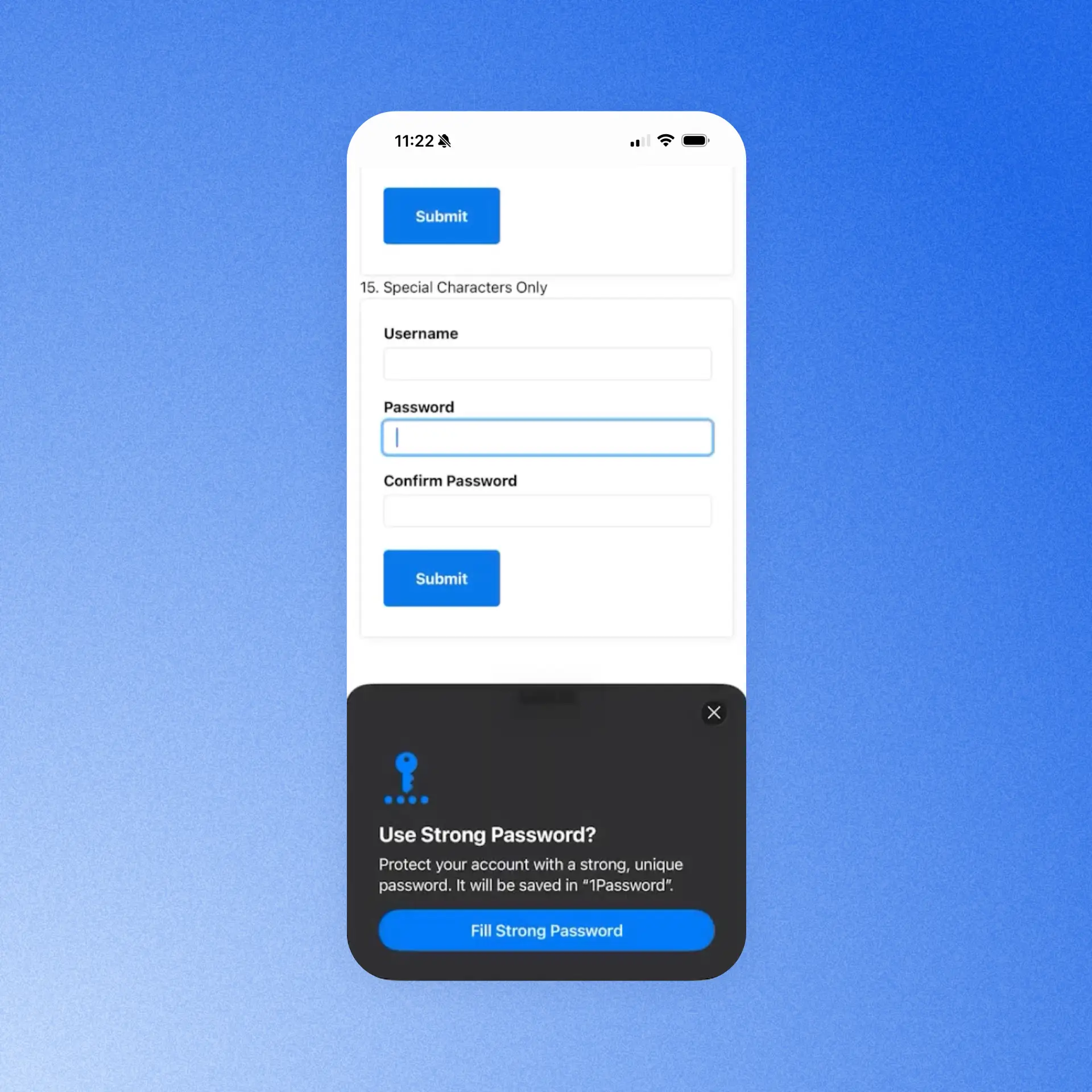
Save and generate passwords in iOS 26.2
The password creation experience on iPhone and iPad should happen at the exact moment you need it, especially when you’re signing up for a new account. With this update, 1Password shows up natively in Safari and other iOS-native apps so you can generate and save a strong password right in the account creation flow, without leaving what you're doing. This makes it easier to capture credentials when they’re created and keeps account setup uninterrupted.
Autofill health check for iOS
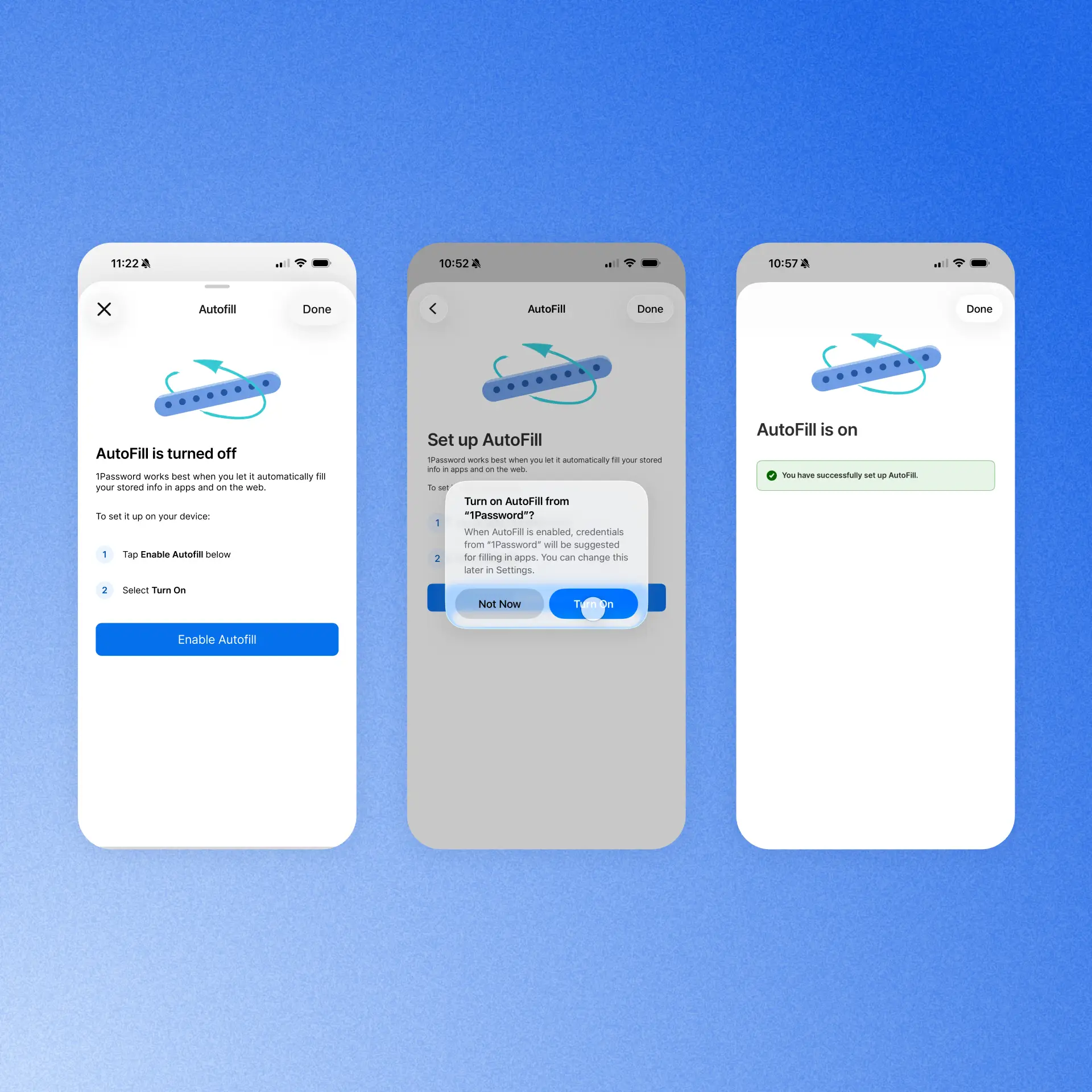
The reliability of iOS autofill depends on a tangle of systems, and when there’s a problem with one, it's rarely obvious what's broken or how to fix it. So we built clear guidance that checks the autofill setup for you and deep-links straight to the exact setting that may need attention. That way, you can gauge if everything is configured correctly for autofill to work properly.
Data ownership and migration improvements
Transitions can be tough, and whether you’re moving to 1Password from another provider, or there’s been a change in the status of a shared account, you need access to your sensitive data with no interruptions.
Import your passwords (Business accounts)
We are making migrating from another password manager much smoother for our Enterprise Password Manager customers across Teams Starter Pack and Business accounts. A dedicated "import your passwords" step in an employee’s Guided Setup flow gives team members a clear, in-context nudge to bring over their existing credentials as they set up 1Password. Admins of Business accounts can control whether the step appears for their employees or not via a new policy, reducing the migration burden and getting teams to use and see the value of 1Password faster.

Data ownership and retention (Families accounts)
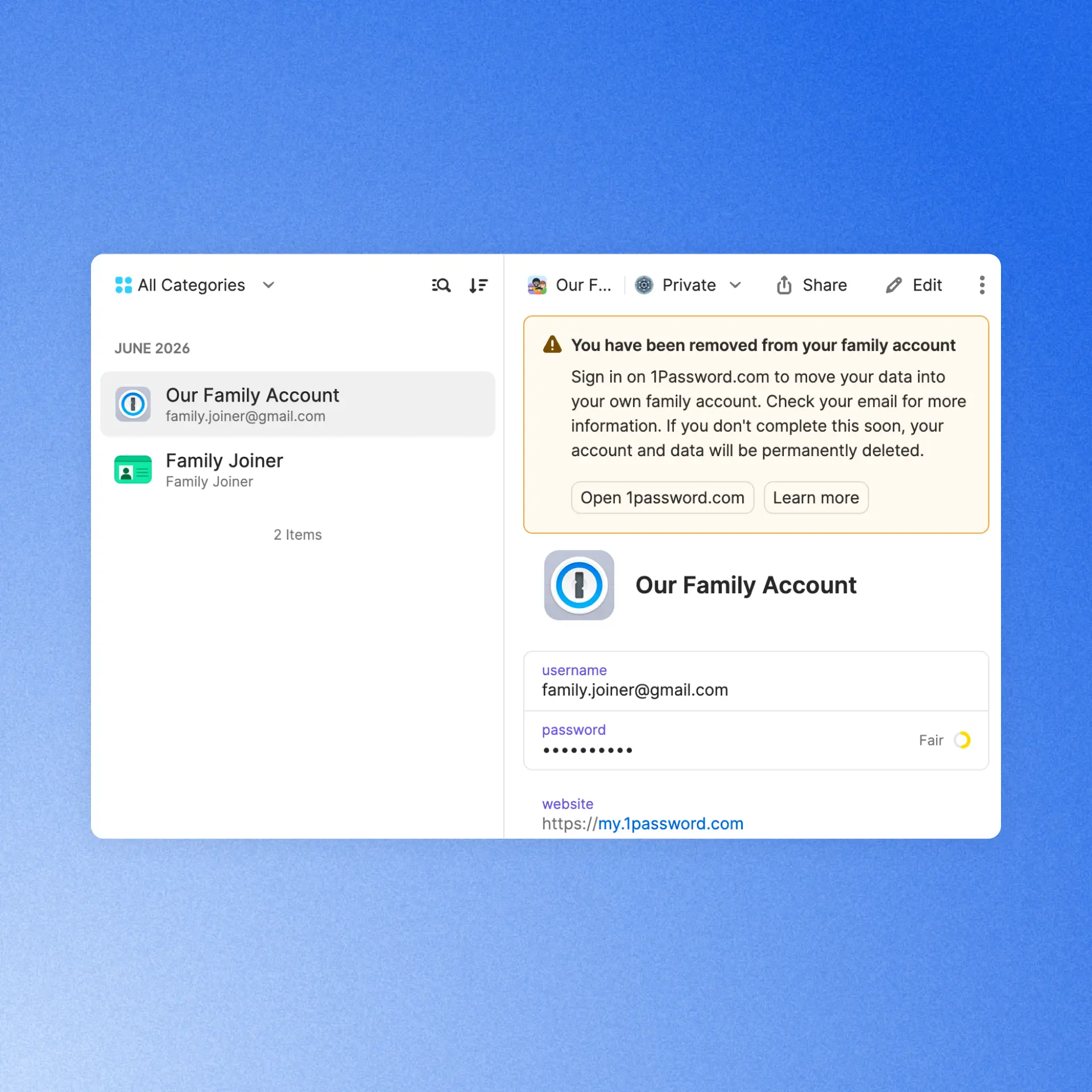
Members of a 1Password Families account are able to leave the account at any time. If they are removed from the account, they’ll now automatically receive an email and in-app notification guiding them through the process of moving to a standalone 1Password account. This ensures they retain access to their private data and experience a safe, seamless transition.
(Even more) secure by design
Naturally, as a security company, we’re constantly working to maintain and improve the safety of our products. These updates are designed to do just that, without adding friction for users or admins.
Phishing prevention updates
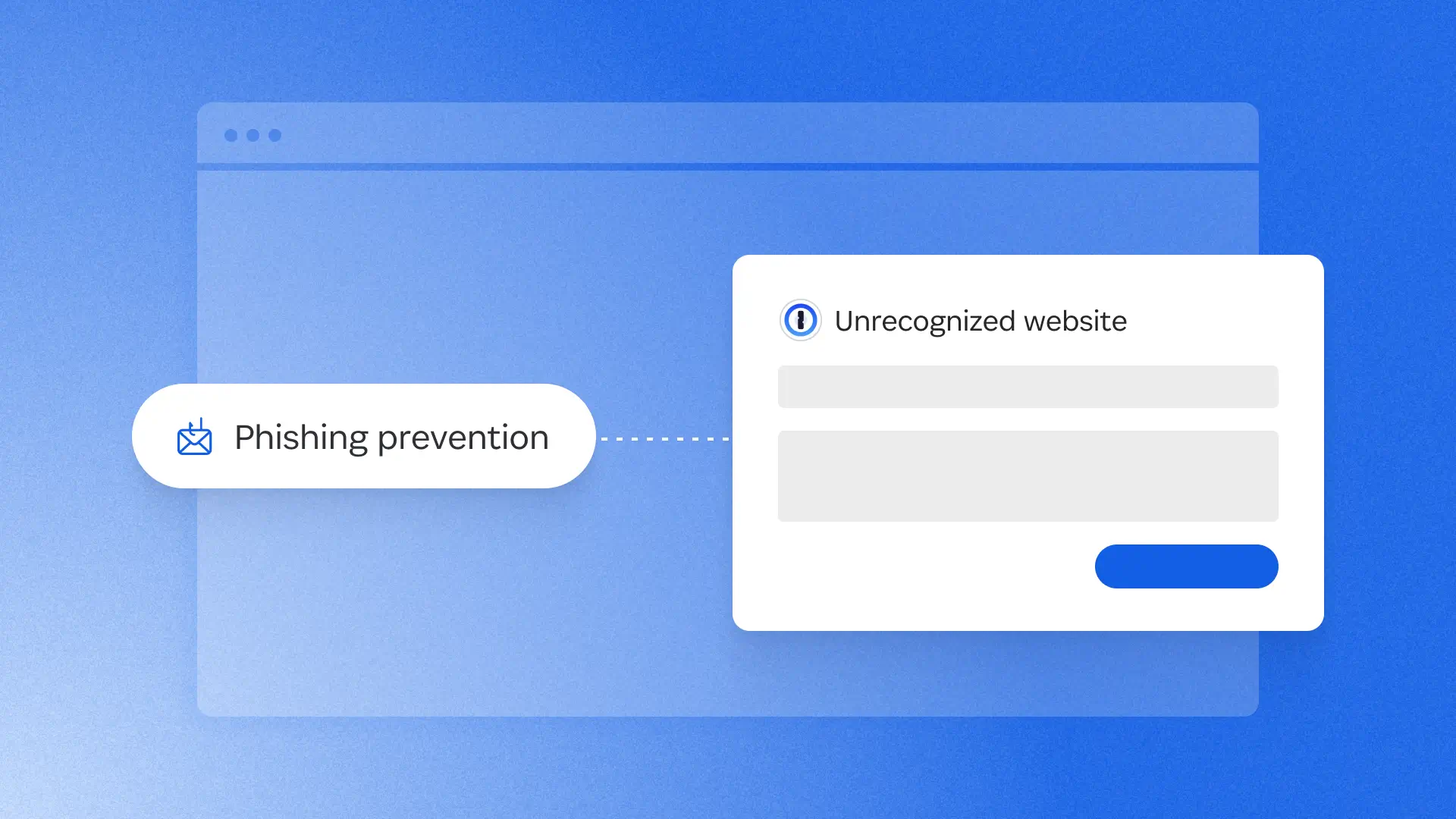
In January, we shipped a phishing prevention feature that alerted users if they were about to enter their credentials into an unrecognized site. Now, we’ve redesigned that experience with a smoother UI and a smarter risk assessment system. The feature now checks the current site against a curated, proprietary, and growing list of 50,000 verified URLs. It warns users about unknown sites and affirms the safety of trusted ones, so the URL can be added to an item for seamless future sign-ins. This gives users clearer, more actionable information to protect against social engineering attacks.

Improved default unlock settings (business accounts)
New and existing 1Password Business customers now benefit from updated default unlock settings and a more streamlined sign-in experience. These defaults make it easier to balance security and convenience from day one, while admins still have the flexibility to customize unlock and auto-lock policies to meet their organization’s needs. If you use 1Password Individual or Families at home, you’ll find these improved default unlock settings there, too.

Enforce work-domain sign-ins with MDM (business accounts)
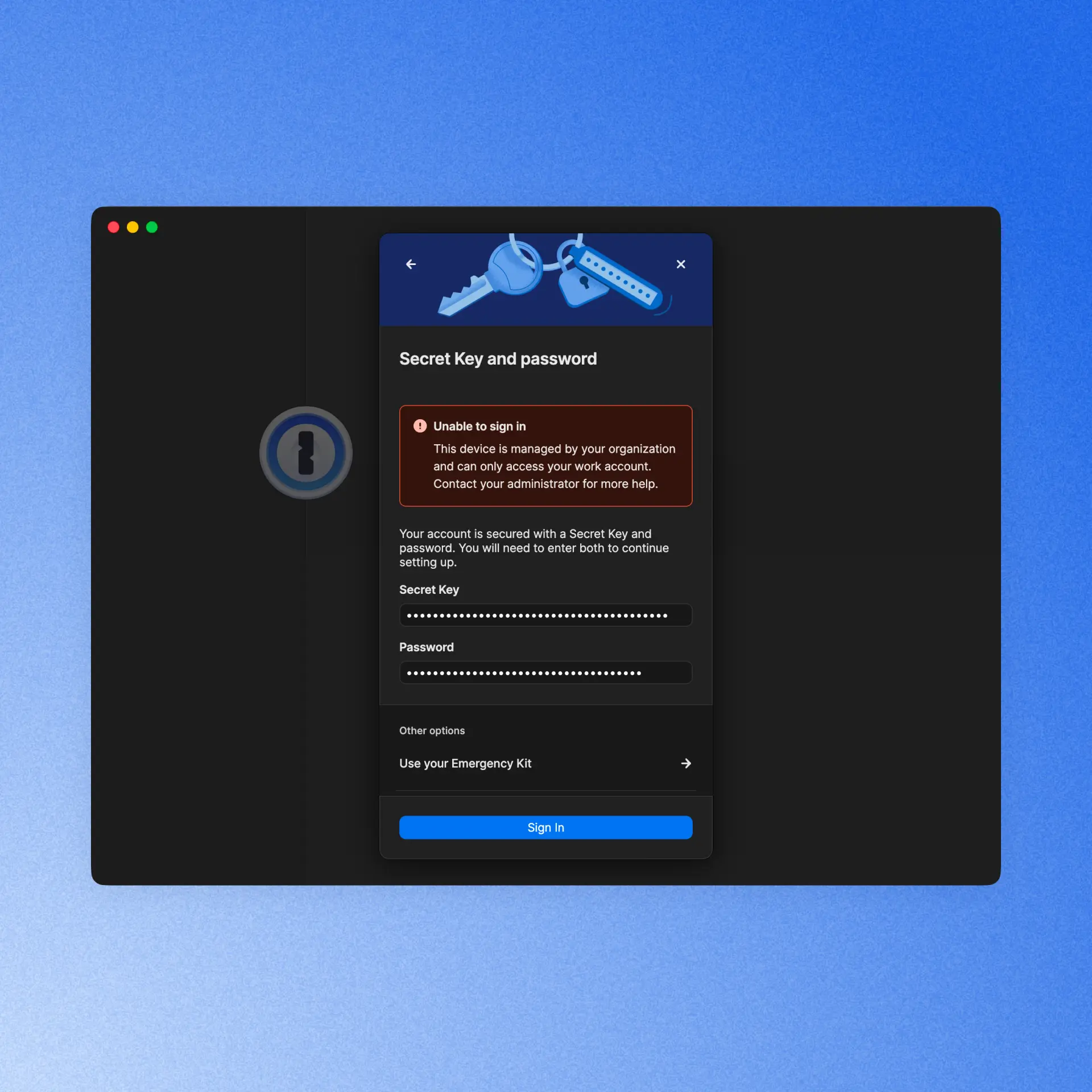
Admins who rely on MDM policies to restrict sign-ins on managed devices to their organization’s domains can now trust that enforcement holds across every authentication method and sign-in flow. We've closed the gaps in edge cases like SSO, Found Accounts, and QR sign-in flows so no path accidentally bypasses the restriction, giving IT full confidence that personal accounts stay off corporate managed devices.
Developer updates
In case you missed it, we just launched two major releases that make it easier for developers to work securely, without friction. Even if you’re not a professional dev and you just do a little vibe-coding as a hobby, you’ll want to make these part of your 1Password experience.
1Password Environments
Many developers use .env files to store and easily access credentials while they’re working. But the convenience of this method has always come with a major security tradeoff, until now. 1Password Environments gives developers a secure place to store, share, and use the secrets behind apps, services, automations, and AI-assisted workflows. You can import your existing .env files, so you keep the convenience, but stop storing plaintext credentials on your hard drive, within easy reach of bad actors.
Developer Watchtower
1Password users already know and love our Watchtower feature, which alerts users when it discovers a weak, reused, or exposed credential. Now, Developer Watchtower delivers insights tailored to devs. It identifies plaintext developer credentials like SSH keys and .env files on devices, and guides users to import them into 1Password.
Reliability Improvements
We’ve continued improving the overall 1Password experience with reliability enhancements across the product. Here are a few highlights:
[In Beta] Have you ever accidentally saved the password to a new account, but left the username field blank? It can make logging back into that account more difficult, so we built safeguards that stop users when they’re trying to autofill or autosave a login with no username. When that happens, an alert now appears that warns the user of what they’re doing and prompts them to autofill/autosave a username.
1Password for Android now tracks credential submissions over a multi-screen session and offers to save those credentials in 1Password.
We’ve improved the responsiveness of the 1Password Safari extension, so unlocking, autofilling, and interacting with 1Password feels faster and smoother as you browse the web on Mac.
[In Beta] We now offer Secret Key protection to prevent you from pasting your secret key in websites that aren’t 1password.com.
1Password now supports user verification for passkeys. When a site requires an additional security check, 1Password prompts you to verify your identity before signing you in. Available when the 1Password browser extension is connected to the desktop app.
2026-08-27, 00:00

At 1Password, we started expanding our use of AI with a familiar IT playbook. We identified the problems we wanted to solve and the tools that could help us achieve those goals. The plan was straightforward: enable teams, move quickly, learn what worked, and build the visibility needed to manage the cost.
Then the operating model changed. AI vendors introduced consumption-based pricing faster than our processes could keep up, leaving us with a distributed system of vendor-specific dashboards to track and manage our AI use.
For IT, that created a new kind of chaos when it came to understanding how much we were spending on AI and where that budget was being used throughout the company. We had data spread across systems, but we didn’t yet have a clear, shared answer.
How IT teams can govern AI use
IT teams are close to the tools and access patterns that shape AI usage. That gives IT an important role in AI spend decisions, and is no small part of why AI governance can become framed as an IT mandate. Budget and model decisions belong with the leaders who set business and engineering priorities, while IT’s role is to provide the context those leaders need.
In the face of the changing nature of AI governance, IT teams should focus on finding ways to make AI spend explainable, to give the company a more useful basis for making decisions.
Visibility changes the conversation
Previously, 1Password’s IT team could see activity in individual vendor consoles, but each view covered only part of the picture. We spent too much time moving between systems and interpreting different definitions. By the time we exported data from one tool and combined it with another, the result was already out of date.
When we started using AI Spend and Consumption Management in 1Password SaaS Manager, it felt like a breath of fresh air. We now had a shared view of AI usage and spend across vendors and teams, with detailed insights on users and models, meaning that we could better understand our budget and burn-rate context. The view was immediately more useful than working through disconnected dashboards.
The biggest change was the quality of the questions we could ask. For instance, when we saw an increase in spend, we could ask whether it was expected. Was a team working toward a product release? Has someone started a new project? Was a more expensive model being used by default? Was the activity legitimate, or did it require intervention?
Before we started using AI Spend and Consumption Management, every one of those questions would have started with a search across various systems. With better visibility, the search became an investigation with a starting point that gave us the context we needed to make informed decisions.
The organization defines the operating model
We learned very quickly that visibility is just the beginning. We needed to formally define how AI governance would work for our team.
AI vendors measure consumption on their own terms, with no uniform system across offerings. One vendor may report usage through credits, while another reports more directly in tokens or dollars. The controls used to manage that usage and spend can be similarly varied, from detailed administrative settings to only broad account-level controls. All of this makes it difficult for IT teams to apply a consistent approach across their organization. If we let each tool define our processes and rules, governance inherently becomes inconsistent.
At 1Password, we recognized that we needed to establish our own approach to governing AI use. That process began with answering strategic questions that couldn’t be dictated by the AI tools themselves. Those questions included:
Which tools can different teams use?
Which use cases require additional review?
What data can employees share within AI tools?
Who approves a new model?
What happens when spending increases unexpectedly?
Who decides whether a team should receive more AI budget?
The answers to these questions should inform policies and processes that reflect an organization’s priorities on how to govern AI consumption and use.
From there, a policy cannot live in a document while every vendor is configured differently. For IT, that means building a repeatable way to turn policy into action through controls, approvals, alerts, reviews, and escalation paths that people can use in practice.
Clear ownership across departments and teams is critical for AI spend management. For instance:
IT will likely own the systems and implementation
Security may define data handling requirements
Finance should own budget oversight
Procurement may review vendor terms
Engineering leaders may set priorities for development tools
This is just one example of how this could work in practice. The key is to ensure that each group understands its role before an AI spend issue appears that needs fast resolution.
We are still working through what that model should look like at 1Password. AI tools and pricing are changing quickly, and no single team can define the answer in isolation. The most vital principle for us is to establish our own processes deliberately, rather than allowing vendor defaults to become the process by accident.
Key steps to manage AI usage
Total spend tells us what the organization paid, but it does not tell us what’s driving those costs. For organizations struggling to manage AI consumption and spend, the most useful advice is to move thoughtfully before AI usage becomes even more difficult to interpret.
Understand your AI inventory
Start by building an inventory of the AI tools in use. This should include enterprise platforms, developer tools, model APIs, aggregators, embedded AI features, and tools employees adopted outside the formal procurement process. The inventory will change over time, but it provides a starting point for understanding the environment.
Give leaders the insights they need
The next step is to decide what information leaders need to make good decisions. Total spend may be useful, but it is rarely enough. Teams need to understand consumption by vendor, team, user, model, and, where possible, project or use case.
Chart accountability
Next, define decision rights. Who approves a new tool? Who sets a team’s budget? Who investigates a spend surge? Who decides whether a model is appropriate for a particular type of work? Clear answers will help the organization respond quickly when usage or costs change.
Formalize governance processes
Before configuring individual tools, IT teams need to establish governance principles . Define how the organization thinks about approved tools, sensitive data, model selection, spending limits, and escalation. Then apply those principles as consistently as the vendors allow.
Establish a review cadence
Finally, create a feedback loop by reviewing consumption regularly. Identify unexpected changes and share useful context with the teams using the tools. Then update the process as the organization learns.
Overall, the goal is to create a thoughtful operating model that can improve as usage changes, not design a perfect governance model on the first attempt.
From adoption to accountability
At 1Password, we are still learning what effective AI governance looks like for our organization. We do not have every answer yet, and we do not expect the environment to settle quickly. What has become clear is that visibility needs to come first.
A shared view helps the organization ask better questions. IT can see what is happening and leaders can make more informed decisions, so that governance can become part of everyday work.
At 1Password, using our own product internally has helped us move in that direction. AI Spend and Consumption Management in 1Password SaaS Manager gives us a shared starting point for understanding usage, and provides better information for deciding what our organization should do.
That is the role IT can play as AI becomes part of everyday work: create visibility, help define a consistent process, and give the entire organization the information it needs to move with confidence.
Learn more
1Password's ebook, *A practical guide for AI spend management* provides an actionable approach to managing AI spend.
Read the guideDiscover the solution
Learn more about how 1Password can help your organization proactively manage AI costs.
Explore AI spend management2026-08-27, 00:00
Early on in the AI adoption boom, I gained a reputation for just throwing everything at it to see what would stick. That wasn’t the most effective strategy, and my token usage was crazy high. There are a ton of talks and posts on all the cool ways you can use AI for detection engineering, but I didn’t see any that showed you where to begin.

So, this isn’t another blog about why you need to use AI in your defensive workflows. It seems most people understand why we need that. My focus is to show how our team got started and realized that providing AI with the necessary context is key to detection engineering successfully adopting AI.
This is not just about building detection logic, but that is one of the goals. This foundation helps create the AI Detection Engineering stack: logging pipelines, log onboarding, detection validation, threat modeling, and more.
An LLM does not know your stack, so out of the box it has limited value in a security review. In our experience, reliable results depend less on the fanciest model and more on the documentation and context around the workflow. If a human reads your log inventory and still has to ask three people what the ingestion method is, your agent does too.
Why cold prompting fails
When we first started using AI tooling, we realized prompts alone could get stuff done, but the output was inconsistent. Fields were missed, assumptions were made, and some detection logic was wrong. We saw it write queries that would not work in our SIEM. Usually these were around wildcards. The playbooks it wrote were generic, the tuning was poor, and some detections were just bad.
With enough re-prompting, the output would improve, but it always required some massaging. The effort invested in the agent inputs had a noticeable impact on the quality of the outputs. TL;DR: garbage in, garbage out.
Where our context came from
At the start, this was just internal documentation we built to make our own lives easier. It started with new-hire materials about where logs live, who owns each tool, and what needs protection. That is the bar. If you would hand it to a new hire on day one, it is good enough to onboard the AI (I fear saying this a bit, knowing onboarding isn’t always the best). Just like an intern, if you neglect to set the context, your agent will guess and hand you something that looks right, but isn’t aligned to the team’s actual goals.
So every artifact below gets judged against that one test.
All of these documents are dual-use. Humans read them, and agents read them. Once again, think of this like onboarding documentation, then modify it to your agents’ needs. The better the data, the better the context, the better the outcome for your agents.
The good news is AI can help you make these with a read-only access key. The bad news is you are going to have to read and edit some slop.
I ordered these roughly by what to do first. If you have two hours this week, start at the top.
Context inventories and libraries
Log inventory — what, how, where, format
Start with this. A basic log inventory needs a name, category, priority, and owner. It gets more complicated with ingestion methods, vendor or internal contacts, and, to go one step further, detailed notes on what the logs provide.

We always include external resources. Blogs, vendor documentation, anything else that will help get someone up to speed on what is being provided. This part does more work than you would think. When an agent has the vendor documentation for a log source, it stops guessing at field names.
An agent with a real log inventory can tell you whether a detection idea is even possible before you write a line of logic. That alone is worth the afternoon.
Detection library — centralized, mapped, and tagged
Creating a single point for all your EDR, SIEM, and CNAPP detections can be hard, but it helps answer that age-old question. Can we detect that?

This will require some normalization because not all security tools save the same data. You'll want ATT&CK tagging, log source, and in some cases, origin if you're tracking where the detection ideas came from. Some fields you will need for metrics are “Date Created”, “Date Modified”, and “Dates Tested”. Believe it or not, not all companies track the “Date Modified” field.
The last big part is having a description and/or playbook for the detection. Depending on the tool, some limit the number of characters you can put in a description. Our team uses a modified version of the Alerting and Detection Strategies Framework. This gives us a clear understanding of every detection and the next steps for triage when it fires.
Having a structured output format defined is also why an agent can generate consistent, high-quality playbooks for us now.
Tool inventory — who owns what, contact info
These are the tools you'll use to investigate, but you'll also want the tools your counterpart teams use: EDR, SIEM, CNAPP, as well as ticketing, inventory, or internal knowledge sources. These will also include contact information and resources.
Without this, every playbook an agent writes would lead to a dead end. It knows what to do but has no idea where to go to do it.
Company/entity profile — crown jewels, VIPs, locations, and possible attack paths
This is how we tell our agents what is critical to us.
Crown jewels, VIP accounts, office locations, and the attack paths are what actually matter for our environment. This context turns a generic severity rating into a significant one. An agent triaging an alert on a production secrets service should not treat it the same as a hit on a test box. The only way it knows the difference is if you wrote it down.
Team charters — scopes, ownership boundaries, and the tools they use
This data helps us know who does what and with what. It is vital to building out playbooks and knowing who to escalate to. Scopes, ownership boundaries, and the tools each team uses help you or the AI make those decisions quickly.
We already had these because we needed them for humans. Turns out an agent building an incident response playbook needs the exact same thing.
Infra and log pipelines as code — parsing, normalization, schema
We currently have our security tooling and cloud infrastructure configured as infrastructure as code. This takes the longest but pays off the most. If your parsing, normalization, and schema live in code, it can become more context for your agent.
Once it can read how a log source is currently parsed and normalized, it can write the next one. It matches your existing patterns instead of inventing new ones; it uses your real field names, and the output goes through the same review as anything else in the repository. Our ingest pipeline work went from a multi-day task to about an hour.
If you do not have this as code yet, that is fine. Document the schema and the naming conventions in plain text and start there. Even a written schema beats nothing.
What we built on top of it
We store all our skills, agents, hooks, and MCP servers in a custom plug-in repository. This creates consistency across the team's work and enforces change control. We have three primary focus areas for our agents: logging, detection, and knowledge transfer.
Logging
On the logging side, we built skills to log knowledge and provide context not just on what we are logging, but how it's logged and enriched.
We have a skill that stands up a full log ingestion pipeline: an S3 bucket, a collector Lambda that polls the vendor API, a forwarder into the SIEM, CloudWatch monitoring, and a PR at the end. It writes the handler, the Terraform, the README, and the PR body, then wires the new pipeline into the existing monitoring stack. Logging is where the gap analysis lives too, comparing the log inventory against the tool inventory and our knowledge bases to find what we are blind to in logging and detections.
Detection
On the detection side, we have MCP access to our detection tooling. When a new log is onboarded, we run a threat modeling agent to verify and suggest new detections. This can be passed off to our detection engineering agent, which can then create a detection in the targeted tool. It verifies we have logging, checks for detection overlap, and looks for false positives. Once done, it creates a pull request designed to be easily verified. The pull request includes the logic it used, hyperlinks straight into the SIEM query, and a basic description of its work.
Knowledge transfer
Knowledge transfer is the one people skip. Documentation, normalization, and schema creation. It is the least fun of the three, but it's why the other two keep working. The easy one is building something to write your detection descriptions. We have several agents that look for future work around logging or configuration changes.
Notice that none of these agents are doing anything crazy. Each is a thin wrapper around documentation we already had.
Security considerations
A few things to think about before you go feed your entire security program into a chat window. Not every platform is safe for internal data. Know what you are agreeing to, where the data lands, whether it is retained, and whether it trains publicly accessible models. Some of these documents map exactly what you protect and how you monitor it. Keep your company secrets safe by only using approved and appropriate AI tooling.
Remember to use least privilege. Prompt injection is real, and untrusted content can carry instructions; in our world, untrusted content is the whole job. Alert bodies, email samples, file names, ticket comments. If an agent reads attacker-controlled text and also has write access somewhere, you have a problem. Scope your MCP permissions like you would scope a service account, because that is what it is.
Do not trust the output. It can look completely right and be wrong. Validate before you ship. Every detection an agent writes still goes through the same review and testing as a human-written detection. The point is to speed up the boring parts, not skip the review.
What context do you already have?
Document what you have before you automate what you do not. The work is boring and front-loaded.
You have two options here. You can be me in 2025, throwing everything at the model to see what sticks, burning tokens, and getting output that is okay. It works. It gets you there. It just costs you a lot of back-end massaging, and you never quite trust what comes out. Or you can spend a couple of weeks writing down what you already know about your own environment and get results you will actually ship, in a fraction of the time.
If you want a first move for this week, pick one log source and document it end to end. Name, owner, ingestion method, which fields it actually provides, which parsing it goes through, and one link to the vendor doc. Then ask your AI tool a real question about it and compare that answer to what you got before.
That difference in what you wrote and the AI wrote is the whole reason to do this.
Automate secret references with the 1Password CLI
The 1Password CLI can reference approved secrets from scripts and automation without pasting plaintext credentials into prompts or source code. Connect secure secret management to detection engineering workflows with our free developer tools.
Explore the 1Password CLI2026-08-26, 00:00
As a company grows, more employees join, but the size of the IT team overseeing critical systems often doesn’t grow at the same pace. Admins have to be intentional about prioritizing their efforts to meet the needs of a growing organization. That’s why we’re excited to announce several releases aimed at helping admins optimize their organization’s use of 1Password in two important areas: reducing lockouts and automating provisioning at scale.
Preventing avoidable lockouts
Entra ID Secret Expiration
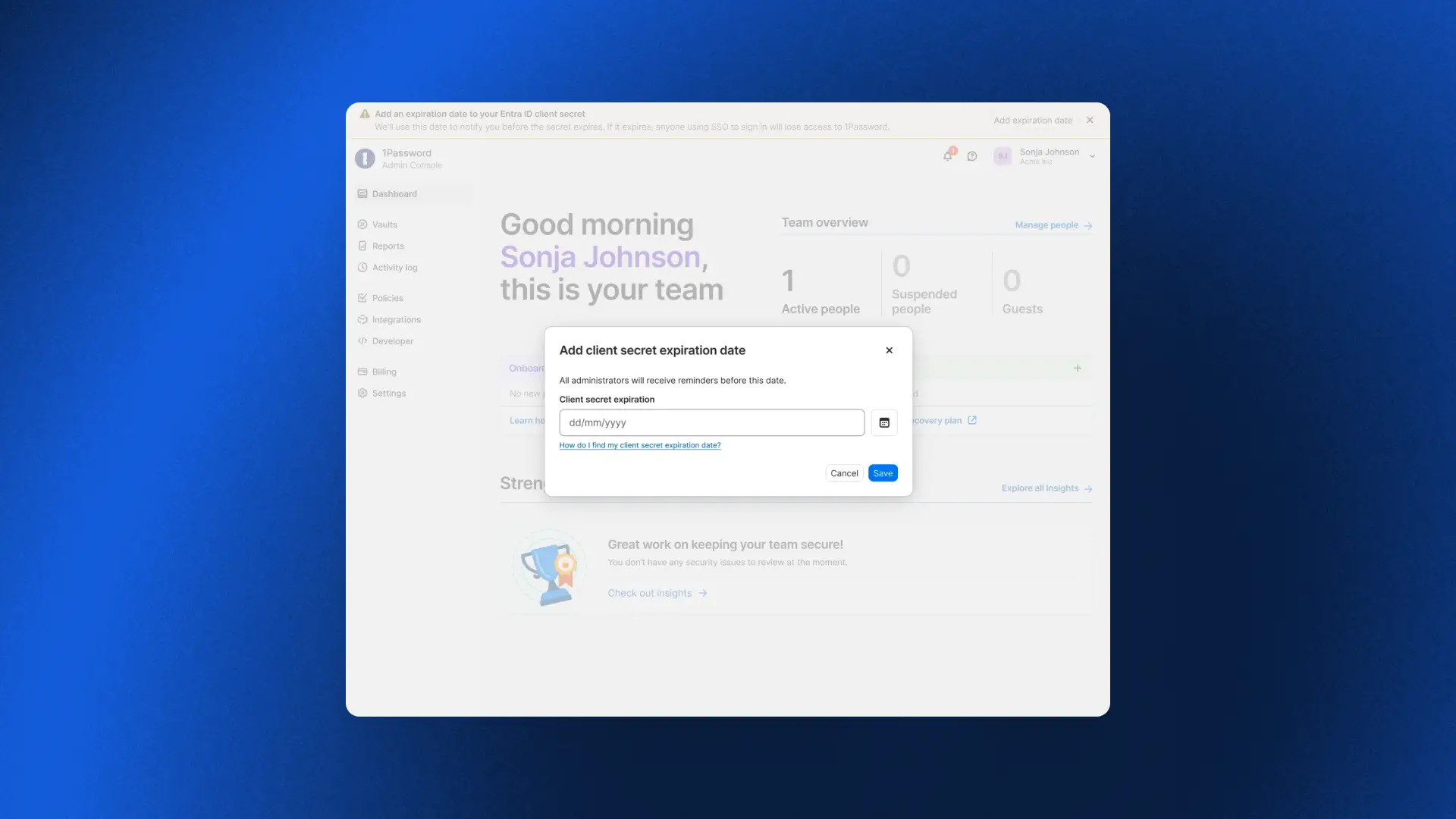
Most 1Password Business accounts sign in via SSO through an identity provider like Microsoft Entra ID. Admins rely on a secret provisioned by Entra to establish connectivity with 1Password. However, it comes with an expiration date. Once it expires, the connection breaks, preventing anyone from signing in. This was one of the most common and disruptive patterns we’d observe with customers.
Entra ID Secret Expiration now tracks it for you. Simply record the expiration date, and 1Password will send escalating reminders across in-app banners, emails, and login prompts at a fixed cadence (e.g., 90/60/30 days). Once it’s time to rotate the secret, follow the guided flow in the Admin Console, confirm it’s working as intended, and the countdown resets automatically. A predictable secret expiration date should never become an outage, and now it doesn't have to.
Standing up new parts of the business quickly
Multi-Tenancy and Automated Provisioning integration
Earlier this year we released Multi-Tenancy and Automated Provisioning, hosted by 1Password, two critical features for admins to manage provisioning, deprovisioning, and parent/child accounts at scale. Now admins can use these features in tandem, so enterprises with multi-tenant setups can take advantage of Automated Provisioning.
To get started, check out our detailed documentation for setting up the Multi-Tenancy and Automated Provisioning integration
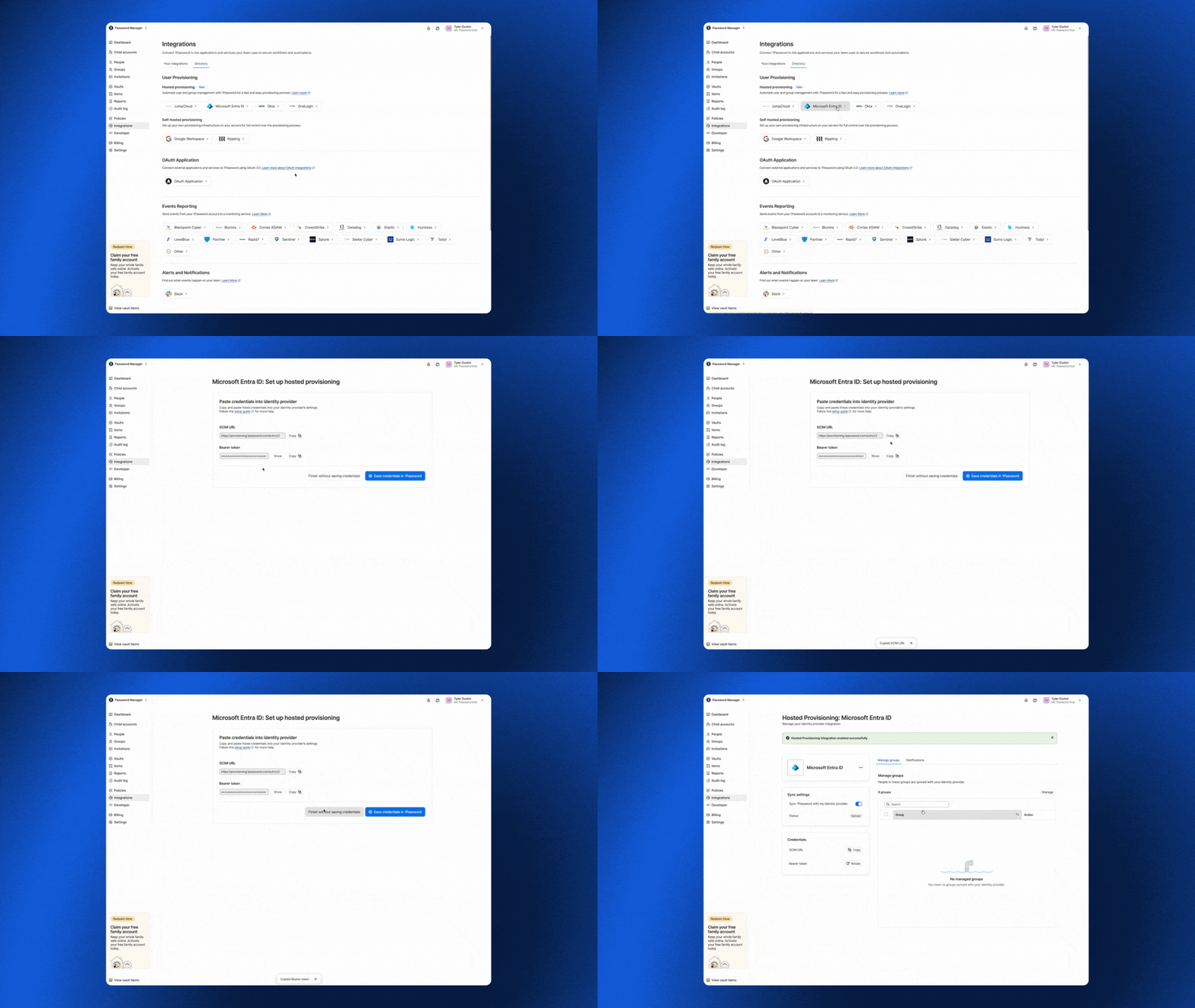
To get started, check out our detailed documentation for setting up the Multi-Tenancy and Automated Provisioning integration.
Vault migrations
With multi-tenancy, enterprises link multiple 1Password accounts under a parent account to mirror how the business is actually organized, whether by subsidiary, region, or acquisition. But linking a child account is only the first step. It still needs the right shared vaults, and until now the only way to populate them was to recreate each vault by hand. Vault Migrations removes that work. An admin can copy a vault from the parent account to one or more child accounts in a single workflow, so newly linked accounts are ready to use from day one.
Because 1Password is end-to-end encrypted, each vault is re-encrypted in your browser with the destination child account’s key before it is uploaded. Our servers never see your data in plaintext, and the vault key is never exposed unencrypted. Each migration creates a copy rather than a synchronized vault, preserving the security boundary between linked accounts. Access is reset to a secure default so admins can deliberately assign permissions in the child account, and every migration is recorded in the parent account’s audit log.
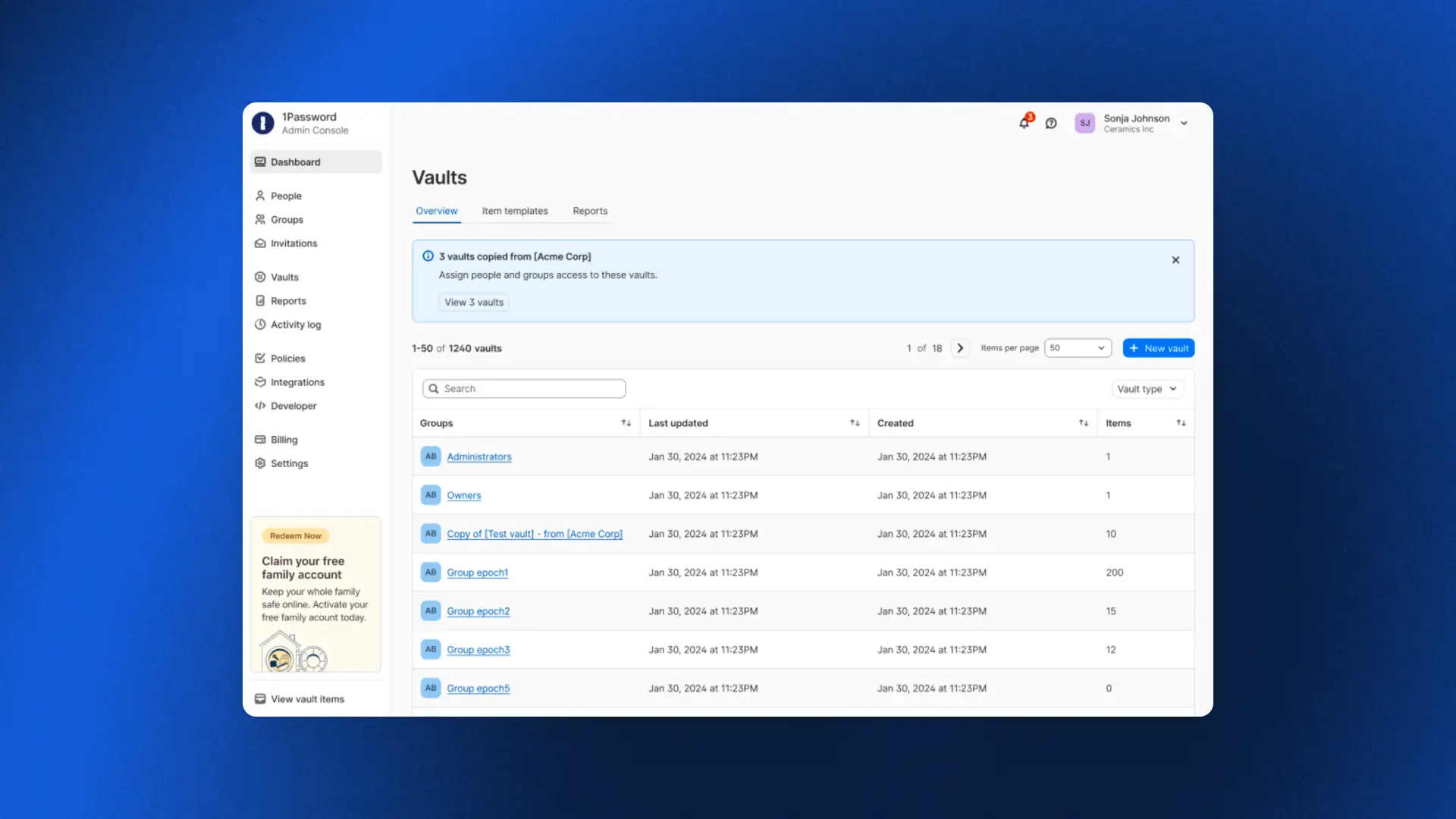
Automated Provisioning for MSPs
For MSPs, standing up provisioning for every new client has traditionally meant painstaking manual work. As one MSP shared: "If we can connect to their identity provider so that we don't have to provision accounts manually, that changes everything."
Automated Provisioning, hosted by 1Password, does exactly that. MSPs can connect an identity provider to any client in minutes, with users created, updated, and deprovisioned automatically across every managed tenant as clients grow and change. No infrastructure to deploy, no bridge to maintain, and no manual work in between.
One admin who tried it put it simply: "We were done in about five minutes. We set everything up from scratch, added the integration in Okta, and it worked immediately."
To get started, check out our detailed documentation for setting up automated provisioning for your managed company instances.
Final thoughts
What these releases add up to is peace of mind.
For an enterprise, it means fewer lockouts and improved efficiency. For an MSP, it means onboarding a new client in minutes. And whether you run one organization or a hundred, the team overseeing it doesn’t have to scramble to keep up with growth, because the platform now carries more of the operational burden without compromising the security model.
2026-08-25, 00:00
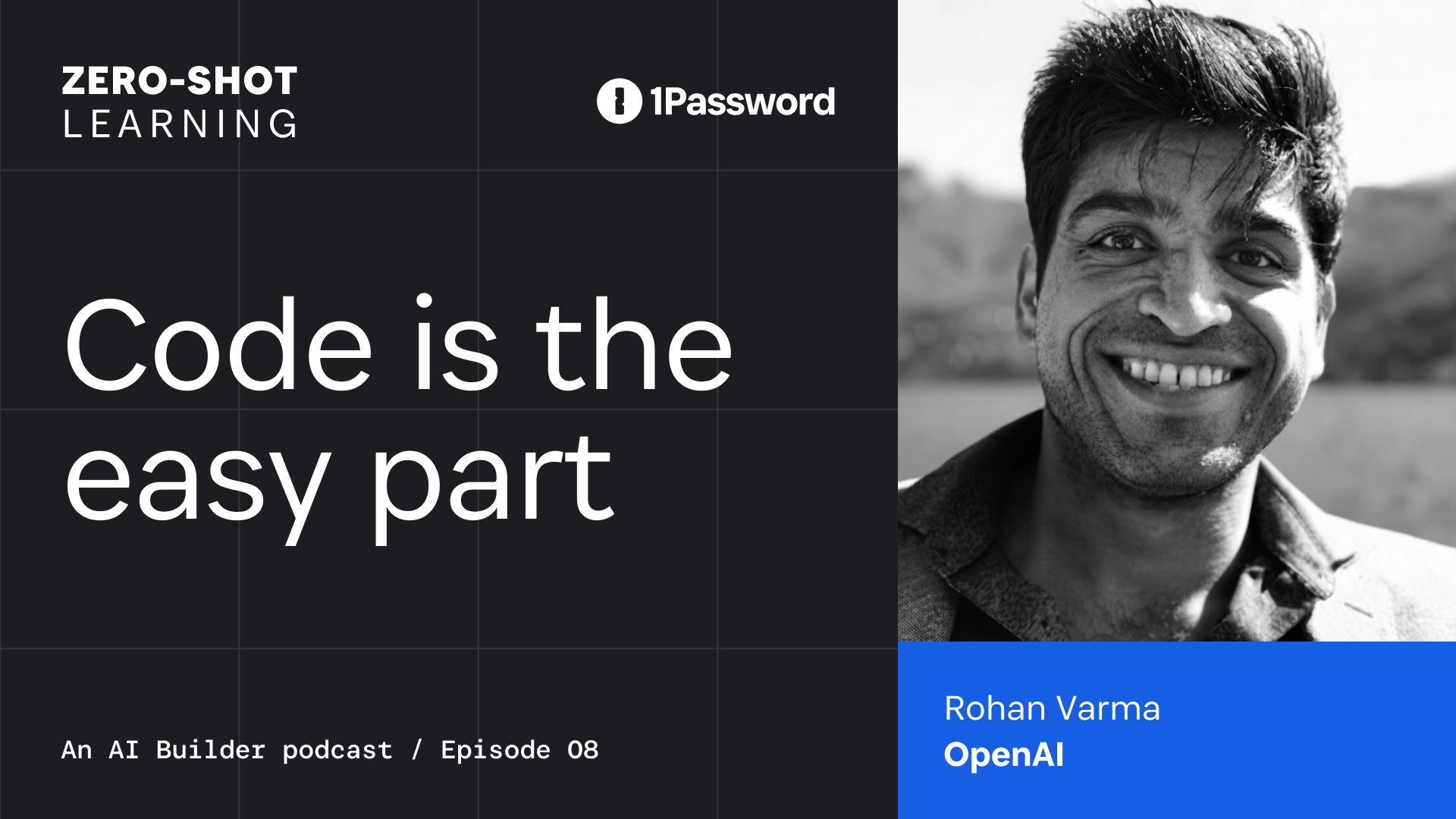
In this episode, Rohan Varma, Product Lead for Codex at OpenAI, described what happens when teams move from using agents for one-off tasks to enabling autonomous coworkers. Having worked on AI coding products at Cursor and OpenAI, Ro understands what people need to work effectively with agents and what agents need to work effectively with people.
What makes a good (agentic) coworker?
With any coworker, collaboration works best when everyone is working from the same context, toward a shared goal.
Human coworkers are accustomed to working toward shared goals. With proper context and resources, they can divide work without losing sight of how their contribution affects the team.
The difference between teams of people and agents is that people don’t need to be told how to remember things. Everything they do carries historical context. When a team works together, their shared knowledge expands exponentially.
Agents work within context windows, a temporary working memory that fills as a task continues. When the window is full, the system has to summarize the work without losing decisions and constraints that could cause the agent to miss crucial directives.
State is a fundamental building block for making an agent feel more like a coworker. Without memory, every time you prompt an agent, it's kind of like its first day on planet Earth.” –Rohan Varma, Codex Product Lead, OpenAI
To be a useful long-term collaborator, an agent’s memory has to exist outside its context window. The system has to preserve the work durably to understand which files were changed, which decisions were made, which results were gathered, and which tasks are yet to be completed. That shared state lets one agent resume a task, another pick it up, and gives a person a log to review to understand what happened when a run fails or loses context.
Filesystems give agents a place to store that context and support agent teams.
Another thing human coworkers bring is perspective. Memory helps an agent recall its directive, but it also needs to adapt to the person it works with. Some users want an agent that provides answers and makes plans. Others want one that asks questions and critiques their logic. According to Ro, to be a helpful coworker, an agent must be “steerable” and make it easy for the user to understand its output.
How do you safely hand off work to an agent?
One of AI’s most enticing promises is to take undesirable work off our plates. For Ro, that’s spending less time on call and more time focused on product development. As Jeff Wang, CEO of Business Development at Cognition, said in a previous episode, we should let AI do the work nobody wants.
To offload work safely, the system has to place the agent in the right environment, provide the tools and credentials it needs, initiate work with the appropriate trigger, and verify it is doing the right thing.
These agents are basically as useful as they have access to your systems and as permissive as you make them.” –Rohan Varma, Codex Product Lead, OpenAI
For human and non-human identities alike, limited access is a blocker, whileover-permissioned access creates security problems. Safe delegation requires giving an agent enough authority to act, with access scoped to the task and tied to an identity the team can monitor.
At OpenAI, Rohan’s team uses Codex to automate software updates. A pull request comment or CI failure triggers a new job for Codex. Tests and artifacts of its work show the team whether the change is ready to deploy. Then the agent reports progress, returns a result, and asks for help when it reaches a boundary.
When the team receives those alerts, they ask whether the agent did the right thing and whether the action is authorized.
Nancy explores the trust architecture behind this access governance model in ”Verified loops: Building AI agent trust and accountability,” which explains how controlled tools, visible evidence, and bounded permissions can let agents earn authority.
Bring on the prototypes
In the interview, Nancy and Rohan shared how their teams are changing the product development process with agentic coworkers. Nancy discussed how 1Password developers stopped writing documentation for planned features to evaluate prototypes to inform product decisions.
Ro shared a similar process on the Codex team. Instead of writing a detailed plan before building a feature, the team prototypes it on a branch and explores a working version first.
He described one engineer who built a browser into Codex after realizing the product did not have one. The prototype gave the team something concrete to use, question, and decide whether to develop further.
When agents do the work, what’s distinctly human?
Ro said that he expects that agents will automate more of the routine work of moving information between channels and stakeholders. Writing, in his view, is where people bring unique value to the human-agent co-working relationship. When asked what work he thinks people will retain, he says, “I hope writing is still the thing we do.”
Writing helps a team turn a vague ambition into a goal that people and agents can act on. It makes the outcome clear for people and machines alike, exposes the important questions, and gives everyone something to build toward.
Clear communication gives teams the context they need to evaluate what agents produce. Over time, shared understanding becomes part of the work, connecting past experiences and topical situations to inform organizational decisions.
The more work agents generate, the more important it is for people to clearly communicate their objectives and progress so other teams can work out what’s important, what is safe to handoff to AI, and what tasks need more thorough review. The conversations behind that work can contribute to shared memory that can make an agent that can only manage one-off prompts into a helpful long-term agentic collaborator.
Subscribe to the 1Password Developer newsletter
Stay up to date with the latest 1Password Developer product news, industry insights, and community contributions. Plus, learn best practices for becoming a better, more secure developer – both at work and at home.
Subscribe2026-08-20, 00:00
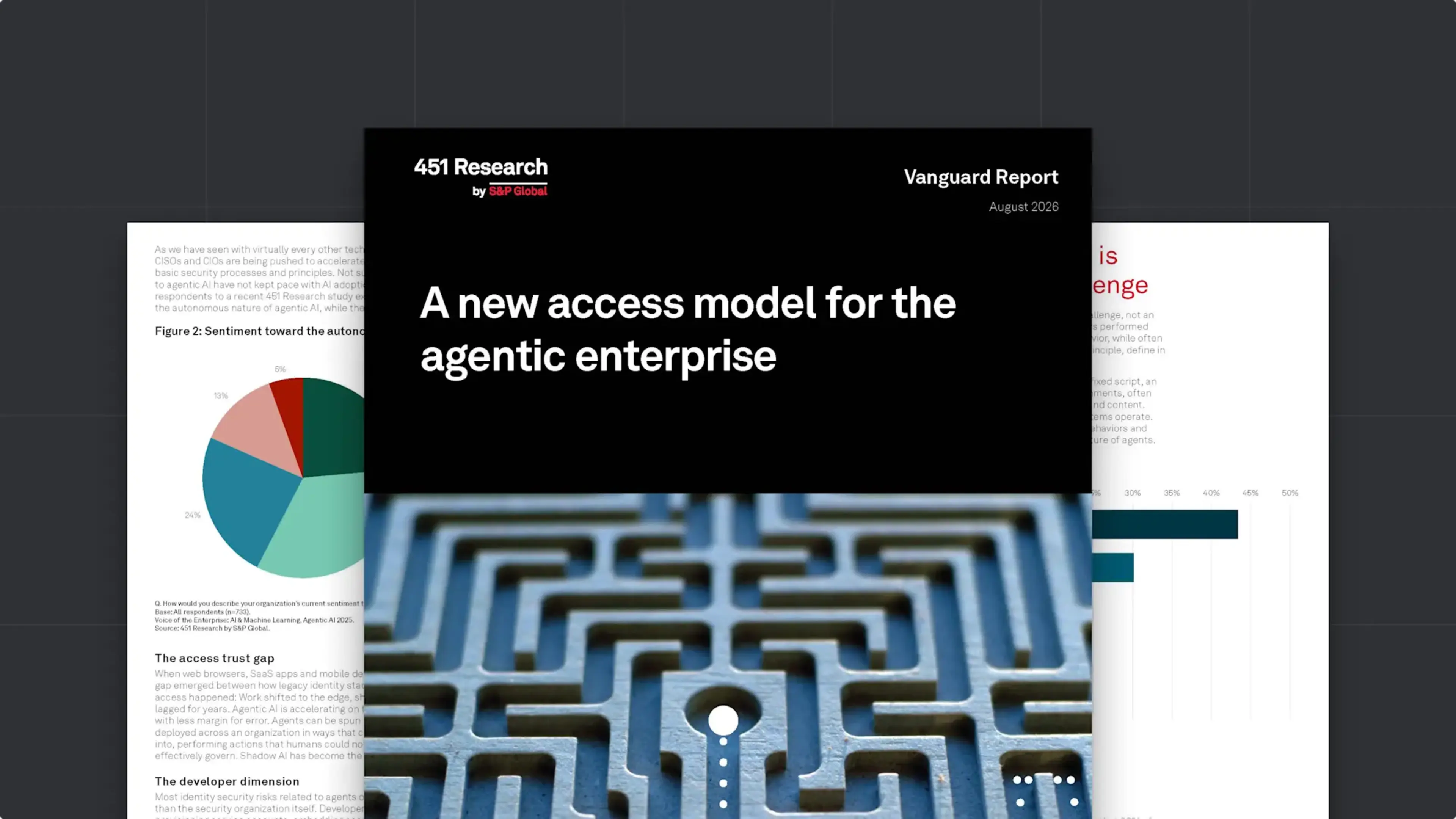
In the short time that AI agents have been a part of the enterprise, they have upended many of our bedrock assumptions about the nature of identity, access, development, and work itself. At 1Password, we’ve been in the trenches of the agentic revolution; we’ve seen its positive impact on productivity, and the serious concerns it raises about security. We’ve worked to build solutions that both harness AI’s potential and rein in its risks, and watched customers and colleagues grapple with the same issues.
In order to better understand how the industry at large is facing the agentic moment, 1Password commissioned a Vanguard Report from 451 Research, titled A new access model for the agentic enterprise. The report describes how agentic AI is redefining access and identity, and lays out what C-level leaders can do to ensure a smooth transition to this new paradigm. Its core recommendations include:
Start with discovery and visibility of AI agents and poorly governed non-human identities (NHIs).
Move to just-in-time credential delivery, rather than static credentials and standing privileges.
Implement guided remediation for developers so they can address NHI and agentic risk without interrupting their workflows.
Ensure full auditability and clear attribution that ties every action to a specific human or agent identity and authorization context.
Read on to explore the report’s findings, or download the full report here.
An expanding identity perimeter, with agents already inside
A new access model for the agentic enterprise begins by establishing that agentic AI is already deeply embedded in the enterprise. 69% of enterprises they surveyed have deployed AI agents, and 90% plan to do so within the next two years (these findings align with 1Password’s own research on agentic adoption).
But while agents became ubiquitous almost overnight, the tools and strategies to secure them have not kept pace. This on its own isn’t unusual; the report reminds readers that this “pattern has repeated with every new technology advance of the past two decades.” Yet AI agents are unique in some crucial ways that set them apart from earlier revolutions in SaaS, cloud computing, and automation.
“What makes agentic AI distinctly challenging to secure is not its scale but its unpredictability. Agents’ non-determinism breaks the core assumption of traditional access policy – that administrators can define in advance what a given identity should and should not do.”
Adding to the complexity are developer workflows, which rely on NHIs like service accounts and API keys. These credentials are often poorly secured – 71% of developers use unsecure methods for handling NHIs – and they exist outside the visibility of IT and Security teams. Vulnerable and compromised NHIs have been a source of risk and friction for years, and that risk is multiplying as AI agents use them to take actions on the backend of corporate systems.
How to redefine access for the agentic enterprise
The next generation of access control has to work for humans, machines, and agents, while accommodating the non-determinism that sets agents apart. As the report explains, traditional IAM and PAM solutions are “structurally inadequate” for this world, and adjusting to it requires nothing less than a paradigm shift.
“The organizations that successfully navigate this transition will treat it as an architectural reset – rethinking identity security from the ground up to govern people, machines, and agents in a unified way, with a single control plane that integrates governance, policy management, and auditing.”
The report lays out a list of “fundamentals” that every organization must get right to meet the challenge of this moment. Among the non-negotiables are:
Visibility into every agent and credential in use, including plaintext secrets embedded in config files and on local disks.
A single system of record for credentials, “spanning human users, service accounts, machine identities, and AI agents.”
Grounding identity security in runtime authority, which means continuously evaluating an identity’s behavior against expected parameters and dynamically enforcing access barriers. (This is particularly crucial for agents, in order to contain the risks of non-determinism.)
Advice for leaders on the agentic security transition
451’s report closes with C-level guidance for managing this transformation on an organization level. It recommends getting cross-functional buy-in from every technical team, since they’re both using agents and responsible for securing them. Likewise, it advises that leaders work to enable developers, and to design governance policies and workflow integrations that “make secure agent provisioning the default, not an additional burden on top of delivery pressure.” This advice is aligned with 1Password’s longstanding commitment to “make the secure path the easy path.” Even in a security landscape undergoing such a profound transformation, that philosophy still holds true.
Want to learn how 1Password is building the future of identity security for humans, machines, and AI agents?
null
Explore 1Password Unified Access2026-08-17, 00:00
The launch of 1Password Enterprise Password Manager – MSP Edition marked a critical step in 1Password’s mission to support our Managed Service Provider (MSP) partnerships. Now, we are pleased to announce that Advisory Solutions, a New York City-based MSP that works with companies worldwide, has reached the Certified Tier in the 1Password Partner program.
1Password's new Certified tier is a milestone we’ve implemented to recognize the investment and success of MSP partners who have reached 1,000 or more managed external users. Advisory Solutions was able to become a Certified Partner by rapidly scaling its 1Password deployment to more than 1,000 managed users. This not only represents their dedication as a partner, but demonstrates that the Certified tier is an achievable milestone for MSPs committed to growing their 1Password practice. We’re excited to see companies like Advisory Solutions further the momentum behind 1Password’s MSP program and embrace the value of participating in it.
The journey to Certified Partner for 1Password MSPs
What does it take for an MSP to work their way up from Authorized to the Certified Tier? Jay Chaudhrey, Director of Business Development at Advisory Solutions, shares some of the key principles that Advisory Solutions followed to operationalize 1Password and become a Certified Partner so rapidly.
Authorized and Certified Partners
1Password’s MSP Partner Program now consists of two tiers: Authorized and Certified. Like every MSP in 1Password’s program, Advisory Solutions began as an Authorized Partner, establishing the operational foundation that ultimately led to the becoming a Certified Partner. At the Authorized Tier, partners gain immediate benefits, including specialized pricing NFR licenses for internal use, and enablement resources.
For Advisory Solutions, “It was really important for us to work with the best companies in their respective fields.” That’s how they found 1Password.
When it comes to finding the “best” tools, Chaudhrey says that Advisory Solutions focuses on, “Making sure the tool is easy to use and seeing what adoption looks like, and the best way we do that is by using the tool ourselves. So before we were 1Password partners, we were 1Password users.”
At the Authorized Tier, partners typically focus on:
Deploying 1Password internally
Delivering initial customer deployments
Establishing operational familiarity with managing 1Password
The Certified Tier represents the next stage, when an MSP has reached 1,000 or more managed external users. For Advisory Solutions, achieving this status demonstrates that they’ve successfully operationalized 1Password within their service offering.
For Advisory Solutions, their journey to the Certified Tier began by identifying clients that would most benefit from 1Password – for instance, clients with a remote workforce, or those that have specific compliance needs. From there, Advisory Solutions was able to reach over 1,000 users rapidly to become a Certified Partner. As Chaudhrey says, “There wasn't much of a sale to be made. When you quickly realize what this accomplishes, the sale's kind of made on its own.”
This emphasizes how achievable it is for 1Password’s MSP partners to reach the Certified Tier and reap the rewards of the tier. For Certified Partners, 1Password offers further benefits: expanded enablement, marketing opportunities, and a regular cadence to participate in product feedback sessions and roadmap planning with 1Password.
Serving the needs of MSP clients
MSPs are naturally focused on serving the needs of their customers, and Advisory Solutions recognized that password managers were a critical solution for their clients.
Chaudhrey explains, “Our responsibility for our clients is making sure their endpoints are fully secure, and their users are fully secure.” Password managers represent a critical step to managing a critical security risk: credential compromise. When it comes to serving this need for clients, Chaudhrey says, “In this case, there's typically a right or wrong answer. Either you have a password manager, or you don't.”
For many MSP clients, security needs are focused on two major areas:
Cybersecurity compliance
Cyber insurance
According to Chaudhrey, “If you don't have a password manager, compliance gets very difficult, borderline impossible to pass… that's why implementing this tool becomes a very early conversation for them. The other part is cyber insurance. The reality is all the businesses need it, and a password management tool becomes very critical to it.”
Serving the needs of the MSP
Still, there are plenty of password managers on the market, and MSPs need to consider how different vendors can serve their needs.
For instance, Advisory Solutions has a small team that serves companies of all sizes. With 1Password: “Across the 5-person client to the 1,000-person client…it's one tool that we're experts at, and we recommend that to all of our clients. The win-win for our client is they don't feel the effects of feeling too small or too large for a tool. And for us, it doesn't change our processes, our support model, or how we implement them. All of that stays pretty much the same.”
More importantly, Advisory Solutions found true partnership from 1Password. As Chaudrey shared, “I even reached out to [1Password] about a client having adoption problems, and was pointed to specific documentation that might be helpful. That's the part that's often overlooked…That partnership piece is what takes it to the next level. We're not just a partner on paper.”
The Certified Tier is a significant achievement, and Advisory Solutions’ rapid success is due in no small part to their deep collaboration with the team at 1Password, who are dedicated to helping our partners reach the next stage as quickly and seamlessly as possible.
Scaling the solution
Once an MSP partners with 1Password, the journey to Certified Partner relies on how they scale the solution, both internally and for their clients.
Chaudhrey’s advice for MSPs that are just getting started with 1Password is to look at all the areas a password manager comes into play and answer some key questions:
What does vault structure look like for a client?
Who should get access to what vault?
What does hiring look like?
What does off-boarding look like?
As he put it, “I think getting those SOPs down is what really helped with adoption.” By answering those questions, Advisory Solutions was able to scale adoption quickly, achieving over 1,000 users and becoming a 1Password Certified Partner.
The next step for 1Password partners
1Password is already trusted by over 200,000 businesses to help them stay secure, and we wouldn’t have reached that figure without the support of our MSP partners.
We want to express both our sincere congratulations and our sincere gratitude to Certified Partners like Advisory Solutions, who have worked so closely with 1Password to pursue a shared mission: ensuring that security and productivity don’t have to be at odds, and enabling MSPs to deploy a security-first tool that their clients are happy to use.
2026-08-17, 00:00
In March 2025, attackers compromised a GitHub Action used in the development pipelines of more than 23,000 repositories. The malicious code exposed API keys, cloud credentials, SSH keys, and other tokens in workflow logs. Affected teams were advised to review their workflow runs and rotate any credentials the logs exposed.
Affected organizations had to determine which credentials had been exposed, what those credentials could reach, and how to replace every one of them without halting development. Many could not confidently answer the first question alone.
The incident illustrates the problem those responsible for a team's credentials face today: the credentials that carry the most risk are often the ones nobody is tracking.
Security tools cannot govern credentials they never see
Unmanaged credentials are simply a byproduct of the modern software development environment, where developers are under pressure to constantly ship code. A developer standing up an application needs a database password or an API key immediately, and the fastest way to supply one is a .env file on the local machine, an SSH key in a home directory, or a token pasted into a pipeline variable. Each choice keeps work moving, and each one creates a working credential that exists outside any approved system, where no one responsible for keeping projects, credentials, and access safe can rotate, revoke, or audit it.
Traditional secrets management can leave this gap open because it starts on the wrong side of it. Conventional tools provide a secure destination but depend on developers to bring credentials to it, so governance begins only after migration. When a security process adds friction, teams find workarounds. 1Password’s research found that 43% of developers don’t use a dedicated secrets manager or vault at all, managing secrets through a mix of secure and unsecure means instead. As a result, credentials remain outside the controls, reporting, and rotation processes intended to protect them.
These are longstanding problems, but what has changed is the pace at which those credentials are created. GitGuardian counted 28.65 million new secrets exposed in public GitHub commits in 2025, up 34% from the prior year, and 1Password's research found that 86% of technical employees report credential-related issues with non-human identities. The problem exists in small teams and large organizations. What changes is who owns the work and what the organization needs to prove. On a small team, one person may create the credential, use it, and manage its access. As the organization grows, more people, workflows, and environments depend on those credentials, so the work expands to include establishing an inventory, governing access, assigning remediation, and producing evidence. The goal remains the same: the administrator needs to secure the credentials the team already uses without breaking the workflows that keep development moving.
A complete program to discover, secure, govern, and audit credentials
In a poorly implemented secrets management program, four problems compound one another:
Credentials sit exposed where nobody can see them
Moving them risks breaking whatever depends on them
Any secure path that adds friction gets routed around
When an incident or audit occurs, administrators cannot show what exists or what was fixed
Breaking that cycle requires four capabilities operating continuously.
Discover: Establish an actionable inventory
Discovery starts with getting a complete picture of exposure. Administrators need a way to find credentials on local devices, including .env files, SSH key directories, and other local files, without relying on developers to self-report. The output must be twofold: a prioritized view of exposed credentials that administrators can track over time, and findings specific enough (this key, in this project, on this machine) that a developer can be asked to act on each one immediately.
Secure: Move credentials into managed control
Securing a discovered credential means moving it directly into managed control without breaking what depends on it. Telling a developer to delete a file is not a remediation path; the credential is still needed for the application to run. The path from finding to fix should be short: a developer imports an exposed credential into a managed environment and uses it through environment variables supplied at runtime, with no plaintext copy persisting on disk. The developer keeps the familiar way of working, while the person responsible changes how the credential is governed, shared, and remediated.
Govern: Give credential access without exposure
Governance determines who or what can access a credential, which project or environment it belongs to, and what happens when that access changes. Developers should receive only the credentials they need for their work. CI/CD systems should use scoped service accounts, while AI agents should be treated as nonhuman identities with narrowly defined, reviewable permissions. Access should have an owner, be limited by role or environment, and be revocable when a person, workflow, or project changes. The governing path must still be usable, or teams will route around it.
Audit: Give administrators evidence to act
Administrators need evidence of what was found, what changed, and what still requires action. Reporting should help teams review findings by user and device, track remediation, and identify credentials that still require rotation. That record lets administrators demonstrate what was exposed, what was remediated, what still requires attention, and how risk is changing across teams and environments during access reviews, incident response, and security reporting.
Secure secrets management simplifies the developer workflow
A well-run secrets management program makes life simpler for everyone involved. Developers do not need to trade speed for security. They have a supported path to retrieve credentials inside familiar workflows, while administrators can identify exposure, assign remediation, and review progress.
Every credential access, human or agent, is documented and traceable. When a credential is compromised, the blast radius is known and the response is contained: what the credential touched is on record, and rotation happens from one place. When a security leader or an auditor asks for evidence of control, the organization can show its findings, actions, and progress rather than reconstructing an outdated or incomplete inventory during an incident or audit.
The full lifecycle: secure developer secrets with 1Password
1Password’s developer security capabilities help organizations discover credentials developers already use, including supported credentials stored in plaintext on local devices, and connect discovery to remediation, delivery, and oversight. Developer Watchtower finds exposed credentials like SSH keys and .env files on endpoints. 1Password Environments gives developers a managed place for the secrets behind their apps, automations, and AI workflows, without disrupting how they work. Reporting and remediation workflows give administrators a clearer view of credential risk and a practical way to act on it. Discover, Secure, Govern, and Audit work together, so organizations can improve control without asking developers to abandon the workflows they depend on.
2026-08-14, 00:00

This week on the Chasing Entropy Podcast, host Dave Lewis sits down with Keith Hoodlet, Director of Security Research at 1Password and leader of the newly formed Off-by-1 Labs. Keith’s mission? “To throw stones at glass houses, not to hear the crash necessarily, but to help people build better and more secure houses.”
A villain-turned-hero origin story
As Keith puts it, “I’ve always been really focused on skill acquisition over formal titling or formalized skillsets in many ways.” After all, he got his start as a self-proclaimed “unpaid punk on the internet, messing with video games, mostly.”
As a teen, Keith would spoof other Diablo players by using a trial key from the back of a CD case, and taught himself Visual Basic so he could spam StarCraft opponents. He realized early on that he was “pretty good at the whole computer thing.”
That’s why he decided to major in psychology – it was something he couldn’t do. He wanted to understand people better.
Graduating in the midst of the housing market crash had him working odd jobs for several years. He returned to school for computer science, only to drop out when he received a job offer. From there, he built his career gradually through roles at Bugcrowd, Thermo Fisher Scientific, GitHub, Trail of Bits, and now 1Password.
It may have been a nonlinear career path, but there have been plenty of highlights throughout that journey, including winning the U.S. Department of Defense's 2024 bias bounty program; it was one of the first times an organization paid external researchers to prove an AI system was biased and unfit for its intended use.
Keith continues to make use of the varied skills he built over those years. For instance, his psychology background may not show up in threat models, but it shows up daily in his leadership: “I start from a place of approaching the other party that I’m interacting with as first a human being… and try to build that human-level connection that really goes a long way toward improving security outcomes.”
Advice for his younger self
Keith shared the advice he'd give his 18-year-old self in an era where AI threatens entry-level white-collar work:
Start a blog before anything else: Where video content’s success tends to be short-lived, written content compounds in value over time and records your ideas and principles as they evolve. In fact, Keith shared his own blog posts on leadership during his 1Password interview loop.
Think hard about the college question: Keith was careful to note college still makes sense for many, but at today's costs, people should be thoughtful about why and when they pursue a degree.
Reading is weightlifting for your brain: Whether you start with newsletters or novels, reading widely lets humans make intuitive leaps, and sitting down to read cultivates patience and critical thinking. Keith argues that those skills remain a genuine advantage over large language models.
Overall, Keith emphasized the importance of building a personal brand and body of work that make you credible to employers.
No robots in the gym
Today, there’s an apparent tension in Keith’s work: he's an AI security researcher who also warns that prolonged AI use can erode critical thinking.
Keith’s answer borrows a phrase from his friend Daniel Miessler: “no robots in the gym.”
Essentially, don’t use AI for any skills that you want to cultivate. For Keith, that means writing, reading primary sources, and thinking critically. For skills he has less interest in developing (like building yet another TypeScript web app), he uses AI – and then interrogates its output.
His practical tip for validating AI output was to ask a question that also serves as a forcing function for critical thinking: LLMs produce statistically likely answers, so write what the model gives you on a whiteboard, draw a box around it, and ask, "what's not in this box?"
Building a career? Start by doing things
For security leaders and newcomers alike, Keith's advice converged on one theme: don’t wait for permission to do things.
As he put it: “The technology in security is always moving faster than we can keep up with. There’s only so much time in the day that you have. So try a bunch of different things. Learn a bunch of different skills. Develop a lot of different ideas… That is the surefire way to build a foundation for your career that will continue to thrive amidst all of the changes happening with AI.”
Listen to the full conversation with Dave Lewis and Keith Hoodlet on Chasing Entropy, and see what ideas or skills it might inspire you to pursue.
Off-by-1 Labs
To learn more about Keith and his team’s work with 1Password, check out the latest research from Off-by-1 Labs: Why AI-generated vulnerability patches still require expert human review.
Read the blogSubscribe to Chasing Entropy
Subscribe to Chasing Entropy for honest, expert-led conversations on agentic AI, security, shadow IT, and extended access control from industry leaders.
Subscribe now2026-08-13, 00:00
How AI coding agents are changing software development
The IDE has been the center of software development for decades, but Jeff Wang thinks its time in the spotlight is ending. On Zero-Shot Learning, the President of New Enterprise at Cognition described how his team’s workflows are shifting from manually writing every change to delegating work and verifying the results of AI coding agents.
After leading Windsurf and now working with Devin at Cognition, Jeff has seen developers across industries explore how to implement AI. From interactively collaborating with coding agents to deploying long-running agents in the cloud, he has seen what agents change inside the editor and what they require outside of it. If the question is what’s the most effective way to ship, Jeff isn’t betting on the IDE.
Offloading undesirable work to AI coding agents
For Jeff’s team, AI coding agents prove useful for the work no one volunteers for. Agents respond to event-triggered tasks like reproducing bugs, remediating vulnerabilities, and repairing CI failures, where they effectively reduce noise that distracts developers from planned work.
“If you go into any engineering organization, you don’t want to take away the things they want to do,” Jeff says. “You want to take away the things people don’t want to do. You ask everybody in the development team, ‘Hey, who wants to replicate this bug?’ Nobody is going to raise their hand.”
He says these agents now account for roughly 40% of the workload at Cognition.
Cognition also works with enterprise customers using Devin. At some large banks, Jeff says, Devin automatically fixes 70% of their vulnerabilities.
By agentifying these workflows, Jeff says Cognition merged roughly 700% more pull requests over six months while increasing headcount by only 10%. With agents doing the grunt work, developers don’t need to be the sole operator of each task, fundamentally transforming how each team member spends their day from coding to orchestrating operators. “You might queue up a bunch of agents in the morning, go get lunch, and come back and unblock the ones that are stuck,” he said.
In the interview, Richard Liu, Head of API Products at Anthropic, recounts that across industries, the average developers typically spend eight to 15% of their day doing hands-on coding. The rest goes to coordination, research, and meetings.
With such powerful agentic systems at play, the IDE no longer defines the software development workflow. Instead, engineers decide which work an agent can take on, where it is blocked, and when the result is ready to verify.
What does an agent-centered development environment require?
An editor gives developers a single console to work from, but agentic systems work across systems and environments. While one agent might investigate a bug while another runs tests and a third waits for access or context, teams need a way to see each agent in action.
OpenAI calls this supporting system a harness: the tools, application context, and feedback loops that help agents work. Cursor’s 2.0 release takes a similar approach from the product side, putting multiple agents at the center of the interface and recognizing that review and testing become harder when agents work in parallel. Still, these are only the start of a larger workflow change.
Jeff describes a highly accessible version of that environment in Windsurf 2.0, where developers oversee a Kanban board showing what agents are doing and where they are blocked. A team member can start several tasks, return later, and support the agents that need help.
For larger infrastructure work, agents can also move between local and remote environments. A developer might explore an idea locally, make a plan, and then hand the defined task to Devin in the cloud. Jeff says those remote agents run with the dependencies and data they need, allowing work to continue without keeping a developer at the keyboard.
Once work is moving across agents and environments, the issue is to determine what is required for the agent to prove the work is done.
How do developers verify work completed by AI coding agents?
When Nancy asked what the new standard primitive would be, Jeff answered, “Probably the ability to prove something is done.”
With AI coding agents, frameworks to validate completed work must be designed before the work begins. Jeff points to the benefits of playbooks, documentation, clear success criteria, and access to the right systems to ensure reliable outcomes. Without those pieces, the agent has to fill in the blanks about what “done” means.
Jeff says Devin can show the feature running, return passing tests, compare sample queries before and after, and generate a report. The pull request comes back with a record of what happened.
That record can show whether the work passed an established framework. It does not, by itself, show who launched the agent, what it was allowed to access, or who is accountable for the result. In a recent 1Password survey, 51% of developers reported wanting a complete audit trail for agent activity. Another 53% wanted clear accountability for each agent’s actions.
1Password Unified Access closes the visibility, governance, and accountability gaps your existing tools weren't designed to cover. It gives teams a way to secure that gap and issue credentials at runtime, scope access to specific tasks, and attribute access events to the human, agent, or machine involved.
An agent with permission to write to a repository has a different failure mode from one using a person’s administrator credentials across production systems. Jeff says organizations need to know where an agent was launched, who launched it, what it could access, and which changes came from its session.
In the new review loop, engineers define work, provide the right context, scope the agent’s access, and ask it to show what happened. In this workflow, the IDE remains an important part of development but AI coding agents have shifted the focus from the editor to AI orchestration that moves through agents, environments, and evidence.
News and updates for developers
Subscribe to our developer newsletter to be the first to know about new betas, tools, and resources for developers.
Subscribe2026-08-11, 00:00

It happened again. We blinked, and suddenly summer’s over and it’s time to register for classes. The horror!
While the start of a new school year has always been a stressful time for parents and students, the growing number of accounts, apps, and devices students have been responsible for in recent years has made it even more complicated.
To help manage the stress, 1Password is sharing our favorite back-to-school security tips for parents and students of all ages, so you can start the 2026 school year secure and organized.
School security 101: From AI to user IDs
With more AI tools emerging every day, it can be difficult to track which ones are trustworthy. AI tools and agents need access to a lot of data in order to function; AI adopters, and concerned parents, should take care about what data is being shared with the AI. It’s worth learning what AI-based tools your kids are using, and educating them about what kinds of information they should never share with a chatbot. That includes sensitive personal information, but it also includes things like passwords, which no AI user should paste directly into a chat window just because a helpful-seeming agent asked for them. Tools like 1Password for Claude offer a safe way for the AI power users in your family to experiment with agents.
For any parents, whether your kids are entering elementary school or going off to college for the first time, they can benefit from a talk about AI tools and online safety. You don’t have to scare your kids away from technology, nor should you try to control everything they do online. Instead, set them up for success with knowledge and preparation.
Make strong passwords a habit now
Despite the perception that young people today are tech-savvy, that doesn’t mean they’re secure. With apps for school, home, and socializing, the average student is creating more accounts than they can possibly remember the passwords to. More likely, they reuse the same password for multiple accounts, a habit that’s easy to fall into and hard to quit.
Our 2025 survey found that younger generations were actually more likely to fall victim to phishing scams; 70% of Gen Z and 67% of Millennials reported having been phished, compared to 57% of Gen X and 46% of Boomers. Beyond that, we found that 76% of Americans who have been victims of shopping scams still reuse passwords, making it easier for scammers to access their other accounts.
Using a password manager ensures every account has a strong, unique password that students don’t have to remember, so it’s an easy way to start the school year strong. If you use a password manager with a family account option like 1Password Families, you can grant your kids access to the passwords they need while ensuring that all the information remains encrypted and secure.
You can also use a password manager to set up passkeys and two-factor authentication (2FA), which provides an additional layer of security against phishing attacks or other breaches.
Keep an eye out for back-to-school scams
Scams can occur at any time, but the back-to-school season presents cybercriminals with an opportunity to exploit the needs of overwhelmed parents and unsuspecting students during back-to-school shopping. Some examples include:
Phishing: Criminals may send emails posing as an educational institution, asking you to log in to a fake site to steal credentials, or they can use social media to promote fake school shopping deals, leading you to fraudulent websites. Avoid clicking any suspicious links and stay away from any unsolicited deals and offers unless you are sure of their legitimacy. A password manager can also act as an extra layer of security; 1Password has built-in phishing protection that warns you before you paste your password into an unknown site.
Loan scams: Criminals may pose as loan providers or government agencies offering loan forgiveness, grants, or even scholarships that do not exist. They may try to pressure you into making immediate payments over the phone or try to get your personal information online. If you are interested in an offer, take a moment to research the institution and reach out to them directly via phone or email to confirm your options.
Ultimately, try to stay skeptical. If something sounds too good to be true, it probably is.
Start building healthy online security habits
Good digital hygiene starts with the basics. Simple habits can help protect you and your family every day, in and outside of school. Along with strong passwords, you can also start building other online security habits and teaching them to your children or older family members. For instance:
New device setup: Whenever you or a family member gets a new device, you should immediately install or enable security tools, such as a firewall and a password manager. Show your family how to lock their devices, whether via PIN or biometrics, and remind them that they should never leave a device unattended, especially if it’s unlocked.
Securely store and share files: The back-to-school season often involves sharing a lot of sensitive information, like school registration forms or even birth certificates. You need to make sure that this information is secure. With 1Password Families, you and the students in your life can securely upload your most important files to the cloud and share access with others as needed.
Be cautious when sharing access: Go over who, if anyone, should have access to various accounts, like parents, siblings, or teachers. With shared accounts, remind everyone who has access to never share the passwords with anyone, unless they’ve checked with you first.
Always keep apps, software, and operating systems updated: Software developers continually fix security issues and release updates to address these issues. If you don’t keep your software updated, your data is at risk of new threats. Regular updates are a straightforward way to help close these security gaps, making it more difficult for hackers to gain access.
Don’t forget about old accounts: The accounts you created for previous courses and extracurricular activities still exist, even if you don’t log into them regularly, and could be breached without your knowledge. Some password managers include monitoring features, like 1Password’s Watchtower, which checks your accounts for breaches and flags weak, reused, or compromised passwords.
Helping your family develop these online habits will keep them safe in a very digital world. Using a password manager is a great way to start instilling these habits and making them easier to stick with.
A+ security for everyone
A new school year is always complicated, but security doesn’t have to be. By streamlining how you manage your and your family’s digital life with 1Password, you can start preparing for both the new school year and the online world, all while taking control of your data security.
Ready to protect yourself?
Keep all of your accounts secure with 1Password. Get started today with 25% off individual and family plans.
Get 25% off2026-08-11, 00:00
AI agents have crossed an important line from making suggestions to taking actions. They can read a repository, call internal systems, change code, open a pull request, and keep working while the human moves on.
In this world, it is no longer enough to ask whether a model is capable. We have to ask: Who is acting, a person or their agent? What authority did they receive? Which systems could they reach? What evidence did the run produce? What permission should that evidence earn? And who remains accountable for the next consequential action?
At 1Password, the pattern we use to answer these questions is the verified loop. In a verified loop, an agent works under a job-specific identity, through tools governed by an access control gateway, and earns a given permission by proving that it satisfies the conditions of a human-defined policy. This is how an organization can begin converting human-owned procedures into production tasks for agents. A verified loop doesn’t make the agent infallible, but it clearly defines the agent’s task and authority, and makes incomplete or unsupported work harder to pass off as finished.
A plausible result is not the same as a verified result
Consider an agent asked to draft release notes for a release containing 1,247 commits.
The draft is clearly written and looks complete. Every change in the agent's input appears to be accounted for. But the comparison API returned only its first 1,000 commits, and the agent had no way to know that 247 were missing.
The problem in this workflow is that there’s no process that identifies that this plausible-looking result is, in fact, incomplete.
A tool inventory could tell us that the agent used the repository API, and scoped authorization could prove that it could read the repository but not publish. Neither tells us whether it received the full commit range or traced each claim to an approved source.
That is what verification adds, by evaluating the run against the job that was actually specified.
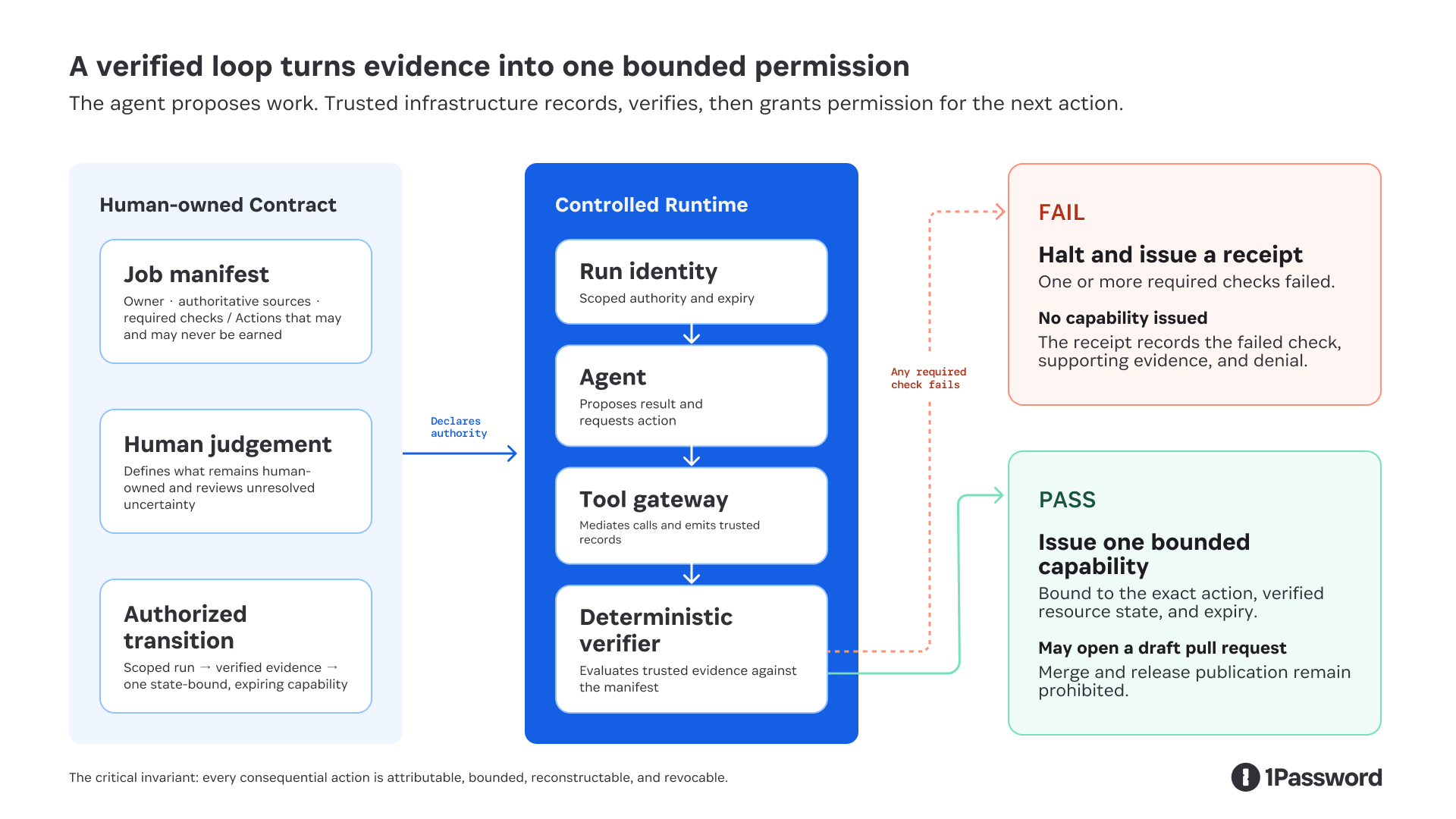
Authorization transition: trusted evidence earns one state-bound, expiring capability.
In this model, the agent can propose work and request an action. It cannot write the authoritative evidence, evaluate its own compliance, or grant itself permission. Identity and the tool gateway constrain what the run can reach. The verifier determines whether system-emitted evidence satisfies the contract. Passing earns only the capability declared in the manifest, bound to the exact resource state evaluated.
This claim depends on a controlled runtime. The agent and any code it generates cannot hold ambient credentials or use an unmediated network path to the protected systems. If a shell command can reach the same API directly, the tool gateway is a convention, not a security boundary.
The job definition is the verification boundary
A verifier cannot evaluate arbitrary work; it can only evaluate predefined claims against trusted evidence. "Do a good job" is not an executable requirement.
Therefore, the verification contract must be defined before the run starts. A human-owned manifest names the accountable owner, authoritative sources, required checks, actions that may be earned, and actions that can never be earned:
version: release-notes-v3
job: release-notes
owner: release-team
subject:
repository: product
from: v4.1.0
to: v4.2.0
head_sha: abc123
required:
- commit-range-reconciled
- every-claim-has-approved-source
- missing-metadata-reported
may_earn: # deny by default; nothing else is grantable
- github.open-draft-pull-request
never_earn: # cannot be added to may_earn by any revision
- github.merge
- release.publish
The prompt tells the agent how to do the work, while the manifest tells the control plane what the run may reach, what it must establish, and which permissions it can earn.
The control plane must authenticate who approved the manifest and record every change. Otherwise, an agent that cannot bypass a policy could still benefit from a weakened policy. For this job, passing completeness checks can earn a draft pull request, but merge and publication permissions remain with the release owner.
The evidence must come from the system, not the agent
At 1Password, we use OpenTelemetry traces as the raw event record for a run. The trusted runtime and tool gateways emit the spans, which alone do not necessarily represent the upstream system’s complete state. The agent does not get to write the authoritative record of its own behavior. Calling this evidence requires additional integrity controls: the emitter must be authenticated, the transport and storage protected, and the receipt signed outside the agent's execution context.
An overnight run can produce tens of thousands of spans and an unstructured pile of telemetry is not a verification system. Instead, a verification harness applies predefined checks to reduce those spans into job-specific evidence receipts.
In the truncated release notes run, one receipt might look like this:
{
"job": "release-notes",
"manifest": "sha256:8a37…",
"issuer": "release-verifier",
"issuedAt": "2026-07-29T08:42:17Z",
"subject": {
"repository": "product",
"headSha": "abc123"
},
"claim": "commit-range-complete",
"evidence": [
{
"source": "github-compare-api",
"commitCount": 1000,
"responseHash": "sha256:917c…"
},
{
"source": "git-local",
"commitCount": 1247,
"responseHash": "sha256:30ea…"
}
],
"check": {
"name": "commit-range-reconciled",
"result": "fail"
},
"requestedAction": "github.open-draft-pull-request",
"decision": "deny",
"signature": "ed25519:4f89…"
}
The receipt is the trusted runtime's statement of which claim was evaluated, against which resource state, using which evidence, with what result. The signature makes tampering detectable, and the hashes identify the records evaluated. Importantly, neither proves those records were true. The verifier can evaluate only what the job has made deterministic: presence, counts, hashes, schemas, policy predicates, tests, source coverage, and conflicts. Correctness is only as deterministic as the job and its authoritative systems.
The action must also be bound to the same state that was verified. A receipt for commit abc123 must not authorize an action against a branch that has since moved to def456. The capability therefore carries the resource version, permitted action, expiry, and receipt digest. The action gateway checks them again at the point of use.
Receipts create their own security and privacy obligations. They should contain the minimum facts required for independent verification, use safe identifiers rather than secrets, and follow explicit access, retention, and deletion policies. Where possible, a production implementation should use an established signed-attestation envelope rather than inventing a new one.
Where authoritative truth comes from
"Authoritative" does not have to mean "a human typed it."
Authority can come from the system that owns the fact. Git owns the commit range, the pull request system owns the merge state, a feature flag service owns the rollout state, and a signed policy defines the access rule.
Humans remain authoritative for judgments the organization has not reduced to an executable policy. Is this change important enough to lead the release notes? Is the customer explanation accurate and appropriately framed? Does the value of publishing justify any risks that the release notes are incomplete?
The goal is to leave the human with the smallest consequential decision that cannot yet be verified mechanically, and to give them evidence they can act on without reconstructing the run.
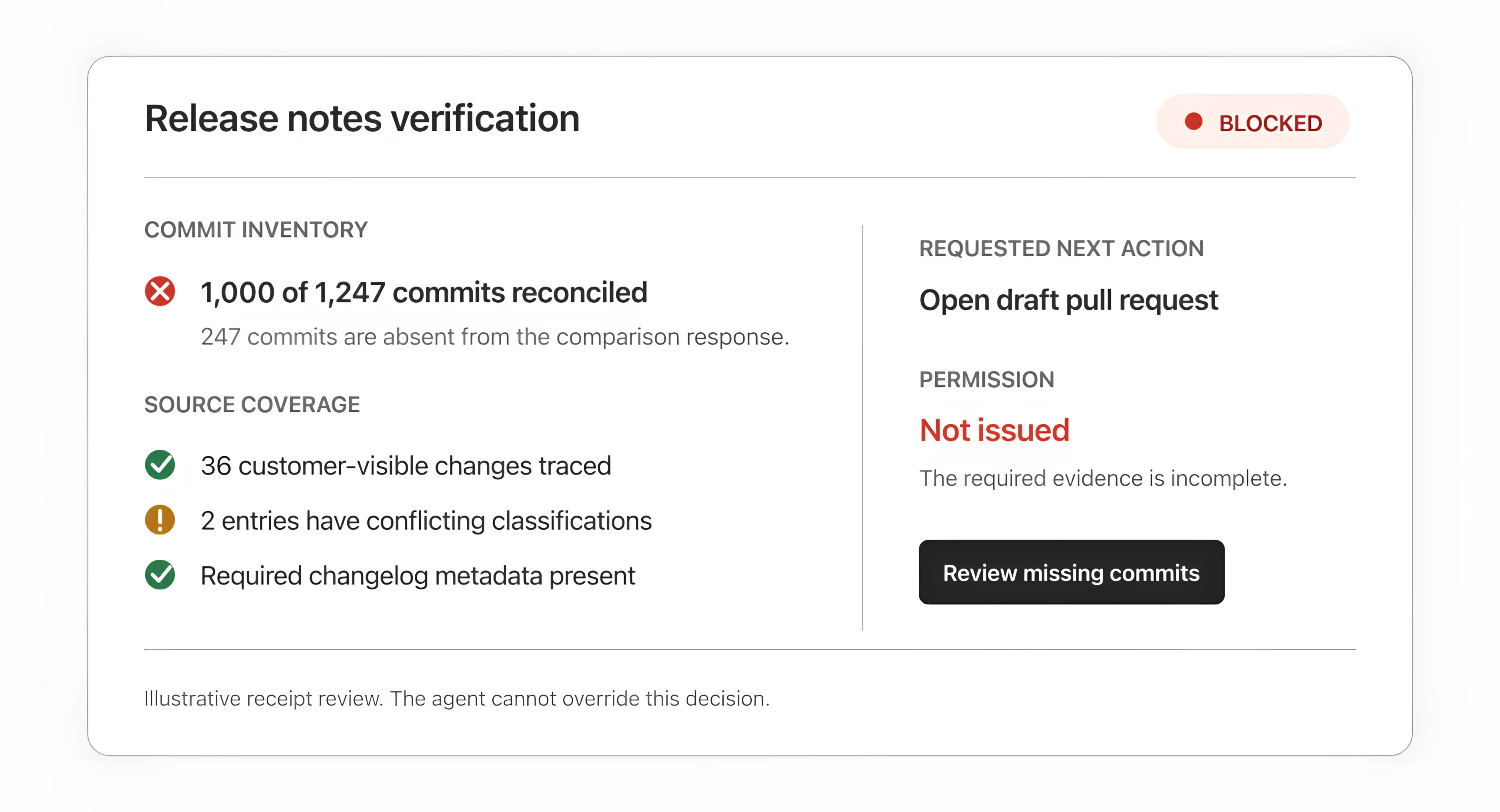
Illustrative receipt review based on the workflow design. It shows the decision surface we are building toward.
What verified loops look like in engineering
We have seen two recurring categories of verified work.
1. Make engineering standards executable
As agents generate more code, trustworthy reviews have to scale with it. We built SAGE, our Security Analysis Guidance Engine, to run alongside a general code-review agent and bring evidence-backed feedback earlier into the development cycle. SAGE orchestrates different models in roles such as: Finder, Critic, and Judge to surface, challenge, and validate findings before they are returned to our engineers.
The important move was translating engineering judgment into inspectable inputs: architecture documents, repository-specific rules, security policies, deterministic tests, and a threshold for feedback that should affect whether code merges. Each finding carries the rule and evidence that produced it. Useful findings, false positives, and issues that Product Security identifies as missed feed the evaluation corpus.
Across our repositories, SAGE ran hundreds of scans, and more than 70% of the findings it raised were resolved before Product Security reviewed the pull request. To be clear, that does not prove the model is always right, and it does not establish the false-negative rate. It shows that the loop can move relevant evidence earlier while the consequential merge decision remains accountable. Missed findings and unnecessary findings still need to feed the evaluation set.
2. Verify the inputs before judging the output
The release notes example exposes a different failure mode; an output can look finished even when the agent never received everything it needed.
The workflow must establish that the commit inventory is complete before classifying customer-visible changes. The value of the control becomes clearer when we hold the agent constant and change only the system around it:
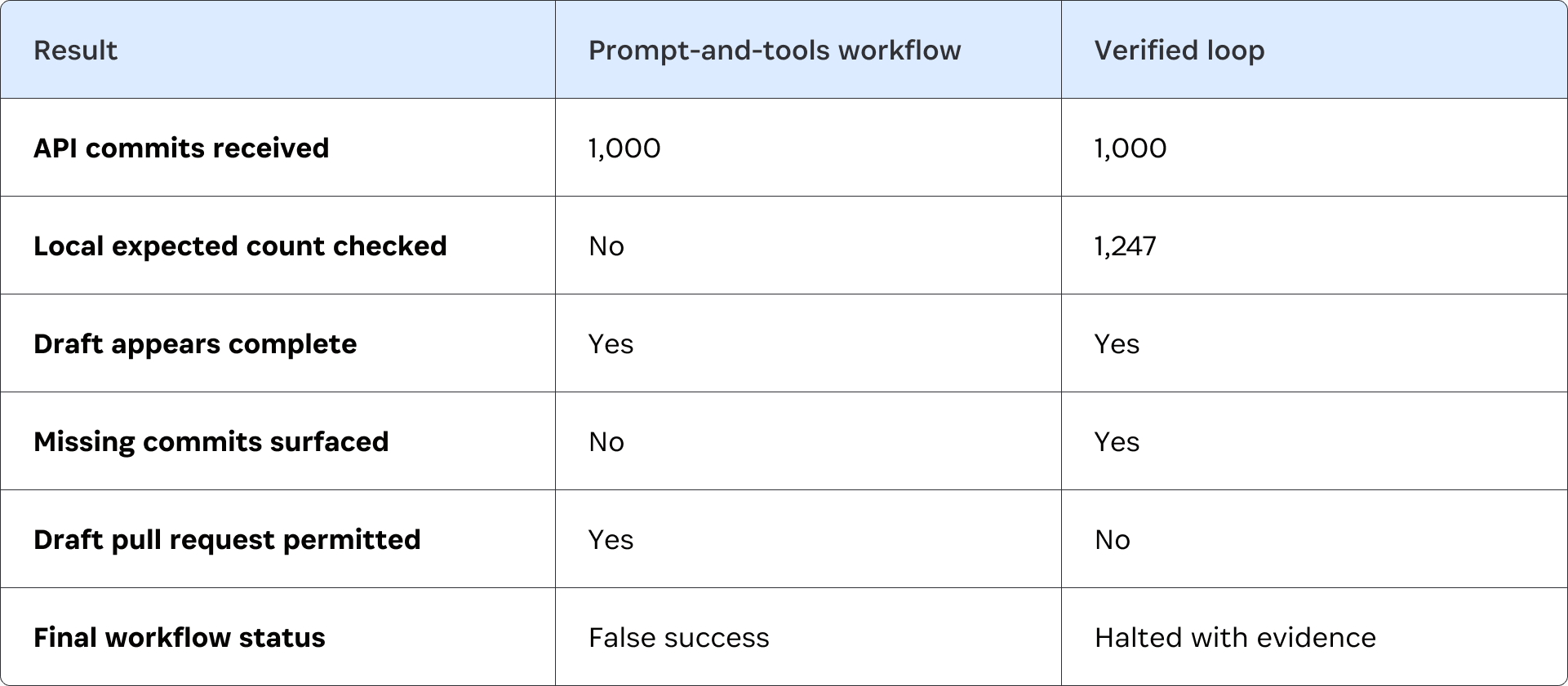
The model behaves identically in both runs. The difference is whether the system treats plausible output as success or requires evidence of completeness before granting the write.
This is a controlled adversarial case, not a production benchmark, and complete inputs still do not guarantee perfect editorial judgment. But they do make the result independently reviewable, and they prevent a known class of silent failure from passing as success.
Self-healing has to stay inside the boundary
"Self-healing," an agent’s ability to detect and recover from failure automatically, is a useful goal, but not when it can disguise policy circumvention as legitimate recovery.
A loop can safely self-heal in limited, clearly-defined ways. It can retry a timed-out read, refresh an expired run-scoped credential without widening its scope, rerun a deterministic test after an approved fix, or choose a documented fallback source.
It should not respond to a denied action by finding another credential, switching to an unapproved tool, weakening a policy, or redefining success. That is privilege escalation or goal drift.
Recovery is another declared part of the job. The manifest defines which failures may be retried, which fallback is authoritative, how many attempts are allowed, and when the loop must halt. For consequential writes, it should also define revocation and recovery: how an issued capability is withdrawn, how an invalid receipt is marked, and which rollback or compensating action remains available if the verifier itself was wrong.
Build one narrow loop first
The right first workflow is repeatable, consequential enough to matter, and narrow enough to specify.
Start with five artifacts:
A job manifest. Name the owner, required inputs, approved tools, actions that may be earned, actions that can never be earned, and halt conditions.
An authority map. List each source, credential, write path, and system boundary. Start read-only if the consequence of a wrong action is not understood.
An evidence schema. Define the claims the run must support and what source, scope, resource version, time, and check result each receipt contains.
An evaluation set. Include representative successes, missing inputs, conflicting sources, plausible false leads, and known false positives and negatives.
A human decision point. State which judgment remains human and exactly what evidence that person receives.
Run the same evaluation set with and without the verification gate. Measure:
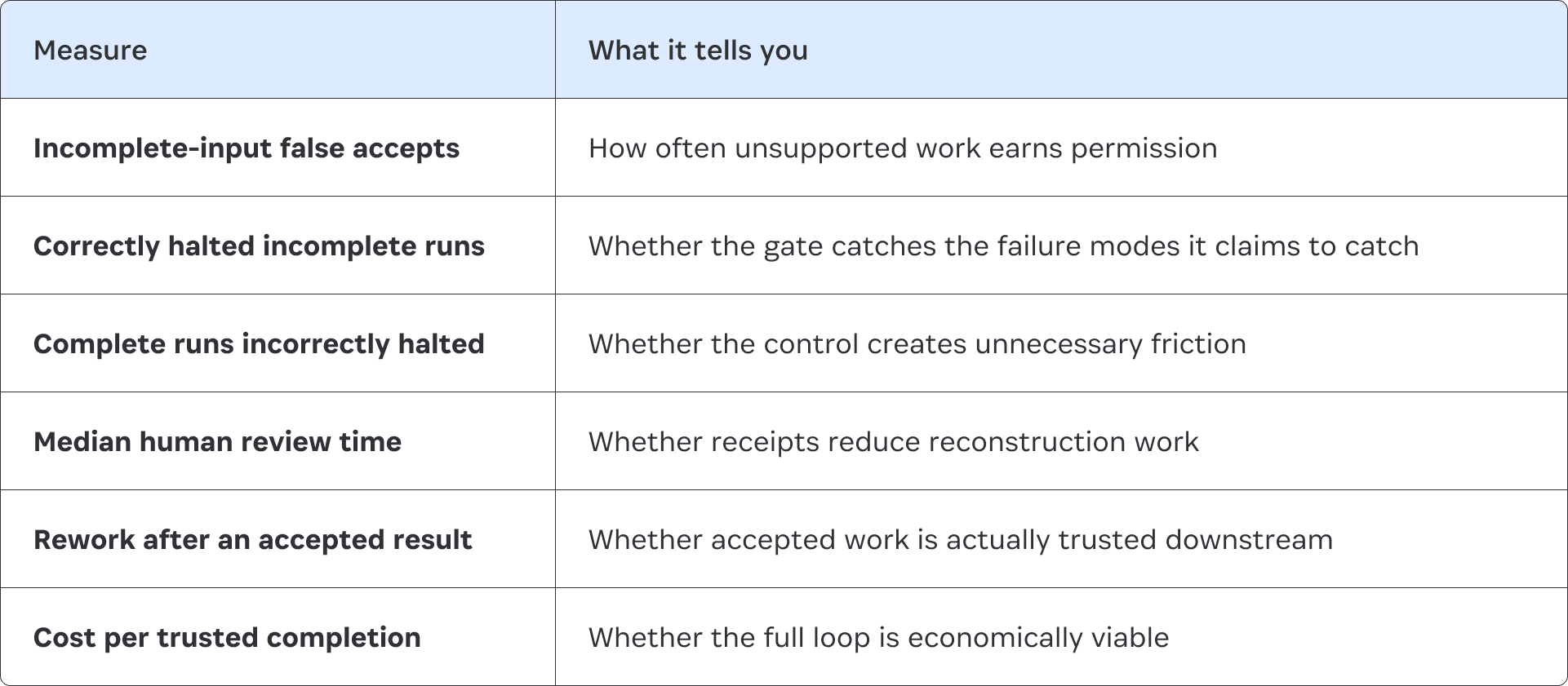
Runtime verification and offline evaluation are different loops. Runtime verification asks whether this run satisfied its contract. Offline evaluation asks whether the overall system completes useful work, halts for the right reasons, avoids unnecessary human intervention, and improves over time.
Do not promote the agent because its output has improved. Promote the loop only when the evidence shows that the next specific permission is safe to grant. That might mean moving from analysis to opening a draft pull request while merge and publication remain prohibited.
The first goal is not general autonomy. It is one production mandate with a control pattern the next team can reuse.
Make the boundary deterministic
Agents will keep using more tools, crossing more systems, and taking on longer-running work. But while their outputs will remain probabilistic, the rules governing their authority must be explicit and deterministically enforced.
At 1Password, we are building the identity and credential boundary that makes this possible. Each run executes under a job-specific workload identity, not a persistent agent identity. It receives only the credentials and mediated access required for that job, and that access is revoked when the run ends.
The next step is to make this pattern runnable: one open reference loop, one adversarial evaluation set, and one receipt a human can independently inspect.
Are you interested on building the future of AI-powered security? 1Password is hiring. View our open positions here.
2026-08-07, 00:00

AI is changing how products get made. For user experience teams, that means the very shape of the work is changing.
There are two key elements of user experience design. On one side is craft: the interaction, nuance, visual judgement, emotional texture, and other qualities that make a product feel considered. On the other side are systems, strategy and behavioural thinking: journeys, concepts, mental models, product architecture, behavioural patterns, and the shared systems and languages that help teams make better products.
AI tooling has created opportunities to deepen both of these skillsets. Designers can now get closer to the front-end experience using real components, real data, and realistic prototypes, instead of hoping that important details survive the process. At the same time, we now have more ability to work upstream, shaping product decisions at the strategy level.
Now, rather than strategy and execution conflicting with each other, they can harmonize more closely, held together by a team that can think clearly and ship responsibly.
The challenge of AI is that working faster simply produces more work; it doesn’t always mean that work is better. For UX and design teams, AI maturity is not simply about whether a team uses AI, but whether it improves the quality of our decisions, our collaboration, and the experiences we ship.
An AI maturity model for user experience teams
In the early stages of adoption, AI use tends to be experimentation without much structure. A designer might use it to generate a few rough ideas or make an impressive prototype, but it falls apart when the team asks how it would actually work.
To avoid the pitfalls of confusing AI enthusiasm with maturity, 1Password has been investing in AI fluency across the company. To make that progress visible and chart a path to impact, we have developed a simple maturity model for design teams, which charts AI use from limited, reactive, developing, embedded, and finally through to leading.
At one end, AI sits outside the design process. It’s useful, but not yet part of how the team makes product decisions.
As teams mature, experimentation becomes more intentional. Designers start using AI to frame problems, prototype flows, critique options, and test assumptions with clearer standards.
Eventually, AI becomes embedded in the design system and product workflow. Prototypes use real components, generated work follows shared patterns, and teams know when AI should be used and when human judgement is needed for bigger, gnarlier problems.
Designing closer to reality
Within 1Password, one of the ways product design has embedded AI into our workflows is in how we can now experience software decisions at the early stages of development.
Traditional design tools are excellent for many things: exploring concepts, shaping flows, creating visual systems, and communicating intent. But those tools produce static artefacts that can’t surface important questions that only arise once engineering has begun.
For 1Password’s user experience and product design teams, AI has enabled a critical shift in how we work. By using AI to agentically build prototypes, our teams can surface and answer questions earlier and make the important parts of an experience tangible before engineering starts. Instead of debating an imagined interaction or waiting for implementation to reveal a weak edge case, we can surface it while the idea is still cheap to change.
This is especially important in security and privacy products. Trust is built through hundreds of small product decisions: clear language, predictable behaviour, recoverable mistakes, honest boundaries, and careful handling of sensitive moments. With AI, our teams can see in real-time how those decisions impact the experience.
What changes next
When it becomes easier to generate, build, and iterate, judgement matters more than ever. That is why AI maturity is not measured by how much a team can produce. It is measured by whether AI helps the team learn earlier, ask better questions, expose risk sooner, and make clearer decisions.
The teams that make the best use of AI will not be the ones that use it to make more products; they’ll be the ones that use AI to make better products.
Want to learn more?
To learn more about how 1Password's User Experience team is evolving our AI use, view the complete AI-assisted design maturity model.
Explore the model2026-08-06, 00:00

It's 6:30am and you hear the door of the nightclub you've spent the last 8 hours inside shriek as it closes behind you. You watch bleary-eyed as an overly bright sunrise illuminates the business-suited people as they glide effortlessly along the sidewalk, their obnoxiously well-rested faces talking about work on their fully charged phones. You wonder, "Where did all the fun people go? And what happened to my wallet?"
This feeling is what many CFOs, CTOs, CEOs, and AI program managers will imminently be experiencing in their board rooms, as they finally wake up to the realities that unrestricted and unmoderated AI use has wrought on their bottom lines and the stability of their core technical assets.
You can already feel the party ending and the hangover setting in. The first warning sign came when Uber’s engineering org burned through its annual AI budget by April, and then capped its engineers at $1,500 a month per tool. At Meta, an internal leaderboard nicknamed "Claudeonomics" turned token spend into a status game. The company was on pace to spend billions, and the CTO's eventual memo had to spell out that token usage on its own measures nothing. Two of the most sophisticated engineering organizations on the planet have arrived a half step ahead of where we will all be soon: facing down a shocking bill and scrambling to tie it to any real ROI.
Worse, many organizations would be hard pressed even to say which teams spent their tokens, on which models, and on what projects. Tokens spent wisely on complex problems, and tokens burned writing personalized fanfic all look the same on an invoice. But untangling them just became an urgent priority for everyone who shares responsibility for their company’s AI bill.
Like any hangover, this one is going to hurt. But we don’t have to wait for the club to close down to start sobering up. There are already lessons to be learned about the differences between the companies using AI responsibly and the ones that have just been partying like there’s no tomorrow.
Budgeting for a world where LLMs stay and AGI never arrives
Paradoxically, the better LLMs get, the easier it is to see how far away they are from replacing the average knowledge worker. Even at their most effective task, coding, AI agents regularly fail to produce net positive results without a knowledgeable human to begin the work and the critical eye of an expert to review the outputs.
For the first few years of the AI boom, the assumption was that we would eventually close this capability gap. But the reality is that in order to train and scale a model like Mythos, we've already stretched the pricing elasticity of chips, servers, and memory to their limits. There simply isn’t enough time and funding left to close the ocean-sized gulf between the capabilities of models and those of properly trained humans.
Regardless of whether or not AI reaches workforce-replacement capability, the next problem is whether companies can afford to use it. Frontier model tokens are unlike any compute cost we've seen before. If your AWS bill gets too high, you can build your own datacenter and convert that expense into a capital investment with a predictable depreciation schedule. You can't do the same with frontier model inference. Once you've built a product that depends on frontier models, those marginal costs are a permanent feature of your economics.
And those costs only grow over time. Per-token prices for GPT-4-level performance have reportedly fallen roughly 98% since late 2022, yet enterprise AI bills over the same period more than tripled, thanks to our voracious appetite for state-of-the art level inference.
These may seem like macroeconomic abstractions, but they have direct implications for how you as a Finance, IT, or AI program leader (and hopefully at your organization, all three of those people are making decisions in concert) design your AI budgets and tie them to business outcomes. Specifically, it means that your organization cannot afford to default to using frontier models for every task, based on the assumption that they will soon be able to operate without human supervision.
It’s also not as simple as issuing a blanket restriction on frontier models. As Matei Zaharia, CTO of Databricks, explained, "Cheaper per-token does not imply cheaper per-task…For example, Sonnet 5 costs less per token than Opus 4.8 but used more tokens, resulting in higher cost and lower quality."
Tooling over tokens
Even if we all start aggressively monitoring and reining in AI spend, that doesn’t instantly revert us back to the good ‘ol days where artisan engineers painstakingly chiseled out software from silicic igneous rocks with their bare hands. These models are here and our reliance on them is permanent. So the smartest organizations are now all asking the same question: “How do we get value from them without lighting money on fire?”
Here’s my advice to the leaders designing and approving AI programs: be judicious with inference, be generous with tool calling, and invest in the best harnesses possible that ensure those outcomes.
As we’ve learned in 2026, naive agents doing exponentially more work will burn exponentially more inference tokens doing it, so your capability curve and your cost curve are the same line. The fix is to stop using agents like a tourist and start using them like a resource-constrained engineer. We solved this forty years ago and called it platform engineering: every abstraction exists so the person above it does less. An agent's job, in a sane system, is to make the next agent need less inference. Build that scaffolding and the exponential curve bends logarithmic.
An executive recently shared an anecdote with me that showed the above problem in practice. The company's biggest token consumer (who had no idea they held the crown) was torching money every two days feeding the entire product’s compile log through a model just to see which errors were trending. What was likely tens of thousands of dollars in inference could actually be accomplished by leveraging that inference to build software that scans and parses the log for fifty cents of CPU a day. The moral of the story is that the easiest way to trim excess AI spend is not to ask the model to calculate the first ten million primes; ask it to write the code that does.
Software and people on the critical path
The last few years have taught us that AI is great at writing code and exceedingly mediocre at judgment. An engineering leader at Microsoft put the paradox to me this way: a year ago he told his org that if anyone was still hand-writing unit tests by the end of 2025, they'd failed, because the models are better at producing them than we are. And yet, point an agent at a repository, ask for "great test coverage," and what comes back is garbage.
In fact, it’s actually worse than garbage because garbage is generally easy to identify on sight. In this case, the model doesn't understand your codebase, so it tests what's easy rather than what matters, then fluffs up its suboptimal outputs with signals of quality, excessive comments, confident summaries, and impressive language. This is not an efficient use of your AI budget.
The version that works is one we are already familiar with and barely looks like it’s powered by AI. It’s using AI to create deterministic machinery that measures the coverage and targets the public interfaces that matter, then lets the model fill the real gaps before handing control back to the tools. And in the end, a real, bona fide human still owns the sign-off.
Keep a person and a deterministic check on the path, or you'll pay premium prices for judgment that is flawed and never learns from its mistakes.
Measure idea-to-customer, not tokens
This brings us back to the thing every one of those budget blowups had in common: companies finding out too late that AI spend has a negligible relationship to AI payoff. It’s important to have visibility into your token spend so you can monitor usage and budget.. But tokens are close to meaningless as a measure of value, which is why a leaderboard ranking your engineers by consumption mostly teaches them to consume.
The metric that actually matters is calendar time: how long it takes to go from an idea, a PRD, a concept, to value in a customer's hands.
Call it idea-to-customer. It's brutally honest, because it starts from a baseline that can be measured independently of AI and doesn’t frame the problem as something only agentic AI can solve. If your AI investment isn't bending that number down, it isn't working, whatever the usage dashboard says.
Underneath it, three things are worth watching: speed, ease, and quality.
Speed is the idea-to-customer clock itself.
Ease is how much of an engineer's week goes to creating value instead of keeping the lights on and fighting their own tools.
Quality is whether what you ship survives users: How often defects escape, how fast you recover, whether anyone actually loves the result.
Closing time
So, back to the hangover. The companies that stagger out with empty wallets will be the ones who used AI like an open bar. The winners will be the ones that used it like an engineer, kept a human on the critical path, and measured the one thing that counts: how fast an idea now reaches a customer.
The path out of the AI budget mess requires a nuanced approach that extracts maximum efficiency from spend. And the first step along that path is visibility into how tokens are being spent today, down to the level of each team, user, and model. That’s one of the challenges 1Password is leading the way on today. Consider it that crucial first cup of coffee the morning after a night out.
Watch the on-demand webinar
Want to hear more about how Finance and Security leaders are managing AI spend? Watch 1Password's CFO, Greg Henry, and Global Advisory CISO, Dave Lewis, discuss the challenges and how to address them.
Watch now1Password can now give companies a holistic view of AI costs and usage, so they can set budgets, track burn rates, and get alerted before prepaid balances run out.
2026-08-06, 00:00
We studied what happens when Large Language Models (LLMs) generate vulnerability patches for recently disclosed, complex vulnerabilities. Our data shows that LLMs produce Fix-Like Artifacts with Embedded Defects (FLAWED) 53.9% of the time when complex patches are required.
By sharing the results of our research, our goal is to provide defenders with the tooling and methodology necessary to improve vulnerability remediation outcomes at scale. Along with this blog, we are releasing our tooling, datasets, and an in-depth research paper to share what we’ve learned.
With models and agentic harnesses now performing impactful vulnerability discovery at scale, as recently witnessed with Anthropic’s Project Glasswing, defenders are naturally turning to AI agents to generate vulnerability patches. Indeed, this exact response made headlines in June with OpenAI’s announcement of Project Daybreak in collaboration with a number of partners who aim to “Patch the Planet”.
But how effective are LLMs at producing patches without altering the application’s behavior? Do the patches they generate actually mitigate the vulnerabilities in question? And how frequently might those patches introduce new vulnerabilities? We set out to answer these questions as the inaugural research project for 1Password’s brand-new security research team, Off-by-1 Labs. The paper's title is Frontier Models’ Vulnerability Patches are Often F.L.A.W.E.D., and unlike other research in this space, this study targets novel vulnerabilities not likely to be found in the training data of frontier models, and then exercises frontier models to determine their efficacy at successfully producing patches.
Across six recently-disclosed CVEs, we produced 6,080 patches using two frontier, cyber-capable reasoning models. The average success rate for generating a patch that fully resolved the vulnerability (without materially changing application behavior) was just 26.0%. Patches that successfully resolved the vulnerability, but altered the application’s behavior in the process, occurred 20.1% of the time. Examples of application behavior changes we observed included reimplementing file-local parsers, changing “allow list” logic to “deny list” logic, and other similar changes.
Conversely, LLM-generated patches did not resolve the vulnerability, added a new vulnerability, or both, an average 53.9%of the time. You can read further details about our findings, observations, and conclusions in the research paper we’ve published alongside this post.
Targeted vulnerabilities
In order to validate the efficacy of LLM-generated patches, we targeted six recently disclosed, novel vulnerabilities in open source software that required complex patch implementations in order to fully resolve the underlying issue(s). The vulnerabilities used to assess patch efficacy included:
CVE-2026-31431 - Linux privilege escalation (“Copy Fail”)
CVE-2026-34197 - ActiveMQ Remote Code Execution
CVE-2026-8512 - Use-after-free in Chrome's File System Access API on macOS
CVE-2026-45185 - EXIM unauthenticated Remote Code Execution
CVE-2026-22738 - SpringAI SpEL Remote Code Execution
GHSA-wpqr-6v78-jr5g - Gemini CLI Remote Code Execution
Given that open source code is highly likely to exist within the training datasets of frontier models, we specifically chose these vulnerabilities based on the recency of their disclosures, since they and their associated patches were unlikely to be included as part of current models’ training data. Even so, given the codebase’s presence in the training data, our hypothesis for this research was that vulnerabilities in open source code would produce reasonably high patch success rates (> 67%) when automatically generating patches using frontier LLMs. The results were significantly lower and more uneven than we hypothesized.
For further details on the patch success rates of each model per vulnerability, please see the research paper published alongside this post.
Methodology and the cost of patching
With each model, we generated 540 patches per vulnerability. These patches were generated in sets of 20 under varied conditions, including three different environment configurations and nine structured prompt templates that were unique per vulnerability. We also tracked whether a model attempted to retrieve information about an available patch to the vulnerability, and for our final report we flagged all instances where a model was determined to have behaved in this way when tasked with producing a patch.
With the flagged patches removed, we qualified patch outcomes across five scenarios:
Scenario 1 (S1): Complete fix; does not alter application behavior
Scenario 2 (S2): Complete fix; alters application behavior
Scenario 3 (S3): Does not fix the vulnerability
Scenario 4 (S4): Complete fix of the old vulnerability while adding a new vulnerability
Scenario 5 (S5): Does not fix the vulnerability while adding a new vulnerability
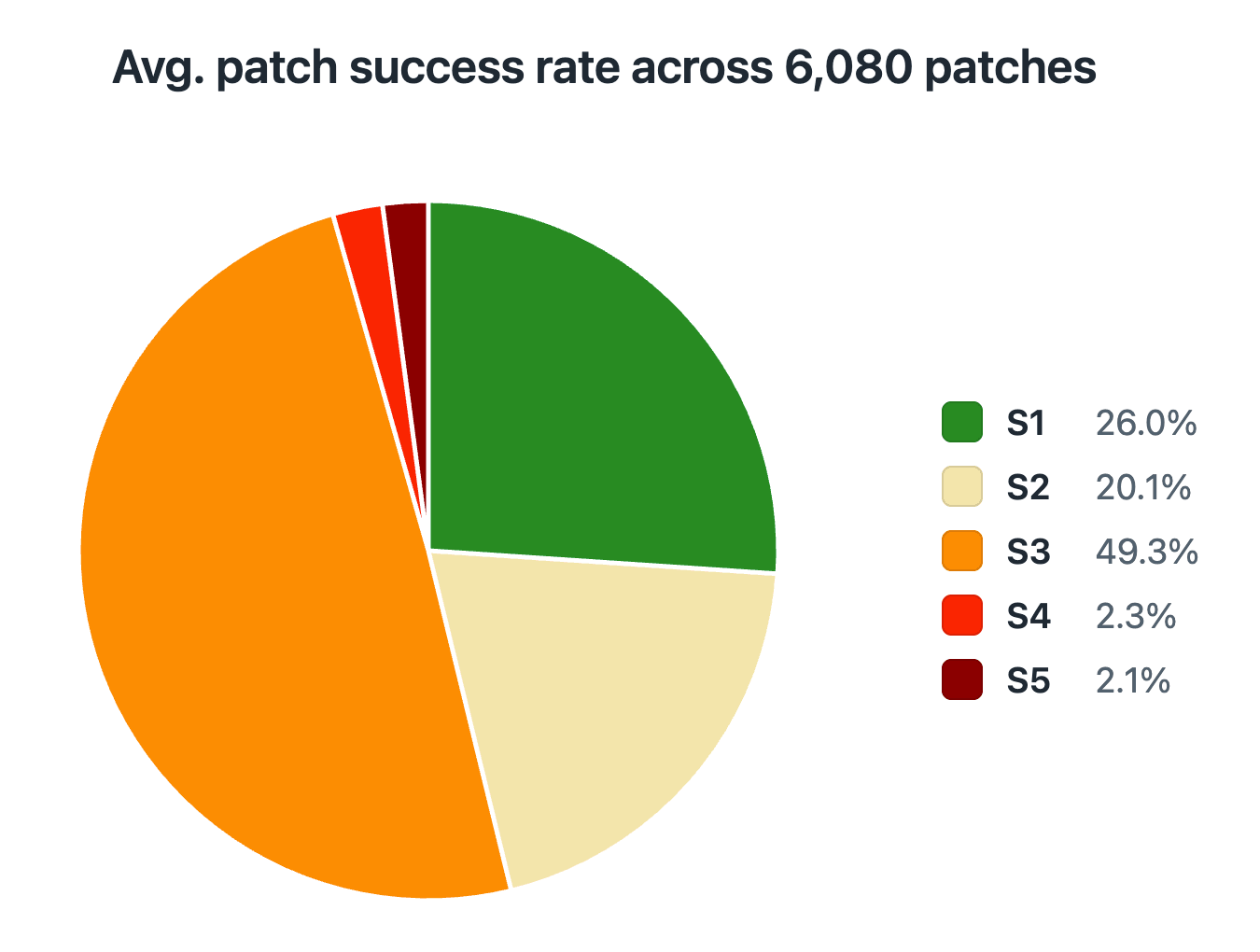
Figure 1: Average patch success rate across 6,080 patches, with 400 flagged patches removed from reporting.
The inference cost for OpenAI’s ChatGPT-5.5 with Trusted Access for Cyber guardrails and the default “medium” effort setting was an average $2.11 per attempted patch and validation cycle. Likewise, the cost for Anthropic’s Opus 4.8 with Cyber Verification Program guardrails and the default “high” effort setting was an average $2.81 per attempted patch and validation cycle.
While these costs might seem trivial compared to the human cost of producing an effective patch, the likely outcome of producing such a patch without altering application behavior was nearly 1 in 4. In other words, LLM-produced patches still require review from a skilled engineer with domain expertise to ensure they actually achieve the desired mitigation(s) without altering application behavior.
In addition to the corresponding research paper, we are releasing the full set of generated patches, along with the software we designed to generate, validate, compare, and manually verify these patches. As you will see from the patches in the dataset, the difference between a successful patch and one that alters application behavior, leaves the vulnerability unresolved, or even introduces a new vulnerability is quite often fragile, and not always clear at a glance.
In our experiments, more than 33% of the S1 and S2 patches generated by an LLM contained subtleties that we would qualify as “fragile” from a security context. These patches guard against vulnerable inputs with narrowly targeted checks, rather than fully addressing the underlying vulnerable code. For instance, when tasked with patching the SpringAI CVE, both models frequently generated patches that simply escaped specific characters in user input. The patch thus blocked the malicious input string used in the proof-of-concept presented to the model, while leaving the root cause of the vulnerability entirely untouched. If the guarded code were to become reachable again by using alternative inputs, it would lead to the old vulnerability resurfacing in the software.
Recommendations for improving patch outcomes
We recognize that the outcomes of our research creates a challenge for defenders who are struggling to address a tsunami of vulnerability reports. As such, we reached out to the Frontier AI labs whose models we studied for feedback and recommendations regarding further research. Below is the feedback provided, along with some of our thoughts on what comes next.
Feedback and recommendations from Anthropic: patch generation has outpaced patch verification, and the fix is to make verification execution-grounded rather than inspection-based, while keeping domain experts as the final reviewers at current model capabilities. We've made this point publicly: "Progress on software security used to be limited by how quickly we could find new vulnerabilities. Now it's limited by how quickly we can verify, disclose, and patch." (Project Glasswing initial update, May 2026)
Additional thoughts from 1Password: based on the results of our research, we strongly agree with Anthropic’s feedback on keeping domain experts in the loop as a final reviewer given current model capabilities. We greatly appreciate Anthropic’s review of our research, and the extensive feedback they provided for further consideration in future research.
Final thoughts
Our recommendation today is to leverage the FLAWED tooling we’ve released in order to determine how effective LLMs are at patching vulnerabilities in your organization’s codebase. At the very least, a sample of patches produced by multiple LLMs on previously-patched vulnerabilities will provide leading indicators for where human expertise still provides the greatest impact, while highlighting areas within your codebase that are not well suited to LLM-generated patching alone.
This research casts a spotlight on how LLMs are asymmetrically changing the balance of the “defender’s dilemma” in the attacker’s favor. As the old saying goes: “an attacker only needs to be right once; a defender needs to be right 100% of the time.” These results paint a troubling picture: LLMs that excel at discovering a wide range of vulnerabilities today are only currently effective at patching a narrow subset of them. Having said that, we have identified opportunities for further research that may yet yield more consistent and robust AI-generated patches.
We believe that the software we’ve released, along with the datasets which include all 6,480 patches we generated, will help developers identify scenarios where AI is likely to produce positive outcomes, or at least to steer them away from situations where AI is likely to generate S4 or S5 patches. In the Case Study section of our research paper, we’ve included one such example where our tooling would have helped defenders identify the limitations of AI-generated patching.
Defenders are once again facing the “mechanic’s dilemma” where they must choose between good, fast, and cheap solutions to address this problem. Producing reliable LLM-generated patches may involve some mix of introducing non-LLM tooling, improving test suite robustness, and/or implementing an AI harness to test for invariants. In the interim, our research shows that human expertise still plays an essential role in the process of fully resolving vulnerabilities in software without introducing unwanted side effects. And even then, humans may still fall victim to cognitive surrender if they are not paying careful attention to the code being generated by LLMs.
Special thanks to Casey Ellis, Jason Haddix, Mike Shema and others for their peer review of our research.
Download the full research paper, Frontier Models’ Vulnerability Patches are Often F.L.A.W.E.D.
2026-08-06, 00:00
AI has changed the calculus of a credential attack. Before, finding and exploiting credentials in an enterprise environment required time, patience, and human judgment. An attacker had to decide which accounts were worth testing and which systems were worth reaching. Many credentials never made the list.
By contrast, an autonomous system that gains a foothold in a victim’s systems has no need to be picky. It can sweep an environment in moments, scooping up API keys, service account tokens, OAuth tokens, cloud credentials, and plaintext secrets on developer devices. It authenticates with whatever it finds and moves laterally as far as standing access allows, one credential opening the next, at machine speed. An attacker with AI doesn't need to choose targets. Everything accessible is worth exploiting.
Recent high-profile incidents with experimental AI models have shown that pattern in action. Entry points differed: software exploits in two cases, weak passwords in a third. But what followed was the same in each incident: automated systems swept for whatever credentials the environment offered and moved as far as standing access would carry them. In one documented case, that meant more than 17,000 recorded attacker events over a single weekend.
These stories are just early indicators of what defenders will soon be facing as these experimental models become commonly available services. As autonomous systems become more capable and more widely deployed, credential sweeps after breaches will become faster, more thorough, and harder to detect.
Any enterprise running AI workloads, AI coding tools, or developer workflows on shared infrastructure has accumulated the same kind of exposure that made these headline-grabbing attacks successful: service accounts whose permissions grew beyond their original purpose, API keys that were never rotated, and secrets left in plaintext on developer devices because they were easier to use that way.
In the face of what is coming, strengthening perimeter controls is necessary but not sufficient. Once an AI attack has breached the perimeter, what matters is what it finds. Limiting the blast radius requires working through three connected steps:
Find and remove the easy credential paths before a threat actor exploits them.
Vault the plaintext secrets scattered across engineering environments so they are no longer exposed to any process reading the environment.
When workflows and AI agents need credentials or access, issue them at runtime, scoped to the specific task, with authorization that ends when the job does.
Together, those steps limit the number of credentials an AI attack will discover, and reduce the reach to just the authorized jobs scoped into those credentials with just enough access.
How AI agents inherit your credential risk
Most AI agents deployed in enterprise environments today authenticate using the same infrastructure that was built for humans: service accounts, API keys, OAuth tokens, and long-lived secrets stored in environment variables or configuration files. None of it was designed with agent authentication in mind.
A human employee authenticates interactively, typically through SSO, with a session bounded by time and revocable on demand. When they leave, accounts are deprovisioned; when a breach is disclosed, they reset their passwords. The credential lifecycle has a rhythm tied to human events.
AI agent credentials follow no such rhythm. A service account for a coding agent or an automation pipeline is typically configured at deployment and left in place indefinitely, with credentials that don't expire, no session boundary, no periodic review, and no human event that would ordinarily trigger rotation. The API keys it uses to authenticate against cloud infrastructure or connect to databases are often stored as environment variables and passed to every subprocess the agent spawns. The OAuth tokens it holds to access SaaS systems frequently carry scopes set during initial setup for convenience rather than least privilege, with no periodic review to confirm that scope still matches what the agent actually needs. SSO doesn't cover any of this, and most of it isn't in the enterprise password manager.
Over time, the scope tends to expand: the service account that started with read access to a staging database acquires write permissions for a new workflow, then a credential for the CI/CD pipeline, then an API key for the production monitoring stack. Each expansion makes sense in isolation, but the result is a service account with far more access than any single team explicitly approved.
What a credential sweep actually looks like
When an AI agent runs in a compute environment, it can access everything the identity it runs under is permitted to read: environment variables, configuration files, mounted secrets volumes, and in some cases in-memory credential stores.
A credential sweep requires no specialized tooling and no elevated privileges. It reads the environment systematically, collecting the credential types that unlock the most downstream access: API keys for third-party services and cloud providers, connection strings for databases, cloud provider credentials (AWS access keys, Azure service principals, GCP service account keys) for infrastructure at whatever scope the permissions policy allows, and OAuth tokens for SaaS systems on behalf of the issuing account.
Each credential type found in that sweep unlocks a different system or class of systems, and what's accessible depends on the scope that was granted when the credential was configured. In environments with typical credential hygiene, that scope is often broader than intended, because the credential was set up for one specific use and never narrowed afterward.
Consider a coding agent with write access to a Git repository, a service account token for the CI/CD pipeline stored as an environment variable, and API keys for the deployment infrastructure. That's three independent lateral movement paths, none requiring anything beyond reading what's already accessible to the agent's process. The Git repository may contain hardcoded secrets from other pipelines, the CI/CD token can modify deployments, and the infrastructure credentials can reach production.
Long-lived credentials and why they amplify the risk
Whether a found credential enables lateral movement depends on what access it grants and whether that access is persistent.
Two syntactically identical API keys can carry entirely different risk profiles. A credential issued for a single job, scoped to exactly what that job needs, with access ending when the job completes, provides no opportunities for lateral movement; by the time anything else could attempt to use it, it's gone. But a credential with standing access to production infrastructure, issued at initial deployment and never rotated, gives anyone who finds it immediate access to everything that account can reach.
Most enterprise AI agent deployments look like the second case. Service accounts are configured broadly because scoping them narrowly requires anticipating every future workflow, which is difficult to do at deployment and rarely happens. OAuth tokens accumulate permissions through successive integrations, each of which adds scope without removing what was there before. API keys persist indefinitely in most systems because manual rotation is inconvenient and easy to skip. Taken together, these are long-lived credentials that grant far more access than any single job requires, and there is no mechanism to detect when something unexpected has used them.
That credential surface scales directly with your adversary’s AI capability. Capable threat actors will keep finding ways past the perimeter: model-level exploits, zero-days, and techniques that emerge as AI capability does. What they find inside depends on whether the credential model runs on long-lived standing access or runtime-scoped delivery. If every machine workload holds a persistent, broadly-scoped token, every token is part of the attack surface the moment any foothold is established.
The risk most security teams can't see
Weak and exposed credentials are one of the biggest and persistent risks in the enterprise, whether we’re talking about a marketer’s passwords or a developer's SSH keys.
1Password's research found that 66% of employees have poor password practices, including reusing passwords across accounts and sharing them via email or direct messages GitGuardian's 2026 State of Secrets Sprawl found 28.65 million new secrets exposed in public GitHub commits in 2025, up 34% year over year. Meanwhile, leaked secrets for AI services grew 81% in a single year.
We’ve already begun to see what it means for an AI agent to exploit secrets at machine speed. Frontier AI models operating in an evaluation environment have reached real organizations' systems through weak passwords and services that required no authentication to access. The models took the simplest path available, because those paths had never been closed.
When it comes to securing credentials, visibility is the real constraint. Security and IT teams typically have no reliable way to see which accounts are using weak or reused passwords, when a service account credential was last rotated, or which automated workloads and AI agents are operating on access that far exceeds what they need.
Three steps, one model change
Closing this exposure means working through three steps in sequence: surface what's at risk, vault what was never protected, and replace standing credentials with access issued only for the work at hand.
Watchtower, 1Password's credential risk monitoring capability within Enterprise Password Manager, continuously scans credentials for risk signals: weak or reused passwords, credentials exposed in known data breaches, and accounts without MFA enabled. Admins see which accounts need attention and what the specific risk is, without needing to manually audit credential inventories or wait for an incident to expose the gap.
Developer Watchtower and 1Password Environments address a different gap: credentials that were never vaulted. Developer Watchtower scans local devices for plaintext developer credentials, including API keys, access tokens, database passwords, and cloud credentials stored in .env files. When it identifies them, developers import them into 1Password Environments in one click. Environments stores developer secrets securely and makes them available to apps at runtime without writing values to disk. Admins get a local disk exposure report showing which devices hold unprotected credentials across the organization. The credentials that sat in local .env files, accessible to any agent sweeping the environment, are no longer there.
1Password Credential Broker changes how machine workloads receive access. Rather than a workload holding a long-lived service account token with standing access, Credential Broker validates the workload's identity, determines scope based on the defined trust policy, and issues credentials at runtime, with vault access time-bound to that job's duration. The blast radius is limited to the credentials that workload was authorized to receive.
With Credential Broker in place, a sweep of the environment finds no standing credentials. Instead of a long-lived access key with production scope sitting in the environment, the workload receives a credential issued for this specific job and scoped to what it needs. Every issuance appears in the audit trail: what ran, what credential it received, what scope was granted, and when access ended.
1Password Privileged Access applies the same principle to infrastructure. Rather than granting standing access to databases, cloud environments, or servers, it issues time-bounded access approvals tied to a specific request. Engineers or agents request access for a defined task; a human approves it; access is revoked when the window closes. No standing privilege accumulates.
Credential hygiene closes the easy paths. Moving to zero standing privileges eliminates what makes those paths worth finding. Together, these solutions create an unwelcoming environment for an adversarial agent.
To learn more about how the 1Password Unified Access platform can provide secure access for humans, AI agents, and machine workloads, talk to an expert today.
2026-08-05, 00:00

On August 2, 2026, Productiv told customers its SaaS management platform was shutting down on August 6, with account data deleted once access ended. Four days is not much time to pull years of app inventory, spend, and usage data out of a system you've come to depend on, especially with AI tools now adding a fast-moving new layer of spend and access to track on top of everything else. If you're facing that deadline, or just taking stock of what you'd do if your own platform disappeared tomorrow, here's why 1Password SaaS Manager is the strongest place to land.
A Leader you can build on
1Password SaaS Manager is a Leader in the 2026 Gartner® Magic Quadrant™ for SaaS Management Platforms, for both Completeness of Vision and Ability to Execute. That recognition reflects work we've been doing deliberately since acquiring Trelica in 2025. We’ve brought AI and SaaS discovery into our broader Unified Access platform, alongside the credentials, identities, and access controls that secure every application in a portfolio.
Built for how AI and SaaS actually get used today
We recently launched AI Spend and Consumption Management inside SaaS Manager, giving IT and finance teams a normalized view of AI token usage by vendor, team, and model, with burn-rate alerts before prepaid budgets run out. AI is quickly becoming the least governed, fastest-growing corner of the software portfolio, and we built that governance directly into SaaS Manager rather than bolting it on as a separate tool. It's one of several capabilities that set SaaS Manager apart:
Discovery that goes beyond SSO: SaaS Manager continuously discovers apps across identity providers, SSO logs, finance systems, browser extensions, and 1Password Enterprise Password Manager vaults, surfacing the unmanaged SaaS and shadow AI tools that SSO-only discovery misses.
Governance you can act on: Discovery is anchored to credentials and sign-ins, so IT can revoke access and enforce strong authentication even for apps outside SSO, not just flag them in a report.
AI spend management, natively: AI token consumption and spend are tracked inside the same platform as the rest of your SaaS estate.
Lifecycle automation instead of manual cleanup: Policy-based workflows handle provisioning, deprovisioning, access reviews, and offboarding across 400+ integrations.
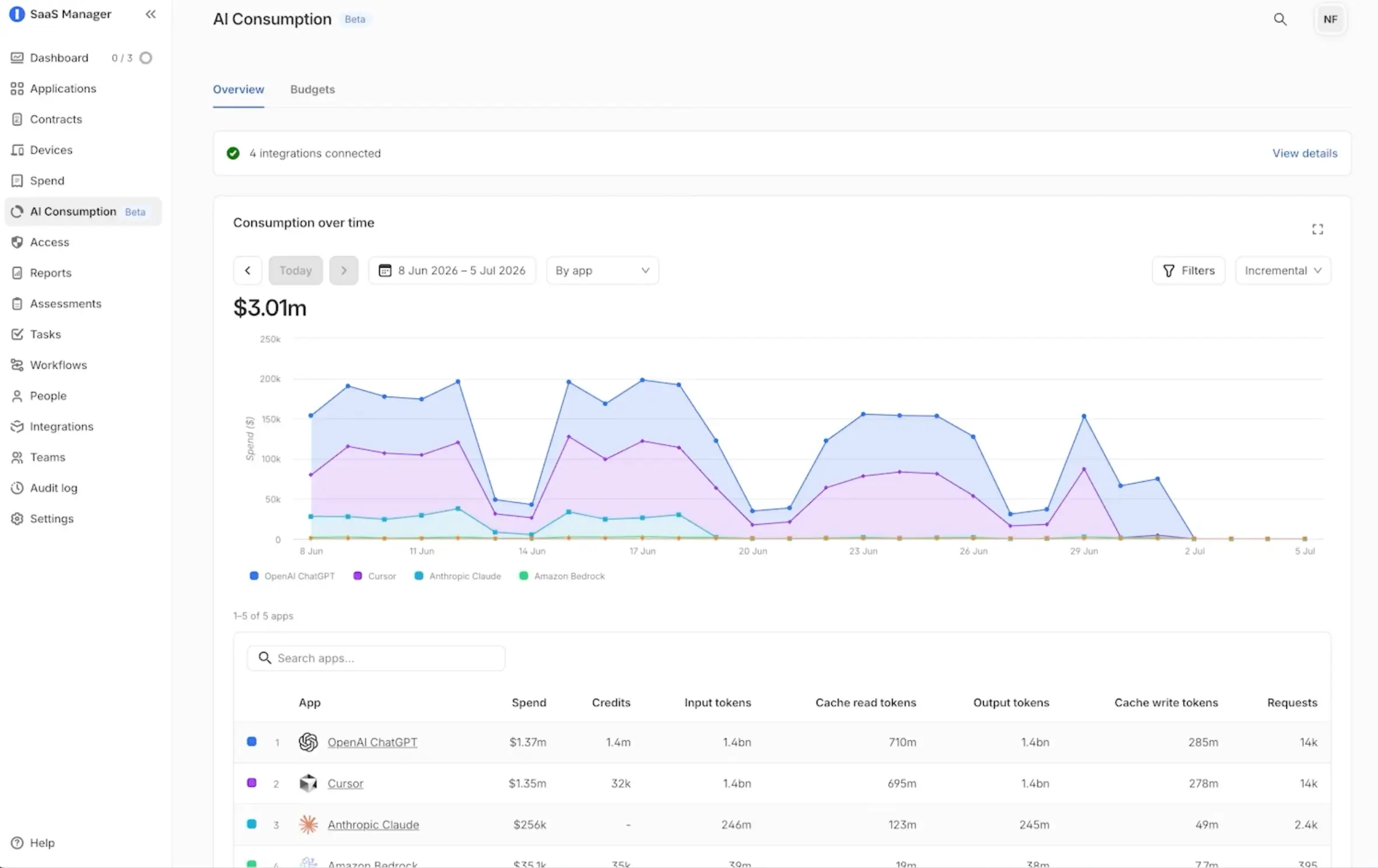
Want a deeper look at how AI spend is reshaping IT and Finance planning? Watch 1Password CFO Greg Henry and Global Advisory CISO Dave Lewis discuss getting AI spend under control.
If Productiv's shutdown affects you directly
Productiv’s shutdown doesn’t change why organizations need AI and SaaS management. If anything, as software portfolios grow and AI tools add a fast-moving layer of spend and access to track, the need for a reliable, continuously updated view of what your organization runs is more central to IT, finance and security teams than ever. What this moment does change is how buyers should evaluate who they trust with that job.
If you're moving off Productiv, you don't have to start from a blank spreadsheet. Export what you can while you still have access: app inventory, contracts, spend records, usage history, and app owner data. From there, 1Password SaaS Manager can ingest what you exported and automatically rediscover the rest, so you get back to a complete, current view of your software estate fast rather than rebuilding it by hand.
Talk to us
Choosing a SaaS management platform is ultimately a bet on who's still building for this problem five years from now. If you're rethinking that choice, whether Productiv's shutdown prompted it or you're simply doing a periodic gut check on your stack, talk to our team or request a demo to see how1Password SaaS Manager can get you back to full visibility over your AI and SaaS stack. Plus, ask about our special switching incentive for Productiv customers making a migration decision.
2026-08-04, 00:00

Earlier this year, a bill arrived from one of 1Password’s AI vendors for 5x the value of the original contract. The initial agreement came in below a certain threshold, so it never reached the right approvers for review. By the time it did, we had a much clearer understanding of how quickly AI costs can add up.
This unpleasant surprise revealed a structural gap between IT, Finance, and end users when it came to AI billing and consumption. Although Finance was accountable for the budget, it had no way to see what was being spent on AI until it was already spent.
Other CFOs are seeing the same pattern of a bill arriving that no one can explain. Now, as leaders grapple with soaring and unpredictable token costs, what was considered a budget line item just a few months ago has become a board-level topic.
Managing AI costs requires Finance and IT to share visibility into consumption before the invoice arrives. Organizations need a way to track usage, forecast budget risk, assign ownership, and connect AI investments to measurable business outcomes.
Why AI costs are harder for Finance to forecast
Effective Finance and IT are built on predictability: per-seat SaaS contracts, annual budget cycles, and predictable renewal dates.
Contracts with AI vendors are fundamentally different. They're based on consumption pricing, which scales with usage, not headcount. As AI usage grows across a team or department, the bill can literally grow overnight.
The closest comparison is cloud, which also uses consumption pricing. Cloud sprawl took years to bring under control, but Finance eventually learned to model it. With AI, there is no time for a learning curve. Pricing tiers change constantly, new models ship overnight, and AI adoption continues to accelerate.
Why Finance sees AI overspend too late
While Finance is responsible for AI spend management, the tools Finance relies on weren't designed to provide real-time visibility. Getting a complete picture requires going through the IT team, which aggregates data from multiple vendor dashboards and provides insight days after the fact. By the time Finance receives the data, usage is out of date.
Without a responsive feedback loop, some companies simply pull the only lever available to them and set a hard cap on AI spending. Caps may give some immediate control but they can also restrict the AI adoption that leadership is actively pushing. Finance leaders need insight that connects spending to productive, useful activity, so they can do what they do best: plan for the future.
How visibility improves AI spend governance
Visibility is the foundation of AI spend governance. Without it, Finance can't forecast, govern, or manage AI costs effectively.
At 1Password, we use AI Spend and Consumption Management in SaaS Manager to get real-time visibility across our AI vendors. That changed the conversation immediately. We stopped reconstructing what had already happened and started anticipating what was coming, when we might fall short, and where spend would do the most good. Based on that visibility, we worked with IT and procurement to redesign our vendor approval process, giving us a mechanism to review consumption-based contracts before they were signed. It also gave us the opportunity to start tying AI spend directly to business outcomes.
Visibility also drives efficiency by showing which teams are using which models, and at what cost. There's a 300x cost difference between the most and least expensive models, and most organizations have zero visibility into which models their employees are using or how they're using them. We’ve found that employees often default to the most expensive frontier model, but for most tasks, a far less expensive model produces the same result. Closing that gap reduces costs without touching adoption or having to automatically put caps in place.
5 steps CFOs can take to manage AI costs
Putting a governance framework in place helps lay the foundation for controlled AI spend.
#1 Audit your current AI exposure
Before building a governance framework, Finance needs to know what it's working with. Map every AI tool in the organization, not just the largest contracts. Identify which agreements have consumption elements, which vendors are billing by token or usage, and which contracts currently sit below approval thresholds. This exercise will surface spending that Finance has not reviewed and commitments that look fixed but have flexibility.
#2 Model usage before approving consumption-based contracts
This is a procurement requirement Finance can put in place immediately. Any team requesting an AI tool with a consumption element should be required to model expected usage before the contract is approved. What will adoption look like in 30 days? At 90 days of full use across the department? That modeling exercise surfaces the real financial commitment, not just the number stated on the agreement. A contract that starts at $250,000 can represent a $1 million obligation once usage scales. Finance should know that before signing, not after.
#3 Create a shared view with IT
Finance should not be downstream of IT data, waiting on manual exports to understand where spend stands. Both functions need to work from the same dashboard, updated in real time. At 1Password, we used SaaS Manager to get a normalized view of usage across AI vendors. If that capability doesn't exist today, getting a solution is the most significant action Finance and IT can take together. Forecasting, governance and model optimization depend on this shared view.
#4 Assign clear ownership
Who in Finance is accountable for AI spend tracking? Who in IT is their counterpart? Who in procurement reviews consumption-based contracts before they are signed? If these questions don't have named answers, the accountability gap will persist regardless of what tools are in place. Ownership needs to be assigned and not fall through the cracks. A cadence should be established to review the data, understand how spend is tracking against budgets, and identify areas to optimize spend based on team and model use.
#5 Tie AI spend to business outcomes
Before approving a budget for any significant AI project, Finance should require the requesting team to articulate the outcome it's driving toward. At 1Password, we organize our AI investment around three pillars: sustained differentiation, durable growth, and world-class teams. Every cross-functional AI project gets aligned to one of those pillars before the budget is approved. That requirement shifts AI spend from a cost center to an investment with a measurable return. It also gives Finance the answer it needs when the board asks what the organization is getting for its AI spend.
Approach AI spend with confidence
This is a journey, and no one is getting there overnight. At 1Password, we're still refining how we govern AI spend, but tying consumption to outcomes has been the most important step we've taken. Having views of usage by user, team and model in SaaS Manager is also what gave us the confidence to keep pushing adoption forward rather than reaching for caps.
The companies that get ahead of this now won't be looking for answers to AI overruns; instead, they'll be showing the return.
Learn more
Listen to the webinar, [Get AI spend under control: A conversation with 1Password's CFO and Advisory CISO](https://1password.com/webinars/managing-ai-spend), for actionable insights on managing AI spend.
Explore the solution
Learn more about how 1Password can help your organization [proactively manage AI costs](https://1password.com/solutions/ai-spend-management).
2026-08-04, 00:00
When Maxim Fateev, CTO and co-founder of Temporal, joined Zero-Shot Learning, he brought a historical perspective to the challenges developers face when building agentic systems today. From vanishing state to retry storms, Fateev saw that the failures of deploying long-running agents have parallels to the problems he’s been working on for decades.
Maxim joined Amazon in 2002, where he co-created Simple Workflow Service, the internal orchestration platform that became one of the most widely used services at Amazon. At Uber, he built Cadence, the open-source predecessor to Temporal, the durable execution platform, which he co-founded in 2019. Temporal now runs production workloads for OpenAI, GitLab, Lovable, Docker, and Cloudflare, and has more than 2,500 customers globally. As the industry builds agentic systems, Fateev is watching it rediscover exactly what his infrastructure was built to solve.
A brief history of failures
Agents become distributed systems the moment they cross a network. Every call to an LLM, every tool invocation, every write to a downstream service crosses a process boundary, and a process boundary is where distributed systems failures begin. Two common ways agents fail in production are state loss and retry storms.
While working, an agent builds state, e.g. a record of which tools it called, the results it received, and how far it progressed in a task. When the process crashes, that record is gone. There is no checkpoint to resume from, no record of what was completed, no way to distinguish completed work from incomplete work. The next run starts from scratch, leaving the operator unsure which actions can be safely repeated.
When an agent calls an external service and gets no response, it retries. If it does not succeed, that retry turns a short synchronous call into a long-running operation. Multiply that across thousands of agents hitting the same service simultaneously, and the load compounds, the service stalls, and the retry pressure forces an outage. It ends up becoming a self-inflicted Distributed Denial of Service (DDoS).
To survive this, a system needs flow control to pace requests, queues to absorb spikes, and rate limiting to protect downstream services. An agentic system built without any of that suddenly needs all of it. And when agents crash under the strain, there is no built-in way to tell which ones were mid-task and need recovery.
"All these things stack up, and I think people who started from 'synchronous Python in-memory program' are learning the hard way that these are not simple problems,” Maxim said.
Engineers first encountered these challenges in the 2000s while software was becoming the primary way people do business and manage our personal lives. As everything from booking travel to routing deliveries and managing health records became digital processes, the systems supporting it had to grow from single machines into networks of interdependent services. Serving millions of users led to process crashes and lost work, retries amplified into outages, and tasks were repeated because callers retried after partial success without confirmation.
Buried in software, and software problems, engineers built their way out. Over time, they developed heartbeats to detect process crashes, queues to absorb retry storms, and architected execution guarantees that preserve workflows even if the process running it fails mid-task. These solutions eventually matured into infrastructure so foundational that most developers building agents today never had to think about it.
Until now, when agentic developers have to decide which parts of that history belong in their own systems.
What distributed systems already solved
When state loss and retry storms appear, developers reach for patterns they already know. For many, event-driven architecture is a natural first choice. Teams will wire services to communicate through shared channels, reducing direct dependencies and making it easier to add or remove components. One part of the system posts a message when something happens, and others listen and react. This approach is loosely coupled by design, so it’s flexible, and it’s a family way to coordinate work that most teams have built before.
But that flexibility has a cost that becomes due when the messaging format changes. Update one, and you may not know which services depend on it or what state they have already accumulated. There is no single, visible contract between components. Instead, the contract is partly embedded in the assumptions each service makes about every other service. Maxim describes this dependency by saying, “Events are the global variables of distributed systems.”
In an agent system, a change can surface later as an incorrect result, an inconsistent downstream action, or a task that inaccurately appears incomplete. Workflow diagrams solve a different part of the problem. BPMN, Step Functions, and similar tools show the intended sequence. But agent tasks change as tools return data, state accumulates, and new decisions follow. The sequence is visible but the reasoning and state that shape it aren’t.
Both approaches coordinate work, but neither event channels nor workflow diagrams can guarantee that work will survive a failure. When building the infrastructure today’s software depends on, distributed systems engineers developed a process called durable execution to ensure every external operation a process performs is recorded, so if the process crashes, the platform replays those results and picks up where it left off.
The shortcut to automating agentic recovery
In the episode, Maxim demonstrated durable execution using the OpenAI Agents SDK. For builders wondering what agent recovery looks like without writing recovery logic, Maxim kills the worker process mid-task and resumes the agent from exactly where it left off. He then restarts it with an invalid API key and immediately shows the stack trace, retry status, and exponential backoff surface in the Temporal UI, with the agent recovering automatically once the credentials are fixed. None of it requires a single line of recovery code in the application.
The failures showing up in agentic deployments right now are the same problems distributed systems engineers spent two decades solving. While state and retries are only one aspect of developing and securing agentic workflows, the patterns they express in production mirror those documented by Fateev and his work bringing Temporal to market. The engineers who built it learned the hard way so you don't have to.
The shortcut to building reliable agents is standing on the shoulders of those who built reliable infrastructure before you.
1Password secures developer workflows
Building reliable agents means handling their credentials reliably too.
Get started today2026-07-30, 00:00

AI agents are doing more than just generating code. Increasingly, they are working autonomously on complex coding challenges, touching production APIs, databases, and infrastructure across development environments, often without thorough human review. To perform these operations and access multiple systems, agents rely on developer secrets and non-human identities (NHI). But often, developers lack a secure way to share these secrets, leading to overprivileged, invisible access. The growth in autonomous agentic workflows changes what secure credential management needs to look like.
The problem posed by hardcoded secrets is not new. Developers have managed API keys in .env files, tokens committed to repos, and credentials sitting in plain text across codebases for decades. The conventional response has typically been reactive: rotate after an incident, clean up after a review, catch secrets when you find them.
That approach was built for workflows where a human reviews each step, but the model breaks when agents are involved.
When an AI agent runs code containing a hardcoded credential, that credential can pass through an AI agent’s context window and be logged, cached, or forwarded downstream, making tracking and governance extremely difficult. The potential security impact of a plaintext secret expands disproportionately once an agent accesses it.
Expanding into Cursor Marketplace
Cursor is a multi-modal AI coding platform helping developers and engineering teams build software across complex codebases. Cursor allows developers to use an agent for complex coding tasks involving production APIs, services, and infrastructure. 1Password Environments MCP Server is designed so developers can take advantage of this increased velocity without compromising on security.
The existing 1Password plugin on Cursor Marketplace now makes 1Password Environments capabilities, inclusive of the MCP Server, available directly through Cursor. This is the same MCP server available to developers using other supported MCP clients, but this integration makes it easier for Cursor developers to discover and configure 1Password directly from their workflows.
When agents are running code against production APIs and real infrastructure, security can't be bolted on afterward. The Cursor Marketplace exists to give developers the tools they need to build confidently with AI, and that includes getting the security layer right. With the 1Password Environments MCP Server, credentials stay out of the model context, allowing developers using Cursor to move fast without creating risk for their teams."
-Travis McPeak, Head of Security, Cursor
How the 1Password Environments MCP Server works
Cursor can identify plaintext values that need to be moved out of a codebase or .env file. Since those values already exist in plaintext, the agent may read them during migration. Developers should rotate credentials that were previously exposed in source code or agent context.
Cursor authenticates through the local 1Password Environments MCP server. The 1Password desktop app remains the trust boundary for account access and approvals. Authentication or first use of an Environment may trigger an approval prompt.
Cursor can list, create, and rename Environments; append variables; list variable names; and create or inspect local .env destinations.
Once values are stored in 1Password, list operations return names, not secret values. A local .env destination makes those values available to the application through FIFO at runtime.
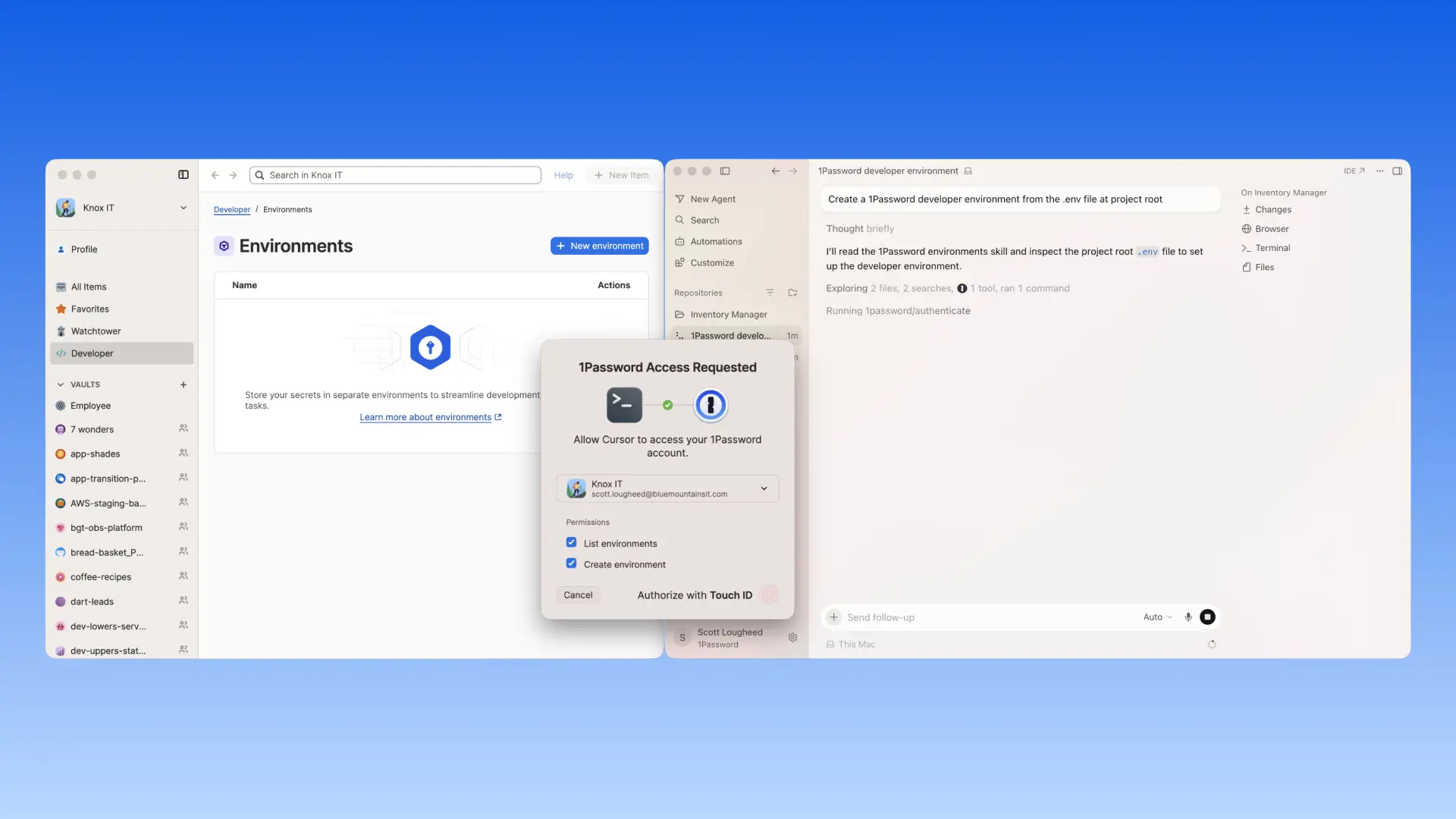
Once secured in 1Password, the MCP server does not read or return secret values to the agent, and any access is issued only at runtime, scoped to the task. This is the design principle for our MCP server that reflects 1Password’s approach to MCP and agentic workflows. Secrets are securely injected at runtime for an authorized process and users must explicitly authorize access for the scoped task. MCP works best when access is scoped, user-approved, and keeps credentials out of the agent context.
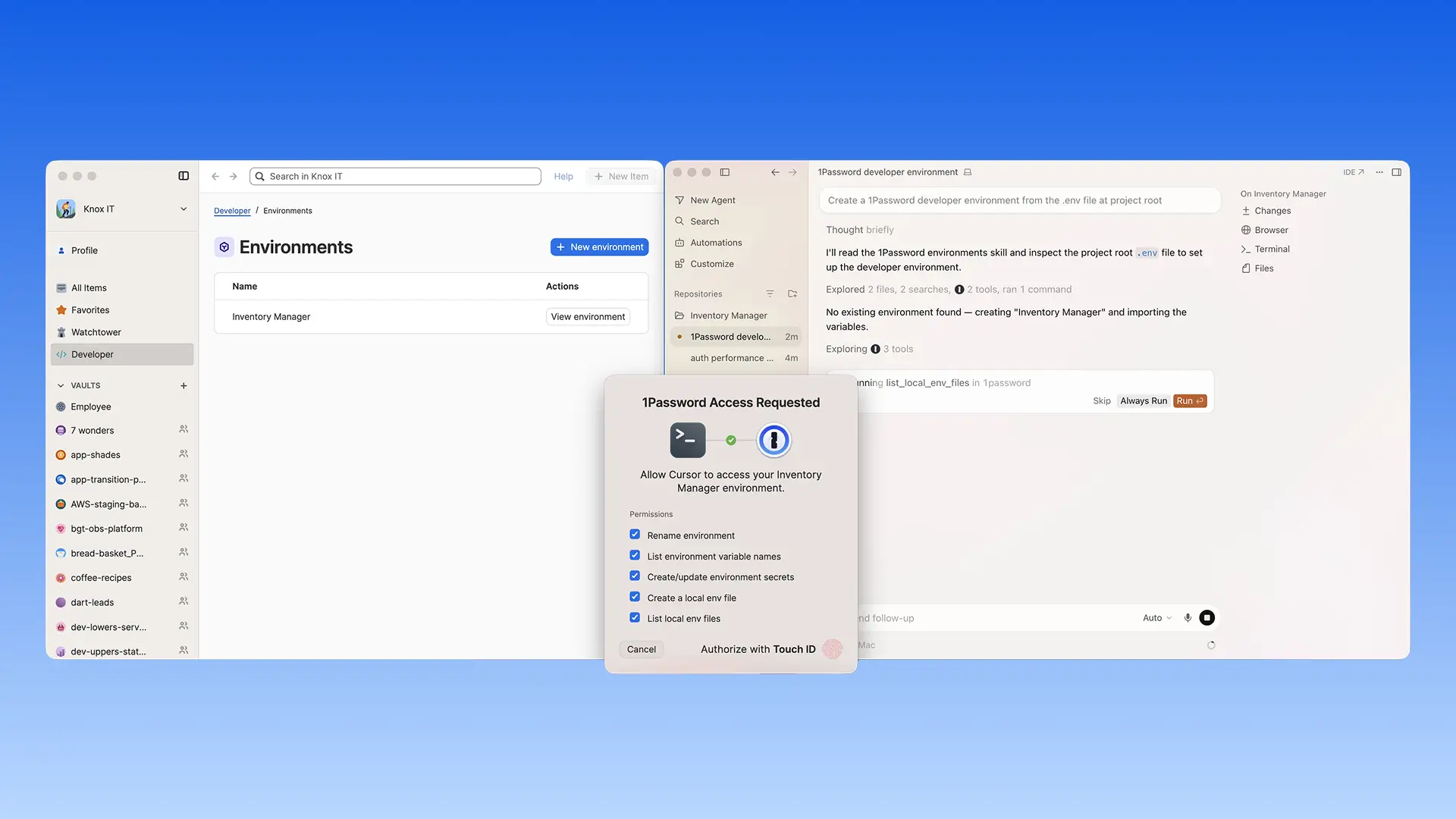
AI agents are moving from suggesting code to operating inside the development workflow. The security question is not whether they can help, but what they can access and where credentials live. By making 1Password Environments natively available through Cursor Agent, developers can move plaintext .env values into 1Password, manage the environment from Cursor, and let applications receive those values at runtime. Once a secret is in 1Password, the MCP server returns names, not values. That is the boundary developers should be able to trust.”
-Nancy Wang, CTO, 1Password
What developers can do with the 1Password Environments MCP Server
This integration is designed to fit into how Cursor users already work, while reducing the need to handle secrets directly or copy them into local files, repositories, or configuration.
With this integration, developers can:
Ask Cursor to create and configure your development environment, with secrets managed by 1Password. Run your application with credentials injected at runtime rather than stored in plaintext .env files, all without leaving Cursor.
Bootstrap new projects with 1Password-managed environments so you do not have to create or share .env files.
Let Cursor create and update environment configurations so your code runs with the right setup, while underlying secrets stay in 1Password.
Stay in control of every access, since each interaction with 1Password through Cursor requires explicit user approval via a local auth prompt.
Currently available for macOS and Linux only.
Get started with the 1Password Environments MCP Server
Cursor Marketplace joins the growing list of places where developers can find the 1Password Environments MCP Server, with more to come. Each AI-native platform 1Password expands into is another proof point that secure, scoped credential access is how agentic development should work. As more AI-native development tools become central to how software gets built, 1Password will continue to meet developers where they are.
Explore ourdocumentation to configure the MCP server and start building securely with Cursor today.
For developers already using Cursor and 1Password: Find the 1Password Environments MCP Server on 1Password Marketplace and the Cursor Marketplace and add it to your Cursor workflows. You will need a 1Password account with access to 1Password Developer Tools.
New to 1Password?:Start a free trial to get access to 1Password Password Manager, 1Password Environments, and the 1Password Environments MCP Server.
2026-07-30, 00:00
In our last post, we shared how we began to scale our security code review process with SAGE. We discussed how we gathered historical Product Security (ProdSec) review records to create a 1Password-specific ruleset, the three-stage Finder/Critic/Judge pipeline, and the limitations of our v1 implementation. Above all, human ProdSec reviewers still had to bring full context to the findings: where the trust boundaries lie, which directories are sensitive, and whether mitigations exist elsewhere in the codebase.
Our goal for v2 was to help SAGE understand our entire codebase. Many of our GitHub repositories are huge, including our client and server monorepos. That means we have way too much information to fit within any LLM’s context window. We had to find a way to let SAGE perform deeper reasoning about the PR diffs it reviews without the codebase itself.
There was another hurdle. As we built v2, we ran into a fundamental LLM trait: they can’t reliably produce the same output twice. We knew we had to do our best to manage this nondeterminism so we could trust SAGE to be a relatively consistent security reviewer.
We had two things to figure out: how to fit a lot of data into a context window, and how to get consistent output from inherently inconsistent tools. If we could solve those riddles, SAGE wouldn’t just know 1Password, it would finally understand it.
And it would earn the name SuperSAGE.
Compressing context with scaffolding
As it turns out, our Security Research team had already developed a Python proof of concept designed to compress our code context. It was a set of LLM prompts that generated one SCAFFOLDING.md file per source directory. Those scaffolding files carried compressed structural context like sensitivity ratings, attack surfaces, trust boundaries, and file summaries. It was a great foundation; we just had to productionize it as a Go rewrite on top of SAGE v1’s model-agnostic llm.Client harness.
To start, the PoC took inventory of our code structure. Any well-organized codebase is shaped like a tree: a root that branches into directories and subdirectories, all the way down to individual files. The PoC walked that tree once from the bottom up, so by the time it reached any given directory, everything beneath it had already been analyzed. This is a classic map-reduce pattern: each directory was summarized on its own (the map), and those summaries were folded upward, child into parent, all the way to the root (the reduce).
This worked well for a point-in-time snapshot of our codebase, but 1Password has hundreds of hard-working engineers, so there are sections of our code that change every day. On the other hand, other sections, like our cryptography layer, are trusted, well-vetted, and rarely touched. Re-running that full bottom-up walk every night, across a codebase the size of ours, would be slow and expensive. So we chose to make it incremental: only regenerate scaffolding for directories in which the code had actually changed.
But skipping unchanged directories is only half the picture. When a directory's code has changed and its scaffolding needs to be regenerated, the model hands back new prose everytime, even if nothing more than a line of whitespace was added. An LLM rarely, if ever, describes the same code the same way twice. Had we kept folding each directory's model-written summary into the one above it, those harmless rewordings would have piled up: a rephrased child summary would make its parent look changed, and that parent its own parent, all the way to the root, leaving us regenerating the whole tree every night to chase code changes that weren’t semantically different.
It left another problem sitting in front of us, even for a single directory. We'd been letting the model's wording alone decide what counted as a change. We needed a way to answer one question without depending on the prose at all: Did this directory truly change?
There it was: the nondeterminism problem.
Working with LLM nondeterminism
The easiest fix for inconsistent LLM output is to force temperature=0, which helps reduce randomness from the generation. But two of the three models in our SAGE pipeline don’t support that setting at all, so we had to solve our nondeterminism issue architecturally.
At first we explored an alternative to plain-text comparison. Instead of checking if the new summary’s text was identical to the original, we considered checking if the new summary’s meaning was close enough to the original. It sounded good on paper, but ultimately we rejected the idea because a genuinely important security change (like adding a new endpoint that’s reachable from outside the trust boundary) might only shift the similarity score a small amount, and would be indistinguishable from ordinary LLM-rephrasing noise. For a security tool, silently missing that kind of change is worse than being too cautious.
Instead, we narrowed what SAGE v2 considers a change. Rather than comparing everything within a directory's SCAFFOLDING.md file, we only track the SHA256 hashes of a small, fixed set of structural facts — things like the files in the directory, their sensitivity ratings, and trust-boundary designations. If any of those hashes shift, we treat it as a real change worth propagating throughout the scaffolding. The written analysis generated for humans is intentionally left out of the comparison because it's the piece most likely to come back worded differently from one scan to the next without any meaningful changes.
We made one other deliberate choice: The LLM never gets to decide what counts as a change, either. The hashes themselves are computed by our Go harness, which is completely deterministic. The LLM no longer needs to infer what has changed, so we’re not asking the model to grade its own homework.
Long story short, we let the structure decide, not the prose. A new file in a directory is a real signal; a reworded summary of the same code is just noise. And by eliminating that noise, SAGE keeps its understanding of our code fresh.
Teaching SAGE what matters: The next chapter
Implementing context compression and solving for model nondeterminism are what let SAGE go from reviewing diffs in isolation to reasoning about the code around them: where a change lives, whyit matters, and whether a risk is real. And it can keep that knowledge current, day after day, without unnecessary costs incurred by LLM drift.
The results speak for themselves. SAGE now distills a directory’s raw source into a security summary a fraction of its size — often 30 times smaller — and refreshes that map every night for a few dollars, re-deriving only the small slice of code that actually moved while skipping the rest for free. It has earned the name SuperSAGE.
We’ve come a long way. But we still have work to do.
To this point, SAGE has only scanned select PRs: those voluntarily tagged with the sage-review label and those assigned to the ProdSec team for review. The next step is to roll it out to every PR across all repositories.
But scaling a tool is its own test. A reviewer that can't tell a real finding from a false positive is manageable on a handful of PRs, and a liability on all of them. Before we have SAGE scan every PR throughout the organization, we need to teach our AI-assisted reviewer which of its findings actually matter.
Which means SAGE needs to learn. And that’s exactly where we’re headed next.
Stay tuned for Part 3.
Want to work with 1Password?
Our Security team is hiring. If this work sounds exciting to you, we [encourage you to apply](https://jobs.ashbyhq.com/1password).
ALL RSS FEEDS
DISCLAIMER:
- Copyrights belong to each article's respective author.
- Article links lead to external websites, where you will be tracked, most likely.
2. PROTON BLOGby ProtonMailSwiss-knife comprehensive solution for privacy and security in email and on the web.
2026-09-01, 18:58
Amazon has the resources to know a lot about you: what you buy, what you watch, what you read, when you’re home, what you ask your voice assistant, what you eat, what websites and apps you use.
The sheer breadth of Amazon’s ecosystem sets it apart. It has woven itself into everyday life through online shopping, a streaming service and devices, e-readers home security cameras, smart speakers, grocery services, and other businesses that span entertainment, retail and gaming.
Individually, each of these products and services collect data to deliver what you’ve signed up for. Together, however, they create a remarkably detailed picture of your daily habits.
And the more you use Amazon, the easier it becomes for it to collect even more information about you.
The good news is that reducing Amazon’s knowledge about you doesn’t require giving up online shopping. In many cases, altering a few privacy settings can limit the amount of data that’s collected. In others, choosing different services or devices can give you greater control over where your information is stored and who has access to it.
In this guide, we’ll walk you through Amazon’s ecosystem and explain what data each service collects, why it matters, and the practical steps you can take to keep more of your personal information to yourself.
- How Amazon tracks your shopping habits
- How Ring cameras collect and share your data
- How Fire TV and Kindle track what you watch and read
- How Alexa collects and uses your voice data
- Amazon-owned companies you may not realize are collecting your data
- What is Amazon Web Services (AWS), and why does it matter?
- How to reduce Amazon’s tracking without giving up convenience
How Amazon tracks your shopping habits
Over 150 million Americans shop on Amazon every year. The company accounts for roughly 40% of all U.S. retail e-commerce sales, giving the company a detailed view of millions of shoppers’ everyday lives.
Orders for baby products may indicate a growing family. Fitness equipment and supplements can hint at health goals. Gardening tools, pet supplies, kitchen appliances, books, and electronics all contribute to a profile of your interests and lifestyle.
Amazon Prime goes a step further. Because Prime encourages customers to centralize their shopping, streaming, reading, and music subscriptions under a single account, Amazon gains additional context on how you spend your time. Watching movies on Prime Video, listening to Amazon Music, or reading books on a Kindle paint a picture of your customer profile and can also reveal how often you’re home or how regularly you shop.
To be fair, data collection is common across e-commerce retailers. Every online retailer collects some information about its customers. To process an order, a company may need your name, shipping address, payment details, and contact information. It may also record your IP address, browser type, device identifiers, and the products you’ve viewed or purchased.
But privacy advocates have raised concerns about how Amazon handles customer information. A report by WIRED described how some Amazon employees improperly accessed customer order histories. It also said that it wasn’t uncommon for employees to look up the purchase histories of acquaintances.
How to protect yourself
You don’t have to stop using Amazon to limit its data collection. Review your Amazon privacy settings. (Instructions are below.) Disable browsing history if you don’t want products you have viewed to influence recommendations, and opt out of interest-based advertising where available.
- Avoid using “Login with Amazon” to sign in to third-party websites, which allows Amazon to become part of your activity outside its own platform.

- Consider whether every purchase needs to go through Amazon. Buying directly from manufacturers, supporting independent retailers, or using specialized stores for books, electronics, and household goods helps spread your digital footprint instead of concentrating it in a single ecosystem. While no retailer is completely anonymous, reducing your reliance on any one platform makes it harder for a single company to build a profile of you.
To remove access, go to Your Account and click Remove next to any third-party app or site you no longer want connected to your account.
From your Browsing History page, click the settings icon in the top-right corner to open more options.

Selecting More settings opens additional privacy controls.

From there, click the Browsing History toggle to turn it off.

Next, in Advertising Privacy and Preferences, select “Do not show me interest-based ads provided by Amazon” and click Submit.
Clicking Delete ad data removes your personal information from Amazon’s advertising systems.
How Ring cameras collect and share your data
Video doorbells have become one of the most popular smart home devices on the market, and Amazon’s Ring has played a major role in that growth. Being able to see who’s at your door, receive motion alerts while you’re away, and review recorded footage can be useful and convenient.
But these features also rely on cameras that are constantly monitoring the area around your home and, in many cases, uploading footage to the cloud.
Ring has expanded its AI-powered features. New tools such as facial recognition and features that can help locate lost pets aim to make neighborhood security more collaborative. However, these systems work by analyzing and sharing more visual data than traditional security cameras. Some of these features are enabled by default, meaning users may participate without fully understanding what information is being collected or how it’s used.
Ring has faced criticism over its own security. In 2019, attackers gained access to thousands of Ring accounts by using stolen credentials from unrelated data breaches and were able to view live camera feeds and speak through the devices‘ built-in microphones. The incident highlighted the importance of using unique passwords and enabling two-factor authentication.
Ring has also been criticized for sharing footage with law enforcement without a warrant. The company says it complies with legal requests and emergencies, but reports have shown that video footage has been provided to police without a warrant or the user’s explicit permission. For privacy-conscious users, this raises important questions about who ultimately controls cloud-stored recordings.
How to protect yourself
If you own a Ring device, disable features such as Search Party, Community Requests, and any optional marketing or analytics sharing if you don’t intend to use them. Enable end-to-end encryption where supported to better protect recordings in transit, and configure privacy zones so your camera avoids capturing public footpaths or neighboring properties whenever possible. (See instructions below.)
If you’re shopping for a new security camera, consider devices that prioritize local storage over cloud storage. Cameras that support recording directly to an SD card or network video recorder (NVR) reduce your dependence on a manufacturer’s servers. Brands like Reolink offer cameras built around this local-first approach.
Support for standards such as Real-Time Streaming Protocol (RTSP) and Open Network Video Interface Forum (ONVIF) also makes it easier to integrate cameras into your own home network without relying exclusively on proprietary cloud services.
Ultimately, no internet-connected camera can guarantee complete privacy. But by understanding where your footage is stored, who can access it, and which features you’ve enabled, you can make more informed decisions about the trade-offs between convenience and control.
In the Ring app, open Control Centre and tap Amazon Account Linking.
Click Unlink next to Other Amazon Services.
Enter your Ring account password and tap Unlink Accounts to confirm.
To limit analytics sharing, go to Privacy Information in the Ring app menu and tap Cookies and Third-party Service Providers.
Toggling off Third-party Web and App Analytics Cookies opts you out of third-party analytics tracking.
How Fire TV and Kindle track what you watch and read
When you’re reading on your Kindle or streaming through Fire TV, Amazon is also collecting information about you.
Kindle devices, for example, record more than the books you purchase. Depending on your settings and how you use the device, Amazon may also collect your reading progress, the amount of time you spend reading, the passages you highlight, the notes you make, and the words you look up in the built-in dictionary.
Fire TV knows how you use the device, what apps you open, what content you watch, and what you search for. It also supports Automatic Content Recognition (ACR), a technology that identifies what’s being displayed on your screen by taking hundreds of screenshots of your viewing behavior in an effort to support targeted advertising.
The challenge is that even if you replace your streaming device, your television itself may still collect similar information if it’s connected to the internet.
How to protect yourself
If privacy is your priority, start by reviewing your Fire TV privacy settings and disabling any optional data collection or interest-based advertising. You can also reduce data collection by keeping your television offline and using a dedicated streaming device instead. If you’d rather reduce tracking, Apple TV collects less viewing data than many of its competitors . Likewise, Kobo e-readers paired with Calibre offer a way to build a digital library without relying entirely on Amazon’s ecosystem.
No connected entertainment device is completely private. However, understanding which device is collecting your data can significantly reduce how much information is shared while still letting you enjoy your favorite books, films, and TV shows.

How Alexa collects and uses your voice data
Smart speakers like Amazon Echo and their built-in virtual assistants like Amazon Alexa have become a convenient way to control lights, play music, set reminders, and answer questions without lifting a finger. But they work by doing something many other devices don’t: They listen for your voice. While Echo devices are designed to activate only after hearing a wake word, they have become the subject of privacy concerns.
One notable incident occurred in 2018, when an Echo mistakenly sent a private conversation between a couple to one of their contacts. Amazon said that an unlikely sequence of misinterpreted voice commands was to blame, but it served as a reminder that voice assistants aren’t infallible.
Amazon has also faced scrutiny over how it handles voice recordings after reports revealed that employees reviewed a sample of Alexa interactions to help improve speech recognition systems. Separately, the US Federal Trade Commission fined Amazon over allegations that it retained children’s Alexa voice recordings even after parents requested they be deleted. These incidents raised broader questions about how long voice recordings are stored, who can access them, and how they’re used.
As generative AI has become increasingly important to technology companies, voice data has taken on greater value. Amazon has announced new AI-powered Alexa features that rely on cloud processing, meaning voice requests are analyzed on Amazon’s servers rather than entirely on the device itself. For users concerned about privacy, this represents another trade-off for convenience.
How to protect yourself
Amazon provides several controls that allow you to reduce the amount of information linked to your account. You can review and delete your voice history, choose how long recordings are retained, and opt out of using voice recordings to help develop new Amazon services where those options are available.
If you’d rather avoid sending voice commands to the cloud altogether, it may be worth considering smart home platforms that support local voice processing. Open-source solutions like Home Assistant Green can process commands on local hardware. While these systems often require more technical setup than a plug-and-play smart speaker, they offer a level of transparency and control that many commercial devices don’t.
Ultimately, the convenience of a voice assistant comes down to trust. If you’re comfortable sending voice commands to a cloud service in exchange for smarter features, Alexa remains one of the most capable assistants available. But if you prefer to minimize the amount of personal data leaving your home, reviewing Alexa’s privacy settings or choosing a locally processed alternative can help you regain more control over what your smart speaker hears.
In the Alexa app, go to More and tap Alexa Privacy.
Review Voice History lets you delete your voice recordings, while Review Smart Home Device History shows your connected device activity.
Scrolling further, you’ll find Review Activity History, Manage skill permissions and ad preferences, and Manage Your Alexa Data. Here, you’ll find additional ways to limit what Alexa collects and shares.
Amazon-owned companies you may not realize are collecting your data
Even if you stop shopping on Amazon, you may still be using Amazon-owned services without realizing it. The company has acquired businesses that span entertainment, books, gaming, groceries, and retail. While each service has its own purpose, many also collect information that contributes to your overall Amazon profile.
Film fans may frequent IMDb, bookworms may track their reading lists on Goodreads, audiobook listeners might subscribe to Audible, gamers are likely familiar with Twitch, and shoppers may regularly visit Whole Foods or Zappos. On the surface, these brands operate independently, but behind the scenes, they’re within Amazon’s ecosystem.
Whole Foods is perhaps the clearest example of Amazon extending its reach into the physical world. In addition to integrating Amazon Prime discounts, the company has experimented with technologies designed to connect in-store purchases with customers’ online identities. One example was Amazon One, a palm-scanning payment system that allowed shoppers to pay by scanning their hand instead of using a card or phone. Although Amazon has essentially phased out the technology at Whole Foods stores, it demonstrated the company’s ambition to link physical shopping with digital customer profiles.
How to reduce your data flowing into Amazon
Replacing every service overnight isn’t realistic or necessary. Instead, consider switching the services you use most often. StoryGraph offers an alternative to Goodreads for tracking books, TMDB provides movie and television information without relying on Amazon, and audiobook listeners can explore services like Libro.fm or borrow titles through Libby using a local library membership.
When it comes to groceries and everyday shopping, supporting local businesses can reduce your dependence on a single retailer. Recognizing just how broad Amazon’s ecosystem has become can help you make small changes that can significantly reduce how much of your digital life is tied to a single account.
What is Amazon Web Services (AWS), and why does it matter?
It may surprise you to find out that Amazon’s most profitable business isn’t its marketplace or Prime. It’s Amazon Web Services (AWS), one of the world’s largest cloud-computing platforms.
Many businesses use AWS to host websites, store data, run applications, process transactions, and deliver online services to millions of users around the world.
This became clear during major AWS outages in late 2025, which disrupted businesses, government agencies, healthcare providers, and popular online services. When a cloud provider of this scale experiences problems, the effects ripple across the internet, preventing users from accessing banking apps, streaming platforms, and other sites.
Interestingly, unlike Amazon’s retail business, AWS isn’t collecting data. Instead, its influence comes from its position as critical infrastructure. If a website or service is hosted on AWS, Amazon provides the computing power that keeps it online. A significant portion of the internet depends on this infrastructure.
This position also gives AWS considerable influence over the services it hosts. Over the years, AWS has suspended or removed customers from the platform after determining they had violated its terms of service. While supporters argue these decisions help protect users and maintain platform integrity, critics point out that when a small number of cloud providers host a large share of the internet, those decisions can have far-reaching consequences.
For individual users, however, there isn’t a practical way to avoid AWS entirely. You can neither easily tell whether the websites, apps, or online services you use are hosted on Amazon’s infrastructure, nor can you choose which cloud provider those companies rely on.
What you can control is the infrastructure you use yourself. Privacy-conscious users may prefer to self-host services such as cloud storage or media libraries using their own hardware instead of relying entirely on large cloud providers. Platforms like Nextcloud make this increasingly accessible.
Self-hosting isn’t for everyone. It requires time, maintenance, and a willingness to learn. But for those who value privacy and digital independence, it offers an alternative to large cloud providers. Even moving a handful of personal services off the cloud can reduce the amount of data entrusted to big technology companies.
How to reduce Amazon’s tracking without giving up convenience
Amazon’s products and services are designed to work together. A purchase on Amazon.com can lead to a recommendation on your Kindle. A Ring camera can integrate with Alexa. Prime connects shopping, entertainment, and groceries under a single account. Behind the scenes, AWS powers a significant portion of the internet itself. Individually, these services can be genuinely useful. Collectively, they give Amazon an unusually broad view of your digital life.
For many people, breaking out of Amazon’s box isn’t that simple. But privacy isn’t an all-or-nothing decision. Every step you take can help to reduce the amount of information Amazon has on you.
The most important thing is to make choices deliberately. Convenience often comes at the cost of sharing more personal data, but understanding those trade-offs puts you back in control.
2026-09-01, 16:34
Team password management is simple at three people. At 15 people, it starts to break down.
A small company might have a handful of tools, a few shared accounts, and usually one informal place where passwords live: a spreadsheet, a pinned message in chat, a shared document.
As more people join a business, informal sharing makes it difficult to see the difference between useful access and risky access. Passwords for everyday tools end up mixed with credentials for finance, admin, client, or infrastructure systems. The list may still look organized from the outside, but it no longer reflects who actually needs access to what.
As a business grows, shared credentials need structure and control: who can access each password, which department owns the credentials, and how access changes as people join, leave, and switch roles.
We’ll explain how to organize password vaults by team or department, how group-based access supports least privilege, and how to make onboarding and offboarding more secure — before credential sprawl becomes a security and operations problem.
Why shared password access doesn’t scale
Informal sharing is usually the first model growing companies rely on. Informal sharing is built for convenience: passwords may live in a spreadsheet, a chat thread, or someone’s browser, and nobody has to ask for access every time they need a login.
That convenience is quickly outweighed by chaos and risk. Once more teams, contractors, clients, and tools enter the business, that shared list becomes too broad for the work people actually do. The finance team may need banking, payroll, and invoicing credentials, but not ad accounts or developer tools, for example. Marketing may need analytics, content, and social media access, but not legal portals or infrastructure credentials.
The cracks show in everyday work, but offboarding is where this model becomes dangerous. When someone leaves, the business has no reliable way to know which credentials they had access to, copied, or still remember. Rotating a password means distributing the new one all over again through the same unprotected channels, with no record of who received it. Faced with that effort, many businesses skip rotation.
A business password manager with structured vaults and group-based access replaces imprecision with control: access can be granted, reviewed, and revoked deliberately.
The larger the vault becomes, the less useful it is as an access control. It may still store passwords securely, but it no longer reflects how the business actually works, who owns each credential, or who should be able to use it.
Team-based access supports least privilege
The principle behind credential access by department is simple: people should only have access to the credentials they need for their work.
The principle of least privilege is useful because it gives credential access a clear test: does this person need this credential to do their job, or do they have it because access was granted once and never questioned again? In team password management, that question should shape how vaults are created, who joins them, and when access is removed.
This is especially important for shared credentials. A shared login is already harder to govern than an individual account because more than one person can use it.
When that credential is also accessible to people who don’t need access to it, the business carries exposure without any benefit: every extra person who can view it is another device where it can be autofilled, copied, or phished. The business may know that the password is stored somewhere safe, but not whether everyone with vault access still has a valid reason to use it.
Groups in Proton Pass for Business solve this: admins can organize people into groups that mirror teams, departments, or projects, then assign those groups to specific vaults and items, so access follows the role rather than a list of individual grants.
Vault structure should match risk. Low-risk operational logins can be shared easily, while admin credentials, finance tools, HR systems, customer exports, and backup access need tighter controls.
What good vault structure looks like
A useful vault structure should help people find what they need without giving them everything.
A practical baseline for most growing SMBs includes six password vaults by team::
- Finance: Accounting, payroll, banking, invoicing, tax portals, payment platforms.
- Marketing: Social media, analytics, advertising, content management, design tools.
- Sales and customer success: CRM, proposal tools, customer portals, support platforms.
- Operations: Vendor portals, project management tools, logistics, procurement.
- IT and security: Admin consoles, backup accounts, device management, DNS, hosting, infrastructure.
- Leadership: Board materials, investor portals, executive-level services, sensitive vendor accounts.
When vault structure and group access work together, admins can manage permissions at scale: assign a finance group to the finance vault, an IT group to infrastructure vaults, and a project group to temporary client work. Access then scales with the org chart instead of with an admin’s memory.
After the base structure is in place, create restricted vaults where the risk justifies them. An IT team may keep a general IT vault and a separate privileged admin vault, both assigned to the appropriate groups.
This becomes essential during onboarding and offboarding. Adding someone to a group grants them all necessary vaults at once; removing them revokes everything at once.
The goal is not to make vaults complicated. The goal is to avoid mixing credentials with very different risk levels. A social media scheduler should not share access with payroll administration.
Password vault structures for different team sizes
A very small business doesn’t need enterprise-level vault architecture. Too much structure too early can create confusion and slow adoption.
Even at one to two people, separating business credentials from personal ones in separate vaults sets a foundation for growth.
For a team of three to 10 people, a few broad vaults may be enough: company operations, finance, marketing, and IT. The main priority is to avoid one vault for everything and keep the most sensitive credentials separate.
For a team of 10 to 50 people, vault structure needs to follow how the business is actually organized. At this stage, credential access becomes part of everyday operations: people join teams, contractors come in for specific projects, managers become responsible for the tools their teams use, and admins need a way to review access without opening every credential one by one. Contractors and external collaborators can be assigned to project-specific vaults without scoped access, so they only see what their engagement requires — and lose access automatically when the project ends.
For teams of 50 or more — larger SMBs and mid-market teams — vaults may need to follow both departments and roles. A department label is not always specific enough; someone may work in finance without needing banking access, or support IT operations without needing privileged admin credentials.
The structure should fit the business, not the other way around. The following sections explain how to operationalize that structure through onboarding, offboarding, and ongoing access reviews.
Building structure into onboarding
Onboarding often exposes weak password management. A new employee joins and someone has to remember which credentials they need, where those passwords live, who can share them, and which access should wait until after training or approval.
A team-based model removes that reliance on memory. When a new finance hire joins, they don’t need a colleague to manually identify and share each credential. They can simply be added to the finance group for the access they need. No one should have to forward links, paste passwords into chat, or remember which tools the finance team usually uses.
The person should simply be added to the finance group and automatically inherit the vaults and items assigned to it — only the credentials tied to that role. This makes onboarding faster and keeps sensitive accounts from spreading beyond the team that needs them. People can start work without chasing passwords, while the business avoids giving broad access for convenience.
This is also where a clear password policy helps. Proton’s guide to creating a password policy explains how businesses can define password creation, secure sharing, access management, and authentication rules. Those rules become easier to apply when credentials are already organized by team.
Making offboarding more secure
With one shared company vault, revocation is all-or-nothing: the departing employee may have touched dozens or hundreds of credentials, facing broad rotation or — worse — leaving ex-employees with lingering access.
A precise offboarding looks like this:
- Remove the person from team and project groups.
- Review any credentials they owned or managed.
- Rotate higher-risk passwords where needed.
The business can focus rotation and review effort on the credentials that actually carry risk, instead of treating every password as a fire drill.
This is where creating groups pay off. If access is managed only through shared vaults, an admin has to revoke the person from each vault one by one. With groups, removing them from the group revokes every vault and item assigned to that group at once — one action instead of an audit.
The same logic applies when someone changes roles. A person moving from sales to operations should not keep old CRM admin credentials by default. Role changes should trigger a vault access review just as much as offboarding does. With group-based access, this review is fast: move the person between groups, and their access updates automatically — old CRM credentials gone, new operations vaults granted, in one simple step.
Better visibility for admins
Good team password management gives admins a clear view of access. They should be able to answer basic questions quickly.
Key access questions admins should be able to answer
- Who can access finance credentials?
- Which vaults include contractors?
- Which users have access to admin passwords?
- Which credentials are shared across departments?
- What changed after an employee left?
- Which vaults contain high-risk or privileged accounts?
The NCSC’s identity and access management guidance emphasizes controlling who and what can access systems and data. It also points to the importance of limiting access to what is needed and reviewing access regularly.
This is difficult when access is organized around convenience instead of responsibility. A clean vault structure gives admins a stronger starting point for security audits, access reviews, and customer questionnaires.
For IT teams, Proton Pass for Business supports centralized management, policies, secure sharing, reporting and logs, SCIM provisioning, and SSO integrations. Teams gain centralized visibility that browser-saved passwords and shared spreadsheets don’t provide.
Common mistakes in shared vault management
Shared vault problems usually begin as shortcuts. They make access easier in the moment, but they also make it harder to know who can use which credentials later.
Five mistakes account for most shared vault failures in growing businesses:
Keeping one company vault for too long
A single vault may work at the beginning, but it eventually gives too many people access to credentials outside their role.
Depending on one admin’s knowledge
If only one person knows where critical credentials live, the business is reliant on memory instead of process — and that knowledge walks out the door with them.
Treating vault access as permanent
People change roles, contractors finish projects, and vendors leave. Vault access should change with them.
Forgetting credential rotation
Some passwords need to be changed after offboarding, role changes, or periods of overly broad sharing, especially for admin accounts, finance tools, customer systems, and vendor portals.
Mixing everyday logins with privileged access
A team vault can make daily work easier, but high-risk credentials still need stricter review and narrower access.
Each of these mistakes has the same root cause — access organized around convenience — and the same cure: structure that reflects team, roles, and risk.
How Proton Pass for Business supports team password management
Proton Pass for Business helps businesses move from informal password sharing to structured credential management. Teams can generate strong passwords, store credentials in encrypted vaults, share access securely, and manage business passwords from one place.
A business password manager gives teams a safer place to store and share credentials, but the structure around those credentials still matters. For growing teams, the next step is making sure shared access reflects how people actually work: by department, role, project, and level of risk.
With groups in Proton Pass, credential access is managed at the level teams actually work: admins assign vaults and items to groups mirroring their departments or projects, and membership changes update access automatically — adding a hire grants everything they need; removing them revokes it all.
Clearer structure makes secure sharing easier to manage in the flow of work. Credentials are organized around the teams and roles that actually use them, admins have a better view of access, and employees can find the passwords they need without moving secrets into chat, email, or personal notes.
Organize your team’s credential access with a business password manager.
2026-09-01, 11:56
Small and medium-sized businesses are under threat from hackers in a way they’ve never been before. They’re the new favorite targets of ransomware attacks. AI-fueled phishing scams and malware-as-a-service make criminal work easier than ever. Our SMB Cybersecurity Report found that hackers breached one in four SMBs last year, costing most of them between $10,000 and $100,000.
The best solution is also the simplest: Use a business password manager.
To make strong cybersecurity even more accessible to SMBs, Proton Pass is launching a pilot program for managed service providers. We’re inviting MSPs in our community and beyond to take part. By joining the program now, you’ll be able to offer and manage Proton Pass Professional subscriptions from a dedicated portal in your own Proton Pass dashboard.
Many organizations use our Proton Pass password manager within their own infrastructure, and some IT firms and MSPs deploy it for other businesses. But until now, a more feature-rich managed services portal hasn’t been available. This program gives you the opportunity to add Proton Pass to the product portfolio offered to your customers while helping to shape the development and features of the Proton Pass MSP product.
What is the Proton Pass MSP pilot?
The pilot program introduces a dedicated portal that allows MSPs to sell and manage Pass Professional subscriptions across multiple client organizations from one interface.
Before we roll out MSP services for broader availability, we’re inviting MSP businesses to take part in this initial pilot program. We’ll work closely with them to understand how they use the portal and what new features they would like to see.
This launch focuses on the core features you need as an MSP, including:
- Allowing multi-organization user provisioning and management
- Having an overview of all sub-organizations that you manage, showing allotted vs. used licenses per client, with one-click access to each client’s admin dashboard
What to know about the pilot program
If you’re interested in taking part, here’s what to expect:
- After you get in touch with our sales team and set up an agreement, you’ll be granted access to the new MSP portal.
- You’ll be subscribed to your own Proton Pass plan that allows you to create and manage client sub-organizations from the dedicated MSP portal.
- Every seat allocation or disablement is recorded as a timestamped event.
- At the end of each month, you can export a detailed report that you can use to bill your own clients.
- You’ll also be sent an invoice by Proton in line with the detailed report.
Find out more about the pilot program.
Why partner with Proton Pass as an MSP?
When you provide third-party password management services for businesses, your clients trust you to protect their entire IT perimeter, which includes valuable and sensitive business data. That means choosing reliable tools that meet high security standards, not just ones that offer the right price or make claims you can’t verify.
Security your clients can rely on
Everything we claim about Proton Pass’s security is backed up by regular third-party security audits and our application code is all open-source so anyone can verify it. Our zero-knowledge architecture and end-to-end encryption form a secure foundation for any business.
Read why fintech Elemnta chose Proton Pass
Effective password management for teams
Proton Pass provides secure credential management with customizable policies and granular reporting that make it an ideal choice for managed service providers. You can manage all of your clients’ organizations from one console, ensuring that business password policies are followed and strict security standards are met.
Easy enough for anyone to use
When you’re introducing a new password manager, encouraging adoption can be a challenge. Proton Pass was designed to work for anyone, no matter their familiarity or confidence with tech. Companies that switch to Proton Pass say the intuitive interface led to more widespread adoption.
See how French coworking firm Morning rolled out Proton Pass
An EU-based alternative for digital sovereignty
Many businesses are looking for European alternatives to the American tech they’ve relied on because they’ve realized they don’t truly have control of their own data. When clients ask how you address this problem, Proton Pass can be the simple answer.
You can learn about all the Proton Pass features and see how Pass compares to other password managers. Our sales team is also available to help you if you have any questions about the MSP program or need answers for your clients.
Find out more about the pilot program and how businesses can benefit from adopting a secure European business password manager.
2026-08-28, 21:12
In the early hours of August 27, 2026, Proton experienced a widespread outage that impacted services for a number of users. The root cause was a total failure of the cooling system in our Frankfurt datacenter. While all systems at Proton are redundant and we have enough capacity to endure a complete data center failure, there are a small number of scenarios where the failover can take longer and lead to user-facing disruptions.
Here’s a timeline of what happened, what choices we made during the incident and why, and how it was resolved.
Timeline
Just after 11 p.m. (Central European time) on Wednesday, August 26, a cooling system failure occurred in the main room of our Frankfurt datacenter. At around 11:15 p.m., the temperature started rising from approximately 21.8°C (nominal temperature) to 51.9°C in less than half an hour, with some measurement probes reporting 60°C air temperature in the room. As the temperatures rose, server and networking equipment within the facility started to die one by one.
The user-facing incident began at around midnight on August 27, when the failures escalated to the point that critical redundancy was lost. This occurred when both the primary and backup network switch on a critical rack failed, and this rack unfortunately contained several primary database copies. While almost all Proton systems are redundant and will failover automatically/immediately, primary database failovers are not done automatically without human supervision.
We retain this control out of a desire to avoid so-called “split brain” situations, where a temporary unavailability of a primary database means that the replica copies miss some updates and become de-synced in ways that can be difficult to reconcile later. Furthermore, when a primary database failover occurs, the standard operating procedure is to failover to a replica in the same datacenter for latency and performance reasons. However, the specific nature of the problem meant that this might be ill-advised, since we potentially could be failing over to something that would also go down.
The decisions
At this point, Proton’s on-call engineers needed to make a couple consequential decisions while operating under extreme pressure.
- Do they prioritize bringing the service back online, or prioritize addressing the cooling problem and saving the hardware inside the datacenter?
- Should we failover to replicas within the same building Frankfurt (faster and less disruptive, but possibly a temporary fix if the heat could not be brought under control), or failover to Zurich?
- Do we failover everything or just what is down at the moment? We have contingencies for complete data center failure where things failover fully and mostly automatically rather quickly, but a situation where random servers are dying one by one is not handled well by our failover logic.
Ultimately the rate at which temperatures were rising forced us to prioritize saving the hardware versus bringing services back online. This is not a choice that typically needs to be made, because cooling systems are typically redundant, and the complete loss of cooling is quite rare, meaning that there is quite a bit of time before temperatures become critical. The problem is exacerbated by large increase in server power density in recent years with higher power CPUs and GPUs for AI. As a result, what used to take 3-4 hours to go critical went critical in 20 minutes.
The on-call team therefore focused their attention on communicating with the on-site datacenter operations team to restore cooling while powering off as many servers as possible to protect them. Due to a server equipment shortage tied to the ongoing AI boom, lots of this equipment — if lost — would not be possible to replace on short timelines. Saving it had to be a priority, even at the cost of potentially extending the downtime.
By 00:45 CEST, we were able to restore cooling and temperatures at the facility began to drop, and the on-call team switched focus to service recovery. At this point, we made the decision to failover the primary databases to Frankfurt if a replica was still alive, and to Zurich in cases where there was no replica alive in Frankfurt, to avoid changing our traffic flows too much and possibly creating new instability. This option was selected because we assumed that, now that we had the cooling under control, it would be relatively easy to bring Frankfurt back online and faster than switching over to Zurich.
Unfortunately, this turned out not to be the case. During the incident, many network cards in the Frankfurt infrastructure reached a temperature of 105C (normal operating temperature is 45C), which triggers a special temperature protection mode and causes the network cards to be disabled until there is a cold system reset. Our security posture limits the ability to access the out-of-band controller for our systems, which required us to wake up additional staff to assist with the recovery.
By 01:30 CEST, we were able to get most services back online for most users. However, some less critical systems, such as push notifications or payment processing, were not recovered until around 02:00 CEST.
As we reported during the initial incident report, no emails were lost, but email delivery in both directions was delayed during the incident.
While user-facing services were fully restored, that was not the end of the night for our engineers, in particular the database team. Our infrastructure was left in a highly abnormal state, with some primary databases in Zurich and others in Frankfurt, and several of them operating with reduced redundancy and/or reduced performance. Our team worked through the night to resolve the most pressing of these issues, and the work continued through the day on August 27 to restore full redundancy.
While we were able to save almost all of the infrastructure, some servers unfortunately suffered heat death, and we don’t know yet if the heating incident will impact the lifespan of the surviving equipment.
Root cause and next steps
A subsequent investigation on August 27 traced the root cause of the cooling failure to an air filter replacement on both of the redundant air compressors powering the cooling system. Unfortunately, the datacenter operator performed this operation in the middle of the night, without prior notice, and also failed to communicate the cooling failure when it happened, which dramatically cut down the time we had to respond. We are working closely with the operator to prevent a repeat of this incident.
However, it is also a known limitation of our current database infrastructure that an outage of this type could lead to a longer than normal recovery process. The series of events that led to this incident are highly improbable — yet they happened.
The database resilience work required to address this failure mode is already underway and remains planned for completion by the end of the year. Additional infrastructure capacity, including new datacenter space, is also currently being commissioned and is expected to become available within the next few weeks, which will further reduce our single site dependency.
Unfortunately, this incident occurred before those improvements were fully in place. We are now reviewing where we can safely accelerate the remaining work while maintaining the level of care required for changes to critical database infrastructure.
We recognize that our users expect a very high level of reliability from Proton, and this incident reinforces the importance of completing this work and continuing to raise our resilience standards. We apologize again, unreservedly, to every user who was impacted.
2026-08-28, 12:32
Remote work tools may not feel like a major infrastructure decision when you’ve just started scaling your business. They can feel like a relatively minor task compared to making payroll, shipping your MVP, or keeping your runway alive… But that’s where the danger lies.
The remote work tools you pick on day one become infrastructure you’re stuck with, and the gaps between those tools quietly accumulate into serious problems you won’t notice until it’s too late. That’s security debt — and it’s more common than you’d think.
One in four SMBs experienced a breach last year, despite actively investing in security tools. The problem wasn’t the password managers or VPN they chose: it was the gaps between them.
Security debt doesn’t hit you immediately, but it does compound in the background until the worst possible moment: When an enterprise customer asks for your audit trail and you don’t have one. Or an investor asks where your data is stored and you tell them it falls under US jurisdiction. Or a security questionnaire asks you to list everyone who has had access to your core systems in the last 24 months, and you realize you never tracked this.
Here’s how to build a secure stack of remote work tools that closes those gaps and is built to last.
11 of the best remote work tools for your team
Every business has different needs, but there are certain categories of remote work tools that just about every business needs to fill. Here are the 11 tools we recommend for each.
1. Slack (Best for team chat)
Launched in 2013, Slack has become the default choice for teams that want chat, voice, and video in one place. It replaced the endless email threads of old with channels organized by team, topic, or project, and its deep integration library (Google Calendar, Jira, and hundreds more) makes it a notification hub for your whole stack. One drawback to consider: on some plans, admins can access message history, a potential privacy concern for some businesses.
To find out what else is out there, read our list of the best internal communication tools.
2. Proton Mail (Best for business mail)
Email providers with economic models built around ad targeting can’t guarantee that your emails won’t be read by anybody else, whatever their privacy policy claims. Proton Mail is end-to-end encrypted by default, and protected under stringent Swiss privacy law, so only you and your recipient can read what’s sent. (Please note: emails to non-Proton recipients aren’t end-to-end encrypted unless you password-protect them first.)
3. Loom (Best for async video)
If you’ve ever been in a meeting that could easily have been a two minute video, Loom could be the solution for you. It lets you create video notes, recording your screen, face, and voice together, to be shared as a link. Popular use cases include recording onboarding walkthroughs, bug reports, and async updates across time-zones. (Note that Loom recordings are stored on Loom’s own servers rather than your team’s infrastructure, worth knowing if you prefer to keep company data under your own control.)
4. Proton Meet (Best for video conferencing)
Unlike Zoom, Proton Meet is end-to-end encrypted by default, which means not even Proton can access what’s said or shared on a call. Guests join with just a link, no account required, and the free plan covers one-hour calls with up to 50 participants. One caveat: Proton Meet works well for internal team calls, but if your workflow leans on integrating video directly into a CRM or support tool, you should check compatibility before switching.
5. Jira (Best for project management)
Jira is built for software teams running agile workflows: think sprints, backlogs, and issue tracking that ties directly to your codebase through Bitbucket or GitHub integrations. As such, Jira is the default choice for many engineering teams already inside the Atlassian ecosystem. On the downside, it is more configuration-heavy than general-purpose tools like Asana, and outside of a dev team it can feel like overkill.
6. Trello (Best for tracking tasks)
Simplicity is Trello’s strength, stripping task management down to cards moving across boards labeled to do, doing, and done. There’s almost no learning curve, making Trello a natural starting point for a small team. Once your team grows, however, that simplicity can become a limitation: you won’t find it so easy to perform cross-project reporting on it.
7. Miro (Best for visual collaboration)
When gathering around a physical whiteboard is impossible, a Miro board gives teams a remote — and much more flexible — option: an infinite digital canvas for planning, collaboration, and brainstorming. You can drag and drop files onto boards, set up repeat workshops with templates for retrospectives and planning sessions. While Miro is great for teams who can work in live, synchronous sessions, it’s less useful for teams working async across time zones.
8. Proton Drive (Best for cloud storage)
Proton Drive is the privacy-first alternative to Dropbox and Google Drive. Though it has fewer direct integrations than those apps, Proton Drive does a better job of protecting your data, encrypting files on your device before they ever reach Proton’s servers so that Proton can never decrypt them, even under a court order. Version history, access logs, and granular permissions come built in, and shared links expire by default rather than staying open indefinitely.
9. Proton Pass (Best for password/credential management)
The risk of credentials leaking increases sharply outside of a controlled office environment. Unlike most password managers, Proton Pass encrypts every field of every saved item by default: not just passwords, but usernames and notes too. It also includes email alias generation to keep your team’s real email addresses out of signup forms. (Note that advanced admin controls — SSO and SCIM directory sync — are reserved for the Pass Professional tier, not the base plan.)
10. Notion (Best for building a knowledge base)
With Notion, you can organize and centralize your business’s internal knowledge and documentation in pages, databases, and wikis, building a single source of truth for your teams and eliminating doubt over which document versions are current. But be warned: Notion’s flexibility can become a risk, enabling the building of an unstructured wiki that sprawls unless someone keeps an eye on it.
11. Lumo
Even small teams benefit from AI assistance that lets them draft, edit, summarize, and research faster without having to add to head count. Lumo is Proton’s AI assistant, built to offer all the power of AI without compromising your IP and sensitive data. Gemini and Copilot need access to your document data to function, but Lumo never trains on your inputs. (Lumo is available on Premium Proton plans only.)
Why even the best remote work tools can put you in security debt without you knowing it
Even genuinely good remote collaboration tools add up to a shaky stack when each one operates under its own security model. A stack with no unified access control, no audit trail, no data sovereignty, and security debt accumulating from day one.
Security debt comes in four types:
- Access debt: Your stack forces you to manually provide and revoke access across five or six different platforms. It’s on you to remember (and memory is far from 100% reliable). Result: the contractor who left you six months ago can still open your files.
- Audit trail debt: The access that you’re controlling isn’t recorded anywhere. You know someone accessed that folder, but you can’t prove it. And when a future investor, customer, or regulator asks you who had access to what, when, you haven’t got a good answer.
- Jurisdiction debt: Your files are sitting on servers that fall under the CLOUD Act. You didn’t mean for that to happen: you just chose Dropbox.
- Human error debt: Fragmentation means more manual steps, which means more human error, which means…? Let’s just say that 39% of breaches last year were caused by human error.
None of this is inevitable. Every risk we’ve listed is easier to cleanly avoid if you choose a more unified stack of remote collaboration tools from Day One.
What a secure remote work stack actually looks like
Most SMBs (66%) say demonstrating cloud data security (especially as far as client data is concerned) is very or critically important when winning new business. A unified platform gives you that — by closing the gaps where security debt accumulates:
- Unified access control: One admin layer. Instead of having to work through a six-platform checklist, you need to be able to perform one action to add and remove a team member from your infrastructure.
- Encryption by default: Your data is encrypted in transit and at rest. End-to-end encryption means your provider can’t read your files and can’t be compelled to hand them over.
- Data sovereignty: Your data is governed by laws you understand, in a jurisdiction you trust. (Not one that falls under the CLOUD Act.)
- Automatic audit trails: So you never need to tell an investor (much less a regulator) that you don’t have one.
- Built to scale securely: Your permissions, access tiers, and admin controls work whether your company is ten people or 100. No need to rebuild, no need to slow down.
Cybersecurity for startups starts earlier than you think — the earlier you build it in, the less you’ll have to bolt on (or clean up) later.
Your remote work toolkit, built on Proton Workspace
We’ve already introduced you to Proton Mail, Meet, Drive, Pass, and Lumo in this article. But selecting the best tool for each job doesn’t automatically close the gaps between those tools. To do that, you need a unified stack like Proton Workspace.
With Workspace, the security-critical layer of your stack is in safe hands: yours. Your data is under your control, encrypted from end to end (not even Proton can see it) and protected under one of the world’s strongest privacy jurisdictions.
Compliance isn’t a concern: Proton is ISO 27001 certified, GDPR and HIPAA compliant.
You’ll need to add tools on top for management and team messaging. But you’ll do so on a foundation that’s already secure.
- Access debt: resolved. One admin dashboard. One action to provision a new team member across every Proton service, one to remove them when they leave
- Audit trail debt: resolved. Version history, access logs, and granular permissions are built into Proton Drive and Proton Docs by default
- Jurisdiction debt: resolved. Headquartered in Switzerland, outside US and EU jurisdiction
- Human error debt: resolved. Expiration dates are set on links by default. Files are automatically encrypted in storage. Security is enforced automatically, not manually
The tools you pick on day one create the security debt you’ll pay off later. Build on the right foundation, and you can stop worrying about security debt — and start using your security posture as a selling point.
2026-08-27, 18:35
Most businesses build their team collaboration software stack the same way: one tool at a time, filling needs as they come up. When you’re just starting out, this seems like a reasonable approach.
But there’s a catch. Approaching the challenge of enabling team collaboration this way is how you end up with a Frankenstein’s monster of a stack, made entirely of parts that are stitched together inorganically.
Even if the parts are good, the disconnection between them causes problems. You’re paying more subscription fees than you can track. You’re not sure who has access to what. And you’re drowning in admin work.
This is a guide to taking the alternative route: building a team collaboration stack that has the essential tools in one place and is as consolidated as possible to save you money and time.
7 team collaboration tools your stack needs
Every team collaboration stack needs to cover the same ground: chat, email, video, documents, storage, and project management. It’s also worth adding visual collaboration and a knowledge base to that list.
Here are the seven tools you need to cover everything you need while protecting the confidentiality of your data.
1. For team chat: Slack
Slack is the go-to choice for team chat. It turns conversations into organized, searchable channels — set up by project, team, or topic — instead of long, scattered email threads. Voice and video huddles let anyone start a quick call without leaving the app, and file sharing keeps context attached to the conversation. Providing all the structure a small team needs, Slack scales with your headcount, fitting seamlessly into your growing stack via an integration library connecting hundreds of other tools.
2. For business email and calendar: Proton Mail
Proton Mail gives you all the same essential business email functionality as Gmail or Outlook, with the added bonus of end-to-end encryption. Google and Microsoft process messaging content to power search and AI features; Proton Mail’s encrypted architecture ensures your business communications are for your eyes only. Proton Calendar is bundled in, so your event details — including meeting titles and guest lists — also stay private, and scheduling doesn’t require a separate app or another login.
3. For project and task management: Trello
Trello simplifies task tracking to its bare essentials without sacrificing utility: managing boards and task cards that move from to do to done, with almost no learning curve for new team members. When we talk about consolidated platforms later, bear in mind that this is a tool most platforms don’t replace — so it’s worth budgeting for as its own line item in your stack.
4. For video conferencing: Proton Meet
Zoom might be the go-to for video conferencing for many businesses, but it’s far from the most private option. Its AI Companion feature processes call content — including anything commercially sensitive — to generate summaries and transcripts. Proton Meet’s default end-to-end encryption ensures that what’s said on a call stays between the people on that call. Guests join with a link and no account, and the free tier covers one-hour calls with up to 50 participants.
5. For visual collaboration: Miro
Miro is essentially a digital whiteboard, but its infinite canvas gives distributed teams a shared space for planning, brainstorming, and workshops that no whiteboard — or even chat thread or document — can replicate. Miro packs in enough features that mastering all of it takes time, but getting started takes just minutes: templates for retrospectives and roadmapping sessions mean new teams aren’t starting from a blank canvas.
6. For cloud storage and document collaboration: Proton Drive
Proton Drive offers business cloud storage that matches Google Drive and Dropbox on granular per-file permissions and version history. Where it pulls ahead is what happens if a breach occurs. Google and Dropbox need access to your file content to index it for search and power AI features; that means they hold the keys to your contracts, financial records, and product roadmaps, and a breach on their end could expose that content directly. Proton Drive is end-to-end encrypted by default with zero-access architecture: Proton can’t decrypt your files, so neither can anyone who breaches its servers.
Proton Drive also covers document collaboration, since Proton Docs and Proton Sheets are included with every Proton Drive plan. Docs and Sheets cover the same core functionality as Google and Microsoft’s document tools (real-time co-editing, comments, and version history), while adding end-to-end encryption, ensuring your contracts, drafts, and financial models get the same protection as everything else in your stack.
7. For a knowledge base: Notion
Many businesses — particularly those scaling fast — struggle with the chaos that comes with disorganized internal documentation. Notion centralizes internal documentation, wikis, and reference material in one searchable space, cutting down on the scattered, outdated copies competing for attention. Plus, it’s flexible enough to double as light project tracking if your team doesn’t need a dedicated tool like Trello.
But if your team stores confidential client files, strategy documents, product plans, or company IP in the cloud, we recommend using a more secure Notion alternative such as Proton Drive.
The hidden cost of a disconnected collaboration stack
Let’s say you’re starting from scratch and decide to go with the seven tools we recommend. Here’s how your collaboration stack will look (notice that there are’s only seven rows, as Drive includes both Docs and Sheets) — and it looks pretty solid.
Platform | Best for | Pricing | Key feature |
| Slack | Team chat | Free; Pro from $7.25/user/month (annual) | Channels, huddles, deep integration library |
| Proton Mail | Business email | Mail Essentials (includes Proton Calendar) $6.99/user/month(annual) | Shared domain, encrypted calendar and contacts built in |
| Proton Meet | Video conferencing | Meet Professional $7.99/user/month(annual) | Link-based guest access, no download required |
| Proton Drive | Cloud storage & document collaboration | Drive Professional (also includes Proton Sheets) $7.99/user per month (annual) | Granular per-file permissions, realtime co-editing, version history |
| Trello | Project & task management | Free; Standard from $5/user/mo (annual) | Boards, cards, automation rules |
| Miro | Visual collaboration | Free; Starter from $8/user/mo (annual) | Infinite canvas, templates for recurring sessions |
| Notion | Knowledge base | Free; Plus from $10/user/mo (annual) | Pages, databases, wikis |
However, if these tools are all running individually, not consolidated under one platform, you’re opening yourself up to three big problems.
1. The hidden subscription bill
Individually, the tools in our seven-tool stack don’t seem to cost that much. Add those subscriptions up, however, and (at the time of writing) a team of 25 is running up a bill of approximately $15,900 a year. And your team probably isn’t even using every seat.
It’s easy to lose track of what you’re spending on a set of disconnected team collaboration tools. You know they’re automatically renewing, but you’re reluctant to cancel the one you suspect nobody’s using because that means finding the login details. Or you’re worried that someone on your team must need it. (Why else would you have it?)
2. The cost of insecurity
Disconnected tools multiply your attack surface, with each surface a potential misconfiguration waiting to happen. In the long run, that could cost you dearly. Proton research shows that 25% of SMBs experienced a data breach last year, and 57% of breached SMBs lost between $10,000–$100,000.
3. The burden of admin
Time is money, and multiple tools demand that you spend a lot of both. Think of all that time spent adding and revoking permissions across seven tools (assuming you remember to), or reconciling seven separate invoices, or trying to figure out if anybody’s actually using that Miro seat you’ve been paying for since March. All these costs might not show up on one invoice. But they’re there.
What a consolidated collaboration stack gives you
The answer to reducing the cost and waste of a disconnected stack isn’t better tools, and it certainly isn’t more tools. The answer is a team collaboration platform that covers as many of the functions your disconnected tools are currently fulfilling as possible, while also giving you a secure and easily administered foundation for whatever other tools you need.
Pick your platform wisely, and replacing multiple tools with one platform will simplify and secure your team collaboration in a single stroke. When you have one platform handling team communication, file storage, document collaboration, and admin, you’re only dealing with:
- One bill, one renewal date, with one owner. Zero autopilot charges for unused tools
- One admin dashboard to control onboarding, offboarding, and access permissions. (No contractors hanging around in your Dropbox months after project completion)
- One security model, with one permissions system to administer, no gaps between tools, and no seven-tool misconfiguration risk
- One audit trail so you can see who accessed what, when, all in one place (and provide proof when investors or regulators come calling)
A consolidated, encrypted stack won’t just save you in subscriptions and security incidents. It sends a signal to your customers that you’re serious about handling their data seriously. It lets investors know that your operations are under control.
The platform to consolidate your stack: Proton Workspace
With our digital workspace platform for businesses Proton Workspace, you get all the Proton products and features we’ve mentioned on one platform: Mail (including Calendar), Meet, and Drive (including Docs and Sheets).
Instead of running those products as separate subscriptions, each with its own admin panel and its own bill, you get all of them under one account and one security model.
- The subscription saving: purchasing Mail, Meet, and Drive as separate subscriptions costs more than getting them together, since each one carries its own base fee on top of your per-seat pricing. Proton Workspace consolidates all of them into a single line item instead. Proton Workspace doesn’t replace Slack, Trello, or Miro (you’ll still need separate tools for chat, project management, and visual collaboration) but on the tools it does replace, the saving is real.
- The admin relief: Instead of three dashboards, you have one. Instead of three invoices on three different renewal dates, one. You can see exactly who’s using what, so no more paying for seats nobody’s touched since March. And when someone joins or leaves, onboarding and offboarding means one action for each user, not three. (And no more contractors retaining access to folders that are no longer their business.)
- The security foundation: You’ve established a secure foundation for collaboration. Proton Workspace is ISO 27001 certified, and GDPR and HIPAA compliant. All its services keep your data protected with end-to-end encryption and Swiss jurisdiction. Not even Proton can access your files.
On top of this, you get extra products bundled in: Workspace Standard subscribers get a business VPN and team password manager bundled in; Premium subscribers get these, plus Lumo, our business AI assistant.
Migrating your email and calendar to Proton is straightforward: Proton’s Easy Switch tool imports your existing emails, contacts, and calendars automatically (including from Gmail).
Few SMBs get their collaboration stack right the first time around. The right team collaboration platform is the one your team uses, your admin controls, and your finance team can see on one invoice.
2026-08-27, 17:46
AI phishing attacks are changing one of the oldest rules in security awareness: bad grammar is no longer a reliable red flag.
For years, employees were taught to look for awkward wording, strange formatting, spelling errors, and generic greetings. These clues are still important, but they can’t detect AI-powered phishing attacks.
Generative AI can help attackers write personalized messages in seconds. It can imitate a company’s tone, summarize public information about an employee, turn a short prompt into a convincing invoice request, or localize a scam to sound native in any target language.
However, this isn’t a completely new threat. It’s leveled up phishing with better writing, faster preparation, and more convincing impersonation. Phishing still aims to make someone click, share credentials, approve a payment, open a file, or move a conversation to a channel the attacker controls. AI simply makes that manipulation more convincing and easier to scale.
Within businesses, teams need to build new habits. We’ll explain what to look for and how to build better phishing and data breach protections within your business network.
How are AI phishing attacks different?
AI-generated phishing emails look like real work
New forms of AI social engineering
Why SMBs are increasingly exposed
How to adapt your phishing training to AI-enabled attacks
What businesses need to do differently
How Proton Pass for Business helps reduce credential risk
How are AI phishing attacks different?
Before generative AI, phishing required more manual effort. Attackers had to research a target, write believable copy, adjust the tone, and sometimes translate messages for different markets. Generative AI lowers these barriers to entry significantly.
The UK National Cyber Security Centre’s report on the impact of AI on cyber threats from now to 2027 notes that AI will almost certainly make parts of cyber intrusion more effective and efficient, increasing the frequency and intensity of cyber threats. It also notes that threat actors are already using AI to improve existing tactics, including social engineering.
Attackers can now produce phishing attack messages that look more natural and more specific. A scam email can refer to a real supplier, a recent LinkedIn post, a job title, a regional event, or an internal project name. Even when the attacker has limited information, AI can fill the gaps with language that sounds plausible.
The warning signs of a phishing attack remain the same. Suspicious links, urgent requests, unexpected attachments, and strange sender domains still matter. But the content itself is no longer enough to give the attack away.
| Traditional phishing attacks | AI-powered phishing attacks |
| Often have typos, awkward grammar, or generic greetings | Can use polished, natural writing with the right tone |
| Usually rely on broad, generic messages | Can include personal details, company context, or vendor references |
| Mostly appear as suspicious emails | Can combine email, voice cloning, fake invoices, and deepfake video |
AI-generated phishing emails look like real work
Phishing attacks have always ranged from crude to highly sophisticated, but generative AI lowers the skill and time needed to produce messages that are fluent, well-structured, and written in professional-sounding language.
The NCSC’s phishing guidance notes that phishing campaigns may try to steal sensitive information like passwords, or trick people into transferring money. It also explains that more targeted campaigns use information about employees or the company to make messages feel more realistic. AI makes that easier to do at scale.
Defense against modern phishing attacks requires layered controls rather than a single filter: multi-factor authentication (MFA) to make stolen credentials less of a threat, verified communication processes for critical requests, and employee training to recognize social engineering before credentials are surrendered.
Secure credential management is also a key aspect of your defenses. A business password manager like Proton Pass for Business makes it easy to generate a strong, unique password for every account. You can also monitor for exposure within your business network, so even if a team member is convinced by a single message, their credentials can’t unlock more than one account.
For employees, phishing awareness needs to evolve in order to detect these new AI-powered threats. It requires asking yourself three questions:
- Does this email look fake?
- Does this request make sense?
- Have I verified it or can I verify it through a trusted channel?
Going beyond the spelling and formatting of the email and looking at the wider context in which it was sent can go a long way. A polished email can still be a phishing attempt if it asks for credentials, changes payment details, creates unusual urgency, or pushes someone outside the normal process.
New forms of AI social engineering
AI phishing isn’t limited to email. Attackers can now use AI to combine text, voice, images, and video into a single convincing story.
AI-generated spear phishing
Spear phishing works because the message is targeted to the person receiving it. AI makes targeting even easier: An attacker no longer needs to spend as much time writing from scratch or adapting the tone for each target. They can use public information, leaked data, or a compromised inbox to create a message that appears legitimate.
That could be a contract update that arrives at the right moment, a candidate file sent to HR, a vendor request that uses familiar language, or a payment instruction that matches the rhythm of normal finance work. The danger is not perfection, but plausibility. A spear phishing message only needs to feel relevant enough for someone to open the file, approve the request, or enter their credentials before they stop to verify.
Voice cloning and vishing
Vishing, or voice phishing, is becoming more convincing as AI-generated audio improves. The FBI’s Internet Crime Complaint Center warned in 2025 about malicious actors using text messages and AI-generated voice messages to impersonate senior US officials. The alert explains that vishing may incorporate AI-generated voices and recommends verifying callers through independently identified contact details.
Proton’s Data Breach Observatory 2026 also highlights the rise of vishing campaigns, including coordinated attacks that led to large-scale breaches and exposed tens of millions of records. The same report found that passwords appeared in 47% of tracked incidents, showing why social engineering and credential protection are closely connected.
Deepfake phishing in video calls
Deepfake phishing can also happen through video. In 2024, a finance worker in Hong Kong was reportedly tricked into transferring about $25 million after fraudsters used deepfake video to impersonate senior colleagues during a video meeting.
Seeing a familiar face on a call is no longer enough to approve a sensitive request. Large payments, credential sharing, access changes, and unusual requests still need a separate verification step through a trusted channel.
AI-generated fake invoices
Invoice fraud is much easier with AI. A fake invoice can use polished language, realistic payment terms, a familiar supplier name, and a plausible explanation for a bank detail change. If the attacker has access to a breached inbox or leaked vendor information, the request may look even more believable.
A polished invoice should not be enough to move money. If the bank details have been changed, the timing feels unusual, or the message asks someone to skip the normal approval flow, the request needs to be checked through a trusted channel before anyone pays it.
Why SMBs are increasingly exposed
AI has changed the economics of phishing by lowering the cost of targeting. In the past, highly personalized attacks were more likely to focus on large companies because they took more time to prepare. AI makes it easier to create targeted messages for smaller businesses. Attackers can generate more variants, test more angles, and adapt messages quickly without spending the same amount of time or effort.
Smaller businesses are attractive because money, access, and decision-making are often concentrated between fewer people. One person may approve invoices, manage vendor relationships, and hold access to several business tools. When processes are informal, one convincing AI-generated request can reach payment workflows, shared accounts, customer data, or admin systems before anyone has a chance to challenge it.
The risk is visible in breach data too. The same Proton Data Breach Observatory report found that SMBs accounted for 63% of breaches tracked since January 2025 and were disproportionately affected by critical incidents involving sensitive data such as authentication data, personal identifiers, or financial details.
AI helps attackers exploit weaknesses small businesses already have: reused passwords, informal credential sharing, weak approval processes, and training that still assumes scams will look obvious.
How to adapt your phishing training to AI-enabled attacks
To properly combat AI phishing attacks, your security awareness requires more consideration than checking for typos. Employees need to learn how to verify the request, not just judge the message.
The baseline your training needs is simple: If a request is unusual, sensitive, or urgent, verify it before acting:
- Stop before replying, don’t respond on the same email thread.
- Ignore the contact details in the message, never use the phone number, link, or reply address it provides.
- Don’t treat a voice or video call as proof, because a familiar voice on a call or a familiar face on screen can both be generated.
- Reach the person through a channel you already trust, an internal directory, a saved vendor record, or a previously verified contact method.
- Confirm the request itself, not just the sender, ask whether the payment, access change, or file request is real.
Training should also focus on helping team members spot the moments where AI phishing is most likely to succeed:
- Payment detail changes
- Requests for passwords, recovery codes, or MFA approvals
- Urgent file-sharing requests
- Unusual login prompts
- Vendor portal changes
- Executive requests that bypass normal processes
- Invitations to move a conversation to a personal messaging app
Proton’s guide to building a small business cybersecurity culture in the workplace is a useful and timely resource for making security behavior part of daily work.
What businesses need to do differently
AI-powered phishing changes the standard for verification. If the message looks real, the process has to catch what’s no longer immediately obvious.
Use out-of-band verification
When a request involves money, credentials, sensitive files, or privileged access, the reply should not stay inside the same thread that created the risk. The team needs a second path to confirm whether the request is real.
That might mean calling a supplier using a number already saved in the vendor record, checking an executive request through an internal channel, or confirming access changes with the project owner. The key is to use contact details the business already trusts, not the phone number, link, or reply path provided in the suspicious message.
Require multi-person approval
High-risk actions should not depend on one person’s judgment. Payment changes, large transfers, new vendor bank details, privileged access grants, and bulk data exports should require a second approval to reduce vulnerability.
One urgent-looking message doesn’t need to derail normal work. A second approval gives the team a pause point before money is transferred, access is granted, or sensitive data leaves the business.
Protect credentials before they are targeted
AI phishing often ends at the same place as traditional phishing: credentials. The attacker wants a password, a session token, an MFA approval, or access to an account that opens the door to other systems.
IBM’s Cost of a Data Breach Report 2025 recommends strengthening identity security and adopting phishing-resistant authentication methods to reduce the risk of credential abuse. It also reports a global average breach cost of $4.4 million, showing why identity and access controls have financial consequences, not just technical ones.
Containment is key for SMBs. AI may make the first message harder to detect, but the business can still control what happens after a mistake. Strong, unique passwords, MFA, secure sharing, limited admin access, and consistent offboarding reduce the chance that one compromised account turns into access across email, finance tools, enterprise cloud storage, or other business systems.
How Proton Pass for Business helps reduce credential risk
Your organization’s password policy should bring credential habits under control before an employee is targeted. Limit password reuse across business accounts, use encrypted password vaults, keep sensitive access out of browsers, spreadsheets, and chat threads, and provide secure sharing options. Those measures give teams a controlled way to grant or remove access without searching through old messages or documents.
A business password manager like Proton Pass for Business limits how much damage a phishing attack can do. When credentials are unique, encrypted, and centrally managed, a single successful message compromises one account instead of opening a path across email, finance tools, and cloud storage. It works alongside awareness training, email filtering, and payment controls rather than replacing them.
Proton Pass for Business also helps teams generate strong passwords, use autofill, and manage credentials through centralized admin controls. Unique passwords, strong authentication, secure credential sharing, and controlled access make it harder for one successful phishing attempt to spread across the business.
Protect your team from AI-powered phishing with a business password manager.
2026-08-27, 16:36
Most breach prevention advice, including our own guide to preventing data breaches, is focused on keeping attackers out of your business network. Using stronger credentials, phishing resistance, patched systems, vetted suppliers are all key components of this practice. They’re all essential practices, but they can’t be your only data breach protection tactics: they won’t support you if an attacker manages to breach your network.
Gaining access and data theft are different. An attacker who compromises one inbox, one laptop, or one supplier connection has not yet stolen anything. They’ve gained a foothold, and what happens between that foothold and the moment data leaves the building is a phase most SMB security guidance skips entirely, because it isn’t just about securing your network; it’s also about noticing that data is being moved outside of it.
This phase is called exfiltration, and it typically lasts for days or even stretches across months undetected. It’s possible because of tools and channels that look completely ordinary to anyone not specifically watching for them. Breach notifications frequently arrive late not because organizations were careless about the initial compromise, but because the attacker wasn’t detected inside the business network.
The exfiltration phase: what happens between access and theft
What data exfiltration looks like
Why is exfiltration difficult to spot?
What businesses should monitor for
How early detection can change your legal position
What happens to exfiltrated business data?
Contain what an attacker can reach
The exfiltration phase: what happens between access and theft
Once an attacker gains initial access, whether through a phishing email, a stolen credential, or a compromised supplier connection, they rarely move straight to stealing data. Acting immediately risks triggering an alert before they’ve found anything worth taking, so the more common pattern is patience.
The attacker spends time mapping the environment, including:
- Where financial records are stored
- Assessing which SaaS tools contain customer data
- Locating accounts with the broadest access
- Detecting whether activity monitoring, if any, is in place.
This reconnaissance stage can be slow. Some attackers move within hours, particularly in opportunistic ransomware cases where speed matters more than stealth. Others, especially in cases built around long-term data theft or espionage, stay embedded for weeks or months, learning normal patterns of activity well enough to blend into them.
Either way, by the time the attacker starts moving data out, they usually already know exactly what they want and which account or system will let them take it without tripping an alarm.
What data exfiltration looks like
Malicious exfiltration is difficult to spot because it looks like everyday activity. IT admins aren’t looking for slightly larger file transfers than usual or folders synced somewhere they shouldn’t be.
Large or unusual data transfers
This is the most direct form of exfiltration. For example, an account may suddenly pull gigabytes from a file server or database it normally touches only occasionally, or bulk export from a CRM or HR platform.
In SaaS-heavy environments, exfiltration often happens through the platform’s own export features: bulk CSV downloads, PDF exports of customer records, or a sequence of screenshots taken of a dashboard that doesn’t have an export button at all.
A typical case might look like this: a compromised HR account is used, over several weeks, to run small, staggered exports of employee records rather than one obvious bulk download. Each individual export looks unremarkable on its own, well within what an HR platform expects someone in that role to do.
It’s only the pattern across weeks, the same account exporting similar data at odd intervals, that would reveal what’s happening, and that pattern only becomes visible to a business that’s looking for it.
Inbox compromise
An attacker who compromises a business email mailbox can set up a rule that silently copies every message, or every message matching certain keywords, to an external address, giving them an ongoing feed of sensitive correspondence long after the original phishing email is forgotten.
Cloud storage compromise
Personal cloud storage is another common route. An employee’s compromised laptop, or a compromised account with access to company files, can be used to copy documents into a personal Dropbox, Google Drive, or similar service, a transfer that often looks identical to a legitimate file backup unless someone is checking where the data ended up.
Why is exfiltration difficult to spot?
The uncomfortable truth about exfiltration is that it usually doesn’t require any malware at all. An attacker using a compromised account to export a report, forward some emails, or upload files to a cloud drive is using the same tools and permissions a legitimate employee uses every day.
There’s no suspicious executable for antivirus software to flag, or any unusual processes for endpoint detection to catch, because nothing about the activity is technically abnormal. It only looks wrong in context, and context is exactly what most SMB security tooling isn’t built to evaluate.
This is why perimeter-focused defenses, however well implemented, aren’t enough on their own. A business can do everything right at the point of entry, enforce strong credentials, train employees against phishing, patch every system, and still have no way of knowing that a compromised account is steadily moving files to an external destination, because that activity was never designed to look suspicious in the first place.
Security researchers sometimes call this “living off the land”: using the target’s own legitimate software, cloud integrations, and administrative tools rather than using any tools that an antivirus product would recognize as illegitimate.
A file sync client, a built-in export feature, or a standard email rule aren’t malicious tools in themselves. This is why an attacker who relies on them can operate for so long without setting off anything designed to catch malware.
What businesses should monitor for
Catching exfiltration early comes down to watching for a small number of specific signals, rather than scanning broadly for suspicious activity.
Traffic and exports
Unusual data transfer volumes or destinations deserve the closest attention. Your organization should be watching for a spike in outbound traffic, a bulk export from a system that doesn’t normally see them, or any transfer heading to a destination you don’t recognize.
The NCSC’s guidance on data security specifically recommends logging access to sensitive data and monitoring for unusual queries or attempted bulk exports, precisely because that pattern is a sign that something has moved beyond normal use.
Email forwarding rules
Email forwarding rules are worth auditing directly, especially for any account that has been involved in a suspected phishing incident. A rule quietly forwarding messages to an unfamiliar address can sit unnoticed for months, and it’s one of the simplest things to check once you know to look.
Unusual logins
Login activity from unexpected locations or times is a signal worth taking seriously. A login at 3 AM from a country the business has no presence in isn’t proof of anything on its own, but when cross-referenced with a data transfer around the same time, it’s a detail that can confirm an incident.
Admin account activity outside business hours deserves particular scrutiny, since admin accounts typically have the broadest reach into a system and are a preferred target precisely because of that reach.
Activity on these accounts late at night, on weekends, or during a period when the actual administrator is known to be out of office is one of the more reliable indicators that an account, not just a device, has been compromised.
How early detection can change your legal position
Under both EU GDPR and UK GDPR, Article 33 gives organizations 72 hours to notify the relevant supervisory authority once they become aware that a breach affecting personal data has occurred; the ICO in the UK or the national data protection authority in each EU member state.
The requirement is materially the same for all jurisdictions: the clock starts for your organization at the moment of awareness, not from the moment the breach actually happened. This is why thorough exfiltration monitoring matters so much for compliance, not just security.
A business that detects exfiltration early, through forwarding-rule audits, transfer monitoring, or unusual login alerts, can notify proactively, on its own timeline, with a reasonably clear picture of what was taken.
A business that only discovers a breach weeks or months later, often because a customer complained or stolen data surfaced on a criminal forum, is notifying reactively, under pressure, often with an incomplete picture of scope and a regulator asking why it took so long to notice.
The difference goes beyond how your reputation is affected. It shapes how the entire incident is assessed, and how much latitude a regulator is inclined to extend.
What happens to exfiltrated business data?
Proton’s Data Breach Observatory tracks what surfaces on the dark web once a breach has occurred, and the pattern is a useful reality check on what exfiltration is really after.
According to the 2026 Data Breach Observatory update, names and email addresses appear in nearly nine out of ten tracked breaches, contact details such as phone numbers and physical addresses show up in roughly three-quarters of them, and passwords are exposed in close to half.
More sensitive categories, government-issued IDs, health records, and other personally identifiable information, appear in just over a third of breaches, while direct financial information shows up in a smaller share, around one in twenty.
SMBs make up the majority of breaches the Observatory tracks, and they are disproportionately represented among the incidents involving the most sensitive data categories.
This combination, frequent targeting and a high rate of sensitive-data exposure, is consistent with the type of exfiltration this article describes: attacks that occur over a long period of time within a smaller organization’s systems tend to pay more dividends, because nobody knew that data was being leaked and attackers could take everything.
Contain what an attacker can reach
Exfiltration monitoring catches data on its way out, but the size of the problem is decided earlier, by what a compromised account can reach in the first place. An attacker who gains access to an account with broad, unrestricted permissions can pull from far more systems than one who compromises an account scoped tightly to what that specific role needs.
Unique credentials on every account, combined with access limited to what a role genuinely requires, directly shrinks the exfiltration surface. If a compromised marketing account can only reach marketing systems, the worst-case scenario is bounded by design, rather than depending on an attacker’s restraint or a monitoring system catching them in time.
This is the same containment logic that limits blast radius in a credential-based breach generally: the account that gets compromised should only ever be able to leak what it was legitimately allowed to touch.
A business password manager like Proton Pass for Business makes this scoping realistic to maintain, since it removes the temptation to reuse a convenient set of broad credentials across tools simply because managing unique ones by hand doesn’t scale.
When every account has its own credential and access is reviewed against what a role actually needs, a single compromised account stops being a route to the entire organization’s data and becomes, at worst, a contained incident.
Proton Pass for Business can support your business with:
- Customizable team policies that help you enforce your password policy with password requirements, mandatory two-factor authentication (2FA) and revoked data sharing rules
- Usage logs that allow you to see activity within your network, with additional support from our advanced high security program Proton Sentinel
- Groups organized by role, project or access level, simplifying access management and ensuring that every team member only has access to what they need.
Stop credential-based data exfiltration with a business password manager.
2026-08-26, 20:06
Chrome is the most used browser on the planet, which gives Google access to a considerable amount of information about how people use the internet. Some of that collection happens even when you’re not signed in.
Google says some of Chrome’s data collection helps improve features, security, and search suggestions. But it can also send information back to Google that contributes to a broader picture of your browsing habits.
If you’re not OK with that, your best course is to ditch Chrome once and for all. Here are the best browsers for privacy, and if you’d like to steer clear of American tech entirely, these are the best private European web browsers.
Unfortunately, there’s no way to eliminate Google’s data collection if you’re determined to keep using Chrome. But you can limit the damage.
Why Chrome tracks your activity
A web browser is a little like your front door to the internet. Everything you do online passes through it. If that door also has cameras and sensors recording who comes and goes, it becomes much easier to understand your habits.
Chrome can collect information even when you aren’t signed in. It can also use identifiers associated with your browser and device, while other settings allow it to share information with Google to improve features and services.
Some of these settings are easy to overlook because they are presented as ways to make Chrome better. Enhanced Safe Browsing, for example, can send information about websites you visit to Google as part of its security features.
That doesn’t mean every privacy-related feature is inherently bad. It does mean you should know what you’re agreeing to before leaving everything enabled.
Chrome sends what you type to Google
One of the more direct forms of data sharing happens while you type into Chrome’s address bar. With search suggestions enabled, Chrome can send what you type to Google before you actually submit a search.
That can be useful if you want faster suggestions, but it also means Google may receive queries you never intended to search.
You can limit this by going to:
Settings > You and Google > Sync and Google services

Next turn off Improve search suggestions.

This prevents Chrome from sending your typing to Google simply to generate predictions and suggestions.
It’s a small setting, but it addresses a particularly revealing type of data: things you started typing but never actually searched for.
Chrome builds a profile of your browsing habits
Chrome can also send information about how you use the browser back to Google. Combined with other data, this can help build a picture of your interests, the devices you use, and even your physical location.
To reduce this collection:
Open You and Google > Sync and Google services > toggle off Help improve Chrome’s features and performance and Make searches and browsing better.

You can also disable Background Sync under Privacy and Security, then Site settings and Additional permissions.

This prevents websites from continuing to exchange data after you have closed a tab.
While you’re reviewing those settings, check your site permissions too. Remove access to your location, camera, or microphone from websites that don’t genuinely need it.
How to reduce Chrome’s ad tracking
Chrome also includes advertising features that use browsing activity to group you into advertising interests. These settings are separate from the basic functions you need to browse the web.
Third-party cookies are one such source of persistent tracking. These cookies can be placed by companies that aren’t related to the website you’re visiting, such as advertising networks and social media companies. Because the same companies can appear across many different websites, their cookies can help connect activity from one site to another.
You can block third-party cookies by: Privacy and Security > Third-Party Cookies.

Chrome also offers a Do Not Track request, although websites don’t always honor it.

For an additional layer of privacy, you can set Chrome to clear cookies whenever you close the browser. The trade-off is that you’ll have to sign in to some websites more often.
Chrome gives you several ways to reduce how much information it collects, and changing a few settings can make a meaningful difference. But if you want to stop Google from collecting data through the browser entirely, Chrome may not be the right tool for you.
A different browser can give you more control over how your browsing data is handled. For Chrome users who want to stay put, though, reviewing these settings is a practical place to start.
2026-08-26, 17:34
Meta has agreed to pay up to $18 billion and overhaul Facebook and Instagram to settle claims from 48 states, D.C. and U.S. territories that it engineered its platforms to hook young users.
The deal ends a federal trial in Oakland in which California, Colorado, Kentucky and New Jersey had sought roughly $200 billion in damages — a trial that was about to send CEO Mark Zuckerberg back to the witness stand.
The agreement, filed Wednesday morning in the U.S. Northern District of California, resolves claims that Meta built features designed to addict children and collected data from users under 13 without parental consent — all violations of federal child-privacy law and state consumer-protection statutes. Judge Yvonne Gonzalez Rogers is expected to approve it.
What the settlement says
The settlement outlines injunctive terms intended to protect teens from mental health harms, including:
- A daily time limit of two hours for under-18s, liftable only by a parent, dropping to one hour if other platforms accept similar terms.
- A usage block from midnight to 6 a.m. for under-18s, expanding to 10 p.m.–7 a.m. if other platforms follow.
- Notifications silenced for under-18s from 10 p.m. to 7 a.m., and from 8 a.m. to 3 p.m. on school days between August 15 and June 15.
- A ban on displaying like or reaction counts to under-18s, and a ban on cosmetic image filters.
- An optional non-personalized feed that stops using an algorithm to target teens with endless-scroll content.
- A requirement to respond to 90% of teen reports of potentially harmful content within six hours.
- Robust age-assurance measures to detect under-18s, plus removal of users under 13.
Is $18 billion enough?

Proton’s Big Tech Fines tracker, which has been compiling regulatory penalties since 2022, shows that Alphabet, Apple, Meta and Amazon together racked up roughly $7.8 billion in fines in 2025 alone for privacy and competition violations. Meta’s $18 billion settlement now outstrips the four companies’ entire 2025 penalty bill, and more than doubles Meta’s own prior annual fine totals.
Measured against free cash flow, however, the four firms could have cleared that full $7.8 billion in about 28 days and 48 minutes. The story remains largely the same today. Meta’s stock rose 2.3% following news of the settlement, according to Reuters, adding roughly $33 billion in market value to the company.
Penalties are being treated as a cost of doing business rather than a mechanism that actually changes behavior.
Now the real test begins
On paper this might look like accountability. In practice, however, it is a clear win for Mark Zuckerberg and the $1.5 trillion company he controls. Prosecutors were seeking $200 billion. Meta will pay $18 billion, admit no wrongdoing, and agree to a set of product changes that are largely cosmetic.
The diagnosis in the claims is real, and that matters. It puts on the record that Meta, like Google and TikTok, has put ad revenue and engagement ahead of its users’ best interests, building addictive products, and harvesting data at massive scale.
But a diagnosis is not a treatment, and this settlement does nothing to change a business model that prioritizes revenue over the wellbeing and privacy of its users. The real test is whether the rules actually change, and whether “cost of doing business” ever stops being an acceptable answer for the damage done to kids.
For families concerned about the impact of social media on their children, our guide to keeping kids safe online is a good place to start.
DISCLAIMER:
- Copyrights belong to each article's respective author.
- Article links lead to external websites, where you will be tracked, most likely.
3. SPREAD PRIVACYby DuckDuckGoWide range of security and privacy topics.
2026-08-25, 11:54
However you feel about AI, it’s become a significant part of daily life for many. People use it, but should they trust it with their personal information? At DuckDuckGo we don’t think you should have to sacrifice your privacy to get the benefits of being online, AI included. We create tools to protect everything you do online, including searching, browsing, and chatting with AI.
We recently conducted a survey of nearly 2,000 U.S. adults to hear directly from you about AI: your biggest concerns, blind spots, and more. We unpack some of that research here.
Key Takeaway: People are sharing secrets that AI companies don’t keep.
- 1 in 3 AI users say they’ve told an AI something they kept from trusted people in their lives.
- 32% of AI users have shared information that they kept from close friends, parents, or medical professionals. Among self-described AI enthusiasts who use chatbots, it’s as high as 56%.
- Parents are confiding in AI almost twice as much as non-parents.
- Among parents who use AI, 43% have told an AI something they’ve never shared with another person. That number drops to 25% for AI users with no children at home.
- Most people don't know how most AI companies handle their chats.
- 53% of respondents didn't know (or weren't sure) that most chatbots train on their conversations by default. Only 25% realized AI chats can be subpoenaed by law enforcement.
- 43% of people were unaware of six basic facts about how chats are stored, reviewed, or disclosed. That includes a third of self-described active AI users.
- Once people learn how most AI companies use their chats, most don't like it.
- 58% of people are uncomfortable with their conversations being used to train AI. 30% of respondents specified feeling “very uncomfortable.”
For better or worse, chatbots are becoming close confidants for many.
For many people, AI chatbots serve as a judgement-free space to share things they won’t tell anyone else. While a typical web search might be a few words, AI chat invites longer, more personal input. Search queries reveal interests, but AI conversations have the potential to reveal thought processes, communication styles, and more.
This is supported by our survey results. Among AI users, 32% said they’ve told a chatbot something they withheld from a close friend, parent, colleague, doctor or therapist. That number jumps to 56% for people who consider themselves AI enthusiasts. That’s a lot of people telling AI private things they haven’t shared even with trusted individuals.
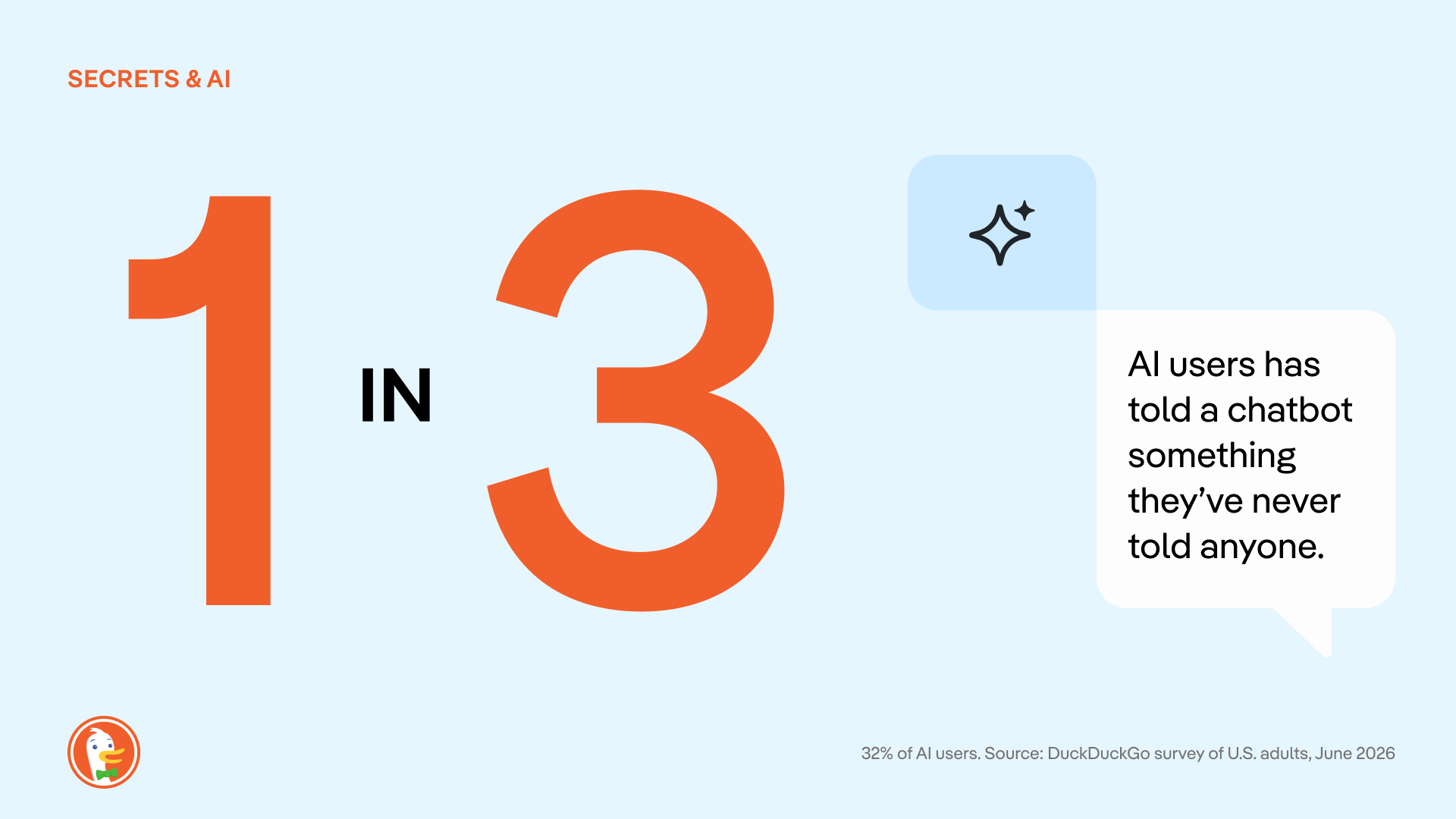
One group seemingly more vulnerable to the overshare? Parents or guardians with children in the household.
Among all parents who use AI, 43% report that they’ve told an AI something they never told a doctor, therapist, close friend, parent or child. That’s almost twice as much than AI users with no kids at home (25%). And it’s not surprising; even AI CEOs talk about leaning on AI tools for parenting issues.
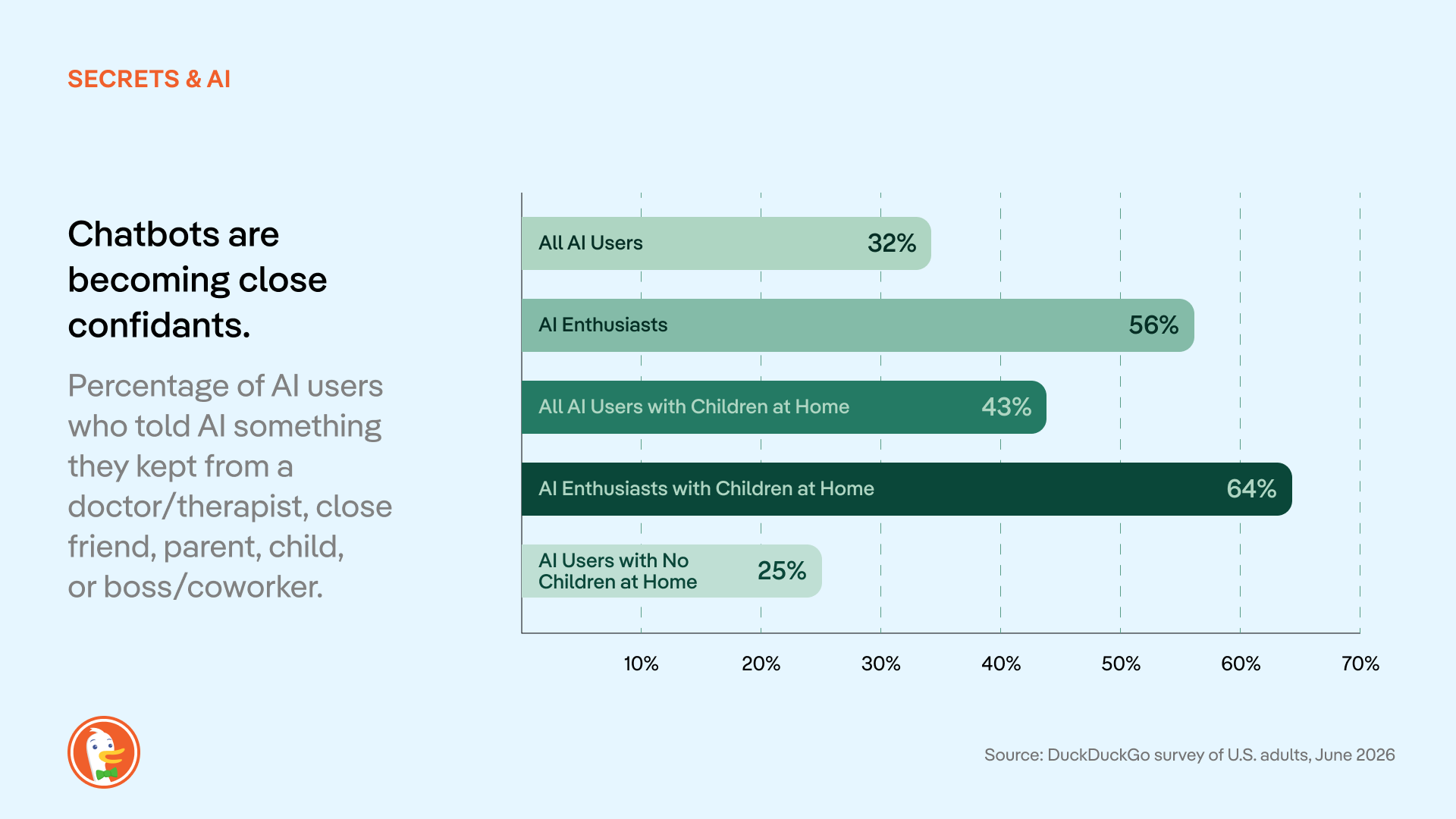
Conventional AI companies have leaned into this tendency, encouraging users to treat chatbots like confidants in their ad campaigns and media appearances. But these messages all rest on one assumption: That these chats are private. In most cases, that just isn’t true.
Most AI chat services use conversations for model training unless users actively opt out. Conversations are automatically tied to user profiles, stored by the AI companies, and potentially used for invasive behavioral advertising and shared with law enforcement. Beyond the privacy risks inherent in these tools, there have already been multiple data leaks where personal chats were made available to the public, revealing info like full names, addresses, and ID numbers connected to chat histories.
The more people know about AI privacy practices, the less they like it.
According to the survey, people are largely in the dark about the privacy problems built into most AI tools. (As with other forms of online tracking and surveillance, this is not anyone’s fault as an individual; rather, it’s an ongoing industry issue.)
We asked respondents if they knew these six basic facts about how conventional AI chats are stored, reviewed, and disclosed:
- AI chats can be subpoenaed by courts/law enforcement. (ex: CNN)
- AI chats can be made public in a lawsuit. (ex: TechCrunch)
- Employers can access work/enterprise AI accounts. (ex: Computer World)
- Settings to delete/stop storage vary by provider. (ex: CNBC, Washington Post)
- Free accounts often have weaker privacy than paid accounts. (ex: Axios)
- Human employees can review your chats. (ex: Fortune, TechCrunch)
According to our survey, these common AI privacy issues are not widely understood. 53% of people didn't know (or weren't sure) that their conversations are used for AI training. Only 25% knew that AI chats can be subpoenaed by the government. Across AI users and non-users alike, 43% didn’t know any of the above.
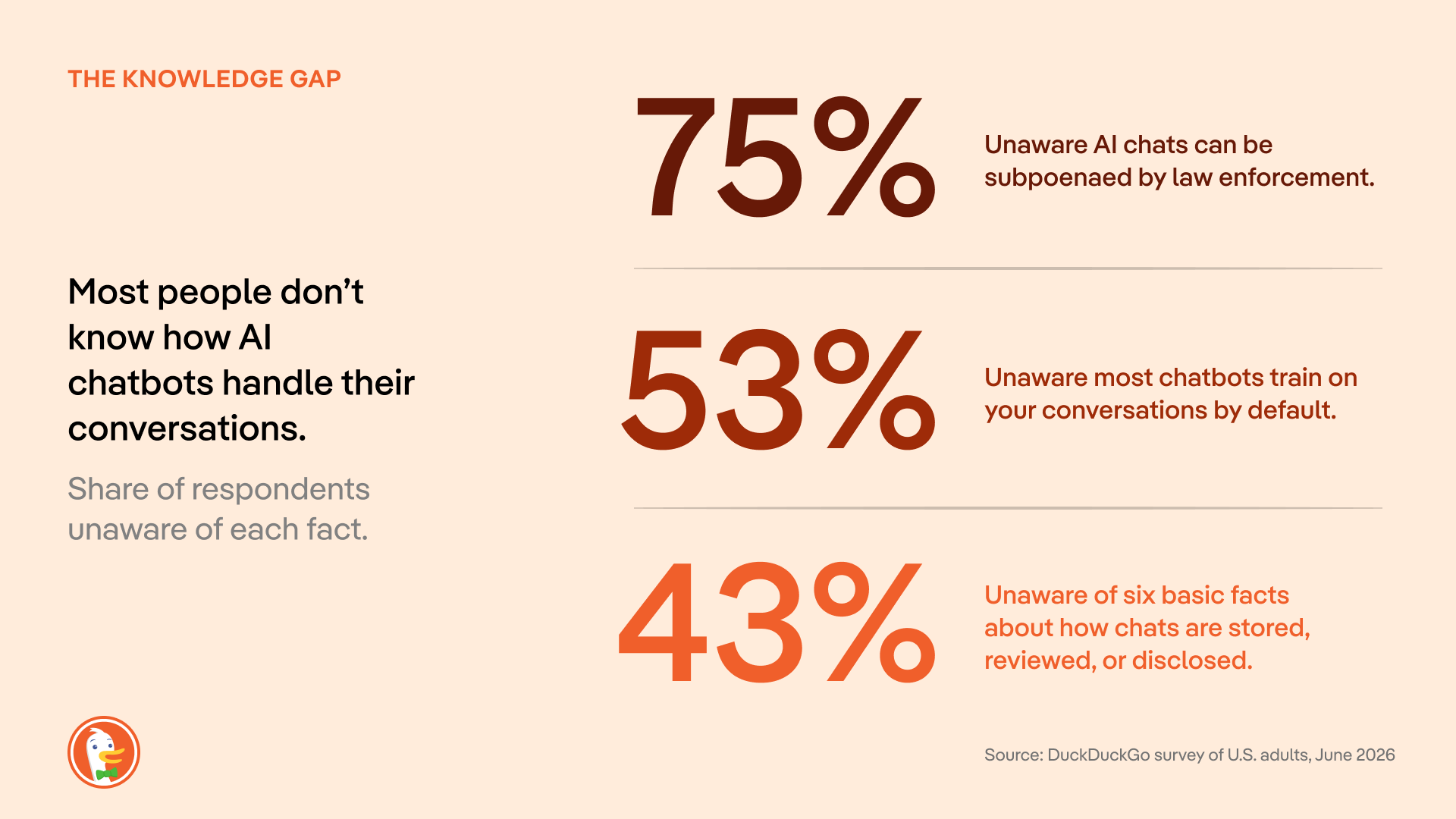
Once people know it’s happening, 58% of people are uncomfortable with how their conversations are being used to train AI. (30% specify “very uncomfortable.”)
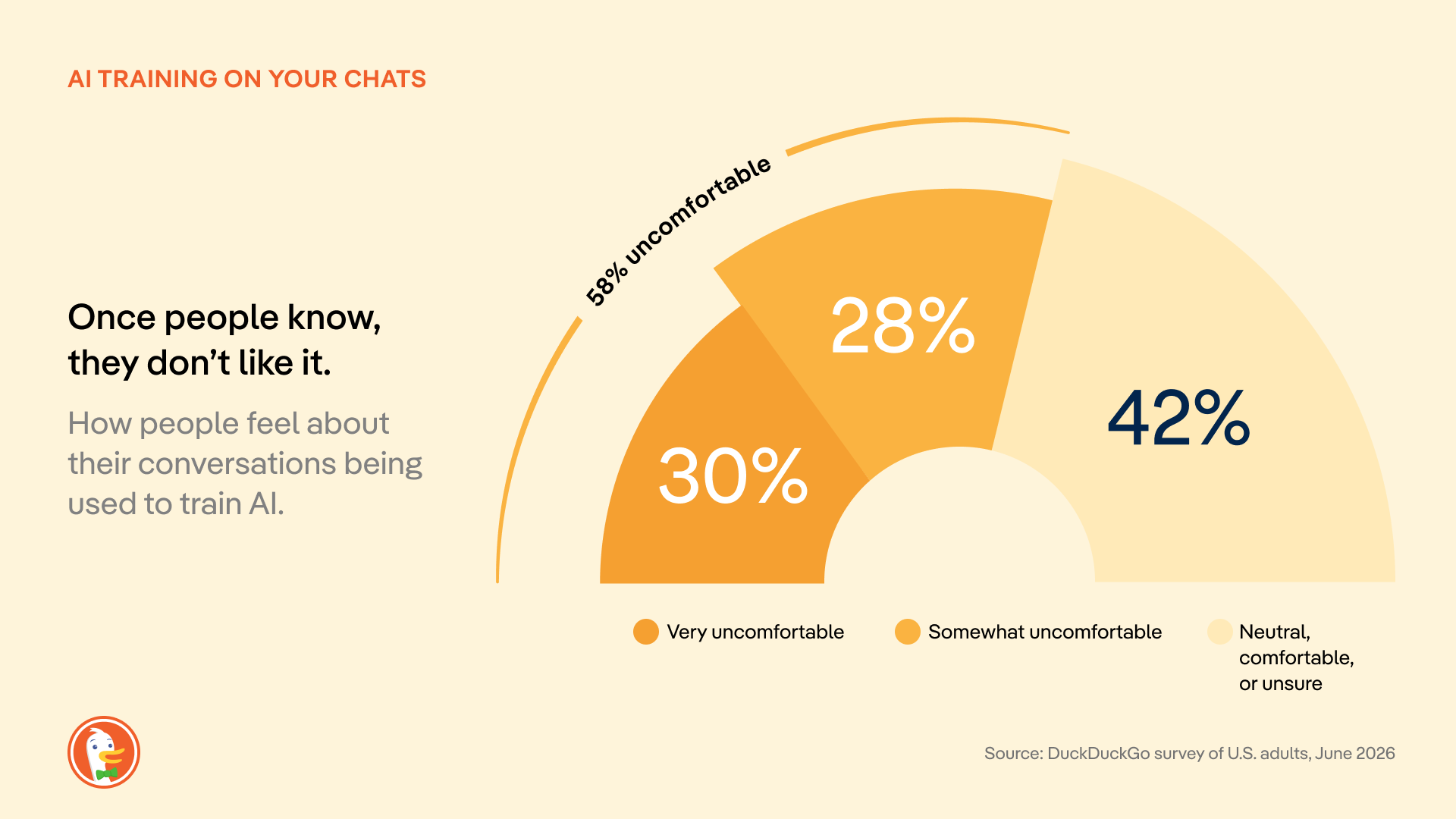
Only 14% of respondents “mostly” or “completely” trust large AI companies to protect their data; 39% have no trust at all. The U.S. government scores even worse: 48% have “no trust at all.”
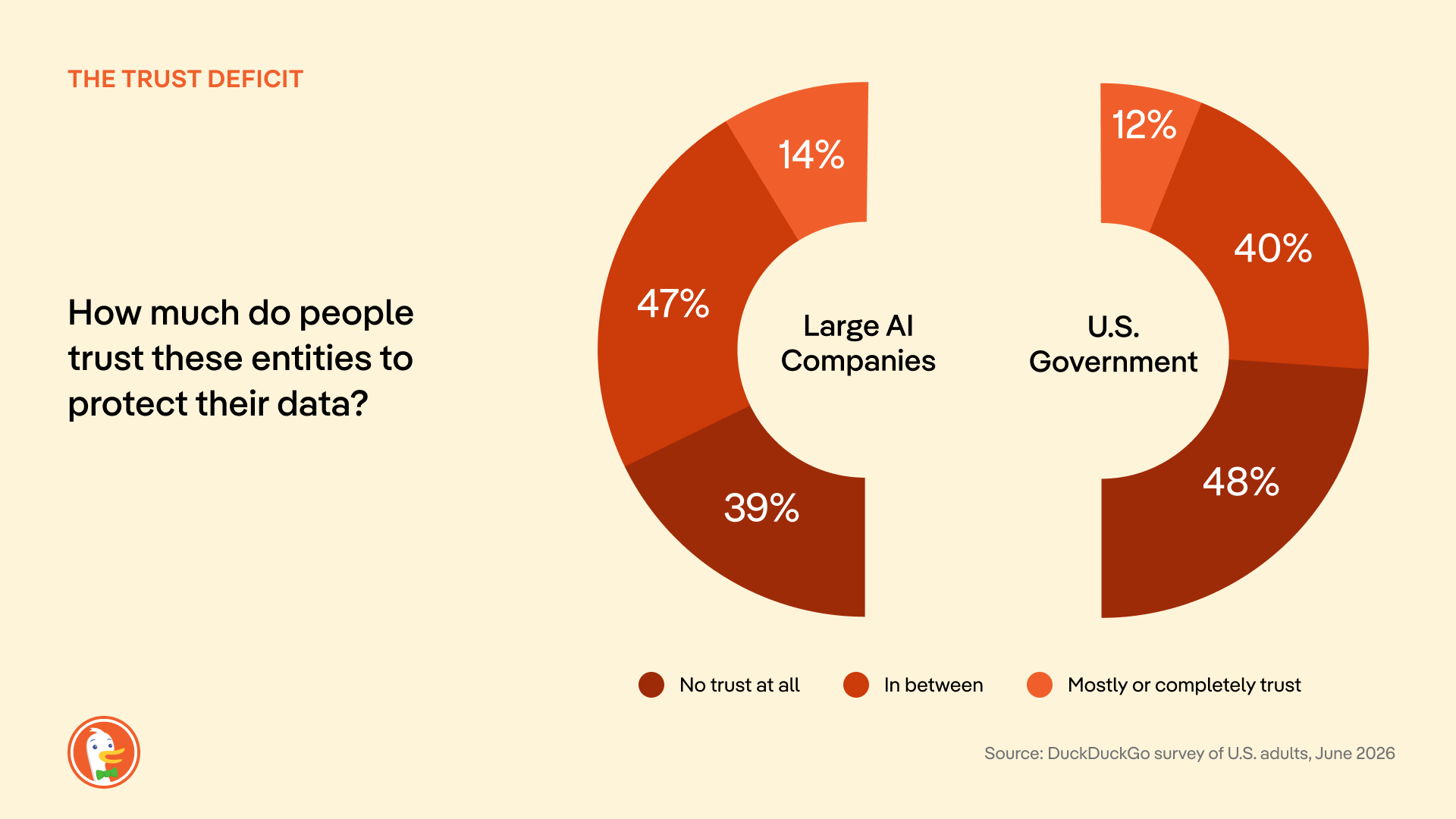
Where do we go from here?
When we talk about online privacy in search engines and browsers, many people think “it’s too late, my information is already out there.” But the most valuable information you could share with Big Tech is your next question, not the questions you asked days or months or years ago. So, it’s never too late to make the switch to more private services online. And AI chat is still in its early days; most people haven’t formed habits with this technology yet, making it easier to act.
Until government regulations and industry norms catch up, there are proactive steps you can take to protect yourself while using AI chat. Start by seeking out AI tools with transparent data handling policies, designed with privacy in mind. (That’s why we built Duck.ai: free, anonymous access to multiple AI models from OpenAI, Anthropic, and more, all in one place. And we’ll never spy on your chats or store them in an invasive profile. Learn more in the strict Duck.ai Privacy Policy.)
Methodology
This survey was commissioned and conducted by DuckDuckGo. Responses were collected from 1,944 U.S. adults (18+) between June 17 and June 27, 2026, using an online sample sourced through the PureSpectrum panel. Quotas were applied to balance the sample to US Census demographics for age, gender, and region; results are reported unweighted. The margin of error for the full sample is approximately ±2.2 percentage points at the 95% confidence level, and larger for subgroups. (For example, the margin of error is about ±6 points for adults aged 18-24). Figures for open-ended questions, such as respondents' single biggest AI privacy concern, are based only on those who provided an answer. Percentages may not total 100% due to rounding or multiple-response questions.
2026-08-05, 14:53

This week, DuckDuckGo is filing an amicus brief in the appeal of a federal court decision that Google unlawfully maintained a monopoly in the general search market in violation of the Sherman Antitrust Act. Google is asking the appeals court to throw that decision out, while the U.S. Department of Justice is asking for stronger remedies. DuckDuckGo’s brief shares our own experience and explains how Google shut out competition. More importantly, we describe how Google’s actions harmed not just competition but also undermined people’s ability to protect their privacy.
DuckDuckGo has spent nearly two decades building a differentiated search engine. It doesn’t track you; it doesn’t profile you; and it does protect your privacy. Nevertheless, many privacy-focused users continue to use Google for the sole reason that they use a device or browser that is contractually obligated to have Google preset as the default search engine.
Two years ago, a federal court finally agreed. That ruling should be upheld.
The record reveals the depths of Google’s monopoly
This trial established one simple fact: for most people, the competition for their search traffic is over before it begins. Google is the default search engine on roughly 70% of U.S. search access points, and the district court understood that being the out-of-the-box default is the most efficient way to distribute a search engine. Google doesn’t dispute this; it can’t.
Defaults win because people rarely change them. Most searches happen out of habit, and many people don't know there is a default, what it is, or that it can be changed. Completely ditching Google across a phone, tablet, and laptop requires detailed tutorials and hours of effort. Even DuckDuckGo's most devoted users, the ones who recommend us to friends, admit they haven't changed all their defaults. That’s not real consumer choice; it is a maze.
Google doesn’t compete; it obstructs
Google understood the power of defaults perfectly, and it spent enormous effort making sure no one could escape them.
First, it froze the search ecosystem with money, and lots of it. Google paid out billions of dollars, which was far more money than any rival could hope to match. As the Justice Department argues, those payments “made it economically irrational for distributors to switch default [search engines], thereby inducing exclusivity.” The district court agreed, finding it “financially infeasible” for Google's partners to switch away or seek greater flexibility. Time and again, browsers, device makers, and phone carriers concluded they couldn't afford to leave. So they didn’t.
Second, Google introduced choice friction to stymy users. Evidence was presented that Google tracks how many steps it takes to change defaults on different devices; it also discouraged Android manufacturers from giving users too much information about how to switch. While there is no technological reason a person shouldn’t be able to change their search engine in a single click, Google has ensured there’s no easy way to do just that.
This isn't a company that outcompeted its rivals. It simply paid to push everyone else out.
Google is running the same playbook in AI
Google is now doing to AI what it did to search. While the district court expressed hope that competition from generative AI might discipline Google and disrupt the market on its own, there is scant evidence of this.
Instead, it is pushing its own product through the platforms it already controls, whether people want it or not. It has wired its Gemini AI assistant directly into Chrome and moved to preload Gemini across the Android ecosystem, positioning it as the default AI assistant on the very devices at issue in this case. Capture the default, get in front of users before any rival can reach them, and turn placement into habit before anyone knows better.
What makes this so telling is that Google has forced AI on its users even when the product plainly wasn't ready. In May 2024, Google switched on AI for everyone, and it promptly started pulling “facts” from satire and troll posts. There was no easy way to turn it off. Google can shrug off a faillure like this in a way rivals cannot, using the profits from its search monopoly, to try and try again.
More than 95% of Americans still use a conventional search engine every month, a figure that barely moved despite AI-tool usage nearly quintupled. Nine in ten search referrals continue to come from Google, even including new generative AI rivals. That is what a monopoly looks like.
Affirm Google’s monopoly and end it
It doesn’t matter if people don’t want AI. It doesn’t matter if Google’s AI is wrong. Google can't be fired. No matter how badly the product performs, people stay put, because Google controls every access point where people want to search for information. That is the story of the search market and what may await AI, and it is why the court’s finding that this conduct is illegal monopolization must be upheld.
2026-07-17, 06:50

Nearly two years ago, a federal court ruled that Google illegally monopolized search. The judge was specific about how: Google didn't win by building a better product. It paid billions of dollars to be the default everywhere, on your phone and in your web browser, such that most Americans never actively choose their search engine at all.
That ruling should have been a turning point. Instead, nothing has changed.
Getting away with a monopoly.
The court's decision was a diagnosis, not the cure. The remedies ordered last year fall dramatically short of what needs to happen to level the playing field in search. And Google has appealed them anyway. So too has the Justice Department, seeking the stronger fixes it originally asked for. The strongest remedies haven't taken effect and may not for years to come. Meanwhile, the court-appointed technical committee charged with putting change into practice is only just getting up and running. The result is a company operating exactly as it did before being declared a monopolist while running the same exact playbook that was ruled to be illegal. This is the definition of getting away with it.
And the harm compounds each day. Google's vice grip on search was never only about defaults. It rests on two engines. The first is distribution, or the paid defaults that the court condemned. The second, less visible, is scale. Because Google sees far more searches than anyone else, it trains its systems on data no rival can touch. At trial, an analysis of 3.7 million unique search phrases over a single week found that 93% were seen only by Google. More searches produce better results, which draw more users, which produce still more searches. Every day the remedies are delayed, that flywheel spins faster and the gap a court has already ruled illegal grows wider. And the same flywheel is now spinning up in AI, threatening to rig the next era of search before it starts.
Congress doesn't have to wait.
It doesn't have to be this way. A solution now exists in Congress. Introduced this week by Senator Klobuchar and Senator Schmitt, the SEARCH Act – Securing Enforcement of Americans' Right to Competition at Home – would end Google's waiting games. It also directly addresses both of Google's engines of monopoly at the same time.
On distribution, Google could no longer pay to be the preset default, nor wire its own search into Chrome and Android instead of letting you choose. People would choose for themselves and could switch in a single step, including straight from a competitor's own website or app.
Scale is the harder problem, and the SEARCH Act proposes to do the thing that actually closes the gap. Google would have to share search results and de-identified data with rivals. This would let new startups, AI companies and existing search engines compete on a level playing field for your loyalty on privacy, design, and overall experience.
This bipartisan proposal would codify the same package of remedies that the Department of Justice and a coalition of 49 states and territories fought for in court, and its rules would apply to AI as well as search. DuckDuckGo is proud to support the SEARCH Act. We urge Congress to pass it without delay.
Endorsements and additional information
The text of S. 5007 is available to read here. The SEARCH Act is endorsed by the Bull Moose Project, Digital Progress Institute, and Public Knowledge.
Statements of support:
In U.S. v. Google, the court found Google had illegally used its search monopoly to lock out search defaults from competitors, preventing them from operating at the scale needed to be optimally competitive. The SEARCH Act proposes to finally do something to fix this broken search market. DuckDuckGo is grateful to Senator Klobuchar and Senator Schmitt for their leadership on this bill and for taking on a fight that's long overdue. This is what a serious, bipartisan fix looks like, and we're proud to support it.
— Gabriel Weinberg, Founder and CEO, DuckDuckGo
The courts have done what they can with the tools they have, and it isn't enough. Even after a federal judge found that Google unlawfully monopolizes the search market, the remedies that followed relied on behavioral fixes rather than the kind of structural relief that actually restores competition, proving that antitrust law as written wasn't built for markets like this one. Congress can't keep leaving it to judges to improvise solutions case by case; lawmakers need to give the courts clear, modern guidance for dealing with dominant digital platforms, and DPI urges Congress to pass the SEARCH Act.
— Joel Thayer, President, Digital Progress Institute
Google's motto used to be, "Don't be evil." They dumped that years ago, instead choosing to eliminate competition through self-preferencing and exclusivity agreements. Using their browser, Google Chrome, and their search engine - the main venue through which millions ofAmericans find information - Google picked winners and losers while also giving preference to themselves, including their AI, Gemini.
The SEARCH Act will hold Google and other future monopolists accountable by building upon the proposed remedies from U.S. v. Google, opening up search, advertising, and even internet browsers as areas of competition and innovation instead of control by one behemoth. We commend Senators Schmitt and Klobuchar for introducing this bill, and encourage quick and speedy passage.
— Aiden Buzzetti, Founder and President, Bull Moose Project
The Google search case shows why antitrust enforcement and legislation must work together. Courts must stop unlawful conduct and restore competition in the market Google monopolized. Google’s effort to overturn the remedies should fail, and the states are right to seek stronger relief. But litigation takes years, often after monopoly power has become deeply entrenched. The SEARCH Act would establish clear, forward-looking rules for the largest search platforms, including restrictions on payments for preferential treatment and exclusive distribution arrangements. Antitrust remedies can reopen the search market. The SEARCH Act can help keep it open.
— Patrick Gallaher, Senior Policy Advocate, Public Knowledge
2026-07-08, 11:23
- DuckDuckGo now blocks most video ads! Use our free browser to get the full YouTube experience, minus the ads.
- YouTube Ad Blocking joins our powerful lineup of browsing protections that manage cookie pop-ups, protect you from invasive tracker-based web ads, and more.
- YouTube Ad Blocking is already on by default for most iPhone, Windows, and Mac users! It will be auto-enabled for Android soon, but users can opt in via browser Settings in the meantime.
Interruption-free YouTube with DuckDuckGo

Tired of ads interrupting your videos? Us, too. The DuckDuckGo browser now blocks most video ads, including on YouTube! This new feature blocks ads that run before and during your videos, letting you watch YouTube without the interruptions.
If you’ve been here a while, you already know that the DuckDuckGo browser also protects you from invasive ads and annoying pop-ups on multiple fronts. We block tracker-powered web ads before they can load. We have Global Privacy Control enabled by default, expressing your opt-out rights by telling websites not to sell or share your personal information. We can even manage cookie pop-ups behind the scenes, so you don’t have to deal with the distraction.
How do I access YouTube Ad Blocking?
YouTube Ad Blocking is on by default for iOS, Windows, and Mac. So, there’s no need to adjust your settings, if your app is up to date; just open the browser and start enjoying ad-free videos! The feature will be on by default for Android soon, but in the meantime, turn it on in your browser’s Settings > Ad Blocking. If you don’t see YouTube Ad Blocking on your device, try updating your app.
On all devices, you can disable or re-enable YouTube Ad Blocking any time from your browser’s Settings > Ad Blocking. You can also turn it on and off while you’re watching a video. On desktop, click the video icon next to the green shield in your address bar. On mobile, tap ☰ > Disable YouTube Ad Blocking.
When you disable ad blocking mid-video, the browser will prompt you to send an error report, alerting us to any problems. This is completely optional, anonymous, and helps us make our product better…so we appreciate it!
Please note: if you’re on a mobile device, links to YouTube videos may open in the YouTube app by default. To enjoy DuckDuckGo’s YouTube Ad Blocking, you need to open the YouTube website in the DuckDuckGo browser. It won’t work in the YouTube app.
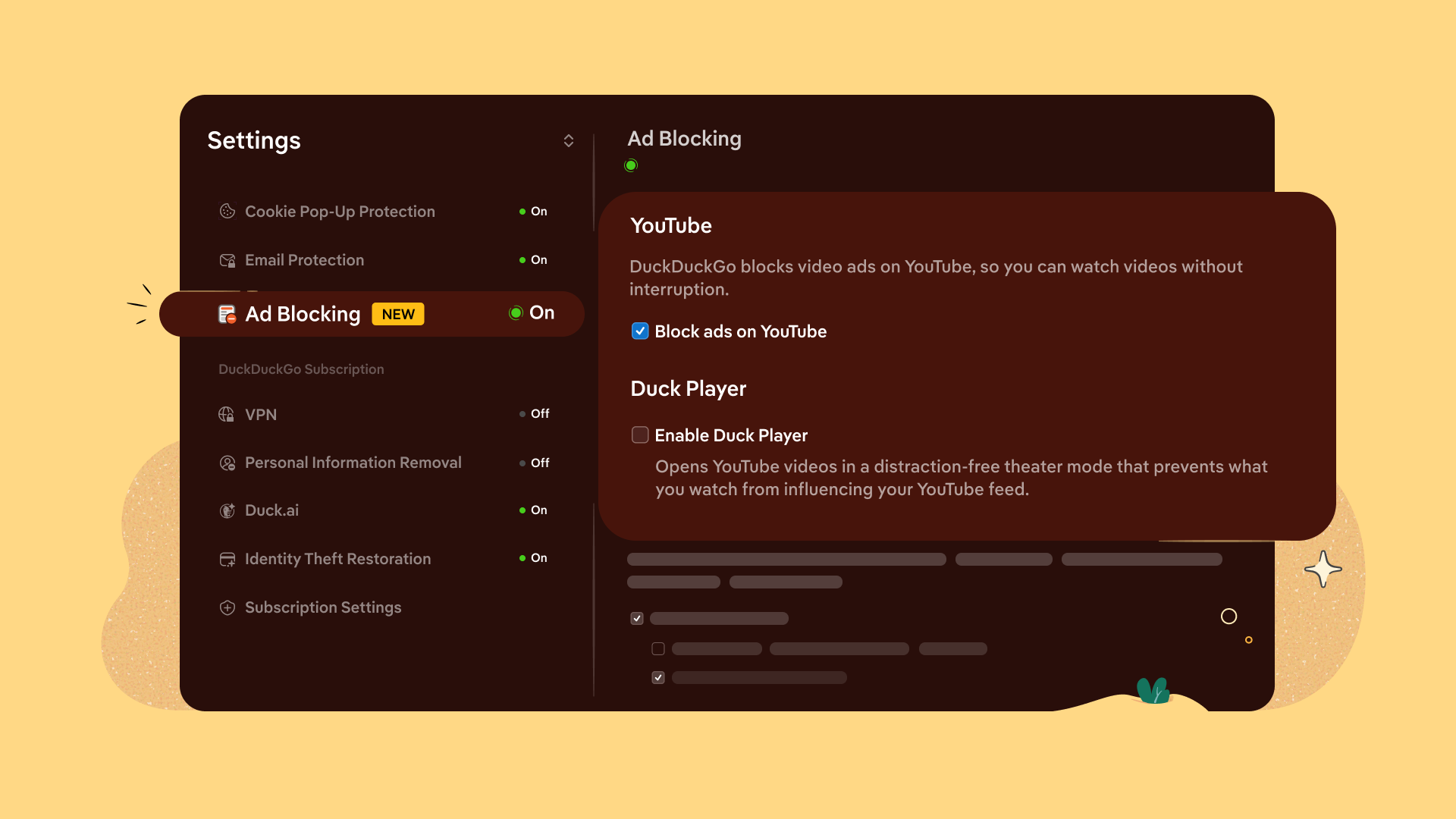
Manage your YouTube Ad Blocking and Duck Player preferences from browser Settings.
Is YouTube Ad Blocking different from Duck Player?
Yes, they’re different – but complementary!
Duck Player is the browser’s built-in video player that lets you watch YouTube videos in a distraction-free theater mode. It also protects you from tracking cookies and personalized ads by enforcing YouTube’s strictest privacy settings for embedded video. This means what you watch in Duck Player won't influence your YouTube recommendations. (It also won’t save your place in playlists.) Opt in to Duck Player and adjust your preferences from your browser Settings > Ad Blocking.
YouTube Ad Blocking blocks video ads on the YouTube website, so you can watch without interruption. It's the regular YouTube experience, just without ads. So you’re free to take advantage of YouTube features like remembering your viewing history and saving your spot in playlists.
You don’t have to pick just one: you can have YouTube Ad Blocking and Duck Player enabled at the same time.
How does YouTube Ad Blocking work?
To detect and block YouTube ads, we use community-driven filter lists sourced from uBlock Origin. These lists are maintained by an active open-source community and are regularly updated to keep up with changes to how ads are served. We may also apply our own rules to improve compatibility and reduce breakage. As with most ad blockers, using our ad blocker can lead to some additional buffering times. But once your video loads, you won't be interrupted with ads.
Let us know what you think!
YouTube Ad Blocking is available now in the DuckDuckGo browser. It’s still a new feature, so give it a try and let us know how it’s working for you! Send anonymous feedback any time from your browser’s ☰ menu.
2026-03-18, 13:29
- The DuckDuckGo subscription includes our VPN, access to more advanced private AI when you want it, Personal Information Removal, and Identity Theft Restoration. It now comes in two plans: Plus, which includes all four protections, and Pro, which unlocks even more powerful AI functionality.
- The new Pro plan is for people who use AI for demanding tasks. On top of the VPN and other protections, it includes three Duck.ai upgrades: 2x higher usage limits than Plus, exclusive access to Claude Opus 4.6, and the highest reasoning available on Duck.ai. (Extended reasoning capabilities available on GPT-5.2 and Claude Opus 4.6.)
- Whether or not you’re a paid subscriber, everyone gets the same industry-leading privacy protections when you search and browse with DuckDuckGo, or chat privately with ChatGPT, Claude, and other popular AIs on Duck.ai.
What is the DuckDuckGo subscription?
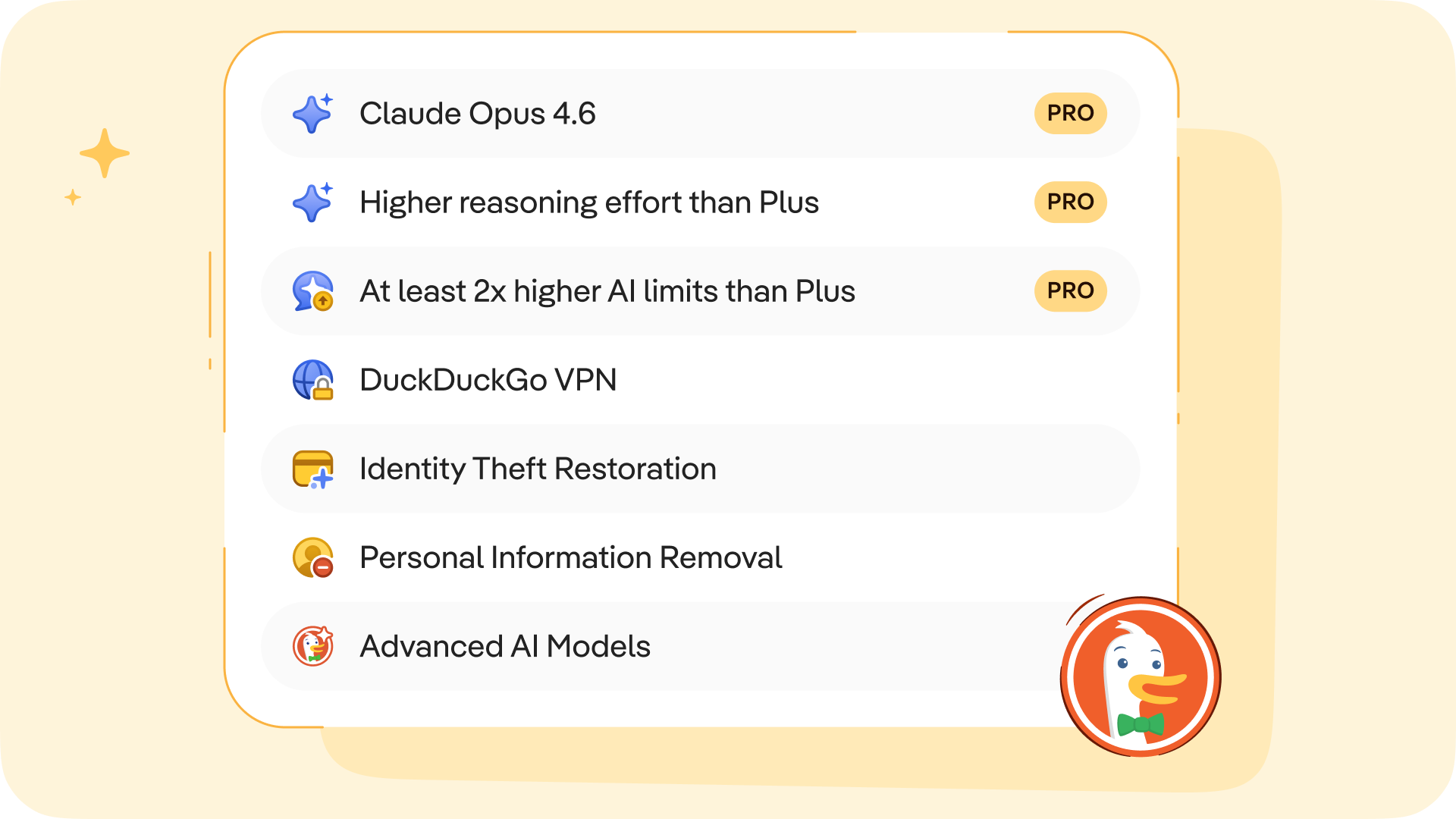
The DuckDuckGo subscription is a four-in-one privacy service that gives you extra protection beyond what's available for free in our web browser, search engine, and private AI chat, Duck.ai. It includes our VPN to encrypt your Internet connection, access to more advanced private AI when you want it, Personal Information Removal to help combat identity theft and spam, and Identity Theft Restoration.
The original DuckDuckGo subscription is now called Plus. (If you’re a current subscriber, this is what you have!) It includes all four protections and costs $9.99 USD/month or $99.99 USD/year. Enhanced with more powerful AI tools, the new Pro plan is $19.99 USD/month or $199.99 USD/year. Subscriptions are available in the U.S., Canada, the E.U., and the U.K. See this help page for international pricing and feature availability.
What are the benefits of the Pro plan?
On Duck.ai, anyone can chat privately with ChatGPT, Claude, and other popular AIs, whether you have a subscription or not. Text chat, voice chat, and image generation are free to use within daily limits. DuckDuckGo subscribers on the Plus plan can do more, with higher usage limits and access to smarter AI models with extended reasoning. But the Pro plan is even more powerful.
We designed Pro for people who use AI frequently throughout the day, or for more demanding tasks that require multi-step reasoning…or both! Subscribers to the Pro plan get three additional Duck.ai upgrades:
- 2x higher usage limits, compared to Plus. This includes text chat, voice chat, and image generation limits across all the AIs available.
- One Pro-exclusive model, currently the newly launched Claude Opus 4.6.
- Access to the highest reasoning available in Duck.ai. Extended reasoning capabilities on GPT-5.2 and Claude Opus 4.6 let the AI spend more time thinking through complex, multi-step problems before responding.
This new Pro plan gives you the freedom to dive deep and iterate back and forth for complicated tasks, whether you’re fine-tuning images, analyzing data, writing long-form content, or making an in-depth plan. Higher limits also mean you don’t have to pick and choose as much; you can use AI for a broad range of day-to-day tasks.
When you take advantage of the extended reasoning on GPT-5.2 or Claude Opus 4.6, you’re more likely to get considered, relevant, and well-structured answers to even very complex prompts. And thanks to the Pro plan’s higher usage limits, you’re less likely to be disrupted in the middle of a complicated job.
Which plan is right for me?
If you primarily use DuckDuckGo to search and browse, and you’re not interested in advanced AI chat or added protections…our free offerings may meet all your needs. If you want to expand your privacy protection with our VPN, or you’re getting more into AI productivity tools, consider Plus! Pro is most suited if you use AI for tasks that require deeper context and multi-step reasoning.
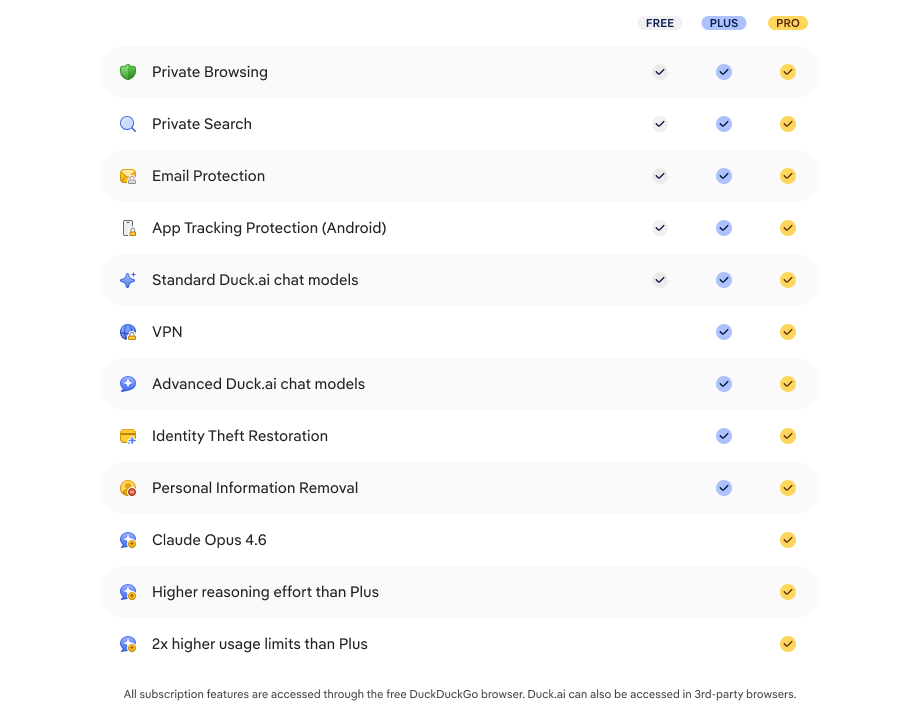
The specific AI models included in each plan are upgraded regularly; at the time of publication, the lineup is as follows:
- Free on Duck.ai: GPT-4o mini, GPT-5 mini, GPT-OSS 120B, Llama 4 Scout, Claude Haiku 4.5, Mistral Small 3.
- Plus: GPT-4o, GPT-5.2 (reasoning), Claude Sonnet 4.5, Llama 4 Maverick, free models.
- Pro: GPT-5.2 (extended reasoning), Claude Opus 4.6 (extended reasoning), Plus and free models.
Can I upgrade an existing subscription?
Yes! As a subscriber, you can switch between the Plus and Pro plan at any time. In the DuckDuckGo browser, go to Settings > DuckDuckGo Subscription. Select View All Plans, pick the plan you'd like to switch to, and proceed to payment or confirm. In third-party browsers, start by navigating to Duck.ai. Just go to Settings & More > Manage Subscription and follow the same steps above.
Ready to give it a try? Head to duckduckgo.com/subscribe to see if the Plus or Pro subscription is right for you!
2025-09-30, 13:00

2025 marks DuckDuckGo's 15th year of donations—our annual program to support organizations that share our vision of raising the standard of trust online. We are proud to donate to a diverse group of organizations around the world that promote privacy and security, digital competition, and a healthier online ecosystem.
This year, we’re donating $1,100,000, bringing DuckDuckGo's total donations since 2011 to $8,050,000. Everyone using the Internet deserves simple and accessible online protection; these organizations are all pushing to make that a reality. We encourage you to check out their valuable work below.
$100,000 to Public Knowledge

Public Knowledge promotes freedom of expression, an open internet, and access to affordable communications tools and creative works. We work to shape policy on behalf of the public interest.
$75,000 to ARTICLE 19

ARTICLE 19 is an international think-do organisation, that takes its name from the Universal Declaration of Human Rights, and works to propel the freedom of expression movement, fighting censorship, defending dissenting voices and advocating against laws and practices that silence.
$75,000 to the Digital Progress Institute
The Digital Progress Institute seeks to bridge the tech-telecom policy divide through incremental, bipartisan measures in line with its principles of bringing about ubiquitous broadband, 5G and beyond, privacy for every American, real competition in digital markets, and a full-stack framework for Internet policy issues.
$50,000 to the Electronic Frontier Foundation (EFF)

EFF's mission is to ensure that technology supports freedom, justice, and innovation for all people of the world.
$50,000 to European Digital Rights (EDRi)

With more than two decades of advocacy experience, European Digital Rights (EDRi) is the go-to, nongovernmental network working on EU and national laws and policies on privacy, freedom of expression, participation online, data protection and technology policy. EDRi unites over 50 organisations from across Europe (and beyond).
$50,000 to the Foundation for American Innovation

The Foundation for American Innovation, a think-and-do tank based in Washington, D.C. and San Francisco, CA, advances technology, talent, and ideas that support a better, freer, and more abundant future.
$50,000 to the Open Home Foundation

The Open Home Foundation fights for the fundamental principles of privacy, choice, and sustainability for smart homes - and for every person who lives in one. It is best known as the organization that owns and governs Home Assistant, among many other projects crucial to the open home.
$50,000 to Signal

Signal Technology Foundation protects free expression and enables secure global communication through open source privacy technology.
$50,000 to the Surveillance Technology Oversight Project (S.T.O.P.)

The Surveillance Technology Oversight Project (S.T.O.P.) advocates and litigates for privacy, working to abolish local governments’ systems of discriminatory mass surveillance that disproportionately impact vulnerable communities.
$50,000 to Tech Policy Press

Tech Policy Press publishes reporting, analysis, and perspective on events, issues, and ideas at the intersection of technology and democracy.
$50,000 to the Tech Oversight Project

Through engaging with lawmakers, exposing false narratives and bad actors, and pushing for landmark legislation, the Tech Oversight Project seeks to hold tech giants accountable for their anti-competitive, corrupting, and corrosive influence on our society and the levers of power.
$30,000 to the Internet Security Research Group

Our mission at ISRG is to reduce financial, technological, and educational barriers to secure communication over the Internet. We operate three projects (Let’s Encrypt, Prossimo, and Divvi Up) that improve the security and privacy of billions of people using the Internet.
$25,000 to Algorithmic Justice League (AJL)
The Algorithmic Justice League is on a global mission to prevent AI harm using research, advocacy, and art.
$25,000 to the British Institute of International and Comparative Law (BIICL)

The British Institute of International and Comparative Law (BIICL) hosts the Competition Law Forum, a centre of excellence for European competition and antitrust policy and law.
$25,000 to Bull Moose Project

The Bull Moose Project Foundation develops and promotes policies that promote fair markets, support American innovation, and hold Big Tech accountable for anti-competitive and anti-consumer conduct.
$25,000 to Canadian Anti-Monopoly Project
The Canadian Anti-Monopoly Project (CAMP) is a think tank dedicated to addressing the issue of monopoly power in Canada and around the world. CAMP produces research, commentary, and policy to make our economies more fair, free, and democratic.
$25,000 to Consumers International

Consumers International is the global membership organisation for consumer rights groups. Founded in 1960, we bring together over 200 member organisations in more than 100 countries, with a mission to empower and champion the rights of consumers everywhere and to build a fair, safe and sustainable marketplace.
$25,000 to Demand Progress
DPEF empowers people to understand how our communications and governance systems should serve democracy — and how corporate power threatens our economy and our democratic future.
$25,000 to Digital Rights Watch

Digital Rights Watch is Australia's leading digital rights organisation. They defend and promote privacy, democracy, fairness and fundamental rights in the digital age.
$25,000 to Gesellschaft für Freiheitsrechte (GFF)

The Society for Civil Rights e.V. (Gesellschaft für Freiheitsrechte e.V. or "GFF") is a donor-funded organization from Germany that defends fundamental and human rights by legal means. The organization promotes democracy and civil society, protects against disproportionate surveillance and advocates for equal rights and social participation for everyone.
$25,000 to noyb

noyb is committed to the legal enforcement of European data protection laws and has filed more than 850 cases against numerous intentional infringements by Big Tech companies - to make online privacy a reality for everyone.
$25,000 to the Internet Archive

The Internet Archive's mission is to provide “Universal Access yo All Knowledge” by preserving and providing free access to digital materials and cultural heritage serving as a digital library for researchers, historians, scholars, and the public to read, learn, and explore for free.
$25,000 to the Open Rights Group (ORG)

Open Rights Group is the UK’s largest grassroots digital rights campaigning organisation, working to protect everyone’s rights to privacy and free speech online.
$25,000 to the Open Source Technology Improvement Fund (OSTIF)

In the past year, OSTIF collaborations led to the fixing of over 130 findings with security impact. Our security uplifts to open source projects wouldn't be possible without the continued support from DuckDuckGo. We are honored to be part of this program and contribute to a more secure Internet ecosystem.
$25,000 to Perl and Raku Foundation

The Perl and Raku Foundation is dedicated to the advancement of the Perl and Raku programming languages, through open discussion, collaboration, design, and code.
$25,000 to Privacy Rights Clearinghouse

Privacy Rights Clearinghouse focuses on increasing access to information, policy discussions, and meaningful rights so that data privacy can be a reality for everyone.
$25,000 to Restore the Fourth

Restore the Fourth advocates with federal, state and local elected officials, to defend privacy and freedom from unreasonable government surveillance.
$25,000 to the Tor Project

At the Tor Project, we believe everyone should be able to explore the internet with privacy. We advance human rights and defend your privacy online through free, open source software and the decentralized Tor network.
$20,000 to The Markup

The Markup challenges technology to serve the public good by producing investigative journalism, unique tools, and accessible resources to inspire action and agency.
2025-09-04, 11:05
- More advanced AI models from OpenAI, Anthropic, and other providers are now available in Duck.ai as part of the DuckDuckGo subscription, formerly known as Privacy Pro.
- Subscribers can now access OpenAI’s GPT-4o and GPT-5, Anthropic’s Claude Sonnet 4, and Meta’s Llama Maverick – and supercharge productivity at work, school, or home.
- The DuckDuckGo subscription is still the same price: $9.99 USD a month or $99 USD a year. On top of access to premium AI models on Duck.ai, it still includes our VPN, Personal Information Removal, and Identity Theft Restoration*. Sign up at duckduckgo.com/subscribe for a seven-day free trial.
- Keep an eye out for higher DuckDuckGo subscription tiers in the future with access to even more advanced AI models.
A layer of protection for everything you do online – including AI
We believe the best way to protect your personal information from hackers, scammers, and privacy-invasive companies is to stop it from being collected at all. To make that happen, we offer a layer of protection for everything you do online. Our browser, for example, is packed with a suite of built-in privacy protections, including our search engine that never tracks you. Our growing suite of private, useful, and optional AI tools is the next evolution.
AI tools have quickly become a significant part of people's online experience, but there’s a gap between how often we use AI, and how safe and in control we feel about it. According to recent Pew research, 27% of US adults use AI tools every day, but 59% feel no control over how AI shows up in their lives. That's why we created Duck.ai, which gives you access to popular AI models from OpenAI, Anthropic, Meta, and Mistral, with the following added protections built by us:
- Anonymized chats. We call model providers on your behalf, so personal information like your IP address is not exposed to them.
- No AI training. Your data is never used to train the AI models.
- Local chat storage. Chats and settings stay on your device to protect your privacy.
- Instant deletion. Erase your chat history in a flash with our Fire Button.
Today, we're expanding Duck.ai by giving DuckDuckGo subscribers access to more advanced AI models, covered by the same strong protections. The base version of Duck.ai is not changing; it’s still free to use, with no account necessary. We’re just adding more models for subscribers. You can see which models are available with and without a subscription here.
Please note that Duck.ai is always optional, whether you’re a subscriber to DuckDuckGo or not. If AI is not for you, you can hide the AI buttons and features from your search settings and your desktop and mobile browser settings. If you use the VPN, for example, but you’re not interested in anonymized AI chat, that’s no problem. Just head to your browser’s Settings menu to turn off the AI features and continue using your VPN normally.
What does the DuckDuckGo subscription include?
Formerly known as Privacy Pro, the DuckDuckGo subscription expands the great protection you get from DuckDuckGo’s free offerings, covering even more of what you do online:
- DuckDuckGo VPN. Built for speed and simplicity, the DuckDuckGo VPN secures your WiFi connection on your entire device, hiding your location and IP address from the sites you visit. Includes full-device coverage on up to five devices at once. Learn more.
- Personal Information Removal. Helps remove personal information like your name, address, and family connections from people search sites that store and sell it, helping to combat identity theft and spam. Available for Mac and Windows.* Learn more.
- Identity Theft Restoration. If your identity is stolen, get expert guidance as you get back on track. Brought to you by Iris (Iris Powered by Generali) — a world leader in identity theft restoration.* Learn more.
- NEW: More Advanced AI models. Subscribers can now access OpenAI’s GPT-4o and GPT-5, Anthropic’s Claude 4 Sonnet, and Meta’s Llama Maverick, in addition to all the free-tier chat models. Models are updated regularly. See the full list here.
The price is staying the same in all regions: $9.99 USD/month or $99 USD/year, with international pricing information available on this help page.
Achieve more with advanced models
More advanced AI models like OpenAI’s GPT-4o are built to handle more complicated tasks than their smaller counterparts like GPT-4o mini. These bigger models are better at following detailed instructions, maintaining context through extended chats, and delivering deeper, more nuanced responses. The DuckDuckGo subscription offers a way to use some of these models, but with more privacy. Even larger and more highly advanced models will be made available through higher subscription tiers in the future.
If you’re a frequent user of different advanced chatbots, the DuckDuckGo subscription is an easy one-stop solution. It lets you access multiple premium models in one place, rather than juggling multiple subscriptions and apps. Your subscription lets you visit Duck.ai and use those premium models in any browser you like. But it's especially convenient within the DuckDuckGo browser, where Duck.ai is seamlessly integrated on both desktop and mobile. Using the DuckDuckGo browser, you can access AI chat when and where you need it, getting support for specific tasks without switching platforms. And as always, it’s completely optional – you can adjust or turn off Duck.ai’s integrations from your browser’s settings menu.
Whether you subscribe for premium models or stick with the free tier, you get the same strong privacy protections.
Is the DuckDuckGo subscription worth it?
When you get a DuckDuckGo subscription, you get instant, full access to any or all the features you want, without complex add-ons – at a price competitive with any of the individual features on their own. The $9.99 USD monthly price tag is more cost effective than maintaining multiple separate AI subscriptions – many of which are in the $20/month range. (See this help page for more international pricing information.)
Additional features like the DuckDuckGo VPN and Personal Information Removal service add value and convenience – and everything is available in one place, your DuckDuckGo browser.
Want to give it a try for free? You can get a 7-day trial of the subscription in the DuckDuckGo Browser's settings. In the US, you can also access the 7-day trial at DuckDuckGo.com/subscribe.
How to access Duck.ai and activate your subscription
Duck.ai can be accessed from any browser. Just visit duck.ai or hit the Duck.ai button on any search engine results page on duckduckgo.com. From there, paid subscribers can head to Duck.ai Settings, click “I Have A Subscription”, and follow the prompts to access the premium models.
If you are using the DuckDuckGo browser, you can use more subscription features, like the VPN and Personal Information Removal*. You also have even more ways to get to Duck.ai! You can click the optional Duck.ai buttons in our desktop and mobile browsers, use one of our iOS widgets, or press and hold the DuckDuckGo icon on iOS or Android. However you get there, the process for activating your subscription is the same.
Learn more about the DuckDuckGo subscription and sign up at duckduckgo.com/subscribe
*The DuckDuckGo subscription is available in the U.S., Canada, the E.U. and the U.K. All subscribers can use the VPN and access the same premium AI models, regardless of region. Personal Information Removal is available to U.S.-based subscribers. Identity Theft Restoration coverage varies by region. Learn more here.
2025-08-05, 20:09
Privacy Pro is our privacy-protecting subscription service that includes the DuckDuckGo VPN, Personal Information Removal to protect yourself from data brokers, and Identity Theft Restoration, which you can call if your identity is ever stolen.
In the year since we launched Privacy Pro, we’ve been working hard behind the scenes to make it more comprehensive, more powerful, and easier to use. Have you been waiting for the perfect moment to sign up? Good news: you can now try Privacy Pro free for 7 days. The free trial is available on all platforms – sign up here to redeem the offer. After your free trial, you can continue at $9.99 USD/month or $99.99 USD/year. (International pricing information here.)
Here’s a look at the major improvements we’ve made in the past year! To learn even more about Privacy Pro, you can visit our blog and Help Pages.
Overall Improvements
International Availability
Privacy Pro subscriptions are now available in the U.S., E.U., Canada, and the U.K. Features and coverage vary by region, but the DuckDuckGo VPN works the same in all regions. You can now use Privacy Pro in more languages including Dutch, French, German, Italian, Polish, Portuguese, Russian, and Spanish. Learn more about using Privacy Pro outside the U.S. here.
DuckDuckGo VPN Improvements
More Server Locations
DuckDuckGo VPN users can now choose from more than 40 locations in 30+ countries. Check out the full list here.
Independent Security Audit
We partnered with Securitum to conduct a comprehensive security audit of the DuckDuckGo VPN and supporting infrastructure. We're pleased to report that it found no critical vulnerabilities, underscoring the strong security measures we have in place for our VPN! Visit this help page for a summary of the key findings, remediations, and accepted risks, plus a link to the full report.
Block Risky Domains Automatically
The DuckDuckGo VPN now automatically blocks known phishing, malware, and scam sites – no matter what browser you're using. This new setting is on by default on all platforms.
Now On All Platforms: VPN Notifications
All users can now get notifications that display VPN status at a glance. These notifications are on by default but can be disabled in your VPN Settings.
Desktop: Automatic VPN Connection
All desktop users now have a setting that lets the VPN connect automatically when you log in to your computer.
Desktop: Introduced App and Website Exclusions
Because some apps and websites aren’t compatible with VPNs, we made sure you can exclude them from our VPN. This lets you use those incompatible apps and websites on desktop without disconnecting from the VPN. (App exclusions are also available on Android. Not compatible with iOS.) Manage website and app exclusions in your VPN settings; you can also manage website exclusions by clicking on the VPN icon in the toolbar.
IOS: VPN Widgets and Siri Shortcuts
We created VPN widgets for the iOS home screen and Control Center, so you can quickly connect or disconnect from the VPN and see your VPN connection status at a glance. We also added a Siri Shortcut.
Mobile: VPN Snooze
Both iOS and Android users can now “snooze” the VPN for easier access to sites and apps incompatible with VPNs.
Android: Automatically Pause VPN During Wi-Fi Calls
To help avoid dropped calls on Android, we introduced a setting that temporarily snoozes the DuckDuckGo VPN during Wi-Fi calls. The best part? We automatically restore your VPN connection when you end your call.
Android: Implemented Auto-Excluded Apps
Our new auto-exclude feature on Android automatically detects apps that aren’t compatible with VPNs and bypasses them, so you won’t need to manually adjust settings. (If you would like to adjust this feature, you can! Just go to Settings > VPN > Manage Apps.)
Custom DNS for Windows, iOS, Mac, and Android
You can now switch between the default DuckDuckGo DNS resolvers and a custom DNS resolver of your choosing in VPN Settings > Advanced Settings.
Personal Information Removal Improvements
New Personal Information Removal Dashboard
We completely redesigned the Personal Information Removal dashboard to give Privacy Pro subscribers more insight into the data removal process. You can more easily see when a site was last scanned, how many records have been removed, which sites are clear of your personal information, and more.
Personal Information Removal Request Timeline
Monitor your data broker removal requests with our new Removal Request timeline. You can track the progress of each request, see when your data has been removed, and get help with next steps if any removals take longer than expected.
More Data Brokers Covered
Privacy Pro now covers over 80 data broker sites and counting, including FastPeopleSearch, MyLife, and OfficialUSA.com. Check out the full list here. Some competitors only re-scan data broker sites on a monthly or quarterly basis…or not at all! But we re-scan the sites every 10 days, submitting new removal requests if your data has reappeared.
Improved Scan Performance
Personal Information Removal now more reliably detects when your information has been removed from the data broker sites. Your first scan after signing up or updating your profile now happens 10x faster than before.
What’s Next for Privacy Pro?
Even more improvements are coming soon. We’re working on adding an upgraded AI chat experience to your subscription, with anonymized access to more advanced chat models than the free version on Duck.ai. We’re adding more data brokers to Personal Information Removal all the time, and we’re working on bringing the feature to mobile. Your feedback helps us catch and address bugs, too – so keep it coming!
Go here to redeem your free trial today. Follow us on social [Reddit/X/Facebook/Linkedin] for updates about all things DuckDuckGo, including more Privacy Pro improvements.
2025-07-22, 19:24
Have you been using the DuckDuckGo browser for a while? If so, you may have noticed a few changes around here! As you navigate through the browser, you’ll notice redesigned icons, a softer, rounder interface, and a fresh color palette. Moving between desktop and mobile is more seamless than ever. And new interactive elements show you exactly how DuckDuckGo is protecting you.

Fresh Visuals, Seamless Protection
We’ve updated our browser’s visual design with a new color palette and softer, rounder shapes, including new icons that we designed in-house. This new look reflects what we believe the internet should feel like with real privacy protection: calm instead of chaotic, streamlined instead of cluttered, secure instead of surveilled.

Hit the green duck-foot shield in the redesigned address bar for real-time information about our tracking protections. Use the redesigned Fire Button to delete your browsing data with one click. Other changes you’ll notice include smoother, softer tab lines and a roomier address bar.

Private, Useful, and Optional AI
We’ve also made it easier than ever to access our private, useful, and optional AI features. Add a Duck.ai button to your URL bar for quick access to free, anonymized AI chats – available on both desktop and mobile.

These new buttons join several other convenient access points. On iOS, get to Duck.ai via Siri shortcut or widgets for your Lock Screen and Control Center. On Android, you find a shortcut by pressing and holding the DuckDuckGo app icon. (There’s also a Duck.ai button on our search results page when you visit duckduckgo.com, which can be toggled on and off here.)
Don’t use Duck.ai? You can disable the feature and hide the buttons in your browser’s Settings menu.
Tell Us What You Think
We love our browser’s new look – and we hope you do, too. If you have comments or questions, you can join our active community on Reddit or reach out on social media (Facebook | Linkedin | X).
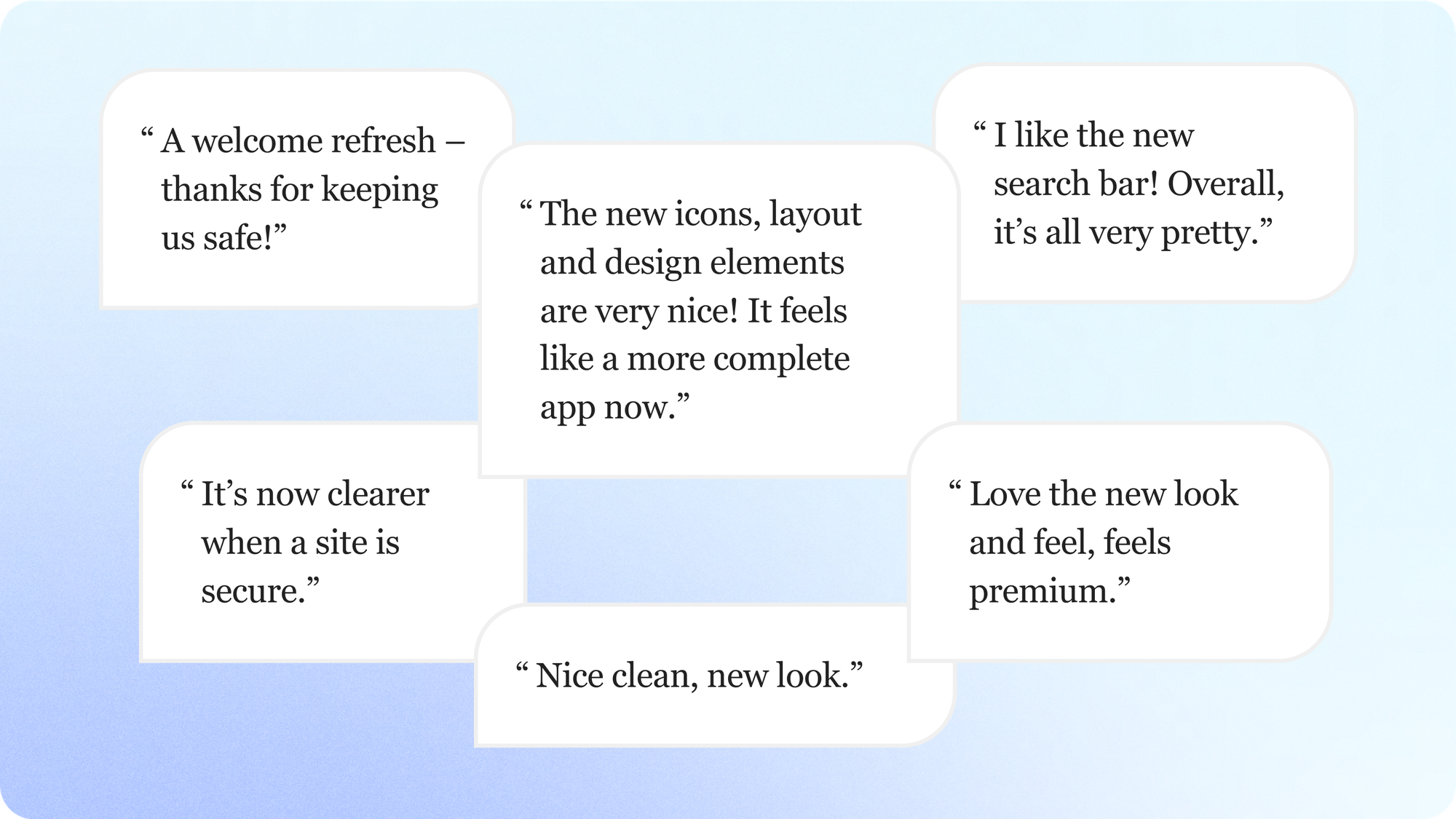
2025-06-19, 11:41
- The DuckDuckGo browser’s built-in Scam Blocker guards against phishing sites, malware, and other common online scams. It’s on by default, so you’re protected as soon as you open the browser.
- NEW: Scam Blocker now also covers sham e-commerce sites, fake cryptocurrency exchanges, “scareware” that falsely claims your device has a virus, and other sites known to advertise fake products or services.
- Most browsers use Google tools for their phishing and malware protections, sending browsing data to Google in real time. We don’t. We designed Scam Blocker ourselves, with data from Netcraft, an independent cybersecurity company. Our scam protections don’t require an account, and we don’t share your browsing data with third parties.
- Scam Blocker is available for free within the DuckDuckGo browser on desktop and mobile. DuckDuckGo subscribers get full-device coverage when logged into the DuckDuckGo VPN – even when using other browsers.
Scam Blocker: Multiple protections for multiple threats
It’s not your imagination – online scams are getting more sophisticated. According to new reporting from the United States’ Federal Trade Commission, consumers lost $12.5 billion to fraud in 2024 alone. Scams related to investments, online shopping, and internet services were among the worst offenders.
Around here, we believe the best way to protect your personal information from hackers, scammers, and privacy-invasive companies is to stop it from being collected at all. Our browser and built-in search engine never track your searches, and our browsing protections help stop other companies from collecting your data, too. One of those protections is our Scam Blocker, designed and built by us for your security and your privacy. Scam Blocker guards against phishing sites, malware, and other common online scams without tracking your browsing data or sharing it with any third parties. It’s built into the DuckDuckGo browser and free to use, with no signup required.

Fake cryptocurrency offers, urgent messages about "viruses," and high-paying surveys – like the hypothetical examples above – are some of the common scam sites covered by DuckDuckGo’s Scam Blocker.
Scammers and cybercriminals have constantly evolving tactics, so it’s important to stay protected on multiple fronts. Thanks to Scam Blocker, the DuckDuckGo browser can help you spot and avoid some of the most common types:
- NEW PROTECTION: Scam investment sites, storefronts, surveys and more. Designed to trick you into giving away personal information or making bad financial transactions under false pretenses. These scam sites can include investment offers, cryptocurrency trading schemes, discounted pharmaceutical products, affiliate surveys with cash rewards, and more; the sites can look legitimate, but the offers are often “too good to be true.”
- NEW PROTECTION: Scareware. These alarming sites claim that your computer or phone is infected with spyware or viruses. Scareware creates a false sense of urgency to trick people into engaging with fake “tech support” and buying unwanted – or completely fake – antivirus software.
- Phishing sites. Phishing generally uses impersonation to get your login credentials or sensitive personal information. Cybercriminals’ phishing techniques include creating sham websites that look like a familiar legitimate business and using link redirects to get unsuspecting users there.
- Malware sites. If you download a harmless-looking file from one of these sites, malware can infect your phone or computer, causing damage or extracting personal information for later use. Some malware sites start an automatic download before you even click or enter anything.
- Tracker-powered malicious ads. “Malvertising” typically involves injecting malware-laden advertisements into legitimate websites and online ad networks. Some malicious ads can compromise your system even if you don’t click on them.
The scam tactics vary, but the end goals are usually the same: to commit financial fraud using your personal information or to trick you into paying for products or services that don’t exist. If you accidentally click a link that would take you to one of these scammy sites, DuckDuckGo’s built-in Scam Blocker will stop the page from loading and show you a warning message that allows you to navigate safely away. The DuckDuckGo browser also reduces your malicious ad risk while you browse, blocking tracker-powered ads while before they load.
Other browsers like Chrome, Firefox, and Safari rely on Google’s Safe Browsing Service to provide warnings about phishing sites, which involves sending information to Google. We don’t. We built our own anonymous solution that doesn’t send data to any third parties. No sign in, no tracking, and it’s on by default, so you're protected from the moment you open the browser. DuckDuckGo subscribers can connect to the DuckDuckGo VPN to get these protections for your whole device – including in other browsers!
How Scam Blocker works
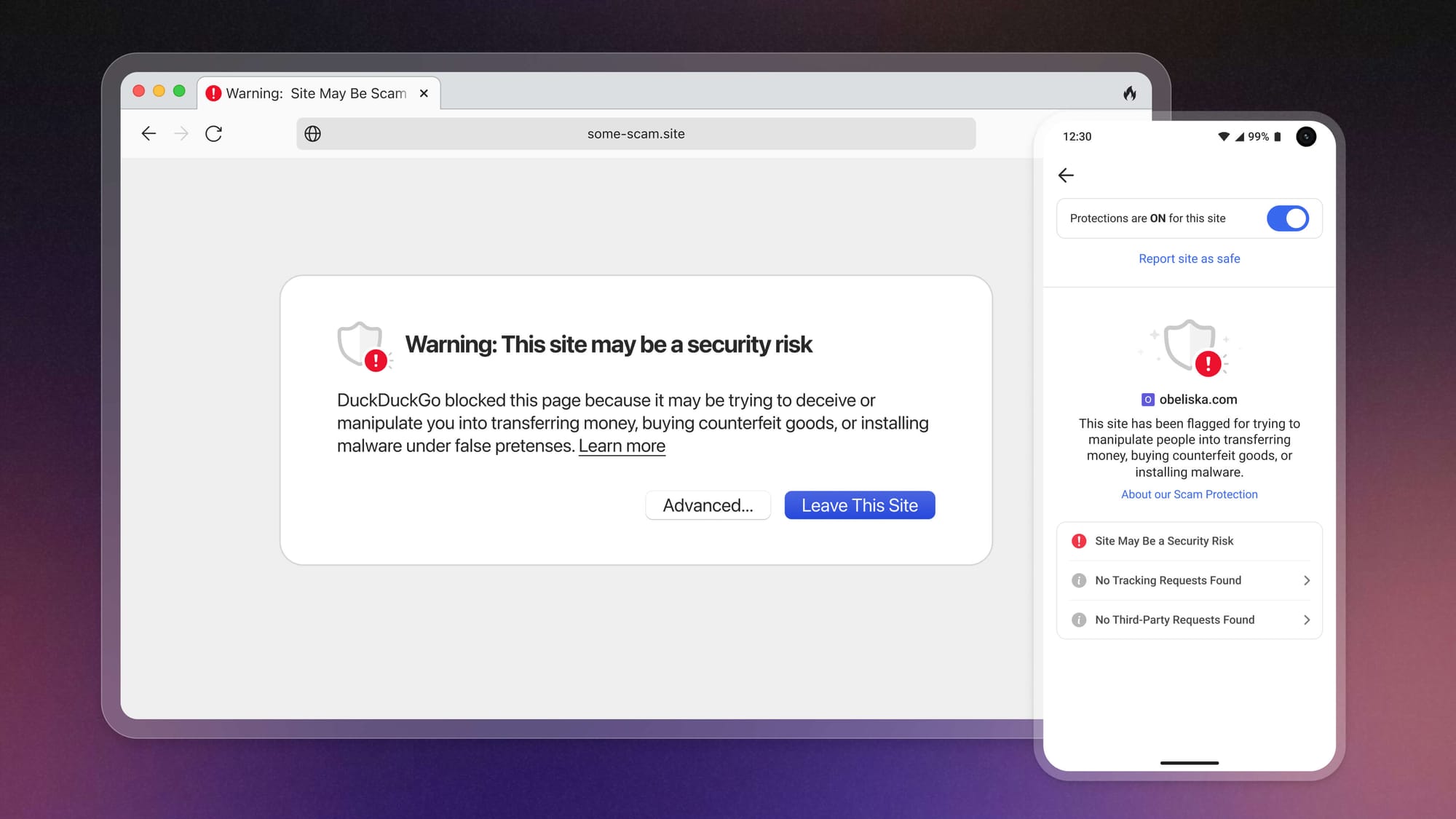
When you land on a potentially dangerous website, Scam Blocker will display a warning message before loading the site.
New scam sites pop up all the time, but the DuckDuckGo browser stays on top of it. We get a feed of malicious site URLs from Netcraft, an independent cybersecurity company that’s always scanning for new threats. We store that constantly refreshing list on our servers and pass any updates to your browser every 20 minutes.
The way Scam Blocker works is always anonymous. Once your browser downloads the latest dangerous site list from DuckDuckGo, it’s available locally on your device. When you navigate to a site, your browser first checks the site against the list stored on your device. If the site is on the list, your browser shows a warning message that gives you the option to navigate away safely or to continue to the site at your own risk.
Most of the potentially dangerous URLs flagged by Scam Blocker can be found on common sites like Google Drive or GitHub. Uncommon threats – which we encounter less than 0.1% of the time! – require an extra verification step that checks websites against a larger and more comprehensive database on DuckDuckGo servers. But this process is also anonymous; at no time during the threat verification process does your device communicate with any third parties. For a deeper dive on the cryptography we use to maintain anonymity when handling uncommon threats, visit this Help Page.
All this means that your searches and browsing history are still completely anonymous.
Note: This blog post has been edited since initial publication to stay up to date with our evolving product offerings.
2025-03-06, 12:41
- DuckDuckGo’s approach to AI is to provide private, useful, and optional AI features – including chat and search instant answers – to people who want the productivity benefits of AI without the privacy risks.
- Now out of beta: Get free, anonymized access to popular chatbots at Duck.ai. Easily move traditional search results – which now include more AI-assisted answers from web sources – to Duck.ai to continue your conversation.
- Both Duck.ai and AI-assisted answers are free to use, with no account required. We now serve millions of AI-assisted answers daily. If you opt to show them "often" in your settings, they should appear in our traditional search results over 20% of the time.
- Recent updates to AI-assisted answers include expanding sources across the web, beyond just Wikipedia; answering English-language queries outside the U.S.; and adding customization that lets you decide how often you want
answers to appear: often, sometimes (default), on-demand, or never. - Recent Duck.ai chat updates include upgraded models (GPT-4o mini and o3-mini from OpenAI, Meta Llama 3.3, Mistral Small 3, and Claude 3 Haiku from Anthropic) and a “Recent Chats” feature that stores conversations locally on your device – not on DuckDuckGo or other remote servers.
Our approach to AI: private, useful, and optional.
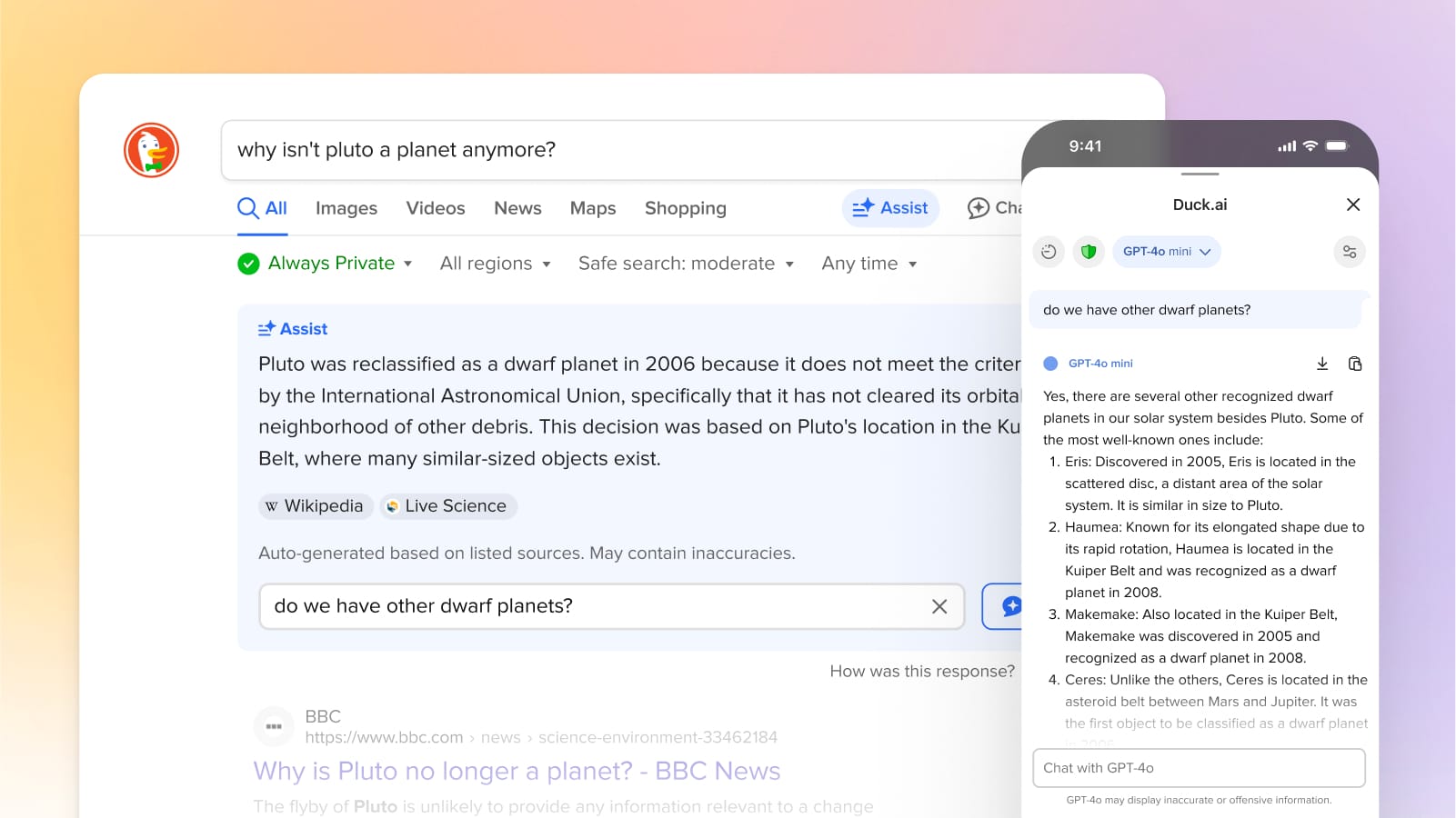
At DuckDuckGo, we believe the best way to protect your personal information from hackers, scammers, and privacy-invasive companies is to stop it from being collected at all. We started with a search engine that doesn’t collect your search history; our flagship experience is now a browser with a suite of built-in protections that includes our search engine, ad and cookie blocking, and many more protections.
Our approach to AI extends this strategy by integrating protected AI features that offer the productivity benefits of AI without privacy risks like tracking your prompts and training on your data.
We’re not making AI features just for the sake of making AI features. They have to be actually useful in everyday use, starting with helping people get faster, high-quality answers to their questions. However, we recognize not everyone wants AI in their lives right now, and that’s OK with us. That’s why all our AI features are optional and can be turned off or tuned down.
To chat or not to chat.
Head to Duck.ai for free, proxied access to popular chatbots from OpenAI, Anthropic, Meta, and Mistral.
A search engine’s core job is to get you the high-quality information you want fast. AI can help with that job, including a new mode of information-seeking through chat. We’re finding that some people prefer to start in chat mode and then jump into more traditional search results when needed, while others prefer the opposite. (Some questions just lend themselves more naturally to one mode or the other, too.) So, we thought the best thing to do was offer both. We made it easy to move between them, and we included an off switch for those who’d like to avoid AI altogether.
If you want to start with chat, try Duck.ai (previously called DuckDuckGo AI Chat), a free and account-less way to access popular AI chatbots, privately. Models are periodically updated and currently feature GPT-4o mini and o3-mini from OpenAI, open-source models Meta Llama 3.3 and Mistral Small 3, and Claude 3 Haiku from Anthropic. Chats are anonymized via proxying and never used for AI model training.
You can navigate directly to https://duck.ai/ or via the optional chat icons within our search engine or browsers. (There's also a widget - on iOS for now.) You can also use the !ai or !chat bang search commands from any browser where you have DuckDuckGo search set as the default search engine.
One way to access Duck.ai is via the Chat icons in our desktop and mobile browsers.
If you’d rather start with traditional search results, simply use DuckDuckGo search as usual. AI-assisted answers – previously called DuckAssist – will automatically appear on the search results page for relevant English language queries. You can also manually trigger an AI-assisted answer on demand by pressing the “Assist” button under the search box, which appears on most queries. The answers source information from across the web, and like Duck.ai, they are completely free and private, with no sign-up required.
The “Assist” button lets you generate AI-assisted answers on demand.
We’ve continuously heard from users that they want more quick, at-a-glance answers, for a broad range of topics. For years, we’ve been doing that by working on search modules to provide instant answers for things like sports scores, local business information, where to watch movies and TV shows, and much more. Now, we are finding that we can significantly expand the scale of high-quality instant answers we can show with AI as we’re now serving millions of AI-assisted answers daily. Since we’ve introduced AI-assisted answers on our search results, overall user satisfaction with our search results has improved.
If you were unsatisfied after trying DuckDuckGo search in the past, now is a great time to try us again. We’re always improving. If you do try us or try us again, please set DuckDuckGo search as your default search engine or download our browser and make it the device default. It can take a moment to get used to something different, and setting the default is the best way to get over that hump.
How can I customize my search experience?
Navigate to the AI Features section of your search settings. If you really like our AI-assisted answers, change Assist to Often, which will make them appear over 20% of time. On the other hand, if you never want to see any AI features, turn Chat to Off and Assist to Never.
On DuckDuckGo browsers, you can choose whether the chat icon appears on the toolbar from within the ‘Duck.ai’ section in your browser settings.

Control how often you see AI-assisted answers from your search settings.
In addition to respecting our users’ choices, we respect publishers’ wishes to opt out of AI-assisted answers on DuckDuckGo and don’t penalize publishers for that choice. Even if they opt out as a source for our AI-assisted answers, they can stay opted into our other search results.
How am I protected?
When we generate AI-assisted answers, we anonymously call the underlying AI models used to summarize web sources on your behalf, so your personal information is never exposed to third parties. This method is called proxying. Duck.ai chats work similarly. To accomplish this technically, we remove your IP address completely and use our own IP address instead. This way, the proxied requests are coming from us, not you. For more information, please see the DuckDuckGo General Privacy Policy.
Duck.ai's "Recent Chats" let you pick up where you left off. Chats are saved locally on your device – not on DuckDuckGo or any other outside servers.
Within Duck.ai, recent chats are only stored locally on your device, not on DuckDuckGo servers. Not interested in storing your chats? You can disable the option altogether, or use the Fire Button to clear all your recent chats at once. Duck.ai chats are not used for any AI training, either by us or the underlying model providers. To respond with answers and ensure all systems are working, these providers may store chats temporarily, but we remove all the metadata so there’s no way for them to tie chats back to you personally. On top of that, we have agreements in place with all providers to ensure that any saved chats are completely deleted within 30 days. For more information, please see the DuckDuckGo AI Chat Privacy Policy and Terms of Use.
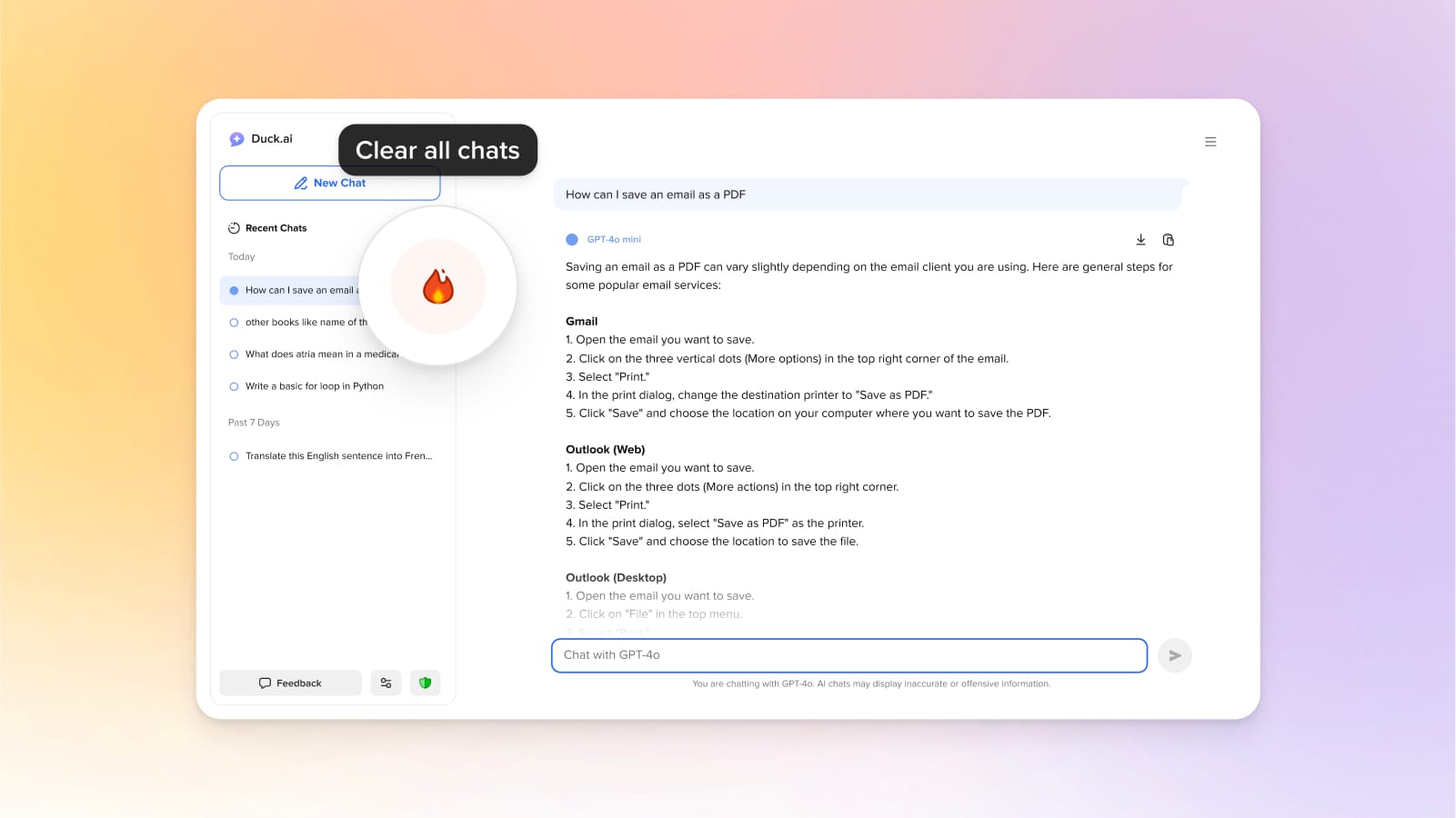
Clear your recent Duck.ai chats with the click of a button.
Are AI-assisted answers reliable?
When you search on DuckDuckGo, our AI-assisted answers are based on real-time web crawling, so they’re as reliable as the sources from which they are drawn. But even the most reliable sources can have errors, and mistakes can occasionally happen in the summarization process, too. That’s why we prominently display our cited sources: you can easily check them out and use your own judgment to make the final call.
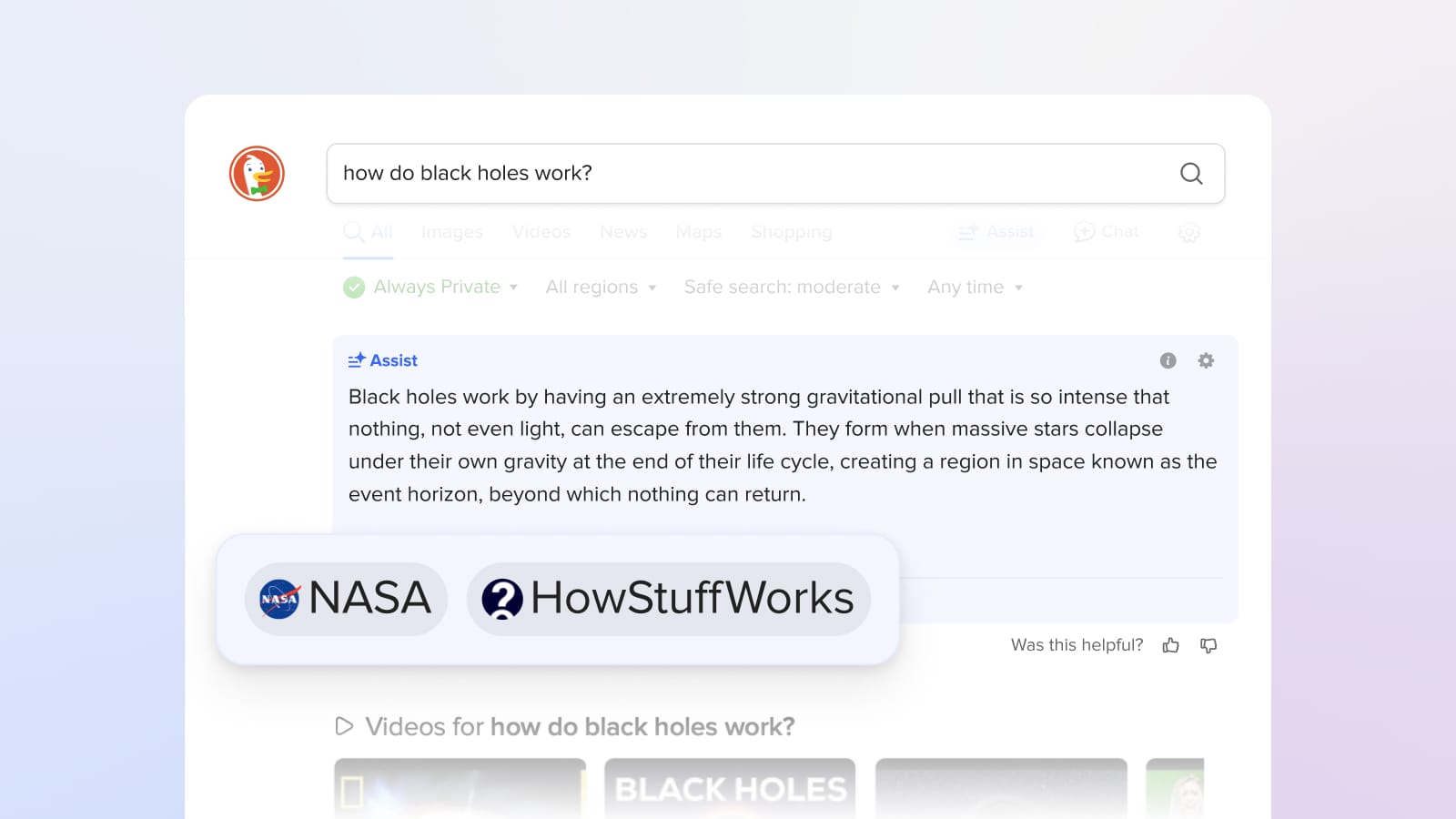
Want to know where your AI-assisted answer came from? Check the sources below the answer and click through for a deeper dive into complex topics.
We also have a number of precautions in place. Out of the countless websites we could draw from, we try to weed out ultra-low-quality sources like spammy content farms and invasive people search sites, and we try to avoid satirical sites and opinion pieces.
You are a critical part of the process as well. “Was this helpful? 👍 👎” is displayed next to every AI-assisted answer. So, if you see a bad answer – or a great answer! – please let us know. We review it all as part of our quality control process.
Is this really free?
Yes! AI-assisted answers are integrated into DuckDuckGo search, which is always free to use, with no log-in required. (We make money from private search ads.) Chatting on Duck.ai is also free within a daily limit, which we implement while maintaining strict user anonymity, just like we do for our search engine. We plan to keep the current level of access free; we’re exploring a paid plan for access to higher limits and more advanced (and costly) chat models.
What’s next?
We are largely driving our AI roadmap based on your feedback, so please keep it coming—we appreciate it. Within Duck.ai, this includes adding newer models, voice and image support, and granting models web access. For AI-assisted answers on our traditional search engine, we’re making them faster and more interactive, answering more queries, and improving when they appear automatically, including for less straightforward queries.
In the meantime, give Duck.ai a try and keep an eye out for AI-assisted in your traditional search results. Head to your search settings if you want to see them more or less often.
2024-12-03, 14:00

2024 marks DuckDuckGo's 14th year of donations—our annual program to support organizations that share our vision of raising the standard of trust online. We are proud to donate to diverse group of organizations around the world that promote privacy, digital rights, access to information online, and a healthier online ecosystem.
This year, we’re donating $1,100,000, bringing DuckDuckGo's total donations since 2011 to $6,950,000. Everyone using the Internet deserves simple and accessible online protection; these organizations are all pushing to make that a reality. We encourage you to check out their valuable work below, alongside details about how our funds were allocated this year.
$100,000 to the Electronic Frontier Foundation (EFF)

“EFF's mission is to ensure that technology supports freedom, justice, and innovation for all people of the world.”
$75,000 to Public Knowledge
"Public Knowledge promotes freedom of expression, an open internet, and access to affordable communications tools and creative works. We work to shape policy on behalf of the public interest."
$50,000 to ARTICLE 19
"Established in 1987, ARTICLE 19 is an international non-profit organization that defends freedom of expression, fights against censorship, protects dissenting voices, and advocates against laws and practices that silence individuals, both online and offline."

$50,000 to Demand Progress
"DPEF educates our members and the general public about matters pertaining to the democratic nature of our nation’s communications infrastructure and governance structures, and the impacts of corporate power over our economy and democracy."
$50,000 to European Digital Rights (EDRi)

"The EDRi network is a dynamic and resilient collective of 50+ NGOs, as well as experts, advocates and academics working to defend and advance digital rights across Europe and beyond. For over two decades, it has served as the backbone of the digital rights movement and has achieved landmark successes in digital rights in Europe."
$50,000 to Fight for the Future

"Known for organizing some of the largest and most effective online campaigns in history, Fight for the Future’s mission is to ensure a just Internet and technology that is a force for empowerment and liberation, free of surveillance, censorship, and abuse of personal data."
$50,000 to The Markup
"The Markup challenges technology to serve the public good by producing investigative journalism, unique tools, and accessible resources to inspire action and agency."
$50,000 to OpenMedia

"OpenMedia is a community-driven organization that works to keep the Internet open, affordable, and surveillance-free. We operate as a civic engagement platform to educate, engage, and empower Internet users to advance digital rights around the world."
$50,000 to Restore the Fourth
“Restore the Fourth opposes mass government surveillance, and organizes locally and nationally to defend privacy and the Fourth Amendment.”
$50,000 to Signal

“Signal Technology Foundation protects free expression and enables secure global communication through open source privacy technology.”
$50,000 to the Surveillance Technology Oversight Project (S.T.O.P.)

“The Surveillance Technology Oversight Project (S.T.O.P.) advocates and litigates for privacy, working to abolish local governments’ systems of discriminatory mass surveillance."
$50,000 to Tech Policy Press

“Tech Policy Press promotes discussion, debate, and analysis of issues and ideas at the critical intersection of technology and democracy.”
$50,000 to the Tech Oversight Project
"Through engaging with lawmakers, exposing false narratives and bad actors, and pushing for landmark legislation, the Tech Oversight Project seeks to hold tech giants accountable for their anti-competitive, corrupting, and corrosive influence on our society and the levers of power."
$25,000 to Algorithmic Justice League (AJL)
“AJL’s harms reporting platform aims to capture people's lived experiences with AI harms, connect them with resources, and identify areas where there are no or few resources.”
$25,000 to Bits of Freedom

“Bits of Freedom shapes tech policy in order to facilitate an open and just society, in which people can hold power accountable and effectively question the status quo.”
$25,000 to the British Institute of International and Comparative Law (BIICL)
"The Competition Law Forum is a centre of excellence for European competition and antitrust policy and law at the British Institute of International and Comparative Law (BIICL)."
$25,000 to the Center for Critical Internet Inquiry (C2i2)

“UCLA Center for Critical Internet Inquiry (C2i2), housed in the UCLA Division of Social Sciences, is a critical internet studies community committed to reimagining technology, championing social justice, and strengthening human rights through research, culture, and public policy.”
$25,000 to Creative Commons (CC)

“Creative Commons (CC) is an international nonprofit organization dedicated to building and sustaining a thriving commons of shared knowledge and culture that serves the public interest.”
$25,000 to Digital Rights Watch

"Digital Rights Watch is Australia's leading digital rights organisation. They defend and promote privacy, democracy, fairness and fundamental rights in the digital age."
$25,000 to Gesellschaft für Freiheitsrechte (GFF)
"The Society for Civil Rights e.V. (Gesellschaft für Freiheitsrechte e.V. or "GFF") is a donor-funded organization from Germany that defends fundamental and human rights by legal means. The organization promotes democracy and civil society, protects against disproportionate surveillance and advocates for equal rights and social participation for everyone."
$25,000 to noyb
"noyb is committed to the legal enforcement of European data protection laws and has filed more than 850 cases against numerous intentional infringements by Big Tech companies - to make online privacy a reality for everyone."
$25,000 to the Open Home Foundation

“The Open Home Foundation fights for the fundamental principles of privacy, choice, and sustainability for smart homes - and for every person who lives in one. It is best known as the organization that owns and governs Home Assistant, among many other projects crucial to the open home."
$25,000 to the Open Rights Group (ORG)

"Open Rights Group is the UK’s largest grassroots digital rights campaigning organisation, working to protect everyone’s rights to privacy and free speech online."
$25,000 to the Open Source Technology Improvement Fund (OSTIF)
"Open Source Technology Improvement Fund helps critical open source projects with their security needs and is grateful for the continued support from DuckDuckGo. This funding is pivotal to ongoing operations, as it is one of our only donation sources that is not tied to any deliverable or project. Over the past year, OSTIF has been able to sustainably help critical open source projects improve their security posture, and in the process have found and fixed over 150 bugs and vulnerabilities."
$25,000 to Perl and Raku Foundation
"The Perl and Raku Foundation is a non-profit, 501(c)(3) which fulfills a range of activities including the collection and distribution of development grants, sponsorship and organization of community-led local and international Perl conferences, and support for community resources and user groups."
$25,000 to Privacy Rights Clearinghouse

"Privacy Rights Clearinghouse focuses on increasing access to information, policy discussions, and meaningful rights so that data privacy can be a reality for everyone."
$25,000 to Proof

"Proof is a new nonprofit journalism studio that is working to redefine and reimagine trustworthiness in news and investigative reporting."
$25,000 to the Tor Project
"At the Tor Project, we believe everyone should be able to explore the internet with privacy. We advance human rights and defend your privacy online through free, open source software and the decentralized Tor network."
2024-11-20, 12:30

Today, we are calling on the European Commission to launch three non-compliance investigations around Google’s obligations under the EU’s Digital Markets Act (DMA):
- On Google’s non-compliance with Article 6(11), which requires Google to share anonymized click and query data.
- On Google’s non-compliance with Article 6(3), which requires Google to implement choice screens and enable end users to easily change default search settings.
- On Google’s non-compliance with Article 6(4), which requires any downloaded search or browser app to have the ability to prompt users to set search defaults easily.
The DMA created these obligations to address Google’s scale and distribution advantages, which the judge in the United States v. Google search case found to be illegal. The judge specifically highlighted that 70% of queries flow through search engine access points preloaded with Google, which creates a “perpetual scale and quality deficit” for rivals that locks in Google’s position.
Unfortunately, Google is using a malicious compliance playbook to undercut the DMA. Google has selectively adhered to certain obligations – often due to pressure from the Commission – while totally disregarding others or making farcical compliance proposals that could never have the desired impact. As a result, the DMA has yet to achieve its full potential, the search market in the EU has seen little movement, and we believe launching formal investigations is the only way to force Google into compliance. The Commission has already demonstrated its ability to use such investigations effectively under the DMA.
While Google’s bad faith approach is not surprising, it should not go unnoticed. Any regulator looking to create enduring competition in the search market should take note of the tactics Google is using to thwart and circumvent its legal obligations.
We project Google’s Click-and-Query data sharing proposal eliminates ~99% of search queries.
Google’s exclusive default distribution deals mean they see many times more search queries than any competitor can, which gives them what’s called a “scale advantage.” In Article 6(11), the DMA directly addresses this scale advantage by mandating Google share anonymized click, query, ranking, and view data. This data would help search engines improve results quality, especially for less frequent (so-called “long-tail”) queries.
Google’s Click-and-Query obligation under the DMA, Article 6(11), reads:
“The gatekeeper shall provide to any third-party undertaking providing online search engines, at its request, with access on fair, reasonable and non-discriminatory [FRAND] terms to ranking, query, click and view data in relation to free and paid search generated by end users on its online search engines. Any such query, click and view data that constitutes personal data shall be anonymised.”
To comply with this requirement, Google announced the “Google European Search Dataset Licensing Program.” However, this data set has little to no utility to competing search engines due, in large part, to Google’s proposed anonymization method, which only includes data from queries that have been searched more than 30 times in the last 13 months by 30 separate signed in users. This method is conveniently overbroad: we extrapolate that Google’s dataset would omit a staggering ~99% of search queries including “longtail” queries that are the most valuable to competitors. Google is trying to avoid its legal obligation in the name of privacy, which is ironic coming from the Internet’s biggest tracker.
Part of our goal at DuckDuckGo has always been to prove that tech can make great products without exploiting people’s data or using mass surveillance. Our Privacy Policy explains how we go about doing this, for example, “we have no way to create a history of your search queries.” We do this by stripping out any metadata that can tie searches together made by the same individual, so re-identification cannot happen like in the memorable AOL case. For example, we may know that we got a lot of searches for "cute cat pictures" today, but we don’t know - and have no way to figure out - who actually performed those searches.
The fact is that most "rare" queries are actually just common words put in an order that isn’t searched very often. These queries are not inherently problematic since they cannot be traced back to any individual. So, instead of attempting to filter all of these relatively unique queries, we should instead focus on removing the subset of those queries that contain personal identifiers, like addresses and phone numbers or accidental pastes like user ids and passwords. Fortunately, there are relatively straightforward approaches to remove these types of queries that will result in much of the long tail data remaining available to improve search results.
This isn’t even the only part of the proposal that severely hampers the usefulness of the data:
- The proposal averages ranking data, which eliminates critical nuances. It also doesn’t provide anonymous ranking signals like dwell time or bounce rate.
- The proposal shares at best three-month old data, meaning the data is already stale when received because many results would no longer reflect current search trends.
- The proposal contains hardly any information on search modules, such as knowledge panel content, meaning information on much of the content on the search result page is not being shared.
We recognize that fine-tuning the right approach requires further considerations and, most importantly, testing and good faith cooperation from Google. Faced with Google’s continued obstruction, we believe that opening an official investigation is the only way to arrive at a workable proposal. We would like to help in that effort and believe there are ways for Google to provide a data set that is both privacy respecting and useful to competitors.
Google has so far completely ignored “easy switching” requirements.
The DMA includes provisions designed to facilitate easy switching of search engines and browsers, targeting Google’s entrenched hold over search and browser access points. Google’s obligation under Article 6(3) of the DMA reads:
“The gatekeeper shall allow and technically enable end users to easily change default settings on the operating system, virtual assistant and web browser of the gatekeeper.”
Despite this obligation, switching search engines on Android devices (which make up more than 60% of the mobile market in the EU) is still not “easy.” Before the DMA came into effect, it took more than 15 steps to switch your default search engine on Android and today that is still the case.
Zero changes have been made. What should happen is that users should be able to change their default search engine across every search access point in one click, similar to how a choice screen works, but currently choice screens are only shown on device onboarding. Users should be able to get back to a similar screen via a top-level device setting for default search, which we should be also able to guide users to directly from our app.
Similarly on Chrome, switching the default search engine has not been made any easier either. For example, there’s still no way to guide a user directly to the default search engine setting from the DuckDuckGo search homepage. And Google’s persistent dark pattern for search extensions on Chrome remains.
Google has completely ignored its easy switching obligations under the DMA. As a result, we believe the Commission must launch a non-compliance investigation to get Google to fulfill its requirements under the law. “Easy switching” should mean competition is actually one click away.
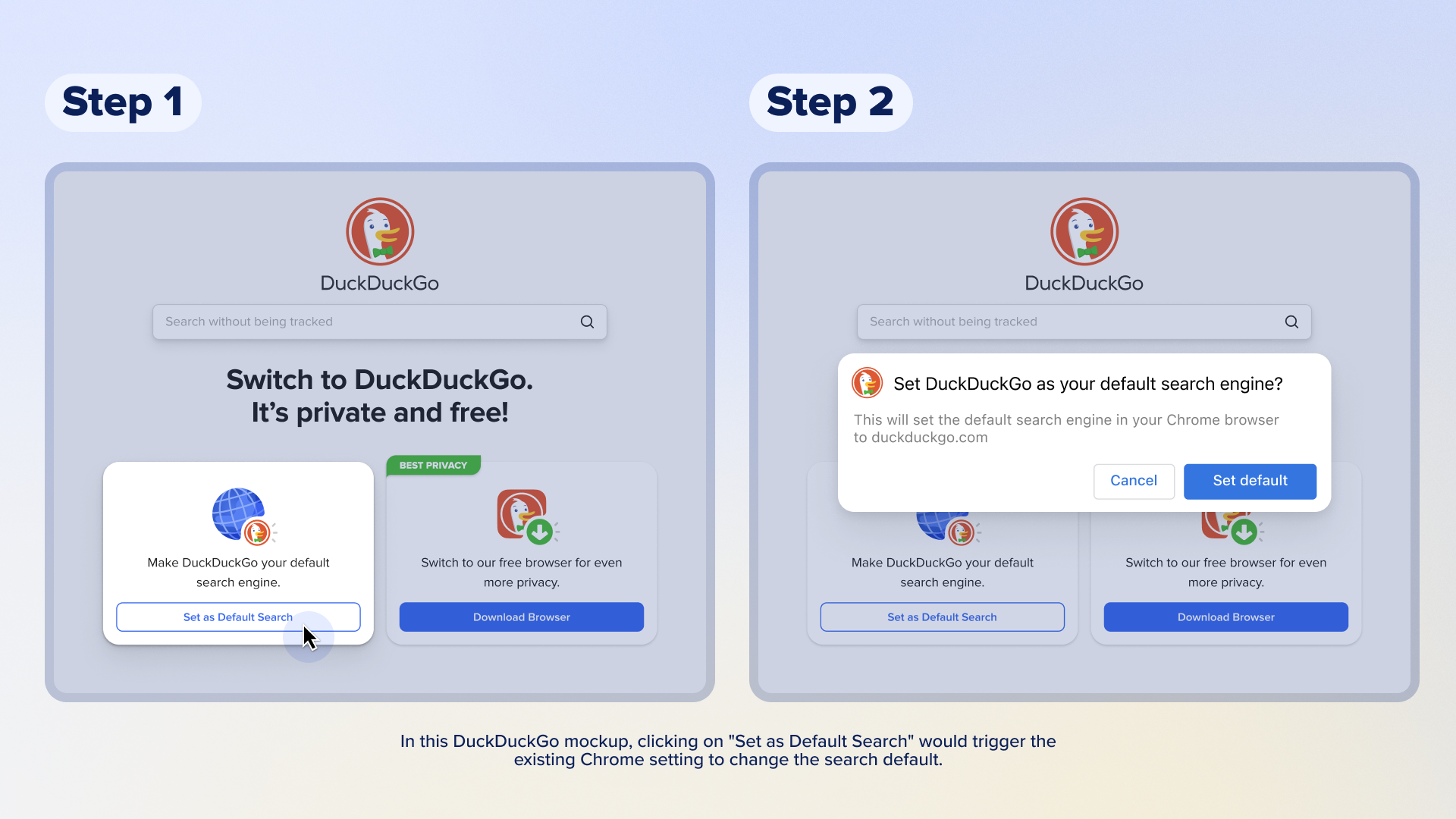
Google still hasn’t rolled out its updated Android choice screens to 250+ million EU Android users.
Article 6(3) DMA requires Google to show choice screens to end users “at the moment of the end users’ first use of an online search engine or web browser.”
Google’s search engine DMA choice screen is explicitly different from the choice screen Google implemented following the Android case. Key improvements have been made to its design, such as automatically showing taglines. But Google has not rolled out this updated DMA choice screen to all Android users, in breach of Article 6(3). Apple, for example, rolled out its DMA browser choice screen to its entire EEA user base and is planning to do so again after an investigation from the Commission – this time to Safari default users only.
A non-compliance investigation must therefore be opened to ensure that Google will fulfill its obligation and roll out both the DMA search engine and browser choice screens to all Android devices at once like they did on Chrome for desktop and iOS. When those Chrome choice screens rolled out, the positive competitive impact was evident: DuckDuckGo search queries on Chrome have increased by around 75% across the EEA. This rapid and stable growth in query volume shows pent-up demand by Chrome users for privacy-respecting search alternatives.
What can regulators learn from this?
Regulators around the world should be looking at what’s happening with the DMA, learn from how Google has been able to exploit its loopholes and circumvent it, and then take steps to make sure Google cannot continue to put up roadblocks in the way of progress and fair competition.
In the EU, Google chose to roll out self-serving compliance proposals around these obligations without engaging in meaningful consultations, leading to significant delays in achieving contestability and fairness, the objectives of the DMA. Given the opportunity, it should not come as a surprise that Google is taking advantage.
Instead, regulators and market participants should be able to review, test, and validate remedies before they are implemented to ensure they actually accomplish their intended purpose, while maintaining the regulatory authority to launch investigations and make changes after implementation, if necessary. Regulators can set additional criteria to make sure these interventions have the desired impact. For example, dominant firms could be required to demonstrate that consumers understand how to switch and that switching to a competitor is equivalently easy to sticking with the services from the dominant firm.
In addition, we believe the DMA doesn’t properly address Google’s scale advantage. Sharing click-and-query data is a critical intervention to address Google’s scale advantage, but alone, it isn’t sufficient to create a competitive search engine. As we’ve previously written, we believe the best and fastest way to level the playing field on search quality is for Google to provide access to its search results via real-time APIs (Application Programming Interfaces), also on FRAND (Fair, Reasonable, and Non-Discriminatory) terms. That means for any query that could go in a search engine, a competitor would have access to the same search results.
If Google is required to license its search results in this manner, this would allow existing search engines and potential market entrants to build on top of Google’s various modules and indexes, and offer consumers more competitive and innovative alternatives. In addition, while choice screens are an excellent mechanism to provide consumers access to competitors, they need to be shown periodically, at least yearly, to give competing search engines a chance to build awareness over time. We are happy to work with regulators to craft remedies that will create enduring search competition.
2024-10-23, 11:50

At DuckDuckGo, we know what it's like to turn a vision into a successful company. Our founder and CEO, Gabriel Weinberg, began DuckDuckGo’s journey to “raise the standard of trust online” from his basement in Pennsylvania and turned it into a browser and search engine used by millions of people around the world.
Today, this vision still inspires us. Each year, we donate to non-profit organizations that align with this vision, and now we're investing in companies that align with it as well.
As more and more consumers seek privacy-conscious technologies, we want to partner with other like-minded entrepreneurs and help turn their visions into reality. With the core objective of supporting consumer privacy technologies, DuckDuckGo is actively investing in early-stage companies as well as pursuing acquisitions and partnerships. We've actually already been doing this quietly for the last couple years, and we’re energized to do more. So, we'd love to hear from you and find ways to work together.
We are focused primarily on three domains:
- Search and browse: It's the core of our product and where we continue to invest most heavily.
- Consumer privacy technologies: This spring, we launched Privacy Pro, a 3-in-1 subscription service with VPN, Personal Information Removal, and Identity Theft Restoration. Our acquisition of Removaly was key to accelerating the development of our Personal Information Removal solution. We continue to look for other complementary technologies that could extend our offerings.
- Emerging technologies: We recently announced DuckDuckGo AI Chat, which offers private access to popular AI chatbots. We’re committed to investing in this emerging technology space and others, but only in ways that are privacy-respecting.
For early-stage investments, we are flexible on deal structure, aim to move quickly and are happy to co-invest with other companies, funds, and individuals. For acquisitions, we are open to a range of companies that share a commitment to protecting user privacy.
You can reach Mike Marino, SVP of Finance and Diana Chiu, Director of Corporate & Business Development directly at investments@duckduckgo.com.
2024-09-12, 12:39

Since the ruling in the U.S. v. Google search case was announced, there has been discussion about how to remedy Google’s dominance. As a company that operates a search engine that directly competes with Google, we have several ideas about how to craft a set of legal and technical interventions that can, in combination, effectively curb the advantages Google has gained through illegal use of their search monopoly. DuckDuckGo believes it is possible to put remedies in place that will establish enduring search competition, encourage innovation and new market entrants, and result in significant market share among multiple competitors.
However, there is no silver bullet remedy that, alone, will adequately address both Google’s scale and distribution advantage as well as ensure that Google cannot circumvent its obligations. Instead, the “remedy” must be a package of remedies that work together to effectively counteract the unlawful competitive imbalance.
Counteracting Google’s Scale Advantage with Access to Search Results
Many ideas on the table aim to counteract Google’s distribution advantage, but we believe it’s equally important to address Google’s scale advantage. Google’s exclusive default distribution deals mean they see way more queries than everyone else, a.k.a. their scale advantage. The court’s opinion quantifies this disparity:
More users mean more advertisers, and more advertisers mean more revenues…. Google’s scale means that it not only sees more queries than its rivals, but also more unique queries, known as “long-tail queries.” To illustrate the point, Dr. Whinston analyzed 3.7 million unique query phrases on Google and Bing, showing that 93% of unique phrases were only seen by Google versus 4.8% seen only by Bing.
Google uses this stream of information to continuously improve their results by running large-scale experiments in ways that no rival can because we’re effectively blinded. Google infers the best results based on queries it has seen before. If a search engine sees fewer – or often zero – similar queries, these inferences are less effective.
As the court describes the situation, Google’s scale advantage fuels a powerful feedback loop of different network effects that ensure a “perpetual scale and quality deficit” for rivals that locks in Google’s advantage.
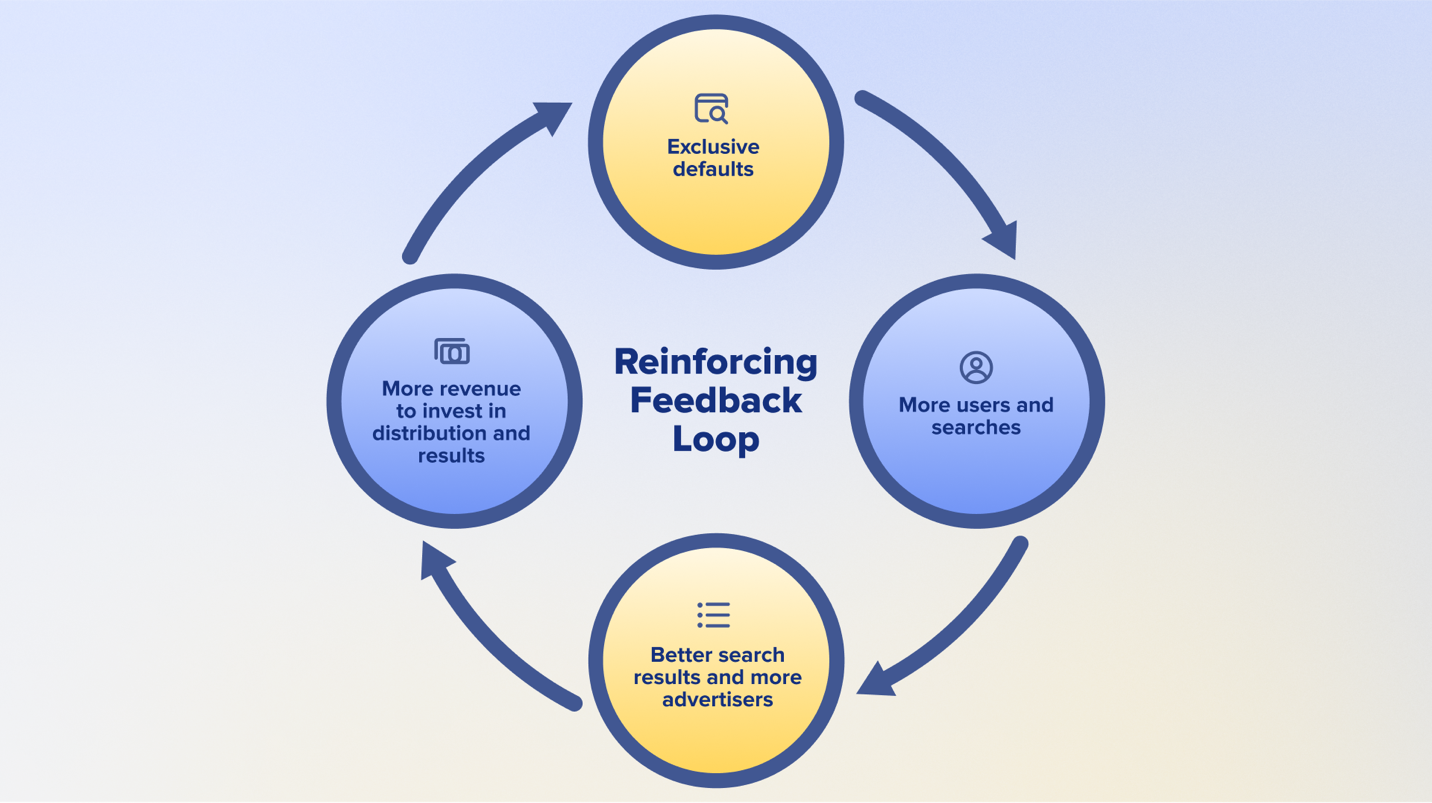
Google’s exclusive defaults are part of a reinforcing feedback loop that gives them an insurmountable scale advantage and makes it difficult for rivals to compete.
The best and fastest way to level this playing field is for Google to provide access to its search results via real-time APIs (Application Programming Interfaces) on fair, reasonable, and non-discriminatory (FRAND) terms. That means for any query that could go in a search engine, a competitor would have access to the same search results: everything that Google would serve on their own search results page in response to that query. If Google is forced to license its search results in this manner, this would allow existing search engines and potential market entrants to build on top of Google’s various modules and indexes and offer consumers more competitive and innovative alternatives.
Today, we believe that we already offer a compelling search alternative with more privacy and fewer ads, relative to Google. We’ve also been working for fifteen years to make our search results on par in terms of feature set and quality by combining our own search indexes with those of partners like Apple, Microsoft, TripAdvisor, Wikipedia, and Yelp. However, we know that many consumers still prefer Google’s results due to the benefits of scale discussed above, and this intervention would erase that advantage, instantly making us and others much more competitive.
We’ve already seen some concerns about this remedy direction that we’d like to quickly address. First, licensing Google’s search results does not involve accessing any user data. This remedy will not invade user’s privacy, which is aligned with our vision as a company. We know from experience that this remedy can be implemented anonymously, and we can advise on that implementation. We can open up Google without opening up user data.
A second potential concern is that long-tail results on leading search engines could be similar in some cases, but that’s a feature not a bug. Google’s scale advantage gives them insights into which obscure links should be ranked higher, and so we should expect that when smaller search engines incorporate this information that some results would become more similar. However, licensing on FRAND terms should also allow competitor search engines to re-rank and mix results with other content, which will enable competitor search engines to produce different ranking algorithms based on the same underlying high-quality search results.
Additionally, FRAND licensing will allow other search engines to more competitively differentiate on things like privacy, design, and customization of the user interface and results page, while still providing high-quality results. For example, we can envision a universe of differentiated and innovative experiences, such as features that allow users to tweak ranking algorithms, features that bring more transparency to ranking algorithms, and other AI capabilities, all leveraging Google’s search result APIs. Future-looking use cases like these must be kept in mind, and FRAND API access is what is needed to power these types of search innovations.
A third concern is that competitor indexes could become too reliant on Google; however, if all the results that come through the APIs can also be used as an input into building search indexes, this would ensure that there is also a path to long term viability and independence for competitors. We, for one, would go further down this path. This could be accelerated if the APIs also provide access to Google’s anonymous ranking signals (for example, how often and quickly people in aggregate click back after visiting a link), which will help tune competitor indexes even faster as well as improve real-time reranking algorithms. That said, we recognize that licensing Google’s search results needs to be a long-term intervention because their scale advantage will persist as long as Google has much more significant market share than competitors.
There are historical precedents for this type of remedy as well. AT&T’s 1956 antitrust agreement required the company to license its patents on FRAND terms, which allowed existing and new companies to build on top of AT&T’s innovations. Similarly, the Telecommunications Act of 1996 encouraged competition in communications markets by requiring large telecommunications providers to interconnect their networks with new competitors on FRAND terms.
This is not a new technical challenge for Google either: Google already licenses their search results, including their ads, via real-time APIs to some competitors. It’s also not novel in antitrust, as API access was at stake in Microsoft’s antitrust settlement two decades ago. An API-based remedy also means that startups could immediately enter the search market rather than be forced to invest tens or hundreds of millions of dollars upfront to get started by acquiring and consuming massive data sets. It also protects nascent competition in AI-driven search by allowing them to use the APIs to ground answers in real-time.
Finally, we should note that the EU’s Digital Markets Act attempts to solve Google’s scale advantage by requiring Google to provide FRAND access to its “click and query data.” To date, this has been ineffective because Google has undermined the requirement by limiting the data they share to the point of being useless. However, while we believe that click and query data is not a substitute for FRAND access to search result APIs, we also believe that if implemented correctly it can complement and further accelerate the path to competitor independence. That’s because API access will be limited to queries a competitor search engine actually sees, whereas click and query data can be much broader, covering almost all the queries Google sees. Therefore, access to this data in a privacy-protective manner should also be given on FRAND terms.
Counteracting Google’s Distribution Advantage with a Ban on Self-Preferencing in Chrome and Android
Google likes to claim everyone chooses Google, but most consumers don’t: they just go with the default. The court outlines how staggering this default advantage is:
50% of all queries in the United States are run through the default search access points covered by the challenged distribution agreements…. An additional 20% of all searches nationwide are derived from user-downloaded Chrome, a market reality that compounds the effect of the default search agreements. That means only 30% of all [general search engine] queries in the United States come through a search access point that is not preloaded with Google. Additionally, default placements drive significant traffic to Google. Over 65% of searches on all Apple devices go through the Safari default. On Android, 80% of all queries flow through a search access point that defaults to Google.
The court also consolidates evidence highlighting that large percentages of consumers don’t even realize they are using Google because of these defaults:
- An internal Google email in 2016 acknowledged that “users on Edge don’t even realize they aren’t using Google.”
- A 2018 Google study revealed there was “substantial user confusion regarding which browser and [general search engine] was in use.”
- A 2020 Google study found that over 50% of U.S. iPhone users were “unsure” what search engine powered Safari, concluding users are “often unaware they’re using Google.”
Users are confused and competition is crushed. As a result, Google shouldn’t be able to self-preference its search engine on Chrome and Android, which were developed to expand the reach of Google Search. Within these products, there should be no preset search default. Instead, these platforms need user-friendly settings based on sound principles that provide for:
- Regular access to well-designed choice screens that put users in charge of choosing their search engine default when setting up Android or Chrome, and periodically thereafter. Choice screens should set the search engine across all search access points on Android and Chrome.
- An easy way for users to navigate back to these settings.
- A one-click mechanism for any rival search engine to switch these settings and offer itself as a default search engine when users visit their website or app.
Image of the search engine choice screen on Android in the EU.
Banning self-preferencing must also include a prohibition on dark patterns, and all remedies must be subject to anti-circumvention provisions. For example, these restrictions should prohibit Google from discouraging users from installing rival apps or search extensions, or encouraging them to switch back to Google.
Unfortunately, a self-preferencing ban won’t create enduring competition by itself. However, as rivals can innovate on top of Google’s search results, and consumers become aware of rival brands and their increased quality, this increased access to consumers will accelerate competition in the search market.
Counteracting Google’s Distribution Advantage by Restricting Exclusionary Contracts
The court has already declared Google’s exclusionary contracts unlawful. While there are methods outside of these exclusive defaults to access search engines, the court recognizes that these “channels are far less effective at reaching users. That is due in part to users’ lack of awareness of these options and the ‘choice friction’ required to reach these alternatives.”
Restricting these exclusive agreements is therefore essential to help open up access to the search market. However, just restructuring these contracts by itself won’t do much because it won’t directly counteract Google’s entrenched advantage. For that, we need to look to the remedies discussed above.
On Accountability
Even the most well-crafted remedies will ultimately fail if Google is in charge of designing and implementing them, as has been the case in the EU. We’ve seen firsthand how Google has easily and repeatedly avoided complying with both the letter and the spirit of the law. Consequently, an independent monitoring body made up of technical experts and affected market participants must be fully empowered to keep Google honest. We should expect that this monitoring entity will need to be in place for as long as the remedies are in place. We cannot let the fox guard the henhouse.
On Structural Remedies
We are not opposed to structural remedies, but they would need to be paired with the additional interventions outlined in this post. In other words, structural changes to Google could theoretically be an accelerant in some circumstances, but regardless are not a replacement for FRAND access to search results and click and query data together with a ban on Google-self preferencing and a restriction on exclusive contracts. And we can envision some scenarios where a particular structural remedy could be more harmful to us than helpful.
A Long Road Ahead
Counteracting the entrenched competitive imbalance that Google’s default advantage has afforded them will not happen overnight. Realistically, it will take years for competition to take hold, and a fully-funded and motivated Department of Justice will need to be involved for the long haul. However, we are confident that a package of well-implemented and carefully monitored remedies, each designed to address a specific choke point, can work to create enduring competition in the search market.
DISCLAIMER:
- Copyrights belong to each article's respective author.
- Article links lead to external websites, where you will be tracked, most likely.
4. NAKED SECURITYby Sophos NewsWide range of security and privacy topics.
2026-09-02, 00:00
Categories: Threat Research
Tags: advisory, vulnerability, SonicWall
2026-09-01, 00:00
Analysis of 15 intrusions revealed tradecraft used by GOLD SHERWOOD affiliates
Categories: Threat Research
Tags: ransomware as a service, The Gentlemen, GOLD SHERWOOD, Ransomware
2026-08-19, 00:00
<p>A year of MDR casework shows attackers repeatedly exploiting demand for AI tools</p>
Categories: Threat Research
Tags: AI, malvertising, infostealer, Sophos X-Ops
2026-08-17, 00:00
<p>421 CVEs, a relatively small set of Edge patches, and two spicy stragglers</p>
Categories: Threat Research
Tags: Patch Tuesday, MICROSOFT PATCH TUESDAY
2026-08-11, 00:00
Lures on compromised WordPress sites led to installation of Deno and a Python-based infostealer
Categories: Threat Research
Tags: clickfix, Deno, WordPress
2026-08-11, 00:00
<p>Attack TTPs combine fileless execution, wide LOLBin use</p>
Categories: Threat Research
2026-08-04, 00:00
After compromising systems via CVE-2026-18577, threat actors use the additional RMM tools and network tunnels to establish persistent remote access
Categories: Threat Research
Tags: RMM, N-able, vulnerability
2026-08-04, 00:00
<p>Multiple legitimate DFIR tools abused by GOLD EMBRACE double-extortion specialists</p>
Categories: Threat Research
2026-07-28, 00:00
Attackers used Microsoft Teams vishing, custom malware, and remote access tools to facilitate ransomware deployment
Categories: Threat Research
Tags: Microsoft Teams, vishing, Ransomware, Chaos
2026-07-27, 00:00
<p>What that means for Customer Protections </p>
Categories: Threat Research, AI Research
2026-07-21, 00:00
<p>AI deluge brings 575 CVEs, 479 advisories, reset to blog-post format</p>
Categories: Threat Research
Tags: x-ops, Patch Tuesday, MICROSOFT PATCH TUESDAY
2026-07-15, 00:00
Categories: Threat Research
Tags: advisory, Vulnerabilities, SonicWall
2026-07-07, 00:00
<p>An X-Ops analysis of how AI coding agents trigger endpoint detection rules designed for adversaries</p>
Categories: Threat Research
2026-07-02, 00:00
Credentials harvested through supply chain compromises enable large‑scale ransomware deployment
Categories: Threat Research
Tags: Vect, TeamPCP, Ransomware
2026-06-17, 00:00
Amid discussions about how artificial intelligence can facilitate cybercrime, some threat actors remain skeptical
Categories: Threat Research
Tags: AI, Dark Web, underground
DISCLAIMER:
- Copyrights belong to each article's respective author.
- Article links lead to external websites, where you will be tracked, most likely.
5. KREBS ON SECURITYby Brian KrebsAbout hackers, malware and scams on Internet.
2026-09-01, 22:40
A new identity theft service launched on the dark web this week is selling digital scans of more than 153 million drivers licenses from people in the United States and Canada. Based on interviews with individuals whose licenses are available for purchase on this service, it appears to be siphoning images collected by a widely-used identity verification company based in Louisiana. KrebsOnSecurity also has learned that the New Orleans field office of the Federal Bureau of Investigation (FBI) today launched an official inquiry into the source of the images.

A record available at this identity theft service that includes the drivers license for U.S. Defense Secretary Pete Hegseth, one of several high-ranking U.S. government officials whose drivers licenses can be found for sale.
On Monday, Aug. 31, a source alerted KrebsOnSecurity to a service advertised by a new user on the Russian cybercrime forum Exploit, offering access to digital scans of identity documents on more than 170 million people in North America. The source brought it to my attention because the proprietor of this identity theft service offered my Virginia drivers license as a free sample in their initial sales thread on Exploit.
The service, dubbed Nexus, claims to have more than 153 million drivers licenses for people in the United States and Canada, as well as more than 10 million identification cards; more than three million travel documents and/or international IDs; and at least 579,000 medical cards.
A quick look around Nexus finds they are likely not exaggerating about that 153 million number: Running a blank search in Nexus (with no search parameters entered) returns approximately 11.5 million pages of results, with roughly 15 results displayed per page. It includes documents from people in both Canada and the United States, but the bulk of these records are on Americans: searching for just Canadian drivers licenses returns approximately 1.1 million results, with the largest concentration from Ontario (473,673 records).
Curiously, the identity records include not only drivers licenses but also marijuana dispensary cards. Some of the records list their “source” as “CDL,” presumably short for “commercial drivers license.” Other records carry the source notation of “CAC,” which may refer to Common Access Cards, government issued identity cards that grant physical access to government buildings and secure rooms.
The people behind Nexus claim the license images are coming from an active breach at “a major identity verification company” whose customers include multiple Fortune 500 companies.

The record totals listed by the Nexus identity theft service. The number of drivers license records increased by nearly 400,000 in the span of just 24 hours.
“We have been continuously exfiltrating new data for over a year into our private database,” the service enthused in its introductory post on Exploit. “Records are available to preview before purchase with pertinent information redacted. Customer photos are displayed if available.”
Indeed, over the past 24 hours, the number of drivers license records listed as available in Nexus has increased by nearly 400,000, suggesting that freshly stolen license data is being harvested and uploaded to this service on a semi-regular basis.
The record that features my drivers license includes six image files — three pairs of photos of the license’s front and back — a basic image scan — as well as infrared and ultraviolet versions of the same images. A date and timestamp is appended to each image file, and the timestamp on my license scan corresponds to a date in June 2025 when I took a flight to the midwest United States to attend a family funeral.

Some of the 153 million+ license scans — including mine — feature six image files with date and timestamps appended to the filenames. Not all records include photos, and some that do feature photos do not display the associated filenames.
Intent on discovering the source of this data, KrebsOnSecurity asked more than a dozen friends and family members for permission to search for their licenses in this service. Each person whose license could be found (nine of them) confirmed having traveled on or very close to the dates in the timestamps attached to their images. It is unclear what timezone these timestamps are in, but from reviewing car rental records shared by several people who helped with this research, it appears the timezone is set to Greenwich Mean Time (GMT).
At first, I thought the source of the data might have something to do with airports. However, that theory went out the window when it became apparent there were no passports in this data set. Also, only some of those who helped with this research said they showed their drivers license at the airport on the day of their travel. One person whose license was in Nexus hadn’t flown at all recently, but was renting a car from Hertz for several months around the date of their timestamp.
Two of those who agreed to help are federal employees who said they shared other forms of government identification when passing through airport security. However, those individuals each said they shared their state-issued drivers licenses later that day when renting vehicles at their respective destinations, and that both rented their cars from Hertz.
After finding a note in my calendar for the day of my June 2025 flight reminding me to bring my passport, I remembered that I also never actually shared my drivers license when I went through security at Reagan National Airport on that day because I did not yet have a Real ID, a security-enhanced drivers license that is now required by the Transportation Security Administration (TSA) for all domestic travel. Instead, I showed the TSA agent my government-issued U.S. passport.
Here’s where it gets interesting: I was able to find my mother’s drivers license in this service as well, and the timestamps for her images are just a few seconds apart from mine. That’s notable because we both handed our licenses to the Hertz rental car representative at the same time.
According to my mom, the only place she gave her drivers license to that day was the rental car company, and if memory serves that is also true for me. I don’t recall if the rental car representative inserted our licenses into any kind of machine, but I remember they held onto them for several minutes behind the counter while we were signing various forms. KrebsOnSecurity sought comment from Hertz and will update this story in the event they reply.
Zach Edwards is a well-known security and privacy researcher who recently launched a service called DecryptAds to help people better understand how online advertisers are tracking them. A scan of Edwards’s drivers license is available for purchase on this identity theft service, and Edwards said the timestamp on his record corresponds to the middle of a trip last month to Las Vegas for the annual DEFCON security conference.
Edwards told KrebsOnSecurity that although he did not rent a car in Vegas, he did hand over his license at the TSA checkpoint, at a marijuana dispensary in Vegas, and at his hotel (the Aria). But he said the only one of those three that for sure scanned his ID in some kind of device was the dispensary.

To enter Planet13’s weed dispensary in Las Vegas, one must pass through a red telephone booth. Image: Zach Edwards.
Edwards said the dispensary he visited that day was Planet13, a multi-state chain with stores in California, Florida, Illinois and Nevada. In 2022, the New Orleans-based identity provider idscan.net published a press release announcing an exclusive identity verification agreement with Planet13’s dispensaries nationally. IDScan says it processes ID verification for more than 1,000 marijuana dispensaries in 19 U.S. states.
The “trust” page of idscan.net states that the company provides identity verification services for numerous big brands, including Hertz, Target, Fedex, Motorola Solutions, the financial services giant Jack Henry, and Caesars Entertainment. And as idscan.net’s own documentation states, the technology scans IDs with both infrared and ultraviolet light. Idscan.net says the company’s systems and technology perform more than 21 million verifications monthly, at more than 20,000 locations around the world.

Image: idscan.net.
Contacted by KrebsOnSecurity, idscan.net said it was investigating the matter, but the company has not yet shared an official statement or a substantive reply to specific questions sent via email.
“At this point I’m not able to share any additional information, but the updates you have provided have been welcome, and helpful to our team’s investigation,” wrote Jillian Kossman, a marketing and operations leader at idscan.net.
During the course of my research for this story, word got around to the FBI that I was poking at the apparent source of this new identity theft service’s data. Probably they were tipped off when I shared with a trusted source that Nexus also is selling the drivers license information for the assistant director of the FBI (I did not find FBI Director Kash Patel’s license in Nexus).
Earlier this afternoon, I was added to a conference call with a half-dozen FBI agents, including senior leaders from the agency’s cyber division. During that call, the FBI shared that earlier today their New Orleans field office opened an official investigation into an apparent breach involving idscan.net.
Edwards said that as more in-person and online experiences require sharing drivers licenses, vendors who collect this sensitive data need to be held to a higher standard.
“This episode should further strengthen the resolve for people who are fighting back against online ID schemes which are requiring countless providers to ask for drivers licenses in order to access services under the guise of protecting kids,” Edwards told KrebsOnSecurity. “These systems are putting sensitive data into more and more 3rd party vendors, and we don’t have nearly the oversight to ensure they are safe.”
Larry Baldwin is principal intelligence researcher at the cybersecurity firm Cybera. Baldwin said a front and back scan of his drivers license available at Nexus contains timestamps that correspond to the date of a car rental from Hertz on a recent vacation.
Baldwin said the Nexus identity theft service presents multiple serious security and privacy threats, noting that state-issued drivers licenses are commonly used as proof of one’s identity when opening new lines of credit. Baldwin said the service could also dangerously expose many people who do not wish to be found but who cannot meaningfully change their appearance (or at least not enough to fool today’s AI-based image matching tools).
This category of people, he said, includes those fleeing domestic violence, and even people who have been assigned a whole new life and identity as part of the federal government’s witness protection program, which is generally reserved for criminal defendants in racketeering and conspiracy investigations who agree to cooperate with federal authorities.
“Just when it seems like we’re making some headway in improving authentication controls through drivers license verification systems, this happens and the very thing those improvements are dependent on are compromised,” Baldwin said.
Update, Sept. 2, 6:05 p.m. ET: A spokesperson for Caesars Entertainment said Caesars has not been a client of IDScan.net and has not used VeriScan since February 2025, despite IDScan.net listing them as a client on their website. That person said Caesars had no active VeriScan accounts at the time of the incident and did not authorize IDScan.net to retain data from its accounts, and that IDScan.net said the incident should have no impact on Caesars Entertainment.
Update, 8:56 p.m. ET: Shortly after this story was published, the Nexus identity theft service website vanished from the darkweb, replacing its login page with a plain text message that reads, “This service is no longer available.”
This is a potentially fast-moving story. Any changes or updates will be noted here along with a timestamp.
2026-08-27, 11:04
Authorities in Australia have arrested two men believed to be members of TeamPCP, a prolific cybercrime and data extortion group blamed for perpetrating the longest running spree of software supply chain attacks ever.
In a statement released today, the Australian Federal Police (AFP) said two men from Western Australia, aged 21 and 23, were arrested in connection with a “sophisticated cybercrime syndicate that allegedly created malicious open-source software to rob thousands of global businesses.”
The AFP did not name the defendants, but KrebsOnSecurity learned the 21-year-old suspect’s real identity in June, and has been communicating with him ever since. This story includes interviews with TeamPCP’s self-described spokesperson, and examines clues left behind by the TeamPCP leader that likely led to his undoing.
TeamPCP vaulted onto the cybercrime scene in late 2025, embedding malicious code in hundreds of open source software tools and extorting victims for profit. Members of the group made headlines by compromising corporate cloud environments using a self-propagating worm dubbed Shai-Hulud, which added malicious code to open source programs maintained by developers whose credentials at public code repositories like GitHub or NPM were phished or stolen.
Writing for Wired, journalist Andy Greenberg described TeamPCP’s core tactic as a kind of cyclical exploitation of software developers.
“The hackers gain access to a network where an open source tool commonly used by coders is being developed,” Greenberg wrote in May. “The hackers plant malware in the tool that ends up on other software developers’ machines, including some who are writing other tools intended to be used by coders. The malware allows TeamPCP’s hackers to steal credentials that let them publish malicious versions of those software development tools, too. The cycle repeats, and TeamPCP’s collection of breached networks grows.”
TeamPCP also has practiced something akin to cyclical recruitment. In May, the source code for the third iteration of Shai-Hulud was published online, and TeamPCP soon after launched a contest offering $1,000 in virtual currency to whichever participant could conduct the largest supply chain operation using the worm’s code. According to the contest rules, participants were scored based on the number of weekly and monthly downloads of packages they compromised — directly incentivizing them to target the most popular code libraries.

A screenshot of a message from TeamPCP’s Telegram account, announcing the supply chain hacking contest. Image: dataminr.com.
“TeamPCP has stated the competition is a recruiting opportunity and they intend to purchase all meaningful access harvested from participants’ campaigns,” the security firm Dataminr wrote. “The $1,000 XMR (Monero) prize is a recruitment floor and has been dismissed by the actor as ‘just like participation trophy,’ adding ‘if you find something good you will be paid way more,’ confirming the contest’s true function as talent identification and malicious access acquisition at scale.”
In March, TeamPCP executed a supply chain attack targeting AI infrastructure by compromising the code for LiteLLM, an open source AI gateway that connects users to more than 100 different large language models. A recent analysis by the security firm CloudSEK found TeamPCPs attack on LiteLLM harvested cloud service keys and other secrets from more than 2,500 organizations, including many of the world’s top technology companies.
In May, TeamPCP claimed credit for compromising at least 3,800 code repositories at the Microsoft-owned GitHub, after a GitHub developer installed a code extension that was compromised by TeamPCP’s malware.
MEET THE CYBERCATS
Security experts say TeamPCP is less of a hacker group than an amalgamation of threat actors from multiple cybercriminal gangs who sometimes work together toward similar goals.
“It is not a structured criminal crew with a single operator,” said Austin Larsen, a principal threat analyst with the Google Threat Intelligence Group. “It is a peer community of individually-skilled actors, with one clear center of gravity.”
That center of gravity is George Prepakis, an accomplished security researcher and self-described exploit developer who operates the Twitter/X profile @kernelstub. Earlier this year, @kernelstub tweeted a public invite link to a Matrix chat server he created and dubbed “Cybercats,” and TeamPCP and several other cybercrime entities have been using this server to communicate daily for the past several months.

A screenshot of the Matrix chat server “Cybercats,” whose members used hacker handles associated with multiple distinct cybercrime groups that have occasionally collaborated on a series of supply chain and data ransom attacks over the past nine months.
Kernelstub, like other administrators in the Cybercats chat, has been using his Twitter/X profile name as his handle in these Matrix communications, frequently tweeting references to other members and to conversations taking place in the Cybercats chat. In a number of cases, the corresponding X accounts for members of the Cybercats chat taunted cybercrime victims publicly before the incidents were reported in the news media.
The Cybercats administrator listed at the top of the screenshot above — “Boxturtle” — is a close associate of TeamPCP who has been tweeting about the group’s conquests under the name @xpl0itrsturtle. This handle corresponds to a data breach broker active on Breachforums and Darkforums who has been selling data stolen in a wave of recent breaches at automobile manufacturers, including BMW Group, Audi, Honda, Mercedes-Benz, Volvo and Toyota, as well as data allegedly taken from Snapchat and SportRadar.

The data leak site for the extortion group or handle “xpl0itrs.”
The Cybercats administrator “SeesawSec” in the screenshot above is the alias of whoever is behind the cybercrime group known as Fulcrumsec, which recently claimed credit for data extortion attacks against the pharmaceutical giant Novo Nordisk, the data broker LexisNexis, and Avnet, a Fortune 500 distributor of electronic components.

The data leak site of Fulcrum Security, a.k.a. Fulcrumsec.
The Cybercats administrator “@pcpcasper” also has been using a similar name on X to discuss TeamPCP’s attacks and victims. This person has an extensive message history on Telegram, where their messages and shared videos show @pcpcasper is an active and vocal member of the National Socialist Network, a neo-Nazi political organization based in Australia.
At one point in these chats, @pcpcasper shared videos and images of what they claimed was their cat, and several of those videos place this user in Western Australia. One source close to the investigation told KrebsOnSecurity that @pcpcasper was one of the two arrested, a claim supported by messages that @kernelstub posted online this morning.
The Cybercats member roster pictured above also features an administrator with the username “T,” which is short for the now-banned Twitter/X profile @pcpcats, the account operated by the self-described TeamPCP spokesperson who was arrested today. As we’ll see in a moment, @pcpcats also is from Western Australia.
By the time @kernelstub tweeted a public invite link to the Cybercats Matrix server, T/@pcpcats was posting only infrequently to the group chat, with other members often inquiring as to his whereabouts and well-being. The group’s collective concern related to @pcpcats’s tendency to blame his increasingly extended absences on the use of hallucinogens and other narcotics that kept him awake for days on end, but also caused him to crash in bed for several days after the highs wore off.
WHO IS THE TEAMPCP LEADER?
The Cybercats member @pcpcats has used multiple nicknames on the cybercrime forums, including EllisD25/LSD on Darkforums, BulkDMT on Breachstars, and Express on Breachforums. These accounts are linked because they all advertised the same Tox ID and/or Session ID as instant message contact handles in their cybercrime forum posts. BulkDMT was also known on the forums as DMT Host, which was a virtual private server (VPS) hosting service that was peddled on Darkforums and Breachstars.

DMT Host/EllisD25, posting on the English-language cybercrime community DarkForums in September 2025. Image: ke-la.com.
According to the cyber intelligence firm Intel 471, Express registered on Breachforums using the email address shitstickpp@gmail.com. Intel 471 finds Express posted on Breachforums across a two-month period in 2025 using four different Internet addresses located in South Africa. On July 30, 2025, Express announced on Breachforums they were selling access to 14 gigabytes of data stolen from South Africa’s State Information Technology Agency.
The threat intelligence platform Flashpoint recorded more than a year’s worth of messages from the TeamPCP leader’s alter ego on Telegram — Persy_PCP — who claimed they split their life living between two countries [full disclosure: Flashpoint is an advertiser on this blog]. “I have these [files] as well, problem is these are in another country,” Persy_PCP explained to another user inquiring about a stolen data set in November 2025.
Later that month, Persy_PCP complained, “My whole country is racist and they want people like me dead.” Flashpoint records show BulkDMT shared in September 2025 that “this country is going to fucking starve when they take the farmers land,” a likely reference to white landowners in South Africa who claim to be targeted by an ongoing genocide campaign.
This tracks with public reporting on TeamPCP. Cyberscoop reported in June that Google had traced TeamPCP’s residential and mobile Internet address connections to South Africa, “indicating the primary operator was located there during at least some of its attacks.”
BulkDMT also shared on the group chat at Breachforums that they were recovering from an addiction to methamphetamine. “My life is kinda fucked rn [right now], but that’s fine and there isn’t really a point in pouring so much emotional energy into that fact, my parents had money but I unfortunately got really addicted to some things so I don’t get to benefit from that. As long as I continue to survive, stay sober, and move closer towards my goals that’s enough drive and meaning.”
The identity threat protection company SpyCloud finds shitstickpp@gmail.com shows up in the registration of an account called ChristmasSnow on the cybercrime community Raidforums in 2022. Nearly all of the Internet addresses used to access that account came from ISPs in Perth, Australia, SpyCloud found.
KrebsOnSecurity looked up all of those Perth IP addresses in passive DNS records maintained by DomainTools.com, and found one of them — 211.27.196.111 — for several years was used as a private file server by a family in Perth with the last name of Thomson. Those records show at least three hosts — ithomson.direct.quickconnect.to (a remote Synology server), kthomson0061.direct.quickconnect.to, and joshuawthomson39.myqnapcloud.com (a QNAP network storage device) — persisted at that address between 2022 and 2025.
Searching on “joshuathomson39” in the breach tracking service Constella Intelligence reveals an account at the freight forwarding company kwe.com created in the name of Joshua Thomson from Perth, Australia. The open source intelligence platform Epieos finds the phone number attached to that kwe.com account was used to register a Facebook profile for Josh Thomson, which says his family includes a brother named Ruben, his father Ian, and his mom Cindy.
That Facebook profile also says Josh and his family are originally from Pietermaritzburg, in KwaZulu-Natal, South Africa, but currently living in Cottesloe, a beach-side suburb of Perth. A search in DomainTools for Ian Thomson and Australia unearthed five domains by the same registrant, including securecomputing.au, thomson.org.au, and thomsonfamily.net.au. Ian Thomson is a dentist in Cottesloe, and a biography says he graduated from The University of the Witwatersrand in Johannesburg, South Africa.
Constella finds a joshua@thomson.org.au registered a number of accounts online, but Josh doesn’t seem to have much of a connection to dodgy cybercrime forums. His brother Ruben, on the other hand, has quite the presence on these communities, dating back to at least 2018. Constella reports ruben@thomson.org.au frequently reused the password “joshuathomson1,” and Constella further finds that password was used by just a handful of accounts, including yolosolo17@gmail.com and surfinup8@gmail.com.
According to Intel 471, surfinup8@gmail.com was used to register the user Yolosolo17 on the crime forum Altenen in 2018, and that user account was registered from the Perth address 110.141.230.15. On Altenen, Yolosolo17 advertised free web proxies, as well as the domain rubenthomson.com, which was at one point used to sell steeply discounted iPhones. DomainTools says rubenthomson.com was hosted at 110.141.230.15 and registered to surfinup8@gmail.com.

A cached copy of the domain rubenthomson.com from 2017 shows a login page underneath a banded stack of money. Image: archive.org.
SpyCloud reports 10.141.230.15 was used by the email address sheepstealing@gmail.com on Raidforums and surfinup8@gmail.com on Nulled, and that the same IP was used by the email addresses ian@thomsonfamily.net.au, jasper@yakuza.cc, and rubenthomson1@gmail.com. SpyCloud also shows that sheepstealing Gmail address is tied to the accounts Sheep420, YoloSolo117 and Yakuza.cc on Raidforums, and to the account “Sheep Stealing” on Hackforums. Intel 471 says sheepstealing@gmail.com was used to register the account DingoFlour on Breachforums in October 2023, as well Sheepx on Altenen.
Epieos reports that ruben@securecomputing.au is tied to an Airbnb account for Ruben, who described himself as a Web developer who went to school at the University of Western Australia and was living outside the country. “Hey, I’m Ruben, my friends call me Ellis. I’m a Perth creative who occasionally books rooms when visiting family and for photography.”
Epieos also finds sheepstealing@gmail.com registered an upwork.com profile under the name Ruben, who said his main skills are setting up secure server hosting solutions and PHP full-stack Web development.
“I’m familiar with Linux, working with relational databases (SQL),” the Upwork profile reads. “I also script in Python mainly for writing social media bots.”

The Upwork profile for Ruben Thomson in Cottesloe, Australia.
Epieos further discovered sheepstealing@gmail.com is connected to a Microsoft account for Ruben Thomson, and to a now-defunct GitHub account called XmasSnow/XmasSnowisBack that scammed people on the forums in 2022 by claiming to sell exclusive exploits for recently-released software patches (recall that shitstickpp@gmail.com was used to register a forum account named ChristmasSnow).
This same sheepstealing email address registered a Twitter/X account in 2026 called “Gone Fishing” that lists its location as South Africa. That Gmail account also left several reviews for businesses listed on Google Maps over the past seven years, but all of those establishments are located on the west coast of Australia.

Business reviews in Western Australia left by the Google account sheepstealing at gmail.com.
The people search service Pipl finds a 21-year-old Ruben Thomson in Western Australia who has a phone number ending in 979. A lookup on that number at Epieos reveals it is connected to a TikTok account under the name Ellis, and to a PayPal account in the name of Ruben Thomson.
Finally, a search on the name Ruben Thomson from Cottesloe at the Australian government’s record of registered businesses finds he has incorporated or served as an official in multiple companies created since 2024, including Secure Computing Solutions, Tensor Industries, and another entity ironically named OPSEC Express. Recall that Express was BulkDMT’s nickname on Breachforums.

Australian companies connected to Ruben Thomson. Image: abr.business.gov.au.
It’s ironic because OPSEC is short for the term “operational security,” which refers to techniques and behaviors used to obfuscate and compartmentalize one’s real-life identity online, and using your cybercrime handle as part of your own company name is very much the antithesis of that practice.
There is at least one other major opsec failure by Ruben that exposed a link to TeamPCP. In June 2025, someone using the name Ruben Thomson registered on HackerOne, a popular “bug bounty” program that seeks to reward and recognize researchers who agree to work with affected software vendors to help fix the flaws before publishing about their findings. What was Ruben Thomson’s chosen HackerOne username? Deadcatx3, a nickname that has been flagged by multiple security firms as an alias used by TeamPCP.

The HackerOne profile for “Ruben Thomson” uses the nickname Deadcatx3, which multiple security firms have concluded is an alias used by TeamPCP. Image credit: flare.io.
INTERVIEW WITH ELLIS
In early July 2026, not long after having discovered clues about Ellis’s real life identity, KrebsOnSecurity interviewed the TeamPCP leader via Signal, where he was remarkably open about his activities and personal struggles [for the sake of simplicity, the TeamPCP spokesperson will be referred to from here on as Ellis].
Ellis claims he stopped doing cybercrime for TeamPCP in March 2026 — just before the attacks that compromised LiteLLM — and that at least one other individual has taken over the group’s leadership since then. Ellis shared that a year earlier he had just completed the latest in a series of detox and sobriety programs, and was two months sober when he reconnected with some old friends from the malware development scene.
“One year ago I needed help monetizing some [GitHub credentials], I was two months sober and needed a distraction and something to keep busy as well as people to speak to,” Ellis said. “I had largely disconnected from my old circle, they had become very toxic and I needed to get away from the substances. Previously I had done some mass exploitation campaigns and grew up doing [malware development] and [capture the flag] contests. There were some friends who were also vending but had stopped a while, and one of them introduced me to some chats where I posted access for sale.”
Prior to that, Ellis said, he was homeless and hopping between “some very unstable places.”
“Blackhatting is fun,” he said. “There are actual rewards and incentives to learn and you grow with your team. Without qualifications, no employer will even take the time to hear you out.”
Ellis claims he’s earned a grand total of about $20,000 for his activities with TeamPCP, and that it was never about the money or fame for him. Asked whether his experiences with TeamPCP might prepare him for gainful employment in a legitimate IT job, Ellis said he doubted it.
“I am nowhere close to a skill level where I am comfortable, and this would take maybe half a decade of further experience,” he said. “I no longer have to choose between rent and food for that I’m grateful and so are the team members.”
Ellis expressed no remorse over his cybercrime activities, and said he was grateful for the friendships and relationships built throughout his engagement with TeamPCP. The young hacker also seemed resigned to his fate, and told KrebsOnSecurity that he’ll accept the consequences if he’s ever arrested.
“If I’ve already been found out then its out of my control, I’ll make peace with that,” he said. “Honestly, I think someone like me needs a lot of help that prison just can’t provide. If I had the funds to study different parts of the field and closer guidance, this would have turned out differently. But that’s a pipe dream and we both know this.”
It is clear from reading Ellis’s posts to the group’s Matrix server chats that his struggles with sobriety are ongoing. On Thursday, June 25, Ellis told @kernelstub he was about to “trip” with his “homie.”
“What kind,” @kernelstub inquired.
“Ketty and some DMT,” Ellis replied, referring to the dissociative anesthetic ketamine and dimethyltryptamine (DMT), a powerful psychedelic compound that is found naturally in some plants but is also synthetically produced in underground lab environments. “There’s a little 2cb so we might throw that in the mix,” he continued, referring to another psychedelic compound by its chemical shorthand.
Roughly two weeks before his arrest, Ellis told KrebsOnSecurity he was ready to leave his life of crime behind and was prepared to turn himself in, but that in the meantime he was making plans to tie up loose ends.
Less than 24 hours later, the TeamPCP leader posted an image on Telegram showing a yellowish powdered substance in a baggie and on a scale, possibly synthetic DMT. The image shows the powder being weighed next to a series of small vape cartridges, two of which are open on the table in front of the photographer.

An image posted by the TeamPCP leader to Telegram, advertising his acquisition of some type of psychoactive substance, most likely a synthetic version of the powerful hallucinogen known as DMT.
The two defendants were arrested Wednesday morning. The AFP said the men face a combined 14 cybercrime offenses and are scheduled to appear in Perth Magistrates Court today.
Charlie Eriksen is a security researcher at Aikido Security who has closely followed TeamPCP’s cybercrime campaigns. Eriksen said TeamPCP are a good example of a new kind of threat actor that does not fit neatly into the usual categories.
“They are not a state actor, not quite organized cybercrime, and not purely ideological,” he said. “Their motivations seem to mix money, disruption, attention, and ideology.”
Eriksen said that historically there has always been a meaningful gap between reading about an attack technique and being able to reliably turn it into an operational campaign, but that large language models (LLMs) and artificial intelligence increasingly are helping threat actors to bypass that knowledge gap.
“You had to understand the research, adapt the code, troubleshoot it, build infrastructure around it, and then repeat that process across different targets,” he said. “LLMs have compressed that gap significantly.”
According to Eriksen, this creates an environment where threat actors suddenly have the ability to operate at significant scale without having developed the operational discipline that traditionally accompanies that level of capability. Put another way, it sets the stage for cybercriminals who are capable enough to cause significant damage, but not necessarily careful enough to understand or care about the consequences.
“They can be noisy, they can make mistakes,” he said. “They can leave evidence everywhere. They can take risks that a professional criminal group or intelligence service would consider completely unacceptable. But that does not necessarily make them less dangerous. In some ways, it can make them more dangerous.”
In a recent blog post, Eriksen called TeamPCP’s Shai-Hulud worm the “best thing to happen to supply chain security,” because it forced GitHub and other public coding platforms to erect new security safeguards.
In direct response to TeamPCP’s broad success at pushing poisoned versions of popular software packages, GitHub in late July introduced a three-day “cooldown” mechanism for Dependabot, the platform’s tool for auto-fetching newly shipped updates for any package dependencies. Cooldown periods are designed to help buy time for security tools and package maintainers to identify and remove any compromised versions. Other coding ecosystems like Python and various JavaScript platforms also added support for cooldown periods this year amid growing calls from security experts about the need for more widespread adoption of the safety feature.
Eriksen said TeamPCP’s legacy is that they achieved in the span of a few months what the supply chain security community has been unable to do for years.
“They managed to wake up Microsoft to the fact that they had become negligent in terms of security,” Eriksen said. “By compromising GitHub and stealing their source code, they humiliated Microsoft into action, making them finally act on what we had been asking them to do and take seriously for a while now.”
Update, 10:08 a.m. ET: A story this morning from ABC News in Australia confirms Ruben Ian Thomson of Cottesloe was one of the two arrested. The 23-year-old suspect thought to be @pcpcasper, Michael Gaebler, also was arrested in Perth. ABC News reports that Thomson was denied bail (Mr. Gaebler’s attorney reportedly did not request bail for his client), and that both men will be held in custody until their next court appearance on September 18.
2026-08-14, 11:24
It can be daunting to determine who’s responsible for showing ads on the websites we visit, or who’s harvesting data from the mobile apps we use every day. That information is already semi-public, but it is not easily parsed and traditionally much of it has remained walled away in the hands of large advertising platforms. Not anymore: A powerful and free new service called DecryptAds scrapes and correlates this adtech data and makes it simple to quickly learn a great deal about the entities that are tracking you.

A Decryptads summary of the advertising partnerships declared by espn.com.
The newly launched decryptads.com says it is constantly scraping the files that websites and apps make publicly available to disclose the companies that are permitted to run ads or collect user data. These files include:
–ads.txt: all of the adtech companies and data brokers that may run ads or harvest data from the site;
–app-ads.txt: entities that can harvest data from or display ads on mobile and smart TV apps;
–buyers.json/sellers.json: the entities buying, selling or reselling ad inventory for a given site or app.
Zach Edwards is chief research officer for DecryptAds and a threat researcher at the security company Infoblox. Edwards said he and two other founders decided the service was needed because the adtech data in these files is generally only useful when it can be cross-referenced to build a more complete picture of the advertising ecosystem for each website or app.
“It’s an adtech tool but we’re trying to approach adtech from a security perspective,” Edwards said. “It’s really built for a lot of privacy and security use cases that have been dramatically underserved.”
Those use cases, he said, include tracking down the source of malicious ads that try to foist malware on targeted users, identifying ad networks located in adversarial nations, and detecting the fast growing swarms of AI-generated slop websites and apps. And as decryptads.com demonstrates, these potential security and privacy threats are near impossible to detect just by viewing a single apps.txt or app-ads.txt file.
“Supply-chain integrity issues rarely live in a single file,” the site explains. “They show up as broken cross-references between ads.txt, app-ads.txt, and sellers.json files; as cloned declaration sets across unrelated domains; as seller removals that only make sense when viewed across exchanges; and even as supply paths in bid logs that never actually appear in any given publisher’s authorized-seller list.”
A search in DecryptAds for the hugely popular sports network espn.com reveals 143 ad partners and 19 registered data broker domains are listed within its ads.txt and app-ads.txt files. That data broker information is gradually becoming available because four states — California, Oregon, Texas and Vermont — have recently passed laws requiring data brokers to register if they buy or sell data on consumers from those states. DecryptAds reports that almost half of those data brokers are collecting geolocation data from espn.com visitors who aren’t blocking ads, while another three disclose that they collect device fingerprints and sensitive personal information.

A visual representation of the complex ad supply chain declared by espn.com. Image: decryptads.com.
HIGH-RISK AD PARTNERS
DecryptAds also makes it easy to learn the beneficiaries and national origins of the advertising firms lurking in apps and websites, displaying a conspicuous warning when adtech partners of an app or website are based in “geo-risk” areas like China and Russia, or in countries with strong financial and political ties to both — such as Cyprus and the United Arab Emirates (UAE).
According to DecryptAds, espn.com works with four different advertising entities that are based in either Russia, China or the UAE, including the adtech firm Between Digital, which lists a New York address. However, the dossier on Between Digital flags them as a Russian firm, showing that their publisher offers (PDF) are processed through Alfa Bank, Russia’s largest private commercial bank and one of several financial institutions placed under U.S. sanctions in 2022 after Russia invaded Ukraine. KrebsOnSecurity sought comment from both Between Digital and the company’s founder, and will update this story in the event that either replies.
A search for several top U.S. military news websites — including armytimes.com, airforcetimes.com, defensenews.com, navytimes.com, marinecorpstimes.com and federaltimes.com — shows they all allow Between Digital to serve ads and track users, as well as two entities in the UAE and another in the ownership secrecy haven of Panama. DecryptAds reports that Between Digital is collecting ad data on approximately 55,000 partner websites.

The “Geo Risk” section of decryptads.com.
Pivoting on Between Digital’s app-ads.txt file reveals hundreds of domains featuring simple web-based games that are frequently interrupted by ads. Edwards said Between Digital’s own declarations show the company is listed as both a publisher and a reseller on approximately two-thirds of their portfolio.
“It means they are basically playing both sides of the bidding equation, which creates opportunities to direct client spend at your owned and operated properties or client infrastructure, essentially creating opportunities for conflicts of interest,” Edwards told KrebsOnSecurity. “The problem we have right now is that for years we’ve had almost no one policing these ads.txt and app-ads.txt files.”
The Opera Web browser remains quite popular, and probably many users are unaware that since 2016 it has been majority owned and controlled by the Chinese company Kunlun Tech (the operational headquarters of Opera remain in Oslo, Norway).
Opera.com’s profile at DecryptAds identifies 27 registered data brokers collecting information, including 15 adtech partners in the UAE, six in China, three in Cyprus, two in Russia and one each in Hong Kong and Ukraine. DecryptAds makes clear, however, that these companies represent just seven percent of the adtech partners specified in Opera.com’s ads.txt and app-ads.txt files.
LEGAL DOSSIERS
One feature of DecryptAds that sent this author down multiple hours-long research rabbit holes is its Legal Dossier lookup, which takes several minutes for each search but eventually churns out oodles of useful information about who owns a particular domain or app, when it was registered, and any aliases or relationships it may have to adtech companies and other websites or apps.
For example, last month KrebsOnSecurity wrote about researchers from Bitsight who found that an extremely popular line of TV streaming sticks called H96 quietly rent out each user’s Internet connection to strangers. Bitsight also discovered that when these devices aren’t being used to stream pirated video content, they are spoofing themselves as mobile phones clicking ads on AI-generated slop websites.
Bitsight concluded that the same Chinese company that made several of the malicious apps common to all of these H96 streaming sticks — the Fengwo Group — also also ran the network of ads and AI slop websites being clicked on by tens of thousands of these devices that are pretending to be mobile phones.

Examples of ad landing pages linked to the Fengwo Group. These sites were designed to show ads only to H96 devices that were spoofing their device type as mobile phones. Image: Bitsight.
A DecryptAds legal dossier on the (now dormant) Fengwo Group domain name for the AI slop website pictured on the left in the screenshot above (medicalbeautyhub dot com) shows it shares a seller ID (1674071) with a gaming website — giacoloredstones[.]com — which features yet another seller ID (103488000).
Pivoting on that latter seller ID reveals hundreds of active websites within Russia’s Yandex ad system featuring extremely low-quality games or simple utilities that pepper visitors with ads.
QUIET REMOVALS
Edwards said that when advertising networks suspect a given advertiser is engaged in unauthentic clicks or displaying malicious ads, very often those networks will quietly remove the offender from their list of approved partners without letting anyone else know about their suspicions.
This practice, he said, makes it easier for dodgy adtech firms to avoid accountability and continue victimizing others. To address that visibility gap, DecryptAds features a quiet removals feed that records and correlates all of the sellers.json removals across ad exchanges for the same seller domain or name.

A screenshot of the Quiet Removals Feed at decryptads.com.
“The way the adtech industry works, someone will write a report about ad fraud and only share it with their own clients and they won’t make it public,” Edwards said. “The ban is just removing them from the sellers.json file, but they told nobody. One day it was there, the next it was gone. So if you’re trying to navigate who is suspicious, that’s usually tough to do because there are a lot of adtech companies removing things all at once.”
MALVERTISING AND AI SLOP
Malvertising, the term given to the practice of inserting malicious ads that foist malware or redirect visitors to phishing pages, remains an all-too-frequent occurrence in the modern adtech industry. But Edwards said these malicious ads are far more commonly found now on newly generated AI slop websites than on high traffic destinations that typically employ a variety of technologies and third party tools to quickly flag bad ads.
“None of these slop AI content farms are paying for that kind of protection,” he said. “They’re just signing up the lowest quality partners, and it essentially becomes a greased rail to target the users of those sites with malicious ads. Most malvertising attacks don’t happen on espn.com or huffpost.com, but rather [on] some lower quality content farm and someone just went there because it came up in a search.”
Edwards said the AI slop websites are populated with machine-generated blog posts and images, and cover a wide array of themes from home improvement and decorating to food recipes, hunting, cars and consumer technology. He said organizations that get hit with malicious ads are often at a loss for what to do next, unaware that in most cases the answer is one of the entities listed inside the website’s ads.txt or app-ads.txt file.
“A lot of serious organizations are starting to understand that if we’re not breaking down this ad data, we’re not going to know who’s targeting government people with zero-click payloads on an almost daily basis,” he said.
Edwards maintains that truly getting a handle on the malvertising and AI slop problems will require more data-sharing by the major ad networks. Specifically, he says those platforms do not broadly share what’s known as the “supply chain object” or SCO, structured data attached to each advertising bid request that lets buyers see every seller, reseller and intermediary involved in passing an ad impression from the publisher to the final buyer.
“That SCO tells you who sold it or resold it, and who was the final entity that bought the impression that served that malware payload,” Edwards explained. “You may see the malicious zero-click redirection, but without the supply chain object — which is only served server side — you won’t know who targeted your people with malware and won’t have a way to try and prevent it properly. But if we can encourage the adtech industry to expose that SCO, it will get easier to find the culprit behind any one bad ad.”
DecryptAds also offers an application programming interface (API) that allows researchers to automate queries and integrate the site’s functionality into popular AI platforms.
WHAT CAN YOU DO?
The only sane reaction to the examples described above is to block all online ads outright. This approach is broadly endorsed by security experts because it also makes it more difficult for adtech firms and data brokers to build detailed profiles on you and track your movements around the web and in the real world.
However, much depends on how you normally prefer to browse the Internet, and how much trust you place in third party browser plugins and extensions. For those primarily surfing via a regular desktop or laptop Web browser, uBlock Origin Lite is an excellent free and well-maintained open source option. uBlock Origin also should work with mobile browsers like Firefox, but apparently only on Android-based devices.
Adblock Plus is a decent option for iPhone and iPad users. For power users, Adblock and uBlock Origin both support custom blocking rules from easylist.to, which publishes a frequently updated list that removes most advertisements from webpages.
The well established browser extension NoScript blocks all non-approved Javascript code, and it generally does a fine job blocking most ads from loading. However, script blockers like NoScript may not be suitable for average users who don’t enjoy constantly having to referee which scripts should be allowed to load so that each site displays properly.
More technically inclined/adventuresome readers should strongly consider a hardware approach to blocking ads at the local network level, because that is easily the cheapest, most secure and scalable way to do it. A tiny, low-cost and broadly available computer known as a Raspberry Pi can be turned into a powerful ad blocker for all devices on a local network when fitted with a microSD memory card and a free program called Pi-hole. Once you’ve set it up properly and changed your router’s network settings to use the Pi-hole’s DNS sinkhole and DHCP servers, it should prevent ads from displaying on any devices connected to that network.
Bear in mind that ad blockers often do little to block ads and/or tracking that occurs from within mobile apps that users have chosen to install on their devices. Many websites now push users to install a mobile app, supposedly in order to more fully access and enjoy the site’s services and content. But in my experience, they’re not doing this because the user experience is somehow way better on the app (as LinkedIn tries to convince us non-app users several times a week via email). On the contrary, I find most mobile apps to be horribly designed, annoying, and/or completely unnecessary, and when given the option I will almost always choose to interact with a website or service directly in a Web browser.
No, the cold truth is that big web destinations tend to get pushy with their apps because they make it easier for these companies to keep you on their platforms longer and to collect (and in many cases resell) far more precise data about who, what and where their users are. Also, companies pushing customers the hardest to install mobile apps always seem to liberally opt everyone in to having their data used to train large language models these days. So be cautious about the apps you install on your mobile devices (including any smart TVs!), and poke around their listings at DecryptAds if you want to learn more about their privacy practices and any relationships they may have to adtech firms.
2026-08-11, 21:28
Microsoft today released updates to remedy at least 398 security vulnerabilities in its Windows operating systems and supported software, including one weakness that is already being actively exploited and two others that were publicly detailed prior to today.

Image: Shutterstock, Mallika Home Studio.
August’s overstuffed bundle of patch joy from Microsoft did not eclipse its recording breaking release of more than 570 security updates last month, but it is double June’s then-record batch of nearly 200 fixes. Microsoft has attributed the recent patch deluge to vulnerability discoveries aided by artificial intelligence, and experts roundly agree that Windows users should get used to the idea of Patch Tuesdays (the second Tuesday of each month) covering hundreds of newly discovered security flaws.
Fully 42 of the 398 flaws that Microsoft patched today earned Redmond’s most-dire “critical” rating, meaning they are severe enough that malware or malcontents could exploit them to gain remote control over a Windows computer with little to no help from the user.
The sole known “zero day” bug fixed by Microsoft this month is CVE-2026-68820, a privilege escalation weakness in a core Windows component called afd.sys, which the security firm Automox describes as “the driver behind Windows socket connections on effectively every endpoint.”
“This isn’t a front-door bug,” Automox’s Landon Miles wrote in a Patch Tuesday blog post. “It’s step two in a chain: an attacker phishes their way into a low-privilege foothold, then uses the driver flaw to take the box. The 7.0 score reflects the high attack complexity, because race conditions are fiddly. The exploit has to be thrown over and over until the timing lands. Someone is clearly landing it anyway.”
CVE-2026-62832 is another privilege escalation flaw that Microsoft has labeled likely to be exploited; this flaw, in the Windows User Profile Service, may be related to the recent “LegacyHive” public disclosure from the prolific bug hunter known as Nightmare Eclipse. The other publicly disclosed flaw is CVE-2026-72971, a low-impact local tampering vulnerability that Microsoft reckons is unlikely to be exploited.
Other major software makers are likewise increasing their patch volumes and cadence thanks to AI, including Adobe which last month moved to twice-monthly security bulletins published on the 2nd and 4th Tuesday of each month. Cisco, Google, Mozilla and Oracle also are shipping updates far more frequently and abundantly.
By all accounts, AI is quite good at finding security holes in software. But for now at least, patching the resulting bugpocalypse remains a heavily human-centric endeavor, and the jury is still out on whether AI technologies will turn out to be as good at fixing vulnerabilities as they are at finding and exploiting them. This is an important question when one considers that these same AI technologies also are suggesting fixes for the vulnerabilities they find.
Researchers at 1Password recently examined what happens when different large language models (LLMs) generate vulnerability patches for newly disclosed, complex vulnerabilities. They found the LLMs produced patches that failed to fix the flaw or added a new weakness in the process (or both) more than half the time.
Ed Skoudis, president of the SANS Technology Institute, said his team has seen excellent results using AI to generate patches, provided there are humans in the loop to test the suggested fixes and push for iterative improvements.
“AI is rapidly becoming astonishingly good at finding vulnerabilities, but this research shows that fixing them is a very different problem,” Skoudis wrote in a SANS newsletter today. “Don’t expect one-shot AI patching to work reliably. Instead, iterate, test, challenge, improve, and verify. AI can be an extraordinary patching partner, but today it still needs a skilled human at the keyboard.”
Tyler Reguly at Fortra says while reports of Microsoft patching hundreds of vulnerabilities in one go have prompted some organizations to try to patch faster, it’s important to bear in mind that only one of the almost 400 bugs addressed today is known to be actively exploited. Reguly suggested security leaders check in with their teams to see how they’re handling the increasing workloads, which often involve testing fixes before deploying them in production environments.
“If you’re a chief security officer talk to your teams about how they are shifting or modifying their workflows to better accommodate the patching shift that we’re seeing and support them across various organizational units by enabling the changes they want to see made,” Reguly said. “There’s no need to rush these updates, no matter what various vendors and organizations try to tell you. You need to make sure that you are rolling out safe updates that will not negatively impact your systems.”
Speaking of the humans behind the keyboards, don’t neglect to backup your system and/or data before applying this month’s monster patch load. The day after each month’s Patch Tuesday is sometimes derisively referred to as Reboot Wednesday, but it generally doesn’t hurt to wait a few days to apply these huge update bundles because it sometimes takes a couple of days for the occasional misbehaving patch to get ironed out properly by Microsoft.
For a clickable, per-patch breakdown by severity and urgency, check out this roundup from the SANS Internet Storm Center.
2026-08-06, 17:00
A 26-year-old Canadian man once described as one of the most consequential cybercrime threat actors of 2024 has pleaded guilty to computer fraud and conspiracy to hack and extort more than 165 organizations that used the cloud provider Snowflake. Connor Riley Moucka, of Kitchener, Ontario, also admitted to stealing call and text history records of more than 100 million AT&T customers.

A surveillance photo of Connor Riley Moucka, a.k.a. “Judische” and “Waifu,” dated Oct 21, 2024, 9 days before Moucka’s arrest. This image was included in an affidavit filed by an investigator with the Royal Canadian Mounted Police (RCMP).
The U.S. Justice Department said between February and October 2024, Moucka and co-conspirators used stolen login credentials to steal cloud-hosted data belonging to at least 165 customers of a U.S.-based software-as-a-service company.
The hackers targeted stolen credentials for Snowflake customer accounts that did not enforce multi-factor authentication, and extorted or attempted to extort a host of well-known companies, including TicketMaster, Lending Tree, Advance Auto Parts and Neiman Marcus. Snowflake responded to the data thefts by increasing password complexity requirements and enforcing multi-factor authentication.
Moucka adopted new nicknames frequently — sometimes operating multiple identities concurrently — but two of his best-known monikers were “Judische” and “Waifu.” Judische’s admitted role in the Snowflake data thefts was first documented by KrebsOnSecurity in a September 2024 story about the overlap between Western, English-speaking cybercriminals and extremist groups that harass and extort minors into harming themselves or others.
That September 2024 story identified Judische as a software engineer from Ontario who has been involved in numerous data breaches and voice phishing attacks against U.S. companies since at least 2020. A little more than a month later, Canadian authorities arrested Moucka on a provisional warrant from the United States.
The government says Moucka and others used their unauthorized access to steal billions of sensitive customer records and download terabytes of information, “including individuals’ non-content call and text history records, banking and other financial information, payroll records, Drug Enforcement Administration (DEA) registration numbers, driver’s license numbers, passport numbers, social security numbers and other personally identifiable information. They then extorted victims by threatening to publish data online.”
Moucka also threatened and harassed government officials and security researchers who were helping to track him down. The Justice Department said the conspirators made over $2.5 million in ransom payments, and that in at least one instance, Moucka re-extorted a victim with threats of further disclosure of the victim’s stolen data.
“Moucka used the stolen data of a government officer and members of a then-former government officer’s immediate family in this re-extortion attempt,” reads a statement from the Justice Department.
One of Moucka’s admitted co-conspirators is Cameron “Kiberphant0m” Wagenius, a U.S. Army soldier who pleaded guilty in July 2025 to extorting AT&T and Verizon for their customer account data. Less than a month before Wagenius’s arrest, KrebsOnSecurity published a deep dive into Kiberphant0m’s various Telegram and Discord identities over the years, revealing how the owner of the accounts told others they were in the Army and stationed in South Korea.

One of several selfies on the Facebook page of Cameron Wagenius.
Kiberphant0m also re-extorted victims. Immediately following Moucka’s arrest, Kiberphant0m posted on hacker forums what he claimed were the AT&T call logs for then President-elect Donald Trump and for then Vice President Kamala Harris, as well schematics allegedly stolen from the U.S. National Security Agency (NSA).
Wagenius is set to be sentenced on September 3, 2026. The government says he faces a maximum penalty of 20 years in prison for conspiracy to commit wire fraud, a maximum penalty of five years in prison for extortion in relation to computer fraud, and a mandatory two-year sentence consecutive to any other prison time for aggravated identity theft.
The third alleged co-conspirator is John Erin Binns, 26, an elusive American man who fled the United States after being indicted for his admitted role in a 2021 breach at T-Mobile that exposed the personal information of at least 76 million customers.
Sources close to the investigation said Binns, also known as “IRDev” and “IntelSecrets,” was until recently incarcerated in a Turkish prison, but that he has since been released and has resurfaced online. Those sources said Binns also recently obtained Turkish citizenship, and under Turkish law a citizen cannot be extradited to a foreign country.

An image of a passport that Binns shared in an email to KrebsOnSecurity in Feb. 2023.
Moucka pleaded guilty to four criminal counts, including computer fraud, wire fraud, aggravated identity theft, and conspiracy. He is slated to be sentenced on Oct. 27 and faces a mandatory minimum penalty of two years in prison on the aggravated identity theft count, as well as a maximum penalty of 30 years in prison on the remaining counts. Ultimately, it will be up the federal judge how much time Moucka actually serves for his extensive cybercriminal rap sheet.
For an interview with Moucka prior to his arrest and a deeper look at Binns, see our original report on Moucka’s arrest.
2026-07-30, 16:49
Security experts have been sounding the alarm for years about the risks of using generic TV boxes that promise unlimited content streaming for a one-time fee, warning that they secretly rent the user’s Internet connection out to strangers. But a groundbreaking new analysis finds these devices also routinely spoof themselves as mobile phones clicking ads on AI-generated websites as part of a sprawling operation that seeks to defraud online merchants and advertising networks.
Pedro Falé is a threat researcher with the security firm Bitsight. Falé told KrebsOnSecurity he was able to peer inside a vast and complex ad fraud network by registering an expired domain name that was used to coordinate fake ad clicks across a particularly popular brand of these streaming devices known as H96.

An H96 TV streaming device currently advertised for sale on Amazon.
Falé said the domain he scooped up was previously used for telemetry, periodically collecting full hardware information and the entire list of installed apps from tens of thousands of H96 streaming sticks plugged into television sets around the globe. But upon inspecting the traffic being funneled to the domain, he discovered nearly all of the TV boxes transmitting data claimed to be mobile phone models from a variety of manufacturers, including Samsung, Vivo, Huawei, and Xiaomi.
“We noticed something was wildly wrong,” Falé said. “Multiple devices reporting to this factory Android TV Box backdoor were ‘phones.'”

Image: Bitsight.
The researcher found all of the devices reported having the same two apps installed, and that those apps were made by a company called Zhejiang Fengwo IoT Technology Ltd, an entity founded in 2019 in mainland China which operates an ad-publishing portfolio under the name Fengwo Group. Further investigation into the Fengwo Group revealed it has registered multiple patents that match the inner workings of these apps.
“Bitsight TRACE identified several Hong Kong, Singapore, and single person ‘legal’ shell identities used to collect the monetization and traced the operation back to a mainland China company known as Zhejiang Fengwo IoT Technology Co., Ltd, which operates under the Fengwo Group,” Falé wrote in a report released today about their findings.
Falé said an analysis of the apps shows they help to coordinate an ad fraud network that uses these H96 devices as a captive traffic source to click on ads at AI-generated websites operated by the Fengwo Group.
Bitsight discovered the websites contain machine-generated news articles and graphics across a range of categories, including finance, health, education, gaming, music and food blogs. But they also found none of those sites displayed ads unless the device visiting the page matched the spoofed mobile profile of these H96 devices.
AI DIGITAL HUMANS
The domain for the Fengwo Group — fwgcloud[.]com — claims the company is “redefining the boundaries of human-AI interaction,” and that it has created more than 120,000 “AI digital humans” available to rent for everything from emotional companionship to 24/7 customer service and creative design.

The homepage for fwgcloud dot com.
Falé said the Fengwo Group’s domain shared its SSL certificate data with other domains associated with the apps found on H96 devices, specifically the phone spoofing mechanism. He noted the domain also has an internal wiki platform that directly ties the Fengwo Group to a proprietary implementation of a Google-built visual programming language called Blockly, which was originally designed to help kids learn how to write software.
According to Bitsight, the Fengwo Group’s employees use Blockly to build the sham websites, allowing low-skilled operators to drag blocks of code together in their Blockly editor — without any need to understand what the underlying code blocks do or how they work.

The Blockly homepage.
“An operator can drag blocks together in their Blockly editor, to define each fraud routine, given a task type,” reads Bitsight’s report. “Once the routine is saved, it gets exported as JavaScript and uploaded to the S3 buckets. An operator doesn’t need as much understanding of the underlying technicalities, as it is all set in place for ease of use.”
Bitsight even found one of the Fengwo Group app developers mentioning exactly these advantages, noting the developer remarked that “only a small number of highly-skilled developers are needed to build the template execution-unit images,” and that “developers who create execution units from those templates have significantly lower technical requirements, greatly reducing the company’s operating costs.”
Falé said if a user’s H96 streaming stick is selected for a specific fraud task, it will be pushed the appropriate Blockly module according to the task desired, which can include silently launching a web browser, visiting websites, browsing pages, managing tabs, and clicking on ads.
To ensure the TV boxes masquerading as mobile phones can reliably click on ads displayed via the AI-generated websites, the Fengwo group “fuses three vision and reasoning systems into a single interface,” allowing the bots to correctly identify an ad on the webpage and navigate the site much like a human would, the Bitsight report observed.
Examples of ad landing pages linked to the Fengwo Group. Image: Bitsight.
TV ON? PROXY. TV OFF? AD FRAUD
Bitsight found the H96 devices were either relaying residential proxy traffic or participating in ad fraud, but never both at the same time. In fact, they concluded that when these TV boxes detect an HDMI signal from an attached television — indicating the user intends to stream video content — the box is usually functioning as a residential proxy. When the TV is off, it switches back to waiting for ad fraud jobs.
Falé said he believes the TV boxes are set up this way because its ad fraud activities are far more resource intensive and could interfere with the device’s stated purpose — streaming video content over the Internet.
Despite repeated warnings from the FBI and security industry leaders about the security and privacy risks of using these streaming devices, major e-commerce providers like Amazon, Best Buy, Newegg and others continue to sell hundreds of different models and brands that bundle unofficial versions of Google’s Android operating system and are frequently marketed (via online influencers) as a way to access a broad array of streaming services and live broadcasts without a subscription.

Image: fbi.gov.
In addition to enlisting the user’s TV box in ad fraud networks, these off-brand streaming devices almost universally come with residential proxy software pre-installed. This software rents the user’s Internet address out to anonymous paying customers, who run the gamut from aggressive content scraping firms to ticket scalpers and outright cybercriminals.
What’s more, because these generic (and generally dirt cheap) TV boxes are all horribly insecure by default and bereft of any kind of authentication, installing one on your home or office network only invites further mischief. In January, the proxy tracking service Synthient documented how multiple botnets had rapidly enslaved millions of TV boxes using a complex interplay of security vulnerabilities in both the residential proxy software and the streaming devices themselves.
SHOW ME THE MONEY
Bitsight said it tracked approximately 38,000 TV boxes globally phoning home to the expired Fengwo Group domain, and based on that number the report estimates this ad fraud network brings in revenues of close to $50,000 a day (not counting substantial revenue from the residential proxy side of the business). However, Falé emphasized that these estimates are highly conservative and based on telemetry from just one of the Fengwo Group’s core (but older) domains.
As for the Fengwo Group’s claim to have 120,000 “digital humans” at their disposal, Bitsight’s report concludes it could be just a clever marketing scheme and/or a way to avoid drawing suspicion to the company’s operations.
“Historically, when dealing with proxy services or DDoS, we sometimes see these websites undertake inconspicuous facades, so as not to advertise their DDoS capability or botnet size,” Falé wrote in the report. “This could also be the case here.”
If the Fengwo Group truly does have tens of thousands of “AI humans” at its beck and call, it does not appear to have dedicated any of them to fielding inquiries from its own website. KrebsOnSecurity sought comment from the Fengwo Group by emailing the contact address listed on the company’s homepage, but the request bounced back with the reply, “Your message couldn’t be delivered to postmaster@fwgcloud[.]com. Their inbox is full, or it’s getting too much mail right now.”
As Bitsight’s analysis shows, when it comes to TV boxes and streaming sticks, it’s best to stick to name brands from reputable manufacturers, and then to be sparing and careful with any apps you choose to install on the device — as many of those can bundle residential proxy software as well. Google says consumers can confirm whether or not a device is built with the official Android TV OS and Play Protect certification by following these instructions.
Additionally, Synthient maintains a running list of IoT devices that have been known to ship to consumers with residential proxy software and other malicious apps pre-installed. Careful readers will notice Synthient’s list includes other IoT devices apart from streaming sticks and boxes: As the FBI has warned, residential proxy software has also been found in other popular consumer IoT devices from random brands, particularly digital photo frames.
2026-07-22, 01:10
The home appliance giant LG Electronics USA said this week it plans to suspend any apps built for its smart TVs that turn one’s television into an always-on residential proxy node. The move comes less than a month after researchers found that more than 42 percent of games and other apps available for download on LG’s webOS store allow unknown third-parties to route their Internet traffic through a user’s TV.

Proxy SDK prevalence among smart TV apps for LG (webOS) and Samsung (Tizen OS) televisions. Image: Spur.us.
On July 2, we featured research by the security firm Spur that examined the prevalence of residential proxy software development kits (SDKs) in smart TV apps. Spur found more than 42 percent of apps available for download on LG smart TVs include SDKs that turn one’s television in a proxy node indefinitely, and that more than a quarter of the apps made for Samsung’s Tizen operating system had similar residential proxy components.
Responding to questions about Spur’s research, LG Senior Vice President John Taylor told KrebsOnSecurity the company was working with app developers to remove the residential proxy option from their apps on the webOS platform. Developers that fail to comply, he said, will find their apps suspended.
“A residential proxy network is not an intended use for LG smart TVs, and LG Electronics is working with developers to remove the residential proxy option from their apps on the webOS platform,” Taylor said. “If this option is not removed, these apps will be suspended.”
Taylor said LG is committed to keeping residential proxy networks out of its smart TV apps going forward, and that the company’s review of those apps is “well underway now.”
“As part of our ongoing efforts to enhance platform quality and the user experience, LG will continue to strengthen our evaluation process for developer-submitted apps, including those that incorporate residential proxy SDKs,” Taylor wrote in an emailed statement.
App makers looking for ways to monetize their creations can turn to residential proxy providers, which pay developers to include SDKs that turn the user’s device into a residential proxy node that is rented to paying customers. In the case of LG and Samsung smart TVs, Spur found residential proxy SDKs bundled with everything from simple games like Pac-Man to screensavers and file utilities.

A Pac-Man smart TV app from Bright Data offers users the choice between viewing ads in the game or agreeing to allow their TV to serve as a residential proxy node. Image: Spur.us.
Spur’s report found the residential proxy network Bright Data accounted for a majority of proxy SDKs across both Samsung and LG smart TVs. In a statement shared with KrebsOnSecurity, Bright Data said its network is built on consent and responsibility and operates by LG and Samsung terms.
“Every peer opts in through a dedicated screen and receives value in return; every customer is vetted, and our practices have now undergone a second independent audit by PwC,” the statement reads. “We remain committed to an open, transparent internet where legitimate businesses, researchers, and institutions can responsibly access data that lives in the public domain.”
Bright Data and other proxy providers named in Spur’s report all say they follow rigorous know-your-customer processes to validate legitimate uses of their services, which is often heavily tied to content-scraping activities by said customers. The proxy companies also say they incorporate technological countermeasures to prevent proxy service customers from being able to interact with and control other devices on the proxy user’s local network.
Spur argues the problem is not that residential proxy networks exist, but rather that they are being embedded at scale in devices that most consumers do not think of as computers and are not equipped to audit.
“A one-time consent prompt buried in a TV app is not a substitute for meaningful transparency, ongoing control, and platform oversight,” Spur’s Trevor Sutter wrote. “The risk is amplified when consent comes from individuals within the household who use the device but shouldn’t give consent, such as minors.”
LG’s announcement that it is culling residential proxy SDKs from its app store is welcome news, but the company recently came under fire for another questionable partnership: Pimping McAfee security products via software drivers included in its high-end LCD monitors.
Earlier this week, the Youtube channel Gamers Nexus showed that certain LG LCD monitors will automatically install an app that promotes paid McAfee antivirus subscriptions, and that the app arrives through Windows Update without an approval prompt.
Update, July 22, 1:06 p.m. ET: Added statement from Bright Data.
2026-07-14, 19:22
Microsoft Corp. today released software updates to plug at least 570 security holes in its Windows operating systems and other software, almost triple the number of vulnerabilities the software giant fixed in its record-smashing Patch Tuesday release last month. Microsoft attributed the burgeoning patch counts to vulnerability discoveries aided by artificial intelligence.

Nearly 60 of the bugs quashed in July’s Patch Tuesday earned a “critical” severity rating, meaning miscreants or malware could use them to seize remote control over a Windows device with little or no help from the user. Microsoft also addressed three zero-day flaws, including two that are already being exploited in the wild.
Two of the zero-day weaknesses allow an attacker to elevate their user rights on a Windows system, as do approximately 250 other elevation of privilege flaws fixed this month; they include CVE-2026-56155 — an Active Directory Federation Services bug — and CVE-2026-56164, a Microsoft Sharepoint vulnerability.
CVE-2026-50661 is a security feature bypass in Windows BitLocker that could allow attackers to gain access to encrypted data if they have physical access to the device. Microsoft said this bug has been detailed publicly, but that it is not aware of any active exploitation.
In a blog post on July 9, Microsoft Executive Vice President Pavan Davuluri wrote that Windows users will notice “a higher volume of security updates included in each security release” as a result of AI aiding in the discovery of vulnerabilities.
“The pace of vulnerability discovery is changing with advances in AI making it possible to find more issues, faster, across more code, with new mechanisms that can accelerate both discovery and analysis,” Davuluri wrote.
Jack Bicer, director of vulnerability research at Action1, called attention to CVE-2026-48561, a remote code execution flaw in Microsoft Copilot (with a 9.6 CVSS threat score) that allows an unauthorized attacker to execute code over the network. Microsoft says an attacker could exploit this bug by hosting a malicious website that causes Microsoft Edge for Android to automatically send crafted prompts to Copilot when a user visits the site.
As AI advances the state of vulnerability discovery and remediation, it is also making it easier for attackers to quickly devise working exploits for known software flaws. Microsoft has long labeled security bugs using its “exploitability index,” which is Redmond’s best guess as to how likely it is that attackers will be able to figure out a reliable way to exploit a given vulnerability.
But Satnam Narang, senior staff research engineer at Tenable, argues that Microsoft’s exploitability index needs to do a better job of shifting with the machine speed of discovery. For example, Microsoft originally gave this month’s SharePoint zero-day an exploitability rating of “less likely,” although the flaw was added to CISA’s Known Exploited Vulnerabilities list on July 1.
“Anthropic’s Red Team’s own findings for known vulnerabilities (n-days) revealed how fragile this system has become, with its Mythos Preview model being able to produce proof-of-concept exploits for 13 of 14 vulnerabilities that were rated ‘Exploitation Less Likely’ or ‘Exploitation Unlikely,'” Narang said. “What this means is that our way of looking at Patch Tuesday has changed, because the exploitability index is centered around humans, not AI tools, and as these tools continue to improve, defense needs to improve alongside it.”
Chris Goettl at Ivanti observed that the record patch numbers from Microsoft come as a number of other major software makers are increasing their patch cadence, including Adobe which announced today it is moving to twice-monthly security bulletins published on the 2nd and 4th Tuesday of each month (Adobe also cited AI for accelerating their patch cycles). Cisco, Mozilla and Oracle also are shipping updates more frequently, while Google’s patch batches in June 2026 totaled more than 900 security fixes, Goettl noted.
Backing up your Windows system and/or data is always a good idea before applying operating system updates. Given the volume of patches addressed this month it may be wise for end users to wait a few days before applying these fixes. It’s not uncommon for security patches to introduce system stability issues, and those chances probably increase quite a bit with the gigantic patch count released today.
Further reading:
2026-07-13, 15:03
The Cybersecurity and Infrastructure Security Agency (CISA) has issued a postmortem on a recent data leak in which a contractor published dozens of internal CISA credentials — including AWS Govcloud keys — in a public GitHub repository for almost six months before being notified by KrebsOnSecurity. Experts say the gaps identified in the agency’s initial response provide important lessons that all security teams should absorb.

On May 15, 2026, the security firm GitGuardian asked for help in notifying CISA about the existence of a public GitHub repository called “Private CISA” that included 844 MB of sensitive CISA-related data. One of the exposed files, titled “importantAWStokens,” included the administrative credentials to three Amazon AWS GovCloud servers. Another file — “AWS-Workspace-Firefox-Passwords.csv” — listed plaintext usernames and passwords for dozens of internal CISA systems.
CISA quickly acknowledged our initial alert, but took more than 48 hours to invalidate the AWS keys and many other important secrets leaked in the GitHub repo. In its report on the data leak, CISA said the complexities of the agency’s systems and interconnections with federal and industry partners caused its key rotation to take longer than anticipated.
“Drawing on this experience, CISA encourages others to maintain mature and well-tested key management capabilities,” the report notes.
CISA also admitted it can do better when it comes to responding to security incident notifications from external parties. The postmortem stresses that clear and distinct reporting channels are essential to ensure that incidents affecting the organization itself are handled differently from those involving its products or customers.
“In CISA’s case, these channels were not well defined, leading the security researcher to try multiple avenues – including emailing the contractor, submitting through CISA’s vulnerability disclosure platform (which is intended for vulnerabilities impacting the broader cybersecurity community), and ultimately involving a reporter,” reads the analysis written by Preston Werntz and Brad Libbey, the acting chief information officer and acting chief information security officer at CISA, respectively.
CISA said it is refining its reporting channels to make them easier and faster for researchers. “Additionally, while many researchers rely on the security.txt file, organizations can ensure clarity by publishing reporting instructions in multiple prominent locations,” the CISA authors wrote.
Guillaume Valadon, the GitGuardian researcher who first contacted KrebsOnSecurity about the exposed CISA credentials, said CISA ignored nine automated alerts about the exposed credentials prior to our notification on May 15. Valadon’s company constantly scans public code repositories at GitHub and elsewhere for exposed secrets, automatically alerting the offending accounts of any apparent sensitive data exposures.
“Letting nine notification emails go unanswered is how a one-day incident becomes a six-month exposure,” Valadon wrote in an analysis of CISA’s report. “Make it trivial to report a leak about you, not just about your products. The person reporting a leak to you is not the threat. Publish a security.txt, but do not stop there. Put reporting instructions in several prominent places, and make sure a report about your own infrastructure does not land in a product-bug queue.”
The report’s authors also emphasized the importance of continuously scanning public code repositories like GitHub for exposed secrets, and said CISA has since rotated all secrets and created an action plan to improve management of developer secrets and to better monitor for them going forward.
The report notes that while CISA had developed a playbook for responding to cybersecurity incidents, that playbook somehow didn’t include what to do in situations involving GitHub or other cloud services. Valadon said the report validates the need to scan continuously — not just quarterly — for exposed secrets.
“The Private-CISA repository sat public for six months,” Valadon wrote. “Continuous monitoring of public GitHub surfaced it. Comprehensive internal scanning could have caught the plaintext passwords and committed backups long before they left the building.”
CISA gave itself passing grades on several areas of security preparedness that it said helped the agency gauge the scope and impact of the exposed secrets, including enhanced logging capabilities, and the adoption of zero-trust principles in both its production and development systems. CISA said those detailed logs allowed it to show that no customer or mission data was exposed, and that the leaked credentials were not used outside of CISA’s environments. The agency said the contractor who exposed the secrets had their system access revoked.
Valadon reckons the biggest takeaway is the CISA postmortem itself, and praised the agency for being transparent about what worked and what didn’t.
“To my knowledge, it is also the first time a national cybersecurity agency has publicly advocated for secrets scanning and for simplifying relations with security researchers,” Valadon wrote. “That is exactly the incident communication we should expect from every organization.”
2026-07-08, 12:31
A cybersecurity startup dangling millions of dollars to acquire zero-day security vulnerabilities in popular software is run by a pair of far-right conspiracy theorists and convicted felons whose most recent ventures included fake intelligence companies and a now-defunct AI-based lobbying platform they operated under assumed names.
The X/Twitter account IRIS C2 (@C2IRIS) has gained more than 4,000 followers since its creation in January 2025, posting frequently about security vulnerabilities, AI and software exploits. IRIS C2 says it is a company in McLean, Va. that sells offensive cybersecurity capabilities.

The IRIS C2 website dangles the possibility of million-dollar payouts for exploits to attract talent.
“Our business model is this,” reads a pinned post on top of the IRIS C2 account on X. “Attract the very best vulnerability researchers and exploit developers in the world to join our company. This mostly revolves around junior engineers with raw talent/extremely high IQ. We don’t care if they have a college degree/industry experience.”
The website linked in that profile — irisc2[.]com — says the company is hiring for a number of open positions, and a recent post on its LinkedIn page enthuses about an overwhelming number of applications from potential employees. The website claims IRIS C2 is in the business of acquiring “zero-day exploits, individual primitives, partial chains, and full capabilities across all major platforms. Payouts range from $10,000 to $7 million depending on target, reliability, and operational value.”
The government contracting portal g2exchange.com reports that irisc2[.]com is operated by a business based in Virginia called Calvexa Group LLC. The “contact” link on the website for Calvexa Group — calvexagroup[.]com — forwards visitors to irisc2[.]com. G2Exchange shows that while Calvexa Group LLC is registered as a federal contractor, it does not appear to be working on any direct government contracts.
A search on the Arlington, Va. address listed in the incorporation records for Calvexa Group LLC finds the property is occupied by Jack Burkman, the 60-year-old founder and managing partner of the lobbying firm Burkman & Associates. When approached with questions about IRIS C2, Burkman referred further inquiries to his longtime associate, 28-year-old Jacob Wohl.

Jack Burkman (left) and Jacob Wohl, at a press conference in August 2020. Image: Wikipedia.
Burkman and Wohl have a storied history of creating fake intelligence companies and using them to spread false claims about and frame public figures, including fabricated sexual assault claims against then FBI director Robert Mueller, and Pete Buttigieg, then mayor of South Bend, Indiana and a Democratic candidate for the presidency. In 2019, Burkman and Wohl held press conferences falsely alleging extramarital affairs by Sen. Elizabeth Warren (D-Mass.) and then-2020 presidential candidate Kamala Harris.
In the wake of the 2020 presidential election, Wohl and Burkman were prosecuted by multiple U.S. states for making thousands of robocalls to residents of battleground states and disseminating false claims about mail-in ballots. They were indicted in Cleveland on 15 felony counts of orchestrating a robocall scheme aimed at suppressing the black vote in Detroit, and were sentenced in late 2025 to probation after their appeals to dismiss the charges were rejected.
In 2022, Wohl and Burkman both pleaded guilty to a single felony charge of telecommunications fraud in Ohio, and sentenced to a fine, probation, and community service. In March 2023, a judge in a New York civil case ruled that Wohl and Burkman had violated federal and state civil rights laws, and the two agreed to pay a $1 million settlement.
In June 2023, the Federal Communications Commission (FCC) imposed a $5.1 million fine against Wohl and Burkman for their robocall campaigns, at the time the largest fine ever sought by the FCC under the Telephone Consumer Protection Act.

Jacob “Jay” Wohl’s GitHub account.
By the age of 17, Wohl had started multiple investment firms, and cultivated the nickname “Wohl of Wall Street” after appearing on Fox News in 2015 to discuss his new hedge funds. In 2017, the Arizona Corporation Commission charged Wohl and his investment funds with 14 counts of securities fraud, and ordered him to pay $35,000 in restitution. In 2019, Wohl pleaded guilty in California to four felony counts of selling unregistered securities and was sentenced to two years of probation.
The market for previously unknown security vulnerabilities has always been populated by a colorful mix of researchers, academics, charlatans, clout-chasers and people actively involved in cybercrime communities. But the market for selling offensive security services to the U.S. government tends to be far more circumspect. Plenty of government contractors recruit vulnerability researchers and pay for the exclusive rights to novel software exploits, yet none of them do so quite as brazenly and openly as IRIS C2.

Recent posts from the Twitter/X account IRISC2 (@c2iris).
Indeed, KrebsOnSecurity was unaware of IRIS C2 until last month, when an attendee at a regional cybersecurity conference shared that Wohl and Calvexa Group were pestering people at the conference about selling their vulnerability research.
In an interview with KrebsOnSecurity, Wohl said Mr. Burkman was not involved in the day-to-day operations of IRIS C2. Wohl shared that IRIS C2 originally began as a penetration testing company, but shifted its focus recently to selling phone-hacking services to the government. Several times throughout the interview, Mr. Wohl mentioned working on federal government contracts, but when pressed for specifics said he was not at liberty to speak publicly about them.
Mr. Wohl said he does not have any formal education or training in computer science or information security, and that most of his knowledge on the matter is self-taught.
“I know more about tech than anyone,” Wohl bragged. “My background has always been extremely technical, and I’ve always been deeply into tech. People know me as someone who is able to create spectacularly exquisite capabilities that would make your head spin.”
Wohl said security researchers bring the company unique vulnerability findings “on a regular basis,” but that in many cases those findings are preliminary and not fully fleshed-out.
“Let’s say someone finds a flaw in a media decoder on a phone,” Wohl said. “A lot of times what we receive is an exploit primitive, where the idea is there but the [execution] needs work. You need that exploit to be stable and reliable, and that’s what we do.”
Wohl claims IRIS C2 has approximately 40 employees, although he said none of them are allowed to list their employment on LinkedIn for operational security reasons. In May, the author of the IRIS C2 account on X said that his girlfriend had no idea what he did for a living. But if IRIS C2 has any other employees, they may be similarly unaware of Mr. Wohl’s history of outright fabrications — or even his real name.
In September 2024, Politico reported that Burkman and Wohl were bragging about big companies supposedly buying services from their now-defunct company LobbyMatic, which claimed to use artificial intelligence to assist in political lobbying efforts. However, Politico found the pair were running the company using pseudonyms, with Wohl reportedly adopting the name “Jay Klein” and Burkman using the moniker “Bill Sanders.” Politico reported that two of the former LobbyMatic employees resigned after learning of their true identities, while other employees only learned after they had left the company.
Update, July 9, 9:44 a.m. ET: Several readers pointed our attention to a March 31 publication from journalist Molly White, which reported that Burkman and Wohl were paid a $300,000 retainer by a Canadian cryptocurrency fraudster wanted by the United States and several other countries for allegedly stealing $65 million from the crypto platforms KyberSwap and Indexed Finance. According to that report, the two were hired to pursue a “presidential pardon to avert a miscarriage of justice” on behalf of the accused hacker, who has not yet been convicted.
DISCLAIMER:
- Copyrights belong to each article's respective author.
- Article links lead to external websites, where you will be tracked, most likely.
6. HOT FOR SECURITYby Graham CluleyComputer security news, advice and opinion.
2026-09-02, 23:10
You've had your iPhone stolen. A day later, you get a text from Apple saying they've found it, and a very helpful woman called Alice from Apple Support calls to walk you through recovering it. She's polite. She's professional. But she is not from Apple. She's not even human. And she's about to break into your iPhone. Meanwhile, OpenAI, Anthropic, and Meta have all announced - with varying degrees of drama - that their AI agents have "broken out of the sandbox" and gone hacking. James takes a step back and asks the awkward question: is this really an emergent AI apocalypse, or did they just leave the door open? All this and more in episode 483 of the "Smashing Security" podcast with cybersecurity expert and keynote speaker Graham Cluley, and special guest James Ball.
2026-09-02, 14:48
If you live in Jersey and bank with Revolut, you should be on your guard against scam phone calls. Because local police on the largest of the Channel Islands have warned that over a single four-week period, an astonishing 75% of all scam crime reports they have received have involved Revolut accounts Read more in my article on the Hot for Security blog.
2026-08-28, 10:23
More than 1,000 organisations, 500,000 stolen credentials, and one self-propagating worm named after a Dune sandworm - two men now face charges over TeamPCP's global hacking spree. Read more in my article on the Hot for Security blog.
2026-08-27, 09:46
The US Navy has told its entire workforce of 340,000 active-duty personnel, 58,000 reservists, and 210,000 civilian employees to clean up their social media profiles, because adversaries might be using them to determine who they are, where they live, and when they may not be at home. Read more in my article on the Hot for Security blog.
2026-08-26, 23:10
A hacker calling themselves "CYBERLEEK" has been leaking gameplay footage from GTA 6 ahead of its official reveal this week - but they're not asking Rockstar Games for a ransom. Instead, they've launched their own cryptocurrency, promising to release ever more juicy clips from a virtual strip club... Meanwhile, your smart TV might be doing more than binge-watching Netflix while you sleep. We explore the shadowy world of "residential proxies" - how they end up inside home routers, smart TVs, and IoT devices, and why an entire criminal economy is quietly running through your internet connection. All this and more in episode 482 of the "Smashing Security" podcast with cybersecurity expert and keynote speaker Graham Cluley, and special guest Paul Ducklin.
2026-08-24, 15:00
Every time you add an extension or plugin to your browser, there's a risk that you might be doing more than managing your cryptocurrency wallet, generating passwords, taking notes, or tracking sports results. There's a chance that you have just handed a complete stranger access to your savings. Read more in my article on the Hot for Security blog.
2026-08-24, 12:52
The ransomware gang Gunra has been creating havoc - exploiting unpatched VPNs and firewalls to steal data, encrypt systems, and extort victims across healthcare, finance, manufacturing, and more. Read more in my article on the Fortra blog.
2026-08-19, 23:10
At Black Hat this month, a group of security researchers took a $9,000 robot dog, plugged Google's AI into its brain, and jailbroke it by telling it - with a completely straight face - that it was a Pokemon. What followed involved a wall, a blue ice chest, and anyone in the room wearing white shoes. Oh, and did we mention you can buy a flamethrower attachment? Meanwhile, in Salzburg, 280 gold statuettes of Mozart have vanished from the streets. This has happened to the same artist before. Organised crime, or a publicity stunt? Jenny has thoughts - and some parallels for the world of cybersecurity. All this and more in episode 481 of the "Smashing Security" podcast with cybersecurity expert and keynote speaker Graham Cluley, and special guest Jenny Radcliffe.
2026-08-19, 07:26
When Cameron Curry discovered that his contract as a data analyst wasn't going to be renewed, he could have updated his LinkedIn profile. He could have started sending out his resume. But what the 27-year-old from Charlotte, North Carolina, did instead was turn to extortion. Read more in my article on the Hot for Security blog.
2026-08-17, 14:10
A cybersecurity expert has demonstrated how computer-generated patterns can successfully prevent surveillance cameras from detecting vehicles - such as the controversial AI-powered Flock licence plate readers that are becoming increasingly common on American streets. Read more in my article on the Hot for Security blog.
2026-08-12, 23:12
Would you like access to Anthropic's Claude at 90% off the normal price? All you have to do is redirect your traffic to a mysterious service called "Poison Claude". Only problem is that it's run by fraudsters... Meanwhile, a phishing-as-a-service platform called "Greatness" has come up with something rather nasty: a phishing attack that doesn't need a fake website, a suspicious URL, or your password. Just a real Microsoft login page and a moment of misplaced trust - and the attackers walk off with full access to your emails, your files, and your entire organisation. All this and more in episode 480 of the "Smashing Security" podcast with cybersecurity expert and keynote speaker Graham Cluley, and special guest Lianne Potter.
2026-08-10, 19:31
A growing number of UK venues have decided to act against privacy-busting smart glasses. Read more in my article on the Hot for Security blog.
2026-08-07, 15:33
f someone offered you 90% off the official price to access Claude, the powerful AI model from Anthropic, would you be tempted? It turns out that around 900 people were, and they may be regretting their decision. Read more in my article on the Fortra blog.
2026-08-06, 10:26
Apple has imposed strict new submission limits on its bug bounty portal after finding itself overwhelmed by low-quality, AI generated vulnerability reports - many of which were found to be describing security flaws that simply didn't exist. Read more in my article on the Hot for Security blog.
2026-08-05, 23:10
Graham gets a phone call from the police. Well, someone who sounds convincingly like the police. There's just one small problem: what they really want is the 24-word seed key to Graham's cryptocurrency wallet. Meanwhile, if you've stayed in a hotel recently, the free Wi-Fi you connected to might have come with an unexpected extra: an all-you-can-eat buffet of "Captive Crunch" for a Russian intelligence-linked hacking group. And a group calling itself the "ExFilSquad" has walked off with 600,000 records of the UK's teachers and head teachers from the Department for Education — sending an unusually polite ransom demand. All this and more in episode 479 of the "Smashing Security" podcast with cybersecurity expert and keynote speaker Graham Cluley, and special guest Danny Palmer.
2026-08-04, 09:02
Do you hold cryptocurrency? Have you received a letter telling you that you must register with a so-called "Digital Asset Compliance Portal"? If so, it's time to hit the brakes, because it sounds like someone is trying to scam you. Read more in my article on the Hot for Security blog.
2026-07-31, 11:43
According to the newly-published study, phishing and social engineering are becoming more expensive to recover from, trickier to detect, and increasingly augmented by artificial intelligence. Read more in my article on the Fortra blog.
2026-07-30, 09:17
For years, North Korea's state-trained hackers have been one of the world's most prolific robbers of banks - stealing huge sums of money from foreign financial instituions, draining cryptocurrency exchanges of billions, and funnelling the proceeds into the country's weapons programme. But now, in a remarkable twist, some of the same elite hackers appear to have decided to rob their own government instead. And, it doesn't sound as if it has ended that well for them. Read more in my article on the Hot for Security blog.
2026-07-29, 23:09
You've been headhunted for a great job in cryptocurrency. All you have to do is complete a short online assessment - with your webcam on, of course, so they can verify who you really are. Which is ironic, because the person recruiting you doesn't exist. And North Korean hackers using this trick have already made off with $643 million in crypto this year alone. Meanwhile, researchers at UC San Diego have discovered that 2.2 million cars across the United States can be unlocked or immobilised by anyone with a bit of Bluetooth kit - thanks to one aftermarket car alarm that made a truly spectacular cryptographic blunder. The bug has been sitting there since 2017. Nobody noticed. All this and more in episode 478 of the "Smashing Security" podcast with cybersecurity expert and keynote speaker Graham Cluley, and special guest Paul Ducklin.
2026-07-23, 14:18
You can't have failed to hear the news headlines about "rogue" OpenAI models hacking into another AI organisation, Hugging Face. But what has actually happened, who is to blame, and is it as serious as some of the reports suggest? Find out in my article on the Hot for Security blog.
DISCLAIMER:
- Copyrights belong to each article's respective author.
- Article links lead to external websites, where you will be tracked, most likely.
7. BLEEPING COMPUTERby Lawrence AbramsA blog & a free community of computer users.
2026-09-04, 16:56
Multiple lawsuits have been filed against identity verification company IDScan after hackers allegedly breached the service and offered to sell more than 153 million driver's licenses. [...]
2026-09-04, 15:25
Attackers have begun targeting a critical-severity Citrix NetScaler auth bypass flaw (CVE-2026-19490) in the wild, according to vulnerability intelligence company Previdian. [...]
2026-09-04, 14:30
Microsoft is working to resolve a known issue that causes delays or blocks some users from opening the Microsoft Teams desktop client on Windows systems. [...]
2026-09-04, 14:01
Passkeys eliminate many password-based attacks, but researchers have documented 39 methods for compromising authentication built around them. Token explains how attackers can abuse authentication prompts, synced credentials, enrollment, recovery, and other trust boundaries without breaking FIDO2 cryptography. [...]
2026-09-04, 13:22
An anonymous security researcher who uses the "Nightmare Eclipse" handle released a CrowdStrike Falcon zero-day exploit named "FalconFlank" that lets attackers escalate privileges on up-to-date Windows systems. [...]
2026-09-04, 12:22
Microsoft is working to resolve an ongoing Exchange Online outage that is delaying email sent to and received from external domains. [...]
2026-09-04, 11:48
Google has updated the Chrome browser to address an actively exploited high-severity zero-day flaw in the V8 engine and 11 other vulnerabilities. [...]
2026-09-03, 22:01
France's data protection authority (CNIL) has fined Hôpital privé de la Loire €500,000 ($580,000) for failing to adequately protect patients' and their relatives' data. [...]
2026-09-03, 20:04
Attackers compromised Coder's Cloudflare infrastructure and added unauthorized registry servers that delivered malicious Terraform modules containing credential-stealing code. [...]
2026-09-03, 18:28
Hewlett Packard Enterprise (HPE) has patched a critical vulnerability in the ArubaOS-CX network operating system that could lead to remote code execution. [...]
2026-09-03, 15:22
Microsoft says a known issue that reverts mouse settings after installing the KB5120998 August 2026 preview update affects only non-English Windows 11 systems. [...]
2026-09-03, 15:13
ChatGPT and Codex are experiencing a major outage, with users reporting errors across nearly every major ChatGPT feature. [...]
2026-09-03, 15:02
Claude is experiencing an outage, with users encountering elevated errors when sending requests to multiple Anthropic AI models. [...]
2026-09-03, 14:52
A recently patched critical vulnerability (CVE-2026-32475) in the Elementor Pro plugin for WordPress is being exploited in attacks that deliver a webshell payload and execute arbitrary commands on the server. [...]
2026-09-03, 13:50
Infostealers can expose far more than passwords, including authenticated sessions that may let attackers bypass MFA. Flare explains how defenders can prioritize compromised identities, determine whether stolen access is still usable, and respond before it leads to account takeover. [...]
DISCLAIMER:
- Copyrights belong to each article's respective author.
- Article links lead to external websites, where you will be tracked, most likely.
8. RESTORE PRIVACYby Heinrich LongPrivacy Blog & Knowledge Base
2024-11-12, 12:01
Signal, the privacy-focused messaging app, has announced new features to enhance its calling experience, making it easier for users to initiate and manage group calls. The primary addition, “Call Links,” allows users to share a link to initiate a call with any contact on Signal without the need to create a group chat. This feature …
The post Signal Introduces Call Links for Simplified Private Group Calls appeared first on RestorePrivacy.
2024-11-08, 18:11
The Tor Project is currently facing an unusual, ongoing attack aimed at its infrastructure. For several weeks, an unknown threat actor has been spoofing the IP addresses of Tor relays and directory authorities, sending fake TCP SYN packets over SSH’s port 22. This technique has led to a flood of abuse complaints directed at Tor …
The post Tor Relays Targeted in IP Spoofing Campaign Causing Widespread Disruptions appeared first on RestorePrivacy.
2024-10-28, 18:34
Proton has launched its much-anticipated Black Friday sale for 2024, offering incredible discounts on services like Proton VPN, Proton Mail, Drive, and Pass. These Proton deals all include a 30-day money-back guarantee, allowing you to assess the service risk-free. This sale is the perfect chance to boost your online privacy and access premium features at …
The post Proton Black Friday Deals Go Live: VPN, Mail, Drive, Pass appeared first on RestorePrivacy.
2024-10-22, 17:16
Session, the encrypted messaging app known for its commitment to privacy and decentralization, announced a change of base from Australia to Switzerland. The app will now be overseen by the newly formed Session Technology Foundation (STF), based in central Europe. This move follows increasing regulatory pressure on privacy technologies in Australia, where the app was …
The post Encrypted Messenger Session Moves to Switzerland Amid Privacy Concerns appeared first on RestorePrivacy.
2024-10-16, 16:37
Mullvad VPN announced that macOS users may experience traffic leaks after applying recent system updates due to a firewall malfunction. According to a bulletin published earlier today on Mullvad’s blog, the macOS firewall fails to enforce certain routing rules properly, allowing some applications to bypass the VPN tunnel and send traffic outside of it. Mullvad …
The post Mullvad VPN Warns About Traffic Leaks on Latest macOS Sequoia appeared first on RestorePrivacy.
2024-10-09, 13:48
Discord, a popular communication platform, has been blocked in both Russia and Turkey, sparking widespread backlash from users in both countries. In Russia, the block took place yesterday, with the government citing concerns over illegal content, while Turkey implemented blocks a day prior, on October 7, 2024, claiming the platform was being used for criminal …
The post Discord Blocked in Russia and Turkey Amid Government Crackdowns appeared first on RestorePrivacy.
2024-10-01, 16:07
NordVPN, one of the world's leading VPN service providers, has launched its first application featuring quantum-resilient encryption. Post-quantum cryptography support is currently available on NordVPN's Linux client, with plans to extend this security to all applications by the first quarter of 2025. The move represents a significant step toward preparing for potential future threats posed …
The post NordVPN Adds NIST-Approved Quantum Encryption on the Linux Client appeared first on RestorePrivacy.
2024-09-25, 17:19
The European privacy rights organization noyb has filed a formal complaint against Mozilla for enabling a new feature in its Firefox browser that allegedly tracks users without their consent. The feature in question, called Privacy-Preserving Attribution (PPA), is designed to measure the effectiveness of online advertisements while minimizing data collection, but noyb claims it violates …
The post Mozilla Faces GDPR Complaint Over Firefox Tracking Users Without Consent appeared first on RestorePrivacy.
2024-09-23, 20:05
Telegram CEO Pavel Durov announced significant updates to the app's Terms of Service and Privacy Policy, aimed at bringing the popular communications platform in alignment with the request of authorities to bring criminal activity under control. Most notably, Telegram will now share user IP addresses and phone numbers when responding to valid legal requests. Putting …
The post Telegram to Share User Data with Authorities on Legal Requests appeared first on RestorePrivacy.
2024-09-19, 18:06
The Tor Project has issued a statement in response to recent claims of a targeted de-anonymization attack on a Tor user. The attack, reportedly a “timing analysis” method, involved the long-retired Ricochet application. Although the incident raises concerns about the security of Tor’s Onion Services, the project maintains that its network remains healthy and that …
The post Tor Project Reassures Users Amid Claims of De-Anonymization Attack appeared first on RestorePrivacy.
DISCLAIMER:
- Copyrights belong to each article's respective author.
- Article links lead to external websites, where you will be tracked, most likely.
9. HAVE I BEEN PWNED?by Troy HuntAccount login credential breaches
Is your e-mail address compromised? Check it on this page.
2026-09-02, 07:36
In August 2026, Manchester Airports Group (MAG) disclosed a data breach impacting their services. The incident was later claimed by the FulcrumSec hacking group, who subsequently published email addresses and phone numbers relating to 8.8M customers of Manchester, Stansted and East Midlands airports. The data contained personal information relating to airport services, including vehicle registrations and parking history, Fast Track purchases and lounge bookings. In their disclosure notice, MAG advised that "at no point has passenger safety or aviation security been compromised".
2026-09-01, 04:49
In August 2026, the French intellectual property software and services company Questel was the target of a ShinyHunters "pay or leak" extortion campaign. The group subsequently published an extensive corpus of data they alleged was obtained from the company, largely comprising corporate contact information associated with sales leads, support cases and marketing activities, with 1.2M unique email addresses. The data also included names, employers and job titles, along with physical addresses and phone numbers.
2026-08-25, 21:34
In August 2026, clothing retailer Carhartt was the target of a ShinyHunters "pay or leak" extortion campaign. The group subsequently published data allegedly obtained from the company including 12.9M unique email addresses, names, phone numbers and physical addresses. The published corpus also contained millions of synthetic records that did not relate to real individuals and were excluded from the breach.
2026-08-23, 22:25
In July 2025, the German news service NIUS suffered a data breach which was subsequently leaked publicly. The data included 6k unique email addresses along with names, physical addresses and payment details for purchases including either IBANs or partial credit card data (masked card number, type and expiry).
2026-08-22, 07:17
In mid-2026, hundreds of thousands of user records allegedly sourced from Golf Canada began circulating via Telegram. The data included 569k unique email addresses along with names, usernames, dates of birth, genders and approximate geographic locations (city, province and postcode). Golf Canada didn't respond to multiple attempts to make contact, and it remains unclear whether the data was obtained via unintentionally exposed website features or a security vulnerability.
2026-08-19, 03:15
In August 2026, Australian beauty retailer Oz Hair and Beauty was the target of an xpl0itrs extortion attack. The group subsequently published data allegedly obtained from the company, which included 2M unique email addresses along with names, phone numbers, geographic locations (suburb and postcode) and purchases.
2026-08-19, 02:09
In August 2026, the Organization for Transformative Works (OTW) identified unauthorised access to the Fanlore wiki it operates. The breach resulted in the exposure of 145k unique email addresses along with usernames and passwords stored as either MD5 or PBKDF2 hashes. OTW self-submitted the exposed data to HIBP.
2026-08-13, 10:54
In July 2026, the cloud-based business communications platform RingCentral was the target of a ShinyHunters "pay or leak" extortion campaign. The group subsequently published data they claimed was obtained from the platform, which included 1.6M unique email addresses along with names, physical addresses and phone numbers. In their disclosure notice, RingCentral advised that the incident affected "a limited portion of RingCentral customers" and that it was communicating directly with those affected.
2026-08-09, 10:04
In August 2026, the Alcon eye care company was named in a ShinyHunters "pay or leak" extortion campaign. The group subsequently published data allegedly sourced from Alcon containing 218k unique email addresses along with other largely corporate B2B contact fields, including name, phone number and physical address.
2026-08-08, 10:44
In July 2026, Brinks Home was targeted in a ShinyHunters "pay or leak" extortion campaign. The group subsequently published data they alleged was taken from the company, including 732k unique email addresses and other personal information relating to leads, customers and Brinks staff such as name, phone numbers and physical addresses. The data also included purchases from Brinks along with partial credit card data (last 4 digits, card type and expiry). In Brinks' disclosure notice, they acknowledged the incident and risk of disclosure, and advised that they would notify impacted parties "consistent with applicable law".
2026-08-07, 06:27
In July 2026, Exact Sciences (now owned by Abbott Laboratories) was the target of a ShinyHunters "pay or leak" extortion campaign. The group claimed to have obtained data from the company's cancer diagnostics business, which they later published publicly. The breach contained 10.9M unique email addresses belonging to customers, patients and healthcare providers, along with names, addresses, phone numbers and health records. Abbott subsequently published a public notice advising that "some of the impacted files contain personal information and/or personal health information" and that more specific information would follow once their review of the incident was complete. For context, Exact Sciences is the maker of the Cologuard at-home colorectal cancer screening test.
2026-08-05, 23:39
In June 2026, Inter-Con Security was targeted in a ShinyHunters “pay or leak” extortion campaign. The group subsequently published data it alleged was taken from the company, including 276k unique email addresses along with names, physical addresses, job titles and phone numbers. The data encompassed a combination of contacts, internal users and leads.
2026-08-01, 05:29
In July 2026, the Russian VPN service SplitVPN (previously known as NotVPN) suffered a data breach. The incident exposed millions of customer records, including 865k unique email addresses. Other impacted data included IP addresses, the user's country, and partial payment card data (first 6 and last 4 digits plus expiry date).
2026-07-28, 06:05
In June 2026, Houston City College was the target of a ShinyHunters "pay or leak" extortion campaign. Data allegedly obtained from the college was later published publicly and included 832k unique email addresses along with names, addresses, phone numbers, academic records, and other personal information relating to both current students and alumni.
2026-07-20, 19:49
In November 2025, AI music generation tool Suno suffered a data breach that later came to light in July the following year. The data contained over 55M unique email addresses. Phone numbers were also present where they had been used as the sign-up method. Although representing a small portion of the corpus, the breach also included tens of thousands of Stripe records relating to purchases, containing names, physical addresses, purchase amounts and partial credit card data including the card type, expiry date and last 4 digits. The company advised that "Suno does not have access to customers' full credit card numbers in Stripe".
2026-07-19, 22:57
In March 2026, hackers claimed they had obtained data from the gig economy platform Paidwork which they then listed for sale. Almost 11GB of data allegedly obtained from the platform was subsequently posted publicly in July and contained over 23M unique email addresses. The breach also included a broad range of other data relating to the operation of the platform including user profile data, banking information, payout history for workers and passwords stored as bcrypt hashes.
2026-07-15, 08:01
In July 2026, electronic test and measurement equipment company Fluke was targeted in a ShinyHunters "pay or leak" extortion campaign. The group subsequently published more than 100GB of data allegedly taken from the company. The corpus contained largely corporate contact information, including over 800k unique email addresses, names, phone numbers and physical addresses. A large collection of support cases was also present.
2026-07-15, 05:03
In June 2026, a party claiming to have access to data from Goose Creek Candle Company sent emails to a number of the company's customers, claiming the company had a security vulnerability and suffered a data breach. The data was subsequently sent to Have I Been Pwned and contained 6.6M unique email addresses along with names, phone numbers, physical addresses, order IDs and total spent. The data appears to have been obtained from the company's Shopify instance. Goose Creek is aware of the reports but was unable to provide Have I Been Pwned with any further information at the time of publication.
2026-07-11, 10:40
In June 2026, Glendale Community College was the target of a ShinyHunters "pay or leak" extortion campaign. Data allegedly obtained from Glendale was later published online and included almost 800k unique email addresses along with various other data fields, including names, addresses, phone numbers, Social Security numbers and other information relating to student enrolments. In its disclosure notice, the college advised that "the potentially impacted information may vary for each individual and may include all or just one of the above-listed types of information".
2026-07-03, 16:03
In June 2026, Moody Bible Institute was targeted by a ShinyHunters "pay or leak" extortion campaign. Over 2.3M unique email addresses and other personal data were later published publicly, including names, physical addresses, phone numbers, dates of birth and other information relating to donors, supporters, students and alumni. In their disclosure notice, Moody advised that they had "engaged both internal and external cybersecurity experts to thoroughly investigate the matter".
DISCLAIMER:
- Copyrights belong to each article's respective author.
- Article links lead to external websites, where you will be tracked, most likely.
10. AI RESEARCHby Sophos NewsCybersecurity in AI and AI in cybersecurity
2026-07-31, 00:00
<p>Data scientists from the Sophos AI team will present two research talks at BSides Las Vegas</p>
Categories: AI Research
Tags: AI, BSidesLV
2026-07-27, 00:00
<p>What that means for Customer Protections </p>
Categories: Threat Research, AI Research
2026-06-30, 00:00
<p>Sophos X-Ops presents a working taxonomy for attacks using, and targeting, AI</p>
Categories: AI Research
Tags: AI, Agentic AI
2026-06-16, 00:00
<p>The sheer number of events and alerts can be overwhelming, but multi-layered pipelines can filter out the noise</p>
Categories: AI Research
Tags: AI, infostealer
2026-03-30, 00:00
“We’ll have a generation of security professionals who can supervise AI but can’t function without it."
Categories: AI Research, Sophos Insights
Tags: AI, AI Cybersecurity, AI RESEARCH, Generative AI, SOC
2025-10-24, 06:00
Following on from our preview, here’s the full rundown on LLM salting: a novel countermeasure against LLM jailbreaks, developed by AI researchers at Sophos X-Ops
Categories: AI Research
Tags: AI, CAMLIS, Featured, jailbreak, LLM, salting, Sophos X-Ops
2025-10-21, 06:00
On October 22-24, SophosAI will present research on ‘LLM salting’ (a novel countermeasure against jailbreaks) and command line classification at CAMLIS 2025
Categories: AI Research
Tags: AI, CAMLIS, Featured, LLM, Sophos X-Ops
2025-06-30, 07:00
Analyzing dark web forums to identify key experts on e-crime
Categories: AI Research, Threat Research
Tags: AI, cybercrime, Dark Web, Featured, threat activity cluster, threat actors
2025-03-19, 06:30
Sophos X-Ops’ research, presented at Virus Bulletin 2024, uses ‘multimodal’ AI to classify spam, phishing, and unsafe web content
Categories: AI Research
Tags: Featured, Large Language Models, Multimodal AI, Sophos X-Ops, spam detection, Web Content Filtering
2024-12-13, 06:30
SophosAI’s framework for upgrading the performance of LLMs for cybersecurity tasks (or any other specific task) is now open source.
Categories: AI Research
Tags: deepspeed, Featured, LLM, LLM tuning
2024-12-10, 10:35
“LLMbotomy” research reveals how Trojans can be injected into Large Language Models, and how to disarm them.
Categories: AI Research
Tags: AI Trojans, Featured, LLM
2024-10-23, 11:02
On October 24 and 25, SophosAI presents ideas on how to use models large and small—and defend against malignant ones.
Categories: AI Research
Tags: AI Trojans, anti-phishing, CAMLIS, Featured, Google, LLM, small model machine learning
2024-10-02, 00:00
Applying generative AI, bad actors could tailor disinformation campaigns to affect election outcomes on a massive scale with relatively little effort.
Categories: AI Research
Tags: adversarial ai, Featured, Generative AI, misinformation, scampaign
2024-10-01, 12:49
Sophos' Younghoo Lee will present his research on the use of AI to analyze both text and image data to classify spam, phishing, and unsafe web content in Dublin.
Categories: AI Research
Tags: anti-phishing, Featured, Large Language Models, Multimodal AI, spam detection, Web Content Filtering
2024-03-18, 06:00
Comparative Sophos X-Ops testing not only indicates which models fare best in cybersecurity, but where cybersecurity fares best in AI
Categories: AI Research
Tags: Featured, Large Language Models
DISCLAIMER:
- Copyrights belong to each article's respective author.
- Article links lead to external websites, where you will be tracked, most likely.
11. SAFETY DETECTIVESby Safety DetectivesSafety Blog
2025-10-27, 10:48

An anonymous cybersecurity researcher discovered and reported to Safety Detectives about an unencrypted and non-password-protected database that contained approximately 7,000 records. Exposed data included names, email addresses, phone numbers, security clearance status or level, and other personal information.
The publicly exposed database was not password-protected or encrypted. It contained 7,028 records marked as “resume bank data” with potentially sensitive applicant information. In a reverse DNS search, it was identified that the IP address that hosted the documents traced back to a website called DomeWatch.us. According to information posted on House.gov by the Democratic Whip, DomeWatch is the House Democrats’ Official Online Resume Bank. On its Jobs section, DomeWatch posts current openings across Democratic Members’ offices and committees on Capitol Hill as well as related internships or fellowships. Individuals can submit their resumes using either the employment portal (which was created in November 2012) or the official mobile apps for both iOS and Android. The submissions are accessible by Senate Democratic offices.
The registration and technical contacts of the domain were promptly notified of the exposure. Public access to the database was restricted the same day, and it was no longer visible. Later on, they replied with a message that read: “Thanks for flagging”. In the About Us section of the website, it states that resumes remain in the bank for 90 days; once 3-months-old, the resume is automatically archived. However, nearly all of the records exposed were indicated with timestamps circa 2024-2025. It is unclear if this was a backup of archive data or otherwise. It is also unclear why these records appeared to have been kept for longer than the stated dates of storage.
The records indicated fields with information such as: internal ID numbers, application codes, first name, last name, phone number, email address, bio or congress experience, education, military service, security clearance and level, office interest, interest issues, home state, languages, political party affiliation, action tokens, and more. In total, the records listed 469 individuals with “top secret” federal security clearance as well as 4,221 individuals with congress experience. In regards to political affiliation, 6,300 individuals listed marked the Democratic Party; 17, the Republican Party; and 265, “Independent” or “Other”. The database also contained weblinks to Google forms and other documents.
According to the description on the Google Play Store: DomeWatch is a product of the Office of Democratic Whip Katherine Clark. It is designed to help House staff, the press, and the public better follow the latest developments from the US House of Representatives Floor. The app uses data from both majorityleader.gov and demcom.house.gov, which is the official intranet for House Democratic staff (available only within the House of Representatives firewall).


Any data exposure of a resume bank that contains potentially sensitive applicant information presents significant cybersecurity and privacy risks. When it comes to social engineering and phishing, the more personally identifiable information available, the more it may increase the potential success rate of a targeted attack. These records pose additional risks due to the fact that many of these individuals have working or volunteering experience in the government, Congress, political campaigns, or the military. Many of them also have security clearances, language skills, and political party affiliations that may potentially be of interest to malefactors.
In the current political environment, profiling and targeted harassment are notable potential risks. Another serious concern would be adversaries targeting specific individuals with privileged access to government systems, making them potentially high-value targets for espionage, recruitment, or blackmail. This isn’t an assertion that there are any national security risks to this exposure or that the data was ever at risk. These details are only here to provide hypothetical risk scenarios for educational purposes.
According to reports by AP, in July 2025, criminals used AI to create a deepfake of US Secretary of State Marco Rubio and attempted to contact foreign ministers. This raises serious potential concerns of how these individuals could be targeted for AI-assisted social engineering attempts, as many of them are currently (or have been previously) employed by members of Congress.
It is highly recommended that individuals who believe their PII or contact details may have potentially been exposed in any data breach take additional steps to validate job opportunities or suspicious communications. It is a good idea to enable MFA on email and mobile accounts that are associated with the potentially exposed data. Change passwords of affected accounts and never reuse passwords or variants of previously used passwords. For individuals with security clearance, there may be additional requirements to report the potential exposure so the incident is documented and any necessary mitigations can be applied. Strictly communicate through official channels and validate that the person or office is who they claim to be.
It is not known what internal safeguards are in place to protect congressional staff, interns, and volunteers. Hypothetically, these individuals could be potential targets because attackers might believe that their email accounts or contacts could provide policy intelligence, influence campaigns, or access government systems. It is not implied that there was ever any risk to this exposure. It is not known if the data was accessed by anyone else or how long the database was publicly exposed.
No wrongdoing by DomeWatch, or its employees, agents, contractors, affiliates, and/or related entities is implied here. It is not claimed either that any internal, applicant, or user data was ever at imminent risk. This report was published to raise public awareness and help strengthen data protection and cybersecurity practices. The hypothetical data-risk scenarios presented in this report are strictly and exclusively for educational purposes and do not reflect, suggest, or imply any actual compromise of data integrity.
The Safety Detectives’ Cybersecurity Team didn’t get access to the database, which means we could not download, retain, or share any data. This report has been shared with our team by an anonymous cybersecurity researcher. The limited number of redacted screenshots included in this article are used solely for verification and documentation purposes. We disclaim any and all liability arising from the use, interpretation, or reliance on this disclosure. We publish our findings to raise awareness of issues of data security and privacy.
Safety Detectives’ Previous Work
The Safety Detectives research lab is a pro bono service that aims to help the online community defend itself against cyber threats while educating organizations on how to protect their users’ data. The overarching purpose of our web mapping project is to help make the internet a safer place for all users.
Our previous reports have brought multiple high-profile data leaks to light, including 61 million records allegedly belonging to Verizon USA and listed for sale on a well-known hacker’s forum.
Our previous work also includes the discovery of a clear web forum post where a threat actor publicized a database with 10,000 records allegedly belonging to VirtualMacOSX.
2025-10-03, 12:19

A ransomware attack targeting Collins Aerospace’s MUSE check-in software caused widespread disruption across European airports beginning Friday, with continued delays and flight cancellations reported through the weekend.
The European Union Agency for Cybersecurity (ENISA) confirmed the incident on Monday, stating that “the type of ransomware has been identified. Law enforcement is involved to investigate.” Affected airports included London Heathrow, Brussels Zaventem, Berlin Brandenburg, and others using Collins’ automated check-in systems.
The attack disabled critical airline services, forcing airports to revert to manual boarding processes. Heathrow Airport told Reuters that “airlines across Heathrow have implemented contingencies whilst their supplier Collins Aerospace works to resolve an issue.” By Sunday, about half the airlines operating from Heathrow had restored partial access using backup systems.
The BBC obtained internal crisis memos showing Heathrow staff were instructed to continue manual check-ins while Collins rebuilt infected systems. However, the same memo warned that “more than a thousand computers may have been ‘corrupted’” and cleanup was mostly being done in person due to continued hacker presence within systems.
Brussels Airport canceled more than 130 outbound flights on Monday, while Berlin reported over an hour of delays for many departures. The Berlin Marathon worsened congestion at Brandenburg Airport, with passengers describing the experience as similar to early commercial air travel.
Collins Aerospace, a subsidiary of RTX, said on Monday it was “in the final stages of completing necessary software updates.” The company has not disclosed the exact nature of the ransomware strain, but reports suggest it may be linked to a group using the HardBit variant.
UK police have since arrested a man in his 40s in West Sussex in connection with the attack under the Computer Misuse Act. He has been released on conditional bail pending further investigation.
While ENISA and national agencies continue their inquiry, security experts like Sophos’ Rafe Pilling caution that “disruptive attacks are becoming more visible in Europe, but visibility doesn’t necessarily equal frequency.”
2025-10-03, 12:06

Cloudflare has successfully mitigated the largest distributed denial-of-service (DDoS) attack ever recorded, showcasing a concerning escalation in the scale of cyber threats.
“Cloudflare just autonomously blocked hyper-volumetric DDoS attacks twice as large as anything seen on the Internet before — peaking at 22.2 Tbps & 10.6 Bpps,” the company said in a tweet.
The previous record was an 11.5 Tbps UDP flood attack, which lasted 35 seconds. In contrast, Cloudflare’s report indicates that the latest attack lasted only about 40 seconds, which is a “hit-and-run” tactic designed to overwhelm defenses before they can respond fully.
This record-breaking incident combined multiple attack techniques in a single, massive multi-vector assault. Experts say such attacks are typically launched from enormous botnets (networks of compromised computers and IoT devices) that flood servers with traffic, rendering online services inaccessible to legitimate users.
Crucially, Cloudflare’s systems detected and blocked the attack autonomously, without any human intervention. By neutralizing the traffic at the network edge, close to its source, Cloudflare ensured that the intended targets remained fully operational.
Cloudflare’s success proves the growing importance of automated, machine learning-powered defenses, as traditional DDoS “scrubbing” centers, which are often reliant on manual traffic analysis, are ill-equipped to respond at this speed and scale.
As cybercriminals continue to refine their methods and expand their botnets, industry experts warn that hyper-volumetric DDoS attacks will likely become more frequent and more intense.
2025-10-03, 05:33

Valve has pulled the 2D platformer BlockBlasters from Steam after a malicious update enabled it to steal over $150,000 in cryptocurrency from users, including $32,000 from a Latvian streamer raising funds for cancer treatment. As reported by BleepingComputer and confirmed by malware researchers at G Data, the game was originally published on July 30, 2025, by Genesis Interactive and appeared legitimate, even earning more than 200 “Very Positive” reviews.
But a patch released on August 30 silently injected a cryptostealer, which began exfiltrating sensitive data such as crypto wallets, Steam credentials, browser extensions, and IP information from users’ machines. The campaign appears to have been targeted, with vx-underground reporting that “the Steam game was actually a cryptodrainer masquerading as a legitimate video game” and that some streamers were approached with fake promotional offers.
G Data’s analysis of the infected patch found a staged malware structure starting with a batch script named game2.bat, which checked for antivirus tools, harvested user information, and uploaded the data to a remote C2 server. Additional scripts (launch1.vbs, test.vbs) and executables (Client-built2.exe, Block1.exe) then loaded a Python-based backdoor and the StealC info-stealer. The malware added folder exclusions to Microsoft Defender and hid its actions behind the game’s launcher.
Latvian streamer Raivo Plavnieks (RastalandTV), who has stage 4 cancer, said they were infected during a live fundraiser. “For anybody wondering what is going on … my life was saved … until someone tuned in my stream and got me to download verified game on @Steam,” he posted on X.
Steam removed BlockBlasters on September 21. The incident follows a growing pattern of malware-laced games slipping past Valve’s initial screening, including Chemia and PirateFi. G Data noted that “hundreds of users are potentially affected” by the BlockBlasters campaign, which used password-protected archives and deprecated RC4 encryption to bypass detection.
As of early September, the game still had active players and was flagged as suspicious on SteamDB, reinforcing concerns about malware threats on mainstream game platforms.
2025-10-01, 15:50

Mexico’s Senate is moving forward with a new cybersecurity work agenda that could reshape the country’s digital regulation landscape. Led by the Senate’s Digital Rights Commission, the initiative seeks to develop and approve a comprehensive national cybersecurity law covering data protection, digital commerce, and online expression.
“With the Agency for Digital Transformation and Telecommunications, we discussed several topics, one of them being the organization of dialogue tables on cybersecurity to prepare the ruling on three initiatives that are in commissions for a national cybersecurity law,” said Luis Donaldo Colosio, President of the Digital Rights Commission.
The Senate aims to respond to the country’s fragmented cybersecurity framework, which currently lacks unified regulation. Existing laws criminalize certain cyber activities and mandate data protection, but oversight is split across multiple agencies. A recent legislative reshuffle has intensified the urgency, after the dissolution of Mexico’s data protection authority INAI and growing concerns about centralized power over digital governance.
According to the Digital Rights Commission, the absence of robust legislation “creates uncertainty for companies operating in the digital sector and exposes citizens to significant risks.” The new work plan includes cybersecurity training workshops during October, designated as Cybersecurity Month, as well as forums in November to update the General Law of Digital Rights.
The effort also includes a gender lens. A workshop titled “Legislating with a Gender Perspective in the Ecosystem” will be held in collaboration with Mujeres por más mujeres to help legislative teams embed equality into new digital policies.
If passed, the law would establish safeguards across digital platforms, social networks, and e-commerce tools, with a specific emphasis on protecting minors. The framework would also address the intersection of cybersecurity and free speech, a point that has drawn scrutiny in previous legislative proposals.
The final objective, Colosio noted, is to “establish a safer, more predictable, and equitable digital environment for all stakeholders.”
2025-09-27, 14:11

The Central Bank of Kenya (CBK) has launched the Banking Sector Cybersecurity Operations Centre (BS-SOC), a centralized facility aimed at improving cyber resilience across the country’s financial system.
Hosted within the CBK’s Cyber Fusion Unit, the BS-SOC will provide cyber threat intelligence, incident response, digital forensics, and cyber investigations. According to CBK, the centre is “a key part of the implementation of the Computer Misuse and Cybercrime (Critical Information Infrastructure and Cybercrime Management) Regulations, 2024” and aligns with the CBK Strategic Plan 2024–2027.
The launch comes amid a sharp rise in cyberattacks. Kenya’s Communications Authority reported 4.5 billion cyber threat events between April and June 2025, up 80.7% from the previous quarter. CBK’s own stress tests in May modeled a 5% chance of successful cyberattacks, with potential losses ranging from KSh 32.8 million to KSh 2.9 billion depending on severity.
CBK said it is working to harmonize the Commercial Banks Cybersecurity Guidelines (2017) and the Payment Service Providers Cybersecurity Guidelines (2019) with the 2024 regulations. In the meantime, regulated institutions are expected to comply with all three and report incidents to the BS-SOC within the stipulated timelines.
“The successful implementation of this initiative requires the full collaboration and cooperation of all stakeholders,” the CBK noted in its official statement. Governor Kamau Thugge added that “cyber threats continue to evolve. A sector-wide response is essential to protect Kenya’s financial system.”
Data from CBK also shows that cybercriminals siphoned KSh 1.59 billion from customer accounts in 2024, further underscoring the need for coordinated monitoring and response.
By integrating enforcement and threat response under one roof, CBK hopes to reduce fragmentation and give regulators better visibility into systemic cyber risks affecting banks and payment providers across Kenya.
2025-09-25, 08:51

The City of Yellowknife says its network has been safely restored following a cybersecurity incident that disrupted services for over a week.
The attack, first disclosed on September 15, forced the city to limit internal access and temporarily disable online services. Debit and credit card payments were suspended, library computers were offline, and patrons were restricted to borrowing five items at a time. As of Monday, most systems have returned to normal.
Public safety and critical infrastructure continued to operate throughout. “The city enacted its incident response protocols to contain the incident, including the implementation of additional measures to further enhance its network security,” officials said in a statement cited by NNSL.
Click and Fix YK, the city’s issue-reporting portal, remains offline, as does CityExplorer, its interactive mapping tool. Residents are being asked to email non-emergency issues while restoration continues.
There is no evidence of data loss so far. “To date, we have no evidence that any personal information was compromised in the incident,” the city confirmed. “In the event our investigation determines that personal information was compromised, we will contact those individuals directly.”
City Manager Stephen Van Dine told Cabin Radio the network breach was being handled carefully, saying, “We believe it is under control at this stage… we’re certainly more confident than we were 48 hours ago.” He noted there was no ransom demand and declined to label the event a confirmed cyberattack, only that “there was some kind of activity to get into our systems that shouldn’t be there.”
Third-party experts continue to assist with the investigation, and the city has promised a thorough post-incident review to evaluate the timeline, impacts, and potential long-term upgrades to network defenses.
2025-09-25, 08:26

SonicWall has disclosed a security incident involving its MySonicWall cloud backup service, confirming that threat actors gained access to a subset of firewall configuration files. The company said that fewer than 5% of its firewall install base was affected, but acknowledged the potential severity of the breach.
The attack involved a series of brute force attempts targeting the MySonicWall.com portal, allowing unauthorized access to firewall preference files stored in cloud backups. While credentials within the files were encrypted, SonicWall warned that “the files also included information that could make it easier for attackers to potentially exploit the related firewall.”
Security researchers noted that these configuration files often contain DNS, log, and user/group settings — sensitive data that could be leveraged in future attacks. As Arctic Wolf researchers pointed out, “nation-state hackers and ransomware groups previously have exploited such information to conduct subsequent attacks.”
SonicWall emphasized that this was not a ransomware event, stating it was “a series of brute force attacks aimed at gaining access to the preference files stored in backup.” The company has terminated the unauthorized backup point and is working with cybersecurity partners and law enforcement to assess the full scope of the breach.
The Cybersecurity and Infrastructure Security Agency (CISA) also issued an alert urging immediate action. “Customers with at-risk devices should implement the advisory’s containment and remediation guidance immediately,” the agency said.
SonicWall has published detailed guidance for users to determine if their firewall devices are affected. Impacted customers are advised to log in to their MySonicWall accounts, check for flagged serial numbers under the Product Management section, and follow the remediation steps, including credential resets and service reviews.
At present, there is no indication that the compromised files have been leaked online. However, the company stated that it will continue to monitor the situation and release further updates as necessary.
2025-09-23, 16:22

OpenAI is preparing stricter safety features for ChatGPT as it faces mounting lawsuits and scrutiny over teen protection. CEO Sam Altman confirmed the company will soon require users to verify their age if it suspects a user is under 18, saying the changes are meant to “prioritize safety ahead of privacy and freedom for teens.”
“When you log in to ChatGPT, a banner will appear asking you to verify your age,” the company explained. “You will have 60 days to complete this process, after which your access to ChatGPT will be blocked until you successfully complete the age verification process.”
OpenAI will rely on third-party service Yoti to perform the checks. “You will be asked to enter the necessary details to confirm your age,” the post continued. “Depending on the method you choose, you may be asked to take a selfie, upload a valid ID, or use the Yoti app. Once your age is verified, you will be redirected to ChatGPT and can continue using the service as usual.”
The system will automatically place under-18 users into a restricted version of ChatGPT, which blocks sexual content and adds safeguards. Parents will soon be able to link accounts to monitor chats, disable history, enforce blackout hours, and receive alerts if the AI detects signs of acute distress. OpenAI noted that in some cases, “we may involve law enforcement as a next step.”
The rollout comes as lawmakers question whether AI can reliably predict age. Researchers warn that language-based cues are easily manipulated, while recent lawsuits accuse ChatGPT of failing to prevent harm in long sessions with vulnerable teens.
Despite concerns about privacy trade-offs, Altman stood by the decision. “Not everyone will agree with how we are resolving that conflict,” he said, “but we believe it is a worthy tradeoff.”
2025-09-23, 15:54

CrowdStrike and Meta have jointly released CyberSOCEval, a new open-source benchmark suite designed to evaluate how large language models (LLMs) perform across critical security operations center (SOC) tasks like malware analysis, incident response, and threat detection.
Built on Meta’s CyberSecEval framework and integrated with CrowdStrike’s threat intelligence, the tool aims to give organizations a standardized way to test the effectiveness of AI models under real-world attack conditions. The benchmark suite, now available on GitHub, includes documentation, sample datasets, and guidance for integrating the tests into existing SOC environments.
The rise of AI in cybersecurity has made it harder for teams to choose the right tools. Many security products now claim AI capabilities, but without clear benchmarks, it’s been difficult to assess which models deliver real-world value. CyberSOCEval addresses this by simulating adversarial tactics and complex security scenarios, allowing teams to validate LLM performance before deployment.
Vincent Gonguet, Director of Product, GenAI at Superintelligence Labs at Meta, said the collaboration “introduces a new open source benchmark suite to evaluate the capabilities of LLMs in real world security scenarios. With these benchmarks in place, and open for the security and AI community to further improve, we can more quickly work as an industry to unlock the potential of AI in protecting against advanced attacks.”
Daniel Bernard, Chief Business Officer at CrowdStrike, added that “when two leaders like CrowdStrike and Meta come together, it’s larger than collaboration, it’s about setting the direction of cybersecurity for the AI era,” emphasizing the benchmark’s role in helping security teams adopt AI with confidence.
The companies hope CyberSOCEval will support both enterprise users and AI developers. Businesses get a transparent framework for comparison, while developers gain feedback on how their models handle realistic security workflows, including complex reasoning and industry-specific language.
ALL RSS FEEDS
